Introduction
Foundation Model API Platforms help teams use powerful AI models through APIs. Instead of building and hosting large AI models from zero, companies can connect their apps, websites, internal tools, or workflows to ready-made AI models.
These platforms can support text generation, coding, document analysis, image understanding, embeddings, speech, search, AI agents, and automation. They are useful because businesses now need more than a simple chatbot. They need AI systems that can answer customer questions, read documents, search internal knowledge, write code, analyze data, summarize meetings, support employees, and automate repeated tasks.
A good Foundation Model API Platform can help teams build faster, reduce model management work, improve reliability, and control cost. A poor choice can create high bills, weak privacy control, slow performance, vendor lock-in, and unsafe AI behavior.
Common use cases include:
- AI chat assistants for customers and employees
- Document search and summarization
- AI coding assistants
- Sales and support automation
- Knowledge base search using RAG
- Multimodal apps using text, images, and audio
- AI agents that can use tools and complete tasks
When choosing a platform, buyers should check model quality, speed, pricing model, privacy controls, retention policy, RAG support, evaluation tools, guardrails, observability, security, admin controls, SDKs, support quality, and vendor lock-in risk.
Best for: CTOs, AI engineers, platform teams, product teams, startups, SMBs, large enterprises, SaaS companies, customer support teams, data teams, and businesses building AI-powered products.
Not ideal for: teams with very small AI needs, users who only need a basic chatbot, companies without technical support, or organizations that must fully host every model inside their own private infrastructure.
What’s Changed in Foundation Model API Platforms
- Foundation model platforms are no longer only text-generation APIs. They now support agents, tool calling, structured outputs, multimodal inputs, and workflow automation.
- AI agents are now a major buying factor. Teams want models that can call tools, use files, search knowledge, trigger workflows, and hand tasks back to humans when needed.
- Evaluation is now a serious requirement. Buyers want prompt tests, model comparison, regression testing, red-team testing, and human review before production use.
- Guardrails are becoming more important. Teams need protection against unsafe output, jailbreak attempts, prompt injection, private data leakage, and policy violations.
- Multimodal support is becoming common. Many businesses now need platforms that can work with text, images, audio, files, screenshots, charts, and documents.
- Cost and latency control matter more than before. Companies want caching, batching, model routing, smaller model options, streaming, rate limits, and usage dashboards.
- Privacy controls are a key selection point. Buyers want clear policies around data usage, training, retention, encryption, access control, and data location.
- Model flexibility is now strategic. Some teams want one premium hosted model, while others want multi-model routing across proprietary and open-source models.
- RAG quality is judged by the full pipeline. Retrieval, chunking, reranking, grounding, citations, and fresh knowledge are all important.
- Observability is now part of AI operations. Teams need traces, token usage, latency, cost, error logs, and prompt history.
- Security-by-design is expected. Buyers look for SSO, RBAC, audit logs, encryption, admin control, private networking, and workspace governance.
- Vendor lock-in risk is more visible. Teams now prefer abstraction layers, model gateways, or multi-provider designs so they can switch later if needed.
Quick Buyer Checklist
Use this checklist to shortlist Foundation Model API Platforms quickly:
- Does the platform support the model types you need: text, code, image, audio, embedding, reasoning, or multimodal?
- Does it give clear data privacy and retention controls?
- Can you choose between hosted models, BYO models, open-source models, or multi-model routing?
- Does it support RAG, embeddings, reranking, file search, vector databases, or enterprise knowledge connectors?
- Can you test prompts and compare model outputs before production?
- Does it support evaluation, regression testing, human review, and red-team checks?
- Does it include guardrails for unsafe content, jailbreaks, prompt injection, and policy issues?
- Can you monitor token usage, latency, errors, cost, and model behavior?
- Does it provide SSO, RBAC, audit logs, project permissions, and admin controls?
- Does it integrate with your cloud, data stack, CI/CD tools, observability tools, and application framework?
- Can you reduce cost through caching, batching, model routing, smaller models, or usage limits?
- Can you move to another provider later without rebuilding your whole product?
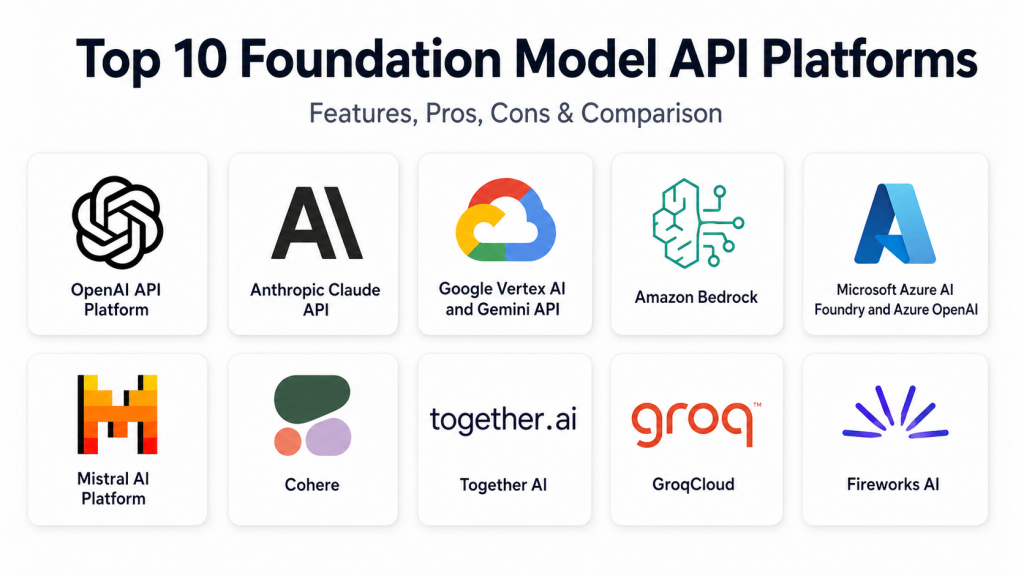
Top 10 Foundation Model API Platforms
1. OpenAI API Platform
One-line verdict: Best for teams building high-quality AI products with strong models, agents, and developer tooling.
Short description:
OpenAI API Platform gives developers access to advanced models for text, reasoning, coding, vision, speech, embeddings, structured outputs, and agentic workflows. It is widely used by startups, product teams, SaaS businesses, and enterprises building customer-facing and internal AI applications.
Standout Capabilities
- Strong model quality for reasoning, coding, writing, analysis, summarization, and multimodal use cases.
- Developer-friendly APIs for chat, structured outputs, tool calling, and automation.
- Useful for building AI assistants, copilots, agents, and document workflows.
- Supports embeddings and retrieval-style application patterns.
- Strong ecosystem across SDKs, AI frameworks, workflow tools, and application platforms.
- Good fit for both quick prototypes and production applications.
- Helpful for teams that want fast development without hosting models themselves.
AI-Specific Depth
- Model support: Proprietary hosted models, reasoning models, multimodal models, embeddings, speech models.
- RAG / knowledge integration: Supported through embeddings, file-based workflows, external vector databases, and custom retrieval pipelines.
- Evaluation: Supports model comparison, prompt testing patterns, evaluation workflows, and tracing through platform and external tools.
- Guardrails: Safety systems and moderation-related capabilities are available; deeper controls depend on implementation.
- Observability: Usage tracking, token metrics, latency tracking, traces, and external observability integrations are commonly used.
Pros
- Strong model quality across many business and developer use cases.
- Mature developer experience with broad ecosystem support.
- Good for teams that need fast product development.
Cons
- High usage can become costly without monitoring.
- Not ideal when full self-hosting is required.
- Vendor lock-in can happen if the app is tightly built around one provider.
Security & Compliance
OpenAI provides business and enterprise security controls such as encryption, workspace management, privacy controls, and administrative options. SSO, retention settings, audit controls, and certifications can vary by plan. If not verified during procurement, treat certifications as Not publicly stated.
Deployment & Platforms
- Web and API access.
- Works with backend systems, web apps, mobile apps, and desktop applications.
- Cloud-hosted.
- Self-hosted deployment is generally N/A.
- Hybrid usage is possible through customer-side architecture.
Integrations & Ecosystem
OpenAI has a broad developer ecosystem and is commonly used with AI frameworks, vector databases, backend services, customer support tools, internal tools, and workflow automation systems.
- Official and community SDKs
- Agent frameworks
- Vector databases
- Backend application stacks
- Low-code AI builders
- Observability tools
- CI/CD workflows
Pricing Model
Typically usage-based. Cost depends on model type, input tokens, output tokens, cached tokens, audio, image, or other API usage. Enterprise pricing may vary.
Best-Fit Scenarios
- Building customer-facing AI assistants and copilots.
- Creating agentic workflows with tool use and approvals.
- Developing AI products quickly without hosting models.
2. Anthropic Claude API
One-line verdict: Best for teams prioritizing long-context reasoning, careful responses, safety, and developer workflows.
Short description:
Anthropic Claude API gives access to Claude models for reasoning, writing, coding, document analysis, summarization, and tool use. It is popular with teams that need careful output, long-context handling, and safer AI behavior.
Standout Capabilities
- Strong long-context document understanding.
- Good for coding, writing, research, summarization, and analysis.
- Tool-use support for agentic workflows.
- Helpful prompt guidance and evaluation practices.
- Good fit for complex documents and knowledge-heavy tasks.
- Strong focus on safety and controlled model behavior.
- Useful for internal assistants and professional workflows.
AI-Specific Depth
- Model support: Proprietary hosted Claude models with text, coding, reasoning, and multimodal capabilities depending on model.
- RAG / knowledge integration: Supported through application-side RAG, external vector databases, and document workflows.
- Evaluation: Evaluation workflows and guidance are available; depth depends on setup.
- Guardrails: Safety-focused behavior and prompt-control guidance are available.
- Observability: Usage, latency, and tool behavior can be monitored through API logs and external tools.
Pros
- Strong for document-heavy and reasoning-heavy workflows.
- Useful for careful writing, coding, and analysis.
- Good safety-first positioning.
Cons
- Some advanced workflows need careful prompt design.
- Cost and limits should be checked for large workloads.
- Multi-model routing usually needs another orchestration layer.
Security & Compliance
Anthropic provides enterprise-oriented security and privacy options. SSO, RBAC, audit logs, retention, data residency, and certifications may vary by contract and plan. If not verified, write Not publicly stated.
Deployment & Platforms
- API access across common development environments.
- Cloud-hosted.
- Self-hosted deployment is generally N/A.
- Hybrid usage is possible through customer-side infrastructure.
Integrations & Ecosystem
Claude is used in coding tools, document workflows, RAG systems, AI assistants, and enterprise automation.
- API and SDK access
- Tool-use workflows
- Coding assistant integrations
- RAG pipelines
- Document analysis systems
- Evaluation workflows
- Backend applications
Pricing Model
Typically usage-based by input and output tokens. Pricing can vary by model and contract.
Best-Fit Scenarios
- Long document review and summarization.
- Coding assistants and engineering support.
- Internal knowledge assistants requiring careful responses.
3. Google Vertex AI and Gemini API
One-line verdict: Best for Google Cloud teams needing multimodal models, governance, agents, and AI operations.
Short description:
Google Vertex AI and Gemini API provide access to Gemini models, model catalogs, agent tools, evaluation features, and cloud AI services. This platform is a strong fit for companies already using Google Cloud, BigQuery, and cloud-native data workflows.
Standout Capabilities
- Strong multimodal support across text, image, audio, video, and documents.
- Access to Gemini models and selected model catalog options.
- Good fit for AI agents and enterprise AI applications.
- Strong connection with Google Cloud data and analytics services.
- Supports evaluation, monitoring, and governance through the cloud ecosystem.
- Useful for enterprise search, document intelligence, and customer service.
- Works well for teams already using Google Cloud.
AI-Specific Depth
- Model support: Gemini models, selected third-party and open models through model catalog, multimodal models.
- RAG / knowledge integration: Supported through search, embeddings, data connectors, and external vector systems.
- Evaluation: Model and agent evaluation capabilities are available in the broader platform.
- Guardrails: Safety settings and governance controls are available; exact depth varies by service.
- Observability: Cloud monitoring, logs, metrics, and model monitoring can be configured.
Pros
- Strong for Google Cloud users.
- Good multimodal and data-platform alignment.
- Useful enterprise tooling for model lifecycle and operations.
Cons
- Can be complex for small teams.
- Best value often comes when used with the wider Google Cloud stack.
- Pricing and architecture may require cloud expertise.
Security & Compliance
Security features may include IAM, encryption, access control, logging, and cloud governance through Google Cloud. SSO, audit logs, residency, and compliance details depend on configuration and contract. If not confirmed, write Not publicly stated.
Deployment & Platforms
- Cloud API and Google Cloud platform access.
- Works across backend, web, desktop, and mobile applications.
- Primarily cloud-hosted.
- Hybrid patterns may be possible through Google Cloud architecture.
- Self-hosting Gemini models is generally N/A.
Integrations & Ecosystem
Google’s AI platform connects deeply with Google Cloud data, analytics, and application services.
- Google Cloud services
- BigQuery
- Vertex AI Search
- Embeddings
- Model catalog
- Monitoring and logging
- Enterprise data workflows
Pricing Model
Typically usage-based and cloud-service-based. Pricing may vary by model, region, tokens, storage, search, and other cloud resources.
Best-Fit Scenarios
- Enterprises already using Google Cloud.
- Multimodal apps using text, images, audio, video, and documents.
- AI agents connected to business data and analytics.
4. Amazon Bedrock
One-line verdict: Best for AWS-centered enterprises needing multi-model access, guardrails, agents, and governance.
Short description:
Amazon Bedrock is a managed AWS platform for accessing foundation models from multiple providers. It supports model selection, agents, knowledge bases, guardrails, evaluation, and AWS-native security controls.
Standout Capabilities
- Access to multiple foundation model providers through one AWS service.
- Strong fit for AWS-native enterprise architecture.
- Guardrails for applying safeguards across supported workflows.
- Knowledge bases for RAG-style applications.
- Agent capabilities for tool use and automation.
- Model evaluation features for comparing performance.
- Strong integration with AWS identity, logging, storage, security, and networking.
AI-Specific Depth
- Model support: Multi-model hosted platform with proprietary and third-party models.
- RAG / knowledge integration: Knowledge bases, enterprise data sources, vector database integrations, and AWS storage integration.
- Evaluation: Model and retrieval evaluation capabilities are available.
- Guardrails: Configurable guardrails are available.
- Observability: AWS logging, monitoring, metrics, and tracing patterns can be used.
Pros
- Strong enterprise fit for AWS customers.
- Multi-model access reduces dependency on one provider.
- Good security and governance alignment with AWS.
Cons
- Best suited for teams already comfortable with AWS.
- Some workflows require multiple AWS services.
- Model availability and features may vary by region.
Security & Compliance
Amazon Bedrock uses AWS security foundations such as IAM, encryption, logging, private networking options, and governance services. Exact certifications, residency, retention, and compliance details should be verified for the chosen setup. If not confirmed, write Not publicly stated.
Deployment & Platforms
- Cloud-hosted through AWS.
- Works through APIs with web, backend, desktop, and mobile apps.
- Hybrid patterns are possible through AWS architecture.
- Self-hosting managed Bedrock models is generally N/A.
Integrations & Ecosystem
Amazon Bedrock works well inside AWS-based enterprise systems and AI workflows.
- AWS IAM
- Amazon S3
- AWS Lambda
- Cloud monitoring tools
- Search and vector workflows
- Knowledge bases
- AWS security services
Pricing Model
Typically usage-based by model, tokens, inference, customization, guardrails, knowledge bases, and related AWS resources.
Best-Fit Scenarios
- AWS-first enterprises building AI systems.
- Teams needing multi-model access under cloud governance.
- RAG, agent, and automation workflows tied to AWS data.
5. Microsoft Azure AI Foundry and Azure OpenAI
One-line verdict: Best for Microsoft enterprises needing OpenAI models, governance, security controls, and cloud integration.
Short description:
Microsoft Azure AI Foundry and Azure OpenAI help teams build, test, deploy, and govern AI applications in the Microsoft cloud ecosystem. It is a strong choice for enterprises using Azure, Microsoft identity, Microsoft security tools, and business data platforms.
Standout Capabilities
- Access to selected OpenAI models through Azure-managed services.
- Broader model catalog and AI development environment.
- Strong identity, access control, and governance alignment with Azure.
- Content safety and safety evaluation features.
- Good integration with Microsoft developer, data, productivity, and security ecosystem.
- Useful for regulated enterprises with cloud governance needs.
- Good fit for internal copilots, enterprise search, document workflows, and support systems.
AI-Specific Depth
- Model support: Hosted OpenAI models through Azure OpenAI, plus selected catalog models.
- RAG / knowledge integration: Supported through Azure AI Search, embeddings, enterprise data connectors, and external vector systems.
- Evaluation: Safety and model evaluation workflows are available.
- Guardrails: Content safety and platform guardrail controls are available.
- Observability: Azure monitoring, logs, metrics, and application observability integrations.
Pros
- Strong fit for Microsoft and Azure-centered enterprises.
- Good security, identity, and governance integration.
- Useful for enterprise AI application lifecycle management.
Cons
- Can be complex for teams not already using Azure.
- Some features may vary by region or plan.
- Cost tracking needs careful governance across several services.
Security & Compliance
Azure AI services can use Microsoft cloud security features such as identity management, access control, encryption, logging, and governance. SSO, RBAC, audit logs, residency, and certifications depend on tenant setup and contract. If not confirmed, write Not publicly stated.
Deployment & Platforms
- Cloud-hosted through Azure.
- Works across backend, web, desktop, and mobile applications.
- Hybrid patterns are possible through Azure architecture.
- Self-hosted deployment varies by model and service.
Integrations & Ecosystem
Azure AI Foundry fits naturally into Microsoft-heavy environments where identity, compliance, enterprise data, and cloud operations already live in Azure.
- Azure AI Search
- Microsoft identity services
- Azure Monitor
- Microsoft security tools
- Azure data services
- Developer tools
- Enterprise application platforms
Pricing Model
Typically usage-based and cloud-service-based. Costs may include tokens, search, storage, safety tools, monitoring, and other Azure resources.
Best-Fit Scenarios
- Large enterprises using Microsoft Azure.
- AI applications requiring governance and safety controls.
- Internal copilots, enterprise search, and regulated AI workflows.
6. Mistral AI Platform
One-line verdict: Best for teams wanting model flexibility, open-weight options, multilingual workflows, and deployment choice.
Short description:
Mistral AI provides foundation models, APIs, enterprise AI tooling, and open-weight model options. It is useful for teams that want hosted APIs, customization, multilingual capabilities, and more control over model strategy.
Standout Capabilities
- Offers proprietary and open-weight model options.
- Good for teams wanting alternatives to fully closed model ecosystems.
- Supports AI application development, agents, and customization.
- Strong appeal for multilingual and region-sensitive use cases.
- Useful for teams exploring open-weight model deployment.
- Can support cloud, controlled, and enterprise deployment patterns.
- Growing ecosystem across developer tools and cloud marketplaces.
AI-Specific Depth
- Model support: Proprietary hosted models, open-weight models, and multimodal capabilities depending on model.
- RAG / knowledge integration: Supported through APIs, embeddings, external vector databases, and enterprise integrations.
- Evaluation: Varies / N/A depending on platform setup.
- Guardrails: Varies / N/A; application-side controls may be needed.
- Observability: Platform and external observability options vary by deployment.
Pros
- Good model flexibility and open-weight options.
- Useful for multilingual and enterprise workflows.
- Strong alternative to fully closed AI platforms.
Cons
- Ecosystem may be smaller than the largest cloud providers.
- Some production features may depend on enterprise arrangements.
- Advanced setup may require stronger AI engineering skills.
Security & Compliance
Enterprise security and privacy capabilities vary by offering and deployment model. SSO, RBAC, audit logs, retention, residency, and certifications should be verified directly. If not confirmed, write Not publicly stated.
Deployment & Platforms
- Cloud API access.
- Open-weight models may support self-hosted or custom deployment depending on license and infrastructure.
- Cloud, self-hosted, and hybrid possibilities vary.
- Works through common developer environments.
Integrations & Ecosystem
Mistral can fit into modern AI application stacks, cloud marketplaces, and custom enterprise systems.
- APIs and SDKs
- Open-weight model ecosystem
- Cloud marketplace access
- RAG and vector database workflows
- Agent frameworks
- Enterprise app integrations
- Custom deployment pipelines
Pricing Model
Typically usage-based for hosted APIs. Enterprise and custom deployment pricing may vary. Open-weight usage may involve infrastructure cost instead of pure API cost.
Best-Fit Scenarios
- Teams wanting hosted and open-weight model options.
- Multilingual assistants and enterprise AI applications.
- Companies that want more control over model strategy.
7. Cohere
One-line verdict: Best for enterprise RAG, retrieval, reranking, embeddings, and business-focused language workflows.
Short description:
Cohere provides enterprise-focused language models, embeddings, and reranking capabilities. It is useful for search, RAG, document retrieval, knowledge assistants, and business automation where retrieval quality matters.
Standout Capabilities
- Strong focus on enterprise search, embeddings, and reranking.
- Helps improve RAG accuracy and relevance.
- Useful for business workflows and document-heavy applications.
- Can be used directly or through selected cloud ecosystems.
- Good fit for internal knowledge assistants.
- Reranking helps reduce irrelevant retrieved content.
- Strong enterprise positioning for secure AI workflows.
AI-Specific Depth
- Model support: Proprietary hosted models, embeddings, reranking models, and selected partner platform access.
- RAG / knowledge integration: Strong support through embeddings and reranking.
- Evaluation: Varies / N/A depending on implementation.
- Guardrails: Varies / N/A; application-side controls may be required.
- Observability: API usage metrics and external observability patterns; depth varies.
Pros
- Strong for search and retrieval-heavy systems.
- Reranking can improve RAG answer quality.
- Good fit for business knowledge workflows.
Cons
- Not always the first choice for broad multimodal apps.
- Many teams may still combine it with other model providers.
- Custom RAG engineering may be required.
Security & Compliance
Cohere offers enterprise-oriented controls, but exact SSO, RBAC, audit logs, retention, residency, and certifications should be checked for the selected plan. If not verified, write Not publicly stated.
Deployment & Platforms
- Cloud API access.
- Available through selected cloud partner ecosystems.
- Private deployment options may vary by enterprise agreement.
- Works across common application platforms through APIs.
Integrations & Ecosystem
Cohere works well inside search, RAG, knowledge management, and enterprise document workflows.
- API and SDK access
- Embedding workflows
- Rerank pipelines
- Vector database integrations
- Cloud marketplace patterns
- Enterprise search systems
- RAG frameworks
Pricing Model
Typically usage-based for model calls, embeddings, and reranking. Enterprise pricing may vary.
Best-Fit Scenarios
- Enterprise knowledge search.
- RAG systems needing better retrieval quality.
- AI assistants grounded in internal business content.
8. Together AI
One-line verdict: Best for developers needing open-source model inference, fine-tuning, GPU access, and model flexibility.
Short description:
Together AI provides infrastructure for running, fine-tuning, and scaling open-source AI models. It is useful for AI-native teams that want flexibility, control, and access to model infrastructure without managing everything themselves.
Standout Capabilities
- Strong focus on open-source model inference and fine-tuning.
- Supports many model families.
- Provides infrastructure for training, tuning, batch jobs, and inference.
- Good for teams that want more control than closed-only APIs.
- Useful for custom model workflows and experimentation.
- GPU infrastructure supports heavier AI workloads.
- Helps reduce dependency on one proprietary model provider.
AI-Specific Depth
- Model support: Open-source models, hosted inference, fine-tuning, and custom model workflows.
- RAG / knowledge integration: Supported through embeddings, external vector databases, and application-side RAG.
- Evaluation: Evaluation capabilities vary by workflow.
- Guardrails: Varies / N/A; application-side guardrails are usually required.
- Observability: Usage metrics and workflow monitoring vary by service and implementation.
Pros
- Good flexibility for open-source AI builders.
- Strong fit for fine-tuning and custom model experimentation.
- Useful infrastructure path for AI-native teams.
Cons
- Needs more AI engineering skill than simple hosted APIs.
- Guardrails and governance often need separate implementation.
- Enterprises may need additional security review.
Security & Compliance
Security features, enterprise controls, and compliance status should be verified directly. If SSO, RBAC, audit logs, retention, residency, or certifications are not confirmed, write Not publicly stated.
Deployment & Platforms
- Cloud-hosted inference and infrastructure.
- GPU options for advanced workloads.
- Self-hosted patterns depend on open-source model choices and customer infrastructure.
- Works through APIs across common development environments.
Integrations & Ecosystem
Together AI is useful for teams building custom systems around open-source models and flexible infrastructure.
- APIs and SDKs
- Open-source model ecosystem
- Fine-tuning workflows
- Batch processing
- GPU infrastructure
- RAG frameworks
- Developer infrastructure tools
Pricing Model
Typically usage-based for inference, fine-tuning, batch jobs, and infrastructure. GPU-related costs may vary by configuration.
Best-Fit Scenarios
- Startups building with open-source foundation models.
- Teams needing fine-tuning and custom model workflows.
- AI engineers who want model and infrastructure control.
9. GroqCloud
One-line verdict: Best for developers needing low-latency inference with simple APIs and fast experimentation.
Short description:
GroqCloud is an inference platform known for fast response times and developer-friendly API patterns. It is useful for real-time AI experiences such as assistants, voice workflows, live agents, and interactive applications.
Standout Capabilities
- Strong focus on low-latency inference.
- API patterns make experimentation easier for developers.
- Good fit for fast prototyping.
- Useful for real-time applications where speed matters.
- Supports hosted model access.
- Simple path for teams familiar with chat-style APIs.
- Good for performance-sensitive AI workloads.
AI-Specific Depth
- Model support: Hosted models and commonly used open model families.
- RAG / knowledge integration: Supported through application-side RAG and external vector databases.
- Evaluation: Varies / N/A; external evaluation tools are usually required.
- Guardrails: Varies / N/A; application-side safety controls are usually required.
- Observability: Usage and performance monitoring vary; external observability is recommended.
Pros
- Strong for latency-sensitive applications.
- Easy for developers to test and integrate.
- Useful for real-time AI experiences.
Cons
- Not a full enterprise AI governance suite by itself.
- Model choice depends on supported hosted models.
- RAG, guardrails, and evaluation may need separate tools.
Security & Compliance
Enterprise security details should be verified directly. SSO, RBAC, audit logs, data retention, residency, and certifications are Not publicly stated unless confirmed for the selected plan.
Deployment & Platforms
- Cloud-hosted API platform.
- Works across backend, web, desktop, and mobile applications.
- Self-hosted deployment is generally N/A.
- Hybrid usage is possible through customer-side architecture.
Integrations & Ecosystem
GroqCloud fits well into developer stacks that need fast inference without a complex setup.
- API access
- SDK support
- Backend app integrations
- RAG frameworks
- Real-time application patterns
- External monitoring tools
- Workflow automation systems
Pricing Model
Typically usage-based. Exact pricing depends on model and usage pattern.
Best-Fit Scenarios
- Low-latency chat assistants.
- Real-time voice or interactive AI systems.
- Developers testing open-model inference quickly.
10. Fireworks AI
One-line verdict: Best for teams running open-source models with fast inference, fine-tuning, and production deployment needs.
Short description:
Fireworks AI is a platform for serving and fine-tuning open-source models with production-focused inference. It is useful for teams that want model flexibility, speed, and the ability to customize models for specific workloads.
Standout Capabilities
- Focused on fast inference for open-source models.
- Supports fine-tuning for specialized use cases.
- Useful for teams that want more control over model choice and cost.
- Good fit for product teams building custom AI applications.
- Supports deployment workflows for fine-tuned models.
- Helps teams move from experimentation to production.
- Strong option for open-model application development.
AI-Specific Depth
- Model support: Open-source models, hosted inference, and fine-tuned models.
- RAG / knowledge integration: Supported through external vector databases and application-side RAG workflows.
- Evaluation: Varies / N/A; external evaluation workflows may be needed.
- Guardrails: Varies / N/A; application-side guardrails are usually required.
- Observability: Usage and deployment monitoring vary; external observability is recommended.
Pros
- Strong option for open-source model deployment.
- Fine-tuning helps adapt models to specific use cases.
- Useful for balancing quality, cost, and control.
Cons
- Needs more AI engineering maturity than simple chatbot tools.
- Enterprises may need separate governance and safety layers.
- Model quality depends on selected model and implementation.
Security & Compliance
Security and compliance details should be verified directly for the selected plan. SSO, RBAC, audit logs, retention, residency, and certifications are Not publicly stated unless confirmed.
Deployment & Platforms
- Cloud-hosted inference and deployment workflows.
- Fine-tuned model deployment supported depending on configuration.
- Self-hosted patterns depend on model strategy and enterprise setup.
- Works through APIs across common application platforms.
Integrations & Ecosystem
Fireworks AI works well for developers and product teams building around open-source models and custom inference workflows.
- APIs and SDKs
- Open-source model ecosystem
- Fine-tuning workflows
- RAG frameworks
- Vector database integrations
- Backend applications
- Production inference pipelines
Pricing Model
Typically usage-based for inference and fine-tuning. Costs depend on model, deployment type, and workload. Enterprise pricing may vary.
Best-Fit Scenarios
- Open-source model inference at production scale.
- Fine-tuned models for domain-specific workflows.
- Teams seeking control over model choice, performance, and cost.
Comparison Table
| Tool Name | Best For | Deployment | Model Flexibility | Strength | Watch-Out | Public Rating |
|---|---|---|---|---|---|---|
| OpenAI API Platform | High-quality AI products and agents | Cloud | Hosted proprietary | Strong model quality | Cost and lock-in planning | N/A |
| Anthropic Claude API | Long-context reasoning and careful responses | Cloud | Hosted proprietary | Strong document reasoning | Needs careful prompt design | N/A |
| Google Vertex AI and Gemini API | Google Cloud enterprises | Cloud / Hybrid patterns | Hosted and model catalog | Multimodal cloud ecosystem | Cloud complexity | N/A |
| Amazon Bedrock | AWS-first enterprise AI | Cloud / Hybrid patterns | Multi-model hosted | AWS-native governance | Service complexity | N/A |
| Microsoft Azure AI Foundry and Azure OpenAI | Microsoft enterprise environments | Cloud / Hybrid patterns | Hosted and model catalog | Enterprise security alignment | Azure complexity | N/A |
| Mistral AI Platform | Model flexibility and open-weight options | Cloud / Self-hosted options / Hybrid | Hosted and open-weight | Flexible model strategy | Smaller ecosystem | N/A |
| Cohere | Enterprise RAG and retrieval | Cloud / Partner platforms | Hosted enterprise models | Rerank and retrieval quality | Less broad multimodal focus | N/A |
| Together AI | Open-source inference and fine-tuning | Cloud / Infrastructure options | Open-source and custom models | Developer model flexibility | Needs AI engineering skill | N/A |
| GroqCloud | Low-latency inference | Cloud | Hosted open-model access | Fast inference | Limited full governance suite | N/A |
| Fireworks AI | Open-source production inference | Cloud / Custom patterns | Open-source and fine-tuned models | Fast open-model serving | Separate safety layers needed | N/A |
Scoring & Evaluation
The scoring below is comparative, not absolute. It is based on practical buyer needs such as core features, reliability, guardrails, integrations, ease of use, performance, cost control, security, and support. A higher score does not mean the tool is perfect for every company. It simply means the platform is stronger across a broad set of common requirements. Every team should run its own pilot, test real prompts, measure cost and latency, and verify security before making a final decision.
| Tool | Core | Reliability/Eval | Guardrails | Integrations | Ease | Perf/Cost | Security/Admin | Support | Weighted Total |
|---|---|---|---|---|---|---|---|---|---|
| OpenAI API Platform | 9 | 8 | 8 | 9 | 9 | 8 | 8 | 9 | 8.55 |
| Anthropic Claude API | 9 | 8 | 8 | 8 | 8 | 7 | 8 | 8 | 8.15 |
| Google Vertex AI and Gemini API | 9 | 8 | 8 | 9 | 7 | 8 | 9 | 8 | 8.35 |
| Amazon Bedrock | 9 | 8 | 9 | 9 | 7 | 8 | 9 | 8 | 8.45 |
| Microsoft Azure AI Foundry and Azure OpenAI | 9 | 8 | 9 | 9 | 7 | 8 | 9 | 8 | 8.45 |
| Mistral AI Platform | 8 | 7 | 6 | 7 | 7 | 8 | 7 | 7 | 7.35 |
| Cohere | 8 | 7 | 6 | 8 | 7 | 8 | 7 | 7 | 7.45 |
| Together AI | 8 | 7 | 5 | 7 | 7 | 8 | 6 | 7 | 7.05 |
| GroqCloud | 7 | 6 | 5 | 7 | 8 | 9 | 6 | 7 | 6.95 |
| Fireworks AI | 8 | 6 | 5 | 7 | 7 | 8 | 6 | 7 | 6.95 |
Top Choices for Enterprise
- Amazon Bedrock
- Microsoft Azure AI Foundry and Azure OpenAI
- Google Vertex AI and Gemini API
Top Choices for SMB
- OpenAI API Platform
- Anthropic Claude API
- GroqCloud
Top Choices for Developers
- OpenAI API Platform
- Together AI
- Fireworks AI
Which Foundation Model API Platform Is Right for You?
Solo / Freelancer
Solo builders usually need speed, simple APIs, helpful documentation, and predictable cost. OpenAI API Platform is a strong default for broad use cases because it is easy to start with and supports many application patterns.
Anthropic Claude API is a good choice for writing, coding, document review, and long-context reasoning. GroqCloud is useful when speed is the main priority. Fireworks AI and Together AI are better if you want to experiment with open-source models and fine-tuning.
SMB
SMBs should focus on fast value, cost visibility, reliability, and easy integration. OpenAI API Platform and Anthropic Claude API are strong choices for customer support bots, sales assistants, document automation, internal knowledge tools, and coding support.
If the SMB already uses AWS, Amazon Bedrock can be a good fit. If it uses Microsoft heavily, Azure AI Foundry and Azure OpenAI may be better. If retrieval quality is the main challenge, Cohere can be useful for embeddings and reranking.
Mid-Market
Mid-market teams need stronger governance than startups but may not want a complex enterprise AI platform from the beginning. The best approach is often balanced: one strong foundation model provider, one RAG layer, one evaluation workflow, and one observability process.
OpenAI, Anthropic, Azure AI Foundry, Google Vertex AI, and Amazon Bedrock are strong options. The final decision should depend on cloud stack, security needs, engineering skill, and expected workload size.
Enterprise
Enterprises should prioritize security, governance, identity, auditability, privacy, evaluation, and lifecycle management. Amazon Bedrock is strong for AWS-first enterprises. Microsoft Azure AI Foundry and Azure OpenAI are strong for Microsoft-first enterprises. Google Vertex AI and Gemini API are strong for Google Cloud and data-heavy organizations.
Large enterprises may also use OpenAI or Anthropic directly for selected high-value use cases. However, they should add strong evaluation, monitoring, security review, and governance before scaling.
Regulated Industries
Finance, healthcare, insurance, legal, and public sector teams should not choose a platform only because the model performs well. They must verify privacy, retention, encryption, access control, audit logs, data location, human review, and incident handling.
Azure AI Foundry, Amazon Bedrock, and Google Vertex AI are often attractive because they fit inside large cloud governance ecosystems. Still, every security and compliance claim must be verified directly. If internal policy is very strict, private deployment or open-source model hosting may be needed.
Budget vs Premium
Premium hosted models are often better for complex reasoning, coding, summarization, and high-stakes workflows. Lower-cost or open-source models may be better for classification, extraction, routing, simple rewriting, and high-volume internal automation.
A practical approach is to route tasks by difficulty. Use premium models for hard tasks and smaller models for routine tasks. Add caching, batching, token limits, retrieval optimization, and monitoring to control spend.
Build vs Buy
Buy when you need fast launch, strong model quality, vendor support, and managed infrastructure. Build or self-host when you need strict control, private deployment, domain-specific tuning, special latency targets, or lower dependency on one provider.
Many mature AI teams use a hybrid approach. They buy APIs for speed, build abstraction layers for flexibility, and gradually self-host selected models where it makes business sense.
Implementation Playbook
Phase One: Pilot and Success Metrics
Start with one focused use case. Do not try to automate everything at once. Choose a workflow with clear value, manageable risk, and measurable output.
Key tasks:
- Select a few platforms for testing.
- Define success metrics such as answer accuracy, task completion rate, latency, cost per task, human review rate, and user satisfaction.
- Build a small prompt library with version control.
- Create a basic evaluation set using real examples.
- Test model behavior across normal, edge, and unsafe inputs.
- Add basic logging for prompts, responses, errors, tokens, and latency.
- Review privacy and retention settings before using sensitive data.
- Decide which tasks require human approval.
Phase Two: Security, Evaluation, and Controlled Rollout
After the pilot, focus on production readiness. Many AI projects fail because teams skip evaluation, security review, and governance.
Key tasks:
- Build an evaluation workflow for regression testing.
- Add red-team tests for prompt injection, jailbreaks, unsafe output, and data leakage.
- Create prompt and policy review workflows.
- Add guardrails for content safety and sensitive actions.
- Configure role-based access and admin controls.
- Add human review for high-impact decisions.
- Connect logs with observability systems.
- Create incident handling steps for bad outputs or unsafe behavior.
- Roll out to a controlled user group.
Phase Three: Cost, Latency, Governance, and Scale
Once the system is useful and safer, optimize for wider use. Focus on cost control, routing, reliability, and governance.
Key tasks:
- Add model routing based on task complexity.
- Use caching for repeated instructions and repeated context.
- Optimize prompts to reduce unnecessary token usage.
- Improve RAG quality with better chunking, reranking, and grounding.
- Track production failure patterns.
- Create dashboards for cost, latency, accuracy, and user adoption.
- Define ownership across product, engineering, security, legal, and operations.
- Review vendor lock-in risk and create a switching plan.
- Document approved use cases, restricted use cases, and escalation paths.
Common Mistakes & How to Avoid Them
- Choosing a platform only because it has the most popular model. Test with your own data and workflows.
- Ignoring prompt injection risk. Treat external content as untrusted input.
- Launching without evaluations. Build test sets before production rollout.
- Not monitoring cost. Track token usage, retries, long prompts, and model choice.
- Using sensitive data without checking privacy and retention settings.
- Over-automating decisions without human review.
- Building directly against one vendor API without an abstraction layer.
- Forgetting latency. A model that is accurate but too slow may fail in real workflows.
- Using RAG without testing retrieval quality. Bad retrieval creates bad answers.
- Not versioning prompts. Prompt changes can break production behavior.
- Assuming certifications or compliance without direct verification.
- Skipping audit logs and admin controls.
- Treating AI output as always correct. Add review paths and confidence checks.
- Ignoring fallback behavior. Plan what happens when the model fails, times out, or returns unsafe output.
FAQs
What is a Foundation Model API Platform?
A Foundation Model API Platform gives developers access to large AI models through APIs. These models can generate text, analyze documents, write code, understand images, create embeddings, power agents, and support automation workflows.
Are Foundation Model API Platforms safe for business data?
They can be safe when configured correctly, but buyers must verify data retention, training usage, encryption, access control, and audit logs. Never assume privacy terms are the same across all vendors or plans.
Do these platforms train on my data?
Policies vary by vendor and plan. Some providers offer business controls that limit data usage for training, but this must be verified directly before production use.
Can I bring my own model?
Some platforms support BYO model or open-source model deployment, while others focus mainly on hosted proprietary models. Mistral AI, Together AI, Fireworks AI, Amazon Bedrock, Google Vertex AI, and Azure AI Foundry may offer more flexibility depending on setup.
Which platform is best for RAG?
Cohere is strong for embeddings and reranking. Amazon Bedrock, Google Vertex AI, Azure AI Foundry, and OpenAI can also support RAG workflows. The best choice depends on your data sources, retrieval quality, vector database, and evaluation process.
Which platform is best for AI agents?
OpenAI, Anthropic, Google Vertex AI, Amazon Bedrock, and Azure AI Foundry are strong candidates for agentic workflows. Buyers should test tool calling, approvals, memory, tracing, guardrails, and failure handling before production use.
Can I self-host foundation models?
Yes, but not every provider supports self-hosting. Open-source or open-weight model routes through Mistral AI, Together AI, Fireworks AI, or custom infrastructure may support more control. Self-hosting needs strong engineering and operations skills.
How do I control AI API costs?
Use model routing, caching, batching, prompt compression, smaller models, retrieval optimization, token limits, and usage dashboards. Also monitor retries, long prompts, and unnecessary context.
What are guardrails in Foundation Model API Platforms?
Guardrails are controls that reduce unsafe, harmful, non-compliant, or unwanted outputs. They can include content filters, policy checks, jailbreak defense, prompt-injection handling, data leakage controls, and human approval steps.
How important is evaluation?
Evaluation is very important. Without testing, teams cannot know whether a model is accurate, reliable, safe, or improving. Good evaluation includes test sets, regression checks, red-team tests, human review, and production monitoring.
Can I switch from one model provider to another later?
Yes, but switching is easier if you design for it early. Use abstraction layers, standard message formats, model gateways, prompt versioning, and provider-independent evaluation sets.
Which platform is best for regulated industries?
There is no single winner. AWS, Microsoft, and Google platforms are often attractive because they align with enterprise cloud governance. Regulated teams must still verify security, compliance, data residency, audit logs, and legal requirements.
Are open-source model platforms cheaper?
They can be cheaper for some workloads, but not always. Infrastructure, tuning, monitoring, security, and operations costs must be included. Open-source platforms work best when teams have enough engineering skill to manage them.
Should startups use enterprise platforms from the beginning?
Not always. Startups usually need speed and product learning first. However, they should still add privacy controls, evaluation, cost tracking, and vendor abstraction early so they do not rebuild everything later.
Conclusion
Foundation Model API Platforms are now important building blocks for modern AI products. The best platform is not simply the one with the most powerful model. The right choice depends on your use case, data sensitivity, engineering skill, cloud stack, budget, latency needs, and governance requirements.
OpenAI and Anthropic are strong choices for fast product development and high-quality AI experiences. Amazon Bedrock, Microsoft Azure AI Foundry, and Google Vertex AI are strong for enterprises that need cloud governance and operational control. Mistral AI, Together AI, GroqCloud, and Fireworks AI are useful when teams want model flexibility, speed, open-source options, or custom deployment choices. Cohere is especially useful for retrieval-heavy enterprise AI systems.
The best next step is simple: shortlist a few platforms, run a real pilot with your own data, verify security and evaluation controls, measure cost and latency, and then scale only when the system is reliable. Start small, test carefully, govern properly, and grow with confidence.