Introduction
AI Radiology Workflow Orchestration refers to software that coordinates imaging data, AI algorithms, radiology worklists, clinical systems, notifications, and downstream workflows so that medical imaging studies move efficiently from acquisition to interpretation and follow-up.Unlike a single AI algorithm designed to detect one abnormality, an orchestration platform can act as a coordination layer. It may route imaging studies to appropriate AI applications, manage processing, return results to clinical systems, prioritize selected examinations, support radiologist workflows, and provide operational visibility.This distinction matters because healthcare organizations increasingly use multiple imaging-AI applications. Running several independent algorithms can create fragmented workflows, duplicated integrations, inconsistent notifications, and additional administrative work. An orchestration layer can potentially simplify this environment.
What’s Changed in AI Radiology Workflow Orchestration
Radiology AI orchestration is evolving from simple image routing toward intelligent, multi-application workflow management.
- Multi-AI environments: Hospitals increasingly need to manage several AI algorithms rather than a single model.
- AI routing: Intelligent routing can help determine which studies should be processed by which algorithms.
- Workflow automation: Automated processing can reduce manual intervention between PACS, AI applications, and reporting systems.
- Worklist prioritization: AI findings can potentially influence examination prioritization when appropriate.
- Multimodal workflows: Orchestration platforms increasingly need to support different imaging modalities and clinical pathways.
- Cloud-based inference: Cloud processing can reduce the need for organizations to maintain dedicated local AI infrastructure, although privacy and connectivity requirements must be evaluated.
- Hybrid architectures: Some healthcare organizations require combinations of cloud and local processing because of latency, privacy, network, or infrastructure considerations.
- Centralized AI governance: Health systems need visibility into which AI models are deployed, where they are used, and how their performance is monitored.
- DICOM-first integration: Reliable DICOM routing remains foundational for many imaging workflows.
- PACS interoperability: Orchestration must fit naturally into existing radiology workflows rather than creating another disconnected application.
- AI marketplaces: Some platforms provide access to multiple algorithms through a common technical framework.
- Operational observability: Organizations increasingly need visibility into processing latency, failures, utilization, availability, and AI-result delivery.
- Model lifecycle management: Model versions, updates, validation status, and retirement need appropriate controls.
- Human-in-the-loop workflows: AI findings generally need to reach clinicians in ways that preserve professional review and accountability.
- Security-by-design: Orchestration introduces additional interfaces, services, credentials, data transfers, and network pathways.
- Cost optimization: Organizations need to understand processing costs, study volumes, cloud usage, and whether every study actually needs every AI algorithm.
- Agentic workflow potential: Future systems may use AI agents to coordinate routing, workflow decisions, exception handling, and operational investigation, but clinical governance should remain explicit.
- Continuous quality management: AI performance and workflow behavior should be monitored after deployment rather than assumed to remain unchanged.
Quick Buyer Checklist
Before selecting an AI radiology workflow orchestration platform, evaluate:
- DICOM compatibility
- DICOM routing
- PACS integration
- RIS integration
- EHR integration
- AI application compatibility
- AI marketplace
- Multi-vendor AI support
- CT support
- MRI support
- X-ray support
- Mammography support
- Ultrasound support
- Study routing rules
- Automated AI selection
- Worklist integration
- Result routing
- Notification workflows
- Processing latency
- Queue management
- Failure handling
- Retry mechanisms
- Audit trails
- AI model inventory
- Model-version tracking
- Clinical validation status
- AI performance monitoring
- Usage monitoring
- Infrastructure monitoring
- Role-based access
- SSO
- Encryption
- Data retention
- Data residency
- Network security
- Vendor access management
- API availability
- Interoperability
- Cloud deployment
- On-premises deployment
- Hybrid deployment
- Disaster recovery
- Business continuity
- Cost per study
- Subscription structure
- Implementation effort
- Vendor lock-in
- Exit strategy
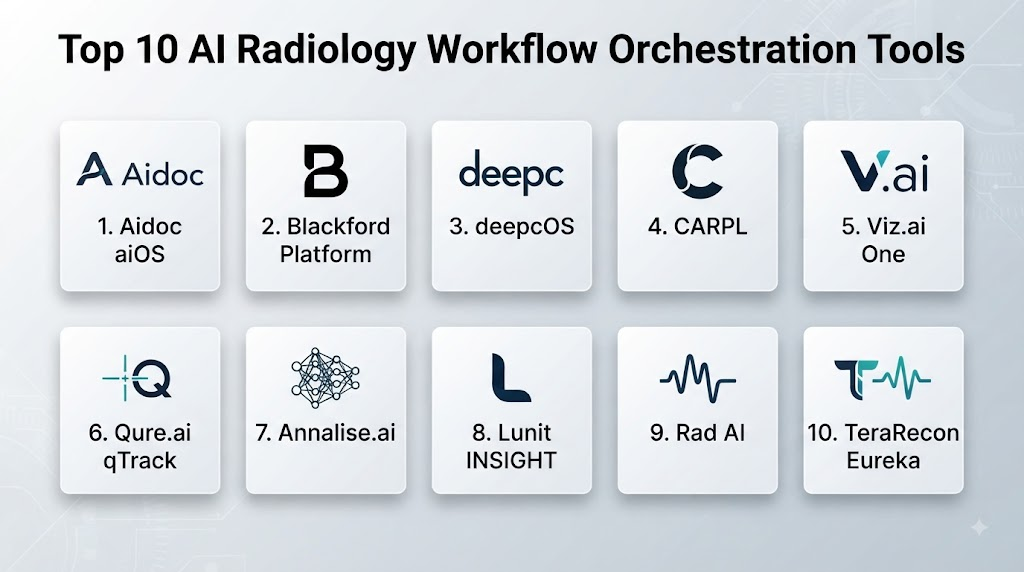
Top 10 AI Radiology Workflow Orchestration Tools
1 — Blackford Platform
One-line verdict: Best for healthcare organizations seeking a dedicated layer for managing multiple medical imaging AI applications and workflows.
Short description:
Blackford provides an imaging-AI platform designed to connect medical imaging workflows with multiple AI applications. Its orchestration approach is relevant to organizations that want to avoid building separate technical integrations for every AI algorithm.
Standout Capabilities
- Multi-AI application management
- Medical-image routing
- AI workflow orchestration
- DICOM-oriented integration
- Algorithm deployment
- AI application selection
- Workflow automation
- Centralized AI management
AI-Specific Depth
- Model support: Multi-vendor AI application support; exact supported models vary.
- RAG / knowledge integration: Primarily imaging workflow orchestration rather than general-purpose RAG.
- Evaluation: Evaluation depends on the individual clinical AI applications and deployment.
- Guardrails: Workflow rules and clinical integration controls can support appropriate AI usage.
- Observability: Platform-level monitoring capabilities vary by deployment.
Pros
- Designed specifically around medical-imaging AI orchestration.
- Can help reduce duplicated AI integrations.
- Useful for organizations managing multiple algorithms.
Cons
- Benefits increase with the number of AI applications deployed.
- Individual algorithms still require separate clinical evaluation.
- Integration planning can be substantial in complex hospital environments.
Security & Compliance
Healthcare organizations should verify applicable encryption, authentication, authorization, audit logging, data retention, residency, regulatory requirements, and certifications for the specific deployment.
Deployment & Platforms
- Web: Workflow-dependent
- Windows/macOS/Linux: Server and integration architecture varies
- iOS/Android: Not generally the primary orchestration interface
- Deployment: Cloud, local, or hybrid options vary
Integrations & Ecosystem
The platform is oriented toward connecting imaging infrastructure with AI applications.
- PACS
- DICOM
- RIS
- Imaging modalities
- AI algorithms
- Hospital systems
- Clinical workflows
Pricing Model
Enterprise/custom pricing. Exact pricing varies according to deployment, study volume, and configuration.
Best-Fit Scenarios
- Multi-AI radiology environments
- Large imaging departments
- Organizations seeking centralized AI orchestration
2 — CARPL.ai
One-line verdict: Best for radiology organizations seeking an AI platform approach that brings multiple imaging algorithms into a common environment.
Short description:
CARPL.ai is designed around medical imaging AI deployment, evaluation, and workflow integration. Its platform approach can be relevant to radiology organizations that want to experiment with, evaluate, and operationalize multiple AI applications.
Standout Capabilities
- Multi-AI platform
- Algorithm evaluation
- AI deployment
- Medical-imaging workflows
- Algorithm marketplace
- Workflow integration
- AI lifecycle support
- Radiology-focused environment
AI-Specific Depth
- Model support: Multi-model and multi-vendor capabilities vary by available applications.
- RAG / knowledge integration: Primarily imaging-AI orchestration rather than conventional document RAG.
- Evaluation: AI algorithm evaluation is an important part of the platform concept.
- Guardrails: Deployment and workflow controls vary by application.
- Observability: Monitoring capabilities depend on the selected workflow and deployment.
Pros
- Useful for evaluating multiple AI applications.
- Designed specifically for medical imaging.
- Can help organizations avoid committing to a single AI vendor.
Cons
- Individual AI applications still require clinical validation.
- Marketplace availability can vary by geography and clinical use case.
- Governance becomes more complex as the number of models increases.
Security & Compliance
Verify security architecture, encryption, authentication, access controls, retention, residency, regulatory requirements, and certifications for the intended deployment.
Deployment & Platforms
- Web: Yes
- Windows/macOS/Linux: Integration dependent
- iOS/Android: Varies
- Deployment: Cloud and other deployment options vary
Integrations & Ecosystem
- PACS
- DICOM
- AI algorithms
- Imaging systems
- Radiology workflows
- Healthcare IT infrastructure
- Clinical applications
Pricing Model
Enterprise/custom pricing. Exact pricing varies.
Best-Fit Scenarios
- Radiology AI experimentation
- Multi-vendor AI programs
- Health systems building AI governance capabilities
3 — Aidoc aiOS
One-line verdict: Best for hospitals wanting an integrated AI operating environment around radiology detection, prioritization, and clinical workflows.
Short description:
Aidoc’s platform approach is designed to support multiple AI applications within medical imaging workflows. Its emphasis is on bringing AI-generated findings into clinical operations rather than leaving individual algorithms disconnected from the radiologist’s workflow.
Standout Capabilities
- Multi-AI deployment
- Radiology workflow integration
- Automated analysis
- Worklist prioritization
- Clinical notifications
- Multiple clinical indications
- Imaging workflow support
- Centralized AI operations
AI-Specific Depth
- Model support: Primarily the vendor’s medical-imaging AI portfolio.
- RAG / knowledge integration: Imaging and clinical workflow integration rather than general RAG.
- Evaluation: Product-specific clinical validation varies by algorithm.
- Guardrails: Clinical review and workflow controls support human oversight.
- Observability: Platform and application monitoring capabilities vary.
Pros
- Strong clinical workflow orientation.
- Multiple AI applications can operate within one environment.
- Useful for acute-care imaging workflows.
Cons
- Greater dependence on the vendor ecosystem.
- Individual algorithms require separate clinical evaluation.
- Organizations seeking broad third-party AI neutrality should examine ecosystem flexibility carefully.
Security & Compliance
Verify product-specific security controls, encryption, access management, auditability, retention, residency, and regulatory requirements.
Deployment & Platforms
- Web: Clinical workflow-dependent
- Windows/macOS/Linux: Healthcare integration varies
- iOS/Android: Workflow-dependent
- Deployment: Cloud/integrated options vary
Integrations & Ecosystem
- PACS
- DICOM
- RIS
- EHR environments
- Imaging workflows
- Clinical communication
- Hospital systems
Pricing Model
Enterprise/custom pricing. Exact pricing varies.
Best-Fit Scenarios
- Large radiology departments
- Hospitals deploying multiple Aidoc applications
- Acute-care imaging workflows
4 — Siemens Healthineers AI-Rad Companion
One-line verdict: Best for organizations seeking AI-assisted imaging workflows within established enterprise imaging environments.
Short description:
AI-Rad Companion is a family of imaging-AI applications supporting selected analysis, segmentation, and quantitative imaging workflows. It can be relevant to healthcare organizations already operating within established enterprise imaging ecosystems.
Standout Capabilities
- Automated image analysis
- Anatomical segmentation
- Quantitative measurements
- CT analysis
- Selected MRI applications
- Structured imaging outputs
- Imaging workflow integration
- Enterprise imaging support
AI-Specific Depth
- Model support: Proprietary medical-imaging AI applications.
- RAG / knowledge integration: Primarily imaging workflow integration.
- Evaluation: Product-specific clinical validation varies.
- Guardrails: Clinical review and intended-use limitations apply.
- Observability: Product-specific monitoring varies.
Pros
- Strong enterprise imaging ecosystem.
- Useful for quantitative imaging.
- Relevant to organizations with established imaging infrastructure.
Cons
- Capabilities vary by application.
- Some organizations may prefer vendor-neutral orchestration.
- Individual applications require separate clinical assessment.
Security & Compliance
Verify applicable regulatory status, security architecture, access controls, retention, residency, encryption, and certifications for the intended application.
Deployment & Platforms
- Web: Varies
- Windows/macOS/Linux: Integrated clinical deployment varies
- iOS/Android: Varies
- Deployment: Enterprise/cloud options vary
Integrations & Ecosystem
- PACS
- DICOM
- CT
- MRI
- Radiology workflows
- Imaging workstations
- Hospital systems
Pricing Model
Enterprise/custom pricing. Exact pricing varies by application and deployment.
Best-Fit Scenarios
- Large imaging departments
- Enterprise imaging environments
- Quantitative imaging programs
5 — GE HealthCare Edison Platform
One-line verdict: Best for healthcare organizations building AI-enabled imaging workflows around a large enterprise medical-imaging ecosystem.
Short description:
GE HealthCare’s Edison ecosystem supports digital and AI capabilities across healthcare applications. For imaging organizations, its relevance comes from connecting AI capabilities with broader imaging and clinical technology environments.
Standout Capabilities
- Imaging AI ecosystem
- AI application integration
- Enterprise imaging workflows
- Clinical workflow support
- Imaging analytics
- Device ecosystem integration
- AI-enabled applications
- Healthcare workflow connectivity
AI-Specific Depth
- Model support: Vendor and ecosystem AI capabilities vary.
- RAG / knowledge integration: Application-dependent.
- Evaluation: Product-specific clinical validation varies.
- Guardrails: Clinical workflow and enterprise controls vary.
- Observability: Depends on the connected application and environment.
Pros
- Broad healthcare ecosystem.
- Strong relevance to enterprise imaging.
- Can support AI-enabled workflows around imaging infrastructure.
Cons
- Broad ecosystem can introduce complexity.
- AI capabilities vary across applications.
- Organizations seeking vendor-neutral orchestration should evaluate ecosystem boundaries.
Security & Compliance
Verify product-specific security controls, regulatory status, data handling, encryption, retention, residency, access controls, and certifications.
Deployment & Platforms
- Web: Varies
- Windows/macOS/Linux: Enterprise integration varies
- iOS/Android: Varies
- Deployment: Cloud, local, and hybrid architectures vary
Integrations & Ecosystem
- Imaging equipment
- PACS
- DICOM
- Hospital systems
- AI applications
- Clinical workflows
- Enterprise healthcare infrastructure
Pricing Model
Enterprise/custom pricing.
Best-Fit Scenarios
- Large health systems
- Enterprise imaging environments
- Organizations with extensive GE HealthCare infrastructure
6 — Philips AI-enabled Imaging Ecosystem
One-line verdict: Best for healthcare organizations seeking imaging AI within a broader enterprise clinical and imaging technology environment.
Short description:
Philips provides imaging, informatics, and AI-enabled healthcare technologies. Its imaging ecosystem can support AI-assisted workflows across selected clinical applications and enterprise imaging environments.
Standout Capabilities
- Enterprise imaging
- AI-enabled applications
- Imaging informatics
- Workflow support
- Clinical decision support
- Image analysis
- Healthcare interoperability
- Enterprise deployment
AI-Specific Depth
- Model support: Vendor and ecosystem AI applications vary.
- RAG / knowledge integration: Application-specific.
- Evaluation: Product-specific clinical validation varies.
- Guardrails: Clinical and workflow controls vary.
- Observability: Depends on the application and infrastructure.
Pros
- Broad healthcare ecosystem.
- Strong enterprise imaging orientation.
- Relevant to organizations seeking integrated imaging technology.
Cons
- Exact AI orchestration capabilities vary by product.
- Ecosystem breadth can create implementation complexity.
- Vendor-neutral requirements should be assessed carefully.
Security & Compliance
Verify the specific application’s regulatory status, encryption, access control, retention, residency, auditability, and certifications.
Deployment & Platforms
- Web: Varies
- Windows/macOS/Linux: Enterprise integration varies
- iOS/Android: Varies
- Deployment: Cloud/local/hybrid options vary
Integrations & Ecosystem
- PACS
- DICOM
- Imaging equipment
- Hospital systems
- AI applications
- Enterprise imaging
- Clinical workflows
Pricing Model
Enterprise/custom pricing.
Best-Fit Scenarios
- Enterprise imaging departments
- Large health systems
- Organizations using Philips imaging technologies
7 — Blackford + Multi-Vendor AI Ecosystem
One-line verdict: Best for organizations prioritizing vendor-neutral access to multiple specialized imaging-AI applications.
Short description:
Blackford’s platform model is particularly relevant to healthcare organizations that want to coordinate multiple imaging-AI applications without creating independent integration paths for every algorithm. Its value increases as the number and diversity of AI applications grows.
Standout Capabilities
- Multi-vendor AI
- AI application orchestration
- Imaging workflow routing
- Centralized management
- Algorithm selection
- DICOM workflow support
- AI deployment
- Workflow automation
AI-Specific Depth
- Model support: Multi-vendor applications, subject to platform availability.
- RAG / knowledge integration: Primarily imaging workflow orchestration.
- Evaluation: Depends on individual AI algorithms.
- Guardrails: Routing and workflow policies can provide operational controls.
- Observability: Platform capabilities vary by implementation.
Pros
- Vendor-neutral orientation.
- Useful for multi-AI environments.
- Can simplify integration architecture.
Cons
- Availability of specific algorithms may vary.
- Clinical validation remains the responsibility of the deploying organization.
- Multi-vendor environments require careful governance.
Security & Compliance
Verify deployment-specific security, privacy, regulatory, encryption, retention, residency, and access requirements.
Deployment & Platforms
- Web: Varies
- Windows/macOS/Linux: Server/integration architecture varies
- iOS/Android: Not generally primary
- Deployment: Cloud/local/hybrid options vary
Integrations & Ecosystem
- PACS
- DICOM
- AI vendors
- RIS
- Imaging modalities
- Clinical applications
- Hospital systems
Pricing Model
Enterprise/custom pricing.
Best-Fit Scenarios
- Multi-vendor AI programs
- Health systems avoiding single-vendor dependency
- Organizations building an AI marketplace strategy
8 — CARPL.ai AI Marketplace
One-line verdict: Best for organizations evaluating and operationalizing multiple imaging algorithms through a common AI platform.
Short description:
CARPL.ai provides infrastructure and workflows for discovering, evaluating, and deploying medical-imaging AI applications. It can be useful for organizations that want flexibility when comparing multiple algorithms for clinical workflows.
Standout Capabilities
- AI marketplace
- Algorithm evaluation
- Imaging AI deployment
- Multi-vendor ecosystem
- Workflow integration
- Model testing
- Clinical AI experimentation
- AI lifecycle support
AI-Specific Depth
- Model support: Multi-model capabilities vary by available applications.
- RAG / knowledge integration: Imaging-oriented rather than general-purpose knowledge retrieval.
- Evaluation: Algorithm evaluation is a major component of the platform.
- Guardrails: Deployment and workflow controls vary.
- Observability: Monitoring capabilities depend on the implementation.
Pros
- Encourages algorithm comparison.
- Supports multi-vendor strategies.
- Useful for organizations establishing imaging-AI programs.
Cons
- Marketplace availability varies.
- Clinical validation is still necessary.
- Larger deployments require formal governance.
Security & Compliance
Verify all applicable healthcare security, privacy, access, retention, residency, regulatory, and certification requirements.
Deployment & Platforms
- Web: Yes
- Windows/macOS/Linux: Integration dependent
- iOS/Android: Varies
- Deployment: Cloud and other options vary
Integrations & Ecosystem
- PACS
- DICOM
- Imaging systems
- AI algorithms
- Clinical workflows
- Hospital infrastructure
- Radiology applications
Pricing Model
Enterprise/custom pricing.
Best-Fit Scenarios
- AI evaluation programs
- Academic radiology
- Multi-vendor AI adoption
9 — NVIDIA Clara / MONAI Ecosystem
One-line verdict: Best for technically sophisticated organizations building customized medical-imaging AI infrastructure and orchestration workflows.
Short description:
The NVIDIA Clara and MONAI ecosystem has supported medical-imaging AI development and deployment workflows. It is more developer-oriented than turnkey radiology workflow products and can be relevant to research institutions, AI engineering teams, and organizations building customized pipelines.
Standout Capabilities
- Medical-imaging AI development
- Model deployment
- Image processing
- AI pipelines
- Deep-learning infrastructure
- Research workflows
- Custom model integration
- Developer flexibility
AI-Specific Depth
- Model support: Broad AI model and framework flexibility.
- RAG / knowledge integration: Can be built into custom systems; not inherently a radiology RAG platform.
- Evaluation: Strong potential for custom evaluation pipelines.
- Guardrails: Must largely be designed and implemented by the deploying organization.
- Observability: Custom monitoring can be implemented depending on architecture.
Pros
- High technical flexibility.
- Strong research and development potential.
- Suitable for custom imaging-AI pipelines.
Cons
- Requires significant engineering expertise.
- Not a simple turnkey radiology orchestration platform.
- Clinical governance and safety controls require substantial implementation work.
Security & Compliance
Organizations are responsible for designing and validating the security architecture around their deployment. Specific clinical certifications should not be assumed.
Deployment & Platforms
- Web: Custom
- Windows/macOS/Linux: Developer and infrastructure environments vary
- iOS/Android: Custom
- Deployment: Cloud, self-hosted, and hybrid architectures can be built
Integrations & Ecosystem
- DICOM
- PACS
- AI frameworks
- GPUs
- Kubernetes
- Cloud infrastructure
- Custom applications
Pricing Model
Varies by infrastructure, software, deployment, and enterprise requirements.
Best-Fit Scenarios
- Academic medical centers
- AI research teams
- Organizations building proprietary imaging-AI pipelines
10 — Arterys
One-line verdict: Best for organizations evaluating cloud-based medical-imaging AI workflows and specialized quantitative imaging applications.
Short description:
Arterys has developed cloud-based medical-imaging applications, including quantitative and cardiovascular imaging capabilities. Its approach is relevant to organizations interested in AI-assisted imaging workflows that extend beyond simple image classification.
Standout Capabilities
- Cloud imaging
- Quantitative analysis
- Cardiovascular imaging
- AI-assisted image interpretation
- Workflow integration
- Medical image processing
- Automated measurements
- Clinical visualization
AI-Specific Depth
- Model support: Proprietary and application-specific AI capabilities.
- RAG / knowledge integration: Primarily imaging-focused.
- Evaluation: Varies by clinical application.
- Guardrails: Clinical review and intended-use controls remain important.
- Observability: Product-specific operational monitoring varies.
Pros
- Cloud-oriented imaging approach.
- Strong quantitative imaging relevance.
- Useful for specialized imaging workflows.
Cons
- More specialized than general orchestration platforms.
- Capabilities vary by application.
- Organizations need to evaluate integration and deployment architecture carefully.
Security & Compliance
Verify current product-specific regulatory authorization, encryption, access control, data retention, residency, auditability, and applicable certifications.
Deployment & Platforms
- Web: Yes
- Windows/macOS/Linux: Browser and integration dependent
- iOS/Android: Varies
- Deployment: Cloud-oriented, with architecture varying by product
Integrations & Ecosystem
- PACS
- DICOM
- Imaging workflows
- Cardiovascular imaging
- Clinical systems
- Hospital infrastructure
Pricing Model
Enterprise/custom pricing. Exact pricing varies.
Best-Fit Scenarios
- Cardiovascular imaging
- Quantitative imaging
- Organizations evaluating cloud imaging workflows
Comparison Table
| Tool | Best For | Deployment | Model Flexibility | Strength | Watch-Out | Public Rating |
|---|---|---|---|---|---|---|
| Blackford | Multi-vendor AI orchestration | Cloud / local / hybrid varies | Multi-vendor | AI workflow routing | Integration complexity | N/A |
| CARPL.ai | AI marketplace and evaluation | Cloud / varies | Multi-vendor | Algorithm comparison | Marketplace coverage varies | N/A |
| Aidoc aiOS | Integrated radiology AI | Cloud / integrated | Primarily vendor ecosystem | Clinical workflow | Vendor ecosystem dependency | N/A |
| Siemens AI-Rad Companion | Enterprise imaging | Integrated / cloud varies | Primarily proprietary | Quantitative imaging | Application-specific scope | N/A |
| GE HealthCare Edison | Enterprise imaging ecosystem | Cloud / local / hybrid varies | Ecosystem-dependent | Enterprise integration | Broad platform complexity | N/A |
| Philips AI ecosystem | Enterprise imaging | Cloud / local / hybrid varies | Ecosystem-dependent | Imaging infrastructure | Product capabilities vary | N/A |
| Blackford Multi-Vendor | Vendor-neutral strategy | Varies | Multi-vendor | Flexible AI ecosystem | Governance requirements | N/A |
| CARPL AI Marketplace | AI evaluation programs | Cloud / varies | Multi-vendor | Algorithm discovery | Availability varies | N/A |
| NVIDIA Clara / MONAI | Developers and researchers | Cloud / self-hosted / hybrid | Highly flexible | Custom AI pipelines | Engineering burden | N/A |
| Arterys | Quantitative imaging | Cloud-oriented | Application-dependent | Cloud imaging | Specialized scope | N/A |
Scoring & Evaluation
The following scores are comparative editorial assessments of suitability for radiology workflow orchestration. They are not clinical safety ratings or vendor-published scores.
A healthcare organization should give greater weight to the specific clinical use case, regulatory status, local validation, interoperability, cybersecurity, and workflow impact.
| Tool | Core | Reliability/Eval | Guardrails | Integrations | Ease | Perf/Cost | Security/Admin | Support | Weighted Total |
|---|---|---|---|---|---|---|---|---|---|
| Blackford | 9.4 | 9.0 | 9.0 | 9.4 | 8.0 | 8.2 | 9.0 | 8.6 | 8.9 |
| CARPL.ai | 9.2 | 9.2 | 8.8 | 9.0 | 8.2 | 8.2 | 8.8 | 8.4 | 8.8 |
| Aidoc aiOS | 9.3 | 8.9 | 9.0 | 9.4 | 8.5 | 8.1 | 9.0 | 8.8 | 8.9 |
| Siemens AI-Rad Companion | 9.0 | 8.8 | 9.0 | 9.3 | 8.0 | 7.8 | 9.2 | 9.0 | 8.8 |
| GE HealthCare Edison | 8.9 | 8.6 | 8.9 | 9.3 | 7.8 | 7.8 | 9.2 | 8.9 | 8.6 |
| Philips AI ecosystem | 8.8 | 8.6 | 8.9 | 9.2 | 7.8 | 7.8 | 9.2 | 8.9 | 8.6 |
| Blackford Multi-Vendor | 9.3 | 9.0 | 9.0 | 9.4 | 8.0 | 8.2 | 9.0 | 8.6 | 8.9 |
| CARPL AI Marketplace | 9.1 | 9.2 | 8.8 | 9.0 | 8.2 | 8.2 | 8.8 | 8.4 | 8.8 |
| NVIDIA Clara / MONAI | 8.7 | 9.0 | 8.2 | 9.2 | 6.8 | 8.4 | 8.6 | 9.0 | 8.4 |
| Arterys | 8.4 | 8.6 | 8.5 | 8.5 | 8.1 | 8.0 | 8.6 | 8.2 | 8.4 |
Top 3 for Enterprise
- Blackford — particularly attractive for organizations pursuing a multi-vendor imaging-AI strategy.
- Aidoc aiOS — strong for organizations deploying a broad collection of integrated radiology AI applications.
- Siemens AI-Rad Companion — relevant to established enterprise imaging environments requiring quantitative imaging support.
Top 3 for SMB
- CARPL.ai — useful when an organization wants to evaluate different imaging AI applications without immediately committing to a single algorithm ecosystem.
- Aidoc aiOS — suitable when the available clinical applications align closely with the organization’s needs.
- Blackford — attractive when multiple AI applications are expected over time.
Top 3 for Developers
- NVIDIA Clara / MONAI ecosystem — strongest for teams building custom imaging-AI infrastructure.
- CARPL.ai — useful for AI evaluation and deployment workflows.
- Blackford — relevant for teams needing integration across multiple imaging-AI applications.
Which AI Radiology Workflow Orchestration Tool Is Right for You?
Solo / Freelancer
A dedicated radiology orchestration platform is generally unnecessary for an individual clinician or small independent practice unless multiple AI applications are already being deployed.
Priorities should instead be:
- PACS compatibility
- DICOM integration
- Clinical validation
- Regulatory status
- Security
- Workflow simplicity
- Human oversight
Avoid adding an orchestration layer merely because it is technically interesting.
The technology should solve a genuine workflow problem.
SMB
Smaller imaging organizations should start by mapping their existing workflow.
Document:
- Where images are acquired
- Where studies are stored
- How studies reach radiologists
- Which AI applications are currently used
- How AI results are delivered
- Where notifications appear
- Where reports are generated
- Where failures occur
If only one AI application is deployed, direct integration may be simpler.
If several applications are planned, orchestration becomes more attractive.
Mid-Market
Mid-market radiology organizations should begin thinking about AI as a platform rather than a collection of isolated applications.
Prioritize:
- Multi-vendor support
- Centralized routing
- AI inventory
- DICOM interoperability
- PACS integration
- Monitoring
- Audit logs
- Model-version tracking
- Clinical governance
- Security controls
- Cost visibility
A centralized orchestration platform can reduce technical duplication as the AI portfolio expands.
Enterprise
Large health systems should evaluate orchestration as part of their enterprise imaging architecture.
Key requirements include:
- Multi-site routing
- Multi-PACS support
- Multi-vendor AI
- Centralized administration
- AI inventory
- Model governance
- Clinical validation workflows
- Security
- Access controls
- Auditability
- Performance monitoring
- Disaster recovery
- Business continuity
- Cost management
- Vendor exit strategy
Enterprise orchestration should ideally provide visibility into every AI application operating across the organization.
Regulated Industries
Healthcare organizations should evaluate AI orchestration with the same seriousness applied to other clinical infrastructure.
Review:
- Regulatory requirements
- Intended use
- Clinical responsibility
- Patient-data handling
- Data retention
- Data residency
- Encryption
- Authentication
- RBAC
- Audit logging
- Vendor access
- Network architecture
- Incident response
- Model updates
- AI inventory
- Clinical validation
- Downtime procedures
An orchestration platform can become a critical infrastructure component, which means failure planning is especially important.
Budget vs Premium
The economic value of orchestration depends heavily on the number of AI applications being managed.
For one AI application:
Direct integration may be cheaper and simpler.
For several applications:
Orchestration may reduce duplicated integration work and operational complexity.
For dozens of applications across multiple hospitals:
Centralized orchestration can become substantially more valuable.
Calculate:
- AI application count
- Study volume
- Integration costs
- Cloud processing costs
- Interface maintenance
- IT support
- Clinical workflow time
- Downtime costs
- Vendor-management costs
- Monitoring requirements
Build vs Buy
Building a custom orchestration platform is possible, particularly for large health systems and research organizations.
A custom architecture could include:
- DICOM router
- AI gateway
- API gateway
- Queue manager
- Model registry
- Routing engine
- PACS integration
- AI result repository
- Audit system
- Monitoring
- Authentication
- Access control
- Workflow engine
However, the organization becomes responsible for:
- Security
- Reliability
- Clinical workflow
- Vendor compatibility
- Model lifecycle
- DICOM interoperability
- Disaster recovery
- Monitoring
- Maintenance
- Regulatory requirements
- Long-term support
Buying an orchestration platform can be more practical when interoperability and vendor support are priorities.
Implementation Playbook
First 30 Days: Pilot + Success Metrics
Start by mapping the current imaging workflow.
Document:
- Imaging modalities
- PACS
- RIS
- EHR
- DICOM routes
- AI applications
- Worklists
- Notification channels
- Reporting systems
- Existing bottlenecks
Then select a limited use case.
For example:
CT → AI routing → analysis → result → PACS/worklist → radiologist
Measure:
- Routing latency
- AI processing time
- Result-delivery time
- Failed studies
- Duplicate processing
- Manual intervention
- Radiologist workflow impact
- AI utilization
- System availability
Days 31–60: Security + Evaluation + Rollout
Test the orchestration architecture under realistic conditions.
Evaluate:
- Normal study flow
- High-volume periods
- Multiple simultaneous AI jobs
- Unsupported studies
- Corrupted studies
- AI service failures
- Network failures
- PACS downtime
- Duplicate studies
- Delayed AI responses
Establish clear fallback behavior.
For example:
If AI is unavailable → imaging continues through the standard clinical workflow.
Security testing should include:
- Authentication
- Authorization
- Network controls
- Encryption
- Audit logs
- Service credentials
- Vendor access
- API security
- Data retention
- Data deletion
- Incident response
Days 61–90: Cost, Latency, Governance + Scale
Once the pilot is stable:
- Add additional AI applications.
- Automate routing.
- Establish centralized AI inventory.
- Track model versions.
- Monitor AI utilization.
- Measure processing costs.
- Monitor system availability.
- Track failed jobs.
- Review clinical workflow impact.
- Establish governance policies.
- Define change-management procedures.
- Create model-retirement policies.
At scale, establish an AI governance board or equivalent structure involving:
- Radiologists
- Clinical leadership
- IT
- Clinical informatics
- Cybersecurity
- Data governance
- Procurement
- Quality and safety
- Legal or compliance teams where appropriate
Common Mistakes & How to Avoid Them
- Treating orchestration as a diagnostic system: The orchestration layer coordinates AI; it does not automatically make individual algorithms clinically valid.
- Adding orchestration too early: One AI application may not justify an additional platform.
- Ignoring DICOM: DICOM remains foundational to many imaging workflows.
- Ignoring PACS integration: Results need to reach clinicians where they already work.
- Building isolated AI integrations: Connecting every AI vendor independently can create long-term technical debt.
- Ignoring AI versioning: Different model versions may behave differently.
- No failure handling: AI outages should not stop clinical imaging workflows.
- No monitoring: Track processing latency, failures, availability, and utilization.
- No cost visibility: AI processing can generate significant recurring costs at high imaging volumes.
- Ignoring duplicate processing: Multiple algorithms may process the same study unnecessarily.
- Over-notification: Too many alerts can create clinical fatigue.
- No clinical ownership: Every deployed AI application should have a clearly defined owner.
- Ignoring security: The orchestration layer can become a high-value infrastructure component.
- Poor vendor governance: Multiple AI vendors require consistent procurement and validation standards.
- No exit strategy: Organizations should understand how AI applications can be removed without disrupting the broader imaging environment.
- Ignoring local validation: Workflow and technical testing should be performed in the actual deployment environment.
- Assuming interoperability: A vendor saying “integrated” does not eliminate the need for technical validation.
- No disaster recovery: Critical imaging workflows need appropriate continuity planning.
- Ignoring model drift: Clinical AI performance can change over time.
- Treating the marketplace as validation: Availability through an AI marketplace does not automatically mean that an algorithm is appropriate for every clinical environment.
FAQs
What is AI Radiology Workflow Orchestration?
It is a software layer that coordinates medical imaging, AI applications, PACS, clinical systems, worklists, notifications, and downstream workflows.
How is orchestration different from radiology AI?
A radiology AI algorithm performs a specific imaging analysis task. An orchestration platform manages how studies and results move between imaging systems and potentially multiple AI applications.
Why do hospitals need AI orchestration?
Hospitals may deploy many AI algorithms. Without orchestration, each application may require separate integrations and workflows.
Can an orchestration platform run multiple AI algorithms?
Many orchestration platforms are designed specifically to support multiple algorithms, although the supported applications and technical architecture vary.
Does orchestration replace PACS?
Generally, no. Orchestration typically works alongside PACS and other imaging infrastructure rather than replacing the core image archive and viewing system.
Does orchestration replace radiologists?
No. Workflow orchestration coordinates software and information. Qualified healthcare professionals remain responsible for clinical interpretation.
What is DICOM routing?
DICOM routing involves transferring medical imaging studies between systems according to defined rules. It is an important technical component of many imaging workflows.
Can AI orchestration prioritize urgent studies?
Some orchestration environments can integrate AI findings with worklist or notification workflows. The exact behavior depends on the clinical application and configuration.
Can an orchestration platform support different AI vendors?
Some platforms are specifically designed for multi-vendor AI environments. Others are more closely tied to a particular vendor ecosystem.
Is vendor-neutral orchestration better?
Not necessarily. Vendor-neutral systems can provide flexibility, but a tightly integrated vendor ecosystem may provide simpler deployment and support. The appropriate choice depends on organizational requirements.
Can orchestration reduce integration work?
Potentially. A centralized layer can reduce the need to build and maintain separate integrations between every AI application and every imaging system.
Does orchestration improve AI accuracy?
Not inherently. Orchestration manages workflows and information flow. The diagnostic performance of an AI algorithm depends on the algorithm itself, its intended use, validation, and deployment conditions.
How does AI orchestration affect latency?
A well-designed system can automate routing and reduce unnecessary manual steps, but additional processing layers can also introduce latency. Actual performance must be tested in the target environment.
Can orchestration work with cloud AI?
Yes, depending on the architecture. Cloud-based AI introduces additional considerations around connectivity, security, privacy, latency, and data residency.
Can orchestration work on-premises?
Some platforms and architectures support local or hybrid deployment. Exact options vary by vendor and product.
What security controls should an orchestration platform have?
Important controls can include authentication, authorization, encryption, audit logging, network segmentation, secure APIs, credential management, data-retention controls, and incident-response procedures.
What happens if the AI system goes down?
A properly designed clinical workflow should have a fallback path so that imaging interpretation can continue without depending entirely on AI availability.
How should hospitals monitor orchestration?
Useful metrics include:
- Processing latency
- Queue length
- Failed studies
- AI availability
- Result-delivery failures
- AI utilization
- Duplicate processing
- Cost per study
- Workflow interruptions
What is an AI marketplace?
An AI marketplace provides access to multiple AI applications through a common environment, potentially allowing organizations to evaluate and deploy different algorithms.
Is an AI marketplace the same as orchestration?
Not necessarily. A marketplace focuses on discovering or accessing applications, while orchestration focuses on routing, workflow management, execution, and result delivery.
Should every imaging study be sent to every AI model?
Usually not. Routing rules can be designed so that studies are sent only to algorithms relevant to their modality, anatomy, indication, or workflow.
How can hospitals control AI costs?
Organizations can use routing rules, study eligibility criteria, utilization monitoring, volume controls, and cost analysis to avoid unnecessary processing.
Can AI orchestration support multiple hospitals?
Enterprise platforms may support multi-site environments, but architecture and capabilities vary. Multi-site deployments require careful routing, security, governance, and network planning.
What is the biggest mistake when implementing AI orchestration?
Treating orchestration as purely an IT project. Successful implementation requires clinical, technical, operational, security, and governance collaboration.
Should hospitals build or buy orchestration?
Buying can be practical when interoperability and vendor support are priorities. Building may make sense for organizations with specialized engineering and research capabilities.
How many AI applications justify orchestration?
There is no universal threshold. The decision depends on integration complexity, imaging volume, number of sites, clinical requirements, existing infrastructure, and expected future AI adoption.
Can orchestration support AI model governance?
A suitable platform can help maintain visibility into deployed applications, versions, routing rules, usage, and operational status. Formal clinical governance still requires organizational processes.
What is the future of radiology AI orchestration?
The category is likely to move toward intelligent routing, multi-model workflows, automated quality monitoring, multimodal context, stronger governance, and increasingly sophisticated AI agents that coordinate technical workflows under defined clinical controls.
Conclusion
AI Radiology Workflow Orchestration is becoming increasingly important as healthcare organizations move from deploying one or two imaging-AI algorithms to managing broader collections of clinical AI applications.An orchestration layer can help bring these components together.Blackford is particularly relevant to organizations seeking multi-vendor imaging-AI orchestration. CARPL.ai is useful for organizations interested in evaluating and deploying multiple algorithms. Aidoc aiOS is well suited to organizations using a broader Aidoc clinical-AI ecosystem. Siemens AI-Rad Companion, GE HealthCare Edison, and Philips’ imaging ecosystem are relevant to enterprise imaging environments where AI needs to work alongside established healthcare infrastructure. NVIDIA Clara and MONAI are more appropriate for technically sophisticated teams developing customized imaging-AI pipelines.