Introduction
AI Phishing Detection Systems use artificial intelligence, machine learning, natural-language processing, computer vision, and security analytics to identify suspicious emails, websites, messages, links, attachments, and user behavior. Unlike traditional filters that may rely heavily on known signatures or blocklists, AI-based systems can analyze patterns and context to identify previously unseen phishing attempts.Modern phishing campaigns can combine social engineering, malicious links, impersonation, QR codes, compromised websites, business email compromise, and highly personalized messages. AI can help security teams detect these signals faster and provide additional context before users interact with suspicious content.Common use cases include email phishing detection, malicious URL analysis, business email compromise detection, QR-code phishing, impersonation detection, credential-phishing prevention, attachment analysis, and automated incident investigation.
What’s Changed in AI Phishing Detection Systems
- AI models can analyze email language and context instead of relying only on known signatures.
- Behavioral analysis is increasingly important for detecting unusual sender and recipient activity.
- Natural-language processing can identify social-engineering patterns.
- AI can analyze URLs, domains, attachments, and message content together.
- Business email compromise detection increasingly relies on behavioral and identity signals.
- QR-code phishing has increased the importance of analyzing links embedded inside images.
- Computer vision can help identify suspicious screenshots, fake login pages, and visual impersonation.
- Generative AI has made phishing messages more polished and harder to distinguish from legitimate communication.
- AI-assisted security tools can investigate suspicious messages and provide analyst-friendly explanations.
- Automated remediation can quarantine or remove malicious messages after detection.
- Detection systems increasingly connect email intelligence with identity, endpoint, and cloud-security telemetry.
- AI models require continuous evaluation because attacker techniques change rapidly.
- Prompt-injection risks matter when security systems process attacker-controlled text or documents.
- Privacy controls are important when emails contain confidential business information.
- Security teams increasingly need auditability for automated detection and remediation decisions.
- False-positive management remains critical because excessive blocking can disrupt business communication.
- Cost and latency matter when organizations process millions of messages or URLs.
- Human review remains valuable for ambiguous business email compromise and sophisticated impersonation attempts.
Quick Buyer Checklist
- Email phishing detection.
- Malicious URL detection.
- Attachment analysis.
- Business email compromise detection.
- Impersonation detection.
- Domain analysis.
- Sender reputation.
- Behavioral analysis.
- QR-code phishing detection.
- Credential-phishing detection.
- Malware detection.
- Computer-vision capabilities.
- Natural-language analysis.
- AI-generated phishing detection.
- Automated quarantine.
- Automated remediation.
- SIEM integration.
- SOAR integration.
- Identity-security integration.
- Endpoint integration.
- API access.
- Data privacy controls.
- Data retention controls.
- Data residency options.
- Encryption.
- SSO and RBAC.
- Audit logging.
- AI evaluation.
- Model monitoring.
- False-positive management.
- Latency and throughput.
- Cost controls.
- Vendor lock-in risk.
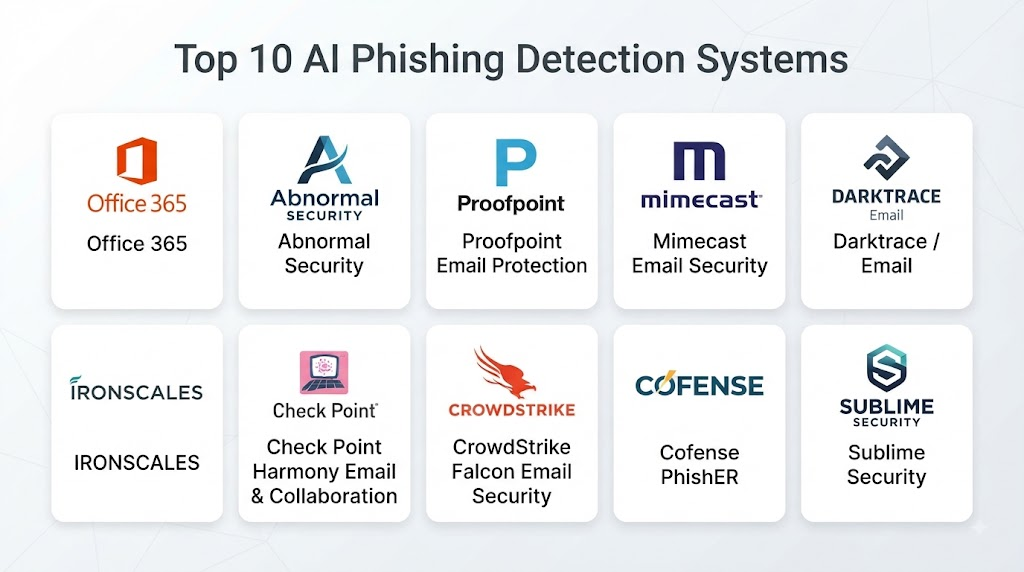
Top 10 AI Phishing Detection Systems
1. Microsoft Defender for Office 365
One-line verdict: Best for organizations seeking integrated AI-assisted email protection across Microsoft productivity and security environments.
Short description
Microsoft Defender for Office 365 provides protection against phishing, malicious links, malicious attachments, impersonation, and other email-based threats. It integrates closely with Microsoft’s broader identity, endpoint, cloud, and security ecosystem.
Standout Capabilities
- Phishing protection.
- Safe Links.
- Safe Attachments.
- Anti-phishing policies.
- Impersonation protection.
- Automated investigation.
- Threat intelligence integration.
- Security operations integration.
AI-Specific Depth
- Model support: Microsoft-managed AI and machine-learning capabilities; specific model architecture varies.
- RAG / knowledge integration: Security intelligence and Microsoft security telemetry can provide contextual investigation.
- Evaluation: Detection and investigation workflows are continuously updated; specific AI evaluation methodology is not fully publicly stated.
- Guardrails: Security policies, access controls, and administrative controls govern automated actions.
- Observability: Security alerts, investigation activity, and security telemetry are available through the broader security ecosystem.
Pros
- Strong Microsoft ecosystem integration.
- Broad email-security capabilities.
- Useful automated investigation features.
Cons
- Best value often comes in Microsoft-centric environments.
- Configuration can be complex.
- Advanced capabilities may require security expertise.
Security & Compliance
Microsoft provides enterprise security capabilities including identity controls, RBAC, audit functionality, encryption, and administrative governance. Specific certifications should be verified against the applicable service and configuration.
Deployment & Platforms
- Cloud.
- Web administration.
- Microsoft 365 environments.
- Security APIs.
Integrations & Ecosystem
Microsoft Defender for Office 365 integrates with Microsoft’s broader security ecosystem.
- Microsoft Defender.
- Microsoft Entra.
- Microsoft Sentinel.
- Exchange Online.
- Security APIs.
- Endpoint security.
- Cloud security.
Pricing Model
Subscription-based licensing with different capabilities depending on the selected Microsoft licensing arrangement.
Best-Fit Scenarios
- Microsoft 365 organizations.
- Enterprise email protection.
- Security operations teams using Microsoft security products.
2. Google Workspace Security
One-line verdict: Best for Google Workspace organizations requiring integrated phishing, malware, and suspicious-message protection.
Short description
Google Workspace includes security capabilities designed to identify phishing, malware, suspicious messages, and other email threats. Google’s machine-learning infrastructure supports detection across Gmail and the broader Workspace environment.
Standout Capabilities
- Phishing detection.
- Malware detection.
- Spam filtering.
- Suspicious-link analysis.
- Attachment analysis.
- Sender authentication.
- Security investigation.
- Administrative controls.
AI-Specific Depth
- Model support: Google-managed machine-learning and AI systems; exact models vary.
- RAG / knowledge integration: Google security intelligence can contribute to contextual analysis.
- Evaluation: Detection models are continuously evaluated and updated; detailed internal evaluation methodology is not publicly stated.
- Guardrails: Workspace security policies and administrative controls support protection.
- Observability: Security investigation and audit capabilities vary by Workspace edition.
Pros
- Strong Gmail integration.
- Mature machine-learning-based detection.
- Convenient for Google Workspace environments.
Cons
- Strongest fit is within Google Workspace.
- Advanced security capabilities vary by edition.
- Complex investigations may require additional security tools.
Security & Compliance
Google provides enterprise security, identity, encryption, administrative controls, and audit capabilities. Specific certifications depend on the service and should be verified for organizational requirements.
Deployment & Platforms
- Cloud.
- Web.
- Google Workspace.
- APIs.
Integrations & Ecosystem
Google Workspace security integrates naturally with Google’s productivity and security environment.
- Gmail.
- Google Workspace.
- Google security tools.
- APIs.
- Identity controls.
- Security investigation workflows.
Pricing Model
Subscription-based Workspace licensing with security functionality varying by edition.
Best-Fit Scenarios
- Google Workspace users.
- Cloud-first businesses.
- Organizations seeking integrated Gmail protection.
3. Proofpoint Email Protection
One-line verdict: Best for enterprises needing advanced email threat protection, phishing defense, and business email compromise controls.
Short description
Proofpoint provides enterprise email-security capabilities designed to identify phishing, malware, impersonation, and other advanced email threats. Its platform is commonly positioned for organizations with substantial email-security requirements.
Standout Capabilities
- Phishing detection.
- Business email compromise protection.
- Impersonation detection.
- Malware protection.
- URL analysis.
- Attachment protection.
- Threat intelligence.
- Security awareness integration.
AI-Specific Depth
- Model support: Vendor-managed AI and machine-learning capabilities; specific models vary.
- RAG / knowledge integration: Threat intelligence and security telemetry can provide contextual information.
- Evaluation: Detection performance is continuously improved; detailed model evaluation is not publicly stated.
- Guardrails: Security policies and administrative controls govern detection and remediation.
- Observability: Security events and email-security telemetry can support investigations.
Pros
- Strong enterprise email-security focus.
- Good coverage of sophisticated social engineering.
- Useful intelligence capabilities.
Cons
- Enterprise deployment can require planning.
- Pricing can be significant.
- Configuration may require security expertise.
Security & Compliance
Enterprise security controls are available. Specific certifications, data residency options, and retention capabilities should be confirmed for the exact service configuration.
Deployment & Platforms
- Cloud.
- Enterprise email environments.
- APIs.
- Security integrations.
Integrations & Ecosystem
Proofpoint supports integration with broader security operations.
- SIEM.
- SOAR.
- Identity systems.
- Email platforms.
- Security awareness tools.
- APIs.
- Threat intelligence.
Pricing Model
Enterprise/custom pricing.
Best-Fit Scenarios
- Large enterprises.
- Financial organizations.
- Organizations facing significant BEC risk.
4. Mimecast Email Security
One-line verdict: Best for organizations seeking layered email protection against phishing, impersonation, malware, and malicious links.
Short description
Mimecast provides email-security services covering phishing, malware, malicious URLs, impersonation, and related threats. Its platform can combine automated detection with administrative policies and remediation capabilities.
Standout Capabilities
- Email threat detection.
- Anti-phishing protection.
- Impersonation protection.
- Malicious-link protection.
- Attachment security.
- Email continuity.
- Threat intelligence.
- Automated remediation.
AI-Specific Depth
- Model support: Vendor-managed AI and machine learning; specific models vary.
- RAG / knowledge integration: Security intelligence and organizational context can support analysis.
- Evaluation: Detection performance is continuously updated; detailed AI evaluation methodology varies.
- Guardrails: Administrative policies control security actions.
- Observability: Email-security events and administrative activity can be monitored.
Pros
- Broad email-security coverage.
- Strong business email protection.
- Useful remediation capabilities.
Cons
- Enterprise features may increase complexity.
- Pricing varies by deployment.
- Some capabilities require additional configuration.
Security & Compliance
Enterprise security and administrative controls are available. Specific certifications and regulatory coverage should be verified for the selected service.
Deployment & Platforms
- Cloud.
- Email platforms.
- Web administration.
- APIs.
Integrations & Ecosystem
Mimecast supports integrations across security and email ecosystems.
- Microsoft 365.
- Google Workspace.
- SIEM.
- SOAR.
- Identity platforms.
- APIs.
- Security tools.
Pricing Model
Subscription and enterprise pricing models vary.
Best-Fit Scenarios
- Enterprise email environments.
- BEC protection.
- Organizations needing email continuity and security together.
5. Abnormal Security
One-line verdict: Best for detecting behavioral anomalies, sophisticated phishing, and business email compromise using AI-driven analysis.
Short description
Abnormal Security focuses heavily on behavioral analysis and understanding communication patterns to detect abnormal email activity. This approach can be particularly useful against threats that do not rely on traditional malware signatures.
Standout Capabilities
- Behavioral email analysis.
- Business email compromise detection.
- Account takeover detection.
- Vendor impersonation detection.
- Phishing detection.
- Automated remediation.
- Communication-pattern analysis.
- Threat investigation.
AI-Specific Depth
- Model support: Vendor-managed AI; exact model architecture is not publicly stated.
- RAG / knowledge integration: Organizational communication context supports behavioral analysis.
- Evaluation: Detection models are continuously evaluated; detailed evaluation methodology is not publicly stated.
- Guardrails: Policies and automated-response controls govern remediation.
- Observability: Security events and investigation data support operational monitoring.
Pros
- Strong behavioral approach.
- Useful against sophisticated BEC.
- Focuses beyond traditional signatures.
Cons
- Primarily focused on email and collaboration threats.
- AI decisions require appropriate validation.
- Enterprise pricing may be substantial.
Security & Compliance
Enterprise security controls are available. Certifications and specific compliance coverage should be verified for the applicable service.
Deployment & Platforms
- Cloud.
- Web.
- APIs.
- Email environments.
Integrations & Ecosystem
Abnormal Security can integrate with major email and security environments.
- Microsoft 365.
- Google Workspace.
- SIEM.
- SOAR.
- Identity systems.
- APIs.
Pricing Model
Enterprise/custom pricing.
Best-Fit Scenarios
- BEC-heavy environments.
- Enterprises with complex communication patterns.
- Organizations needing behavioral email protection.
6. Darktrace Email
One-line verdict: Best for organizations seeking behavioral AI to identify anomalous email activity and sophisticated social engineering.
Short description
Darktrace Email applies behavioral analysis to email security, helping identify unusual communication patterns, phishing attempts, impersonation, and suspicious activity.
Standout Capabilities
- Behavioral analysis.
- Phishing detection.
- Impersonation detection.
- BEC detection.
- Anomaly detection.
- Email investigation.
- Automated response.
- Threat intelligence.
AI-Specific Depth
- Model support: Vendor-managed AI; exact models are not publicly stated.
- RAG / knowledge integration: Organizational behavior and security telemetry can support contextual analysis.
- Evaluation: Detection models are continuously developed; detailed evaluation methodology is not publicly stated.
- Guardrails: Configurable response policies help govern automated actions.
- Observability: Security events and anomalous behavior can be investigated through the platform.
Pros
- Strong behavioral approach.
- Useful for novel phishing patterns.
- Automated response capabilities.
Cons
- Requires tuning for organizational context.
- AI-generated conclusions should be validated.
- Enterprise deployment can require expertise.
Security & Compliance
Enterprise security capabilities are available. Specific certifications and compliance requirements should be verified for the chosen service.
Deployment & Platforms
- Cloud.
- Enterprise email environments.
- Security integrations.
Integrations & Ecosystem
Darktrace Email can connect with broader security workflows.
- Email platforms.
- SIEM.
- SOAR.
- Identity systems.
- Security operations.
- APIs.
Pricing Model
Enterprise/custom pricing.
Best-Fit Scenarios
- Sophisticated phishing defense.
- BEC detection.
- Enterprises requiring behavioral security.
7. Check Point Harmony Email & Collaboration
One-line verdict: Best for organizations wanting integrated protection across email, collaboration platforms, links, attachments, and cloud applications.
Short description
Check Point Harmony Email & Collaboration provides protection for email and collaboration environments, including phishing, malicious files, links, impersonation, and cloud-based threats.
Standout Capabilities
- Phishing protection.
- Malicious-link detection.
- Attachment security.
- BEC protection.
- Impersonation detection.
- Cloud application protection.
- Threat intelligence.
- Automated security controls.
AI-Specific Depth
- Model support: Vendor-managed AI and machine-learning capabilities; specific models vary.
- RAG / knowledge integration: Threat intelligence and security context can support analysis.
- Evaluation: Detection is continuously improved; detailed AI evaluation methodology varies.
- Guardrails: Security policies and administrative controls govern actions.
- Observability: Security events and administrative activities can be monitored.
Pros
- Broad security ecosystem.
- Protection beyond traditional email.
- Useful collaboration-platform coverage.
Cons
- Broad platform can require configuration.
- Feature availability varies.
- Enterprise deployment may require security expertise.
Security & Compliance
Enterprise security controls and administrative capabilities are available. Specific certifications should be confirmed for the selected service.
Deployment & Platforms
- Cloud.
- Web.
- Email environments.
- Collaboration platforms.
Integrations & Ecosystem
Check Point can integrate email security with its broader cybersecurity portfolio.
- Microsoft 365.
- Google Workspace.
- Security platforms.
- SIEM.
- SOAR.
- APIs.
Pricing Model
Subscription and enterprise/custom pricing vary.
Best-Fit Scenarios
- Enterprise email security.
- Cloud collaboration protection.
- Check Point security environments.
8. Barracuda Email Protection
One-line verdict: Best for organizations seeking layered email security with phishing, impersonation, malware, and remediation capabilities.
Short description
Barracuda Email Protection provides layered defenses for phishing, malware, spam, impersonation, and other email-based threats. It can support both prevention and post-delivery remediation.
Standout Capabilities
- Phishing detection.
- Spam protection.
- Malware detection.
- Impersonation protection.
- URL protection.
- Attachment analysis.
- Automated remediation.
- Email security management.
AI-Specific Depth
- Model support: Vendor-managed machine learning and AI capabilities vary.
- RAG / knowledge integration: Security intelligence can provide contextual information.
- Evaluation: Detection models are updated continuously; detailed AI evaluation is not publicly stated.
- Guardrails: Administrative policies control detection and remediation.
- Observability: Security events and email activity can support investigation.
Pros
- Broad email protection.
- Strong administrative capabilities.
- Useful remediation features.
Cons
- Some advanced features require additional licensing.
- Configuration can become complex.
- AI-specific transparency varies.
Security & Compliance
Enterprise security controls are available. Certifications and compliance details should be verified for the applicable product and deployment.
Deployment & Platforms
- Cloud.
- Web.
- Email platforms.
- APIs.
Integrations & Ecosystem
Barracuda integrates with common email and security environments.
- Microsoft 365.
- Google Workspace.
- SIEM.
- SOAR.
- Identity systems.
- APIs.
Pricing Model
Subscription-based and enterprise/custom pricing models vary.
Best-Fit Scenarios
- SMB and enterprise email environments.
- Managed security environments.
- Organizations needing remediation.
9. IRONSCALES
One-line verdict: Best for organizations combining AI-assisted phishing detection with automated remediation and security-awareness workflows.
Short description
IRONSCALES focuses on email-security protection, phishing detection, automated remediation, and user-focused security workflows. It can complement existing email-security infrastructure.
Standout Capabilities
- Phishing detection.
- BEC detection.
- Email threat analysis.
- Automated remediation.
- User reporting.
- Threat intelligence.
- Security awareness.
- Email-security automation.
AI-Specific Depth
- Model support: Vendor-managed AI and machine learning; exact models vary.
- RAG / knowledge integration: Threat intelligence and organizational data can contribute to analysis.
- Evaluation: Detection quality is continuously improved; detailed evaluation methodology is not publicly stated.
- Guardrails: Administrative policies and remediation workflows provide control.
- Observability: Email-security events and remediation activity can be tracked.
Pros
- Strong phishing focus.
- Useful automated remediation.
- Combines technology with user reporting.
Cons
- Primarily focused on email.
- AI transparency can be limited.
- Feature availability varies by plan.
Security & Compliance
Security controls are available. Specific certifications should be verified against current product documentation and organizational requirements.
Deployment & Platforms
- Cloud.
- Web.
- Email environments.
- APIs.
Integrations & Ecosystem
IRONSCALES supports integration with common email environments.
- Microsoft 365.
- Google Workspace.
- SIEM.
- SOAR.
- Email security.
- APIs.
Pricing Model
Subscription and enterprise pricing vary.
Best-Fit Scenarios
- SMB phishing protection.
- Enterprise email security.
- Organizations needing automated remediation.
10. Cloudflare Area 1 Email Security
One-line verdict: Best for organizations wanting cloud-based protection against phishing, malware, and sophisticated email threats.
Short description
Cloudflare Area 1 Email Security is designed to protect email environments against phishing, malware, business email compromise, and related threats. Its cloud-native approach can support organizations seeking scalable email security.
Standout Capabilities
- Phishing detection.
- BEC protection.
- Malware detection.
- Malicious-link analysis.
- Threat intelligence.
- Email security analytics.
- Automated protection.
- Cloud-based deployment.
AI-Specific Depth
- Model support: Cloudflare-managed AI and machine-learning capabilities vary.
- RAG / knowledge integration: Threat intelligence and security context can support analysis.
- Evaluation: Detection capabilities are continuously developed; detailed AI evaluation methodology is not publicly stated.
- Guardrails: Administrative policies and security controls govern protection.
- Observability: Security analytics and email events provide operational visibility.
Pros
- Cloud-native architecture.
- Strong phishing focus.
- Useful broader security ecosystem.
Cons
- Advanced configurations can require security knowledge.
- Exact AI capabilities vary.
- Enterprise pricing depends on requirements.
Security & Compliance
Cloudflare provides enterprise security and administrative controls. Specific certifications, retention, and residency capabilities should be verified for the applicable service.
Deployment & Platforms
- Cloud.
- Web.
- APIs.
- Email environments.
Integrations & Ecosystem
Cloudflare can connect email security with its broader security platform.
- Email systems.
- Identity platforms.
- Security analytics.
- SIEM.
- APIs.
- Cloud security services.
Pricing Model
Enterprise/subscription pricing varies.
Best-Fit Scenarios
- Cloud-first enterprises.
- Large-scale email protection.
- Organizations already using Cloudflare security services.
Comparison Table
| Tool Name | Best For | Deployment | Model Flexibility | Strength | Watch-Out | Public Rating |
|---|---|---|---|---|---|---|
| Microsoft Defender for Office 365 | Microsoft environments | Cloud | Hosted | Microsoft integration | Configuration complexity | |
| Google Workspace Security | Google Workspace | Cloud | Hosted | Gmail protection | Edition dependency | |
| Proofpoint | Enterprise email security | Cloud | Hosted | Advanced email defense | Cost | |
| Mimecast | Enterprise email protection | Cloud | Hosted | Layered security | Configuration | |
| Abnormal Security | BEC and behavioral detection | Cloud | Hosted | Behavioral analysis | Enterprise pricing | |
| Darktrace Email | Anomaly-based phishing detection | Cloud | Hosted | AI behavior analysis | Tuning | |
| Check Point Harmony Email | Email and collaboration | Cloud | Hosted | Broad security ecosystem | Complexity | |
| Barracuda Email Protection | Layered email security | Cloud | Hosted | Remediation | Licensing complexity | |
| IRONSCALES | Phishing and remediation | Cloud | Hosted | Automated response | Email focus | |
| Cloudflare Area 1 | Cloud email security | Cloud | Hosted | Cloud-native protection | Advanced configuration |
Scoring & Evaluation
The scoring below is a comparative framework, not an official vendor ranking.
Each tool is evaluated against core phishing capabilities, AI reliability, safety controls, integration breadth, usability, performance, security administration, and support.
Scores can change depending on deployment size, email platform, configuration, licensing, and security requirements.
Organizations should run controlled pilots using real phishing samples and historical incidents before making a final decision.
| Tool | Core | Reliability/Eval | Guardrails | Integrations | Ease | Perf/Cost | Security/Admin | Support | Weighted Total |
|---|---|---|---|---|---|---|---|---|---|
| Microsoft Defender for Office 365 | 10 | 9 | 9 | 10 | 9 | 9 | 10 | 10 | 9.45 |
| Google Workspace Security | 10 | 9 | 9 | 10 | 9 | 9 | 10 | 10 | 9.40 |
| Proofpoint | 10 | 10 | 9 | 10 | 8 | 8 | 9 | 10 | 9.25 |
| Mimecast | 9 | 9 | 9 | 10 | 8 | 8 | 9 | 9 | 8.90 |
| Abnormal Security | 9 | 10 | 9 | 9 | 9 | 8 | 9 | 9 | 9.00 |
| Darktrace Email | 9 | 9 | 9 | 9 | 8 | 8 | 9 | 9 | 8.75 |
| Check Point Harmony Email | 9 | 9 | 9 | 10 | 8 | 8 | 10 | 9 | 9.00 |
| Barracuda Email Protection | 9 | 8 | 8 | 9 | 9 | 9 | 9 | 9 | 8.75 |
| IRONSCALES | 9 | 9 | 8 | 9 | 9 | 9 | 8 | 8 | 8.75 |
| Cloudflare Area 1 | 9 | 9 | 9 | 9 | 9 | 9 | 9 | 9 | 9.00 |
Top 3 for Enterprise
- Microsoft Defender for Office 365 — Strong choice for Microsoft-centric enterprises.
- Proofpoint — Well suited to complex enterprise email-security requirements.
- Abnormal Security — Strong behavioral approach to BEC and sophisticated phishing.
Top 3 for SMB
- Google Workspace Security — Practical for organizations already using Google Workspace.
- IRONSCALES — Useful for phishing protection and remediation.
- Barracuda Email Protection — Strong layered email-security capabilities.
Top 3 for Developers
- Microsoft Defender for Office 365 — Strong security API ecosystem.
- Cloudflare Area 1 — Useful for cloud-centric security integrations.
- VirusTotal-style enrichment workflows combined with email security APIs — Useful when building custom detection pipelines.
Which AI Phishing Detection Systems Tool Is Right for You?
Solo / Freelancer
A solo professional typically does not need a complex enterprise phishing platform.
Prioritize:
- Reliable email filtering.
- Malicious-link detection.
- Attachment protection.
- Easy reporting.
- Minimal administration.
- Good integration with the existing email provider.
SMB
SMBs should focus on simple deployment and automated protection.
A good system should detect phishing without requiring a full-time security analyst to manage detection policies.
Automated remediation and user-reporting capabilities can provide significant value.
Mid-Market
Mid-market organizations should consider platforms capable of integrating email security with SIEM, identity, endpoint, and incident-response workflows.
Behavioral analysis becomes particularly useful as email volume and organizational complexity increase.
Enterprise
Enterprises should prioritize:
- Large-scale email processing.
- BEC detection.
- Identity integration.
- Automated investigation.
- Automated remediation.
- Threat intelligence.
- SIEM/SOAR integration.
- Detailed auditability.
- RBAC.
- Data governance.
- AI evaluation.
- Privacy controls.
Regulated Industries
Financial services, healthcare, public-sector organizations, and other regulated environments should pay particular attention to data handling.
Before deployment, verify:
- Email processing location.
- Data retention.
- Data residency.
- Encryption.
- Administrative access.
- Audit logging.
- AI data usage.
- Incident response.
- Regulatory requirements.
Budget vs Premium
Budget-conscious organizations can often begin with the native security capabilities of their existing email platform.
Premium solutions become more attractive when the organization faces sophisticated BEC, targeted phishing, impersonation, or large-scale email threats.
Build vs Buy
Building custom phishing detection can make sense for organizations with large security engineering teams and specialized requirements.
For most organizations, buying an established platform is easier because detection models, threat intelligence, integrations, and remediation capabilities require continuous maintenance.
Implementation Playbook: 30 / 60 / 90 Days
30 Days: Pilot + Success Metrics
- Collect representative phishing samples.
- Include legitimate emails to measure false positives.
- Test malicious links.
- Test attachments.
- Test impersonation.
- Test BEC scenarios.
- Measure detection latency.
- Measure false-positive rates.
- Establish baseline user-reporting rates.
- Create an AI evaluation dataset.
60 Days: Harden Security + Evaluation + Rollout
- Configure RBAC.
- Enable SSO where available.
- Review retention settings.
- Establish remediation policies.
- Test prompt-injection scenarios.
- Test malicious documents containing adversarial instructions.
- Validate AI-generated explanations.
- Establish human-review requirements.
- Version detection policies.
- Integrate with SIEM and SOAR.
- Create incident escalation procedures.
90 Days: Optimize Cost/Latency + Governance + Scale
- Monitor email-processing performance.
- Optimize detection policies.
- Measure AI-related operational costs.
- Reduce unnecessary analysis.
- Review false positives.
- Improve phishing-reporting workflows.
- Establish periodic model evaluation.
- Conduct red-team exercises.
- Review data governance.
- Monitor automated remediation.
- Document exceptions and recovery procedures.
Common Mistakes & How to Avoid Them
- Relying only on AI-generated explanations: Always retain evidence supporting the detection.
- Ignoring business context: A suspicious message can look legitimate without understanding sender-recipient relationships.
- No false-positive testing: Test legitimate business communication alongside malicious samples.
- Ignoring BEC: Not every phishing attack contains malware or a malicious URL.
- Failing to inspect QR codes: QR-based phishing can bypass traditional visual inspection.
- Overlooking compromised legitimate accounts: A legitimate sender account can still be malicious.
- No evaluation harness: Continuously test detection against new phishing techniques.
- Ignoring prompt injection: Email content is untrusted input and can contain malicious instructions.
- Over-automating remediation: High-impact actions should have appropriate controls.
- Ignoring privacy: Email contains potentially sensitive corporate and personal information.
- No cost monitoring: High-volume AI analysis can increase operational costs.
- Ignoring latency: Detection that arrives after a user clicks a link has limited preventive value.
- No user-reporting mechanism: Employees remain an important detection layer.
- Failing to integrate with incident response: Detection should lead to investigation and remediation.
- Ignoring vendor lock-in: Maintain APIs, export options, and documented workflows where possible.
FAQs
What is an AI phishing detection system?
An AI phishing detection system uses machine learning, behavioral analysis, natural-language processing, threat intelligence, and related technologies to identify suspicious messages and phishing attempts.
How does AI detect phishing emails?
AI can analyze sender behavior, language, URLs, attachments, communication patterns, domain information, and other signals to estimate whether an email is suspicious.
Can AI detect phishing that has never been seen before?
AI and behavioral analysis can identify patterns associated with previously unseen attacks, but no detection system can guarantee detection of every new phishing campaign.
Can AI phishing detection protect against business email compromise?
Yes. Behavioral analysis can identify unusual sender behavior, impersonation, account activity, and communication patterns associated with BEC.
Can AI phishing detection analyze attachments?
Many email-security platforms analyze attachments for malicious content, suspicious characteristics, and other security indicators.
Can these systems detect QR-code phishing?
Some modern security systems can analyze URLs and content associated with QR codes, but coverage varies by product and configuration.
Does AI phishing detection replace antivirus software?
No. Phishing detection complements endpoint protection, malware detection, identity security, secure email gateways, and other security controls.
Can companies use their own AI model?
This depends on the platform. Most managed email-security services use vendor-managed detection models, while custom security systems can incorporate externally hosted or organization-managed models.
Is email content sent to an AI model?
Processing architecture varies. Organizations should verify whether email content is processed by AI services, how long it is retained, where it is processed, and whether it can be used for model improvement.
How should AI phishing detection accuracy be evaluated?
Use representative phishing and legitimate-email datasets and measure detection rates, false positives, response time, explanation quality, and analyst acceptance.
Can AI phishing detection be integrated with a SIEM?
Yes. Many enterprise platforms provide integrations or APIs that allow alerts and security events to flow into SIEM platforms.
Can phishing detection be automated?
Yes. Detection can trigger workflows such as quarantine, message removal, investigation, user notification, or incident creation, depending on the platform and configured policies.
How can organizations reduce false positives?
Use behavioral context, sender authentication, allowlists where appropriate, reputation data, historical communication patterns, and regular policy tuning.
Are AI phishing detection systems expensive?
Pricing varies significantly. Some organizations can use security capabilities included in existing productivity subscriptions, while enterprise platforms generally use subscription or custom pricing.
What is better: AI phishing detection or traditional email filtering?
They work best together. Traditional filtering provides established controls, while AI can add behavioral, contextual, and adaptive analysis for sophisticated attacks.
How can organizations protect AI phishing systems from prompt injection?
Treat email content and attachments as untrusted input, isolate processing, restrict tool access, validate model outputs, and ensure AI-generated instructions cannot directly trigger sensitive actions without appropriate controls.
Conclusion
AI Phishing Detection Systems are becoming an important layer in modern email security because attackers increasingly use personalization, impersonation, legitimate infrastructure, and convincing language to bypass traditional defenses.The strongest platforms combine AI with behavioral analysis, threat intelligence, identity signals, URL inspection, attachment analysis, automated remediation, and human oversight.For Microsoft environments, Microsoft Defender for Office 365 can provide strong ecosystem integration, while Google Workspace Security is a natural option for Google-centric organizations. Enterprise-focused platforms such as Proofpoint, Mimecast, Abnormal Security, and Darktrace can be valuable when organizations face more sophisticated phishing and BEC threats.