Introduction
AI Cloud Misconfiguration Detection uses machine learning, behavioral analytics, policy analysis, and security automation to identify incorrectly configured cloud resources before they become security or compliance risks. These systems can examine cloud accounts, storage, identities, networking, containers, databases, workloads, and configuration changes to identify exposures that traditional manual reviews may miss.Cloud environments change constantly. New resources can be created through infrastructure as code, APIs, CI/CD pipelines, or automated cloud services, making configuration drift difficult to control manually. AI-assisted detection can help security teams prioritize risky configurations by considering context such as asset importance, identity permissions, exposure, vulnerabilities, and attack paths.Common use cases include identifying publicly exposed storage, excessive IAM permissions, insecure network rules, risky security-group settings, exposed databases, configuration drift, weak encryption settings, dangerous cloud identities, and attack paths across interconnected resources.
What’s Changed in AI Cloud Misconfiguration Detection
- AI is increasingly being used to prioritize cloud misconfigurations according to business and attack-path context rather than severity alone.
- Cloud security platforms increasingly correlate configuration problems with identities, vulnerabilities, exposed services, and reachable assets.
- AI-assisted security investigations can summarize complex cloud relationships for analysts.
- Attack-path analysis is becoming more important for distinguishing theoretical configuration problems from realistically exploitable risks.
- Infrastructure-as-code scanning is increasingly integrated into cloud-security workflows so problems can be detected before deployment.
- AI can help identify configuration drift between intended infrastructure and deployed cloud resources.
- Multi-cloud visibility is becoming increasingly important as organizations distribute workloads across multiple providers.
- Identity context is increasingly central to cloud misconfiguration detection because excessive permissions can turn a minor exposure into a major risk.
- Cloud security platforms increasingly connect posture management with workload, identity, data, and application security.
- AI-generated remediation recommendations are becoming more common, but organizations still need human validation before applying potentially disruptive changes.
- Security teams increasingly expect continuous monitoring rather than periodic configuration audits.
- Privacy and data-governance requirements are becoming more important when cloud-security platforms ingest sensitive configuration and asset metadata.
- API-driven security operations are becoming more important for integrating cloud findings into DevSecOps and SOC workflows.
- Organizations are increasingly evaluating AI features for accuracy, explainability, false positives, and remediation safety.
- Cost visibility matters because continuous cloud scanning, telemetry collection, and security analytics can increase operational expenses.
Quick Buyer Checklist
- Multi-cloud support.
- AWS support.
- Microsoft Azure support.
- Google Cloud support.
- Cloud asset discovery.
- Configuration assessment.
- Configuration drift detection.
- IAM analysis.
- Network configuration analysis.
- Storage exposure detection.
- Database security checks.
- Container configuration analysis.
- Kubernetes security.
- Infrastructure-as-code scanning.
- Attack-path analysis.
- Risk prioritization.
- AI-assisted recommendations.
- Automated remediation controls.
- Policy-as-code support.
- Compliance mapping.
- Security benchmarks.
- API access.
- SIEM integration.
- SOAR integration.
- Ticketing integration.
- CI/CD integration.
- Data retention controls.
- Data residency.
- RBAC.
- SSO.
- Audit logging.
- Encryption.
- Model transparency.
- AI evaluation.
- Vendor lock-in risk.
- Pricing scalability.
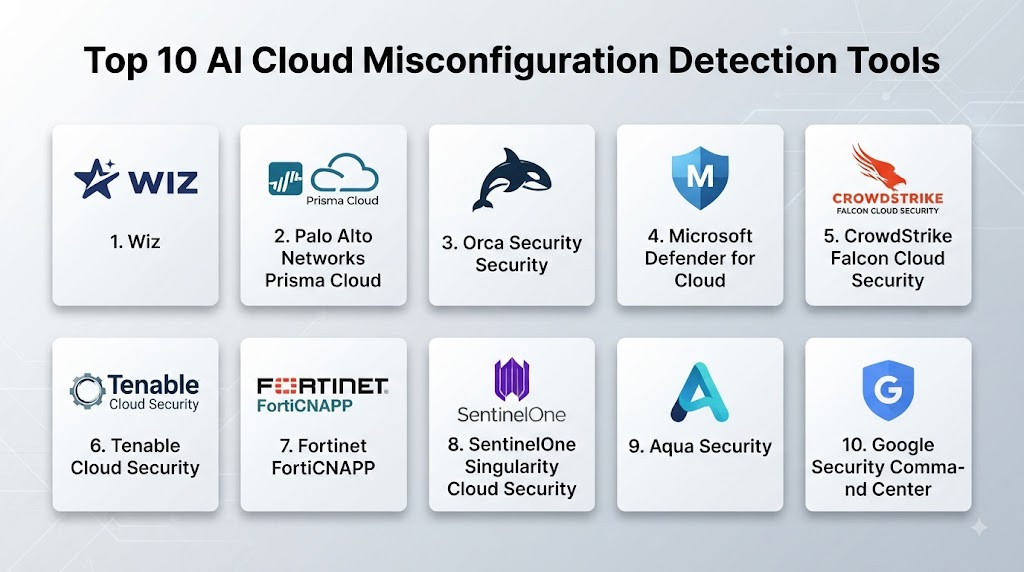
Top 10 AI Cloud Misconfiguration Detection Tools
1. Wiz
One-line verdict: Best for organizations seeking unified cloud risk visibility, attack-path analysis, and contextual prioritization.
Short description
Wiz provides cloud security capabilities designed to discover cloud assets, identify security risks, correlate issues, and help teams understand relationships between vulnerabilities, identities, configurations, and exposed resources.
Standout Capabilities
- Cloud asset discovery.
- Cloud security posture management.
- Attack-path analysis.
- Configuration-risk detection.
- Identity-risk analysis.
- Vulnerability correlation.
- Data-security visibility.
- Risk prioritization.
AI-Specific Depth
- Model support: Vendor-managed AI capabilities; exact underlying model architecture is not publicly stated.
- RAG / knowledge integration: Cloud asset and security context support contextual analysis.
- Evaluation: Detailed AI evaluation methodology is not publicly stated.
- Guardrails: Security policies and administrative controls govern remediation workflows.
- Observability: Cloud security dashboards and risk graphs provide investigation visibility.
Pros
- Strong contextual cloud-risk analysis.
- Useful attack-path visualization.
- Broad cloud-security coverage.
Cons
- Primarily enterprise-oriented.
- Requires broad cloud visibility for maximum value.
- Pricing is generally customized.
Security & Compliance
Enterprise security controls are available. Specific certifications and compliance capabilities should be verified for the applicable service and contract.
Deployment & Platforms
- Cloud.
- SaaS.
- Multi-cloud environments.
Integrations & Ecosystem
Wiz integrates cloud-security findings with broader security and development workflows.
- Cloud providers.
- SIEM.
- SOAR.
- Ticketing systems.
- CI/CD workflows.
- APIs.
Pricing Model
Enterprise subscription and custom pricing.
Best-Fit Scenarios
- Multi-cloud enterprises.
- Attack-path analysis.
- Centralized cloud-risk management.
2. Orca Security
One-line verdict: Best for organizations wanting agentless cloud security with contextual risk prioritization and broad asset visibility.
Short description
Orca Security provides cloud-security capabilities that identify configuration risks, vulnerabilities, identity issues, and other cloud exposures through contextual analysis of cloud environments.
Standout Capabilities
- Agentless cloud security.
- Cloud asset discovery.
- Configuration analysis.
- Vulnerability detection.
- Identity-risk analysis.
- Attack-path analysis.
- Risk prioritization.
- Multi-cloud visibility.
AI-Specific Depth
- Model support: Vendor-managed machine learning and AI capabilities.
- RAG / knowledge integration: Cloud context and security relationships support investigation.
- Evaluation: Detailed AI evaluation methodology is not publicly stated.
- Guardrails: Security policies and administrative workflows support controlled remediation.
- Observability: Cloud asset and risk dashboards provide visibility.
Pros
- Agentless approach.
- Strong contextual analysis.
- Broad cloud-security coverage.
Cons
- Enterprise-oriented.
- Requires careful configuration for large environments.
- Exact AI capabilities can vary by service.
Security & Compliance
Enterprise controls are available. Specific certifications should be verified for the selected deployment.
Deployment & Platforms
- Cloud.
- SaaS.
- Multi-cloud.
Integrations & Ecosystem
Orca Security supports integration with cloud and security operations environments.
- AWS.
- Azure.
- Google Cloud.
- SIEM.
- SOAR.
- APIs.
Pricing Model
Enterprise subscription and custom pricing.
Best-Fit Scenarios
- Multi-cloud security.
- Agentless cloud assessment.
- Contextual risk prioritization.
3. Palo Alto Networks Prisma Cloud
One-line verdict: Best for organizations seeking broad cloud-native security spanning posture, workloads, identities, and applications.
Short description
Prisma Cloud provides cloud-native security capabilities across infrastructure, workloads, identities, applications, and cloud configurations. Its posture-management capabilities can identify risky configurations and compliance issues.
Standout Capabilities
- Cloud security posture management.
- Configuration assessment.
- Infrastructure-as-code scanning.
- Identity security.
- Workload security.
- Container security.
- Kubernetes security.
- Cloud application protection.
AI-Specific Depth
- Model support: Vendor-managed AI and machine-learning capabilities vary by feature.
- RAG / knowledge integration: Cloud and security telemetry provides contextual risk analysis.
- Evaluation: Detailed AI evaluation methodology is not publicly stated.
- Guardrails: Policy controls and administrative workflows support governed remediation.
- Observability: Security dashboards and cloud-risk views provide visibility.
Pros
- Broad cloud-native security coverage.
- Strong DevSecOps integration.
- Useful for complex environments.
Cons
- Broad functionality can increase complexity.
- Enterprise-oriented.
- Licensing can require careful planning.
Security & Compliance
Enterprise security controls are available. Specific certifications should be verified for the applicable product and service.
Deployment & Platforms
- Cloud.
- Hybrid.
- Multi-cloud.
- CI/CD environments.
Integrations & Ecosystem
Prisma Cloud connects cloud security with development and operations workflows.
- Cloud providers.
- Kubernetes.
- CI/CD.
- Infrastructure as code.
- SIEM.
- SOAR.
- APIs.
Pricing Model
Enterprise subscription and module-based pricing.
Best-Fit Scenarios
- Large cloud-native organizations.
- DevSecOps environments.
- Multi-layer cloud security.
4. Microsoft Defender for Cloud
One-line verdict: Best for Microsoft-centered organizations requiring integrated cloud posture, workload, identity, and security monitoring.
Short description
Microsoft Defender for Cloud provides cloud-security posture management and workload protection across Microsoft Azure and supported multi-cloud environments. It can identify security recommendations, configuration risks, vulnerabilities, and compliance issues.
Standout Capabilities
- Cloud security posture management.
- Security recommendations.
- Configuration assessment.
- Cloud workload protection.
- Regulatory compliance monitoring.
- Identity integration.
- Multi-cloud support.
- Microsoft security ecosystem integration.
AI-Specific Depth
- Model support: Microsoft-managed AI and machine-learning capabilities vary by feature.
- RAG / knowledge integration: Cloud resource and security context support analysis.
- Evaluation: Detailed AI evaluation methodology is not publicly stated.
- Guardrails: Policy and administrative controls govern recommendations and remediation.
- Observability: Security dashboards and recommendations provide cloud-security visibility.
Pros
- Strong Azure integration.
- Useful multi-cloud capabilities.
- Broad Microsoft security ecosystem.
Cons
- Best value may depend on Microsoft ecosystem adoption.
- Configuration can be complex.
- Pricing depends on enabled capabilities and resources.
Security & Compliance
Microsoft provides enterprise security and compliance capabilities. Specific certifications should be verified for the applicable service.
Deployment & Platforms
- Cloud.
- Azure.
- AWS.
- Google Cloud support varies by capability.
Integrations & Ecosystem
Defender for Cloud connects cloud posture with Microsoft’s broader security ecosystem.
- Microsoft Entra.
- Microsoft Defender.
- Microsoft Sentinel.
- Azure.
- CI/CD.
- Security APIs.
Pricing Model
Usage-based and subscription models vary by enabled capabilities.
Best-Fit Scenarios
- Azure-heavy enterprises.
- Microsoft security environments.
- Multi-cloud posture management.
5. Google Security Command Center
One-line verdict: Best for Google Cloud environments needing centralized posture management, threat detection, and cloud-risk visibility.
Short description
Google Security Command Center provides security and risk-management capabilities for cloud environments, including asset discovery, security findings, posture monitoring, and threat detection.
Standout Capabilities
- Cloud asset discovery.
- Security posture management.
- Misconfiguration detection.
- Vulnerability findings.
- Threat detection.
- Compliance visibility.
- Risk investigation.
- Google Cloud integration.
AI-Specific Depth
- Model support: Google-managed AI and machine-learning capabilities vary by feature.
- RAG / knowledge integration: Cloud asset and security context support investigations.
- Evaluation: Detailed AI evaluation methodology is not publicly stated.
- Guardrails: IAM and cloud policies govern administrative actions.
- Observability: Security findings and cloud asset dashboards provide visibility.
Pros
- Strong Google Cloud integration.
- Broad security findings.
- Useful cloud asset visibility.
Cons
- Strongest experience is within Google Cloud environments.
- Some advanced capabilities depend on service configuration.
- Requires cloud-security expertise.
Security & Compliance
Google Cloud provides enterprise security and compliance capabilities. Applicable certifications should be verified for the selected service.
Deployment & Platforms
- Cloud.
- Google Cloud.
- Multi-cloud capabilities vary.
Integrations & Ecosystem
Security Command Center integrates with Google Cloud and broader security workflows.
- Google Cloud services.
- IAM.
- SIEM.
- SOAR.
- Cloud logging.
- APIs.
Pricing Model
Tiered and usage-based models vary by service and configuration.
Best-Fit Scenarios
- Google Cloud environments.
- Cloud posture monitoring.
- Centralized cloud findings.
6. Tenable Cloud Security
One-line verdict: Best for organizations seeking cloud exposure analysis, identity-risk visibility, and contextual security prioritization.
Short description
Tenable Cloud Security helps organizations identify cloud risks involving configurations, identities, vulnerabilities, permissions, and attack paths.
Standout Capabilities
- Cloud posture analysis.
- Attack-path analysis.
- Identity-risk detection.
- Configuration monitoring.
- Exposure analysis.
- Vulnerability correlation.
- Risk prioritization.
- Multi-cloud visibility.
AI-Specific Depth
- Model support: Vendor-managed analytics and AI capabilities vary by feature.
- RAG / knowledge integration: Cloud assets, identities, and vulnerabilities provide contextual analysis.
- Evaluation: Detailed AI evaluation methodology is not publicly stated.
- Guardrails: Security policies and administrative workflows support remediation.
- Observability: Cloud-risk dashboards and attack-path views provide visibility.
Pros
- Strong exposure-management approach.
- Useful identity correlation.
- Contextual prioritization.
Cons
- Enterprise-oriented.
- Requires cloud inventory and permissions.
- Exact AI functionality varies.
Security & Compliance
Enterprise security controls are available. Specific certifications should be verified for the applicable offering.
Deployment & Platforms
- Cloud.
- SaaS.
- Multi-cloud.
Integrations & Ecosystem
Tenable Cloud Security connects cloud-risk information with security workflows.
- Cloud providers.
- SIEM.
- Ticketing.
- Security operations.
- APIs.
- Identity platforms.
Pricing Model
Enterprise/custom pricing.
Best-Fit Scenarios
- Cloud exposure management.
- Identity-risk analysis.
- Multi-cloud environments.
7. Check Point CloudGuard
One-line verdict: Best for organizations seeking cloud posture and workload security integrated with established Check Point security infrastructure.
Short description
Check Point CloudGuard provides cloud-security capabilities for identifying configuration problems, vulnerabilities, compliance issues, and security risks across cloud environments.
Standout Capabilities
- Cloud posture management.
- Configuration assessment.
- Compliance monitoring.
- Workload protection.
- Container security.
- Kubernetes security.
- Cloud network security.
- Security automation.
AI-Specific Depth
- Model support: Vendor-managed analytics and AI capabilities vary by service.
- RAG / knowledge integration: Cloud-security telemetry supports contextual analysis.
- Evaluation: Detailed AI evaluation methodology is not publicly stated.
- Guardrails: Security policies and administrative controls govern remediation.
- Observability: Cloud security dashboards provide posture and risk visibility.
Pros
- Broad cloud-security portfolio.
- Strong Check Point ecosystem integration.
- Useful workload coverage.
Cons
- Can be complex for smaller teams.
- Best value may come from broader Check Point adoption.
- Licensing depends on selected capabilities.
Security & Compliance
Enterprise security controls are available. Specific certifications should be verified for the relevant service.
Deployment & Platforms
- Cloud.
- Hybrid.
- Multi-cloud.
Integrations & Ecosystem
CloudGuard integrates cloud security with broader security infrastructure.
- AWS.
- Azure.
- Google Cloud.
- Kubernetes.
- SIEM.
- APIs.
Pricing Model
Enterprise subscription and custom pricing.
Best-Fit Scenarios
- Check Point customers.
- Multi-cloud environments.
- Cloud workload protection.
8. RapidFort
One-line verdict: Best for teams focused on cloud-native workload security, container risk reduction, and secure software delivery.
Short description
RapidFort focuses on cloud-native security and container optimization, helping organizations identify vulnerabilities and reduce unnecessary software components in containerized environments.
Standout Capabilities
- Container security.
- Vulnerability analysis.
- Container optimization.
- Cloud-native security.
- Software supply-chain visibility.
- Image analysis.
- Runtime considerations.
- DevSecOps integration.
AI-Specific Depth
- Model support: AI-specific capabilities vary and are not fully publicly stated.
- RAG / knowledge integration: Security and container metadata can support analysis.
- Evaluation: Detailed AI evaluation methodology is not publicly stated.
- Guardrails: Security policies can govern workload-security workflows.
- Observability: Container and vulnerability reporting provides visibility.
Pros
- Strong container focus.
- Useful for cloud-native teams.
- Supports DevSecOps workflows.
Cons
- More specialized than broad CSPM platforms.
- Primarily valuable for containerized environments.
- AI-specific capabilities are less central.
Security & Compliance
Specific certifications and compliance controls should be verified for the current offering.
Deployment & Platforms
- Cloud.
- Container environments.
- CI/CD pipelines.
Integrations & Ecosystem
RapidFort can integrate with cloud-native development environments.
- Container registries.
- CI/CD.
- Kubernetes.
- Cloud platforms.
- Security tooling.
- APIs.
Pricing Model
Enterprise/custom pricing.
Best-Fit Scenarios
- Container-heavy environments.
- Cloud-native applications.
- DevSecOps teams.
9. Snyk
One-line verdict: Best for developer-centric teams wanting cloud configuration and infrastructure security integrated into software-development workflows.
Short description
Snyk provides developer-focused security capabilities covering code, open-source dependencies, containers, and infrastructure as code. Its infrastructure security capabilities can help identify configuration risks before deployment.
Standout Capabilities
- Infrastructure-as-code scanning.
- Cloud configuration analysis.
- Container security.
- Developer workflows.
- CI/CD integration.
- Security policy enforcement.
- Vulnerability analysis.
- Developer remediation guidance.
AI-Specific Depth
- Model support: AI capabilities vary by Snyk feature and service.
- RAG / knowledge integration: Security findings and code context can support remediation workflows.
- Evaluation: Detailed AI evaluation methodology is not publicly stated.
- Guardrails: Policy controls can prevent or flag risky configurations.
- Observability: Security dashboards and development integrations provide visibility.
Pros
- Strong developer experience.
- Good infrastructure-as-code integration.
- Useful shift-left security capabilities.
Cons
- Not a complete replacement for enterprise CSPM.
- Cloud-runtime visibility may require additional capabilities.
- Pricing varies by usage and organizational needs.
Security & Compliance
Enterprise security controls are available. Specific certifications should be verified for the relevant service.
Deployment & Platforms
- Cloud.
- CI/CD.
- Developer environments.
- Infrastructure-as-code workflows.
Integrations & Ecosystem
Snyk integrates security into software-development workflows.
- Git repositories.
- CI/CD.
- Container registries.
- Infrastructure as code.
- IDEs.
- APIs.
Pricing Model
Tiered subscription and usage-based models vary.
Best-Fit Scenarios
- DevSecOps teams.
- Infrastructure-as-code security.
- Developer-led cloud security.
10. Open Policy Agent
One-line verdict: Best for engineering teams wanting flexible policy-as-code controls for preventing configuration violations.
Short description
Open Policy Agent is an open-source policy engine that allows organizations to define and enforce policies across cloud-native and infrastructure environments. It can form part of a custom cloud-misconfiguration prevention and detection architecture.
Standout Capabilities
- Policy as code.
- Custom policy definitions.
- Infrastructure policy enforcement.
- Kubernetes policy.
- API authorization.
- CI/CD integration.
- Open-source extensibility.
- Developer customization.
AI-Specific Depth
- Model support: Not primarily an AI platform; external AI systems can complement policy workflows.
- RAG / knowledge integration: N/A as a native capability.
- Evaluation: Policy testing is supported; AI-specific evaluation is N/A.
- Guardrails: Strong policy-enforcement capabilities.
- Observability: Depends on deployment and surrounding monitoring systems.
Pros
- Open-source.
- Highly customizable.
- Excellent policy-as-code foundation.
Cons
- Requires engineering expertise.
- Not a turnkey AI cloud-security platform.
- Organizations must build surrounding monitoring and analytics.
Security & Compliance
Security depends on implementation and deployment architecture. Organizations are responsible for securing their infrastructure and policies.
Deployment & Platforms
- Self-hosted.
- Cloud.
- Kubernetes.
- CI/CD.
- Hybrid.
Integrations & Ecosystem
OPA is designed for integration into infrastructure and application workflows.
- Kubernetes.
- CI/CD.
- APIs.
- Infrastructure platforms.
- Cloud environments.
- Custom applications.
Pricing Model
Open-source software; implementation and infrastructure costs vary.
Best-Fit Scenarios
- Policy-as-code environments.
- Custom cloud governance.
- Engineering-led security programs.
Comparison Table
| Tool Name | Best For | Deployment | Model Flexibility | Strength | Watch-Out | Public Rating |
|---|---|---|---|---|---|---|
| Wiz | Cloud-risk prioritization | Cloud/SaaS | Hosted | Attack-path analysis | Enterprise focus | N/A |
| Orca Security | Agentless cloud security | Cloud/SaaS | Hosted | Contextual analysis | Requires cloud visibility | N/A |
| Prisma Cloud | Cloud-native security | Cloud/Hybrid | Hosted | Broad coverage | Complexity | N/A |
| Microsoft Defender for Cloud | Azure and multi-cloud | Cloud | Hosted | Microsoft integration | Configuration complexity | N/A |
| Google Security Command Center | Google Cloud security | Cloud | Hosted | Cloud-native visibility | Strong Google Cloud fit | N/A |
| Tenable Cloud Security | Exposure management | Cloud/SaaS | Hosted | Identity-risk correlation | Enterprise focus | N/A |
| Check Point CloudGuard | Cloud workload security | Cloud/Hybrid | Hosted | Security ecosystem | Licensing complexity | N/A |
| RapidFort | Container security | Cloud | Hosted | Container optimization | Specialized scope | N/A |
| Snyk | Developer cloud security | Cloud/CI/CD | Hosted | IaC security | Runtime coverage varies | N/A |
| Open Policy Agent | Custom policy enforcement | Self-hosted/Hybrid | Open-source | Policy as code | Requires engineering | N/A |
Scoring & Evaluation
The following scores are comparative editorial assessments rather than official vendor ratings.
They use a 1–10 scale across core cloud-security capabilities, AI reliability, guardrails, integrations, usability, performance and cost, security administration, and support.
The results should be validated against your own cloud architecture because a platform that performs well in one environment may be less suitable for another.
| Tool | Core | Reliability/Eval | Guardrails | Integrations | Ease | Perf/Cost | Security/Admin | Support | Weighted Total |
|---|---|---|---|---|---|---|---|---|---|
| Wiz | 10 | 9 | 9 | 10 | 9 | 8 | 10 | 10 | 9.35 |
| Orca Security | 10 | 9 | 9 | 9 | 9 | 8 | 10 | 10 | 9.20 |
| Prisma Cloud | 10 | 9 | 10 | 10 | 8 | 8 | 10 | 10 | 9.25 |
| Microsoft Defender for Cloud | 10 | 9 | 10 | 10 | 9 | 9 | 10 | 10 | 9.50 |
| Google Security Command Center | 9 | 9 | 9 | 10 | 8 | 8 | 10 | 10 | 9.05 |
| Tenable Cloud Security | 9 | 9 | 9 | 9 | 8 | 8 | 10 | 10 | 8.90 |
| Check Point CloudGuard | 9 | 8 | 9 | 9 | 8 | 8 | 10 | 10 | 8.75 |
| RapidFort | 8 | 8 | 8 | 8 | 8 | 9 | 8 | 8 | 8.10 |
| Snyk | 9 | 8 | 9 | 10 | 9 | 9 | 9 | 9 | 8.95 |
| Open Policy Agent | 8 | 8 | 10 | 10 | 6 | 10 | 9 | 9 | 8.65 |
Top 3 for Enterprise
- Microsoft Defender for Cloud — Strong choice for enterprises operating heavily across Microsoft and Azure environments.
- Wiz — Strong for contextual cloud-risk analysis and attack-path prioritization.
- Prisma Cloud — Strong for organizations requiring broad cloud-native security coverage.
Top 3 for SMB
- Microsoft Defender for Cloud — Attractive for organizations already using Microsoft cloud and security services.
- Snyk — Strong option for developer-led cloud and infrastructure-as-code security.
- Open Policy Agent — Suitable for technically capable teams seeking a flexible open-source policy foundation.
Top 3 for Developers
- Snyk — Strong developer-centric infrastructure-as-code security.
- Open Policy Agent — Excellent for policy-as-code and custom controls.
- Prisma Cloud — Strong for teams managing cloud-native applications, containers, and infrastructure.
Which AI Cloud Misconfiguration Detection Tool Is Right for You?
Solo / Freelancer
Individual developers and very small teams generally do not need a full enterprise cloud-security platform.
Prioritize:
- Infrastructure-as-code scanning.
- Basic cloud configuration checks.
- Clear remediation guidance.
- Developer workflow integration.
- Low operational overhead.
- Affordable usage.
Tools focused on infrastructure as code and policy as code can be more practical for small environments.
SMB
SMBs should focus on preventing high-impact configuration errors without creating excessive administrative work.
Prioritize:
- Public exposure detection.
- IAM misconfiguration detection.
- Storage security.
- Network configuration checks.
- Infrastructure-as-code scanning.
- Compliance checks.
- Automated alerts.
Mid-Market
Mid-market organizations should begin connecting cloud configuration with identity, vulnerabilities, workloads, and attack paths.
Prioritize:
- Multi-cloud visibility.
- Configuration drift.
- IAM analysis.
- Vulnerability correlation.
- Attack-path analysis.
- CI/CD integration.
- Security automation.
- Centralized dashboards.
Enterprise
Enterprise organizations should evaluate cloud misconfiguration detection as part of a broader cloud-security architecture.
Important capabilities include:
- Multi-cloud asset discovery.
- Continuous posture monitoring.
- Identity-risk analysis.
- Attack-path analysis.
- Cloud workload protection.
- Kubernetes security.
- Data-security visibility.
- Infrastructure-as-code scanning.
- SIEM integration.
- SOAR integration.
- RBAC.
- SSO.
- Audit logs.
- Data residency.
- Security governance.
- Automated remediation controls.
Regulated Industries
Financial services, healthcare, government, and other regulated organizations should carefully evaluate:
- Data retention.
- Data residency.
- Encryption.
- IAM controls.
- Auditability.
- Compliance mapping.
- Regulatory reporting.
- Third-party access.
- AI data handling.
- Automated remediation safeguards.
- Evidence collection.
Cloud-security platforms should also be evaluated for how much configuration and asset information they collect and retain.
Budget vs Premium
Budget-conscious organizations should focus on the most important cloud assets and prevent the most dangerous configuration mistakes first.
Premium platforms become more valuable when organizations require continuous multi-cloud visibility, attack-path analysis, identity correlation, vulnerability context, automated remediation, compliance monitoring, and enterprise-scale security operations.
Build vs Buy
Building a custom cloud-misconfiguration detection platform can make sense when an organization has strong cloud engineering and security teams.
A custom solution can provide:
- Complete policy customization.
- Full control over cloud data.
- Custom risk models.
- Infrastructure-as-code integration.
- Custom remediation workflows.
- Flexible AI integration.
However, the organization must maintain cloud APIs, configuration collectors, policy engines, asset inventories, AI models, evaluation processes, dashboards, integrations, and remediation workflows.
For most organizations, a commercial CSPM or CNAPP platform is faster to deploy and maintain.
Implementation Playbook: 30 / 60 / 90 Days
30 Days: Pilot + Success Metrics
- Inventory all cloud accounts and subscriptions.
- Identify critical workloads.
- Connect major cloud environments.
- Discover exposed resources.
- Identify high-risk IAM permissions.
- Review public storage.
- Review network-security configurations.
- Establish configuration baselines.
- Identify existing configuration drift.
- Define risk-prioritization criteria.
- Establish remediation ownership.
- Create initial success metrics.
60 Days: Harden Security + Evaluation + Rollout
- Integrate identity data.
- Integrate vulnerability information.
- Connect infrastructure-as-code repositories.
- Connect CI/CD pipelines.
- Test attack-path scenarios.
- Evaluate AI-generated recommendations.
- Test remediation suggestions.
- Establish human approval requirements.
- Implement policy-as-code controls.
- Integrate SIEM and ticketing.
- Test false-positive rates.
- Conduct security validation exercises.
90 Days: Optimize Cost/Latency + Governance + Scale
- Expand to additional cloud accounts.
- Standardize security policies.
- Optimize scanning frequency.
- Reduce unnecessary telemetry.
- Monitor remediation performance.
- Measure mean time to remediation.
- Review recurring misconfiguration patterns.
- Establish cloud-security governance.
- Create exception-management processes.
- Implement continuous compliance monitoring.
- Review AI recommendations regularly.
- Establish periodic security evaluations.
- Expand automated remediation where risk is well understood.
Common Mistakes & How to Avoid Them
- Treating every misconfiguration equally: Prioritize according to exposure, identity, asset importance, and exploitability.
- Ignoring attack paths: A moderate issue can become critical when connected to privileged identities or sensitive resources.
- Scanning only production: Development and staging environments can also introduce risk.
- Ignoring infrastructure as code: Fixing problems after deployment is less efficient than preventing them during development.
- No cloud asset inventory: You cannot secure resources you do not know exist.
- Ignoring identity permissions: Excessive permissions can dramatically increase the impact of cloud misconfigurations.
- Relying on severity alone: Contextual risk is often more useful than generic severity labels.
- No configuration baseline: Without an expected state, configuration drift becomes difficult to identify.
- Over-automating remediation: Automatically changing production infrastructure can create outages.
- Ignoring AI recommendations: AI-generated remediation should be validated before implementation.
- No evaluation framework: Test AI recommendations against known configuration scenarios.
- Poor data retention: Cloud metadata can reveal sensitive architecture and operational information.
- Ignoring multi-cloud differences: Security policies need to account for provider-specific capabilities.
- No exception management: Legitimate deviations should be documented rather than repeatedly flagged.
- Underestimating cost growth: Continuous cloud scanning and security analytics can increase expenses as environments expand.
FAQs
What is AI Cloud Misconfiguration Detection?
AI Cloud Misconfiguration Detection uses machine learning, analytics, policy evaluation, and contextual security information to identify potentially unsafe cloud configurations. It can help detect problems involving identity, storage, networking, workloads, and other cloud resources.
What types of cloud misconfigurations can AI detect?
Common examples include publicly accessible storage, excessive IAM permissions, insecure network rules, exposed databases, weak security settings, configuration drift, and risky workload configurations. Exact coverage varies by platform.
Can AI detect cloud configuration drift?
Yes. Cloud-security platforms can compare current cloud configurations against expected policies or previous states to identify changes. AI and analytics can help prioritize which changes are most concerning.
Can these tools support AWS, Azure, and Google Cloud?
Many modern platforms support multiple cloud providers. However, the depth of coverage varies between providers, so organizations should verify support for their specific services and resources.
Can AI Cloud Misconfiguration Detection prevent security problems before deployment?
Yes, when integrated with infrastructure-as-code and CI/CD workflows. This allows organizations to identify risky configurations before they reach production.
Can these platforms analyze IAM misconfigurations?
Many cloud-security platforms analyze permissions, identities, roles, and access relationships. This can help identify excessive privileges and potentially dangerous identity configurations.
Can AI identify attack paths caused by misconfigurations?
Some platforms correlate configuration problems with identities, vulnerabilities, network exposure, and resource relationships to identify potential attack paths. The depth of attack-path analysis varies.
Is cloud configuration data sensitive?
Yes. Cloud metadata can reveal infrastructure architecture, identities, permissions, resource names, network relationships, and security settings. Data access, retention, encryption, and residency should be evaluated carefully.
Can these platforms automatically fix misconfigurations?
Some platforms support automated remediation or remediation workflows. Organizations should introduce approval controls for changes that could affect production systems.
Do these tools support infrastructure as code?
Many cloud-security platforms support infrastructure-as-code scanning or integrations. This can help detect configuration problems earlier in the software-development lifecycle.
Can AI Cloud Misconfiguration Detection replace cloud security engineers?
No. These tools can automate discovery, prioritization, and parts of remediation, but cloud-security engineers are still needed for architecture, policy design, exceptions, validation, and complex incident response.
How should organizations evaluate AI accuracy?
Create a test set containing known secure and insecure configurations, realistic attack paths, legitimate exceptions, and common infrastructure patterns. Measure detection accuracy, false positives, remediation quality, and explanation quality.
Can these platforms integrate with SIEM and SOAR systems?
Yes. Many enterprise platforms provide integrations or APIs for sending cloud-security findings into SIEM, SOAR, ticketing, and incident-management workflows.
Do AI cloud-security platforms support BYO models?
BYO-model functionality varies. Most commercial platforms use vendor-managed AI and analytics, while custom cloud-security architectures can integrate external models.
What is the difference between CSPM and AI Cloud Misconfiguration Detection?
CSPM focuses broadly on cloud security posture, configuration, compliance, and risk management. AI Cloud Misconfiguration Detection describes the use of AI and advanced analytics to improve how configuration problems are identified, prioritized, explained, or remediated.
How can organizations reduce false positives?
Use accurate cloud inventories, establish configuration baselines, incorporate asset criticality and identity context, document legitimate exceptions, and continuously tune security policies.
How much do AI Cloud Misconfiguration Detection tools cost?
Pricing varies based on cloud accounts, assets, workloads, data volume, modules, users, and contract terms. Exact pricing should be confirmed with individual vendors.
Are open-source options available?
Yes. Open-source policy engines, infrastructure-as-code scanners, and cloud-security tools can be combined into custom detection pipelines. However, these approaches usually require more engineering and maintenance than commercial platforms.
Conclusion
AI Cloud Misconfiguration Detection is becoming an important component of modern cloud-security programs because cloud environments change faster than manual security reviews can keep up. By combining configuration analysis with identity, vulnerability, asset, and attack-path context, these platforms can help security teams focus on the cloud risks that matter most.Wiz, Orca Security, Prisma Cloud, Microsoft Defender for Cloud, Google Security Command Center, Tenable Cloud Security, Check Point CloudGuard, RapidFort, Snyk, and Open Policy Agent represent different approaches to identifying and preventing cloud configuration risks.The right choice depends on cloud providers, infrastructure complexity, security maturity, developer workflows, regulatory requirements, and budget. Enterprise organizations may prioritize contextual risk analysis and multi-cloud visibility, while developer-focused teams may benefit more from infrastructure-as-code and policy-as-code capabilities.