Introduction
AI Capacity Forecasting for IT tools use artificial intelligence, machine learning, statistical modeling, and operational data to predict future infrastructure and application resource requirements. Instead of relying only on historical averages or manually maintained spreadsheets, these platforms analyze trends in workloads, utilization, demand, seasonality, infrastructure changes, and business activity to help technology teams anticipate capacity needs.Capacity forecasting is becoming increasingly important as organizations operate distributed cloud environments, Kubernetes clusters, virtual machines, databases, SaaS platforms, data pipelines, and increasingly AI-intensive workloads. Poor forecasting can lead to overprovisioning, unnecessary infrastructure spending, performance problems, or emergency scaling during demand spikes.When evaluating an AI capacity forecasting platform, buyers should consider forecast accuracy, supported infrastructure, workload modeling, anomaly detection, seasonality handling, scenario planning, automation, cloud integrations, Kubernetes support, cost visibility, AI model flexibility, explainability, privacy, security, governance, latency, and operational usability.
What’s Changed in AI Capacity Forecasting for IT
AI-driven capacity planning is moving from static utilization reports toward continuous prediction and automated decision support.
- Predictive infrastructure planning: Platforms increasingly forecast future utilization rather than simply reporting current consumption.
- AI workload growth: GPU, accelerator, memory, storage, and network requirements introduce new forecasting challenges for organizations operating machine-learning and generative-AI workloads.
- Cloud-native forecasting: Capacity planning now needs to account for elastic infrastructure rather than only fixed physical servers.
- Kubernetes-aware forecasting: Cluster utilization, pod requests, limits, node pools, workload behavior, and autoscaling policies can all affect capacity.
- Seasonality detection: Systems can identify recurring usage patterns associated with business cycles, traffic peaks, and operational events.
- Scenario planning: Teams increasingly need to ask “What happens if demand grows by 30%?” rather than relying on one forecast.
- Cost-aware capacity planning: Capacity decisions increasingly need to consider both technical requirements and financial impact.
- Anomaly-aware forecasting: Sudden changes in demand can distort historical trends, so forecasts need to distinguish normal growth from unusual events.
- Business-context forecasting: Better planning connects technical utilization with business drivers such as transactions, customers, campaigns, or orders.
- Model-assisted recommendations: AI can increasingly recommend rightsizing, reservations, scaling strategies, or infrastructure changes.
- Continuous forecasting: Forecasts can update as new telemetry arrives instead of being created once per quarter.
- Governance matters: Automated capacity decisions can affect production availability and infrastructure spending, making approvals and auditability important.
- Cost and latency optimization: Large-scale forecasting can become expensive when organizations monitor thousands of resources and multiple dimensions.
- Explainability is increasingly important: Infrastructure teams need to understand why a forecast changed rather than simply receiving a predicted number.
The most useful capacity forecasting systems therefore combine historical data, real-time telemetry, workload context, business signals, and operational constraints.
Quick Buyer Checklist
When evaluating an AI capacity forecasting platform, check:
- Historical utilization forecasting
- Demand forecasting
- CPU forecasting
- Memory forecasting
- Storage forecasting
- Network forecasting
- Database capacity planning
- Kubernetes support
- Cloud infrastructure support
- Multi-cloud support
- Seasonal pattern detection
- Anomaly detection
- Forecast confidence indicators
- Scenario planning
- What-if modeling
- Business-driver integration
- Cost forecasting
- Rightsizing recommendations
- Autoscaling integration
- Infrastructure-as-Code compatibility
- API availability
- Data retention controls
- Data privacy
- RBAC and SSO
- Audit logging
- Model flexibility
- BYO model capabilities
- Observability integrations
- FinOps integrations
- Vendor lock-in risk
- Exportable forecasts and data
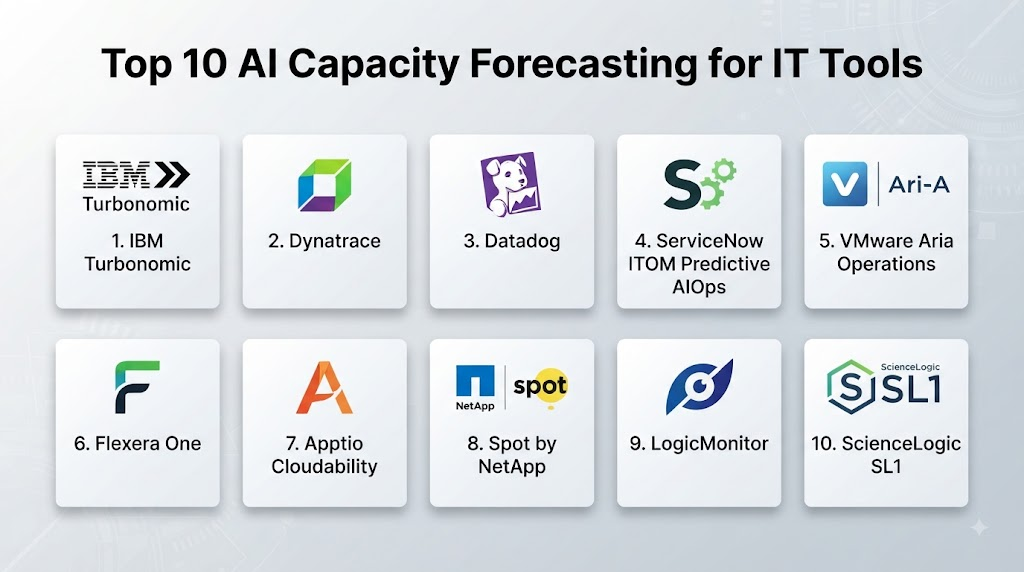
Top 10 AI Capacity Forecasting for IT Tools
1 — IBM Turbonomic
One-line verdict: Best for enterprises that want AI-assisted resource optimization connecting application performance, infrastructure capacity, and cloud economics.
Short description:
IBM Turbonomic is designed around application resource management and automated optimization. It analyzes application demand and infrastructure supply to help organizations make capacity and resource decisions across complex environments.
Standout Capabilities
- Application resource management
- Capacity analysis
- Infrastructure optimization
- Cloud resource optimization
- Application dependency awareness
- Rightsizing recommendations
- Automated actions
- Hybrid infrastructure support
AI-Specific Depth
- Model support: Proprietary platform-specific analytics and AI capabilities.
- RAG / knowledge integration: Primarily operational telemetry and application/infrastructure context; traditional RAG is not the central use case.
- Evaluation: Recommendations can be evaluated through resource and application outcomes; formal AI evaluation infrastructure is not publicly stated.
- Guardrails: Action policies and automation controls help govern optimization actions.
- Observability: Strong infrastructure and application resource visibility; model-level token observability is not applicable.
Pros
- Strong focus on application-aware resource decisions.
- Useful for complex hybrid infrastructure.
- Can connect capacity planning with optimization.
Cons
- More complex than basic forecasting software.
- Enterprise implementation can require significant planning.
- Automated actions require careful policy configuration.
Security & Compliance
Enterprise security and administrative capabilities are available. Specific certifications, data residency, retention, encryption, and access controls should be verified for the relevant deployment.
Deployment & Platforms
- Web: Yes
- Windows/macOS/Linux: Browser-based management
- Mobile: Varies / N/A
- Deployment: Cloud and enterprise deployment options vary
Integrations & Ecosystem
Turbonomic is designed to operate across application and infrastructure environments.
- Cloud platforms
- Virtualization
- Kubernetes
- Databases
- Infrastructure monitoring
- Application platforms
- IT operations systems
Pricing Model
Enterprise/custom pricing. Exact pricing varies by environment and contract.
Best-Fit Scenarios
- Large hybrid-cloud environments
- Enterprises focused on infrastructure optimization
- Organizations combining capacity planning with cost control
2 — VMware Aria Operations
One-line verdict: Best for organizations operating VMware-heavy environments that need predictive capacity management and infrastructure optimization.
Short description:
VMware’s operations platform provides infrastructure monitoring, capacity analytics, performance management, and optimization capabilities. It is particularly relevant for organizations with substantial virtualized infrastructure.
Standout Capabilities
- Capacity planning
- Virtual infrastructure monitoring
- Performance analytics
- Resource forecasting
- Rightsizing
- Workload optimization
- What-if analysis
- Infrastructure dashboards
AI-Specific Depth
- Model support: Proprietary analytics and machine-learning capabilities.
- RAG / knowledge integration: Operational infrastructure data; traditional RAG is not central.
- Evaluation: Forecasting and capacity outcomes can be validated against actual utilization.
- Guardrails: Administrative policies and infrastructure controls help constrain actions.
- Observability: Extensive infrastructure telemetry; model-level AI observability is not applicable.
Pros
- Strong virtualization-oriented capacity planning.
- Useful for infrastructure administrators.
- Provides forecasting and what-if analysis.
Cons
- Less attractive for organizations moving entirely away from VMware.
- Broader platform requires operational expertise.
- Multi-cloud capabilities depend on the specific environment and configuration.
Security & Compliance
Enterprise controls are available, but exact certifications and deployment-specific security capabilities should be verified.
Deployment & Platforms
- Web: Yes
- Windows/macOS/Linux: Browser-based
- Mobile: Varies / N/A
- Deployment: Deployment options vary by product and environment
Integrations & Ecosystem
- VMware environments
- Virtual machines
- Storage
- Networks
- Cloud resources
- Infrastructure monitoring
- Enterprise operations tools
Pricing Model
Enterprise/custom pricing. Exact pricing varies.
Best-Fit Scenarios
- VMware-heavy enterprises
- Private-cloud environments
- Infrastructure teams managing virtualized workloads
3 — Dynatrace
One-line verdict: Best for enterprises that want application-aware forecasting connected to deep observability and dependency intelligence.
Short description:
Dynatrace provides broad observability, infrastructure monitoring, application performance analysis, dependency mapping, and AI-assisted operational intelligence. These capabilities can help organizations understand resource demand in the context of application behavior.
Standout Capabilities
- Application monitoring
- Infrastructure monitoring
- Service dependency mapping
- Resource utilization analysis
- Performance forecasting
- Kubernetes observability
- Cloud monitoring
- AI-assisted operations
AI-Specific Depth
- Model support: Proprietary AI capabilities and platform analytics.
- RAG / knowledge integration: Operational context and organizational information can support planning.
- Evaluation: Forecasts can be validated against observed workload behavior; formal public AI-evaluation details vary.
- Guardrails: Enterprise permissions and operational controls are available.
- Observability: Strong infrastructure and application telemetry.
Pros
- Connects capacity planning with application behavior.
- Strong dependency visibility.
- Suitable for complex distributed environments.
Cons
- Can require significant implementation effort.
- Broad observability functionality may exceed basic capacity-planning needs.
- Cost management is important at scale.
Security & Compliance
Enterprise security and administrative controls are available. Exact certifications and contractual requirements should be confirmed for the intended deployment.
Deployment & Platforms
- Web: Yes
- Windows/macOS/Linux: Browser-based
- Mobile: Varies / N/A
- Deployment: Cloud and environment-specific options
Integrations & Ecosystem
- Cloud platforms
- Kubernetes
- Applications
- Databases
- Infrastructure
- CI/CD systems
- Incident-management systems
Pricing Model
Subscription and enterprise pricing. Exact costs vary.
Best-Fit Scenarios
- Large distributed applications
- Enterprises with complex observability environments
- Organizations connecting capacity planning with application performance
4 — Datadog
One-line verdict: Best for cloud-native teams wanting infrastructure forecasting directly connected to metrics, logs, applications, and operational telemetry.
Short description:
Datadog provides infrastructure and application observability with forecasting, anomaly detection, dashboards, and monitoring capabilities. Teams can use its telemetry foundation to understand resource trends and anticipate future capacity requirements.
Standout Capabilities
- Infrastructure monitoring
- Forecasting
- Metrics analysis
- Application performance monitoring
- Kubernetes monitoring
- Cloud monitoring
- Anomaly detection
- Custom dashboards
AI-Specific Depth
- Model support: Hosted analytics and AI capabilities.
- RAG / knowledge integration: Operational telemetry and connected context; traditional RAG is not central.
- Evaluation: Forecasts can be compared with observed resource consumption.
- Guardrails: Access controls and platform permissions apply.
- Observability: Strong metrics, logs, traces, and infrastructure telemetry.
Pros
- Strong cloud-native observability.
- Useful for teams already using Datadog.
- Forecasting can be connected with operational metrics.
Cons
- Large telemetry volumes can increase costs.
- Forecasting quality depends on historical data quality.
- Broad platform scope can create complexity.
Security & Compliance
Enterprise security capabilities are available. Specific certifications and retention requirements should be confirmed for the selected service.
Deployment & Platforms
- Web: Yes
- Windows/macOS/Linux: Browser-based
- Mobile: Available
- Deployment: Cloud/SaaS
Integrations & Ecosystem
Datadog integrates across modern infrastructure.
- Cloud providers
- Kubernetes
- Databases
- Application frameworks
- CI/CD systems
- Infrastructure tools
- Incident-management platforms
Pricing Model
Usage-based and subscription components vary by service. Exact costs depend heavily on telemetry volume.
Best-Fit Scenarios
- Cloud-native engineering teams
- Kubernetes environments
- Organizations already using Datadog observability
5 — New Relic
One-line verdict: Best for engineering teams that want application-centric forecasting supported by broad telemetry and accessible observability workflows.
Short description:
New Relic combines application monitoring, infrastructure monitoring, logs, metrics, traces, and performance analytics. Its observability capabilities can help teams identify utilization patterns and investigate future resource requirements.
Standout Capabilities
- Application performance monitoring
- Infrastructure monitoring
- Metrics analysis
- Logs
- Distributed tracing
- Forecasting capabilities
- Kubernetes monitoring
- Custom dashboards
AI-Specific Depth
- Model support: Hosted AI and machine-learning capabilities; exact model architecture varies.
- RAG / knowledge integration: Operational telemetry and contextual information can support analysis.
- Evaluation: Forecasts can be evaluated against future observed usage.
- Guardrails: Platform permissions and administrative controls apply.
- Observability: Broad operational telemetry.
Pros
- Developer-friendly observability.
- Strong application context.
- Useful for teams that already use the platform for monitoring.
Cons
- Advanced planning may require multiple platform capabilities.
- Costs can rise with large data volumes.
- Forecast quality depends on instrumentation and historical data.
Security & Compliance
Enterprise controls are available. Specific certifications, retention, and residency should be verified for the applicable plan.
Deployment & Platforms
- Web: Yes
- Windows/macOS/Linux: Browser-based
- Mobile: Varies
- Deployment: Cloud/SaaS
Integrations & Ecosystem
- Cloud infrastructure
- Kubernetes
- Applications
- Databases
- CI/CD
- Logs
- Metrics
- Incident-management tools
Pricing Model
Usage-oriented and subscription-based pricing depending on services and data volume.
Best-Fit Scenarios
- Application engineering teams
- Cloud-native organizations
- Teams already using New Relic telemetry
6 — Harness Cloud Cost Management
One-line verdict: Best for engineering and FinOps teams combining cloud cost visibility with resource optimization and capacity decisions.
Short description:
Harness provides cloud cost-management and engineering capabilities that can support infrastructure optimization, cost analysis, and resource planning. It is especially relevant when capacity decisions need to be evaluated alongside cloud spending.
Standout Capabilities
- Cloud cost management
- Resource optimization
- Cost forecasting
- Kubernetes cost visibility
- Cloud utilization analysis
- Rightsizing
- FinOps workflows
- Engineering and delivery integration
AI-Specific Depth
- Model support: Platform analytics and AI capabilities vary.
- RAG / knowledge integration: Cloud resource and organizational cost data can provide context.
- Evaluation: Recommendations can be evaluated through cost and utilization outcomes.
- Guardrails: Policies and access controls can constrain optimization actions.
- Observability: Strong cost and infrastructure visibility; model-level AI tracing is not publicly stated.
Pros
- Connects capacity with financial impact.
- Useful for FinOps and engineering collaboration.
- Kubernetes cost analysis can improve planning.
Cons
- More focused on cloud economics than pure infrastructure forecasting.
- Results depend on accurate billing and resource data.
- May require multiple modules for broader capacity planning.
Security & Compliance
Enterprise security and administrative capabilities vary by product and plan. Specific certifications should be verified before procurement.
Deployment & Platforms
- Web: Yes
- Windows/macOS/Linux: Browser-based
- Mobile: Varies
- Deployment: Cloud/SaaS
Integrations & Ecosystem
- Cloud providers
- Kubernetes
- CI/CD
- Cost-management systems
- Infrastructure
- Engineering workflows
- FinOps processes
Pricing Model
Subscription and enterprise pricing vary by service and scope.
Best-Fit Scenarios
- FinOps teams
- Cloud-heavy enterprises
- Organizations balancing capacity and cost
7 — Apptio Cloudability
One-line verdict: Best for enterprises needing cloud financial management, forecasting, optimization, and capacity planning across complex environments.
Short description:
Apptio Cloudability focuses on cloud financial management, cost visibility, optimization, and planning. Its relevance to capacity forecasting comes from connecting infrastructure consumption with financial planning and optimization.
Standout Capabilities
- Cloud cost management
- Forecasting
- Budget planning
- Resource optimization
- Cost allocation
- Cloud utilization analysis
- FinOps workflows
- Enterprise reporting
AI-Specific Depth
- Model support: Platform analytics and machine-learning capabilities vary.
- RAG / knowledge integration: Cloud and financial data provide operational context.
- Evaluation: Forecasts can be compared against actual spending and utilization.
- Guardrails: Financial governance and permissions can control planning workflows.
- Observability: Strong financial and cloud utilization visibility.
Pros
- Strong FinOps orientation.
- Useful for enterprise cloud planning.
- Connects capacity with financial decision-making.
Cons
- Less focused on application-level capacity than observability platforms.
- Implementation can require financial and technical collaboration.
- May be excessive for small cloud environments.
Security & Compliance
Enterprise security and administrative controls are available. Exact certifications and controls should be verified for the relevant service.
Deployment & Platforms
- Web: Yes
- Windows/macOS/Linux: Browser-based
- Mobile: Varies / N/A
- Deployment: Cloud/SaaS
Integrations & Ecosystem
- Cloud providers
- Financial systems
- Cost data
- Infrastructure
- FinOps workflows
- Enterprise reporting
- IT operations
Pricing Model
Enterprise/custom pricing. Exact pricing varies.
Best-Fit Scenarios
- Large cloud estates
- Enterprise FinOps teams
- Organizations requiring financial capacity planning
8 — CAST AI
One-line verdict: Best for Kubernetes teams seeking automated resource optimization and intelligent capacity management.
Short description:
CAST AI focuses on Kubernetes infrastructure optimization, automated scaling, resource efficiency, and cloud cost management. Its strongest use case is organizations operating containerized workloads where resource requests, node capacity, and workload behavior need continuous optimization.
Standout Capabilities
- Kubernetes optimization
- Automated scaling
- Resource rightsizing
- Cluster optimization
- Cloud cost management
- Workload analysis
- Infrastructure automation
- Capacity optimization
AI-Specific Depth
- Model support: Platform-specific machine learning and optimization.
- RAG / knowledge integration: Kubernetes and workload telemetry provide the primary context.
- Evaluation: Resource efficiency and workload performance provide operational feedback.
- Guardrails: Policy and automation controls are important for cluster changes.
- Observability: Kubernetes resource telemetry is central.
Pros
- Strong Kubernetes specialization.
- Automated resource optimization.
- Useful for teams managing containerized infrastructure at scale.
Cons
- Less relevant to non-Kubernetes environments.
- Automation requires careful testing.
- Capacity optimization depends on accurate workload configuration.
Security & Compliance
Security and enterprise controls vary by deployment and plan. Specific certifications should be verified before procurement.
Deployment & Platforms
- Web: Yes
- Windows/macOS/Linux: Browser-based management with infrastructure components
- Mobile: Varies / N/A
- Deployment: Cloud
Integrations & Ecosystem
- Kubernetes
- Cloud platforms
- Container workloads
- Cluster management
- Cost management
- Infrastructure automation
Pricing Model
Enterprise and usage-oriented pricing. Exact pricing varies.
Best-Fit Scenarios
- Kubernetes-heavy organizations
- Cloud-native platforms
- Teams focused on automated resource optimization
9 — CloudZero
One-line verdict: Best for organizations that want cloud cost intelligence and business-aware forecasting to support infrastructure planning.
Short description:
CloudZero focuses on cloud cost intelligence and FinOps. Its value for capacity planning comes from helping teams understand where infrastructure costs are coming from and how consumption changes over time.
Standout Capabilities
- Cloud cost analysis
- Cost allocation
- Engineering cost visibility
- Cost forecasting
- Kubernetes cost visibility
- Business-unit analysis
- FinOps reporting
- Cost anomaly detection
AI-Specific Depth
- Model support: Platform analytics and AI capabilities vary.
- RAG / knowledge integration: Cost and business context can support analysis.
- Evaluation: Forecasts can be compared with actual cloud spending.
- Guardrails: Administrative controls support financial governance.
- Observability: Cost and usage observability rather than traditional application telemetry.
Pros
- Strong cloud-cost visibility.
- Useful for engineering and finance collaboration.
- Helps connect technical consumption with business context.
Cons
- Not a traditional infrastructure observability platform.
- Less suitable for application-level capacity forecasting.
- Requires reliable cloud billing and tagging information.
Security & Compliance
Security controls vary by subscription and deployment. Specific certifications should be verified for the intended environment.
Deployment & Platforms
- Web: Yes
- Windows/macOS/Linux: Browser-based
- Mobile: Varies / N/A
- Deployment: Cloud/SaaS
Integrations & Ecosystem
- Cloud providers
- Kubernetes
- Billing systems
- Engineering workflows
- FinOps
- Business reporting
Pricing Model
Subscription and enterprise pricing. Exact pricing varies.
Best-Fit Scenarios
- FinOps organizations
- Cloud-heavy businesses
- Teams connecting capacity with business costs
10 — Grafana Cloud
One-line verdict: Best for technically capable teams wanting flexible metrics, dashboards, alerting, and forecasting within an open observability ecosystem.
Short description:
Grafana Cloud provides metrics, logs, traces, dashboards, alerting, and observability capabilities. Its flexible ecosystem can support capacity forecasting workflows through time-series analysis, visualization, alerting, and integrations with broader infrastructure data.
Standout Capabilities
- Time-series monitoring
- Metrics
- Dashboards
- Logs
- Traces
- Alerting
- Infrastructure observability
- Forecasting workflows
AI-Specific Depth
- Model support: AI and machine-learning capabilities vary by product and configuration.
- RAG / knowledge integration: Integrations can bring operational data into analysis; traditional RAG is not central.
- Evaluation: Forecasts can be compared against future time-series behavior.
- Guardrails: Access controls and permissions are available; detailed AI-specific defenses vary.
- Observability: Strong metrics, logs, traces, and time-series capabilities.
Pros
- Flexible observability ecosystem.
- Strong time-series visualization.
- Suitable for technically sophisticated infrastructure teams.
Cons
- Requires engineering expertise for advanced workflows.
- Forecasting may require configuration rather than being a turnkey capacity-planning application.
- Broader observability functionality can create implementation complexity.
Security & Compliance
Enterprise security controls are available depending on plan and deployment. Specific certifications and controls should be verified for the intended environment.
Deployment & Platforms
- Web: Yes
- Windows/macOS/Linux: Supported
- Mobile: Varies
- Deployment: Cloud and self-managed options vary by product
Integrations & Ecosystem
- Kubernetes
- Cloud platforms
- Prometheus
- Databases
- Infrastructure tools
- Logs
- Traces
- Time-series systems
Pricing Model
Free, paid, usage-oriented, and enterprise offerings vary by product and deployment.
Best-Fit Scenarios
- Platform engineering teams
- Kubernetes and cloud environments
- Organizations wanting flexible observability infrastructure
Comparison Table
| Tool | Best For | Deployment | Model Flexibility | Strength | Watch-Out | Public Rating |
|---|---|---|---|---|---|---|
| IBM Turbonomic | Enterprise optimization | Cloud / enterprise deployment | Proprietary | Application-aware optimization | Implementation complexity | N/A |
| VMware Aria Operations | Virtualized infrastructure | Deployment varies | Proprietary | Capacity planning | VMware ecosystem focus | N/A |
| Dynatrace | Enterprise observability | Cloud / hybrid options | Proprietary / hosted | Application-aware forecasting | Broad platform complexity | N/A |
| Datadog | Cloud-native infrastructure | Cloud | Hosted | Telemetry-driven forecasting | Data-volume costs | N/A |
| New Relic | Application-focused teams | Cloud | Hosted | Developer observability | Requires quality telemetry | N/A |
| Harness Cloud Cost Management | FinOps + engineering | Cloud | Hosted | Cost-aware optimization | Not pure capacity planning | N/A |
| Apptio Cloudability | Enterprise FinOps | Cloud | Hosted | Financial forecasting | Less application-level depth | N/A |
| CAST AI | Kubernetes | Cloud | Specialized | Automated cluster optimization | Kubernetes-specific | N/A |
| CloudZero | Cloud cost intelligence | Cloud | Hosted | Business-aware cost visibility | Less infrastructure telemetry | N/A |
| Grafana Cloud | Technical observability teams | Cloud / self-managed options | Flexible | Time-series ecosystem | Requires engineering expertise | N/A |
Scoring & Evaluation
The following scores are comparative editorial assessments, not official product ratings. The rubric favors platforms that can provide useful capacity intelligence while also supporting observability, automation, cost control, integrations, and enterprise governance.
| Tool | Core | Reliability/Eval | Guardrails | Integrations | Ease | Perf/Cost | Security/Admin | Support | Weighted Total |
|---|---|---|---|---|---|---|---|---|---|
| IBM Turbonomic | 9.5 | 9.0 | 9.0 | 9.3 | 7.5 | 8.8 | 9.3 | 8.8 | 8.9 |
| VMware Aria Operations | 9.2 | 8.8 | 8.8 | 9.0 | 7.8 | 8.2 | 9.2 | 8.8 | 8.7 |
| Dynatrace | 9.3 | 9.2 | 9.0 | 9.4 | 7.8 | 7.8 | 9.3 | 8.9 | 8.8 |
| Datadog | 9.0 | 8.8 | 8.5 | 9.6 | 8.4 | 7.6 | 9.0 | 8.9 | 8.6 |
| New Relic | 8.5 | 8.3 | 8.2 | 9.1 | 8.7 | 8.0 | 8.7 | 8.7 | 8.5 |
| Harness | 8.3 | 8.2 | 8.3 | 9.0 | 8.1 | 8.7 | 8.5 | 8.4 | 8.4 |
| Apptio Cloudability | 8.5 | 8.4 | 8.5 | 8.8 | 7.7 | 8.5 | 9.0 | 8.7 | 8.5 |
| CAST AI | 8.7 | 8.5 | 8.7 | 8.5 | 8.2 | 9.0 | 8.6 | 8.2 | 8.6 |
| CloudZero | 8.0 | 8.0 | 8.1 | 8.5 | 8.8 | 9.0 | 8.4 | 8.2 | 8.4 |
| Grafana Cloud | 8.5 | 8.3 | 8.3 | 9.5 | 7.9 | 8.7 | 8.8 | 8.7 | 8.5 |
Top 3 for Enterprise
- IBM Turbonomic — strong application-aware resource optimization and capacity intelligence.
- Dynatrace — excellent combination of observability, dependency context, and predictive operations.
- VMware Aria Operations — particularly useful for organizations with significant virtualized infrastructure.
Top 3 for SMB
- Datadog — broad monitoring and infrastructure visibility.
- New Relic — accessible observability for engineering teams.
- Grafana Cloud — flexible time-series and infrastructure monitoring for technical teams.
Top 3 for Developers
- Grafana Cloud — strong flexibility and time-series capabilities.
- Datadog — broad application and infrastructure telemetry.
- New Relic — developer-oriented observability and application context.
Which AI Capacity Forecasting Tool Is Right for You?
Solo / Small IT Team
Small teams should avoid unnecessarily complex capacity-management platforms.
Start with:
- Basic utilization monitoring
- CPU and memory forecasting
- Storage trends
- Cloud billing visibility
- Application performance
- Simple alerting
- Autoscaling
Datadog, New Relic, or Grafana Cloud can be practical starting points depending on the existing monitoring stack.
If workloads are highly predictable, sophisticated AI forecasting may provide limited additional value.
SMB
SMBs should focus on avoiding two common problems:
- Paying for infrastructure that is consistently underused.
- Discovering capacity shortages only after performance deteriorates.
Useful capabilities include:
- Forecasting
- Rightsizing
- Cost visibility
- Cloud monitoring
- Kubernetes support
- Alerts
- Simple scenario planning
Datadog, New Relic, Grafana Cloud, and selected FinOps platforms can fit this segment.
Mid-Market
Mid-market companies should connect capacity planning with engineering and financial decisions.
Evaluate:
- Workload forecasts
- Cloud growth
- Kubernetes capacity
- Storage growth
- Database demand
- Seasonal traffic
- Deployment patterns
- Cost trends
- Business growth
Datadog, Dynatrace, Harness, and CAST AI are worth evaluating depending on the infrastructure.
Enterprise
Enterprise environments usually need more than simple forecasting.
Prioritize:
- Multi-cloud support
- Hybrid infrastructure
- Application dependency mapping
- Business-aware forecasting
- Scenario planning
- Financial forecasting
- Rightsizing
- Governance
- RBAC
- SSO
- Auditability
- Automation controls
IBM Turbonomic, Dynatrace, VMware Aria Operations, and Apptio Cloudability are particularly relevant for enterprise-scale planning.
Regulated Industries
Capacity forecasting in regulated environments introduces additional concerns because infrastructure data can sometimes contain sensitive information.
Organizations should verify:
- Data residency
- Data retention
- Encryption
- Access controls
- Administrative permissions
- Audit logging
- Data-processing agreements
- Model-provider relationships
- Customer-data exposure
- AI governance
- Automated infrastructure-action policies
Forecasting systems should generally begin in read-only mode before being connected to automated infrastructure changes.
Budget vs Premium
Budget-conscious organizations should first improve telemetry.
Forecasting will be unreliable if:
- Metrics are missing.
- Resource tagging is inconsistent.
- Applications are poorly instrumented.
- Workloads are not associated with owners.
- Cloud costs cannot be allocated.
- Historical data is incomplete.
Premium capacity-management platforms become more valuable when infrastructure costs and availability risks are significant.
Build vs Buy
Building a custom forecasting system can be attractive when an organization has:
- Strong data engineering capabilities
- Internal AI expertise
- High-quality historical telemetry
- Proprietary workload data
- Unique business forecasting requirements
- Strict data-control requirements
A custom system could combine:
- Time-series data
- Application metrics
- Business demand
- Cloud billing
- Kubernetes telemetry
- Deployment history
- Infrastructure inventories
- Machine-learning models
However, building the forecasting model is only one part of the system.
A production platform also requires:
- Data pipelines
- Feature engineering
- Model monitoring
- Forecast evaluation
- Alerting
- Access controls
- Governance
- Cost tracking
- Retraining
- Incident handling
For many organizations, extending an established observability or FinOps platform is more practical than building an entire capacity-planning system internally.
Implementation Playbook
First 30 Days: Pilot + Success Metrics
Select one infrastructure domain.
For example:
- Kubernetes clusters
- Cloud compute
- Database infrastructure
- Storage
- Network capacity
- AI workloads
Establish baseline metrics:
- Average utilization
- Peak utilization
- Resource waste
- Capacity incidents
- Scaling events
- Infrastructure cost
- Forecast error
- Emergency provisioning events
Create a forecasting dataset using historical information.
Track:
- CPU utilization
- Memory
- Storage
- Network traffic
- Request volume
- User activity
- Deployment events
- Business demand
Start with read-only recommendations.
Do not immediately allow the system to change production infrastructure.
Days 31–60: Security + Evaluation + Rollout
Build a formal evaluation process.
Use historical periods to test whether the forecasting system could have accurately predicted:
- Traffic spikes
- Seasonal demand
- Storage growth
- Resource saturation
- Database capacity requirements
- Kubernetes node requirements
- Infrastructure cost increases
Measure:
- Mean absolute error
- Forecast bias
- Prediction interval coverage
- False alerts
- Missed capacity events
- Cost impact
- Availability impact
Test abnormal conditions separately.
For example:
- Sudden marketing campaigns
- Unexpected traffic spikes
- Major product launches
- Infrastructure failures
- Large customer onboarding
- Seasonal demand
- Data pipeline changes
Do not assume that historical trends always predict future demand.
Days 61–90: Cost, Latency, Governance + Scale
After establishing forecast reliability:
- Automate forecast generation.
- Add scenario planning.
- Connect business-demand data.
- Add FinOps information.
- Track forecast accuracy continuously.
- Establish model/version control.
- Add infrastructure approval workflows.
- Create escalation policies.
- Monitor infrastructure costs.
- Review capacity decisions monthly.
- Introduce controlled automation.
For large environments, use different models for different workload patterns rather than forcing every resource into a single forecasting approach.
Stable workloads may require simple time-series forecasting.
Highly variable workloads may require richer machine-learning models.
AI-intensive workloads may need specialized forecasting for GPU, memory, storage, network, and accelerator demand.
Common Mistakes & How to Avoid Them
- Forecasting without enough historical data: Short or inconsistent datasets can produce unreliable predictions.
- Ignoring seasonality: Recurring traffic patterns can significantly influence capacity requirements.
- Treating forecasts as guarantees: Forecasts represent expected behavior, not certainty.
- Ignoring business drivers: Technical utilization alone may not explain future demand.
- Ignoring anomalies: One-time spikes can distort long-term forecasting.
- Poor resource tagging: Without ownership and application context, capacity decisions become difficult.
- No confidence intervals: Teams need to understand uncertainty around forecasts.
- Ignoring cost: Technical capacity decisions should be evaluated alongside financial impact.
- Ignoring Kubernetes requests and limits: Container configuration can significantly affect capacity planning.
- Using one model for every workload: Different workload patterns require different forecasting approaches.
- No forecast evaluation: Always compare predictions with actual future behavior.
- Automating too early: Automated scaling or provisioning should follow reliable forecasting rather than precede it.
- No governance: Infrastructure changes driven by AI should have clear ownership and approval boundaries.
- Ignoring AI workloads: GPU and accelerator demand can behave differently from traditional CPU workloads.
- No fallback strategy: Define what happens when the forecasting model fails or becomes unavailable.
- Ignoring model drift: Forecast quality can deteriorate when application architecture or business behavior changes.
- Overlooking data privacy: Infrastructure telemetry can expose sensitive application or customer information.
- Vendor lock-in: Maintain access to historical telemetry and forecasts where practical.
FAQs
What is AI capacity forecasting for IT?
AI capacity forecasting uses machine learning, statistical models, and operational data to predict future infrastructure and application resource requirements.
Why is capacity forecasting important?
Accurate forecasting helps organizations avoid infrastructure shortages while reducing unnecessary overprovisioning and cloud spending.
What resources can AI forecast?
Depending on the platform, forecasting can cover CPU, memory, storage, network traffic, database resources, Kubernetes capacity, cloud compute, and specialized AI infrastructure.
Can AI forecast Kubernetes capacity?
Yes. Kubernetes forecasting can consider resource requests, utilization, workloads, nodes, clusters, autoscaling behavior, and historical demand.
Can AI forecast cloud costs and capacity together?
Some FinOps and infrastructure platforms connect resource utilization with cost forecasting. This is useful because a technically optimal capacity decision may not be financially optimal.
How accurate is AI capacity forecasting?
Accuracy varies by workload, data quality, forecast horizon, seasonality, anomalies, and model selection. No forecasting system can guarantee future demand.
How much historical data is required?
There is no universal requirement. Stable workloads may work with shorter histories, while seasonal or highly variable workloads benefit from longer datasets covering relevant operating cycles.
Can AI forecast sudden traffic spikes?
It can sometimes identify signals that precede spikes, but unexpected events are inherently difficult to predict. Scenario planning and safety margins remain important.
Can AI automatically scale infrastructure?
Some platforms can connect forecasting or optimization with automation. However, automated infrastructure changes should use strict policies, testing, rollback procedures, and approval controls.
Is AI capacity forecasting useful for small businesses?
It can be, but simple monitoring and cloud autoscaling may be sufficient for small and predictable environments.
What is the difference between capacity forecasting and autoscaling?
Autoscaling reacts to current conditions, while forecasting attempts to anticipate future demand. They can complement each other.
Can capacity forecasting reduce cloud costs?
Potentially. Better forecasts can help identify overprovisioned resources, avoid unnecessary capacity, and improve planning. Actual savings depend on the organization’s infrastructure and operating practices.
Can AI forecast GPU capacity?
Yes, specialized forecasting workflows can analyze GPU utilization, job queues, accelerator demand, memory requirements, and workload schedules.
Should forecasting be connected directly to production infrastructure?
Initially, it is safer to keep forecasting read-only. Automation should be introduced after the system demonstrates reliable predictions and appropriate governance is established.
What happens if the AI forecast is wrong?
Organizations should maintain safety margins, monitoring, alerts, fallback capacity, and manual override mechanisms.
Does AI capacity forecasting replace infrastructure engineers?
No. It assists engineers by reducing manual analysis and improving planning. Engineers remain responsible for architecture, validation, infrastructure decisions, and operational risk.
Can organizations build their own capacity forecasting system?
Yes. Organizations with strong data engineering and AI capabilities can combine telemetry, business data, time-series models, cloud billing, and infrastructure information.
What is the biggest challenge in AI capacity forecasting?
Data quality is one of the biggest challenges. Forecasting cannot compensate for missing telemetry, inconsistent resource ownership, changing architectures, or unreliable historical data.
How should organizations evaluate a forecasting platform?
Use historical data and compare predictions against actual outcomes. Measure forecast error, missed capacity events, unnecessary provisioning, cost impact, and operational improvements.
Does AI forecasting work for hybrid environments?
Some platforms support hybrid environments, but capabilities vary. Buyers should verify coverage across private infrastructure, public cloud, virtualization, Kubernetes, and other environments.
Conclusion
AI Capacity Forecasting for IT is becoming an important capability for organizations managing increasingly dynamic infrastructure.The strongest platforms do more than predict whether CPU or memory utilization will rise. They connect infrastructure requirements with application behavior, cloud costs, Kubernetes workloads, business demand, and operational constraints.IBM Turbonomic is particularly compelling for enterprise resource optimization. VMware Aria Operations is relevant to organizations with substantial virtualized infrastructure. Dynatrace connects capacity decisions with application and dependency intelligence. Datadog offers broad cloud-native observability. New Relic provides accessible application and infrastructure monitoring. Harness and Apptio Cloudability bring FinOps considerations into capacity decisions. CAST AI specializes in Kubernetes optimization. CloudZero focuses on cloud-cost intelligence. Grafana Cloud provides flexible time-series observability for technically capable teams.