Introduction
AI Accounts Payable Automation is changing how organizations manage one of the most repetitive and operationally important finance processes. Accounts payable teams traditionally spend significant time receiving invoices, extracting information, entering data, matching invoices with purchase orders, assigning accounting codes, routing documents for approval, responding to suppliers, and preparing payments.As organizations grow, invoice volumes increase across departments, subsidiaries, suppliers, currencies, and geographic markets. Manual AP processes can become difficult to scale and may introduce data-entry errors, approval delays, duplicate payments, inconsistent coding, and limited visibility into outstanding liabilities.AI-powered accounts payable automation addresses these challenges by combining artificial intelligence, optical character recognition, machine learning, workflow automation, document understanding, anomaly detection, and accounting-system integrations.Instead of manually processing every invoice, an automated system can capture invoices from email or other sources, extract relevant information, identify suppliers, match invoices against purchase orders, recommend accounting codes, detect potential duplicates, and route invoices to the appropriate approvers.
What Is AI Accounts Payable Automation?
AI Accounts Payable Automation uses artificial intelligence and workflow automation to streamline the process of receiving, processing, approving, and paying supplier invoices.
A typical AI-powered AP workflow can include:
- Invoice capture
- Document classification
- Data extraction
- Supplier identification
- Invoice validation
- Purchase-order matching
- Accounting-code recommendation
- Duplicate detection
- Approval routing
- Exception management
- Payment processing
- Accounting synchronization
- Reconciliation
- Reporting
Why AI Accounts Payable Automation Matters
Manual AP processes can create bottlenecks across finance operations.
AI automation can help organizations:
- Reduce invoice-processing time
- Minimize manual data entry
- Improve invoice accuracy
- Accelerate approvals
- Reduce duplicate-payment risk
- Improve cash-flow visibility
- Strengthen financial controls
- Improve supplier relationships
- Reduce administrative costs
- Scale AP operations efficiently
Key Features
Intelligent Invoice Capture
Automatically collect invoices from email, portals, uploads, and other sources.
AI Data Extraction
Extract invoice numbers, dates, supplier information, totals, taxes, payment terms, and line items.
Automated Invoice Coding
Recommend or assign general ledger accounts, cost centers, departments, and project codes.
Purchase Order Matching
Match invoices with corresponding purchase orders.
Three-Way Matching
Compare purchase orders, invoices, and goods-receipt information.
Duplicate Invoice Detection
Identify potentially duplicated invoices before payment.
Approval Automation
Automatically route invoices to the appropriate approvers.
Exception Management
Identify invoices that require manual intervention.
Supplier Management
Maintain supplier information and support supplier communications.
Payment Automation
Support scheduled and controlled supplier payments.
Fraud Detection
Identify unusual invoice or supplier patterns that may require investigation.
Accounting Integration
Synchronize AP transactions with ERP and accounting platforms.
Audit Trails
Maintain records of invoice processing, approvals, changes, and payments.
Multi-Entity Support
Support organizations operating across subsidiaries, business units, and legal entities.
Common Use Cases
Invoice Processing
Automate repetitive invoice capture and validation.
Non-PO Invoice Processing
Handle invoices that do not have purchase orders.
Purchase-Order Invoices
Automatically match invoices with purchasing records.
Supplier Payments
Automate payment preparation and execution.
Shared Service Centers
Standardize AP processes across multiple business units.
Global Accounts Payable
Process invoices across different currencies and regions.
Month-End Closing
Reduce outstanding invoice-processing backlogs.
Supplier Management
Improve supplier communication and payment visibility.
Fraud Prevention
Identify suspicious invoice and payment patterns.
Benefits
Reduced Manual Work
AI handles repetitive invoice-processing tasks that previously required extensive data entry.
Faster Invoice Processing
Invoices can move through capture, coding, matching, and approval workflows more quickly.
Improved Accuracy
Automated extraction and validation can reduce manual-entry errors.
Better Cash-Flow Visibility
Finance teams gain better visibility into upcoming payment obligations.
Faster Approvals
Automated routing can reduce delays caused by manual invoice forwarding.
Reduced Duplicate Payments
Duplicate-detection mechanisms can identify repeated transactions before payment.
Improved Supplier Relationships
Faster and more predictable processing can improve supplier experiences.
Greater Scalability
Organizations can increase invoice volumes without proportionally increasing AP headcount.
Challenges and Risks
Automation Errors
AI systems can incorrectly interpret unusual invoices or accounting information.
Supplier Fraud
Compromised supplier information can create payment risks.
Complex Approval Structures
Large organizations may have complicated approval hierarchies.
ERP Integration
Connecting AP automation to legacy ERP systems can require substantial effort.
Tax Complexity
Tax treatment can differ by jurisdiction and transaction type.
Non-PO Invoices
Invoices without purchase orders often require additional judgment.
Security Risks
AP systems process sensitive financial and supplier information.
Change Management
Employees and suppliers may need to adapt to new digital workflows.
Responsible AI Practices
Organizations should establish strong governance before automating AP processes.
Recommended practices include:
- Maintain segregation of duties
- Use role-based access controls
- Require appropriate approval thresholds
- Verify supplier banking information
- Maintain detailed audit logs
- Review high-value transactions
- Establish exception workflows
- Monitor AI classification accuracy
- Protect invoice and payment data
- Regularly review automation rules
- Maintain supplier-master controls
- Monitor suspicious transaction patterns
Key Trends
Touchless Invoice Processing
High-confidence invoices can increasingly move through AP workflows without manual intervention.
AI-Powered Invoice Coding
Machine learning is increasingly used to recommend accounting classifications.
Intelligent Matching
AI can improve matching between invoices, purchase orders, receipts, and historical transactions.
Autonomous Exception Detection
Systems are becoming better at identifying transactions that require human attention.
Embedded Fraud Detection
AP automation platforms are increasingly adding anomaly and fraud-detection capabilities.
Integrated Procurement-to-Pay
AP automation is increasingly connected with procurement, purchasing, supplier management, and payments.
Predictive Cash-Flow Insights
Invoice and payment data can support better forecasting of future cash requirements.
Supplier Self-Service
More AP workflows are moving toward digital supplier portals and automated communication.
Methodology
The platforms below were selected based on their relevance to accounts payable automation, invoice processing, AI capabilities, purchase-order matching, payment workflows, supplier management, accounting integration, and enterprise financial operations.
The evaluation considers:
- Invoice automation
- AI and document intelligence
- AP workflow automation
- Payment capabilities
- Purchase-order matching
- Supplier management
- Accounting integrations
- Security and governance
- Ease of use
- Enterprise scalability
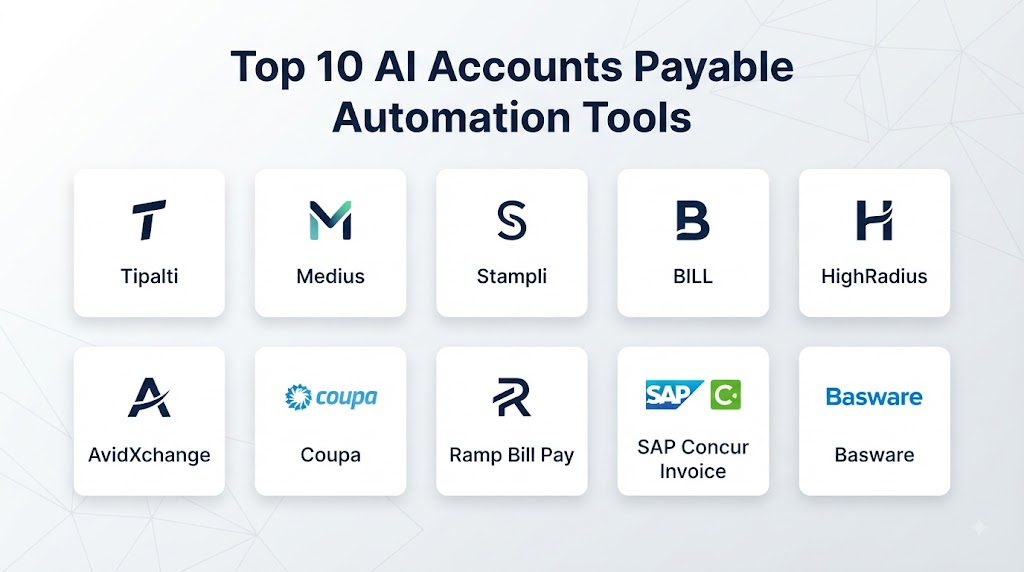
Top 10 AI Accounts Payable Automation Tools
1. Tipalti
Tipalti provides an accounts payable and financial operations platform covering invoice processing, supplier management, approvals, payments, and reconciliation workflows.
Key Features
- AI-assisted invoice processing
- Invoice capture
- Invoice approval
- Supplier management
- Payment automation
- Purchase-order workflows
- Accounting integrations
- Reconciliation
Pros
- Broad AP automation capabilities
- Strong supplier-management functionality
- Integrated payment workflows
- Useful global finance capabilities
- Enterprise-oriented platform
Cons
- Broad functionality can require implementation planning
- Advanced workflows may require configuration
2. BILL
BILL provides accounts payable, accounts receivable, spend management, payments, and financial workflow automation.
Key Features
- Invoice processing
- AP automation
- Approval workflows
- Payment automation
- Vendor management
- Accounting integrations
- Spend management
Pros
- Strong financial workflow automation
- Useful AP and payment capabilities
- Good accounting integrations
- Suitable for growing businesses
Cons
- Advanced enterprise requirements may require additional configuration
- Broader functionality can make implementation more involved
3. Stampli
Stampli focuses on accounts payable and invoice management, helping organizations automate invoice processing, coding, approvals, and supplier communication.
Key Features
- AI invoice processing
- Invoice coding
- Approval workflows
- Purchase-order matching
- Supplier communication
- AP automation
- ERP integrations
Pros
- Strong AP specialization
- Good invoice-coding capabilities
- Useful collaboration workflows
- Strong invoice-management focus
Cons
- Primarily focused on AP rather than broader financial management
- Complex integrations may require implementation work
4. Coupa
Coupa provides a broad business-spend management platform covering procurement, invoicing, supplier management, payments, and financial operations.
Key Features
- AP automation
- Invoice processing
- Procurement
- Supplier management
- Purchase-order matching
- Spend analytics
- Approval workflows
Pros
- Broad source-to-pay ecosystem
- Strong enterprise capabilities
- Procurement and AP integration
- Extensive spend-management functionality
Cons
- Enterprise implementations can be complex
- May be more functionality than smaller organizations require
5. Basware
Basware provides accounts payable, invoice automation, procurement, and spend-management capabilities for organizations managing complex financial operations.
Key Features
- Invoice automation
- Intelligent invoice capture
- AI processing
- Purchase-order matching
- Accounts payable
- Procurement
- Spend analytics
Pros
- Strong enterprise AP capabilities
- Broad invoice automation
- Good procurement integration
- Strong matching workflows
Cons
- Implementation can require significant planning
- Advanced configuration may require specialist expertise
6. Medius
Medius provides accounts payable automation and spend-management capabilities focused on automating invoice processing and financial workflows.
Key Features
- Invoice capture
- AI invoice processing
- Invoice coding
- PO matching
- Approval workflows
- Supplier management
- ERP integration
Pros
- Strong AP automation
- Good invoice-matching capabilities
- Enterprise-oriented features
- Useful workflow automation
Cons
- Advanced deployments may require integration planning
- Broader capabilities may be unnecessary for very small organizations
7. Ramp
Ramp combines corporate cards, expense management, accounts payable, procurement, and spend-management capabilities.
Key Features
- AP automation
- Invoice processing
- AI expense categorization
- Corporate cards
- Spend controls
- Procurement
- Accounting integrations
Pros
- Broad spend-management ecosystem
- Strong automation
- Integrated corporate spending
- Useful financial controls
Cons
- Best suited to organizations seeking broader spend management
- Complex accounting requirements may require additional configuration
8. Airbase
Airbase provides spend management, accounts payable automation, procurement, corporate cards, and approval workflows.
Key Features
- AP automation
- Invoice processing
- Approval workflows
- Purchase-order management
- Corporate cards
- Spend controls
- Accounting integrations
Pros
- Strong spend controls
- Good AP workflows
- Useful approval automation
- Broad finance capabilities
Cons
- AP functionality is part of a larger spend-management platform
- Advanced enterprise requirements may require configuration
9. Yooz
Yooz provides AP automation and invoice processing capabilities for organizations looking to digitize accounts payable operations.
Key Features
- Invoice OCR
- Invoice capture
- Automated coding
- Approval workflows
- Purchase-order matching
- Accounting integrations
- AP reporting
Pros
- Strong AP automation
- Useful invoice-processing capabilities
- Good workflow automation
- Accessible finance platform
Cons
- Complex enterprise environments may require customization
- AI coding still requires appropriate accounting controls
10. SAP Concur
SAP Concur provides enterprise travel and expense management capabilities that can connect expense workflows with broader financial processes.
Key Features
- Expense management
- Invoice processing
- AP workflows
- Approval automation
- Travel management
- Expense reporting
- Enterprise integrations
Pros
- Strong enterprise ecosystem
- Mature financial workflow capabilities
- Broad travel and expense functionality
- Strong integration potential
Cons
- Implementation can be complex
- Best suited to organizations with broader enterprise finance requirements
Comparison Table
| No. | Platform | Best For | Invoice Automation | AI Processing | PO Matching | Payment Automation | Supplier Management | ERP Integration |
|---|---|---|---|---|---|---|---|---|
| 1 | Tipalti | Global AP automation | Strong | Strong | Strong | Strong | Strong | Strong |
| 2 | BILL | SMB and mid-market AP | Strong | Strong | Strong | Strong | Strong | Strong |
| 3 | Stampli | AP and invoice management | Strong | Strong | Strong | Moderate | Strong | Strong |
| 4 | Coupa | Enterprise spend management | Strong | Strong | Strong | Strong | Strong | Strong |
| 5 | Basware | Enterprise AP | Strong | Strong | Strong | Strong | Strong | Strong |
| 6 | Medius | AP automation | Strong | Strong | Strong | Strong | Strong | Strong |
| 7 | Ramp | Spend and AP automation | Strong | Strong | Strong | Strong | Strong | Strong |
| 8 | Airbase | Spend and AP workflows | Strong | Strong | Strong | Strong | Strong | Strong |
| 9 | Yooz | AP automation | Strong | Strong | Strong | Moderate | Strong | Strong |
| 10 | SAP Concur | Enterprise finance workflows | Strong | Strong | Strong | Strong | Strong | Strong |
Weighted Evaluation Table
| No. | Platform | AP Automation 20% | AI Processing 15% | Invoice Management 15% | Payment Automation 15% | Integrations 10% | Security & Governance 10% | Ease of Use 5% | Scalability 10% | Total Score |
|---|---|---|---|---|---|---|---|---|---|---|
| 1 | Tipalti | 20 | 15 | 15 | 15 | 10 | 10 | 4 | 10 | 99 |
| 2 | BILL | 19 | 14 | 15 | 15 | 10 | 9 | 5 | 9 | 96 |
| 3 | Stampli | 19 | 15 | 15 | 13 | 9 | 9 | 5 | 9 | 94 |
| 4 | Coupa | 20 | 14 | 15 | 15 | 10 | 10 | 3 | 10 | 97 |
| 5 | Basware | 20 | 15 | 15 | 15 | 10 | 10 | 3 | 10 | 98 |
| 6 | Medius | 19 | 15 | 15 | 14 | 10 | 9 | 4 | 10 | 96 |
| 7 | Ramp | 19 | 15 | 14 | 14 | 10 | 10 | 5 | 10 | 97 |
| 8 | Airbase | 18 | 14 | 14 | 14 | 10 | 9 | 4 | 9 | 92 |
| 9 | Yooz | 18 | 14 | 15 | 13 | 9 | 9 | 5 | 9 | 92 |
| 10 | SAP Concur | 19 | 14 | 14 | 14 | 10 | 10 | 3 | 10 | 94 |
How to Choose the Right AI Accounts Payable Automation Tool
Choose Tipalti if you need comprehensive AP automation combined with supplier management, payments, and global financial operations.
Choose BILL if you need accessible AP and payment automation for a growing organization.
Choose Stampli if invoice processing, coding, approvals, and AP collaboration are your primary requirements.
Choose Coupa if AP automation needs to be part of a broader procurement and spend-management strategy.
Choose Basware if you need enterprise-grade AP automation with strong invoice and procurement capabilities.
Choose Medius if your priority is automating invoice processing, matching, approvals, and AP workflows.
Choose Ramp if AP automation needs to work alongside corporate cards, expense management, procurement, and spend controls.
Choose Airbase if you want AP automation integrated with broader spend management and approval workflows.
Choose Yooz if you need a dedicated AP automation solution with invoice capture, coding, and workflow automation.
Choose SAP Concur if you need enterprise travel, expense, and financial workflow capabilities within a larger enterprise ecosystem.
Common Mistakes
- Automating payments without strong approval controls
- Failing to verify supplier banking information
- Ignoring duplicate invoices
- Treating AI-generated invoice coding as infallible
- Failing to establish segregation of duties
- Not defining appropriate approval thresholds
- Ignoring non-PO invoice workflows
- Failing to maintain supplier master data
- Neglecting exception management
- Overlooking tax and regulatory requirements
- Giving automated workflows excessive permissions
- Failing to maintain complete audit trails
FAQs
1. What is AI Accounts Payable Automation?
AI Accounts Payable Automation uses artificial intelligence, document processing, machine learning, and workflow automation to streamline invoice capture, coding, matching, approval, payment, and reconciliation.
2. Can AI process invoices automatically?
Yes. AI-powered systems can capture invoice documents, extract information, validate data, classify invoices, and route them through AP workflows.
3. Can AI code invoices?
Yes. AI can recommend or assign accounting codes based on invoice information, supplier history, previous transactions, and organizational accounting rules.
4. Can AP automation match invoices with purchase orders?
Yes. Many platforms support two-way and three-way matching between invoices, purchase orders, and receiving records.
5. Can AI detect duplicate invoices?
Many AP automation platforms can identify potential duplicates using invoice numbers, supplier information, amounts, dates, and other transaction characteristics.
6. Can AP automation handle international invoices?
Many enterprise platforms support multiple currencies, entities, suppliers, and regional workflows, although specific capabilities vary by provider.
7. Can AI Accounts Payable Automation prevent fraud?
It can help identify unusual transactions, duplicate invoices, supplier anomalies, and suspicious patterns, but it should complement—not replace—financial controls and human oversight.
8. Does AP automation eliminate finance employees?
No. Automation reduces repetitive processing work while finance professionals continue to handle exceptions, controls, reconciliation, supplier relationships, and financial analysis.
9. Can AP automation integrate with ERP systems?
Yes. Most enterprise AP platforms provide integrations with accounting and ERP systems.
10. What is the future of AI Accounts Payable Automation?
The market is moving toward increasingly autonomous procure-to-pay workflows, predictive cash-flow intelligence, automated exception handling, stronger fraud detection, supplier intelligence, and end-to-end financial automation.
Conclusion
AI Accounts Payable Automation can transform finance operations by connecting invoice capture, data extraction, coding, matching, approvals, supplier management, payments, and accounting workflows.Tipalti, BILL, Stampli, Coupa, Basware, Medius, Ramp, Airbase, Yooz, and SAP Concur each approach AP automation from different angles, ranging from dedicated invoice processing to comprehensive spend-management and enterprise financial ecosystems.The right solution depends on invoice volume, organizational size, accounting complexity, supplier network, purchasing processes, ERP environment, payment requirements, and desired automation level.