Introduction
AI Storyboarding Tools help filmmakers, video creators, advertisers, agencies, animators, game developers, and creative teams turn ideas and scripts into visual storyboards more quickly. These platforms can transform written descriptions into scenes, generate visual frames, maintain characters and environments, create shot concepts, and help teams communicate how a project should look before production begins.Traditional storyboarding can require substantial time for sketching, revising, labeling, and presenting individual shots. AI-assisted tools can accelerate this process by generating visual concepts from prompts and allowing creators to iterate on composition, camera angles, environments, characters, and scene sequences. Filmmakers, video producers, creative agencies, advertising teams, animators, content creators, and production studios. Teams expecting completely production-ready visuals without human art direction, highly specialized animation pipelines without integration support, or organizations that need strict control over generated imagery without reviewing vendor policies.
What’s Changed in AI Storyboarding Tools
- Text-to-image storyboarding is becoming mainstream: Creators can generate visual frames directly from scene descriptions.
- Character consistency is improving: Some systems provide reference-image, character, or style controls to help maintain visual continuity.
- Shot planning is becoming more sophisticated: AI can assist with camera angle, framing, composition, perspective, and visual direction.
- Script-to-storyboard workflows are expanding: Some platforms can convert scripts or scene descriptions into sequences of visual frames.
- Image-to-image workflows are increasingly useful: Creators can start with an existing image and generate variations while preserving important visual elements.
- Visual style control is becoming more important: Teams can experiment with cinematic, illustrated, realistic, animated, or concept-art styles.
- AI video and storyboard workflows are converging: Storyboard frames can increasingly serve as references for downstream video-generation systems.
- Previsualization is becoming faster: Production teams can explore multiple versions of a scene before committing resources to filming.
- Collaboration is increasingly important: Creative teams need ways to review, annotate, organize, and approve storyboard frames.
- Multimodal workflows are expanding: Images, scripts, references, and creative briefs can increasingly be combined.
- Production planning is moving closer to AI-assisted visualization: Storyboards can support shot lists, scene planning, visual references, and creative discussions.
- Consistency remains a major challenge: AI-generated characters, props, environments, and camera positions can still change unexpectedly between frames.
- Copyright and intellectual-property considerations matter: Teams need to understand how generated imagery is created, licensed, stored, and used commercially.
- Prompt injection can affect connected workflows: If AI systems process external documents or untrusted content, malicious instructions can potentially influence downstream generation.
- Human art direction remains essential: AI can accelerate visual exploration, but directors and artists still need to determine what actually serves the story.
Quick Buyer Checklist
Before selecting an AI Storyboarding Tool, evaluate:
- Script-to-storyboard generation.
- Text-to-image generation.
- Image-to-image generation.
- Character consistency.
- Environment consistency.
- Style consistency.
- Reference-image support.
- Camera-angle controls.
- Shot composition.
- Aspect-ratio controls.
- Scene sequencing.
- Storyboard templates.
- Shot descriptions.
- Scene organization.
- Storyboard panels.
- Camera movement planning.
- Lighting controls.
- Visual style controls.
- Negative prompts.
- Image editing.
- Inpainting.
- Outpainting.
- Image variation.
- Character references.
- Custom styles.
- Brand assets.
- Collaboration.
- Comments.
- Annotations.
- Version history.
- Export formats.
- PDF export.
- Presentation export.
- API access.
- Automation.
- Integrations.
- Commercial usage rights.
- Copyright policies.
- Data retention.
- Data deletion.
- Data residency.
- Encryption.
- SSO.
- RBAC.
- Audit logs.
- Usage limits.
- Rendering speed.
- Cost per generation.
- Team administration.
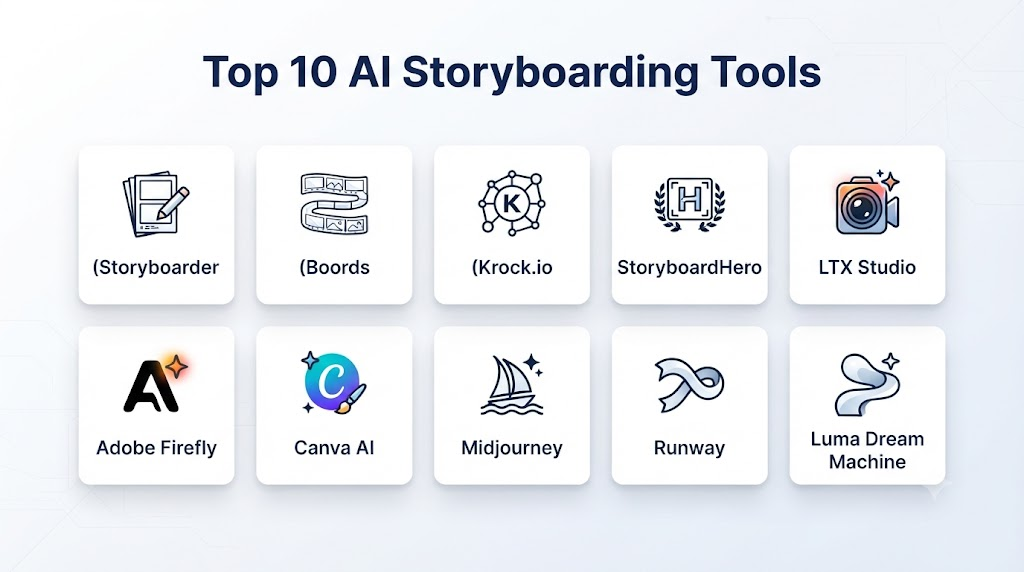
Top 10 AI Storyboarding Tools
1. Storyboarder
One-line verdict: Best for creators who want a dedicated storyboard workflow with AI-assisted visual development and traditional storyboard structure.
Short description:
Storyboarder is designed around the practical process of creating and organizing storyboards. It is useful for filmmakers, directors, students, and creators who want to translate ideas into organized visual sequences.
Standout Capabilities
- Storyboard creation.
- Shot organization.
- Scene planning.
- Visual references.
- Panel-based workflows.
- Camera planning.
- Story sequencing.
- Export workflows.
AI-Specific Depth
- Model support: AI capabilities depend on the specific implementation or connected workflow.
- RAG / knowledge integration: Not a primary RAG platform.
- Evaluation: Primarily visual and human review.
- Guardrails: Depends on connected AI services.
- Observability: Varies by implementation.
Pros
- Designed around storyboarding.
- Useful for structured visual planning.
- Good fit for filmmakers and students.
- Supports traditional production workflows.
Cons
- AI functionality may not be as broad as dedicated generative-image platforms.
- Advanced AI workflows may require additional tools.
- Users may need separate image-generation systems for highly detailed visuals.
Security & Compliance
Security depends on the deployment and any connected AI services.
Deployment & Platforms
- Desktop.
- Local creative workflows.
Integrations & Ecosystem
- Film production.
- Storyboarding.
- Visual planning.
- Creative software.
- Previsualization.
Pricing Model
Availability and pricing depend on the specific software distribution and related services.
Best-Fit Scenarios
- Film pre-production.
- Student projects.
- Storyboard planning.
- Independent filmmaking.
2. Boords
One-line verdict: Best for teams that want an organized storyboard-production workflow combining visual generation, scripts, shots, and collaboration.
Short description:
Boords provides a dedicated storyboard environment for developing visual sequences. It is useful for advertising agencies, video teams, filmmakers, and creative professionals who need to transform scripts and ideas into organized storyboards.
Standout Capabilities
- AI storyboard generation.
- Script-to-storyboard workflows.
- Storyboard panels.
- Shot descriptions.
- Character visualization.
- Scene organization.
- Collaboration.
- Presentation workflows.
AI-Specific Depth
- Model support: Platform-managed AI capabilities.
- RAG / knowledge integration: Project context and reference material can support creative workflows.
- Evaluation: Human review and storyboard approval.
- Guardrails: Platform-level controls.
- Observability: Usage capabilities vary.
Pros
- Purpose-built storyboard workflow.
- Useful for professional creative teams.
- Helps organize scripts and visual frames.
- Strong presentation-oriented workflow.
Cons
- AI generation quality can vary by prompt.
- Professional teams may still require additional creative software.
- Pricing may be less attractive for occasional users.
Security & Compliance
Teams should review the platform’s current data, privacy, access, and commercial-use policies before uploading confidential production material.
Deployment & Platforms
- Web.
- Cloud.
Integrations & Ecosystem
- Video production.
- Advertising.
- Creative agencies.
- Storyboarding.
- Previsualization.
- Team collaboration.
Pricing Model
Subscription-based plans vary.
Best-Fit Scenarios
- Advertising storyboards.
- Video production.
- Creative agencies.
3. Midjourney
One-line verdict: Best for generating visually rich cinematic concepts, environments, characters, and storyboard references.
Short description:
Midjourney is a generative-image platform particularly useful for visual ideation. Although it is not a traditional storyboard-management system, creators can use it to produce cinematic frames, environments, characters, mood boards, and visual references.
Standout Capabilities
- Text-to-image generation.
- Visual concept development.
- Character concepts.
- Environment concepts.
- Cinematic compositions.
- Style exploration.
- Image variations.
- Visual references.
AI-Specific Depth
- Model support: Platform-managed generative models.
- RAG / knowledge integration: Not primarily a RAG system.
- Evaluation: Visual review and human selection.
- Guardrails: Platform-level moderation and safety systems.
- Observability: Usage depends on account and product capabilities.
Pros
- Strong visual quality.
- Excellent for cinematic concept development.
- Useful for exploring visual styles quickly.
- Large creative community.
Cons
- Not a complete storyboard-management platform.
- Precise production continuity can require additional work.
- Camera and scene control may be less structured than dedicated storyboard tools.
Security & Compliance
Review commercial-use, privacy, and content policies before using confidential production concepts.
Deployment & Platforms
- Web.
- Cloud.
- Discord-based workflows may be supported depending on the product experience.
Integrations & Ecosystem
- Concept art.
- Film development.
- Advertising.
- Illustration.
- Creative ideation.
Pricing Model
Subscription plans vary.
Best-Fit Scenarios
- Cinematic concepts.
- Mood boards.
- Visual development.
- Creative exploration.
4. Adobe Firefly
One-line verdict: Best for creative teams already using Adobe’s ecosystem and needing AI-generated storyboard frames and visual variations.
Short description:
Adobe Firefly provides generative AI capabilities for creating and editing images. It can support storyboard development by generating visual references, environments, characters, compositions, and variations that can be incorporated into broader Adobe workflows.
Standout Capabilities
- Text-to-image generation.
- Generative editing.
- Image variations.
- Style exploration.
- Creative asset generation.
- Image editing.
- Visual concept development.
- Adobe ecosystem integration.
AI-Specific Depth
- Model support: Adobe-managed generative models and supported partner models where available.
- RAG / knowledge integration: Depends on the connected Adobe workflow.
- Evaluation: Human review and creative approval.
- Guardrails: Adobe safety and content controls.
- Observability: Product and enterprise capabilities vary.
Pros
- Strong Adobe ecosystem integration.
- Useful for creative professionals.
- Powerful image editing capabilities.
- Suitable for concept development.
Cons
- Not exclusively designed for storyboarding.
- Advanced capabilities may require Adobe ecosystem familiarity.
- Exact AI features vary by product.
Security & Compliance
Enterprise users should evaluate Adobe’s current security, governance, data-handling, and commercial-use terms.
Deployment & Platforms
- Web.
- Desktop ecosystem.
- Cloud.
Integrations & Ecosystem
- Photoshop.
- Illustrator.
- Creative Cloud.
- Video production.
- Design workflows.
- Marketing assets.
Pricing Model
Subscription and credit-based models vary.
Best-Fit Scenarios
- Creative agencies.
- Film and advertising teams.
- Adobe-based production workflows.
5. Canva
One-line verdict: Best for beginners and marketing teams that want easy visual storyboarding combined with presentation and design workflows.
Short description:
Canva combines design, presentation, collaboration, and AI-powered content generation. It can be used to create storyboard panels, visual concepts, mood boards, pitch decks, and production references.
Standout Capabilities
- AI image generation.
- Storyboard templates.
- Visual layouts.
- Presentations.
- Collaboration.
- Design editing.
- Image generation.
- Brand assets.
AI-Specific Depth
- Model support: Canva-managed and integrated AI capabilities.
- RAG / knowledge integration: Brand and design context can support workflows depending on the product.
- Evaluation: Human review.
- Guardrails: Platform safety controls.
- Observability: Usage capabilities vary.
Pros
- Very easy to use.
- Large template ecosystem.
- Excellent collaboration.
- Useful for marketing and presentation workflows.
Cons
- Less specialized than professional storyboarding platforms.
- Advanced cinematic shot planning may require other tools.
- AI visual consistency can require manual adjustment.
Security & Compliance
Business and enterprise users should evaluate current security, privacy, access, and data-handling controls.
Deployment & Platforms
- Web.
- Desktop.
- Mobile.
- Cloud.
Integrations & Ecosystem
- Presentations.
- Marketing.
- Design.
- Social media.
- Branding.
- Collaboration.
Pricing Model
Free and subscription plans vary.
Best-Fit Scenarios
- Marketing storyboards.
- Social-video planning.
- Presentations.
- Small creative teams.
6. Runway
One-line verdict: Best for creators who want to connect AI storyboard images with broader AI video-generation and visual-production workflows.
Short description:
Runway combines AI image and video-generation capabilities with creative workflows. Storyboard frames can be used to explore scenes, characters, camera concepts, and visual sequences before moving toward generated video.
Standout Capabilities
- AI image generation.
- AI video generation.
- Image-to-video.
- Visual concept development.
- Scene experimentation.
- Motion exploration.
- Style exploration.
- Creative iteration.
AI-Specific Depth
- Model support: Platform-managed AI models and capabilities.
- RAG / knowledge integration: Not primarily a RAG platform.
- Evaluation: Human visual review.
- Guardrails: Platform safety systems.
- Observability: Usage capabilities vary.
Pros
- Strong connection between image and video generation.
- Useful for visual previsualization.
- Good for creative experimentation.
- Supports broader AI video workflows.
Cons
- Not a traditional storyboard-management system.
- Video-generation costs can increase with experimentation.
- Consistency across complex sequences may require careful workflows.
Security & Compliance
Professional teams should evaluate current data and commercial-use policies before using confidential material.
Deployment & Platforms
- Web.
- Cloud.
Integrations & Ecosystem
- AI video.
- AI image generation.
- Film.
- Advertising.
- Creative production.
Pricing Model
Subscription and usage-based models vary.
Best-Fit Scenarios
- AI video production.
- Cinematic previsualization.
- Experimental filmmaking.
7. Katalist
One-line verdict: Best for turning written concepts and scripts into structured AI-assisted visual storyboards.
Short description:
Katalist is designed around AI-powered visual storytelling and can help users transform scripts, ideas, and descriptions into storyboard-style sequences.
Standout Capabilities
- AI storyboard generation.
- Script-to-storyboard workflows.
- Character consistency.
- Scene visualization.
- Shot planning.
- Visual sequencing.
- Story development.
- AI-generated images.
AI-Specific Depth
- Model support: Platform-managed AI models.
- RAG / knowledge integration: Project context can support visual generation.
- Evaluation: Human review.
- Guardrails: Platform-level controls.
- Observability: Usage varies.
Pros
- Strong storyboard orientation.
- Useful for quickly visualizing scripts.
- Character and scene workflows can speed up pre-production.
- Suitable for creative teams.
Cons
- AI-generated visuals may need refinement.
- Complex cinematic requirements may exceed automated capabilities.
- Platform functionality may change as AI models evolve.
Security & Compliance
Review current privacy and commercial-use policies before uploading unreleased scripts or proprietary concepts.
Deployment & Platforms
- Web.
- Cloud.
Integrations & Ecosystem
- Storyboarding.
- Video production.
- Advertising.
- Creative development.
- Previsualization.
Pricing Model
Subscription or usage-based options vary.
Best-Fit Scenarios
- Script visualization.
- Advertising.
- Short-film planning.
8. StoryboardHero
One-line verdict: Best for agencies and production teams that need a structured storyboard workflow for client presentations and approvals.
Short description:
StoryboardHero focuses on creating professional storyboards and visual presentations for video projects. AI capabilities can assist with generating visual content and speeding up the initial storyboard-development process.
Standout Capabilities
- Storyboard creation.
- Visual panels.
- Script organization.
- Shot descriptions.
- Client presentations.
- Collaboration.
- Storyboard exports.
- Visual references.
AI-Specific Depth
- Model support: Platform-dependent.
- RAG / knowledge integration: Not a primary RAG platform.
- Evaluation: Human and client review.
- Guardrails: Platform controls where applicable.
- Observability: Varies.
Pros
- Agency-friendly workflow.
- Useful for client approvals.
- Structured storyboard presentation.
- Practical for video production.
Cons
- AI depth may be less than general-purpose image-generation platforms.
- Less suitable for highly experimental visual development.
- Advanced workflows may require other creative tools.
Security & Compliance
Teams should review current security and privacy capabilities for client-sensitive material.
Deployment & Platforms
- Web.
- Cloud.
Integrations & Ecosystem
- Advertising.
- Agencies.
- Video production.
- Client presentations.
- Pre-production.
Pricing Model
Subscription-based plans vary.
Best-Fit Scenarios
- Advertising agencies.
- Corporate video.
- Client presentations.
9. Stable Diffusion
One-line verdict: Best for technically capable creators who want extensive customization and control over AI-generated storyboard visuals.
Short description:
Stable Diffusion refers to a family of generative-image models and related ecosystems that can be used to create storyboard frames, concept art, environments, characters, and visual variations.
Standout Capabilities
- Text-to-image.
- Image-to-image.
- Custom models.
- Style control.
- Fine-tuning.
- Image editing.
- Character references.
- Local deployment possibilities.
AI-Specific Depth
- Model support: Open and community-developed model ecosystem.
- RAG / knowledge integration: Can be integrated into custom systems.
- Evaluation: Custom evaluation possible.
- Guardrails: Depends heavily on deployment.
- Observability: Can be implemented in custom infrastructure.
Pros
- Highly customizable.
- Broad ecosystem.
- Potential for local or private deployment.
- Strong developer flexibility.
Cons
- Requires more technical knowledge.
- Security becomes the operator’s responsibility for self-hosted systems.
- Quality varies substantially between models and workflows.
Security & Compliance
Organizations operating self-hosted systems must manage:
- Access controls.
- Model provenance.
- Data security.
- Infrastructure security.
- Content policies.
- Logging.
- Updates.
- Vulnerability management.
Deployment & Platforms
- Local.
- Cloud.
- GPU infrastructure.
- Custom applications.
Integrations & Ecosystem
- AI art.
- Creative applications.
- Developer tools.
- Custom pipelines.
- Image-generation systems.
Pricing Model
Open-source or model-specific costs may vary; infrastructure and GPU costs should be considered for self-hosting.
Best-Fit Scenarios
- Technical creative teams.
- Private generation workflows.
- Custom storyboard pipelines.
10. Leonardo AI
One-line verdict: Best for creators who need flexible AI-generated concept art, characters, environments, and visual references for storyboard development.
Short description:
Leonardo AI provides image-generation and creative tools that can help creators produce storyboard frames, character concepts, environments, props, and visual variations.
Standout Capabilities
- Text-to-image.
- Image generation.
- Image editing.
- Style exploration.
- Character concepts.
- Environment generation.
- Visual variations.
- Creative asset development.
AI-Specific Depth
- Model support: Platform-managed and supported model ecosystem.
- RAG / knowledge integration: Not primarily a RAG platform.
- Evaluation: Human visual review.
- Guardrails: Platform safety controls.
- Observability: Usage varies.
Pros
- Strong visual-generation capabilities.
- Useful for concept development.
- Flexible creative workflows.
- Accessible to non-technical users.
Cons
- Not a dedicated storyboard management system.
- Complex continuity may require additional tools.
- Commercial-use requirements should be reviewed.
Security & Compliance
Business users should evaluate current data, privacy, commercial-use, and administrative policies.
Deployment & Platforms
- Web.
- Cloud.
Integrations & Ecosystem
- Concept art.
- Storyboarding.
- Game development.
- Advertising.
- Creative production.
Pricing Model
Free and paid plans vary.
Best-Fit Scenarios
- Concept art.
- Storyboard references.
- Advertising.
- Game visuals.
Comparison Table
| Tool Name | Best For | Deployment | Model Flexibility | Strength | Watch-Out | Public Rating |
|---|---|---|---|---|---|---|
| Storyboarder | Structured storyboarding | Desktop | Varies | Storyboard workflow | AI depth varies | |
| Boords | Professional storyboard production | Cloud/Web | Hosted | Script-to-storyboard workflow | Advanced features may require paid plans | |
| Midjourney | Cinematic visual concepts | Cloud/Web | Hosted | Image quality | Not a full storyboard manager | |
| Adobe Firefly | Adobe creative teams | Cloud/Desktop ecosystem | Hosted/Supported models | Creative ecosystem | Not storyboard-specific | |
| Canva | Beginners and marketing teams | Cloud/Web/Mobile | Hosted | Ease of use | Limited cinematic controls | |
| Runway | AI video previsualization | Cloud/Web | Hosted | Image-to-video workflows | Can become usage-intensive | |
| Katalist | AI storyboard generation | Cloud/Web | Hosted | Script visualization | Complex sequences need review | |
| StoryboardHero | Agencies | Cloud/Web | Platform-dependent | Client presentations | Less advanced generative capability | |
| Stable Diffusion | Custom AI workflows | Local/Cloud | Highly flexible | Customization | Technical complexity | |
| Leonardo AI | Concept art | Cloud/Web | Hosted/Model ecosystem | Visual generation | Storyboard organization is limited |
Scoring & Evaluation
The following scores are an editorial comparison rather than official vendor benchmarks.
| Tool | Core | Reliability/Eval | Guardrails | Integrations | Ease | Perf/Cost | Security/Admin | Support | Weighted Total |
|---|---|---|---|---|---|---|---|---|---|
| Storyboarder | 9 | 8 | 8 | 8 | 9 | 9 | 8 | 8 | 8.45 |
| Boords | 10 | 9 | 9 | 9 | 9 | 8 | 9 | 9 | 9.05 |
| Midjourney | 9 | 8 | 8 | 8 | 9 | 8 | 7 | 8 | 8.15 |
| Adobe Firefly | 9 | 9 | 9 | 10 | 9 | 8 | 9 | 9 | 9.00 |
| Canva | 8 | 8 | 9 | 10 | 10 | 9 | 9 | 9 | 9.00 |
| Runway | 9 | 8 | 8 | 9 | 9 | 7 | 8 | 9 | 8.40 |
| Katalist | 9 | 8 | 8 | 8 | 9 | 8 | 8 | 8 | 8.30 |
| StoryboardHero | 9 | 8 | 8 | 8 | 9 | 8 | 8 | 8 | 8.25 |
| Stable Diffusion | 10 | 9 | 6 | 10 | 6 | 9 | 6 | 7 | 8.00 |
| Leonardo AI | 9 | 8 | 8 | 8 | 9 | 8 | 8 | 8 | 8.30 |
Top 3 for Enterprise
- Adobe Firefly — Strong fit for organizations already using Adobe’s creative ecosystem.
- Boords — Useful for structured storyboard development and creative-team collaboration.
- Canva — Attractive for organizations requiring easy collaboration, presentations, and branded visual workflows.
Top 3 for SMB
- Canva — Excellent ease of use and broad design capabilities.
- Boords — Strong dedicated storyboard workflow.
- Adobe Firefly — Good option for teams already working within Adobe tools.
Top 3 for Developers
- Stable Diffusion — Highest customization potential.
- Runway — Useful for AI-powered visual and video workflows.
- Adobe Firefly — Strong ecosystem for creative application integration.
Which AI Storyboarding Tool Is Right for You?
Solo / Freelancer
Prioritize:
- Ease of use.
- Fast image generation.
- Affordable usage.
- Character consistency.
- Export options.
- Simple storyboard organization.
Canva, Midjourney, Leonardo AI, and Boords are useful starting points.
SMB
Prioritize:
- Collaboration.
- Brand consistency.
- Templates.
- Client presentations.
- Asset management.
- Easy approvals.
Boords, Canva, Adobe Firefly, and StoryboardHero are strong candidates.
Mid-Market
Prioritize:
- Team collaboration.
- Version control.
- Security.
- API access.
- Workflow automation.
- Brand assets.
- Consistent visual generation.
A combination of a dedicated storyboard platform and an AI image-generation system may provide better results than relying on a single tool.
Enterprise
Enterprise teams should evaluate:
- SSO.
- RBAC.
- Audit logs.
- Data residency.
- Data retention.
- Encryption.
- Commercial-use rights.
- Content governance.
- API capabilities.
- Vendor security.
- Integration capabilities.
- Approval workflows.
Adobe Firefly and established storyboard platforms may be particularly attractive where governance and existing creative infrastructure matter.
Regulated Industries
Organizations producing sensitive visual material should carefully evaluate:
- Confidential project handling.
- Customer information.
- Intellectual property.
- Data retention.
- Employee access.
- Third-party integrations.
- Commercial rights.
- Model training policies.
- Data residency.
- Auditability.
Budget vs Premium
Budget
Focus on:
- Simple storyboard creation.
- Basic image generation.
- Templates.
- Export.
- Low usage costs.
Premium
Focus on:
- Character consistency.
- Professional collaboration.
- Brand controls.
- Advanced image generation.
- Video integration.
- APIs.
- Security administration.
- Enterprise governance.
Build vs Buy
Build when:
- Storyboarding is part of your own production platform.
- You need proprietary character or visual workflows.
- You require custom AI models.
- You need private deployment.
- You have specialized production requirements.
Buy when:
- You need rapid implementation.
- You do not have AI infrastructure expertise.
- Standard storyboard workflows meet your needs.
- You need managed collaboration.
Hybrid Approach
A hybrid architecture can combine:
- Script analysis.
- LLM-based shot planning.
- AI image generation.
- Character references.
- Storyboard management.
- Asset libraries.
- Human approvals.
- Version control.
- Video-generation systems.
Implementation Playbook: 30 / 60 / 90 Days
First 30 Days: Pilot + Success Metrics
Select several representative projects:
- Commercial.
- Short film.
- Product video.
- YouTube video.
- Social-media campaign.
- Animation concept.
Measure:
- Time to first storyboard.
- Number of iterations.
- Character consistency.
- Scene consistency.
- Visual quality.
- Director satisfaction.
- Client approval rate.
- Cost per storyboard.
- Editing time.
Days 31–60: Security + Evaluation + Rollout
Create an evaluation framework covering:
- Visual consistency.
- Prompt adherence.
- Character consistency.
- Environment consistency.
- Shot composition.
- Camera perspective.
- Brand compliance.
- Content safety.
- Commercial-use suitability.
Test against:
- Untrusted reference images.
- Malicious instructions in project documents.
- Confidential scripts.
- Brand restrictions.
- Copyright-sensitive material.
- Inappropriate content requests.
Create:
- Approved prompts.
- Style guides.
- Character reference sheets.
- Scene templates.
- Review procedures.
- Asset-management policies.
Days 61–90: Optimize + Scale
Once the workflow is reliable:
- Build reusable storyboard templates.
- Create character libraries.
- Standardize visual styles.
- Automate repetitive scene generation.
- Connect storyboard systems with production tools.
- Track usage costs.
- Monitor quality.
- Establish approval workflows.
- Create visual-quality benchmarks.
Common Mistakes & How to Avoid Them
- Generating every frame independently: Use character and environment references to improve consistency.
- Skipping shot planning: Define shot type, camera angle, subject, and action before generating visuals.
- Using vague prompts: Describe composition, environment, characters, lighting, and camera perspective.
- Expecting perfect continuity: Review frames sequentially instead of evaluating them individually.
- Ignoring aspect ratios: Choose the target format before generating the storyboard.
- Not defining visual style: Establish a consistent aesthetic for the project.
- Using AI images as final production assets without review: Storyboards are planning tools and should be reviewed by the creative team.
- Ignoring commercial-use terms: Verify rights and licensing requirements.
- Uploading confidential scripts without checking privacy policies: Establish clear data-handling rules.
- No version control: Maintain versions of scenes and approved frames.
- Overusing visual detail: A storyboard should communicate the shot, not necessarily look like the final production.
- Ignoring camera language: Include shot size, angle, lens intent, movement, and framing when relevant.
- No human approval: Directors, producers, designers, and clients should remain involved.
- Choosing tools based only on image quality: Storyboarding requires organization and continuity, not just attractive images.
- Ignoring prompt injection: Treat uploaded documents and external references as potentially untrusted.
- Not testing difficult scenes: Evaluate complex interactions, crowds, unusual perspectives, and continuity before scaling.
- Failing to standardize character descriptions: Use structured character sheets.
- Ignoring production workflow: Choose tools that fit how scripts, shots, approvals, and assets are already managed.
- Not tracking generation costs: High iteration rates can significantly increase AI usage.
- Assuming AI will replace storyboard artists: AI can accelerate visualization, while professional artists and directors provide creative judgment and production expertise.
FAQs
1. What Are AI Storyboarding Tools?
AI Storyboarding Tools use artificial intelligence to help creators transform scripts, ideas, and descriptions into visual storyboard frames and organized scene sequences.
2. Can AI Create a Complete Storyboard?
Yes. AI can generate storyboard panels from scripts or descriptions, but the resulting storyboard should be reviewed and refined by a human creative team.
3. Can AI Turn a Script Into a Storyboard?
Yes. Some tools can analyze a script and help convert scenes into visual frames, shot descriptions, and sequences.
4. Can AI Maintain Character Consistency?
Some platforms provide reference images, character controls, or project context that can improve consistency. However, AI-generated characters may still vary between frames.
5. Which AI Storyboarding Tool Is Best?
There is no universal best tool. Boords is strong for structured storyboarding, Adobe Firefly is useful for Adobe-based teams, Canva is accessible for general design workflows, and Runway is attractive for AI video-oriented previsualization.
6. Can AI Storyboards Be Used for Movies?
Yes. AI storyboards can support film pre-production, shot planning, visual development, and communication between directors, cinematographers, designers, and producers.
7. Can AI Create Camera Angles?
AI can generate images representing different camera angles and compositions. Precise cinematographic control may require additional manual direction.
8. Can AI Generate Different Shots of the Same Scene?
Yes. Creators can generate wide shots, medium shots, close-ups, over-the-shoulder views, establishing shots, and other visual variations.
9. Can AI Storyboarding Tools Create Animatics?
Some platforms can support workflows that move from storyboard frames toward motion or video. Dedicated animatic and video-production software may still be required for advanced production.
10. Can AI Storyboards Include Dialogue?
Yes. Storyboard panels can include dialogue, narration, scene descriptions, shot notes, and production instructions depending on the tool.
11. Can AI Generate Storyboards From Images?
Yes. Image references can be used to guide characters, environments, visual styles, and compositions.
12. Can AI Storyboards Be Exported?
Many storyboard platforms support exports such as images, PDFs, presentations, or other project formats. Available formats vary by tool.
13. Are AI Storyboards Suitable for Advertising?
Yes. Advertising agencies can use AI storyboards to visualize concepts, pitch campaigns, communicate shot ideas, and obtain client approvals.
14. Can AI Storyboarding Reduce Production Costs?
It can reduce the time required to explore visual concepts and create preliminary storyboards. Actual savings depend on the project and the amount of human revision required.
15. Can AI Replace a Storyboard Artist?
AI can automate parts of the visualization process, but professional storyboard artists provide composition, storytelling judgment, continuity, staging, and production expertise that AI does not reliably replace.
16. What Is Character Consistency in AI Storyboarding?
Character consistency means keeping the same character’s appearance, clothing, proportions, and visual identity across multiple storyboard frames.
17. What Is Image-to-Image Storyboarding?
Image-to-image generation allows a creator to provide an existing visual reference and generate a modified or related image while retaining selected visual characteristics.
18. What Is Text-to-Image Storyboarding?
Text-to-image storyboarding uses written prompts describing a scene to generate visual frames.
19. What Is AI Previsualization?
AI previsualization uses generated images or video to explore how scenes, shots, environments, characters, and camera concepts might appear before production.
20. Can AI Storyboarding Tools Generate 3D Scenes?
Some AI systems can assist with 3D concepts or connect to 3D workflows, but traditional 3D software may still be required for accurate production environments.
21. Are AI Storyboards Copyrighted?
Copyright and commercial-use questions depend on the tool, jurisdiction, input material, generation process, and applicable laws. Organizations should review current legal and licensing requirements.
22. Is It Safe to Upload Unreleased Film Scripts?
Only after reviewing the platform’s privacy, data retention, security, and commercial-use policies. Sensitive scripts should be handled under an organization’s approved AI policy.
23. Can AI Storyboarding Tools Be Used for Client Presentations?
Yes. Dedicated storyboard platforms and design tools can help teams create professional visual presentations for clients.
24. Can AI Storyboards Be Integrated With Video Generation?
Increasingly, yes. Storyboard frames can serve as visual references for image-to-video or text-to-video workflows.
25. Which Tool Is Best for Beginners?
Canva is particularly accessible for beginners, while Boords can be a stronger option for users who want a dedicated storyboard workflow.
26. Which Tool Is Best for Professional Filmmakers?
The best choice depends on the workflow. Boords is useful for structured storyboarding, while Adobe Firefly, Runway, Midjourney, and other visual-generation tools can complement professional previsualization.
27. Which AI Storyboarding Tool Is Best for Developers?
Stable Diffusion offers significant customization potential for developers who want to build their own visual-generation pipeline.
28. Can AI Storyboards Be Generated in Different Styles?
Yes. AI image-generation systems can produce different visual styles, including realistic, illustrated, cinematic, animated, conceptual, and stylized approaches.
29. Can AI Storyboards Be Used for Animation?
Yes. Storyboards are commonly used in animation planning, and AI can accelerate early visual development, scene exploration, and character concepts.
30. Can AI Storyboarding Be Automated?
Yes. A workflow can combine script analysis, shot extraction, prompt generation, image generation, storyboard assembly, review, and export.
31. What Is the Biggest Challenge With AI Storyboarding?
Visual consistency remains one of the biggest challenges. Characters, environments, props, lighting, and camera perspectives can change unexpectedly between generated frames.
32. How Should AI Storyboard Quality Be Evaluated?
Evaluate:
- Story clarity.
- Shot composition.
- Character consistency.
- Environment consistency.
- Camera direction.
- Visual continuity.
- Prompt adherence.
- Production usefulness.
- Revision time.
- Cost.
33. Can AI Storyboards Improve Client Approvals?
Yes. Visual storyboards can make abstract production concepts easier for clients to understand before filming begins.
34. Should AI Storyboards Be Used as Final Artwork?
Not necessarily. Their primary purpose is usually visualization and planning. Final artwork should follow the project’s artistic, legal, technical, and production requirements.
35. What Should Businesses Look for in an Enterprise AI Storyboarding Platform?
Businesses should evaluate:
- Security.
- SSO.
- RBAC.
- Data retention.
- Data residency.
- Commercial-use rights.
- Auditability.
- Collaboration.
- API access.
- Integrations.
- Version control.
- Cost management.
- Human approval workflows.
Conclusion
AI Storyboarding Tools are changing the pre-production process by allowing creative teams to move from written concepts to visual sequences much faster. Instead of spending extensive time creating every preliminary frame manually, directors and producers can use AI to explore characters, environments, camera compositions, visual styles, and alternative scenes before production begins.For structured storyboard creation, Boords, StoryboardHero, and Storyboarder are useful options to investigate. For visual generation, Midjourney, Adobe Firefly, Leonardo AI, and Stable Diffusion can provide powerful concept-development capabilities. For teams connecting storyboards with AI video production, Runway can be particularly useful. Canva provides an accessible option for marketing teams, educators, and beginners, while Katalist focuses specifically on AI-assisted visual storytelling.The strongest workflow is usually not “AI instead of humans.” It is AI-assisted previsualization + human creative direction. AI can rapidly generate possibilities, while directors, storyboard artists, cinematographers, designers, and producers determine which visuals actually communicate the intended story.