Introduction
AI Subtitle & Caption Generation tools use artificial intelligence to automatically transcribe spoken audio, identify speakers, synchronize text with video, translate captions, and create accessible subtitle files. Instead of manually listening to every video and entering dialogue line by line, creators and organizations can use AI to accelerate captioning and localization.
These tools are useful for YouTube creators, social-media teams, marketing agencies, e-learning companies, media publishers, broadcasters, enterprises, educators, and accessibility teams. Modern platforms increasingly combine automatic transcription with translation, speaker detection, caption styling, video editing, and multilingual workflows.
Best for: Content creators, marketing teams, educators, publishers, media organizations, agencies, and enterprises producing frequent video or audio content.
Not ideal for: Very small projects requiring only occasional captions, extremely sensitive recordings without suitable privacy controls, or professional productions where every caption requires specialized human editorial review.
What’s Changed in AI Subtitle & Caption Generation
- Automatic transcription is becoming faster: AI can process long recordings without requiring manual transcription.
- Speaker identification is improving: Many workflows can distinguish between different speakers in interviews, meetings, and conversations.
- Multilingual captioning is expanding: Teams can translate captions into multiple languages without recreating every subtitle manually.
- Caption editing is becoming integrated with video editing: Users can correct transcripts and adjust captions without moving between multiple applications.
- AI punctuation is improving readability: Modern transcription systems can add punctuation, capitalization, and paragraph structure automatically.
- Context-aware transcription matters more: Industry terminology, names, product names, and technical vocabulary still require validation.
- Real-time captioning is becoming more practical: AI can support live meetings, events, webinars, and broadcasts where low latency matters.
- Caption customization is becoming more sophisticated: Users can control positioning, styling, timing, and formatting for different publishing platforms.
- Accessibility is receiving greater attention: Captions are increasingly treated as part of content accessibility rather than simply an SEO feature.
- AI translation is becoming part of the caption pipeline: A transcript can be translated and converted into localized subtitle files in a single workflow.
- Human-in-the-loop review remains important: Automatic transcription can still make mistakes with accents, background noise, overlapping speech, and specialized terminology.
- Privacy is becoming a major buying factor: Uploaded recordings may contain confidential conversations, personal information, customer data, or proprietary business information.
- AI content workflows are becoming multimodal: Captioning can now connect transcription, translation, summarization, video editing, voice generation, and content repurposing.
- API-based captioning is expanding: Developers can integrate transcription and caption generation into their own applications and media pipelines.
- Cost and latency are important at scale: Organizations processing thousands of hours of content need predictable pricing and processing performance.
- Quality evaluation is becoming more systematic: Teams can measure word error rate, timing accuracy, speaker attribution, translation quality, and human readability.
Quick Buyer Checklist
Before selecting an AI subtitle and caption generation platform, evaluate:
- Automatic speech recognition accuracy.
- Supported languages.
- Supported dialects and accents.
- Speaker detection.
- Speaker labeling.
- Automatic punctuation.
- Sentence segmentation.
- Timestamp accuracy.
- Word-level timestamps.
- Caption formatting.
- Caption styling.
- Subtitle translation.
- Multiple subtitle formats.
- SRT support.
- VTT support.
- Caption export.
- Video export.
- Burned-in captions.
- Open captions.
- Closed captions.
- Real-time captioning.
- Background-noise handling.
- Overlapping speech detection.
- Technical terminology handling.
- Custom dictionaries.
- Glossaries.
- Human editing.
- Collaboration.
- API access.
- Batch processing.
- Webhooks or automation.
- Data privacy.
- Data retention.
- Data deletion.
- Data residency.
- Encryption.
- SSO.
- RBAC.
- Audit logs.
- Processing speed.
- Usage limits.
- Cost per minute.
- Storage costs.
- Vendor lock-in.
- Integration with existing video workflows.
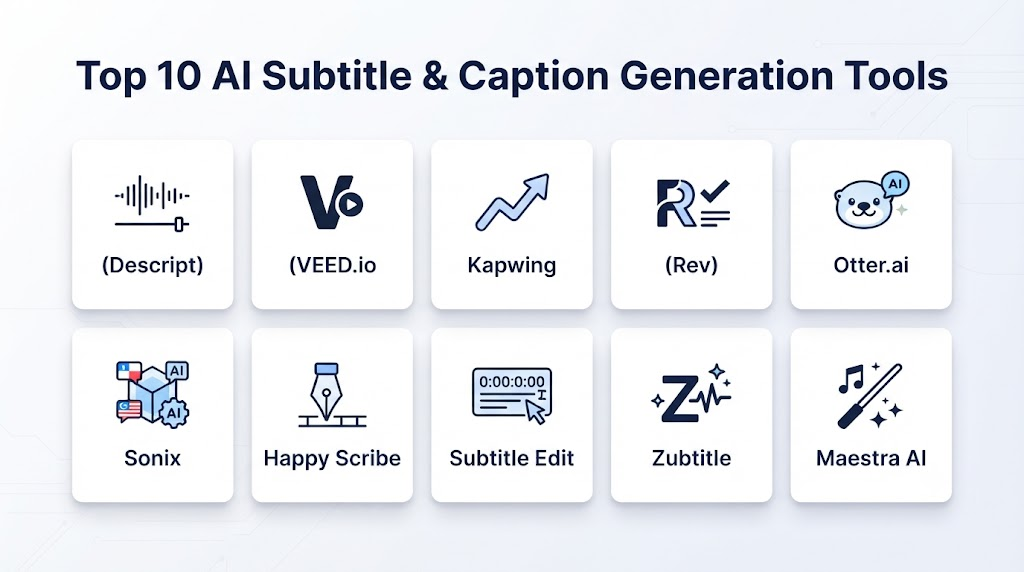
Top 10 AI Subtitle & Caption Generation Tools
1. Descript
One-line verdict: Best for creators and teams combining AI transcription, captioning, editing, and content repurposing in one workflow.
Short description:
Descript combines transcription with text-based audio and video editing. Captions are closely connected to the transcript, making it useful for podcasts, interviews, tutorials, marketing videos, and creator workflows.
Standout Capabilities
- Automatic transcription.
- Caption generation.
- Text-based video editing.
- Speaker identification.
- Subtitle editing.
- AI-powered content editing.
- Audio cleanup.
- Video content repurposing.
AI-Specific Depth
- Model support: Platform-managed AI capabilities.
- RAG / knowledge integration: Not a dedicated RAG platform.
- Evaluation: Transcript review and human editing are available as part of the workflow.
- Guardrails: Platform-level content and account controls.
- Observability: Usage and project-level metrics vary.
Pros
- Transcription and editing are tightly integrated.
- Easy to correct captions by editing the transcript.
- Strong workflow for podcasts and talking-head videos.
Cons
- Less specialized than dedicated enterprise captioning platforms.
- Large production workflows may require additional automation.
- Advanced capabilities vary by plan.
Security & Compliance
Security and administrative capabilities vary by offering. Specific certifications, retention policies, and residency options should be verified before enterprise deployment.
Deployment & Platforms
- Web.
- Desktop applications.
- Cloud-based workflows.
Integrations & Ecosystem
Descript fits particularly well into creator and content-production workflows.
- Podcasts.
- YouTube.
- Marketing.
- Social media.
- Video editing.
- Audio production.
- Content repurposing.
Pricing Model
Subscription-based plans and usage limits vary.
Best-Fit Scenarios
- Podcast transcription and captioning.
- YouTube production.
- Marketing video editing.
2. VEED
One-line verdict: Best for browser-based video creation with automatic subtitles, captions, translation, and social-media publishing workflows.
Short description:
VEED is an online video-production platform that combines video editing with AI-assisted transcription, subtitles, translation, and caption workflows. It is particularly useful for creators and marketing teams.
Standout Capabilities
- Automatic subtitles.
- Caption translation.
- Video editing.
- Subtitle styling.
- Caption customization.
- Social-media video production.
- AI-assisted editing.
- Browser-based workflow.
AI-Specific Depth
- Model support: Platform-managed AI models.
- RAG / knowledge integration: Not a dedicated RAG platform.
- Evaluation: Human transcript and caption editing.
- Guardrails: Platform-level content controls.
- Observability: Usage metrics vary.
Pros
- Easy browser-based workflow.
- Combines captions with video editing.
- Useful for social-media content.
Cons
- Advanced enterprise captioning may require specialist tools.
- Transcription quality can vary with difficult audio.
- Pricing and usage limits depend on the plan.
Security & Compliance
Security and enterprise controls vary by plan and should be verified for business-critical deployments.
Deployment & Platforms
- Web.
- Cloud.
- Browser-based editing.
Integrations & Ecosystem
- Social media.
- Marketing.
- Video production.
- E-learning.
- Corporate communications.
- Creator workflows.
Pricing Model
Subscription-based plans vary.
Best-Fit Scenarios
- Social-media captions.
- Marketing videos.
- Browser-based video production.
3. Kapwing
One-line verdict: Best for teams creating social videos, captions, translated subtitles, and collaborative browser-based content.
Short description:
Kapwing provides online video creation and editing tools with AI-assisted subtitle and caption capabilities. It is designed for creators and teams that need a straightforward browser-based production environment.
Standout Capabilities
- Automatic subtitles.
- Caption editing.
- Subtitle translation.
- Video editing.
- Caption styling.
- Social-media content.
- Collaborative workflows.
- AI-assisted content creation.
AI-Specific Depth
- Model support: Platform-managed AI services.
- RAG / knowledge integration: Not a core RAG platform.
- Evaluation: Human editing and review.
- Guardrails: Platform-level controls.
- Observability: Usage and workspace metrics vary.
Pros
- Easy to use.
- Strong social-video workflow.
- Caption editing is integrated with video creation.
Cons
- Less specialized for broadcast captioning.
- Complex enterprise workflows may require other systems.
- Advanced functionality varies by plan.
Security & Compliance
Security, retention, and administrative capabilities vary and should be validated for enterprise use.
Deployment & Platforms
- Web.
- Cloud.
- Browser-based workflow.
Integrations & Ecosystem
- Social media.
- Marketing.
- Education.
- Content teams.
- Video production.
- Collaboration.
Pricing Model
Subscription-based plans vary.
Best-Fit Scenarios
- Social content.
- Marketing videos.
- Collaborative caption editing.
4. Adobe Premiere Pro
One-line verdict: Best for professional video editors who need AI-assisted transcription and captioning within a full post-production environment.
Short description:
Adobe Premiere Pro is professional video-editing software with automated transcription and caption-generation capabilities. Its caption workflow is especially useful when subtitles need to be edited alongside a professionally produced video.
Standout Capabilities
- Speech transcription.
- Caption generation.
- Caption editing.
- Professional video editing.
- Timeline-based caption control.
- Subtitle formatting.
- Audio and video post-production.
- Professional media workflows.
AI-Specific Depth
- Model support: Adobe-managed AI capabilities.
- RAG / knowledge integration: Not a dedicated RAG platform.
- Evaluation: Editors can review and correct generated transcripts.
- Guardrails: Platform and account controls.
- Observability: Usage capabilities vary.
Pros
- Professional editing environment.
- Captions are integrated with the video timeline.
- Suitable for sophisticated production workflows.
Cons
- More complex for beginners.
- Requires desktop-oriented professional editing workflows.
- Caption generation is only one part of a much larger platform.
Security & Compliance
Enterprise security and administration depend on the Adobe offering and organizational configuration. Specific certifications and retention arrangements should be verified.
Deployment & Platforms
- Windows.
- macOS.
- Cloud-connected workflows.
Integrations & Ecosystem
- Professional video production.
- Motion graphics.
- Audio production.
- Creative workflows.
- Media agencies.
- Broadcast-oriented production.
Pricing Model
Subscription-based software licensing.
Best-Fit Scenarios
- Professional video production.
- Film and marketing editing.
- High-control caption workflows.
5. YouTube Automatic Captions
One-line verdict: Best for creators who primarily publish videos on YouTube and need automated captions integrated into publishing.
Short description:
YouTube provides automatic captioning for uploaded videos using speech recognition. Creators can review and edit captions and provide additional subtitle tracks for different languages.
Standout Capabilities
- Automatic captions.
- Speech recognition.
- Caption editing.
- Subtitle tracks.
- Multilingual subtitles.
- Creator workflow integration.
- Automatic synchronization.
- Platform-native publishing.
AI-Specific Depth
- Model support: Platform-managed speech-recognition systems.
- RAG / knowledge integration: N/A.
- Evaluation: Creator review and correction.
- Guardrails: Platform-level content and account policies.
- Observability: Creator analytics and caption management vary.
Pros
- Integrated directly into video publishing.
- Convenient for YouTube creators.
- No separate caption-production workflow is necessary for basic use.
Cons
- Primarily optimized for YouTube.
- Accuracy depends on audio quality and speech characteristics.
- Less flexible than dedicated caption-production systems.
Security & Compliance
Platform privacy and account controls apply. Specific enterprise requirements should be evaluated separately.
Deployment & Platforms
- Web.
- Mobile creator workflows.
- Cloud.
Integrations & Ecosystem
- YouTube publishing.
- Creator Studio.
- Video content.
- Multilingual subtitles.
- Audience accessibility.
Pricing Model
Automatic captioning is part of the YouTube publishing ecosystem.
Best-Fit Scenarios
- YouTube channels.
- Creator videos.
- Basic multilingual captions.
6. Otter.ai
One-line verdict: Best for meetings, interviews, presentations, and spoken-content transcription that can be repurposed into captions.
Short description:
Otter.ai is primarily a transcription and meeting-intelligence platform. Its automatic transcription can be useful as the foundation for caption and subtitle workflows involving spoken content.
Standout Capabilities
- Automatic transcription.
- Speaker identification.
- Meeting transcription.
- Searchable transcripts.
- Audio processing.
- Collaboration.
- Conversation intelligence.
- Content review.
AI-Specific Depth
- Model support: Platform-managed AI models.
- RAG / knowledge integration: Primarily focused on searchable organizational conversation content rather than video-caption RAG.
- Evaluation: Transcript review and correction.
- Guardrails: Platform security and account controls.
- Observability: Usage and workspace metrics vary.
Pros
- Strong focus on spoken-content transcription.
- Useful speaker identification.
- Practical for meetings and interviews.
Cons
- Not primarily a professional subtitle-authoring platform.
- Video-caption workflows may require additional tools.
- Caption styling capabilities may be limited compared with video editors.
Security & Compliance
Enterprise security controls and certifications vary by offering and should be verified.
Deployment & Platforms
- Web.
- Mobile.
- Cloud.
Integrations & Ecosystem
- Meetings.
- Interviews.
- Business communications.
- Transcription.
- Collaboration.
- Content workflows.
Pricing Model
Subscription and usage-based options vary.
Best-Fit Scenarios
- Meeting recordings.
- Interviews.
- Spoken-content transcription.
7. Sonix
One-line verdict: Best for automated transcription, subtitle creation, translation, and multilingual media workflows.
Short description:
Sonix focuses on automated transcription and related media-language workflows. It is useful for creators, journalists, researchers, media teams, and organizations that need searchable transcripts and subtitle files.
Standout Capabilities
- Automated transcription.
- Subtitle generation.
- Subtitle translation.
- Browser-based editing.
- Timestamped transcripts.
- Multiple language workflows.
- Media transcription.
- Caption export.
AI-Specific Depth
- Model support: Platform-managed AI.
- RAG / knowledge integration: Not a dedicated RAG system.
- Evaluation: Human transcript editing and review.
- Guardrails: Platform-level security and account controls.
- Observability: Usage metrics vary.
Pros
- Strong transcription-focused workflow.
- Useful for subtitle creation.
- Suitable for multilingual content.
Cons
- Advanced video editing requires additional tools.
- Accuracy varies with recording conditions.
- Enterprise requirements should be evaluated carefully.
Security & Compliance
Specific security features and certifications should be verified according to the current offering.
Deployment & Platforms
- Web.
- Cloud.
- Browser-based media workflows.
Integrations & Ecosystem
- Video.
- Audio.
- Journalism.
- Research.
- Media production.
- Content teams.
Pricing Model
Subscription and usage-based models vary.
Best-Fit Scenarios
- Professional transcription.
- Subtitle generation.
- Multilingual media.
8. Descript Alternative: Happy Scribe
One-line verdict: Best for professional transcription, subtitles, captions, translation, and workflows combining AI with human language services.
Short description:
Happy Scribe provides transcription and subtitling workflows for media and language teams. It can support automatic and human-reviewed approaches depending on the quality requirements of the project.
Standout Capabilities
- Automatic transcription.
- Subtitle generation.
- Subtitle translation.
- Human transcription workflows.
- Caption editing.
- Multiple export formats.
- Timestamp management.
- Multilingual content.
AI-Specific Depth
- Model support: Platform-managed AI transcription capabilities.
- RAG / knowledge integration: N/A as a primary platform feature.
- Evaluation: Human review options provide an additional quality layer.
- Guardrails: Platform-level controls.
- Observability: Workflow metrics vary.
Pros
- Combines automated and human workflows.
- Useful for professional subtitling.
- Broad media-language functionality.
Cons
- Human services can increase costs.
- Large workflows require careful process management.
- Exact language quality varies by language.
Security & Compliance
Security and enterprise controls should be verified according to the relevant plan and workflow.
Deployment & Platforms
- Web.
- Cloud.
- Professional subtitling workflows.
Integrations & Ecosystem
- Media.
- Journalism.
- E-learning.
- Video production.
- Translation.
- Accessibility.
Pricing Model
Usage-based, subscription, and human-service pricing can vary.
Best-Fit Scenarios
- Professional subtitles.
- Human-reviewed captioning.
- Multilingual media.
9. Maestra
One-line verdict: Best for organizations combining AI transcription, captioning, translation, and multilingual content localization.
Short description:
Maestra provides AI-powered transcription, captioning, translation, and voice-related workflows. It is useful for organizations producing educational, marketing, corporate, and multilingual content.
Standout Capabilities
- Automatic transcription.
- AI captions.
- Subtitle translation.
- Multilingual workflows.
- Voice-over.
- Caption editing.
- Video localization.
- Accessibility content.
AI-Specific Depth
- Model support: Platform-managed AI systems.
- RAG / knowledge integration: Not a core RAG platform.
- Evaluation: Human review and transcript correction.
- Guardrails: Platform-level content controls.
- Observability: Usage metrics vary.
Pros
- Broad localization capabilities.
- Useful for multilingual organizations.
- Captioning connects with other language workflows.
Cons
- Advanced professional editing may require another platform.
- Quality varies by language.
- Enterprise requirements should be verified.
Security & Compliance
Security, retention, and enterprise controls vary by offering.
Deployment & Platforms
- Web.
- Cloud.
- Content-production workflows.
Integrations & Ecosystem
- E-learning.
- Marketing.
- Video.
- Audio.
- Corporate communications.
- Localization.
Pricing Model
Subscription and usage-based models vary.
Best-Fit Scenarios
- Multilingual training.
- Video localization.
- Corporate captioning.
10. Trint
One-line verdict: Best for journalists, media organizations, and content teams turning recorded speech into searchable transcripts and captions.
Short description:
Trint provides AI-powered transcription and media workflows designed around converting spoken content into editable text. It can support caption creation and content production for media-focused teams.
Standout Capabilities
- Automated transcription.
- Speaker identification.
- Transcript editing.
- Caption workflows.
- Searchable transcripts.
- Collaboration.
- Media content processing.
- Multilingual transcription.
AI-Specific Depth
- Model support: Platform-managed AI transcription.
- RAG / knowledge integration: Not a primary RAG platform.
- Evaluation: Human transcript review and editing.
- Guardrails: Platform-level security and access controls.
- Observability: Usage and workspace metrics vary.
Pros
- Strong media-transcription workflow.
- Useful for journalists and content teams.
- Searchable and editable transcripts.
Cons
- Less focused on advanced video editing.
- Accuracy depends on source audio.
- Enterprise capabilities should be verified.
Security & Compliance
Specific security controls, certifications, retention, and residency should be verified before enterprise deployment.
Deployment & Platforms
- Web.
- Cloud.
- Media workflows.
Integrations & Ecosystem
- Journalism.
- Media organizations.
- Video.
- Audio.
- Content production.
- Collaboration.
Pricing Model
Subscription and usage models vary.
Best-Fit Scenarios
- Journalism.
- Interview transcription.
- Media caption workflows.
Comparison Table
| Tool Name | Best For | Deployment | Model Flexibility | Strength | Watch-Out | Public Rating |
|---|---|---|---|---|---|---|
| Descript | Video creators and editors | Cloud/Desktop | Hosted | Transcript-based editing | Less specialized for broadcast | |
| VEED | Social and marketing video | Cloud | Hosted | Easy browser workflow | Advanced requirements may need specialist tools | |
| Kapwing | Collaborative content teams | Cloud | Hosted | Social-video production | Enterprise depth varies | |
| Adobe Premiere Pro | Professional editors | Desktop/Cloud | Hosted | Full post-production | Steeper learning curve | |
| YouTube Automatic Captions | YouTube creators | Cloud | Hosted | Native publishing | Platform-specific | |
| Otter.ai | Meetings and interviews | Cloud/Mobile | Hosted | Spoken-content transcription | Not a dedicated caption studio | |
| Sonix | Transcription and subtitles | Cloud | Hosted | Language workflows | Editing may need additional tools | |
| Happy Scribe | Professional subtitling | Cloud | Hosted | AI + human workflows | Human services add cost | |
| Maestra | Multilingual content | Cloud | Hosted | Localization breadth | Advanced editing may need other tools | |
| Trint | Media and journalism | Cloud | Hosted | Searchable transcription | Less focused on video editing |
Scoring & Evaluation
The scores below are comparative editorial assessments, not official vendor benchmarks. A buyer should validate them using representative recordings and actual production requirements.
| Tool | Core | Reliability/Eval | Guardrails | Integrations | Ease | Perf/Cost | Security/Admin | Support | Weighted Total |
|---|---|---|---|---|---|---|---|---|---|
| Descript | 9 | 9 | 8 | 9 | 10 | 8 | 8 | 9 | 8.85 |
| VEED | 9 | 8 | 8 | 9 | 10 | 9 | 8 | 9 | 8.80 |
| Kapwing | 8 | 8 | 8 | 9 | 10 | 9 | 8 | 8 | 8.55 |
| Adobe Premiere Pro | 10 | 9 | 9 | 10 | 7 | 8 | 9 | 9 | 8.90 |
| YouTube Automatic Captions | 8 | 8 | 8 | 9 | 10 | 10 | 8 | 9 | 8.75 |
| Otter.ai | 8 | 9 | 8 | 9 | 9 | 8 | 8 | 9 | 8.60 |
| Sonix | 9 | 9 | 8 | 8 | 9 | 8 | 8 | 8 | 8.50 |
| Happy Scribe | 9 | 9 | 9 | 8 | 9 | 8 | 8 | 9 | 8.65 |
| Maestra | 9 | 9 | 8 | 8 | 9 | 8 | 8 | 8 | 8.50 |
| Trint | 9 | 9 | 8 | 9 | 9 | 8 | 8 | 9 | 8.65 |
Top 3 for Enterprise
- Adobe Premiere Pro — Strong for professional production environments.
- Descript — Useful for AI-assisted transcription and content workflows.
- Happy Scribe — Attractive where professional subtitling and human review matter.
Top 3 for SMB
- VEED — Accessible browser-based workflow.
- Descript — Strong transcript and editing combination.
- Maestra — Useful for multilingual content.
Top 3 for Developers
- Sonix — Useful for transcription-oriented workflows.
- Trint — Relevant for media and content integrations.
- Descript — Useful where transcription is part of a larger content workflow.
Which AI Subtitle & Caption Generation Tool Is Right for You?
Solo / Freelancer
Solo creators should prioritize:
- Easy editing.
- Fast transcription.
- Affordable usage.
- Subtitle styling.
- Social-media compatibility.
- Simple exports.
- Translation.
VEED, Descript, Kapwing, and YouTube’s native captioning are practical options for creators depending on where the content is published.
SMB
SMBs should look for:
- Team collaboration.
- Caption templates.
- Multilingual subtitles.
- Custom terminology.
- Consistent formatting.
- Export flexibility.
- Reasonable processing costs.
VEED, Descript, Maestra, and Sonix can be considered for different combinations of editing, transcription, and localization.
Mid-Market
Mid-market teams should evaluate:
- API capabilities.
- Batch processing.
- Multiple languages.
- Custom dictionaries.
- Workflow automation.
- Quality evaluation.
- Access controls.
- Data retention.
- Integration with content-management systems.
At this stage, transcription accuracy should be tested against the company’s actual content rather than generic demonstrations.
Enterprise
Enterprise buyers should prioritize:
- SSO.
- RBAC.
- Audit logs.
- Encryption.
- Data retention.
- Data deletion.
- Data residency.
- Access governance.
- API scalability.
- Workflow automation.
- Quality monitoring.
- Vendor risk.
- Administrative controls.
Adobe Premiere Pro, Descript, Happy Scribe, Trint, and Maestra can be evaluated depending on the production environment and localization requirements.
Regulated Industries
Healthcare, financial services, government, education, and other regulated organizations should carefully evaluate whether recordings contain:
- Personal information.
- Patient information.
- Financial information.
- Confidential meetings.
- Customer conversations.
- Proprietary business information.
- Legal information.
Before uploading such material, verify data-processing practices, retention, deletion, access control, and applicable organizational requirements.
Budget vs Premium
Budget
Prioritize:
- Accurate transcription.
- Basic caption generation.
- Standard subtitle formats.
- Simple editing.
- Limited translation.
- Basic exports.
Premium
Consider:
- High transcription accuracy.
- Custom dictionaries.
- Multiple languages.
- Human review.
- Advanced caption styling.
- API integration.
- Batch processing.
- Enterprise security.
- Advanced workflow automation.
Build vs Buy
Build when:
- Captioning is part of a core software product.
- You need complete workflow control.
- You have machine-learning engineering expertise.
- You need custom speech-recognition models.
- You have specialized privacy requirements.
- You process very large volumes.
Buy when:
- Captioning is an operational requirement.
- You want rapid deployment.
- You need a managed workflow.
- You lack specialized speech-AI engineering resources.
- You need an integrated editing environment.
Hybrid Approach
A larger organization can combine:
- Speech recognition.
- Translation.
- Terminology management.
- Custom dictionaries.
- Caption generation.
- Human review.
- Quality evaluation.
- Video editing.
- Content-management systems.
- Governance.
Implementation Playbook: 30 / 60 / 90 Days
First 30 Days: Pilot + Success Metrics
Choose representative recordings containing:
- Multiple speakers.
- Different accents.
- Background noise.
- Technical vocabulary.
- Fast dialogue.
- Overlapping speech.
- Different audio quality.
- Different video formats.
Measure:
- Word accuracy.
- Timestamp accuracy.
- Speaker identification.
- Punctuation quality.
- Sentence segmentation.
- Subtitle readability.
- Translation accuracy.
- Processing time.
- Cost per minute.
- Human correction rate.
Create a standard caption-quality benchmark before comparing vendors.
Days 31–60: Security + Evaluation + Rollout
Create an evaluation harness that measures:
- Word error rate.
- Named-entity accuracy.
- Terminology consistency.
- Speaker attribution.
- Timestamp accuracy.
- Translation quality.
- Caption line length.
- Reading speed.
- Synchronization.
- Human preference.
Establish:
- Approved users.
- Upload policies.
- Data-retention rules.
- Review procedures.
- Publishing permissions.
- Error-reporting workflows.
For AI systems that accept external text or instructions, test for prompt injection and malicious input.
Days 61–90: Optimize + Scale
Once quality is established:
- Automate recurring caption generation.
- Create reusable caption templates.
- Build terminology dictionaries.
- Introduce batch processing.
- Monitor processing costs.
- Track correction rates.
- Monitor transcription quality.
- Establish fallback workflows.
- Version caption templates.
- Review model changes.
- Build publishing automation.
At scale, the objective should be a repeatable caption-production pipeline rather than simply generating captions faster.
Common Mistakes & How to Avoid Them
- Assuming automatic captions are always accurate: Review important content before publication.
- Ignoring speaker attribution: Incorrect speaker labels can make interviews difficult to understand.
- Ignoring technical terminology: Create custom dictionaries or review specialized vocabulary.
- Publishing captions without checking timestamps: Synchronization errors reduce accessibility and viewer experience.
- Using overly long subtitle lines: Keep captions readable on smaller screens.
- Ignoring reading speed: Captions should remain visible long enough to be understood.
- Failing to review names: AI may incorrectly transcribe people, companies, products, and locations.
- Ignoring accents: Test the system using actual speakers and target content.
- Not testing background noise: Real-world recordings are often less clean than demonstrations.
- Assuming translation is perfect: Machine translation should be reviewed for important content.
- Ignoring privacy: Audio and video can contain highly sensitive information.
- Uploading confidential recordings without checking data policies: Understand how uploaded content is handled.
- No cost monitoring: Large libraries can generate significant transcription and translation usage.
- No evaluation benchmark: Compare systems using the same sample recordings.
- No human review: Critical content should have an approval process.
- Ignoring subtitle formats: Verify compatibility with the target publishing platform.
- No accessibility testing: Captions should be readable, synchronized, and understandable.
- Assuming one tool fits every workflow: A social creator and broadcaster may have completely different requirements.
- Ignoring vendor lock-in: Preserve transcripts, original media, and subtitle files independently.
- Not monitoring model changes: AI transcription quality can change when providers update models.
FAQs
1. What Are AI Subtitle & Caption Generation Tools?
They are AI-powered applications that automatically convert spoken audio into synchronized text for videos, meetings, presentations, courses, and other media.
2. How Does AI Caption Generation Work?
The system analyzes spoken audio using automatic speech recognition, generates a transcript, identifies timing, adds punctuation, and converts the transcript into synchronized captions.
3. What Is the Difference Between Subtitles and Captions?
Subtitles generally focus on translating or representing spoken dialogue. Captions can also include information about sounds, speakers, and other audio context, depending on the implementation.
4. Can AI Generate Subtitles Automatically?
Yes. Modern AI transcription systems can automatically generate subtitles from recorded audio or video, although accuracy should be reviewed before publication.
5. Can AI Captions Identify Different Speakers?
Many systems can identify or separate speakers, but accuracy depends on recording quality, microphone placement, overlapping speech, and the number of participants.
6. Can AI Subtitle Tools Translate Captions?
Yes. Many platforms can translate generated transcripts or subtitle files into other languages.
7. Which Subtitle Formats Are Commonly Supported?
SRT and VTT are widely used subtitle formats. Other formats may be available depending on the platform and publishing environment.
8. Are AI-Generated Captions Accurate?
Accuracy can be high for clear recordings, but errors can occur with accents, background noise, overlapping speech, technical terms, names, and poor audio quality.
9. Can AI Captions Handle Accents?
Many systems support a wide range of accents, but performance varies. Organizations should test the system using recordings from their actual audience and speakers.
10. Can AI Captions Handle Multiple Speakers?
Yes, many platforms can detect or separate speakers. However, overlapping dialogue and similar voices can make speaker identification more difficult.
11. Can AI Caption Tools Work in Real Time?
Some platforms support live or near-real-time transcription and captioning. Real-time workflows usually involve trade-offs between latency and accuracy.
12. Can AI Captions Be Used for YouTube?
Yes. YouTube provides automatic captions, while external captioning platforms can also create subtitle files that can be edited and uploaded.
13. Can AI Captions Be Used for E-Learning?
Yes. AI captioning is particularly useful for online courses, lectures, tutorials, webinars, and training libraries.
14. Can AI Captions Improve Accessibility?
Yes. Captions can make spoken content more accessible to people who are deaf or hard of hearing and can also help viewers who cannot listen to audio.
15. Can AI Captions Improve Video SEO?
Captions and transcripts can make spoken content more discoverable and usable, but SEO results depend on the publishing platform and overall content strategy.
16. Can AI Caption Tools Generate Captions From Audio Only?
Yes. Many transcription systems can process audio files without requiring a video file.
17. Can AI Caption Tools Handle Background Music?
They can often transcribe speech mixed with background audio, but accuracy depends on the volume and complexity of the soundtrack.
18. Can AI Captions Handle Technical Content?
Yes, but specialized terminology should be tested carefully. Custom dictionaries, glossaries, or human review can improve reliability.
19. Can Businesses Use AI Captioning for Confidential Meetings?
Potentially, but businesses should first review the platform’s data-processing, retention, security, and access-control practices.
20. Is Self-Hosted AI Captioning Possible?
Yes. Organizations can build systems using self-hosted speech-recognition and captioning components, but doing so requires engineering resources and operational expertise.
21. Is Self-Hosted Captioning More Private?
It can provide greater control over data, but privacy depends on the entire infrastructure, including storage, logs, networking, access controls, and operational practices.
22. Can Developers Integrate AI Captioning Through APIs?
Some platforms provide APIs or developer integrations. The exact capabilities vary and should be checked against requirements such as transcription, timestamps, translation, batch processing, and export.
23. How Should AI Caption Quality Be Evaluated?
Measure word accuracy, punctuation, speaker identification, timestamp accuracy, subtitle readability, translation quality, and human correction rates.
24. What Is Word Error Rate?
Word Error Rate is a common speech-recognition evaluation metric that measures transcription differences against a reference transcript. Lower values generally indicate better transcription accuracy.
25. Can AI Captions Replace Human Caption Editors?
For simple content, AI can significantly reduce manual work. Human editors remain valuable for professional, regulated, technical, legal, broadcast, and accessibility-sensitive content.
26. How Much Do AI Caption Tools Cost?
Pricing varies by platform and may depend on subscription level, transcription minutes, translation usage, storage, exports, or additional AI features.
27. How Can Companies Reduce Captioning Costs?
Organizations can reduce costs through batch processing, automation, appropriate model selection, reusable workflows, quality thresholds, and monitoring usage.
28. Which AI Subtitle Tool Is Best for Creators?
Descript, VEED, Kapwing, and YouTube’s native captioning are practical options for creators, depending on editing requirements and publishing workflows.
29. Which AI Caption Tool Is Best for Professional Video Editors?
Adobe Premiere Pro is a strong option when transcription and captions need to be integrated into a professional post-production workflow.
30. Which AI Caption Tool Is Best for Multilingual Content?
Maestra, Happy Scribe, Sonix, and VEED can be considered when translation and multilingual caption workflows are important.
31. Which AI Caption Tool Is Best for Meetings?
Otter.ai is particularly focused on meeting transcription and spoken-content workflows, although a dedicated captioning platform may be better when final video subtitles are the primary requirement.
32. Can AI Generate Closed Captions?
AI can generate caption files and timed text, but whether they meet a particular accessibility or broadcast standard should be verified through human review and platform-specific testing.
33. What Are the Biggest Risks of AI Captioning?
The main risks include inaccurate transcription, incorrect speaker identification, privacy exposure, poor synchronization, mistranslation, and failure to meet accessibility requirements.
34. Should AI-Generated Captions Always Be Reviewed?
For important content, yes. Human review is especially valuable for legal, medical, educational, corporate, accessibility-sensitive, and public-facing content.
35. Can AI Captioning Handle Multiple Languages in One Video?
Some systems can process multilingual recordings, but performance depends on language detection and the specific languages involved.
36. Can AI Captions Be Burned Into a Video?
Many video-editing platforms allow generated captions to be rendered directly into the video. This creates captions that are visually embedded rather than provided as a separate subtitle track.
37. What Is the Difference Between Open and Closed Captions?
Open captions are permanently visible in the video. Closed captions are separate timed-text data that viewers or platforms can typically turn on or off.
38. Should Companies Build or Buy an AI Captioning System?
Buy when speed and simplicity matter. Build when captioning is strategically important, highly customized, or requires specialized infrastructure and data controls.
Conclusion
AI Subtitle & Caption Generation tools have become an important part of modern video and audio production. They can dramatically reduce the manual effort required to transcribe speech, synchronize captions, translate subtitles, identify speakers, and prepare content for different audiences.The strongest solutions are not necessarily the ones that generate a transcript the fastest. Buyers should consider the complete workflow:Descript is particularly useful when transcription and video editing need to work together. VEED and Kapwing are accessible choices for browser-based content production. Adobe Premiere Pro is better suited to professional editing environments. Otter.ai is useful for meeting and spoken-content transcription, while Sonix, Happy Scribe, Maestra, and Trint offer broader transcription and multilingual content workflows.The right choice ultimately depends on what you are producing. A social-media creator may prioritize simplicity and caption styling, while a media company may need speaker accuracy, multilingual subtitle workflows, professional exports, and quality assurance.