Introduction
AI Dubbing & Lip-Sync Tools use artificial intelligence to translate spoken content into other languages while generating synchronized audio and, in some cases, adjusting visible mouth movements so they better match the translated speech. Instead of recording every language manually and recreating every shot, these platforms can automate significant parts of the localization workflow.They are increasingly useful for video creators, streaming teams, e-learning providers, media companies, marketers, game studios, publishers, and enterprises producing content for international audiences.Best for: Media companies, content creators, publishers, e-learning teams, marketing departments, agencies, game studios, and enterprises that need to localize substantial volumes of video.Not ideal for: Small projects requiring only occasional translation, highly sensitive productions without appropriate privacy controls, or situations where a professional human dubbing team is required for nuanced acting and creative direction.
What’s Changed in AI Dubbing & Lip-Sync Tools
- Automated translation is becoming more integrated: Modern workflows can combine transcription, translation, voice generation, and synchronization in a single pipeline.
- Lip-sync is becoming more sophisticated: AI can attempt to adjust facial mouth movements to correspond more closely with translated dialogue.
- Multilingual production is becoming faster: Teams can create multiple language versions without repeating the entire traditional dubbing workflow.
- Voice preservation is increasingly important: Some systems can maintain characteristics of an authorized speaker while generating translated speech.
- AI dubbing is moving beyond subtitles: Instead of simply translating written text, platforms can produce localized audio and synchronized video.
- Multimodal AI workflows are expanding: Translation, voice cloning, lip-sync, subtitles, avatars, and video editing can increasingly be combined.
- Realistic facial synchronization is becoming a major differentiator: Audio quality alone is no longer enough for premium video localization.
- Human-in-the-loop workflows remain important: Translation and pronunciation errors can still occur, especially with technical language, names, idioms, and cultural references.
- Voice and identity governance matters more: Organizations need clear authorization when reproducing or transforming a person’s voice or appearance.
- Privacy requirements are increasing: Uploaded videos may contain faces, voices, confidential presentations, or customer information.
- Enterprise localization is becoming more automated: Companies can localize training libraries, product videos, support content, and marketing materials at greater scale.
- Cost and processing time are becoming buying criteria: Large video libraries require predictable per-minute economics and reasonable processing times.
- Quality varies by language: A tool that performs well for common language pairs may produce weaker results for less-supported languages or dialects.
- Context-aware translation is increasingly valuable: Technical terminology, brand names, and industry-specific language require more than literal translation.
- Synthetic media governance is becoming essential: Companies should document authorization, review, disclosure, and approval processes for AI-generated or modified video.
- API-driven localization is expanding: Developers can increasingly connect dubbing and lip-sync capabilities to content-management and media pipelines.
- Quality assurance is becoming systematic: Organizations can evaluate translation accuracy, timing, pronunciation, voice similarity, and lip-sync quality before publishing.
Quick Buyer Checklist
Before selecting an AI dubbing or lip-sync platform, evaluate:
- Supported source languages.
- Supported target languages.
- Translation quality.
- Dialect support.
- Automatic transcription.
- Speaker detection.
- Speaker separation.
- Voice cloning.
- Voice preservation.
- Voice authorization requirements.
- Lip-sync quality.
- Facial-expression preservation.
- Subtitle generation.
- Subtitle translation.
- Timing synchronization.
- Multi-speaker support.
- Background-audio preservation.
- Music preservation.
- Noise handling.
- Audio mixing.
- Video export options.
- Batch processing.
- API availability.
- SDK availability.
- Workflow automation.
- Human review.
- Translation editing.
- Terminology management.
- Glossaries.
- Brand-language controls.
- AI quality evaluation.
- Privacy.
- Data retention.
- Data deletion.
- Data residency.
- Encryption.
- SSO.
- RBAC.
- Audit logging.
- Commercial usage rights.
- Voice and likeness permissions.
- Content moderation.
- Abuse prevention.
- Processing speed.
- Per-minute cost.
- Storage costs.
- Vendor lock-in.
- Exportability.
- Customer support.
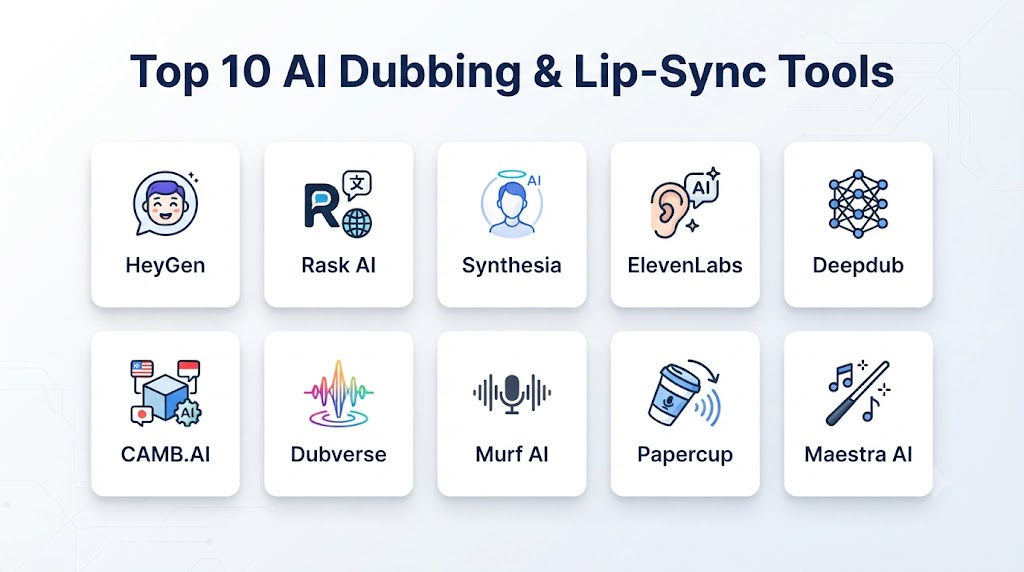
Top 10 AI Dubbing & Lip-Sync Tools
1. HeyGen
One-line verdict: Best for AI video translation, multilingual dubbing, avatar content, and automated lip-synchronized localization.
Short description:
HeyGen is an AI video platform with capabilities for translation, voice generation, avatars, and multilingual video production. Its localization workflows are useful for creators, marketers, educators, and businesses that need to adapt video content for different audiences.
Standout Capabilities
- AI video translation.
- Multilingual dubbing.
- Lip synchronization.
- AI avatars.
- Voice generation.
- Voice cloning.
- Subtitle generation.
- Video localization.
AI-Specific Depth
- Model support: Primarily platform-managed AI models and services.
- RAG / knowledge integration: Not a dedicated RAG platform; can be integrated into broader AI workflows.
- Evaluation: Human review and workflow-level quality evaluation are recommended.
- Guardrails: Platform-level policies and controls around synthetic media use.
- Observability: Usage and workflow metrics vary by offering.
Pros
- Strong all-in-one localization workflow.
- Useful combination of dubbing and lip-sync.
- Accessible to non-technical teams.
Cons
- Less control than building a custom localization pipeline.
- Advanced workflows can depend on platform capabilities.
- Voice and likeness permissions still require customer governance.
Security & Compliance
Security, administrative controls, data retention, and certifications vary by offering and should be verified before enterprise deployment.
Deployment & Platforms
- Cloud.
- Web.
- API capabilities may vary.
- Custom business workflows.
Integrations & Ecosystem
HeyGen can fit into broader content-production and localization workflows.
- Marketing.
- E-learning.
- Social media.
- Corporate training.
- Video production.
- AI avatars.
- Content localization.
Pricing Model
Subscription and usage-based models vary.
Best-Fit Scenarios
- Multilingual marketing videos.
- Training localization.
- Creator video translation.
2. Rask AI
One-line verdict: Best for automated video translation, multilingual dubbing, voice preservation, and large-scale content localization.
Short description:
Rask AI focuses on video translation and localization, combining speech recognition, translation, voice generation, and synchronization capabilities. It is useful for creators, educators, agencies, and organizations with multilingual video libraries.
Standout Capabilities
- AI video translation.
- Automated dubbing.
- Voice cloning.
- Lip-sync capabilities.
- Speaker recognition.
- Subtitle translation.
- Multilingual content.
- Video localization.
AI-Specific Depth
- Model support: Platform-managed AI models.
- RAG / knowledge integration: Not a dedicated RAG system.
- Evaluation: Translation and generated-audio quality should be evaluated with representative scripts.
- Guardrails: Platform safety policies and controls.
- Observability: Usage and processing metrics vary.
Pros
- Focused specifically on localization.
- Useful for multilingual video libraries.
- Supports automated dubbing workflows.
Cons
- Output quality can vary by language.
- Human review remains necessary for important content.
- Advanced enterprise requirements should be validated.
Security & Compliance
Specific security features, certifications, retention policies, and data-residency options should be verified for the relevant plan.
Deployment & Platforms
- Cloud.
- Web.
- Video-processing workflows.
Integrations & Ecosystem
- YouTube content.
- E-learning.
- Marketing.
- Social media.
- Corporate communications.
- Online courses.
- Video libraries.
Pricing Model
Subscription and usage-based models vary.
Best-Fit Scenarios
- Video localization.
- Multilingual education.
- International content distribution.
3. ElevenLabs
One-line verdict: Best for high-quality multilingual dubbing, voice preservation, voice cloning, and developer-oriented audio localization.
Short description:
ElevenLabs is primarily known for AI voice generation and synthetic speech, but its capabilities also support multilingual dubbing workflows. It is particularly useful when natural-sounding speech and preservation of an authorized speaker’s voice are important.
Standout Capabilities
- AI dubbing.
- Voice cloning.
- Multilingual speech.
- Voice generation.
- Speech-to-speech capabilities.
- Voice customization.
- Developer APIs.
- Audio localization.
AI-Specific Depth
- Model support: Proprietary speech models and platform-managed capabilities.
- RAG / knowledge integration: Can be integrated into RAG-based applications through APIs.
- Evaluation: Translation, pronunciation, voice similarity, and audio-quality evaluation can be implemented.
- Guardrails: Platform policies and safeguards addressing synthetic voice use.
- Observability: API and usage monitoring capabilities vary by workflow.
Pros
- Strong synthetic voice quality.
- Useful for multilingual audio.
- Developer-friendly APIs.
Cons
- Lip-sync video workflows may require additional tooling.
- Voice cloning requires strict authorization.
- High-volume generation requires cost management.
Security & Compliance
Enterprise security features, retention controls, and certifications vary by offering and should be verified before procurement.
Deployment & Platforms
- Cloud.
- Web.
- API.
- Custom applications.
Integrations & Ecosystem
- Video platforms.
- AI applications.
- Dubbing workflows.
- E-learning.
- Podcasts.
- Games.
- Developer applications.
Pricing Model
Subscription and usage-based models vary.
Best-Fit Scenarios
- High-quality dubbing.
- Voice-preserving localization.
- Developer audio workflows.
4. Synthesia
One-line verdict: Best for enterprise video localization, training content, AI presenters, and multilingual business communications.
Short description:
Synthesia focuses on AI-generated business video and digital presenters. Its multilingual capabilities make it relevant to organizations that need to produce localized training, onboarding, instructional, and corporate communications content.
Standout Capabilities
- AI presenters.
- Multilingual video.
- AI voice generation.
- Video translation.
- Lip synchronization.
- Corporate training.
- Presentation creation.
- Content localization.
AI-Specific Depth
- Model support: Platform-managed AI models.
- RAG / knowledge integration: Can be incorporated into broader enterprise AI workflows.
- Evaluation: Human review and content-quality evaluation.
- Guardrails: Platform policies and controls around synthetic media.
- Observability: Usage and administrative metrics vary.
Pros
- Strong enterprise-oriented workflow.
- Useful for training and internal communications.
- Combines presenters, voice, and video.
Cons
- More focused on business video than traditional film dubbing.
- Advanced customization can require platform-specific workflows.
- Enterprise controls vary by plan.
Security & Compliance
Enterprise security and administrative capabilities should be verified against the current offering and contract.
Deployment & Platforms
- Cloud.
- Web.
- Enterprise workflows.
Integrations & Ecosystem
- Learning management.
- Corporate training.
- HR.
- Sales enablement.
- Internal communications.
- Marketing.
- Business presentations.
Pricing Model
Subscription and enterprise pricing vary.
Best-Fit Scenarios
- Corporate training localization.
- Internal communications.
- Multilingual business videos.
5. Papercup
One-line verdict: Best for media organizations seeking AI-assisted dubbing and scalable localization of video libraries.
Short description:
Papercup focuses on AI-powered video dubbing and localization. Its positioning is particularly relevant to media organizations and publishers that need to translate and dub substantial amounts of video content.
Standout Capabilities
- AI dubbing.
- Video translation.
- Synthetic voices.
- Voice preservation.
- Multilingual content.
- Media localization.
- Automated workflows.
- Human-assisted quality processes.
AI-Specific Depth
- Model support: Platform-managed AI systems.
- RAG / knowledge integration: Not a core RAG platform.
- Evaluation: Translation and audio-quality review workflows.
- Guardrails: Platform policies and production controls.
- Observability: Processing and workflow metrics vary.
Pros
- Focused on media localization.
- Suitable for large content libraries.
- Can reduce manual dubbing workload.
Cons
- Primarily aimed at professional media workflows.
- Enterprise projects may require customized processes.
- Quality can vary by language and content type.
Security & Compliance
Specific certifications and enterprise security controls should be verified for the relevant engagement.
Deployment & Platforms
- Cloud.
- Managed localization workflows.
- Enterprise media environments.
Integrations & Ecosystem
- Media companies.
- Publishers.
- Streaming workflows.
- Video libraries.
- Content-management systems.
- Localization teams.
Pricing Model
Typically project, usage, or enterprise-oriented; exact pricing is not publicly standardized.
Best-Fit Scenarios
- Media localization.
- Large video libraries.
- International publishing.
6. Deepdub
One-line verdict: Best for professional media localization requiring AI-assisted dubbing, multilingual voices, and enterprise-scale workflows.
Short description:
Deepdub focuses on AI dubbing and localization for entertainment and media content. It is designed around producing localized versions of audiovisual content across multiple languages.
Standout Capabilities
- AI dubbing.
- Multilingual localization.
- Synthetic voices.
- Voice preservation.
- Media localization.
- Automated workflows.
- Enterprise production.
- Audio synchronization.
AI-Specific Depth
- Model support: Platform-managed AI models.
- RAG / knowledge integration: Not a primary RAG platform.
- Evaluation: Translation and professional localization review.
- Guardrails: Platform and production controls.
- Observability: Workflow monitoring varies.
Pros
- Focused on professional dubbing.
- Suitable for media organizations.
- Designed for multilingual production.
Cons
- Less suited to casual creator workflows.
- Professional localization can require human oversight.
- Specific language capabilities vary.
Security & Compliance
Enterprise security, privacy, certifications, and data controls should be verified during procurement.
Deployment & Platforms
- Cloud.
- Enterprise media workflows.
- Managed production.
Integrations & Ecosystem
- Film.
- Television.
- Streaming.
- Media localization.
- Publishers.
- Entertainment.
- Global distribution.
Pricing Model
Enterprise or project-based pricing; exact pricing is not publicly standardized.
Best-Fit Scenarios
- Film localization.
- Streaming content.
- Enterprise media production.
7. Captions
One-line verdict: Best for creators and social-media teams producing translated, captioned, and AI-enhanced short-form video content.
Short description:
Captions is an AI-powered video creation platform with tools for captions, editing, avatars, dubbing, and other automated video workflows. It is particularly relevant to creators producing social and marketing content.
Standout Capabilities
- AI video editing.
- Captions.
- Translation.
- AI dubbing.
- Voice generation.
- AI avatars.
- Short-form video production.
- Automated content workflows.
AI-Specific Depth
- Model support: Platform-managed AI models.
- RAG / knowledge integration: Not a dedicated RAG platform.
- Evaluation: Human review and output-quality testing.
- Guardrails: Platform policies and content controls.
- Observability: Usage metrics vary.
Pros
- Creator-friendly.
- Useful for social video.
- Combines editing and AI localization.
Cons
- Less focused on professional film dubbing.
- Advanced enterprise workflows may require other tools.
- Capabilities can vary across plans and platforms.
Security & Compliance
Specific enterprise security controls and certifications should be verified before business-critical use.
Deployment & Platforms
- Mobile.
- Web.
- Cloud-based workflows.
Integrations & Ecosystem
- Social media.
- Creator workflows.
- Marketing.
- Short-form video.
- Content production.
- AI avatars.
- Video editing.
Pricing Model
Subscription-based options vary.
Best-Fit Scenarios
- Social-media localization.
- Creator videos.
- Marketing content.
8. VEED
One-line verdict: Best for teams wanting browser-based video editing combined with AI translation, dubbing, subtitles, and localization.
Short description:
VEED provides online video editing and AI-assisted content tools. Its localization capabilities can support subtitles, translated content, synthetic speech, and related video-production workflows.
Standout Capabilities
- Online video editing.
- AI subtitles.
- Translation.
- AI voice generation.
- Video localization.
- Caption editing.
- Social-video workflows.
- Collaborative production.
AI-Specific Depth
- Model support: Platform-managed AI models.
- RAG / knowledge integration: Not a dedicated RAG platform.
- Evaluation: Human review and content-quality testing.
- Guardrails: Platform-level content controls.
- Observability: Usage and workflow metrics vary.
Pros
- Easy browser-based workflow.
- Combines editing and localization.
- Useful for marketing teams.
Cons
- Advanced dubbing may require specialist tools.
- Lip-sync capabilities and language coverage should be verified.
- High-end production may require professional post-production software.
Security & Compliance
Security and enterprise controls vary by plan.
Deployment & Platforms
- Web.
- Cloud.
- Browser-based production.
Integrations & Ecosystem
- Social media.
- Marketing.
- Video production.
- Content teams.
- Education.
- Corporate communications.
Pricing Model
Subscription-based plans vary.
Best-Fit Scenarios
- Marketing localization.
- Social videos.
- Browser-based production.
9. Sync Labs
One-line verdict: Best for developers and production teams experimenting with AI-powered lip synchronization and localized video.
Short description:
Sync Labs focuses on AI-driven lip synchronization and video transformation. It is particularly relevant when synchronizing facial movements with newly generated or translated speech is a central requirement.
Standout Capabilities
- AI lip-sync.
- Video synchronization.
- Speech-driven facial movement.
- API-oriented workflows.
- Automated video processing.
- Developer integrations.
- Multilingual video workflows.
- AI video experimentation.
AI-Specific Depth
- Model support: Platform-managed AI models.
- RAG / knowledge integration: N/A as a core platform capability.
- Evaluation: Video-quality and synchronization testing.
- Guardrails: Platform and application-level safeguards.
- Observability: API and processing metrics vary.
Pros
- Focused on lip synchronization.
- Developer-oriented workflows.
- Useful as part of custom localization pipelines.
Cons
- May require additional translation and voice-generation tools.
- Lip-sync quality can depend heavily on source footage.
- Enterprise requirements should be verified.
Security & Compliance
Specific security features and certifications should be verified before production deployment.
Deployment & Platforms
- Cloud.
- APIs.
- Developer workflows.
Integrations & Ecosystem
- Video-generation systems.
- Voice platforms.
- Translation systems.
- AI applications.
- Media pipelines.
- Developer tools.
Pricing Model
Usage-based or project-based models vary.
Best-Fit Scenarios
- Custom lip-sync applications.
- Developer experimentation.
- AI video pipelines.
10. Maestra
One-line verdict: Best for multilingual transcription, subtitles, voice-over, and automated video localization across diverse content workflows.
Short description:
Maestra provides AI-powered transcription, captioning, translation, and voice-over capabilities. It can support organizations that need to transform spoken content into localized formats across multiple languages.
Standout Capabilities
- Automated transcription.
- AI subtitles.
- Translation.
- Voice-over.
- Multilingual content.
- Video localization.
- Audio workflows.
- Content accessibility.
AI-Specific Depth
- Model support: Platform-managed AI models.
- RAG / knowledge integration: Not a core RAG system.
- Evaluation: Human review and translation-quality evaluation.
- Guardrails: Platform safety and content policies.
- Observability: Usage metrics vary.
Pros
- Broad localization toolkit.
- Useful for subtitles and voice-over.
- Supports multiple content formats.
Cons
- Lip-sync may not be as specialized as dedicated solutions.
- Advanced media production may need additional tools.
- Language quality varies depending on source content and target language.
Security & Compliance
Security, retention, enterprise controls, and certifications should be verified for the applicable offering.
Deployment & Platforms
- Cloud.
- Web.
- Content-production workflows.
Integrations & Ecosystem
- Video.
- Audio.
- E-learning.
- Marketing.
- Webinars.
- Corporate content.
- Accessibility workflows.
Pricing Model
Subscription and usage-based models vary.
Best-Fit Scenarios
- Video localization.
- Caption translation.
- Multilingual training.
Comparison Table
| Tool Name | Best For | Deployment | Model Flexibility | Strength | Watch-Out | Public Rating |
|---|---|---|---|---|---|---|
| HeyGen | AI video translation and lip-sync | Cloud | Hosted | All-in-one localization | Platform dependency | |
| Rask AI | Video translation and dubbing | Cloud | Hosted | Localization workflow | Language variation | |
| ElevenLabs | Voice-focused dubbing | Cloud | Hosted | Voice quality | Additional video tooling | |
| Synthesia | Enterprise video localization | Cloud | Hosted | Business video | Less film-focused | |
| Papercup | Media localization | Cloud | Hosted | Professional dubbing | Enterprise workflow | |
| Deepdub | Entertainment localization | Cloud | Hosted | Media dubbing | Professional setup | |
| Captions | Creator video localization | Cloud / Mobile | Hosted | Social content | Enterprise limitations | |
| VEED | Online video localization | Cloud | Hosted | Browser workflow | Advanced dubbing limits | |
| Sync Labs | Lip-sync workflows | Cloud / API | Hosted | Lip synchronization | Requires other tools | |
| Maestra | Multilingual content | Cloud | Hosted | Localization breadth | Lip-sync specialization |
Scoring & Evaluation
The following scores are comparative editorial assessments rather than official vendor benchmarks. They should be treated as a starting point for shortlisting rather than a substitute for testing real content.
| Tool | Core | Reliability/Eval | Guardrails | Integrations | Ease | Perf/Cost | Security/Admin | Support | Weighted Total |
|---|---|---|---|---|---|---|---|---|---|
| HeyGen | 10 | 9 | 9 | 9 | 10 | 8 | 8 | 9 | 9.05 |
| Rask AI | 10 | 9 | 8 | 9 | 9 | 8 | 8 | 8 | 8.75 |
| ElevenLabs | 9 | 10 | 9 | 10 | 9 | 8 | 8 | 9 | 9.15 |
| Synthesia | 9 | 9 | 9 | 9 | 10 | 8 | 9 | 9 | 9.05 |
| Papercup | 9 | 9 | 9 | 8 | 8 | 8 | 8 | 9 | 8.60 |
| Deepdub | 9 | 9 | 9 | 8 | 8 | 8 | 8 | 9 | 8.60 |
| Captions | 8 | 8 | 8 | 8 | 10 | 9 | 7 | 8 | 8.35 |
| VEED | 8 | 8 | 8 | 9 | 10 | 9 | 8 | 9 | 8.70 |
| Sync Labs | 9 | 9 | 8 | 9 | 8 | 8 | 7 | 8 | 8.25 |
| Maestra | 9 | 9 | 8 | 8 | 9 | 8 | 8 | 8 | 8.50 |
Top 3 for Enterprise
- Synthesia — Strong for corporate video and multilingual training.
- HeyGen — Strong all-in-one AI video localization.
- ElevenLabs — Strong voice technology for larger localization architectures.
Top 3 for SMB
- HeyGen — Broad video localization capabilities.
- Rask AI — Focused video translation workflow.
- VEED — Accessible browser-based production.
Top 3 for Developers
- ElevenLabs — Strong API-oriented voice capabilities.
- Sync Labs — Useful for dedicated lip-sync workflows.
- HeyGen — Relevant for programmatic video-generation workflows.
Which AI Dubbing & Lip-Sync Tool Is Right for You?
Solo / Freelancer
Prioritize:
- Ease of use.
- Fast processing.
- Good translation.
- Simple exports.
- Voice quality.
- Affordable usage.
- Social-media compatibility.
HeyGen, VEED, Captions, and Rask AI can be attractive options for creators who want to localize videos without constructing a complicated technical pipeline.
SMB
SMBs should look for:
- Consistent brand terminology.
- Multilingual workflows.
- Commercial rights.
- Team collaboration.
- Content review.
- Voice authorization.
- Reasonable per-minute costs.
HeyGen, Rask AI, VEED, and Maestra are useful starting points depending on whether the focus is complete video production or dedicated localization.
Mid-Market
Mid-market organizations should evaluate:
- API access.
- Batch processing.
- Glossaries.
- Translation workflows.
- Voice management.
- Human review.
- Usage monitoring.
- Content security.
- Integration with existing media systems.
At this level, avoid selecting a tool based solely on the quality of one demonstration video.
Enterprise
Enterprise buyers should prioritize:
- SSO.
- RBAC.
- Audit logs.
- Data retention.
- Data residency.
- Encryption.
- API scalability.
- Enterprise support.
- Voice and likeness permissions.
- Content governance.
- Human approval.
- Incident response.
- Vendor risk management.
For large organizations, Synthesia, HeyGen, ElevenLabs, Papercup, and Deepdub can be evaluated depending on the specific localization workflow.
Regulated Industries
Healthcare, financial services, public-sector organizations, and other regulated industries should carefully review:
- Personal information.
- Facial data.
- Voice recordings.
- Confidential presentations.
- Customer conversations.
- Data residency.
- Retention.
- Access control.
- Third-party processing.
- Consent.
- Auditability.
AI dubbing should not automatically be applied to sensitive content simply because the technical workflow is available.
Budget vs Premium
Budget
Prioritize:
- Subtitle translation.
- Basic dubbing.
- Standard voices.
- Limited video processing.
- Simple editing.
Premium
Consider:
- High-quality voice cloning.
- Professional localization.
- Lip synchronization.
- Multilingual production.
- API integration.
- Batch processing.
- Enterprise controls.
- Human review.
- Advanced terminology management.
Build vs Buy
Build when:
- Video localization is a strategic technology capability.
- You have specialized engineering resources.
- You require custom translation logic.
- You need complete control over infrastructure.
- You need to integrate multiple AI models.
Buy when:
- Localization is an operational requirement rather than the core product.
- You need rapid deployment.
- You want managed infrastructure.
- You do not have specialized speech and video ML engineers.
- You need a ready-to-use workflow.
Hybrid Approach
A sophisticated localization architecture can combine:
- Speech recognition.
- Machine translation.
- Terminology databases.
- Voice generation.
- Lip-sync models.
- Human translators.
- Video-processing infrastructure.
- Quality evaluation.
- Content governance.
Implementation Playbook: 30 / 60 / 90 Days
First 30 Days: Pilot + Success Metrics
Select a small set of representative videos.
Include:
- Different speakers.
- Different accents.
- Multiple languages.
- Technical terminology.
- Short and long videos.
- Different camera angles.
- Close-up facial footage.
- Multiple speakers.
- Background music.
Measure:
- Translation accuracy.
- Voice naturalness.
- Voice similarity.
- Lip-sync accuracy.
- Pronunciation.
- Timing.
- Facial artifacts.
- Audio quality.
- Processing time.
- Cost per minute.
Create a human-review workflow before publishing localized videos.
Days 31–60: Security + Evaluation + Rollout
Build an evaluation harness for:
- Translation accuracy.
- Terminology consistency.
- Named entities.
- Pronunciation.
- Voice quality.
- Lip synchronization.
- Speaker identification.
- Timing.
- Audio-video alignment.
Create an approved-content process.
Document:
- Who can upload videos.
- Who can authorize voice cloning.
- Who can approve translations.
- Who can publish localized content.
- How generated assets are stored.
- How assets are deleted.
- How misuse is reported.
Test for:
- Prompt injection where AI agents are involved.
- Malicious subtitles.
- Manipulated transcripts.
- Unauthorized voice use.
- Inappropriate translation.
- Incorrect speaker attribution.
Days 61–90: Optimize + Scale
Once quality is stable:
- Automate recurring localization.
- Introduce batch processing.
- Establish translation glossaries.
- Add terminology controls.
- Monitor cost per minute.
- Monitor processing latency.
- Track quality failures.
- Create fallback workflows.
- Establish version control.
- Monitor vendor/model changes.
For large media libraries, build reusable pipelines rather than processing every video manually.
Common Mistakes & How to Avoid Them
- Treating machine translation as automatically accurate: Human review is still important for high-value content.
- Ignoring lip-sync artifacts: Test close-up footage and challenging facial movements.
- Cloning voices without permission: Require documented authorization.
- Ignoring likeness rights: A person’s face can raise separate rights considerations from their voice.
- Skipping pronunciation testing: Names and technical terms can be translated incorrectly.
- Ignoring cultural context: Literal translation can produce unnatural or inappropriate results.
- Using one glossary for every market: Regional terminology may differ.
- Publishing without human review: Important videos should have an approval process.
- Ignoring background audio: Dubbing should preserve appropriate music and environmental sound.
- Ignoring speaker separation: Multi-speaker content requires careful attribution.
- No quality benchmark: Establish measurable translation and synchronization criteria.
- No cost controls: Large video libraries can generate substantial processing costs.
- Ignoring processing latency: Time-sensitive campaigns need predictable turnaround.
- Uploading sensitive video without review: Assess privacy and data-handling requirements first.
- No audit trail: Track who created, approved, and published localized content.
- Ignoring vendor lock-in: Preserve original video, scripts, subtitles, and audio assets.
- Assuming every language performs equally: Test each language pair separately.
- Over-automating professional dubbing: Human actors and directors remain valuable for high-end creative productions.
- Ignoring model changes: Output quality can change as vendors update their AI systems.
- No fallback process: Maintain a manual or alternative localization path for critical content.
FAQs
1. What Are AI Dubbing & Lip-Sync Tools?
They are AI-powered platforms that translate spoken video content and generate localized speech, sometimes modifying visible mouth movements to synchronize them with the translated dialogue.
2. How Does AI Dubbing Work?
A typical workflow transcribes the original speech, translates it, generates a new voice track, and synchronizes the resulting audio with the video.
3. What Is AI Lip-Sync?
AI lip-sync technology analyzes facial movements and speech timing and generates or modifies mouth movements so that they better correspond to the replacement audio.
4. Can AI Dubbing Preserve the Original Speaker’s Voice?
Some platforms can generate translated speech that resembles an authorized speaker’s voice. Availability and quality vary by platform and language.
5. Do I Need Permission to Clone a Speaker’s Voice?
Yes, you should obtain appropriate authorization before cloning or reproducing another person’s recognizable voice.
6. Can AI Dubbing Translate Videos Automatically?
Yes. Many platforms can automate transcription, translation, voice generation, and video synchronization, although human review is recommended for important content.
7. Can AI Dubbing Handle Multiple Speakers?
Many platforms support multi-speaker content, but speaker detection and voice assignment can vary in accuracy. Test interviews, panel discussions, and conversations before large-scale deployment.
8. Can AI Dubbing Preserve Background Music?
Some workflows can separate speech from background audio or retain elements of the original soundtrack. Results depend heavily on the source video’s audio quality.
9. Does AI Dubbing Work for Every Language?
No. Language availability and quality vary. Major languages often have broader support, while dialects and lower-resource languages may require additional review.
10. Can AI Dubbing Replace Professional Dubbing Actors?
It can reduce production effort for certain projects, but professional actors remain valuable for nuanced performances, character work, emotion, cultural adaptation, and premium entertainment content.
11. Can AI Lip-Sync Make a Video Look Completely Natural?
Not always. Results depend on source footage, camera angle, facial visibility, speech timing, language, and model quality. Human quality assurance remains useful.
12. Can AI Dubbing Be Used for Movies?
Yes, AI dubbing can support film and television localization, although professional productions may require human translators, voice actors, directors, editors, and quality-control specialists.
13. Can AI Dubbing Be Used for YouTube Videos?
Yes. It can help creators produce multilingual versions of videos and expand their potential international audience.
14. Can AI Dubbing Be Used for E-Learning?
Yes. Training and educational content are strong use cases because the same course can potentially be localized into multiple languages.
15. Can AI Dubbing Be Used for Corporate Training?
Yes. Companies can localize onboarding, compliance training, product training, and internal communications.
16. Can AI Dubbing Work With RAG?
Yes. RAG can supply contextually relevant text to a translation or content-generation pipeline, after which the resulting content can be converted into localized speech.
17. Can Developers Access AI Dubbing Through APIs?
Some platforms provide APIs or developer-oriented integrations. Exact capabilities vary, so buyers should verify whether APIs support translation, voice generation, video processing, and lip-sync.
18. Can AI Dubbing Be Self-Hosted?
Some individual components, including certain speech, translation, and lip-sync models, may be deployable independently. A complete production-grade pipeline usually requires substantial engineering work.
19. Is Self-Hosted AI Dubbing More Private?
It can provide greater control over data and infrastructure, but privacy depends on the entire deployment, including storage, networking, logging, access controls, and model configuration.
20. How Should AI Dubbing Quality Be Evaluated?
Measure translation accuracy, terminology consistency, pronunciation, voice quality, voice similarity, timing, lip synchronization, facial artifacts, and human preference.
21. How Much Does AI Dubbing Cost?
Pricing varies according to the platform, video duration, number of languages, voice technology, lip-sync processing, subscription level, and volume.
22. How Can Businesses Control Dubbing Costs?
Use batch processing, reusable assets, appropriate quality settings, caching, quotas, automated workflows, and cost monitoring.
23. What Is the Biggest Risk of AI Dubbing?
Unauthorized voice or likeness reproduction is a major concern. Other risks include incorrect translation, misleading media, privacy violations, and poor-quality localization.
24. Can AI Dubbing Be Used for Live Events?
Some technologies can support low-latency or real-time translation and speech generation, but live workflows have significantly stricter latency and reliability requirements than prerecorded content.
25. Can AI Dubbing Translate Technical Content?
Yes, but technical content should be tested carefully because specialized terminology, abbreviations, product names, and industry-specific language can create translation errors.
26. What Is Voice Preservation in AI Dubbing?
Voice preservation attempts to maintain recognizable characteristics of an authorized speaker while generating speech in another language.
27. What Is the Difference Between AI Dubbing and Subtitles?
Subtitles translate the spoken content into written text displayed on screen. AI dubbing replaces or supplements the original spoken audio with generated speech.
28. What Is the Difference Between Voice Cloning and AI Dubbing?
Voice cloning focuses on reproducing characteristics of a voice. AI dubbing is a broader localization workflow that can include transcription, translation, voice generation, synchronization, and video processing.
29. Which Tool Is Best for AI Lip-Sync?
There is no universal winner. HeyGen is a strong all-in-one option, while specialized solutions such as Sync Labs can be considered when lip synchronization is the primary technical requirement.
30. Which Tool Is Best for Enterprise AI Dubbing?
Enterprise buyers can evaluate HeyGen, Synthesia, ElevenLabs, Papercup, and Deepdub, depending on whether the priority is corporate video, synthetic voice quality, or professional media localization.
31. Which AI Dubbing Tool Is Best for Creators?
Creators may find HeyGen, Rask AI, VEED, or Captions useful because they combine localization with relatively accessible video-production workflows.
32. Can AI Dubbing Preserve the Original Emotion?
It can attempt to preserve aspects of the original delivery, but emotional fidelity varies significantly across languages, voices, models, and source recordings.
33. Can AI Dubbing Modify a Person’s Face?
Some lip-sync systems can generate or modify facial movements to match new speech. This creates additional consent, likeness, and synthetic-media considerations.
34. Should AI-Dubbed Videos Be Disclosed?
Disclosure requirements depend on the jurisdiction, platform, industry, and type of content. Organizations should establish a clear synthetic-media policy and evaluate applicable requirements before publishing.
35. How Can Companies Prevent Unauthorized AI Dubbing?
Use explicit permissions, restricted access, identity and likeness policies, generation logs, approval workflows, monitoring, and procedures for removing unauthorized outputs.
36. Can AI Dubbing Replace Human Translators?
It can automate portions of translation and localization, but human translators remain valuable for context, cultural nuance, technical terminology, creative adaptation, and quality assurance.
37. Can AI Dubbing Replace Human Video Editors?
AI can automate many repetitive localization tasks, but professional editors remain important for complex productions, audio mixing, visual continuity, creative direction, and final quality control.
38. What Should Enterprises Check Before Choosing an AI Dubbing Platform?
Check language coverage, translation quality, lip-sync quality, voice rights, data privacy, retention, security, APIs, workflow integration, scalability, cost, auditability, and human-review capabilities.
Conclusion
AI Dubbing & Lip-Sync Tools are changing how organizations approach multilingual video production. Instead of creating every language version entirely through traditional recording and post-production, businesses can increasingly automate transcription, translation, voice generation, synchronization, subtitles, and portions of the editing process.HeyGen is a strong option for all-in-one AI video localization, while Rask AI focuses heavily on automated video translation and dubbing. ElevenLabs stands out when high-quality synthetic voice generation is central to the workflow. Synthesia is well suited to enterprise video and training use cases, while Papercup and Deepdub are relevant to professional media localization. Sync Labs is worth considering when lip synchronization itself is the primary technical requirement.The best solution depends on the type of content being localized. A YouTube creator may need an entirely different workflow from a streaming company, enterprise training department, or film studio.