Introduction
AI Photo Editing Copilots are transforming the way photographers, designers, marketers, e-commerce businesses, social media creators, and everyday users edit images. Traditional photo editing often requires users to understand layers, masks, selections, brushes, color adjustments, retouching tools, and numerous other controls.
AI-powered photo editing copilots simplify this process by allowing users to describe what they want in natural language. Instead of manually selecting an unwanted object, creating a mask, repairing the background, and adjusting the final result, a user can simply request an edit such as:
“Remove the person in the background, brighten the subject, improve the colors, and make the image look more professional.”
The AI can interpret the request and combine multiple editing operations into a single workflow.
This makes photo editing faster and more accessible while also providing professional users with a way to automate repetitive tasks.
AI Photo Editing Copilots are particularly valuable for e-commerce product photography, advertising, social media content, portrait photography, real estate imagery, marketing campaigns, and large-scale image production.
However, AI does not eliminate the need for human judgment. Professional photographers, designers, and creative teams still need to review AI-generated changes for accuracy, authenticity, brand consistency, and visual quality.
What Are AI Photo Editing Copilots?
AI Photo Editing Copilots are intelligent software assistants that use artificial intelligence, computer vision, machine learning, and generative AI to help users modify images.
Unlike traditional editing software where users must manually choose individual tools, AI copilots can understand natural-language instructions and recommend or perform appropriate edits.
Common tasks include:
- Object removal
- Background removal
- Background replacement
- Generative fill
- Image expansion
- Object replacement
- Lighting correction
- Color enhancement
- Portrait retouching
- Skin enhancement
- Image restoration
- Noise reduction
- Sharpening
- Upscaling
- Subject isolation
- Smart masking
- Sky replacement
- Creative transformations
- Aspect-ratio conversion
- Product-image optimization
The primary objective is to reduce repetitive editing work while giving users greater creative flexibility.
How AI Photo Editing Copilots Work
AI photo editing copilots generally combine several technologies to understand and modify images.
1. Image Understanding
The AI first analyzes the image to identify important elements.
It may recognize:
- People
- Faces
- Objects
- Animals
- Buildings
- Products
- Vehicles
- Backgrounds
- Landscapes
- Text
- Lighting
- Colors
- Shadows
- Spatial relationships
This allows the system to understand what is present in the photograph.
2. Natural-Language Understanding
The user describes the desired modification using ordinary language.
For example:
“Remove the chair behind the person and make the wall look natural.”
The AI interprets this request and determines which editing operations are required.
3. Object and Subject Detection
Computer vision models identify the specific region that should be changed.
This can include:
- A person
- A product
- A background
- A building
- A vehicle
- A particular facial feature
- An unwanted object
4. Mask Generation
The system creates an intelligent mask around the selected object or subject.
AI-generated masks can be considerably faster than manually drawing selections.
5. Generative Editing
Generative AI reconstructs or modifies image content.
For example, when an object is removed, the system may generate replacement pixels based on the surrounding environment.
6. Image Enhancement
AI can improve:
- Resolution
- Sharpness
- Exposure
- Noise
- Contrast
- Color
- Details
7. Iterative Editing
Users can continue giving instructions to refine the result.
For example:
- Remove the background person.
- Make the sky warmer.
- Increase brightness.
- Reduce shadows.
- Make the subject stand out.
This creates a conversational editing workflow.
Key Features of AI Photo Editing Copilots
When evaluating an AI photo editing copilot, businesses and creators should consider the following capabilities.
Natural-Language Editing
Users can describe the desired edit rather than manually selecting tools.
Object Removal
AI identifies unwanted elements and reconstructs the surrounding area.
Background Removal
The system separates the subject from the background automatically.
Background Generation
AI can generate a new environment around a subject.
Generative Fill
Empty or selected areas can be filled with AI-generated content.
Generative Expand
The original image can be extended beyond its existing boundaries.
Smart Masking
AI automatically isolates people, objects, and other elements.
Portrait Retouching
AI can assist with:
- Skin correction
- Lighting
- Facial details
- Eye enhancement
- Hair refinement
- Background adjustments
Automatic Enhancement
AI can analyze an image and suggest improvements to exposure, contrast, sharpness, and color.
Image Restoration
AI can help repair:
- Old photographs
- Scratches
- Noise
- Faded colors
- Low-resolution images
AI Upscaling
Low-resolution images can be enlarged while attempting to preserve or reconstruct visual details.
Style Transformation
AI can apply creative visual styles to photographs.
Product Photography
AI can automate background removal, shadows, product placement, and marketing-oriented compositions.
Batch Editing
Businesses can process large numbers of images using consistent AI workflows.
Brand Controls
Enterprise platforms may provide mechanisms for maintaining consistent visual styles and brand guidelines.
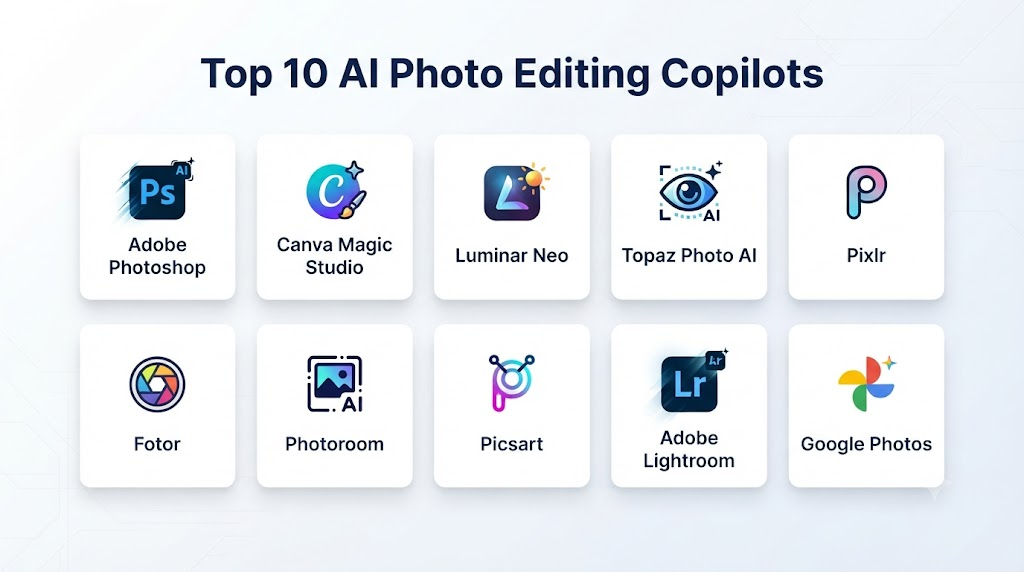
Top 10 AI Photo Editing Copilots
1. Adobe Photoshop AI Assistant
One-line verdict: Best overall AI photo editing copilot for professional creative workflows.
Short description:
Adobe Photoshop combines advanced professional image editing with AI-assisted workflows. Its AI capabilities allow users to perform tasks such as object removal, generative editing, image expansion, subject isolation, background modification, and image enhancement.
Photoshop is particularly powerful because AI capabilities exist alongside traditional professional tools such as layers, masks, selections, brushes, adjustment layers, and advanced compositing.
Standout Capabilities
- AI-assisted photo editing
- Generative Fill
- Generative Expand
- Object removal
- Background editing
- AI selection
- Smart masking
- Image enhancement
- Layer-based editing
- Professional retouching
- Color correction
- Compositing
- Generative image workflows
AI-Specific Depth
- Model support: Adobe AI technologies and supported generative models.
- RAG / knowledge integration: Not primarily a RAG-based product.
- Evaluation: Visual comparison and professional human review.
- Guardrails: Application-level controls and AI safety mechanisms.
- Observability: Enterprise capabilities depend on deployment and account configuration.
Pros
- Excellent professional editing capabilities
- Strong AI integration
- Powerful manual controls
- Layer-based workflows
- Extensive creative ecosystem
- Suitable for professional production
Cons
- Advanced features require learning
- Subscription-based model
- AI results may require manual refinement
- Can be more complex than beginner-focused editors
Security & Compliance
Businesses handling confidential images should evaluate data processing, privacy, account management, access controls, and organizational security requirements before deploying AI-powered editing workflows.
Deployment & Platforms
- Desktop
- Web
- Mobile-related creative workflows
Integrations & Ecosystem
- Creative applications
- Photography workflows
- Graphic design
- Video production
- Marketing content
Pricing Model
Subscription-based plans with different levels of features and AI usage.
Best-Fit Scenarios
- Professional photography
- Advertising
- Graphic design
- Marketing
- E-commerce
- Creative agencies
- Enterprise content teams
2. Adobe Firefly
One-line verdict: Best for prompt-based image editing and generative creative workflows.
Short description:
Adobe Firefly provides a more AI-centered approach to image creation and editing. Users can describe visual changes using natural-language prompts and generate variations quickly.
It is particularly useful for creative teams that want to experiment with backgrounds, objects, compositions, and visual styles.
Standout Capabilities
- Prompt-based editing
- Generative Fill
- Generative Expand
- Background generation
- Object modification
- Image variations
- Image transformation
- Creative effects
- AI enhancement
- Generative workflows
AI-Specific Depth
- Model support: Adobe’s AI technologies and supported model ecosystem.
- RAG / knowledge integration: Not primarily applicable.
- Evaluation: Visual review and iterative comparison.
- Guardrails: AI safety and content controls.
- Observability: Depends on account and enterprise configuration.
Pros
- Simple prompt-based workflow
- Strong generative capabilities
- Good for creative experimentation
- Accessible to non-designers
- Strong professional ecosystem
Cons
- Some advanced functionality may require paid access
- Generated content may need refinement
- Less precise than traditional professional editing for some tasks
Security & Compliance
Organizations should evaluate privacy, content processing, commercial-use considerations, and enterprise controls before adopting AI editing for sensitive content.
Deployment & Platforms
- Web
- Desktop-connected workflows
- Creative production environments
Integrations & Ecosystem
- Creative workflows
- Marketing
- Design
- Image production
Pricing Model
Free and paid options may be available depending on the product and usage requirements.
Best-Fit Scenarios
- Marketing teams
- Advertising
- Social media
- Creative agencies
- Content creators
3. Google Photos
One-line verdict: Best for everyday users who want simple AI-assisted photo editing.
Short description:
Google Photos combines photo organization with intelligent editing features. Its AI capabilities are particularly useful for users who want to improve personal photographs without learning professional editing software.
Standout Capabilities
- Natural-language editing
- Object removal
- Background modifications
- Photo enhancement
- Lighting improvements
- Color adjustments
- Photo restoration
- Suggested edits
- Creative transformations
AI-Specific Depth
- Model support: Google AI technologies.
- RAG / knowledge integration: Not primarily applicable.
- Evaluation: User review and visual comparison.
- Guardrails: Consumer AI safety controls.
- Observability: Primarily consumer-focused.
Pros
- Very easy to use
- Excellent for beginners
- Convenient photo library
- Strong mobile experience
- Fast editing
Cons
- Less professional control
- Limited advanced compositing
- Availability of features may vary
- Not designed primarily for professional production
Security & Compliance
Users should consider privacy and cloud-storage settings when processing personal or sensitive photographs.
Deployment & Platforms
- Android
- Mobile devices
- Cloud-connected photo libraries
Integrations & Ecosystem
- Google Photos
- Mobile photography
- Personal photo management
Pricing Model
Free and paid storage plans may apply.
Best-Fit Scenarios
- Personal photography
- Smartphone photography
- Family photos
- Travel photos
- Casual editing
4. Microsoft Copilot
One-line verdict: Best for conversational image editing within a broader productivity ecosystem.
Short description:
Microsoft Copilot allows users to interact with AI using natural language and can support image editing workflows such as background changes, object modifications, enhancements, cropping, and other visual adjustments.
Standout Capabilities
- Conversational editing
- Object removal
- Background changes
- Image enhancement
- Cropping
- Filters
- AI-generated visual elements
- Image adjustments
AI-Specific Depth
- Model support: Microsoft-supported AI technologies.
- RAG / knowledge integration: Not central to image editing.
- Evaluation: Visual inspection and user feedback.
- Guardrails: Microsoft AI safety controls.
- Observability: Enterprise features depend on the organization’s Microsoft environment.
Pros
- Natural-language interface
- Easy to use
- Strong productivity ecosystem
- Suitable for business users
- Accessible to beginners
Cons
- Limited professional editing compared with Photoshop
- Features can vary by account
- Not designed primarily as a professional photography platform
Security & Compliance
Enterprise users should review organizational policies, access controls, privacy requirements, and AI data-handling configurations.
Deployment & Platforms
- Web
- Desktop
- Mobile
Integrations & Ecosystem
- Microsoft productivity environment
- Business workflows
- Marketing
- Presentations
Pricing Model
Free and paid options depending on the specific Copilot experience.
Best-Fit Scenarios
- Business users
- Marketing
- Productivity
- Social content
- General photo editing
5. Meta AI
One-line verdict: Best for conversational image editing and social-media-oriented creative workflows.
Short description:
Meta AI provides conversational AI experiences that can assist with image transformation and creative modifications. It is especially relevant to creators who already work heavily with social-media content.
Standout Capabilities
- Prompt-based editing
- Image transformation
- Background modification
- Creative styles
- Lighting changes
- Color adjustments
- Social content creation
AI-Specific Depth
- Model support: Meta AI image technologies.
- RAG / knowledge integration: Not primarily applicable.
- Evaluation: User review and iterative prompting.
- Guardrails: Platform safety systems.
- Observability: Primarily consumer-oriented.
Pros
- Simple conversational experience
- Fast experimentation
- Social-media friendly
- Beginner-friendly
- Accessible to casual creators
Cons
- Less professional control
- Complex editing may require multiple attempts
- Limited advanced layer workflows
Best-Fit Scenarios
- Social media
- Personal photography
- Creators
- Quick image modifications
6. Canva AI Photo Editor
One-line verdict: Best for marketers and businesses that need AI photo editing combined with design tools.
Short description:
Canva combines AI image editing with templates, presentations, social-media graphics, marketing assets, collaboration, and brand-management workflows.
This makes it especially useful for organizations where photo editing is only one part of a larger content-production process.
Standout Capabilities
- AI image editing
- Background removal
- Object removal
- Background generation
- Image generation
- Smart design
- Templates
- Brand controls
- Social-media designs
- Marketing content
AI-Specific Depth
- Model support: Multiple AI technologies integrated into the Canva ecosystem.
- RAG / knowledge integration: Not central to basic photo editing.
- Evaluation: User review and visual comparison.
- Guardrails: Platform-level controls.
- Observability: Business capabilities depend on plan and configuration.
Pros
- Very easy to use
- Excellent for marketing
- Strong collaboration
- Brand-management capabilities
- Templates
- Broad design ecosystem
Cons
- Less advanced than Photoshop for complex editing
- Some AI functionality requires paid plans
- Professional photographers may need specialist software
Security & Compliance
Organizations should review business administration, access management, privacy, and content-handling requirements.
Deployment & Platforms
- Web
- Desktop
- Mobile
Integrations & Ecosystem
- Marketing
- Social media
- Presentations
- Brand assets
- Collaborative design
Pricing Model
Free and subscription-based plans.
Best-Fit Scenarios
- Marketing teams
- Small businesses
- Social media teams
- E-commerce
- Content creators
7. Luminar Neo
One-line verdict: Best for photographers seeking automated AI enhancement with professional creative controls.
Short description:
Luminar Neo is designed around photography workflows and provides AI-assisted tools for portraits, landscapes, backgrounds, lighting, object removal, and image enhancement.
Standout Capabilities
- AI enhancement
- Portrait editing
- Sky replacement
- Background removal
- Object removal
- Relighting
- Noise reduction
- Sharpening
- Creative effects
- Image enhancement
AI-Specific Depth
- Model support: Proprietary AI-powered photography capabilities.
- RAG / knowledge integration: Not applicable.
- Evaluation: Visual comparison and manual review.
- Guardrails: Application-level controls.
- Observability: Primarily local editing workflow.
Pros
- Photography-focused
- Strong AI automation
- Easier to learn than advanced professional suites
- Useful portrait tools
- Strong creative features
Cons
- Less comprehensive than Photoshop
- Advanced compositing can be limited
- Professional teams may need additional software
Best-Fit Scenarios
- Portrait photography
- Landscape photography
- Wedding photography
- Hobby photography
- Social content
8. Pixlr
One-line verdict: Best for accessible browser-based AI photo editing.
Short description:
Pixlr combines traditional online editing with AI-powered tools designed for quick image modification and creative production.
Standout Capabilities
- AI image editing
- Background removal
- Object removal
- Generative editing
- Filters
- Retouching
- Templates
- Design tools
Pros
- Browser-based
- Easy to access
- Beginner-friendly
- Fast editing
- Useful for marketing graphics
Cons
- Less professional than Photoshop
- Complex edits may require specialist software
- AI results can vary
Best-Fit Scenarios
- Small businesses
- Social media
- Marketing
- Quick image editing
9. Fotor AI Photo Editor
One-line verdict: Best for beginners who want automated photo enhancement and creative editing.
Short description:
Fotor provides a collection of AI-powered photo-editing tools that simplify enhancement, retouching, background modification, and image generation.
Standout Capabilities
- AI enhancement
- Object removal
- Background removal
- Background replacement
- Portrait retouching
- Upscaling
- Creative effects
- AI generation
Pros
- Beginner-friendly
- Fast results
- Simple interface
- Multiple automated tools
- Useful for social content
Cons
- Less professional control
- Advanced features may require paid access
- Complex editing can require other software
Best-Fit Scenarios
- Beginners
- Social media creators
- Small businesses
- Marketing teams
10. Photoroom
One-line verdict: Best for e-commerce businesses and product-photo production.
Short description:
Photoroom focuses heavily on product photography and commercial image production. Its AI features help businesses remove backgrounds, generate product environments, create shadows, improve images, and prepare visual assets at scale.
Standout Capabilities
- AI background removal
- Background generation
- Product enhancement
- Object cleanup
- Shadow generation
- Batch editing
- Product templates
- E-commerce workflows
Pros
- Excellent product photography workflow
- Fast background removal
- E-commerce focused
- Batch processing
- Easy to use
Cons
- Not designed for advanced photographic retouching
- Less suitable for complex compositing
- Specialized around commercial product imagery
Best-Fit Scenarios
- E-commerce
- Online retailers
- Marketplace sellers
- Product catalogs
- Retail marketing
- Small businesses
Comparison Table
| Tool | Best For | Natural-Language Editing | Object Removal | Background Editing | Professional Control | Ease of Use |
|---|---|---|---|---|---|---|
| Photoshop AI Assistant | Professional editing | Excellent | Excellent | Excellent | Excellent | Medium |
| Adobe Firefly | Generative editing | Excellent | Excellent | Excellent | Very Good | High |
| Google Photos | Everyday photos | Excellent | Excellent | Good | Moderate | Excellent |
| Microsoft Copilot | Business/general editing | Excellent | Good | Good | Moderate | Excellent |
| Meta AI | Social content | Excellent | Good | Good | Moderate | Excellent |
| Canva | Marketing and design | Excellent | Good | Excellent | Good | Excellent |
| Luminar Neo | Photography | Good | Excellent | Excellent | Very Good | High |
| Pixlr | Browser editing | Good | Good | Good | Good | High |
| Fotor | Beginner editing | Good | Good | Good | Moderate | Excellent |
| Photoroom | E-commerce | Good | Excellent | Excellent | Good | Excellent |
Scoring & Evaluation
The following scores are editorial evaluations designed to compare overall capabilities. They are not official vendor benchmarks.
| Tool | Core Capability | Reliability | Guardrails | Integrations | Ease of Use | Performance/Cost | Security/Admin | Support | Weighted Total |
|---|---|---|---|---|---|---|---|---|---|
| Photoshop AI Assistant | 10 | 10 | 9 | 10 | 8 | 8 | 9 | 9 | 9.15 |
| Adobe Firefly | 10 | 9 | 9 | 10 | 9 | 8 | 9 | 9 | 9.15 |
| Google Photos | 9 | 9 | 9 | 9 | 10 | 10 | 9 | 9 | 9.25 |
| Microsoft Copilot | 9 | 9 | 9 | 10 | 10 | 9 | 9 | 9 | 9.35 |
| Meta AI | 8 | 8 | 8 | 10 | 10 | 10 | 8 | 8 | 8.75 |
| Canva | 9 | 9 | 9 | 10 | 10 | 9 | 9 | 9 | 9.40 |
| Luminar Neo | 9 | 9 | 8 | 8 | 9 | 8 | 8 | 9 | 8.60 |
| Pixlr | 8 | 8 | 8 | 8 | 9 | 9 | 7 | 8 | 8.15 |
| Fotor | 8 | 8 | 8 | 7 | 10 | 9 | 7 | 8 | 8.15 |
| Photoroom | 9 | 9 | 9 | 9 | 10 | 9 | 8 | 9 | 9.15 |
Top 3 AI Photo Editing Copilots for Enterprise
1. Adobe Photoshop AI Assistant
Best for professional creative teams that require AI capabilities alongside advanced manual editing.
2. Canva
Best for marketing organizations that need AI photo editing, collaboration, templates, and brand management.
3. Microsoft Copilot
Best for organizations already using Microsoft’s productivity and AI ecosystem.
Top 3 for SMB
1. Canva
Provides a strong combination of photo editing, design, templates, collaboration, and marketing functionality.
2. Adobe Firefly
Strong for AI-powered image editing and creative experimentation.
3. Photoroom
Excellent for businesses that depend heavily on product images and e-commerce photography.
Top 3 for Developers
1. Adobe Firefly
Useful for organizations building AI-powered creative workflows around image generation and editing.
2. Microsoft Copilot
Relevant for organizations developing workflows within Microsoft’s broader AI ecosystem.
3. Photoshop
Strong for teams combining AI-assisted editing with professional image-processing workflows.
Benefits of AI Photo Editing Copilots
1. Faster Editing
AI can automate tasks that previously required several manual operations.
2. Lower Learning Curve
Beginners can perform sophisticated edits without mastering every traditional editing tool.
3. Greater Productivity
Professional editors can delegate repetitive tasks to AI and spend more time on creative decisions.
4. Consistent Image Production
Businesses can apply standardized editing workflows across large image collections.
5. Faster Content Creation
Marketing teams can produce visual content more quickly.
6. Easy Experimentation
AI allows users to generate multiple creative variations.
7. Automated Retouching
Portrait and product images can be enhanced with significantly less manual work.
8. Better Background Editing
Removing and replacing backgrounds becomes faster and easier.
9. Image Restoration
AI can improve older, damaged, or low-quality images.
10. Scalable Production
Businesses can process hundreds or thousands of images with standardized workflows.
AI Photo Editing Use Cases
E-Commerce Product Photography
AI can help businesses:
- Remove backgrounds
- Generate product backgrounds
- Create realistic shadows
- Improve lighting
- Standardize product images
- Create marketplace-ready graphics
- Process large product catalogs
Social Media Content
Creators can:
- Remove unwanted people
- Change backgrounds
- Improve lighting
- Create thumbnails
- Generate variations
- Resize images for different platforms
Professional Photography
Photographers can use AI for:
- Portrait retouching
- Mask creation
- Object removal
- Background replacement
- Skin enhancement
- Image restoration
- Exposure correction
- Color enhancement
Advertising
Advertising agencies can rapidly generate creative variations for campaigns.
Real Estate
AI can assist with:
- Interior enhancement
- Lighting correction
- Sky replacement
- Object removal
- Property-photo optimization
Fashion Photography
AI can assist with:
- Background changes
- Portrait retouching
- Creative compositions
- Campaign concepts
- Product presentation
Marketing
Marketing teams can produce:
- Website images
- Social graphics
- Advertising assets
- Product visuals
- Promotional materials
Personal Photography
Everyday users can improve:
- Family photographs
- Travel images
- Portraits
- Smartphone photos
- Old photographs
AI Photo Editing for E-Commerce
E-commerce is one of the most important applications for AI photo editing copilots.
An online store may need thousands of product images to maintain consistent quality.
AI can automate:
Background Removal
Products can be separated from their original backgrounds.
Background Generation
A plain product image can be placed into a lifestyle environment.
Shadow Creation
AI can generate realistic shadows to improve product presentation.
Image Standardization
Products can be aligned and formatted consistently.
Batch Processing
Hundreds of images can be processed using the same workflow.
Marketing Variations
Businesses can create multiple versions of product imagery for advertisements and social campaigns.
AI Photo Editing for Marketing Teams
Marketing departments frequently need large quantities of visual content.
AI copilots can help create:
- Social-media images
- Campaign graphics
- Promotional banners
- Website visuals
- Product advertisements
- Email graphics
- Seasonal campaigns
Instead of sending every small image request to a professional designer, marketing teams can use AI for simple edits and reserve professional design resources for high-value creative work.
AI Photo Editing for Professional Photographers
Professional photographers can use AI as a productivity layer rather than a replacement for creative expertise.
A typical workflow could be:
- Import photographs.
- Review and select images.
- Apply automatic enhancement.
- Create AI masks.
- Remove distractions.
- Correct exposure.
- Refine skin tones.
- Apply creative color treatment.
- Perform manual retouching.
- Review final images.
- Export approved versions.
This can reduce repetitive work while preserving professional control.
Enterprise Considerations
Large organizations should evaluate AI photo editing platforms beyond simple feature lists.
Important considerations include:
Security
Evaluate:
- Encryption
- Authentication
- Access control
- Account security
- Data retention
- Data deletion
- Storage architecture
Privacy
Determine:
- Where images are processed
- Whether uploaded images are retained
- Whether images may be used for model improvement
- Who can access uploaded assets
- How long data is stored
Governance
Establish:
- Approved tools
- Approved AI models
- Content guidelines
- Review procedures
- Usage policies
- Human approval requirements
Brand Consistency
AI-generated imagery should follow:
- Brand colors
- Visual identity
- Product specifications
- Logo requirements
- Photography standards
- Advertising guidelines
Human Review
Important commercial images should pass through a human quality-control process.
Build vs. Buy
Build When
Building a custom AI photo editing copilot may make sense when an organization:
- Processes extremely large image volumes.
- Has specialized editing requirements.
- Needs proprietary image workflows.
- Requires private AI inference.
- Needs deep integration with internal systems.
- Has an experienced AI engineering team.
Buy When
Buying an established platform is generally better when:
- You need immediate deployment.
- Your requirements are relatively standard.
- You want professional editing features.
- You need vendor support.
- You do not want to manage AI infrastructure.
Hybrid Approach
A hybrid architecture can combine commercial editing platforms with internal automation.
A typical workflow could include:
Image ingestion → AI analysis → object detection → automatic editing → human review → brand validation → asset storage → publication
Implementation Playbook: 30 / 60 / 90 Days
First 30 Days: Pilot
Start with a controlled test.
Select images representing:
- Product photography
- Portraits
- Social content
- Marketing images
- Indoor photography
- Outdoor photography
- Low-light photographs
- Complex backgrounds
Measure:
- Editing time
- AI success rate
- Manual corrections
- Processing cost
- Image quality
- Background quality
- Object-removal accuracy
- User satisfaction
Days 31–60: Evaluation
Create a standardized test set.
Include:
- Complex backgrounds
- Hair
- Transparent objects
- Reflections
- Shadows
- Faces
- Fine details
- Text
- Product edges
- Difficult lighting
Evaluate:
- Image quality
- Artifact frequency
- Subject preservation
- Background accuracy
- Color consistency
- Brand compliance
- Processing speed
Days 61–90: Scale
After successful evaluation:
- Create approved prompts.
- Build editing templates.
- Establish brand standards.
- Create reusable workflows.
- Train employees.
- Establish human review.
- Integrate asset management.
- Track AI usage.
- Monitor costs.
- Measure productivity improvements.
Common Mistakes & How to Avoid Them
1. Trusting AI Without Reviewing Results
AI can produce mistakes that are difficult to notice at first glance.
Solution: Always review important images before publication.
2. Using Vague Prompts
Unclear instructions can produce unpredictable results.
Solution: Clearly specify the subject, object, environment, lighting, and desired outcome.
3. Over-Retouching Faces
Excessive AI retouching can make people look unnatural.
Solution: Preserve realistic facial details and skin texture.
4. Changing Product Details
Generative AI can sometimes modify important product characteristics.
Solution: Carefully inspect product images and preserve accurate physical details.
5. Removing Important Shadows
Shadows can communicate depth and shape.
Solution: Preserve realistic shadows unless removal is intentional.
6. Ignoring Reflections
Reflective surfaces can expose AI artifacts.
Solution: Carefully inspect glass, mirrors, metal, water, and polished surfaces.
7. Overusing Generative Effects
Not every image needs a dramatic AI transformation.
Solution: Use AI where it improves the intended outcome.
8. Failing to Preserve Original Files
AI edits should not replace the original source.
Solution: Maintain original files and versioned edited copies.
9. Ignoring Brand Guidelines
AI-generated images may not automatically match corporate visual standards.
Solution: Create approved visual rules and review procedures.
10. Not Checking Image Dimensions
Different channels have different requirements.
Solution: Maintain standardized output specifications.
11. Ignoring Fine Details
Hair, fingers, jewelry, transparent materials, and small text can expose AI errors.
Solution: Zoom in and inspect important areas.
12. Uploading Sensitive Images Without Checking Policies
Some AI services may process images in cloud environments.
Solution: Review data-handling, retention, and privacy policies before deployment.
13. Ignoring Commercial Rights
AI-generated content may have different usage considerations depending on the tool and workflow.
Solution: Establish clear commercial-use policies.
14. Skipping Final Quality Control
AI output should not automatically become the final asset.
Solution: Add human review before publication.
15. Assuming AI Understands Creative Intent
AI can interpret instructions but does not automatically understand every artistic objective.
Solution: Keep creative direction and final decision-making with experienced professionals.
1. What Are AI Photo Editing Copilots?
AI Photo Editing Copilots are intelligent tools that use artificial intelligence to help users modify photographs through natural-language instructions, automated editing, object recognition, generative AI, and image enhancement.
2. Can AI Edit Photos Using Text Prompts?
Yes. Modern AI photo editors can interpret natural-language instructions and perform tasks such as removing objects, changing backgrounds, improving lighting, modifying colors, and expanding images.
3. Which AI Photo Editing Copilot Is Best?
Adobe Photoshop with AI-assisted features is one of the strongest options for professional users. Canva is particularly useful for marketing teams, while Photoroom is well suited to e-commerce product photography.
4. Can AI Remove Objects From Photos?
Yes. AI can identify unwanted objects and reconstruct the surrounding area. Results are generally better when the background is relatively predictable, although complex scenes may require manual correction.
5. Can AI Change a Photo Background?
Yes. AI can remove an existing background and replace it with a generated environment, another image, a solid color, or a customized scene.
6. Can AI Restore Old Photos?
Yes. AI can help improve old photographs by reducing noise, increasing clarity, restoring colors, repairing certain defects, and enhancing resolution.
7. Can AI Photo Editing Be Used Professionally?
Yes. Professional photographers, designers, advertising agencies, and marketing teams can use AI for repetitive editing tasks while retaining human control over creative decisions and final quality.
8. Can AI Change a Person’s Face?
Yes. AI can modify facial characteristics, lighting, expressions, and skin appearance. Such edits should be used carefully when authenticity or identity is important.
9. Is AI Photo Editing Safe for Private Photos?
It depends on the specific platform and its data-handling practices. Users should understand how images are processed, stored, retained, protected, and potentially used before uploading sensitive photographs.
10. Will AI Replace Professional Photo Editors?
AI is more likely to automate repetitive editing tasks than completely replace professional photo editors. Human expertise remains important for creative direction, complex retouching, authenticity, brand consistency, and final quality control.
Conclusion
AI Photo Editing Copilots are moving image editing toward a more intuitive, conversational, and automated workflow. Instead of manually performing every operation, users can increasingly explain what they want and allow AI to handle many of the technical steps.For professional creative work, provides one of the strongest combinations of AI assistance and advanced manual editing. is valuable for generative and prompt-driven workflows, Canva is particularly effective for marketing and design teams, offers accessible AI editing for everyday users, and is highly relevant for e-commerce businesses.The greatest value of AI photo editing comes from combining automation with human expertise.When implemented correctly, AI Photo Editing Copilots can reduce editing time, increase content-production capacity, simplify complex tasks, and help businesses create high-quality visual content at scale while keeping creative professionals in control.