Introduction
AI Production Scheduling Optimization tools help manufacturers create, adjust, and improve production schedules using artificial intelligence, machine learning, mathematical optimization, historical production data, machine availability, labor constraints, material availability, order priorities, and real-time factory conditions. Traditional scheduling often depends on spreadsheets, manually maintained rules, or fixed planning systems. These methods can work for relatively stable environments, but they become difficult to manage when factories have many machines, products, orders, changeovers, deadlines, and unexpected disruptions.AI-powered scheduling can evaluate numerous possible production sequences and recommend schedules designed to improve throughput, reduce downtime, minimize changeovers, meet delivery commitments, and use production resources more efficiently.Typical applications include job-shop scheduling, batch production, assembly-line planning, semiconductor manufacturing, automotive production, food processing, pharmaceutical manufacturing, and discrete manufacturing.
What Is AI Production Scheduling Optimization?
AI Production Scheduling Optimization uses artificial intelligence, machine learning, mathematical optimization, constraint programming, simulation, and operational data to determine how production jobs should be sequenced and assigned to available resources.
A typical workflow looks like:
Orders → Materials → Machines → Labor → Constraints → Optimization engine → Production schedule → Factory execution → Real-time feedback
A scheduling system may need to consider:
- Customer deadlines.
- Machine availability.
- Machine capacity.
- Labor availability.
- Material availability.
- Product priority.
- Setup time.
- Changeover time.
- Batch sizes.
- Maintenance windows.
- Production speed.
- Quality constraints.
- Energy requirements.
- Shipping deadlines.
The objective is rarely just to produce the maximum number of units.
A practical optimization problem might be:
Maximize throughput + improve on-time delivery + reduce changeovers + minimize inventory
while satisfying:
Machine capacity + material availability + labor constraints + quality requirements + maintenance windows
This is why production scheduling is often a complex optimization problem rather than a simple calendar-management task.
Why AI Production Scheduling Matters
Manufacturing schedules can become outdated quickly.
A single disruption can affect an entire production plan:
- A machine breaks down.
- A supplier shipment is delayed.
- A priority order arrives.
- A worker becomes unavailable.
- A production batch fails quality inspection.
- A maintenance window changes.
- A material shortage appears.
- A customer changes a delivery requirement.
A schedule created in the morning may no longer be optimal by the afternoon.
AI and optimization technologies can help planners recalculate schedules when conditions change.
Instead of manually rebuilding the schedule, the system can evaluate alternative production sequences and identify feasible options.
The biggest value is therefore not simply creating an initial schedule.
It is continuously adapting the schedule to changing production conditions.
Key Use Cases
Job-Shop Scheduling
Assign different jobs to machines while considering processing time, machine capabilities, and delivery deadlines.
Batch Production
Optimize production batches, sequencing, cleaning requirements, and changeovers.
Assembly Scheduling
Coordinate components, workstations, labor, and production sequences.
Machine Allocation
Determine which machines should process which orders.
Changeover Reduction
Sequence products to minimize tooling, material, color, formulation, or configuration changes.
On-Time Delivery
Prioritize production jobs based on customer deadlines and operational constraints.
Maintenance-Aware Scheduling
Integrate planned and unplanned maintenance into production plans.
Labor Scheduling
Coordinate available workers, skills, shifts, and production requirements.
Material-Constrained Scheduling
Avoid creating schedules for products whose required materials are unavailable.
Energy-Aware Scheduling
Shift energy-intensive operations toward suitable periods or production conditions where practical.
Bottleneck Management
Identify constrained machines or work centers and schedule around their capacity.
Replanning
Automatically or semi-automatically update schedules when production conditions change.
How AI Production Scheduling Optimization Works
A modern scheduling architecture can contain several layers.
Data Layer
The system collects:
- Orders.
- Inventory.
- Machine states.
- Production rates.
- Labor.
- Maintenance.
- Quality.
- Material availability.
Constraint Layer
The system defines what can and cannot happen.
Examples include:
- Machine compatibility.
- Worker skills.
- Minimum batch sizes.
- Maximum machine capacity.
- Maintenance windows.
- Material requirements.
Optimization Layer
Optimization algorithms search for better schedules.
Possible approaches include:
- Constraint programming.
- Mixed-integer optimization.
- Genetic algorithms.
- Reinforcement learning.
- Heuristics.
- Metaheuristics.
- Simulation-based optimization.
AI Layer
Machine learning can improve scheduling decisions by learning from:
- Historical production.
- Machine performance.
- Actual processing times.
- Quality outcomes.
- Delays.
- Changeovers.
Execution Layer
The resulting schedule can be delivered to:
- MES.
- ERP.
- Production dashboards.
- Operators.
- Supervisors.
Feedback Layer
Actual production results are compared with planned results.
This creates a feedback loop:
Plan → Execute → Measure → Learn → Re-optimize
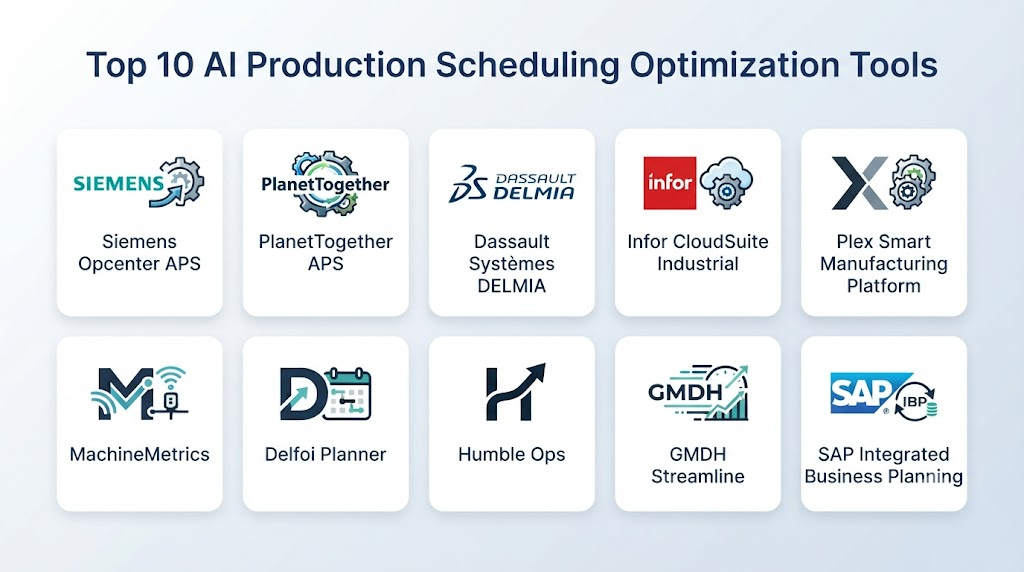
Top 10 AI Production Scheduling Optimization Tools
1 — Siemens Opcenter and Industrial Optimization
One-line verdict: Best for manufacturers requiring production scheduling integrated with MES, industrial automation, manufacturing data, and enterprise planning.
Short description:
Siemens provides manufacturing operations and production-management technologies that can support detailed scheduling, production planning, resource management, and factory execution.
Its broader industrial ecosystem makes it particularly relevant when scheduling needs to connect directly with MES and manufacturing operations.
Standout Capabilities
- Production planning.
- Detailed scheduling.
- Manufacturing operations management.
- Resource planning.
- Production tracking.
- Capacity management.
- MES integration.
- Industrial data connectivity.
AI-Specific Depth
- Model support: Optimization, analytics, machine learning, and AI capabilities vary by solution.
- RAG / knowledge integration: Engineering and production information can support AI-assisted workflows where configured.
- Evaluation: Schedule simulation, historical performance analysis, scenario comparison, and production validation.
- Guardrails: Production constraints, permissions, machine limits, material rules, and human approval.
- Observability: Production KPIs, schedule adherence, resource utilization, delays, and operational metrics.
Pros
- Strong manufacturing ecosystem.
- Good MES and factory integration.
- Suitable for complex production environments.
Cons
- Large ecosystem can be complex.
- Implementation may require specialized expertise.
- Capabilities depend on the selected products.
Security & Compliance
Security capabilities vary by deployment and product configuration. Specific certifications should be independently verified for the intended environment.
Deployment & Platforms
- Cloud.
- On-premises.
- Hybrid.
- Industrial environments.
Integrations & Ecosystem
- MES.
- ERP.
- PLCs.
- SCADA.
- Production equipment.
- Supply-chain systems.
- Industrial data platforms.
Pricing Model
Enterprise/custom pricing. Exact pricing is Not publicly stated.
Best-Fit Scenarios
- Large manufacturing plants.
- Complex production scheduling.
- MES-connected operations.
2 — Dassault Systèmes DELMIA
One-line verdict: Best for manufacturers combining production planning, scheduling, simulation, manufacturing engineering, and digital manufacturing.
Short description:
DELMIA provides manufacturing planning, simulation, production scheduling, and operational technologies within the broader Dassault Systèmes ecosystem.
It is especially useful for manufacturers that want to evaluate production scenarios before implementing changes on the factory floor.
Standout Capabilities
- Production planning.
- Scheduling.
- Factory simulation.
- Resource optimization.
- Manufacturing engineering.
- Workforce planning.
- Digital manufacturing.
- Scenario analysis.
AI-Specific Depth
- Model support: Optimization, simulation, analytics, and AI capabilities vary by application.
- RAG / knowledge integration: Engineering and manufacturing information can support AI workflows.
- Evaluation: Simulation, scenario testing, historical production analysis, and schedule comparison.
- Guardrails: Manufacturing constraints, resource limits, permissions, and approval workflows.
- Observability: Production KPIs, schedule performance, simulation results, and resource utilization.
Pros
- Strong manufacturing simulation.
- Useful for complex production environments.
- Connects planning with engineering.
Cons
- Enterprise-oriented.
- Requires manufacturing expertise.
- Implementation can be complex.
Security & Compliance
Security capabilities depend on deployment and configuration. Specific certifications should be independently verified.
Deployment & Platforms
- Cloud.
- Enterprise.
- Hybrid.
- Engineering environments.
Integrations & Ecosystem
- ERP.
- MES.
- PLM.
- CAD.
- Manufacturing systems.
- Simulation tools.
- Enterprise databases.
Pricing Model
Enterprise/custom pricing. Exact pricing is Not publicly stated.
Best-Fit Scenarios
- Factory planning.
- Complex scheduling.
- Manufacturing simulation.
3 — Preactor / Siemens Scheduling Technology
One-line verdict: Best for manufacturers needing detailed finite-capacity scheduling with complex production constraints and resource dependencies.
Short description:
Siemens scheduling technologies associated with Preactor are designed around production planning and scheduling problems where machines, materials, labor, setup times, and delivery requirements must be coordinated.
The approach is particularly useful for environments where simple forward planning cannot handle the complexity of the production schedule.
Standout Capabilities
- Finite-capacity scheduling.
- Production sequencing.
- Resource allocation.
- Constraint handling.
- What-if planning.
- Bottleneck analysis.
- Schedule visualization.
- Manufacturing integration.
AI-Specific Depth
- Model support: Optimization and scheduling algorithms; AI capabilities vary by implementation.
- RAG / knowledge integration: N/A for core scheduling.
- Evaluation: Schedule comparison, scenario analysis, and production KPI evaluation.
- Guardrails: Machine capacity, labor, materials, setup constraints, and production rules.
- Observability: Schedule adherence, resource utilization, lateness, and production performance.
Pros
- Strong scheduling orientation.
- Suitable for complex manufacturing constraints.
- Useful for finite-capacity planning.
Cons
- Not primarily a generative-AI platform.
- Requires accurate production data.
- Integration work may be necessary.
Security & Compliance
Security capabilities vary by implementation. Specific certifications are Not publicly stated unless verified for the applicable deployment.
Deployment & Platforms
- Enterprise.
- On-premises.
- Cloud/hybrid options vary.
Integrations & Ecosystem
- ERP.
- MES.
- Manufacturing databases.
- Production equipment.
- Supply-chain systems.
- APIs.
Pricing Model
Enterprise/custom pricing. Exact pricing is Not publicly stated.
Best-Fit Scenarios
- Finite-capacity production.
- Job-shop manufacturing.
- Complex scheduling.
4 — SAP Integrated Business Planning and Production Planning Ecosystem
One-line verdict: Best for enterprises connecting production scheduling with ERP, supply-chain planning, inventory, demand, and material availability.
Short description:
SAP provides enterprise planning technologies that can connect production planning and scheduling with broader supply-chain and resource information.
This approach is particularly valuable when production schedules depend heavily on demand, inventory, materials, procurement, and enterprise planning.
Standout Capabilities
- Production planning.
- Supply-chain planning.
- Demand integration.
- Material planning.
- Capacity planning.
- Inventory coordination.
- Enterprise data integration.
- Scenario planning.
AI-Specific Depth
- Model support: AI and optimization capabilities vary by SAP product and implementation.
- RAG / knowledge integration: Enterprise information can support AI assistants and planning workflows.
- Evaluation: Scenario analysis, planning simulations, historical performance, and KPI comparison.
- Guardrails: Enterprise roles, planning constraints, material rules, capacity limits, and approval workflows.
- Observability: Planning KPIs, schedule adherence, inventory, capacity, and supply-chain metrics.
Pros
- Strong ERP integration.
- Useful for enterprise supply-chain coordination.
- Connects production with materials and demand.
Cons
- Enterprise implementation can be substantial.
- Licensing and architecture can be complex.
- Requires SAP expertise.
Security & Compliance
Security capabilities vary by SAP product and configuration. Specific certifications should be verified for the intended environment.
Deployment & Platforms
- Cloud.
- Enterprise.
- Hybrid.
Integrations & Ecosystem
- ERP.
- MES.
- Supply-chain systems.
- Inventory.
- Procurement.
- Manufacturing.
- Analytics.
Pricing Model
Enterprise/custom pricing. Exact pricing is Not publicly stated.
Best-Fit Scenarios
- Enterprise manufacturing.
- Supply-chain-driven scheduling.
- Material-constrained production.
5 — Kinaxis Maestro
One-line verdict: Best for organizations requiring responsive supply-chain planning and production decisions across rapidly changing operational conditions.
Short description:
Kinaxis provides supply-chain orchestration and planning capabilities designed to help organizations respond to changing demand, supply, capacity, and operational constraints.
Its value is particularly relevant when production scheduling cannot be separated from broader supply-chain decisions.
Standout Capabilities
- Supply-chain orchestration.
- Scenario planning.
- Capacity planning.
- Demand and supply balancing.
- Production planning.
- What-if analysis.
- Exception management.
- Real-time decision support.
AI-Specific Depth
- Model support: AI, analytics, and optimization capabilities vary by application.
- RAG / knowledge integration: Enterprise supply-chain information can support AI-assisted planning.
- Evaluation: Scenario comparison, historical performance, planning KPIs, and operational outcomes.
- Guardrails: Planning constraints, resource limits, permissions, and approval workflows.
- Observability: Supply-demand metrics, schedule changes, exceptions, capacity, and planning performance.
Pros
- Strong supply-chain orientation.
- Useful for dynamic planning.
- Supports scenario-based decisions.
Cons
- Broader than production scheduling alone.
- Enterprise implementation can be significant.
- Requires high-quality supply-chain data.
Security & Compliance
Security capabilities vary by configuration. Specific certifications should be independently verified.
Deployment & Platforms
- Cloud.
- Enterprise.
Integrations & Ecosystem
- ERP.
- MES.
- Demand planning.
- Inventory.
- Procurement.
- Supply-chain systems.
- Enterprise data.
Pricing Model
Enterprise/custom pricing. Exact pricing is Not publicly stated.
Best-Fit Scenarios
- Complex supply chains.
- Dynamic production planning.
- Multi-site manufacturing.
6 — PlanetTogether
One-line verdict: Best for manufacturers seeking advanced production scheduling focused on finite capacity, sequencing, resources, and shop-floor execution.
Short description:
PlanetTogether provides advanced planning and scheduling technologies designed to help manufacturers optimize production schedules under real-world constraints.
It is particularly relevant for environments where production planners need detailed scheduling and frequent schedule adjustments.
Standout Capabilities
- Advanced planning.
- Production scheduling.
- Finite-capacity planning.
- Sequencing.
- Resource allocation.
- What-if analysis.
- Constraint management.
- Production visualization.
AI-Specific Depth
- Model support: Optimization and scheduling algorithms; AI capabilities vary by solution.
- RAG / knowledge integration: N/A for core scheduling.
- Evaluation: Schedule simulations, scenario analysis, and KPI comparison.
- Guardrails: Capacity, material, machine, labor, and sequencing constraints.
- Observability: Schedule adherence, utilization, delays, throughput, and production KPIs.
Pros
- Strong production scheduling focus.
- Useful for complex manufacturing constraints.
- Supports planner-driven scenario analysis.
Cons
- Less AI-centric than some emerging platforms.
- Requires accurate manufacturing data.
- Integration requirements vary.
Security & Compliance
Specific security certifications are Not publicly stated unless independently verified.
Deployment & Platforms
- Cloud.
- Enterprise.
- Deployment varies by configuration.
Integrations & Ecosystem
- ERP.
- MES.
- Manufacturing databases.
- APIs.
- Production systems.
- Supply-chain platforms.
Pricing Model
Commercial/custom pricing. Exact pricing is Not publicly stated.
Best-Fit Scenarios
- Discrete manufacturing.
- Finite-capacity scheduling.
- Complex production environments.
7 — OR-Tools
One-line verdict: Best for developers building custom production scheduling systems using constraint programming and optimization algorithms.
Short description:
OR-Tools is an open-source optimization suite that supports constraint programming, linear optimization, routing, and scheduling problems.
It is not a turnkey manufacturing scheduling application, but developers can use it to build customized scheduling engines around production-specific constraints.
Standout Capabilities
- Constraint programming.
- Scheduling.
- Linear optimization.
- Mixed-integer optimization.
- Resource allocation.
- Custom objective functions.
- Python integration.
- Solver-based optimization.
AI-Specific Depth
- Model support: Optimization-focused rather than generative AI.
- RAG / knowledge integration: N/A.
- Evaluation: Objective values, constraint satisfaction, schedule feasibility, and scenario comparison.
- Guardrails: Explicit mathematical constraints.
- Observability: Solver results, objective values, runtime, constraint violations, and schedule metrics.
Pros
- Open-source.
- Highly customizable.
- Strong constraint-solving capabilities.
Cons
- Requires programming expertise.
- No turnkey manufacturing interface.
- Developers must build integrations and user workflows.
Security & Compliance
Security depends on deployment architecture. Certifications are Not publicly stated.
Deployment & Platforms
- Linux.
- Windows.
- macOS.
- Cloud.
- Self-hosted.
Integrations & Ecosystem
- Python.
- C++.
- Java.
- .NET.
- Databases.
- APIs.
- Custom MES/ERP systems.
Pricing Model
Open-source. Infrastructure and development costs vary.
Best-Fit Scenarios
- Custom scheduling applications.
- Developer-led optimization.
- Specialized manufacturing constraints.
8 — Gurobi Optimization
One-line verdict: Best for advanced optimization teams building high-performance mathematical scheduling models for complex manufacturing environments.
Short description:
Gurobi provides mathematical optimization technology for solving complex decision problems involving scheduling, resource allocation, production planning, and other optimization tasks.
It is particularly suitable for technical teams that need precise control over mathematical formulations and constraints.
Standout Capabilities
- Mixed-integer programming.
- Constraint optimization.
- Scheduling.
- Resource allocation.
- Scenario optimization.
- Mathematical modeling.
- Parallel optimization.
- Custom objective functions.
AI-Specific Depth
- Model support: Optimization-focused; can be combined with machine-learning models.
- RAG / knowledge integration: N/A for core optimization.
- Evaluation: Feasibility, objective value, optimization gap, scenario analysis, and schedule performance.
- Guardrails: Explicit constraints and mathematical boundaries.
- Observability: Solver performance, optimization metrics, runtime, and solution quality.
Pros
- Powerful optimization engine.
- Highly customizable.
- Suitable for complex scheduling models.
Cons
- Requires optimization expertise.
- Not a complete factory scheduling application.
- Model development can take significant effort.
Security & Compliance
Security capabilities depend on deployment. Specific certifications should be independently verified.
Deployment & Platforms
- Windows.
- Linux.
- macOS.
- Cloud.
- Self-hosted.
Integrations & Ecosystem
- Python.
- Java.
- C++.
- .NET.
- Databases.
- APIs.
- ERP/MES integrations.
Pricing Model
Commercial licensing with models varying by use case. Exact pricing is Not publicly stated.
Best-Fit Scenarios
- Complex production scheduling.
- Optimization teams.
- Custom enterprise scheduling.
9 — Dataiku
One-line verdict: Best for data-science teams combining production forecasting, machine learning, optimization, and operational analytics.
Short description:
Dataiku provides a collaborative data and AI environment that can support production forecasting, predictive modeling, scenario analysis, and custom optimization workflows.
It is not a dedicated scheduling engine, but it can provide the analytical layer around a scheduling architecture.
Standout Capabilities
- Data preparation.
- Machine learning.
- Forecasting.
- Optimization workflows.
- Scenario analysis.
- Model evaluation.
- AI governance.
- Workflow automation.
AI-Specific Depth
- Model support: Multiple machine-learning approaches and custom models.
- RAG / knowledge integration: Enterprise production information can support AI-assisted workflows.
- Evaluation: Model validation, experiment tracking, regression testing, and monitoring.
- Guardrails: Governance, permissions, workflow controls, and model-management policies.
- Observability: Data quality, model performance, usage, and operational metrics.
Pros
- Flexible analytics environment.
- Strong machine-learning capabilities.
- Useful for custom scheduling intelligence.
Cons
- Not a dedicated production scheduler.
- Requires data-science expertise.
- Additional optimization or execution components may be needed.
Security & Compliance
Security depends on deployment and configuration. Specific certifications are Not publicly stated unless independently verified.
Deployment & Platforms
- Cloud.
- On-premises.
- Hybrid.
- Enterprise.
Integrations & Ecosystem
- ERP.
- MES.
- Databases.
- Data warehouses.
- APIs.
- Production systems.
- Supply-chain platforms.
Pricing Model
Enterprise/custom pricing. Exact pricing is Not publicly stated.
Best-Fit Scenarios
- Data-driven scheduling.
- Forecast-assisted planning.
- Custom manufacturing analytics.
10 — Custom AI Production Scheduling Platform
One-line verdict: Best for manufacturers with proprietary constraints, complex operations, and scheduling requirements beyond commercial software.
Short description:
A custom scheduling platform can combine mathematical optimization, machine learning, simulation, reinforcement learning, demand forecasting, and real-time production data.
This approach provides maximum control over objectives and constraints but requires significant engineering and ongoing maintenance.
Standout Capabilities
- Dynamic scheduling.
- Multi-objective optimization.
- Machine learning.
- Constraint programming.
- Reinforcement learning.
- Digital twins.
- Real-time rescheduling.
- Predictive scheduling.
AI-Specific Depth
- Model support: Machine learning, forecasting, optimization, reinforcement learning, simulation, and custom models.
- RAG / knowledge integration: Production procedures, scheduling rules, maintenance information, engineering documents, and historical planning decisions.
- Evaluation: Schedule feasibility, on-time delivery, throughput, utilization, changeover time, and simulation-based evaluation.
- Guardrails: Hard production constraints, approval workflows, machine limits, labor rules, material requirements, and human override.
- Observability: Schedule changes, model performance, optimization runtime, constraint violations, production outcomes, and system health.
Pros
- Maximum customization.
- Can incorporate proprietary scheduling rules.
- Supports real-time optimization.
Cons
- High development effort.
- Requires strong optimization and manufacturing expertise.
- Long-term maintenance is necessary.
Security & Compliance
A custom implementation can include:
- SSO.
- RBAC.
- Encryption.
- Audit logs.
- Data-retention controls.
- Network isolation.
- Model versioning.
- Approval workflows.
Specific certifications are Not publicly stated for a generic implementation.
Deployment & Platforms
- Cloud.
- Self-hosted.
- Edge.
- Hybrid.
Integrations & Ecosystem
Potential integrations include:
- ERP.
- MES.
- WMS.
- SCADA.
- PLCs.
- Inventory systems.
- Supply-chain platforms.
Pricing Model
Custom development and infrastructure. Exact pricing is N/A.
Best-Fit Scenarios
- Proprietary manufacturing operations.
- Complex multi-site scheduling.
- Real-time dynamic scheduling.
Comparison Table
| Tool | Best For | Deployment | Model Flexibility | Strength | Watch-Out | Public Rating |
|---|---|---|---|---|---|---|
| Siemens Opcenter | Manufacturing operations | Cloud / On-premises / Hybrid | AI + Optimization | MES integration | Complex implementation | |
| Dassault DELMIA | Digital manufacturing | Cloud / Hybrid | AI + Simulation | Factory simulation | Enterprise complexity | |
| Siemens Scheduling Technology | Finite-capacity scheduling | Cloud / On-premises | Optimization | Detailed scheduling | Requires configuration | |
| SAP Planning Ecosystem | Enterprise planning | Cloud / Hybrid | AI + Optimization | ERP integration | Large implementation | |
| Kinaxis Maestro | Supply-chain scheduling | Cloud | AI + Optimization | Dynamic planning | Broader than scheduling | |
| PlanetTogether | Production scheduling | Cloud / Enterprise | Optimization | Manufacturing focus | Integration effort | |
| OR-Tools | Developers | Self-hosted / Cloud | Open-source | Flexible constraints | Requires development | |
| Gurobi | Optimization teams | Cloud / Self-hosted | Optimization | Solver performance | Technical expertise | |
| Dataiku | Data-science teams | Cloud / Hybrid | Multi-model | Analytics flexibility | Not a dedicated scheduler | |
| Custom AI Platform | Proprietary scheduling | Cloud / Edge / Hybrid | Multi-model | Maximum flexibility | High engineering burden |
Scoring & Evaluation
These scores are comparative editorial assessments rather than official vendor ratings.
Production scheduling should be evaluated using actual manufacturing constraints, historical schedules, production disruptions, and business objectives.
A scheduling engine that creates theoretically efficient schedules but cannot react to machine breakdowns, material shortages, or priority orders may have limited practical value.
| Tool | Core Features | AI Reliability | Scheduling Depth | Integrations | Ease | Performance/Cost | Security/Admin | Support | Weighted Total |
|---|---|---|---|---|---|---|---|---|---|
| Siemens Opcenter | 10 | 9 | 10 | 10 | 7 | 9 | 10 | 10 | 9.35 |
| Dassault DELMIA | 10 | 9 | 10 | 10 | 7 | 8 | 10 | 10 | 9.25 |
| Siemens Scheduling Technology | 10 | 9 | 10 | 10 | 7 | 9 | 10 | 10 | 9.35 |
| SAP Planning Ecosystem | 10 | 9 | 9 | 10 | 7 | 8 | 10 | 10 | 9.20 |
| Kinaxis Maestro | 9 | 9 | 9 | 10 | 8 | 8 | 10 | 10 | 9.10 |
| PlanetTogether | 9 | 8 | 10 | 9 | 8 | 9 | 9 | 9 | 8.95 |
| OR-Tools | 8 | 8 | 10 | 8 | 6 | 10 | 8 | 8 | 8.55 |
| Gurobi | 9 | 9 | 10 | 9 | 6 | 10 | 9 | 9 | 8.95 |
| Dataiku | 9 | 10 | 7 | 10 | 7 | 8 | 10 | 9 | 8.70 |
| Custom AI Platform | 10 | 10 | 10 | 10 | 5 | 7 | 10 | 10 | 9.40 |
Top 3 for Enterprise
- Siemens Opcenter — Strong manufacturing operations and MES integration.
- Dassault Systèmes DELMIA — Excellent for simulation and digital manufacturing.
- SAP Planning Ecosystem — Strong where production scheduling must connect with enterprise planning and supply-chain data.
Top 3 for SMB
- PlanetTogether — Focused production scheduling capabilities.
- OR-Tools — Useful for organizations with developers who can build custom solutions.
- Gurobi — Strong for technically capable optimization teams.
Top 3 for Developers
- OR-Tools — Flexible open-source optimization framework.
- Gurobi — Powerful optimization engine for sophisticated scheduling models.
- Custom AI Platform — Maximum control over scheduling architecture.
Which AI Production Scheduling Optimization Tool Is Right for You?
Solo / Small Manufacturer
Small manufacturers should avoid unnecessary scheduling complexity.
If production is relatively predictable, a simple planning system may be sufficient.
AI optimization becomes more useful when the operation has:
- Multiple machines.
- Frequent rush orders.
- Complex setups.
- Material constraints.
- Tight delivery deadlines.
Start with one production area and measure schedule improvement.
SMB
SMBs should prioritize:
- Ease of use.
- ERP/MES connectivity.
- Capacity planning.
- Changeover optimization.
- Schedule visualization.
- Scenario analysis.
The best solution is often the one production planners can understand and adjust themselves.
Mid-Market
Mid-market organizations can benefit from more sophisticated scheduling.
Important capabilities include:
- Finite-capacity planning.
- Constraint management.
- Dynamic rescheduling.
- Material availability.
- Machine availability.
- Maintenance integration.
- Production feedback.
Enterprise
Large enterprises should consider scheduling as part of a broader manufacturing architecture.
A typical architecture can be:
ERP → Demand → Inventory → Scheduling Engine → MES → Shop Floor → Production Feedback
The scheduling engine can also receive information from:
- Maintenance.
- Quality.
- Workforce management.
- Supply chain.
- Machine telemetry.
Discrete Manufacturing
Discrete manufacturers often need to schedule:
- Components.
- Assemblies.
- Work orders.
- Machine operations.
- Tooling.
- Labor.
Constraint-based optimization can be especially useful.
Process Manufacturing
Process manufacturers often need to consider:
- Batch sizes.
- Cleaning.
- Formulation.
- Material compatibility.
- Tank availability.
- Processing time.
Sequencing can significantly affect changeover and cleaning costs.
Automotive Manufacturing
Automotive operations may require coordination across:
- Assembly.
- Welding.
- Painting.
- Stamping.
- Parts availability.
- Supplier deliveries.
Scheduling must often account for both production capacity and downstream dependencies.
Electronics Manufacturing
Electronics production may involve:
- Multiple product configurations.
- Component availability.
- SMT equipment.
- Test stations.
- Assembly resources.
Scheduling can help minimize setup and changeover requirements.
Pharmaceutical Manufacturing
Scheduling may need to account for:
- Batch requirements.
- Equipment availability.
- Cleaning.
- Quality procedures.
- Material availability.
- Production priorities.
Regulated environments require appropriate validation and change-control procedures.
Budget vs Premium
Budget scheduling projects can begin with:
- Existing ERP data.
- Optimization libraries.
- Spreadsheet-based analysis.
- Simple constraint models.
Premium systems may add:
- Real-time rescheduling.
- Simulation.
- AI forecasting.
- Digital twins.
- Multi-site optimization.
- Automated scenario generation.
Build vs Buy
Buy when:
- Your scheduling requirements are common.
- You need rapid deployment.
- Standard ERP/MES integrations are available.
- Internal optimization expertise is limited.
Build when:
- Your scheduling rules are highly proprietary.
- Your production process is unusual.
- Scheduling creates significant competitive advantage.
- Commercial tools cannot model your constraints.
A hybrid architecture can often provide the best balance:
Commercial MES/ERP + custom optimization engine + AI forecasting + production feedback
Implementation Playbook
First 30 Days: Establish the Scheduling Baseline
Before implementing AI, measure current performance.
Track:
- On-time delivery.
- Schedule adherence.
- Machine utilization.
- Changeover time.
- Production throughput.
- Average lateness.
- Work-in-progress.
- Expedite frequency.
Then identify the biggest scheduling problem.
Do not attempt to optimize every production process simultaneously.
Days 31–60: Build the Optimization Model
Define:
Inputs
- Orders.
- Due dates.
- Machines.
- Materials.
- Labor.
- Processing times.
- Setup times.
- Maintenance.
Constraints
- Machine compatibility.
- Capacity.
- Labor skills.
- Material availability.
- Maintenance windows.
- Quality requirements.
Objectives
Potential objectives include:
- Minimize lateness.
- Maximize throughput.
- Minimize changeovers.
- Maximize machine utilization.
- Reduce work-in-progress.
A multi-objective approach is often more realistic than optimizing one metric.
Days 61–90: Pilot Dynamic Scheduling
Run the new scheduling engine alongside the existing process.
Compare:
Existing schedule vs AI/optimization schedule
Measure:
- Delivery performance.
- Machine utilization.
- Changeover time.
- Production throughput.
- Planner effort.
- Schedule stability.
Then test disruption scenarios:
- Machine breakdown.
- Material shortage.
- Rush order.
- Maintenance.
- Labor shortage.
The scheduling system should demonstrate that it can adapt without producing infeasible plans.
Common Mistakes and How to Avoid Them
- Optimizing only throughput: Higher throughput may create more inventory or missed delivery commitments.
- Ignoring changeover costs: Frequent switching can destroy theoretical scheduling gains.
- Ignoring material availability: A schedule is useless if required materials are unavailable.
- Using inaccurate processing times: Poor estimates can create unrealistic schedules.
- Ignoring machine capabilities: Not every machine can perform every operation.
- Ignoring labor constraints: Worker availability and skills can be critical.
- No maintenance integration: Maintenance windows should be part of the scheduling model.
- Over-optimizing: Highly complex schedules may be difficult for planners and operators to follow.
- Ignoring schedule stability: Constantly changing the schedule can create operational chaos.
- No human review: Planners should be able to review and override recommendations.
- No disruption testing: Evaluate the system under realistic factory interruptions.
- Ignoring data latency: Real-time scheduling requires timely production information.
- No feedback loop: Compare planned production with actual outcomes.
- Ignoring quality constraints: A schedule that maximizes production but increases defects is not successful.
- Overusing generative AI: LLMs can assist planners but should not replace deterministic scheduling logic without appropriate controls.
- No audit trail: Schedule changes should be traceable.
- Ignoring cybersecurity: Scheduling systems connected to production infrastructure need appropriate security.
- No fallback plan: The factory should be able to continue operating if the optimization system becomes unavailable.
- Ignoring integration costs: ERP, MES, WMS, maintenance, and production systems may require significant integration.
- Assuming one algorithm fits all: Different production environments may require different optimization methods.
FAQs
What is AI production scheduling optimization?
It is the use of AI, mathematical optimization, simulation, and production data to create or improve manufacturing schedules under multiple constraints.
How is AI scheduling different from traditional scheduling?
Traditional scheduling may rely heavily on fixed rules or manual planning.
AI-assisted scheduling can evaluate large numbers of possible schedules and adapt recommendations based on changing production conditions.
Can AI automatically create a production schedule?
Yes, depending on the system.
Many organizations begin with AI-generated recommendations that planners review before schedules are released to production.
What information does an AI scheduling system need?
Common inputs include:
- Orders.
- Due dates.
- Machines.
- Materials.
- Processing times.
- Setup times.
- Labor.
- Maintenance.
- Production capacity.
Can AI handle machine breakdowns?
Dynamic scheduling systems can recalculate schedules when machines become unavailable.
The effectiveness depends on how quickly the system receives accurate machine-state information.
Can AI reduce production changeovers?
Yes.
Scheduling algorithms can sequence compatible products together to reduce setup and changeover requirements.
Can AI improve on-time delivery?
It can prioritize production based on due dates, processing requirements, resource availability, and other constraints.
The actual improvement depends on the quality of the scheduling model and available production capacity.
What is finite-capacity scheduling?
Finite-capacity scheduling recognizes that machines, labor, and other resources have limited capacity.
It avoids creating schedules that require more resources than actually exist.
Can production scheduling use machine learning?
Yes.
Machine learning can improve forecasts for processing times, machine availability, demand, quality outcomes, and other factors used by the scheduling engine.
Is reinforcement learning useful for production scheduling?
It can be useful for certain complex dynamic scheduling problems, particularly where decisions must be continuously updated.
However, reinforcement learning is not automatically better than mathematical optimization or constraint programming.
Can LLMs create production schedules?
LLMs can assist with natural-language interaction, schedule explanations, scenario descriptions, and planner support.
For precise scheduling, deterministic optimization and constraint-solving technologies are generally more appropriate.
What is RAG in production scheduling?
RAG can connect an AI assistant to production procedures, scheduling rules, machine documentation, maintenance information, and planning policies.
This can help planners ask natural-language questions about scheduling decisions.
Can AI scheduling integrate with ERP?
Yes.
ERP systems commonly provide orders, inventory, materials, procurement, and planning information that can feed scheduling workflows.
Can AI scheduling integrate with MES?
Yes.
MES can provide real-time production status, machine availability, work-order progress, and shop-floor information.
Can AI scheduling work with maintenance data?
Yes.
Maintenance schedules and equipment availability can be included as constraints when generating production plans.
How should a production scheduling system be evaluated?
Measure:
- On-time delivery.
- Schedule adherence.
- Throughput.
- Machine utilization.
- Changeover time.
- Work-in-progress.
- Planner productivity.
- Schedule stability.
How much does AI production scheduling cost?
Costs vary based on software, production complexity, number of sites, ERP/MES integration, data requirements, optimization requirements, and implementation services.
Exact enterprise pricing is often Not publicly stated.
What is the biggest benefit of AI scheduling?
The ability to evaluate complex production constraints and rapidly adapt schedules when conditions change.
What is the biggest limitation?
A scheduling system is only as good as the production data, constraints, processing-time estimates, and operational assumptions behind it.
Conclusion
AI Production Scheduling Optimization can transform production planning from a largely manual and static activity into a more dynamic, data-driven decision process.The technology can help manufacturers coordinate orders, machines, labor, materials, maintenance, production priorities, and delivery commitments while responding more quickly to unexpected disruptions.Its greatest value is often found in complex environments where planners must continuously balance competing objectives.Siemens and Dassault Systèmes are strong choices for industrial enterprises requiring deep manufacturing integration. SAP and Kinaxis are valuable when production scheduling is closely connected with broader supply-chain planning. PlanetTogether provides a more focused production-scheduling approach, while OR-Tools and Gurobi offer powerful foundations for organizations building custom optimization applications.