Introduction
AI Patient Scheduling Optimization tools use artificial intelligence, machine learning, predictive analytics, optimization algorithms, and workflow automation to help healthcare organizations schedule patients, clinicians, rooms, equipment, and appointments more efficiently. Instead of relying entirely on static scheduling rules, these systems can analyze historical appointment patterns, cancellations, no-shows, provider availability, visit duration, patient preferences, resource constraints, and operational capacity to recommend better scheduling decisions.The goal is not simply to fill appointment slots. Effective optimization considers the entire care-delivery system. A schedule that looks full may still create long patient waits, clinician idle time, room bottlenecks, overtime, or poor access to urgent appointments.Common use cases include outpatient appointment scheduling, specialty scheduling, no-show prediction, cancellation management, provider template optimization, operating-room scheduling, imaging scheduling, infusion scheduling, referral scheduling, waitlist optimization, and capacity planning.
What Is AI Patient Scheduling Optimization?
AI Patient Scheduling Optimization is the use of predictive analytics, machine learning, optimization algorithms, and automation to improve how healthcare appointments are planned and managed.
Traditional scheduling usually depends on:
- Provider availability.
- Appointment templates.
- Fixed visit durations.
- Staff availability.
- Room availability.
- Patient preferences.
- Manual scheduling rules.
AI can add another layer of intelligence.
A scheduling system may analyze historical data to determine:
- Which appointments are likely to take longer.
- Which patients are more likely to cancel.
- Which time slots are frequently unused.
- Which providers experience recurring bottlenecks.
- How much appointment capacity is actually available.
- Which patients could fill an unexpected opening.
- Which appointments require specific rooms or equipment.
- How scheduling decisions affect downstream capacity.
The strongest systems combine prediction with optimization.
For example, predicting that a patient has a high probability of missing an appointment is useful. Automatically identifying an appropriate replacement patient from the waitlist is more useful.
Why AI Patient Scheduling Optimization Matters
Healthcare organizations operate under significant capacity constraints.
A clinic may have:
- Limited physicians.
- Limited examination rooms.
- Limited imaging equipment.
- Limited operating-room availability.
- Limited nursing capacity.
- High patient demand.
- Uneven appointment durations.
- Frequent cancellations.
- Last-minute changes.
Poor scheduling can create a chain reaction.
A single cancellation can produce unused capacity. A late patient can delay subsequent appointments. An unexpectedly long procedure can create downstream congestion. Overbooking can increase utilization but also create excessive waiting.
AI scheduling optimization attempts to balance these competing factors.
Potential benefits include:
- Better appointment utilization.
- Fewer unused slots.
- Reduced patient waiting.
- Lower no-show impact.
- Better provider utilization.
- Improved capacity planning.
- More efficient waitlist management.
- Better access to urgent appointments.
- Improved resource allocation.
- Reduced administrative workload.
However, healthcare scheduling is more complicated than maximizing utilization. Patient safety, clinical priority, accessibility, fairness, provider workload, and operational resilience must remain part of the optimization process.
Key Use Cases
Outpatient Scheduling
AI can help allocate appointments across providers, locations, appointment types, and available time slots.
No-Show Prediction
Machine-learning models can estimate the likelihood that a patient will miss an appointment.
Cancellation Prediction
Predictive analytics can identify appointments that may be cancelled or rescheduled.
Waitlist Optimization
When an appointment becomes available, AI can identify suitable patients who may be able to fill the slot.
Provider Template Optimization
AI can analyze historical utilization and recommend changes to provider schedules.
Specialty Scheduling
Specialty clinics often require specific providers, equipment, visit durations, or preparation requirements.
Imaging Scheduling
MRI, CT, ultrasound, mammography, and other imaging services can benefit from optimized resource scheduling.
Operating-Room Scheduling
Optimization can consider surgeon availability, procedure duration, equipment, room availability, and staffing.
Infusion Scheduling
Infusion centers can optimize appointments based on chair capacity, medication duration, nursing resources, and patient needs.
Urgent Appointment Allocation
AI can help reserve sufficient capacity for urgent or same-day appointments.
Multi-Location Scheduling
Healthcare groups operating across multiple sites can optimize where appointments should be scheduled based on capacity and patient preferences.
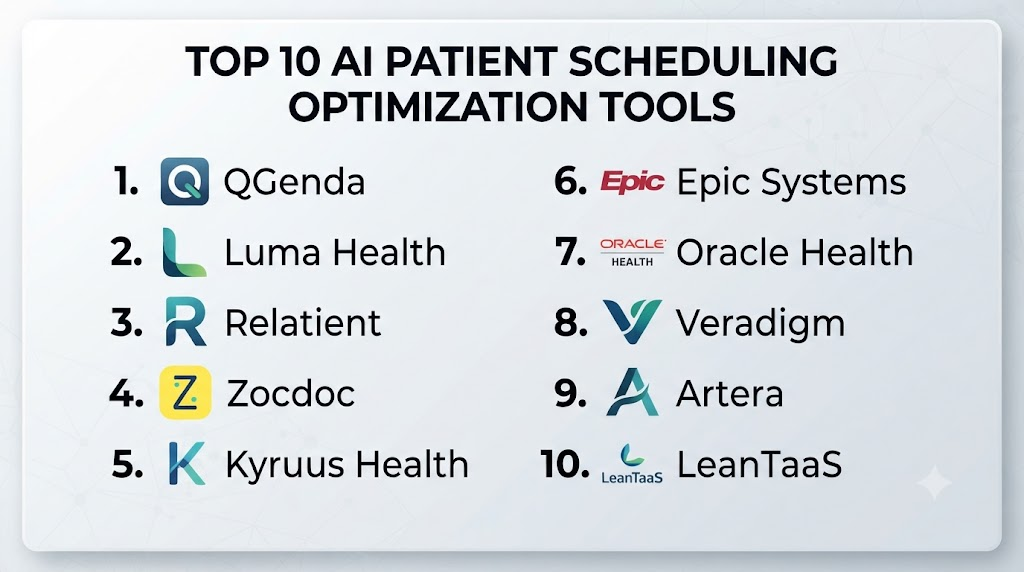
Top 10 AI Patient Scheduling Optimization Tools
1 — LeanTaaS iQueue
One-line verdict: Best for health systems seeking AI-driven capacity optimization across hospitals, operating rooms, infusion, and ambulatory services.
Short description:
LeanTaaS develops healthcare capacity-management technology using predictive analytics and optimization. Its iQueue platform family addresses healthcare scheduling and capacity challenges across areas such as operating rooms, infusion centers, inpatient capacity, and ambulatory operations.
Standout Capabilities
- Healthcare capacity optimization.
- Predictive analytics.
- Operating-room optimization.
- Infusion-center optimization.
- Inpatient capacity management.
- Ambulatory capacity planning.
- Utilization analytics.
- Operational decision support.
AI-Specific Depth
- Model support: Proprietary predictive analytics and optimization models.
- RAG / knowledge integration: Primarily operational and healthcare data integration; specific vector-database compatibility is not publicly stated.
- Evaluation: Operational performance metrics and forecasting evaluation; exact model-evaluation methodology varies.
- Guardrails: Operational constraints and workflow rules.
- Observability: Capacity, utilization, forecasting, and operational analytics.
Pros
- Strong healthcare operations specialization.
- Designed for complex capacity environments.
- Broad application across multiple healthcare settings.
Cons
- Enterprise-oriented.
- Implementation may require operational integration.
- Exact pricing is not publicly stated.
Security & Compliance
Healthcare security and administrative controls are available. Specific encryption, retention, residency, SSO, RBAC, and certification requirements should be verified for the selected product.
Deployment & Platforms
- Web: Yes.
- Cloud: Yes.
- Self-hosted: Not publicly stated.
- Hybrid: Varies / N/A.
Integrations & Ecosystem
- EHR systems.
- Scheduling systems.
- Hospital operational data.
- Operating-room systems.
- Infusion systems.
- Analytics platforms.
- Capacity-management workflows.
Pricing Model
Enterprise/custom pricing. Exact pricing is Not publicly stated.
Best-Fit Scenarios
- Large health systems.
- Hospitals with complex capacity constraints.
- Organizations managing multiple clinical resources.
2 — Qventus
One-line verdict: Best for healthcare organizations seeking AI-powered operational automation across scheduling, patient flow, and capacity management.
Short description:
Qventus provides AI-powered healthcare operations technology designed to improve patient flow, scheduling, capacity, and administrative processes. Its platform is relevant to organizations looking to combine predictive intelligence with workflow automation.
Standout Capabilities
- Patient-flow optimization.
- Capacity management.
- Scheduling support.
- Operational automation.
- Predictive analytics.
- Perioperative workflows.
- Discharge optimization.
- Healthcare operations intelligence.
AI-Specific Depth
- Model support: Proprietary AI, predictive models, and optimization technologies.
- RAG / knowledge integration: Healthcare operational data integration; specific vector-database compatibility is not publicly stated.
- Evaluation: Operational metrics and workflow outcomes can be evaluated.
- Guardrails: Workflow constraints and human oversight.
- Observability: Operational analytics and performance monitoring.
Pros
- Strong healthcare operations focus.
- Combines AI with workflow automation.
- Useful beyond appointment scheduling.
Cons
- Enterprise-oriented.
- Broader than patient scheduling alone.
- Pricing is not publicly stated.
Security & Compliance
Healthcare security controls should be reviewed during procurement. Specific certifications and data-retention configurations should be verified for the chosen deployment.
Deployment & Platforms
- Cloud: Yes.
- Web: Yes.
- Self-hosted: Not publicly stated.
- Hybrid: Varies / N/A.
Integrations & Ecosystem
- EHRs.
- Scheduling platforms.
- Hospital operations systems.
- Capacity-management systems.
- Patient-flow systems.
- Analytics.
Pricing Model
Enterprise/custom pricing. Exact pricing is Not publicly stated.
Best-Fit Scenarios
- Health systems.
- Large ambulatory networks.
- Organizations seeking broad operational automation.
3 — Relatient
One-line verdict: Best for healthcare organizations combining patient engagement, scheduling automation, reminders, and access workflows.
Short description:
Relatient provides healthcare patient-access and engagement technology covering scheduling, reminders, communications, and related workflows. Its capabilities are especially relevant when scheduling optimization needs to be combined with patient outreach.
Standout Capabilities
- Patient scheduling.
- Appointment reminders.
- Patient communication.
- Self-scheduling.
- Digital patient engagement.
- Cancellation management.
- Appointment confirmations.
- Patient-access workflows.
AI-Specific Depth
- Model support: AI and automation capabilities vary.
- RAG / knowledge integration: Patient and scheduling data integration varies.
- Evaluation: Operational engagement metrics and workflow outcomes.
- Guardrails: Scheduling rules and workflow controls.
- Observability: Appointment and engagement analytics.
Pros
- Strong patient-access focus.
- Scheduling and communication can work together.
- Useful for reducing administrative workload.
Cons
- Broader patient-engagement platform.
- AI capabilities vary by product.
- Exact pricing is not publicly stated.
Security & Compliance
Healthcare security and privacy controls should be verified for the specific deployment and contract.
Deployment & Platforms
- Cloud: Yes.
- Web: Yes.
- Mobile: Patient-facing functionality varies.
- Self-hosted: Not publicly stated.
Integrations & Ecosystem
- EHRs.
- Patient portals.
- Scheduling systems.
- SMS and communication workflows.
- Contact centers.
- Patient-access systems.
Pricing Model
Enterprise/custom pricing. Exact pricing is Not publicly stated.
Best-Fit Scenarios
- Multi-location practices.
- Patient-access teams.
- Organizations focused on reducing missed appointments.
4 — Artera
One-line verdict: Best for organizations combining automated patient communication with scheduling, reminders, and access workflows.
Short description:
Artera provides healthcare communications technology designed to automate patient interactions. Its capabilities can support appointment reminders, confirmations, scheduling-related communication, and other patient-access processes.
Standout Capabilities
- Patient communication.
- Appointment reminders.
- Automated messaging.
- Scheduling support.
- Patient engagement.
- Contact-center workflows.
- Communication automation.
- Patient-access analytics.
AI-Specific Depth
- Model support: AI and automation capabilities vary.
- RAG / knowledge integration: Healthcare and scheduling data integration varies.
- Evaluation: Communication and workflow metrics.
- Guardrails: Communication policies and workflow controls.
- Observability: Engagement and operational analytics.
Pros
- Strong patient communication capabilities.
- Can support scheduling-related workflows.
- Useful for large healthcare organizations.
Cons
- Not a pure scheduling optimizer.
- AI functionality varies.
- Exact pricing is not publicly stated.
Security & Compliance
Healthcare security and privacy requirements should be verified during procurement.
Deployment & Platforms
- Cloud: Yes.
- Web: Yes.
- Mobile: Patient communication supported through mobile channels.
- Self-hosted: Not publicly stated.
Integrations & Ecosystem
- EHRs.
- Patient portals.
- Scheduling systems.
- Communication channels.
- Contact centers.
- Patient-access applications.
Pricing Model
Enterprise/custom pricing. Exact pricing is Not publicly stated.
Best-Fit Scenarios
- Hospitals.
- Multi-site practices.
- Patient-access departments.
5 — Notable
One-line verdict: Best for organizations using automated patient engagement to improve scheduling, reminders, and appointment adherence.
Short description:
Notable provides healthcare automation technology focused on administrative and patient-access workflows. Its automation capabilities can help streamline scheduling, registration, referrals, and patient communication.
Standout Capabilities
- Patient scheduling.
- Patient intake.
- Registration automation.
- Referral workflows.
- Patient communication.
- Administrative automation.
- Workflow orchestration.
- Digital front door capabilities.
AI-Specific Depth
- Model support: Proprietary AI and automation capabilities.
- RAG / knowledge integration: Healthcare and patient data integration varies.
- Evaluation: Workflow performance and operational metrics.
- Guardrails: Workflow policies, validation, and human escalation.
- Observability: Workflow analytics and operational monitoring.
Pros
- Broad healthcare automation.
- Scheduling is connected to other administrative processes.
- Useful for reducing manual patient-access work.
Cons
- Not exclusively a scheduling optimizer.
- Enterprise implementation can be complex.
- Exact pricing is not publicly stated.
Security & Compliance
Healthcare security capabilities are available. Exact certifications and data-governance controls should be confirmed.
Deployment & Platforms
- Cloud: Yes.
- Web: Yes.
- Self-hosted: Not publicly stated.
- Hybrid: Varies / N/A.
Integrations & Ecosystem
- EHRs.
- Patient portals.
- Scheduling.
- Referral systems.
- Registration systems.
- Communication platforms.
Pricing Model
Enterprise/custom pricing. Exact pricing is Not publicly stated.
Best-Fit Scenarios
- Large healthcare organizations.
- Patient-access departments.
- Organizations automating front-office workflows.
6 — Luma Health
One-line verdict: Best for health systems seeking patient access, scheduling, waitlist, communication, and care-navigation automation.
Short description:
Luma Health provides healthcare patient-access and engagement technology. Its platform can support scheduling, patient communications, waitlists, reminders, referrals, and other workflows that influence appointment access and utilization.
Standout Capabilities
- Patient scheduling.
- Self-scheduling.
- Waitlist management.
- Appointment reminders.
- Patient communication.
- Referral management.
- Care navigation.
- Patient-access analytics.
AI-Specific Depth
- Model support: AI and automation capabilities vary.
- RAG / knowledge integration: Patient and healthcare data integration varies.
- Evaluation: Scheduling and engagement metrics.
- Guardrails: Scheduling rules and workflow controls.
- Observability: Access and engagement analytics.
Pros
- Strong patient-access focus.
- Useful waitlist capabilities.
- Combines scheduling and communication.
Cons
- Broader than pure optimization.
- Advanced AI capabilities vary.
- Pricing is not publicly stated.
Security & Compliance
Healthcare security and privacy controls should be confirmed for the selected configuration.
Deployment & Platforms
- Cloud: Yes.
- Web: Yes.
- Mobile: Patient-facing functionality.
- Self-hosted: Not publicly stated.
Integrations & Ecosystem
- EHRs.
- Scheduling systems.
- Patient portals.
- Referral systems.
- Communication platforms.
- Contact centers.
Pricing Model
Enterprise/custom pricing. Exact pricing is Not publicly stated.
Best-Fit Scenarios
- Health systems.
- Multi-specialty practices.
- Organizations with large appointment waitlists.
7 — Phreesia
One-line verdict: Best for healthcare organizations connecting patient access, intake, scheduling workflows, and operational data.
Short description:
Phreesia provides healthcare technology focused on patient intake, access, payments, and related administrative workflows. Its patient-access infrastructure can complement scheduling optimization by improving information collection and operational coordination.
Standout Capabilities
- Patient intake.
- Patient access.
- Scheduling support.
- Registration.
- Payments.
- Patient engagement.
- Workflow automation.
- Operational analytics.
AI-Specific Depth
- Model support: AI capabilities vary.
- RAG / knowledge integration: Healthcare and patient data integration varies.
- Evaluation: Operational and engagement metrics.
- Guardrails: Workflow and administrative controls.
- Observability: Operational analytics.
Pros
- Strong patient-access infrastructure.
- Broad administrative functionality.
- Useful for large provider organizations.
Cons
- Not primarily an AI scheduling optimizer.
- AI-specific capabilities vary.
- Exact pricing is not publicly stated.
Security & Compliance
Healthcare security capabilities should be verified for the selected deployment.
Deployment & Platforms
- Cloud: Yes.
- Web: Yes.
- Mobile: Patient-facing functionality varies.
- Self-hosted: Not publicly stated.
Integrations & Ecosystem
- EHRs.
- Scheduling systems.
- Registration.
- Payment systems.
- Patient engagement.
- Analytics.
Pricing Model
Enterprise/custom pricing. Exact pricing is Not publicly stated.
Best-Fit Scenarios
- Hospitals.
- Large medical groups.
- Organizations modernizing patient access.
8 — Kyruus
One-line verdict: Best for health systems optimizing provider search, patient access, scheduling, and appointment matching.
Short description:
Kyruus provides healthcare access technology designed to connect patients with appropriate providers and services. Its capabilities can support provider search, appointment scheduling, access optimization, and patient routing.
Standout Capabilities
- Provider search.
- Provider matching.
- Appointment scheduling.
- Patient access.
- Referral workflows.
- Provider data management.
- Digital access.
- Scheduling optimization.
AI-Specific Depth
- Model support: Matching, search, and AI capabilities vary.
- RAG / knowledge integration: Provider and healthcare information retrieval is central; specific vector-database compatibility is not publicly stated.
- Evaluation: Search and matching performance can be evaluated.
- Guardrails: Eligibility, scheduling, and routing rules.
- Observability: Access and scheduling analytics.
Pros
- Strong provider-matching capabilities.
- Useful for large provider networks.
- Connects search with scheduling.
Cons
- More focused on access and matching than pure scheduling optimization.
- Enterprise-oriented.
- Exact pricing is not publicly stated.
Security & Compliance
Healthcare security and privacy controls should be verified for the specific deployment.
Deployment & Platforms
- Cloud: Yes.
- Web: Yes.
- Self-hosted: Not publicly stated.
- Hybrid: Varies / N/A.
Integrations & Ecosystem
- EHRs.
- Provider directories.
- Scheduling systems.
- Patient portals.
- Referral platforms.
- Digital health applications.
Pricing Model
Enterprise/custom pricing. Exact pricing is Not publicly stated.
Best-Fit Scenarios
- Large provider networks.
- Health systems.
- Digital patient-access programs.
9 — LeanTaaS Ambulatory Capacity Optimization
One-line verdict: Best for healthcare organizations optimizing provider capacity, appointment availability, and clinical resource utilization.
Short description:
LeanTaaS applies predictive analytics and optimization to healthcare capacity management. Its ambulatory capabilities are relevant to organizations trying to improve utilization and align appointment capacity with demand.
Standout Capabilities
- Capacity forecasting.
- Appointment optimization.
- Provider utilization analysis.
- Demand forecasting.
- Operational analytics.
- Schedule optimization.
- Resource planning.
- Healthcare capacity management.
AI-Specific Depth
- Model support: Predictive analytics and optimization models.
- RAG / knowledge integration: Operational healthcare data integration; specific vector-database support is not publicly stated.
- Evaluation: Forecasting and operational performance evaluation.
- Guardrails: Capacity constraints and scheduling rules.
- Observability: Utilization, forecasting, and capacity analytics.
Pros
- Strong healthcare capacity specialization.
- Useful for complex scheduling environments.
- Data-driven approach to utilization.
Cons
- Enterprise-focused.
- Requires operational data integration.
- Exact pricing is not publicly stated.
Security & Compliance
Security and privacy controls should be verified according to the deployment.
Deployment & Platforms
- Cloud: Yes.
- Web: Yes.
- Self-hosted: Not publicly stated.
- Hybrid: Varies / N/A.
Integrations & Ecosystem
- EHRs.
- Scheduling systems.
- Operational databases.
- Capacity-management systems.
- Analytics.
- Hospital operations.
Pricing Model
Enterprise/custom pricing. Exact pricing is Not publicly stated.
Best-Fit Scenarios
- Large health systems.
- High-volume outpatient networks.
- Capacity-constrained specialties.
10 — Custom AI Scheduling Optimization Systems
One-line verdict: Best for mature healthcare organizations requiring highly customized scheduling algorithms and proprietary operational constraints.
Short description:
Organizations with sophisticated data and engineering teams can build custom patient-scheduling optimization systems. These systems can combine predictive models, mathematical optimization, constraint programming, and generative AI to manage complex scheduling requirements.
A custom system can incorporate provider availability, room constraints, patient preferences, visit duration, clinical priority, transportation considerations, equipment availability, cancellation probability, and waitlist information.
Standout Capabilities
- Custom scheduling algorithms.
- No-show prediction.
- Demand forecasting.
- Waitlist optimization.
- Provider scheduling.
- Room allocation.
- Equipment scheduling.
- Multi-objective optimization.
AI-Specific Depth
- Model support: Machine learning, optimization algorithms, proprietary models, or open-source models.
- RAG / knowledge integration: Optional for policy and operational knowledge.
- Evaluation: Offline simulation, historical backtesting, prospective testing, and optimization metrics can be implemented.
- Guardrails: Organization-defined scheduling constraints and clinical policies.
- Observability: Full monitoring of model performance, scheduling outcomes, latency, cost, and exceptions can be implemented.
Pros
- Maximum customization.
- Full control over optimization objectives.
- Can incorporate proprietary operational data.
Cons
- Significant engineering requirements.
- Requires continuous maintenance.
- Integration and governance can be expensive.
Security & Compliance
The organization controls the architecture but is responsible for implementing appropriate privacy, security, access, audit, retention, and governance controls.
Deployment & Platforms
- Cloud: Possible.
- Self-hosted: Possible.
- Hybrid: Possible.
- Web: Possible.
- Mobile: Optional.
Integrations & Ecosystem
Potential integrations include:
- EHRs.
- Scheduling systems.
- Provider calendars.
- Patient portals.
- Contact centers.
- Workforce systems.
- Data warehouses.
Pricing Model
Development and infrastructure costs vary significantly. Exact pricing is N/A.
Best-Fit Scenarios
- Large health systems.
- Academic medical centers.
- Organizations with complex scheduling constraints.
Comparison Table
| Tool | Best For | Deployment | Model Flexibility | Strength | Watch-Out | Public Rating |
|---|---|---|---|---|---|---|
| LeanTaaS iQueue | Healthcare capacity optimization | Cloud | Proprietary AI | Capacity and scheduling analytics | Enterprise implementation | N/A |
| Qventus | Operational automation | Cloud | Proprietary AI | AI-driven patient flow | Broad platform scope | N/A |
| Relatient | Patient scheduling and engagement | Cloud | Proprietary / Varies | Scheduling plus communication | Not pure optimization | N/A |
| Artera | Patient communication | Cloud | Proprietary / Varies | Automated engagement | Scheduling depth varies | N/A |
| Notable | Patient-access automation | Cloud | Proprietary AI | Workflow automation | Enterprise focus | N/A |
| Luma Health | Scheduling and access | Cloud | Proprietary / Varies | Waitlist and access | Broader platform | N/A |
| Phreesia | Patient access | Cloud | Proprietary / Varies | Intake and access | Not scheduling-only | N/A |
| Kyruus | Provider matching and access | Cloud | Proprietary / Varies | Provider matching | Optimization depth varies | N/A |
| LeanTaaS Ambulatory Optimization | Capacity planning | Cloud | Proprietary AI | Demand and capacity optimization | Enterprise focus | N/A |
| Custom AI Scheduling | Complex custom environments | Cloud / Self-hosted / Hybrid | Multi-model / Open-source possible | Maximum customization | Development burden | N/A |
Scoring & Evaluation
These scores are comparative editorial assessments intended to structure an initial vendor evaluation. They are not independently validated measures of patient outcomes or scheduling performance.
Actual results depend on appointment volume, specialty mix, provider availability, EHR integration, cancellation patterns, scheduling rules, and implementation quality.
| Tool | Core Features | AI Reliability | Optimization Depth | Integrations | Ease | Performance/Cost | Security/Admin | Workflow Support | Weighted Total |
|---|---|---|---|---|---|---|---|---|---|
| LeanTaaS iQueue | 10 | 9 | 10 | 9 | 8 | 8 | 9 | 10 | 9.15 |
| Qventus | 9 | 9 | 9 | 9 | 8 | 8 | 9 | 10 | 8.90 |
| Relatient | 9 | 8 | 7 | 9 | 9 | 9 | 9 | 10 | 8.65 |
| Artera | 8 | 8 | 7 | 9 | 9 | 9 | 9 | 10 | 8.50 |
| Notable | 9 | 9 | 8 | 9 | 8 | 8 | 9 | 10 | 8.80 |
| Luma Health | 9 | 8 | 8 | 9 | 9 | 8 | 9 | 10 | 8.75 |
| Phreesia | 8 | 8 | 7 | 9 | 9 | 9 | 9 | 9 | 8.45 |
| Kyruus | 9 | 9 | 8 | 9 | 8 | 8 | 9 | 9 | 8.65 |
| LeanTaaS Ambulatory Optimization | 10 | 9 | 10 | 9 | 8 | 8 | 9 | 10 | 9.15 |
| Custom AI Scheduling | 10 | 10 | 10 | 10 | 5 | 7 | 10 | 10 | 9.15 |
Top 3 for Enterprise
- LeanTaaS — Strong healthcare capacity and optimization capabilities.
- Qventus — Broad AI-powered operational automation.
- Notable — Strong combination of patient access and healthcare workflow automation.
Top 3 for SMB
- Relatient — Practical combination of scheduling and patient engagement.
- Luma Health — Useful for scheduling, waitlists, and patient access.
- Artera — Strong for communication-driven appointment workflows.
Top 3 for Developers
- Custom AI Scheduling Systems — Maximum control and architectural flexibility.
- Qventus — Strong AI and operational automation orientation.
- LeanTaaS — Deep optimization focus for healthcare operations.
Which AI Patient Scheduling Optimization Tool Is Right for You?
Solo / Small Practice
Small practices should start with the operational problem rather than the technology.
If the primary issue is:
- Missed appointments.
- Cancellations.
- Empty slots.
- Manual reminders.
a patient-engagement and scheduling platform may provide enough value.
A full capacity-optimization system may be unnecessary unless the practice has significant scheduling complexity.
SMB
Small and medium practices should prioritize:
- Self-scheduling.
- Automated reminders.
- Waitlist management.
- Cancellation handling.
- EHR integration.
- Easy configuration.
- Simple reporting.
The system should reduce administrative work rather than create another scheduling interface.
Mid-Market
Mid-sized healthcare organizations can benefit from predictive scheduling.
Important features include:
- No-show prediction.
- Appointment-duration prediction.
- Waitlist optimization.
- Provider utilization.
- Multi-location scheduling.
- Specialty-specific templates.
- Capacity forecasting.
- Automated patient communication.
Enterprise
Large health systems should think beyond individual appointments.
The scheduling system may need to optimize:
- Providers.
- Rooms.
- Equipment.
- Nursing resources.
- Operating rooms.
- Imaging capacity.
- Infusion chairs.
- Patient demand.
- Appointment types.
- Urgent capacity.
- Geographic access.
This is where platforms focused on healthcare capacity optimization become particularly valuable.
Specialty Clinics
Specialty clinics should evaluate whether the system understands their operational constraints.
For example, an imaging department may need to consider:
- Equipment type.
- Procedure duration.
- Preparation requirements.
- Contrast requirements.
- Technologist availability.
An infusion center may need to consider:
- Chair capacity.
- Medication duration.
- Nursing resources.
- Pharmacy preparation.
- Patient arrival patterns.
Hospitals
Hospitals should connect scheduling optimization with broader patient flow.
An outpatient appointment can influence:
- Diagnostic testing.
- Specialist consultation.
- Surgery.
- Admission.
- Follow-up.
- Rehabilitation.
Optimization should therefore consider the patient’s journey rather than treating each appointment as an isolated event.
Regulated Healthcare Organizations
Healthcare organizations should establish:
- Data-access controls.
- Audit logs.
- Privacy policies.
- Data-retention policies.
- Model monitoring.
- Human escalation.
- Fairness monitoring.
- Scheduling-policy governance.
- Incident management.
Scheduling algorithms can influence patient access, so fairness and clinical appropriateness should be considered alongside operational efficiency.
Budget vs Premium
Budget-focused organizations should determine whether they primarily need:
- Reminders.
- Self-scheduling.
- Waitlist management.
- No-show prediction.
Premium enterprise systems become more attractive when the organization needs:
- Capacity forecasting.
- Multi-resource optimization.
- Provider utilization.
- Multi-location scheduling.
- Complex constraints.
- Operational command-center capabilities.
Build vs Buy
Build when:
- Scheduling constraints are highly specialized.
- You have mature data and engineering teams.
- You need custom optimization objectives.
- Existing products cannot represent your operational rules.
- You need complete control of the optimization architecture.
Buy when:
- You need faster implementation.
- You want established healthcare integrations.
- You lack specialized optimization expertise.
- You need vendor-maintained infrastructure.
A hybrid architecture can combine a commercial scheduling platform with internal models for demand forecasting, no-show prediction, or specialty-specific optimization.
Implementation Playbook
First 30 Days: Map the Scheduling Problem
Start with a single clinic or service line.
- Measure appointment utilization.
- Measure no-show rates.
- Measure cancellation rates.
- Measure average wait time.
- Measure provider idle time.
- Identify bottlenecks.
- Identify unused capacity.
- Map provider schedules.
- Map room constraints.
- Map appointment types.
- Identify patient preferences.
- Establish baseline performance.
Define the optimization objective before selecting the model.
For example, the objective might be:
maximize completed visits while maintaining acceptable patient wait times and provider workload.
Days 31–60: Pilot and Evaluate
During the second phase:
- Test no-show prediction.
- Test appointment-duration prediction.
- Test waitlist recommendations.
- Test provider scheduling.
- Simulate alternative schedules.
- Evaluate false-positive predictions.
- Test unusual cases.
- Check scheduling constraints.
- Review fairness.
- Establish human approval.
- Configure audit logs.
- Create model evaluation datasets.
- Test data quality.
- Establish incident procedures.
Do not evaluate the system only by utilization. A schedule can be highly utilized while creating unacceptable patient waiting or staff workload.
Days 61–90: Scale and Optimize
After successful validation:
- Expand to additional providers.
- Add more appointment types.
- Add more locations.
- Integrate waitlists.
- Automate cancellation filling.
- Improve patient reminders.
- Monitor model performance.
- Monitor scheduling outcomes.
- Track patient access.
- Monitor provider workload.
- Optimize infrastructure costs.
- Establish governance reviews.
The system should continuously learn from operational outcomes while remaining under appropriate governance.
Common Mistakes and How to Avoid Them
- Optimizing utilization alone: Include patient experience, provider workload, and clinical priorities.
- Ignoring no-shows: No-show behavior can significantly affect capacity.
- Overbooking without safeguards: Aggressive overbooking can create excessive waiting.
- Ignoring appointment duration: Different visits require different amounts of time.
- Using stale historical data: Scheduling patterns change.
- Ignoring provider preferences: Clinician workflow matters.
- Ignoring room and equipment constraints: A provider may be available while the necessary resource is not.
- Failing to protect urgent capacity: Optimization should preserve access for urgent needs.
- Ignoring patient preferences: Travel distance, language, accessibility, and timing can matter.
- Creating excessive alerts: Staff should not be overwhelmed with recommendations.
- Automating every scheduling decision: Complex cases may require human judgment.
- Ignoring fairness: Algorithms should not systematically disadvantage patient groups.
- Failing to monitor model drift: Appointment patterns can change over time.
- Ignoring integration: Scheduling systems must connect reliably with EHR and operational data.
- Measuring only revenue: Patient access and clinical operations are equally important.
- Failing to simulate changes: Large scheduling changes should be tested before production deployment.
FAQs
What is AI Patient Scheduling Optimization?
It is the use of AI, predictive analytics, and optimization techniques to improve healthcare appointment scheduling and resource utilization.
How does AI improve patient scheduling?
AI can predict demand, estimate appointment duration, identify no-show risk, optimize available slots, manage waitlists, and help allocate providers and resources.
Can AI predict patient no-shows?
Yes. Machine-learning models can estimate no-show probability using historical appointment and patient-access information.
Can AI automatically fill canceled appointments?
Some systems can help identify suitable patients from waitlists or open appointment opportunities. The exact level of automation varies.
Can AI optimize provider schedules?
Yes. Optimization systems can consider provider availability, appointment demand, visit types, and other constraints when recommending schedules.
Can AI reduce patient waiting times?
Potentially. Better allocation of appointment capacity can reduce bottlenecks and improve schedule balance, but results depend on implementation.
Can AI schedule multiple resources?
Advanced optimization systems can consider providers, rooms, equipment, staff, operating rooms, imaging devices, and other resources.
Can AI schedule hospital appointments?
Yes. Healthcare scheduling platforms can support outpatient and other hospital workflows, although capabilities vary significantly.
Can AI optimize operating-room schedules?
Some healthcare capacity platforms specifically address operating-room planning and optimization.
Can AI help imaging centers?
Yes. Imaging scheduling can benefit from optimization because equipment, technologists, procedure duration, preparation requirements, and patient demand all create scheduling constraints.
Can AI optimize infusion-center scheduling?
Yes. Infusion scheduling is a useful optimization application because chair capacity, medication duration, nursing resources, and pharmacy workflows must be coordinated.
Does AI scheduling require an EHR?
Not necessarily, but EHR integration can significantly improve the quality and usefulness of the scheduling system.
What data does AI scheduling need?
Potential inputs include appointment history, provider availability, appointment types, patient preferences, cancellations, no-shows, room capacity, equipment availability, and operational constraints.
Can AI scheduling protect urgent appointments?
Yes. Organizations can configure scheduling rules or optimization objectives that reserve capacity for urgent or high-priority patients.
Is AI scheduling safe?
It can be used safely when appropriate clinical constraints, privacy controls, human oversight, testing, and monitoring are implemented.
Can AI scheduling create unfair outcomes?
Yes, if the optimization objective or underlying data creates systematic disadvantages. Organizations should evaluate fairness and access outcomes.
Can AI replace scheduling staff?
Usually, the better objective is to automate repetitive work while allowing staff to handle exceptions, complex patients, and operational decisions.
How should AI scheduling performance be measured?
Useful metrics include appointment utilization, no-show rate, cancellation rate, patient wait time, provider utilization, schedule stability, access time, staff workload, and completed visits.
What is the difference between scheduling automation and scheduling optimization?
Scheduling automation performs predefined actions. Optimization evaluates competing constraints and attempts to find a better allocation of appointments and resources.
What is the difference between AI scheduling and patient self-scheduling?
Self-scheduling lets patients choose from available appointments. AI optimization can determine which appointments should be offered and how capacity should be allocated.
Can AI handle multiple clinic locations?
Yes. Multi-location optimization can consider provider availability, capacity, geography, patient preferences, and appointment demand.
Should a small practice use an AI scheduling platform?
It depends on the complexity and volume of scheduling. Simple practices may benefit more from self-scheduling and automated reminders than from advanced optimization.
Should a health system build its own AI scheduling system?
Organizations with sophisticated data-science and operations-research teams may benefit from custom optimization. Others may find commercial healthcare platforms easier to implement and maintain.
Which AI Patient Scheduling Optimization tool is best?
There is no universal winner. LeanTaaS is particularly relevant for healthcare capacity optimization, Qventus is strong in broader operational automation, and platforms such as Luma Health and Relatient are useful when scheduling is closely connected to patient access and engagement.
Conclusion
AI Patient Scheduling Optimization is evolving from simple appointment automation into a broader healthcare capacity-management discipline.The strongest systems do more than find empty appointment slots. They analyze demand, predict cancellations and no-shows, optimize provider capacity, manage waitlists, coordinate resources, and help healthcare organizations balance access with operational efficiency.LeanTaaS is particularly relevant for complex healthcare capacity optimization. Qventus offers a broader operational-automation approach, while Luma Health, Relatient, Artera, Notable, Phreesia, and Kyruus address important parts of patient access, scheduling, communication, and provider matching.