Introduction
AI CMMS Smart Recommendations combine computerized maintenance management system (CMMS) data with artificial intelligence to help maintenance teams make better decisions about equipment, work orders, spare parts, inspections, preventive maintenance, and technician workflows. Instead of simply storing maintenance records, an AI-enabled CMMS can analyze historical failures, asset conditions, work-order history, maintenance intervals, parts usage, and other operational information to recommend what maintenance teams should prioritize next.
For manufacturing plants, this can turn a traditional CMMS into a more proactive maintenance decision-support system. AI recommendations can help identify assets that deserve attention, suggest maintenance actions, prioritize work orders, recommend spare parts, identify recurring failures, and help maintenance managers allocate technicians more effectively.
Best for: Manufacturing plants, facilities teams, maintenance departments, utilities, logistics operations, fleet operators, warehouses, energy companies, and organizations managing large numbers of physical assets.
Not ideal for: Very small facilities with only a few assets, organizations with little maintenance history, or teams that primarily need basic work-order tracking. A conventional CMMS may be sufficient when asset complexity and maintenance volume are low.
What’s Changed in AI CMMS Smart Recommendations
- CMMS platforms are moving from record keeping toward decision support: AI can analyze maintenance history and recommend actions instead of simply recording completed work.
- Natural-language maintenance interfaces are becoming more useful: Maintenance personnel can ask questions about equipment history, open work orders, recurring failures, or maintenance priorities.
- AI can combine structured and unstructured maintenance information: Work orders, technician notes, manuals, inspection reports, and asset histories can potentially be analyzed together.
- Predictive maintenance is becoming more connected to CMMS workflows: Sensor and condition-monitoring data can be used to create or prioritize maintenance actions.
- AI-assisted work-order prioritization is becoming more practical: Recommendations can consider asset criticality, failure history, production impact, safety implications, and maintenance backlog.
- Maintenance copilots can support technicians: AI can help retrieve relevant maintenance procedures, equipment documentation, and historical repair information.
- Multimodal maintenance workflows are emerging: Images, inspection information, sensor readings, documents, and text-based technician notes can be combined where supported.
- Human approval remains important: AI recommendations should not automatically trigger high-impact maintenance actions without appropriate controls.
- Explainability matters: Maintenance managers need to understand why an asset or work order has been prioritized.
- AI governance is becoming part of maintenance technology: Organizations increasingly need controls around data access, AI outputs, auditability, and automated actions.
- Integration is critical: AI recommendations become more valuable when CMMS, EAM, MES, IoT, SCADA, ERP, and inventory information can work together.
- Cost and latency matter: Real-time sensor-driven applications may require different AI architectures than periodic maintenance analysis.
Quick Buyer Checklist
Before selecting an AI-enabled CMMS, evaluate:
- Asset-management capabilities.
- Work-order management.
- Preventive-maintenance scheduling.
- Predictive-maintenance support.
- AI recommendation quality.
- Asset criticality analysis.
- Failure-risk prediction.
- Work-order prioritization.
- Spare-parts recommendations.
- Technician recommendations.
- Maintenance-frequency optimization.
- Natural-language search.
- AI assistant or copilot capabilities.
- Maintenance-document retrieval.
- RAG or knowledge-base capabilities.
- Sensor and IoT integration.
- ERP integration.
- MES integration.
- API availability.
- AI model flexibility.
- Hosted-model support.
- BYO-model support, if required.
- AI evaluation capabilities.
- Recommendation explainability.
- Human approval workflows.
- Prompt-injection protection for AI assistants.
- Role-based access control.
- Audit logs.
- Data retention.
- Data residency.
- Encryption.
- Mobile support.
- Offline capabilities where needed.
- Cost controls.
- Vendor lock-in risk.
- Data-export capabilities.
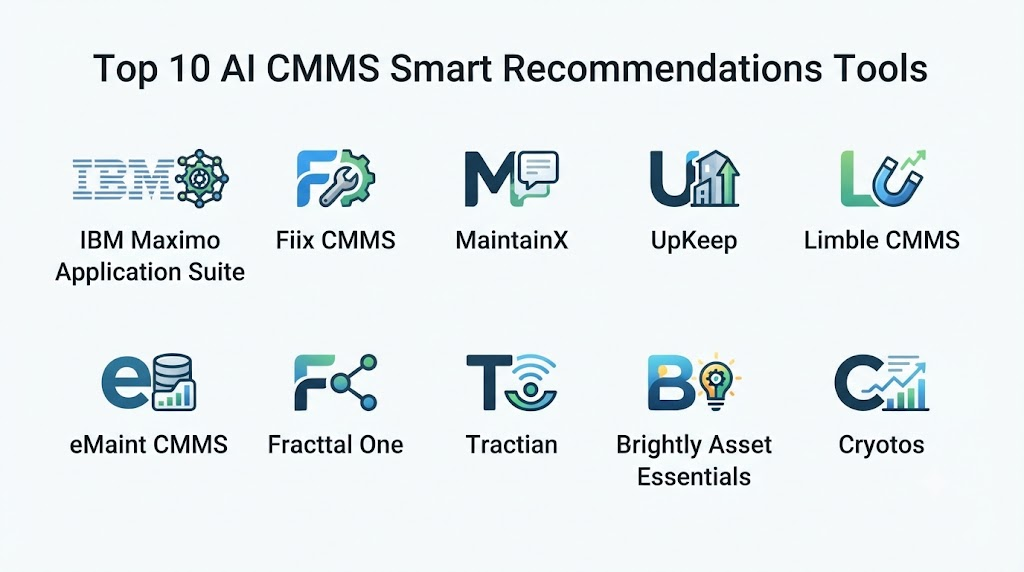
Top 10 AI CMMS Smart Recommendations Tools
1. MaintainX
One-line verdict: Best for maintenance teams wanting an easy-to-use CMMS with AI-assisted workflows, work orders, procedures, and operational insights.
Short description:
MaintainX is a maintenance and operations management platform focused on digital work orders, preventive maintenance, procedures, asset management, and frontline workflows. Its AI-oriented capabilities can help teams interact with maintenance information and improve operational decision-making.
Standout Capabilities
- Digital work orders.
- Preventive-maintenance workflows.
- Asset management.
- Maintenance procedures.
- Technician collaboration.
- Operational reporting.
- Mobile maintenance workflows.
- AI-assisted maintenance workflows.
AI-Specific Depth
- Model support: AI capabilities depend on the applicable MaintainX functionality.
- RAG / knowledge integration: Maintenance procedures and organizational knowledge can be relevant to AI workflows; exact connector support varies.
- Evaluation: Formal AI evaluation capabilities are Not publicly stated.
- Guardrails: Enterprise permissions and workflow controls are available; AI-specific guardrail details vary.
- Observability: Operational analytics are available; detailed AI token and model telemetry is Not publicly stated.
Pros
- Designed around frontline maintenance workflows.
- Strong mobile-oriented approach.
- Relatively accessible for maintenance teams.
Cons
- Advanced AI functionality may depend on the selected plan or feature set.
- Complex industrial environments may require additional integrations.
- Exact AI model architecture is not fully public.
Security & Compliance
Security, identity, access controls, and administrative capabilities vary by plan and deployment. Specific certifications should be verified for the applicable service.
Deployment & Platforms
- Cloud.
- Web.
- Mobile.
- Enterprise integrations.
Integrations & Ecosystem
MaintainX can connect maintenance operations with broader business and operational systems.
- APIs.
- ERP systems.
- IoT/operational data.
- Maintenance workflows.
- Mobile devices.
- Enterprise systems.
Pricing Model
Subscription/tiered pricing varies by plan and organization. Exact pricing should be verified directly.
Best-Fit Scenarios
- Manufacturing maintenance teams.
- Distributed maintenance operations.
- Organizations moving from paper-based maintenance.
2. IBM Maximo Application Suite
One-line verdict: Best for large enterprises requiring advanced asset management, maintenance workflows, analytics, and AI-supported industrial operations.
Short description:
IBM Maximo Application Suite is an enterprise asset-management platform covering asset maintenance, inspections, reliability, work management, and related operational processes. Its broader AI capabilities can support maintenance analysis and decision-making.
Standout Capabilities
- Enterprise asset management.
- Work management.
- Preventive maintenance.
- Inspection management.
- Asset reliability.
- Mobile maintenance.
- AI-assisted asset insights.
- Industrial integrations.
AI-Specific Depth
- Model support: IBM AI capabilities vary by Maximo components and deployment.
- RAG / knowledge integration: Enterprise knowledge and document integration varies.
- Evaluation: AI evaluation capabilities depend on the specific AI functionality.
- Guardrails: IBM enterprise AI governance capabilities can apply depending on architecture.
- Observability: Application and operational monitoring capabilities are available; AI-specific telemetry varies.
Pros
- Strong enterprise asset-management capabilities.
- Suitable for complex industrial environments.
- Broad ecosystem and integration options.
Cons
- Implementation can be complex.
- May require specialist expertise.
- Potentially excessive for small maintenance teams.
Security & Compliance
Enterprise identity, access management, security, auditability, and governance capabilities are available. Specific certifications depend on the relevant IBM service and deployment.
Deployment & Platforms
- Cloud.
- Hybrid.
- Enterprise environments.
- Mobile applications.
Integrations & Ecosystem
- ERP.
- MES.
- IoT.
- SCADA-related systems.
- APIs.
- Enterprise data platforms.
- Industrial applications.
Pricing Model
Enterprise/custom subscription and licensing; exact pricing varies.
Best-Fit Scenarios
- Large manufacturing organizations.
- Asset-intensive industries.
- Complex maintenance environments.
3. SAP Asset Management
One-line verdict: Best for SAP-centric manufacturers wanting maintenance recommendations integrated with enterprise asset and business processes.
Short description:
SAP provides asset-management and maintenance capabilities integrated with its broader enterprise ecosystem. Organizations can combine maintenance records, asset information, work management, procurement, inventory, and operational data to support more intelligent maintenance decisions.
Standout Capabilities
- Asset management.
- Maintenance planning.
- Work orders.
- Preventive maintenance.
- Asset history.
- Spare-parts processes.
- Enterprise integration.
- AI-enabled SAP workflows.
AI-Specific Depth
- Model support: SAP AI capabilities vary by service and implementation.
- RAG / knowledge integration: Enterprise data and knowledge integration varies.
- Evaluation: Depends on the AI functionality deployed.
- Guardrails: SAP enterprise governance and access controls vary by implementation.
- Observability: Enterprise monitoring and analytics capabilities vary.
Pros
- Strong SAP ecosystem integration.
- Useful for enterprise manufacturing.
- Connects maintenance with procurement and inventory.
Cons
- More complex than a lightweight CMMS.
- Best suited to organizations already using SAP.
- Implementation can require specialist SAP expertise.
Security & Compliance
SAP provides enterprise security, access, governance, and compliance capabilities, with specific certifications dependent on the selected services and deployment.
Deployment & Platforms
- Cloud.
- Enterprise.
- Hybrid.
- Mobile capabilities vary by application.
Integrations & Ecosystem
- SAP ERP.
- Procurement.
- Inventory.
- Manufacturing.
- IoT.
- APIs.
- Enterprise analytics.
Pricing Model
Enterprise/subscription pricing varies by implementation.
Best-Fit Scenarios
- SAP-based manufacturing plants.
- Large maintenance organizations.
- Integrated asset and inventory management.
4. Oracle Maintenance
One-line verdict: Best for Oracle customers needing maintenance management connected with enterprise supply chain, procurement, and financial workflows.
Short description:
Oracle provides maintenance capabilities within its broader enterprise application ecosystem. These capabilities can support asset maintenance, work orders, maintenance planning, inventory, procurement, and related operational processes.
Standout Capabilities
- Asset maintenance.
- Work management.
- Preventive maintenance.
- Maintenance planning.
- Inventory integration.
- Procurement integration.
- Enterprise analytics.
- AI-enabled Oracle workflows.
AI-Specific Depth
- Model support: Oracle AI capabilities vary by product and configuration.
- RAG / knowledge integration: Varies / N/A.
- Evaluation: Depends on the AI application.
- Guardrails: Enterprise identity and governance capabilities vary.
- Observability: Cloud and application monitoring capabilities.
Pros
- Strong Oracle enterprise integration.
- Useful for asset-intensive organizations.
- Maintenance can connect with inventory and procurement.
Cons
- Enterprise implementation complexity.
- Better suited to organizations using Oracle technologies.
- Advanced AI capabilities may require additional services.
Security & Compliance
Oracle provides enterprise security, identity, access, and governance capabilities. Specific certifications should be confirmed for the relevant service.
Deployment & Platforms
- Cloud.
- Enterprise.
- Hybrid integrations.
Integrations & Ecosystem
- Oracle ERP.
- Supply chain.
- Inventory.
- Procurement.
- Manufacturing.
- APIs.
- Analytics.
Pricing Model
Enterprise subscription/custom pricing varies.
Best-Fit Scenarios
- Oracle-centric enterprises.
- Large manufacturing organizations.
- Integrated maintenance and procurement.
5. Fiix
One-line verdict: Best for maintenance teams seeking cloud CMMS capabilities with automation, analytics, integrations, and AI-oriented maintenance workflows.
Short description:
Fiix is a cloud-based CMMS designed for asset management, work orders, preventive maintenance, inventory, reporting, and maintenance operations. Its ecosystem can support more intelligent maintenance workflows when connected with operational data.
Standout Capabilities
- Work-order management.
- Preventive maintenance.
- Asset management.
- Parts inventory.
- Maintenance scheduling.
- Reporting.
- Mobile maintenance.
- Integration capabilities.
AI-Specific Depth
- Model support: AI functionality varies by current product capabilities.
- RAG / knowledge integration: Varies / N/A.
- Evaluation: Formal AI evaluation is Not publicly stated.
- Guardrails: Access and workflow controls vary.
- Observability: Maintenance analytics are available; detailed AI observability is Not publicly stated.
Pros
- Dedicated CMMS focus.
- Useful maintenance workflow functionality.
- Integration-friendly architecture.
Cons
- AI depth may not match specialized AI platforms.
- Advanced predictive capabilities may require additional technologies.
- Exact AI functionality depends on the current product configuration.
Security & Compliance
Security controls vary by deployment and plan. Specific certifications should be verified for the applicable service.
Deployment & Platforms
- Cloud.
- Web.
- Mobile.
- Enterprise integrations.
Integrations & Ecosystem
- APIs.
- ERP.
- IoT.
- Industrial systems.
- Data platforms.
- Mobile devices.
Pricing Model
Subscription/tiered pricing varies.
Best-Fit Scenarios
- Manufacturing maintenance.
- Mid-sized maintenance departments.
- Organizations replacing spreadsheets.
6. UpKeep
One-line verdict: Best for mobile-first maintenance teams seeking accessible CMMS workflows with automation and intelligent maintenance assistance.
Short description:
UpKeep provides CMMS capabilities for work orders, preventive maintenance, asset management, inventory, inspections, and maintenance operations. Its mobile orientation makes it useful for technicians working directly on plant equipment.
Standout Capabilities
- Mobile work orders.
- Preventive maintenance.
- Asset management.
- Inspections.
- Maintenance scheduling.
- Inventory.
- Reporting.
- Maintenance automation.
AI-Specific Depth
- Model support: Varies by current AI functionality.
- RAG / knowledge integration: Varies / N/A.
- Evaluation: Formal AI evaluation details are Not publicly stated.
- Guardrails: Access controls and workflow permissions vary.
- Observability: Operational reporting is available; AI-specific tracing is Not publicly stated.
Pros
- Strong mobile workflow.
- Accessible to frontline teams.
- Useful for digitizing maintenance processes.
Cons
- Complex enterprise environments may need additional integrations.
- AI capabilities should be evaluated against specialized predictive-maintenance platforms.
- Exact advanced AI functionality varies.
Security & Compliance
Security and administrative controls vary by plan. Specific certifications should be verified.
Deployment & Platforms
- Cloud.
- Web.
- Mobile.
Integrations & Ecosystem
- APIs.
- ERP systems.
- IoT.
- Business applications.
- Maintenance data.
- Mobile devices.
Pricing Model
Subscription-based pricing varies by plan and organization.
Best-Fit Scenarios
- Small and mid-sized plants.
- Mobile maintenance teams.
- Preventive-maintenance digitization.
7. eMaint CMMS
One-line verdict: Best for industrial maintenance teams needing configurable CMMS workflows, asset management, and condition-based maintenance capabilities.
Short description:
eMaint CMMS is designed for maintenance management across industrial and asset-intensive environments. It supports work management, preventive maintenance, asset information, reporting, and integrations with operational technologies.
Standout Capabilities
- Asset management.
- Work orders.
- Preventive maintenance.
- Condition-based maintenance.
- Maintenance reporting.
- Inventory management.
- Workflow configuration.
- Industrial integrations.
AI-Specific Depth
- Model support: Varies / N/A.
- RAG / knowledge integration: Varies / N/A.
- Evaluation: Formal generative-AI evaluation is Not publicly stated.
- Guardrails: Enterprise workflow controls vary.
- Observability: Operational maintenance analytics available; AI-specific telemetry varies.
Pros
- Strong industrial maintenance focus.
- Configurable workflows.
- Useful for condition-based maintenance.
Cons
- AI capabilities may depend on additional technologies.
- Configuration can require implementation effort.
- Advanced AI features should be validated during a pilot.
Security & Compliance
Security, access, and administrative capabilities vary by deployment and plan. Specific certifications should be verified.
Deployment & Platforms
- Cloud.
- Web.
- Mobile capabilities.
- Enterprise integrations.
Integrations & Ecosystem
- IoT.
- ERP.
- Sensors.
- APIs.
- Industrial systems.
- Data platforms.
Pricing Model
Subscription/custom pricing varies.
Best-Fit Scenarios
- Industrial plants.
- Condition-based maintenance.
- Asset-intensive organizations.
8. Limble CMMS
One-line verdict: Best for growing maintenance teams wanting an accessible CMMS with automation, asset history, and maintenance recommendations.
Short description:
Limble CMMS provides maintenance management capabilities covering work orders, preventive maintenance, asset information, parts, procedures, and reporting. It is designed to simplify maintenance workflows for industrial and facility teams.
Standout Capabilities
- Work-order management.
- Preventive maintenance.
- Asset tracking.
- Maintenance procedures.
- Parts management.
- Maintenance reporting.
- Mobile workflows.
- Automation.
AI-Specific Depth
- Model support: Varies by available AI features.
- RAG / knowledge integration: Maintenance documentation capabilities vary.
- Evaluation: Formal AI evaluation details are Not publicly stated.
- Guardrails: Access controls and workflow permissions vary.
- Observability: Maintenance analytics available; detailed AI observability is Not publicly stated.
Pros
- User-friendly maintenance workflows.
- Suitable for smaller maintenance departments.
- Useful asset and work-order organization.
Cons
- Large enterprise requirements may require additional systems.
- AI capabilities should be evaluated against specialized predictive platforms.
- Advanced integrations may require configuration.
Security & Compliance
Security and administrative capabilities vary by plan and deployment. Specific certifications should be independently verified.
Deployment & Platforms
- Cloud.
- Web.
- Mobile.
Integrations & Ecosystem
- APIs.
- ERP.
- Inventory.
- IoT.
- Maintenance data.
- Business systems.
Pricing Model
Subscription-based pricing varies.
Best-Fit Scenarios
- SMB manufacturing plants.
- Maintenance digitization.
- Preventive-maintenance programs.
9. SafetyCulture
One-line verdict: Best for organizations combining inspections, frontline operations, maintenance workflows, and AI-assisted operational recommendations.
Short description:
SafetyCulture provides tools for inspections, operational workflows, asset-related processes, reporting, and frontline work. Its AI capabilities can help organizations analyze operational information and improve workflows.
Standout Capabilities
- Digital inspections.
- Checklists.
- Asset management.
- Maintenance workflows.
- Frontline collaboration.
- Operational analytics.
- Incident management.
- AI-assisted workflows.
AI-Specific Depth
- Model support: AI functionality depends on the selected features.
- RAG / knowledge integration: Organizational information and documents can support workflows; exact AI integration varies.
- Evaluation: Formal AI evaluation details are Not publicly stated.
- Guardrails: Enterprise permissions and workflow controls vary.
- Observability: Operational analytics available; detailed AI telemetry is Not publicly stated.
Pros
- Strong inspection capabilities.
- Useful for frontline teams.
- Can connect maintenance with safety and operational processes.
Cons
- Not a traditional full-scale EAM platform.
- Complex asset-management environments may need dedicated CMMS/EAM.
- Advanced AI capabilities should be validated against the exact use case.
Security & Compliance
Enterprise security and administrative capabilities vary. Specific certifications should be confirmed for the selected service.
Deployment & Platforms
- Cloud.
- Web.
- Mobile.
Integrations & Ecosystem
- APIs.
- Operational systems.
- Asset data.
- Reporting tools.
- Mobile devices.
- Enterprise applications.
Pricing Model
Subscription/tiered pricing varies.
Best-Fit Scenarios
- Inspection-heavy maintenance environments.
- Frontline operations.
- Safety and maintenance integration.
10. Infraspeak
One-line verdict: Best for facilities and asset-intensive teams needing connected maintenance management, automation, analytics, and operational workflows.
Short description:
Infraspeak provides maintenance and facilities-management capabilities covering work orders, preventive maintenance, asset management, inspections, inventory, and operational workflows.
Standout Capabilities
- Asset management.
- Work orders.
- Preventive maintenance.
- Facilities management.
- Inspections.
- Inventory.
- Operational reporting.
- Workflow automation.
AI-Specific Depth
- Model support: Varies by available AI functionality.
- RAG / knowledge integration: Varies / N/A.
- Evaluation: Formal AI evaluation details are Not publicly stated.
- Guardrails: Access controls and workflow permissions vary.
- Observability: Operational analytics available; detailed AI observability is Not publicly stated.
Pros
- Broad facilities-management capabilities.
- Useful workflow automation.
- Strong operational focus.
Cons
- More facilities-oriented than specialized industrial predictive-maintenance platforms.
- AI depth varies by functionality.
- Large manufacturing environments may need deeper MES/industrial integrations.
Security & Compliance
Security and compliance capabilities vary by deployment and service. Specific certifications should be verified for the relevant environment.
Deployment & Platforms
- Cloud.
- Web.
- Mobile.
Integrations & Ecosystem
- APIs.
- IoT.
- ERP.
- Facilities systems.
- Maintenance platforms.
- Operational data.
Pricing Model
Subscription/custom pricing varies.
Best-Fit Scenarios
- Facilities operations.
- Asset-intensive buildings.
- Maintenance and operational workflow management.
Comparison Table
| Tool | Best For | Deployment | Model Flexibility | Strength | Watch-Out | Public Rating |
|---|---|---|---|---|---|---|
| MaintainX | Frontline maintenance | Cloud | Hosted / Varies | Easy maintenance workflows | Advanced AI depth varies | N/A |
| IBM Maximo | Enterprise asset management | Cloud / Hybrid | Multi-model / Varies | Complex asset environments | Implementation complexity | N/A |
| SAP Asset Management | SAP-centric enterprises | Cloud / Hybrid | Multi-model / Varies | Enterprise integration | SAP expertise required | N/A |
| Oracle Maintenance | Oracle enterprises | Cloud / Hybrid | Multi-model / Varies | Enterprise maintenance integration | Large platform footprint | N/A |
| Fiix | Industrial CMMS | Cloud | Hosted / Varies | CMMS functionality | AI depth varies | N/A |
| UpKeep | Mobile maintenance | Cloud | Hosted / Varies | Mobile-first workflows | Advanced use cases may require integrations | N/A |
| eMaint CMMS | Industrial maintenance | Cloud | Varies | Configurable maintenance workflows | AI capabilities vary | N/A |
| Limble CMMS | SMB maintenance | Cloud | Hosted / Varies | Ease of use | Enterprise depth may vary | N/A |
| SafetyCulture | Inspections + frontline operations | Cloud | Hosted / Varies | Inspection workflows | Not a full EAM replacement | N/A |
| Infraspeak | Facilities + maintenance | Cloud | Hosted / Varies | Connected facilities operations | Industrial depth varies | N/A |
Scoring & Evaluation
The following scores are comparative assessments for AI-assisted CMMS and maintenance-recommendation use cases, not official vendor ratings.
The weighting is:
- Core features – 20%
- AI reliability & evaluation – 15%
- Guardrails & safety – 10%
- Integrations & ecosystem – 15%
- Ease of use – 10%
- Performance & cost controls – 15%
- Security & admin – 10%
- Support & community – 5%
| Tool | Core | Reliability/Eval | Guardrails | Integrations | Ease | Perf/Cost | Security/Admin | Support | Weighted Total |
|---|---|---|---|---|---|---|---|---|---|
| MaintainX | 9 | 8 | 8 | 8 | 10 | 9 | 8 | 9 | 8.65 |
| IBM Maximo | 10 | 9 | 10 | 10 | 6 | 8 | 10 | 10 | 9.10 |
| SAP Asset Management | 10 | 9 | 10 | 10 | 6 | 8 | 10 | 10 | 9.10 |
| Oracle Maintenance | 10 | 9 | 10 | 10 | 6 | 8 | 10 | 10 | 9.10 |
| Fiix | 9 | 8 | 8 | 9 | 9 | 8 | 8 | 9 | 8.55 |
| UpKeep | 8 | 8 | 8 | 8 | 10 | 9 | 8 | 9 | 8.45 |
| eMaint CMMS | 9 | 8 | 8 | 9 | 8 | 8 | 9 | 9 | 8.45 |
| Limble CMMS | 8 | 8 | 8 | 8 | 10 | 9 | 8 | 9 | 8.45 |
| SafetyCulture | 8 | 8 | 8 | 9 | 10 | 9 | 9 | 9 | 8.75 |
| Infraspeak | 8 | 8 | 8 | 8 | 9 | 8 | 8 | 9 | 8.25 |
Top 3 for Enterprise
- IBM Maximo Application Suite — Strong option for complex asset-intensive environments.
- SAP Asset Management — Particularly appropriate for SAP-centered manufacturing organizations.
- Oracle Maintenance — Strong choice for Oracle enterprise environments.
Top 3 for SMB
- MaintainX — Strong combination of accessibility and maintenance workflow functionality.
- Limble CMMS — Suitable for teams prioritizing usability.
- UpKeep — Particularly useful for mobile maintenance teams.
Top 3 for Developers
- IBM Maximo Application Suite — Broad enterprise integration possibilities.
- SAP Asset Management — Strong enterprise ecosystem and extensibility.
- Fiix — Useful integration and API possibilities for CMMS-centered projects.
Which AI CMMS Smart Recommendations Tool Is Right for You?
Solo / Freelancer
For a small maintenance operation or consultant, avoid unnecessarily complex enterprise EAM implementations.
Prioritize:
- Mobile access.
- Work-order management.
- Asset history.
- Preventive maintenance.
- Simple AI assistance.
- Easy reporting.
- Exportable data.
MaintainX, UpKeep, or Limble can be more appropriate starting points than large enterprise EAM platforms.
SMB
SMBs should prioritize usability and rapid adoption.
Look for:
- Easy technician workflows.
- Mobile support.
- Preventive-maintenance automation.
- Simple inventory tracking.
- Asset histories.
- Basic AI recommendations.
- Integrations with existing business systems.
The objective should be to establish reliable maintenance data before implementing sophisticated predictive AI.
Mid-Market
Mid-market organizations should look for a CMMS that can scale across multiple facilities.
Important capabilities include:
- Standardized asset structures.
- Centralized maintenance history.
- Predictive-maintenance integrations.
- Spare-parts management.
- Technician workflows.
- ERP integration.
- IoT connectivity.
- AI-assisted prioritization.
Enterprise
Enterprise organizations should evaluate the CMMS as part of a larger operational architecture.
Prioritize:
- EAM integration.
- MES integration.
- ERP integration.
- IoT and condition monitoring.
- Multi-site management.
- Asset criticality.
- AI governance.
- Security.
- Auditability.
- Role-based permissions.
- Advanced analytics.
- API capabilities.
- Data portability.
IBM Maximo, SAP, and Oracle are particularly relevant where enterprise architecture and existing business systems are major considerations.
Regulated Industries
Organizations operating in regulated environments should pay particular attention to:
- Audit trails.
- Access controls.
- Data retention.
- Data residency.
- Electronic records.
- Approval workflows.
- Change management.
- AI governance.
- Human review.
- Security monitoring.
Do not assume that a platform’s general security capabilities automatically satisfy a specific regulatory requirement. Validate requirements against the exact deployment and jurisdiction.
Budget vs Premium
A lightweight CMMS may be sufficient when:
- The number of assets is limited.
- Maintenance processes are relatively simple.
- Equipment failure has limited financial impact.
- There is little sensor data.
- A single site is involved.
Premium EAM and AI capabilities become more valuable when:
- Downtime is expensive.
- Thousands of assets are involved.
- Multiple plants operate simultaneously.
- Maintenance teams are large.
- Equipment is highly critical.
- Sensor data is available.
- Regulatory requirements are significant.
Build vs Buy
Build when:
- You already have strong data-science capabilities.
- Your plant has specialized equipment.
- You need proprietary failure models.
- Existing CMMS and IoT systems provide good data.
- You have resources to maintain models and integrations.
Buy when:
- You need a production-ready maintenance platform.
- Work-order management is still fragmented.
- You need mobile technician workflows.
- You lack specialized AI engineering resources.
- You need established integrations and support.
A hybrid approach is often effective: use a CMMS for maintenance operations while developing specialized predictive models for critical assets.
Implementation Playbook: 30 / 60 / 90 Days
First 30 Days: Pilot + Success Metrics
Select one asset group or maintenance area.
Good pilot candidates include:
- Critical production equipment.
- Pumps.
- Motors.
- Compressors.
- CNC machines.
- Conveyors.
- HVAC systems.
- Packaging equipment.
Collect:
- Asset IDs.
- Equipment hierarchy.
- Failure history.
- Work orders.
- Technician notes.
- Maintenance intervals.
- Parts used.
- Downtime.
- Inspection results.
- Asset criticality.
- Sensor data where available.
Establish baseline metrics:
- Mean time between failures.
- Mean time to repair.
- Planned-maintenance percentage.
- Unplanned downtime.
- Work-order backlog.
- Repeat failures.
- Maintenance cost.
- Spare-parts consumption.
Days 31–60: Harden Security + Evaluation + Rollout
Create an AI evaluation dataset using historical maintenance scenarios.
Test recommendations against:
- Known equipment failures.
- Maintenance history.
- Recurring problems.
- Incorrect technician notes.
- Missing information.
- Conflicting maintenance records.
- Emergency work orders.
For AI assistants, evaluate:
- Hallucination.
- Incorrect maintenance instructions.
- Retrieval errors.
- Prompt injection.
- Unauthorized information retrieval.
- Incorrect prioritization.
- Unsafe recommendations.
Implement:
- Role-based access.
- Human approval.
- AI output logging.
- Prompt/version control.
- Incident handling.
- Data-retention policies.
- Model and recommendation monitoring.
Days 61–90: Optimize Cost, Latency + Governance + Scale
After validating the pilot:
- Optimize recommendation frequency.
- Reduce unnecessary AI processing.
- Establish alert thresholds.
- Improve asset data quality.
- Tune predictive models.
- Connect additional sensors.
- Expand to more assets.
- Integrate inventory information.
- Connect procurement workflows.
Create governance rules for:
- AI-generated work orders.
- Maintenance recommendations.
- Automated prioritization.
- Model changes.
- Technician overrides.
- Safety-critical recommendations.
- AI incidents.
Common Mistakes & How to Avoid Them
- Treating AI as a replacement for maintenance expertise: AI should augment technicians and engineers rather than eliminate domain judgment.
- Using poor asset data: Incorrect equipment hierarchies undermine recommendations.
- Ignoring maintenance history quality: Inconsistent work-order descriptions make AI analysis less reliable.
- No evaluation framework: AI recommendations need measurable validation.
- No human approval: Critical maintenance actions should not be blindly automated.
- Ignoring prompt injection: AI assistants connected to maintenance documentation can potentially encounter malicious or misleading content.
- No observability: Teams should understand recommendation performance and failures.
- Ignoring model drift: Equipment behavior can change after upgrades, process changes, or operating-condition changes.
- Overloading technicians with alerts: Too many recommendations can create maintenance fatigue.
- Ignoring asset criticality: A failure on a non-critical asset should not necessarily outrank a safety-critical asset.
- Separating CMMS from inventory: Maintenance recommendations should consider spare-parts availability.
- Ignoring production schedules: Maintenance timing should account for planned downtime and production requirements.
- Automating too early: Establish reliable maintenance workflows before adding complex AI automation.
- Ignoring cybersecurity: Connected CMMS, IoT, ERP, and AI systems expand the operational attack surface.
FAQs
1. What are AI CMMS smart recommendations?
AI CMMS smart recommendations are AI-generated suggestions that help maintenance teams decide which assets, work orders, inspections, repairs, or preventive-maintenance tasks should receive attention.
2. How is an AI CMMS different from a traditional CMMS?
A traditional CMMS primarily records assets, maintenance activities, work orders, parts, and schedules. An AI-enabled CMMS can additionally analyze this information and recommend actions.
3. Can AI automatically prioritize maintenance work orders?
Yes, some systems can support intelligent prioritization. However, organizations should establish business rules and human-review requirements before allowing AI recommendations to automatically influence critical maintenance decisions.
4. Can AI predict equipment failures?
AI can support failure prediction when sufficient historical, sensor, inspection, or condition-monitoring data exists. Prediction quality depends heavily on data quality and the equipment use case.
5. Can AI recommend preventive-maintenance schedules?
Yes. AI can analyze failure history, equipment usage, maintenance intervals, and operational conditions to identify opportunities to adjust maintenance schedules.
6. Can AI CMMS systems recommend spare parts?
They can support spare-parts recommendations using asset history, previous work orders, parts consumption, equipment documentation, and inventory information, depending on the platform.
7. Can AI help technicians troubleshoot equipment?
Yes. AI assistants can potentially retrieve relevant maintenance procedures, equipment manuals, historical work orders, and previous repairs to help technicians investigate problems.
8. Can AI analyze technician notes?
Yes. Natural-language AI can analyze technician notes to identify recurring problems, failure patterns, maintenance themes, and potentially missing information.
9. Can AI CMMS tools use sensor data?
Many modern maintenance architectures can connect CMMS or EAM systems with IoT and condition-monitoring platforms. The exact integration capabilities vary between products.
10. Do AI CMMS systems require a large amount of historical data?
Not always, but predictive recommendations generally become more useful when sufficient high-quality maintenance and operational data is available.
11. Can AI CMMS tools work with ERP systems?
Yes. ERP integration is important for connecting maintenance with purchasing, inventory, finance, production, and other business processes.
12. Can AI CMMS systems integrate with MES?
Depending on the platform, MES integration can connect maintenance decisions with production schedules, equipment status, downtime, and manufacturing operations.
13. Can AI CMMS systems be self-hosted?
Some enterprise maintenance architectures support on-premises or hybrid deployments, while many modern CMMS products are primarily cloud-based. Exact deployment options vary.
14. Can manufacturers use their own AI models?
Some enterprise platforms support integration with external AI services or customized analytics. Other products provide AI capabilities primarily through their own services. Verify BYO-model requirements before purchasing.
15. How should AI maintenance recommendations be evaluated?
Use historical maintenance scenarios and measure recommendation accuracy, false positives, missed failures, downtime reduction, maintenance backlog, cost impact, and technician acceptance.
16. Is AI safe for maintenance operations?
AI can be useful as decision support, but safety-critical recommendations require appropriate validation, human oversight, access controls, and operational procedures.
17. Can AI create maintenance work orders automatically?
Some systems can support automated workflows. However, automatic work-order creation should be governed by asset criticality, confidence thresholds, approval policies, and operational requirements.
18. What is RAG in an AI CMMS?
RAG, or retrieval-augmented generation, allows an AI assistant to retrieve relevant information from approved maintenance documents or enterprise knowledge before generating an answer.
19. How can manufacturers protect maintenance information?
Organizations should use least-privilege access, role-based permissions, encryption, audit logs, appropriate retention controls, secure APIs, and network protections.
20. What is the best AI CMMS for a manufacturing plant?
There is no universal winner. Enterprise plants may prefer IBM Maximo, SAP, or Oracle ecosystems, while smaller maintenance teams may prefer more accessible CMMS platforms such as MaintainX, UpKeep, or Limble.
Conclusion
AI CMMS Smart Recommendations can transform maintenance management from a largely reactive process into a more proactive, data-driven operation. Instead of simply tracking what happened, an AI-enabled maintenance platform can help teams determine what should happen next.The strongest implementations connect multiple sources of information: asset history, work orders, technician notes, preventive-maintenance schedules, inventory, production requirements, condition-monitoring data, and equipment documentation.For enterprise environments, IBM Maximo, SAP Asset Management, and Oracle Maintenance offer strong options where asset management must connect with broader business systems. MaintainX, Fiix, UpKeep, Limble, eMaint, SafetyCulture, and Infraspeak can be attractive when ease of use, frontline workflows, mobile maintenance, or focused CMMS capabilities are more important.