Introduction
AI Refactoring Assistants are software development tools that use artificial intelligence to help developers improve existing code by restructuring, optimizing, and modernizing applications without changing their intended behavior.
As software systems grow, codebases often become complex due to continuous feature additions, changing requirements, and technical debt. Manual refactoring requires significant time, deep code understanding, and careful testing to avoid introducing new problems.
AI Refactoring Assistants help developers improve code quality by providing:
- Automated code restructuring
- Code smell detection
- Performance improvement suggestions
- Duplicate code identification
- Modernization recommendations
- Architecture improvement guidance
- Safe transformation suggestions
These tools analyze:
- Source code
- Application architecture
- Dependencies
- Coding patterns
- Development history
AI Refactoring Assistants are used by:
- Software developers
- DevOps engineers
- Platform engineers
- Application architects
- Engineering teams
- Enterprise development organizations
They integrate with:
- IDEs
- Git repositories
- CI/CD pipelines
- Code quality platforms
- Development workflows
The goal of AI Refactoring Assistants is to help teams reduce technical debt, improve maintainability, and modernize software faster.
Assistants Matter
Large software systems often suffer from:
- Technical debt
- Duplicate code
- Complex functions
- Poor architecture
- Outdated frameworks
- Maintenance challenges
Poor code quality can lead to:
- Slower development
- Higher maintenance costs
- More defects
- Difficult onboarding
AI Refactoring Assistants help organizations:
- Improve code readability
- Reduce complexity
- Modernize applications
- Increase developer productivity
- Maintain long-term software quality
How AI Refactoring Assistants Work
Step 1: Analyze Existing Code
AI examines:
- Files
- Functions
- Classes
- Dependencies
Step 2: Detect Improvement Opportunities
The system identifies:
- Code smells
- Duplication
- Complexity issues
- Inefficient patterns
Step 3: Generate Refactoring Suggestions
AI recommends:
- Better structures
- Cleaner implementations
- Optimized approaches
Step 4: Apply Changes
Developers can:
- Review modifications
- Accept suggestions
- Customize improvements
Step 5: Validate Refactored Code
Teams verify:
- Tests
- Performance
- Application behavior
Key Features of AI Refactoring Assistants
Code Smell Detection
Identifies:
- Complex code
- Poor patterns
- Maintainability issues
Automated Code Transformation
Supports:
- Function restructuring
- Code cleanup
- Pattern improvement
Duplicate Code Detection
Finds:
- Repeated logic
- Unnecessary duplication
Performance Optimization
Suggests:
- Efficient implementations
- Better algorithms
Language Modernization
Helps migrate:
- Older syntax
- Legacy frameworks
Code Explanation
Provides:
- Logic understanding
- Refactoring reasoning
Common Use Cases
Legacy Application Modernization
Improving:
- Old systems
- Outdated codebases
Enterprise Software Development
Maintaining:
- Large applications
Cloud Migration Projects
Preparing:
- Applications for modernization
Technical Debt Reduction
Improving:
- Code maintainability
Developer Productivity
Reducing:
- Manual cleanup effort
Code Review Preparation
Improving:
- Code quality before reviews
Benefits of AI Refactoring Assistants
Faster Refactoring
Automates repetitive improvements.
Better Code Quality
Creates cleaner and maintainable code.
Reduced Technical Debt
Helps modernize applications.
Improved Developer Productivity
Reduces manual analysis.
Safer Code Improvements
Provides structured recommendations.
Challenges of AI Refactoring Assistants
Understanding Business Logic
AI may not understand complete requirements.
Incorrect Transformations
Suggested changes require validation.
Testing Dependency
Refactoring needs strong test coverage.
Security Concerns
Code privacy must be maintained.
Complex Architectures
Large systems require human expertise.
Evaluation Criteria
Refactoring Accuracy
Evaluate:
- Quality of suggestions
- Correctness of changes
Language Support
Consider:
- Supported languages
- Framework compatibility
IDE Integration
Check:
- Developer workflow support
Automation Capability
Evaluate:
- Automated transformations
- Suggestions
Code Understanding
Consider:
- Repository awareness
- Context analysis
Enterprise Features
Evaluate:
- Governance
- Security controls
Key Trends
AI-Powered Software Modernization
Organizations are using AI to improve legacy applications.
Automated Technical Debt Management
AI tools are helping teams continuously improve code quality.
AI Coding Agents
Future tools will perform:
- Large-scale refactoring
- Migration tasks
Context-Aware Refactoring
AI is improving understanding of:
- Entire codebases
- Application architecture
Continuous Code Improvement
Refactoring is becoming part of:
- Daily development workflows
Methodology
The following AI Refactoring Assistants were evaluated based on:
- Refactoring quality
- Code understanding
- Automation
- Language support
- IDE integration
- Developer experience
- Scalability
- Enterprise readiness
- Security
- Value
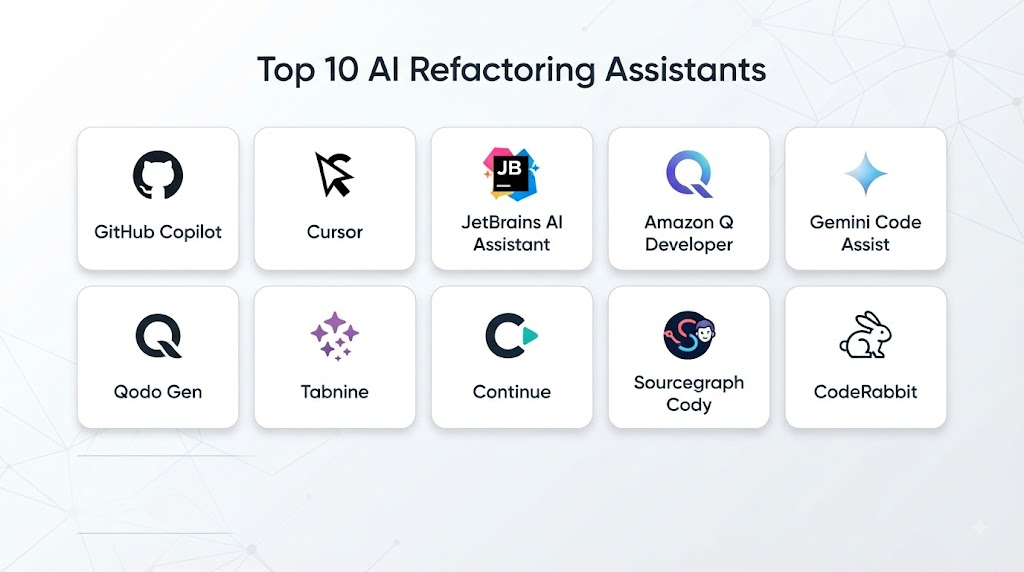
Top 10 AI Refactoring Assistants
- GitHub Copilot
- Cursor AI
- JetBrains AI Assistant
- Amazon Q Developer
- Sourcegraph Cody
- Refact.ai
- Tabnine
- SonarQube Clean Code AI
- CodeScene
- Continue.dev
1. GitHub Copilot
GitHub Copilot provides AI-powered coding assistance with refactoring capabilities.
Key Features
- Code improvement suggestions
- Code explanation
- Transformation assistance
- Modernization support
- IDE integration
Pros
- Strong developer adoption
- Excellent IDE support
Cons
- Requires human review
2. Cursor AI
Cursor AI provides AI-powered code editing and refactoring workflows.
Key Features
- Codebase understanding
- AI editing
- Refactoring suggestions
- Code improvements
Pros
- Strong context awareness
- Modern workflow
Cons
- Newer ecosystem
3. JetBrains AI Assistant
JetBrains AI Assistant integrates AI capabilities into JetBrains development environments.
Key Features
- Code improvement
- Refactoring support
- Code explanation
- Developer assistance
Pros
- Strong IDE integration
- Developer-focused
Cons
- Best with JetBrains tools
4. Amazon Q Developer
Amazon Q Developer provides AI assistance for software improvement.
Key Features
- Code transformation
- Code analysis
- Modernization support
- AWS application assistance
Pros
- Strong AWS integration
- Enterprise support
Cons
- Best for AWS environments
5. Sourcegraph Cody
Sourcegraph Cody helps developers understand and improve large codebases.
Key Features
- Repository analysis
- Code explanation
- Refactoring guidance
- Search capabilities
Pros
- Excellent large codebase understanding
- Enterprise features
Cons
- Requires setup
6. Refact.ai
Refact.ai provides AI-assisted coding and refactoring capabilities.
Key Features
- Code completion
- Refactoring suggestions
- Code explanation
- Developer assistance
Pros
- Developer-focused
- AI-powered improvements
Cons
- Smaller ecosystem
7. Tabnine
Tabnine provides AI coding assistance with improvement suggestions.
Key Features
- Code completion
- Code suggestions
- Refactoring support
- Enterprise privacy
Pros
- Privacy-focused
- Enterprise-friendly
Cons
- Limited advanced refactoring features
8. SonarQube Clean Code AI
SonarQube helps developers improve code quality.
Key Features
- Code quality analysis
- Code smell detection
- Improvement recommendations
- Quality rules
Pros
- Strong code quality platform
- Enterprise adoption
Cons
- Requires configuration
9. CodeScene
CodeScene provides behavioral code analysis and modernization insights.
Key Features
- Code health analysis
- Technical debt detection
- Risk identification
- Team insights
Pros
- Strong architectural analysis
- Good technical debt visibility
Cons
- Focused on analysis more than automatic changes
10. Continue.dev
Continue.dev provides customizable AI coding assistance.
Key Features
- AI coding workflows
- Custom models
- Code improvements
- Developer extensions
Pros
- Open source
- Flexible customization
Cons
- Requires technical setup
Comparison Table: Top 10 AI Refactoring Assistants
| No. | Tool Name | Best For | Platform(s) Supported | Deployment | Standout Feature | Public Rating |
|---|---|---|---|---|---|---|
| 1 | GitHub Copilot | General refactoring | IDEs | Cloud | AI coding support | 4.8/5 |
| 2 | Cursor AI | AI code editing | Editor | Cloud | Codebase context | 4.7/5 |
| 3 | JetBrains AI Assistant | IDE refactoring | JetBrains | Managed | IDE integration | 4.6/5 |
| 4 | Amazon Q Developer | AWS modernization | Cloud/IDE | Managed | AWS assistance | 4.7/5 |
| 5 | Sourcegraph Cody | Large codebases | Cloud/IDE | Managed | Repository understanding | 4.6/5 |
| 6 | Refact.ai | AI coding | IDEs | Cloud | Refactoring support | 4.5/5 |
| 7 | Tabnine | Enterprise coding | IDEs | Cloud/Local | Privacy controls | 4.6/5 |
| 8 | SonarQube AI | Code quality | Cloud/Local | Enterprise | Clean code analysis | 4.7/5 |
| 9 | CodeScene | Technical debt | Cloud | Managed | Code health analysis | 4.5/5 |
| 10 | Continue.dev | Custom workflows | IDEs | Open Source | Model flexibility | 4.5/5 |
Weighted Evaluation Table
| No. | Tool Name | Refactoring Quality 25% | Ease of Use 15% | Code Understanding 15% | Automation 10% | Integration 10% | Scalability 10% | Value 15% | Total Score |
|---|---|---|---|---|---|---|---|---|---|
| 1 | GitHub Copilot | 25 | 15 | 15 | 10 | 10 | 10 | 14 | 99 |
| 2 | Cursor AI | 24 | 15 | 15 | 10 | 10 | 10 | 14 | 98 |
| 3 | JetBrains AI Assistant | 23 | 15 | 15 | 10 | 10 | 10 | 13 | 96 |
| 4 | Amazon Q Developer | 24 | 14 | 15 | 10 | 10 | 10 | 14 | 97 |
| 5 | Sourcegraph Cody | 23 | 13 | 15 | 10 | 10 | 10 | 13 | 94 |
| 6 | Refact.ai | 22 | 14 | 14 | 10 | 10 | 10 | 13 | 93 |
| 7 | Tabnine | 22 | 15 | 14 | 10 | 10 | 10 | 14 | 95 |
| 8 | SonarQube AI | 24 | 13 | 14 | 10 | 10 | 10 | 13 | 94 |
| 9 | CodeScene | 23 | 13 | 15 | 9 | 10 | 10 | 13 | 93 |
| 10 | Continue.dev | 22 | 14 | 14 | 10 | 10 | 10 | 14 | 94 |
Which AI Refactoring Assistant Is Right for You?
Choose GitHub Copilot for general software refactoring.
Choose Cursor AI for AI-first code editing.
Choose JetBrains AI Assistant for JetBrains environments.
Choose Amazon Q Developer for AWS modernization.
Choose Sourcegraph Cody for large repositories.
Choose Refact.ai for AI-assisted coding improvements.
Choose Tabnine for privacy-focused teams.
Choose SonarQube AI for code quality management.
Choose CodeScene for technical debt analysis.
Choose Continue.dev for customizable AI workflows.
Implementation Playbook
Phase 1: Analyze Codebase
- Identify technical debt
- Review architecture
- Define improvement goals
Phase 2: Select AI Refactoring Tool
- Evaluate integrations
- Configure security settings
- Connect repositories
Phase 3: Apply Improvements
- Review suggestions
- Refactor code
- Run tests
Phase 4: Validate Changes
- Check functionality
- Measure improvements
- Review performance
Phase 5: Continuous Refactoring
- Monitor code quality
- Reduce technical debt
- Improve maintainability
Common Mistakes
- Applying AI changes without testing
- Ignoring business logic
- Refactoring without backups
- Poor code review process
- No quality measurement
- Over-automating complex changes
FAQs
1. What are AI Refactoring Assistants?
They are AI-powered tools that help developers improve and restructure existing code.
2. Why use AI for refactoring?
AI reduces manual effort and helps identify improvement opportunities.
3. Can AI automatically rewrite code?
Some tools can suggest or apply transformations, but developers should review changes.
4. Do AI refactoring tools reduce technical debt?
Yes, they help improve maintainability and code quality.
5. Which programming languages are supported?
Support depends on the tool, but many cover popular programming languages.
6. Can AI refactoring tools understand large projects?
Advanced tools can analyze complete repositories.
7. Are AI refactoring tools safe?
They are safe when combined with testing and developer review.
8. Can AI modernize legacy applications?
Yes, AI can assist with migration and modernization tasks.
9. Do these tools replace software architects?
No, they support developers and architects.
10. What is the future of AI refactoring?
AI will enable more automated software modernization and continuous code improvement.
Conclusion
AI Refactoring Assistants are transforming software maintenance by helping developers improve existing code, reduce technical debt, and modernize applications more efficiently.Tools such as GitHub Copilot, Cursor AI, JetBrains AI Assistant, Amazon Q Developer, Sourcegraph Cody, SonarQube, and CodeScene provide valuable capabilities for improving code quality and developer productivity.As software systems continue growing in complexity, AI-powered refactoring will become an important part of modern engineering practices, enabling teams to build cleaner, more maintainable, and reliable applications.