Introduction
AI smart forms and intake assistants help businesses collect information from customers, patients, employees, applicants, prospects, or service users in a more intelligent way than traditional static forms. Instead of showing everyone the same long questionnaire, these tools can adapt questions based on previous answers, validate information, summarize responses, classify requests, extract structured data, and route each submission to the right workflow.
Modern intake assistants increasingly combine conversational interfaces, conditional logic, document extraction, workflow automation, CRM integration, and generative assistance. They can guide users through complex processes such as customer onboarding, support intake, appointment requests, insurance claims, legal inquiries, lead qualification, employee requests, and service applications.
Common use cases include customer-support intake, lead qualification, healthcare intake, employee requests, application forms, case intake, appointment booking, onboarding, document collection, and service routing.
What’s Changing in AI Smart Forms & Intake Assistants
- Static forms are increasingly being replaced by adaptive conversational intake.
- Forms can change questions dynamically based on previous answers.
- AI can summarize lengthy user responses automatically.
- Free-text answers can increasingly be converted into structured fields.
- Document extraction can reduce manual typing from uploaded forms and files.
- Intake systems increasingly classify requests by type, urgency, and department.
- AI can help identify missing information before submission.
- Conversational assistants can explain confusing questions in plain language.
- Multilingual intake is becoming easier for global organizations.
- AI can increasingly prefill known customer or account information.
- Intake assistants can connect directly with CRM, ticketing, and workflow systems.
- Support requests can increasingly be routed automatically after intake.
- Lead forms can qualify prospects without requiring every visitor to complete the same questions.
- Healthcare and financial workflows increasingly require stricter controls around sensitive data.
- Form abandonment is becoming an important optimization metric.
- AI can detect inconsistent or incomplete responses.
- Human review remains important for complex, sensitive, or high-impact cases.
- Enterprises increasingly require clear consent, retention, and audit controls.
- Prompt injection and malicious free-text submissions need stronger handling when LLMs process form responses.
- Smart intake is increasingly measured by completion quality and downstream automation, not just submission volume.
Quick Buyer Checklist
Before selecting an AI smart form or intake assistant, check whether it can:
- Build adaptive forms.
- Support conditional logic.
- Provide conversational intake.
- Ask follow-up questions dynamically.
- Validate user responses.
- Detect missing information.
- Summarize long responses.
- Extract structured fields from free text.
- Process uploaded documents.
- Prefill known information.
- Support multilingual users.
- Create custom workflows.
- Classify submissions.
- Detect urgency.
- Route requests automatically.
- Integrate with CRM.
- Integrate with helpdesk software.
- Integrate with scheduling.
- Integrate with payment workflows where relevant.
- Support APIs.
- Provide webhooks or automation.
- Support file uploads.
- Maintain consent records.
- Apply RBAC.
- Maintain audit logs.
- Protect sensitive data.
- Support retention policies.
- Allow human review.
- Track completion rates.
- Avoid unnecessary vendor lock-in.
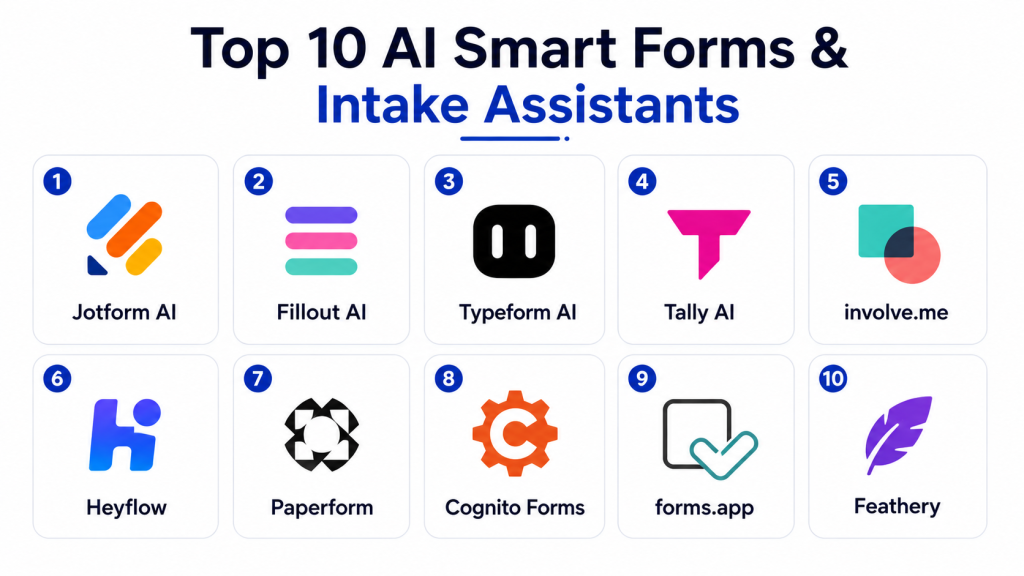
Top 10 AI Smart Forms & Intake Assistants
1 — Typeform
One-line verdict: Best for businesses wanting polished conversational forms, adaptive questions, and user-friendly digital intake experiences.
Typeform is widely used for interactive forms, surveys, lead capture, registration, and customer intake. Its conversational design makes forms feel more like guided interactions than traditional questionnaires.
Standout Capabilities
- Conversational form experience.
- Conditional logic.
- Lead qualification.
- Surveys.
- Registration workflows.
- Response summaries.
- Workflow automation.
- Custom branding.
AI-Specific Depth
- Model support: Platform-managed AI capabilities vary.
- RAG / knowledge integration: Limited / varies.
- Evaluation: Form completion, response quality, and downstream outcomes.
- Guardrails: Form rules, permissions, and workflow controls.
- Observability: Submission, completion, and form-performance analytics.
Pros
- Strong user experience.
- Easy for non-technical teams.
- Good for customer-facing intake.
Cons
- Complex enterprise intake may require additional systems.
- Advanced workflow depth can be limited compared with full automation platforms.
- AI capabilities vary by use case.
Security & Compliance
Verify SSO, RBAC, encryption, retention, data residency, auditability, and certifications according to plan.
Deployment & Platforms
- Cloud: Available.
- Web: Available.
- Embedded forms: Available.
- Mobile-friendly: Available.
Integrations & Ecosystem
- CRM
- Marketing automation
- Spreadsheets
- Scheduling
- Workflow tools
- APIs
- Business applications
Pricing Model
Tiered SaaS.
Best-Fit Scenarios
- Lead intake.
- Customer onboarding.
- Interactive surveys and applications.
2 — Jotform AI Agents and Smart Forms
One-line verdict: Best for teams needing flexible forms, conversational intake, document workflows, and broad business automation.
Jotform provides forms, approvals, document workflows, and conversational AI-assisted intake capabilities. It is useful for businesses that need both traditional structured forms and more interactive customer-facing experiences.
Standout Capabilities
- Smart forms.
- Conversational intake.
- Conditional logic.
- Document collection.
- Approvals.
- Payment forms.
- Workflow automation.
- Form templates.
AI-Specific Depth
- Model support: Platform-managed AI.
- RAG / knowledge integration: Varies by agent and workflow.
- Evaluation: Submission quality and workflow review.
- Guardrails: Form rules, permissions, and approval steps.
- Observability: Submission and workflow analytics.
Pros
- Broad form functionality.
- Strong template ecosystem.
- Useful across many departments.
Cons
- Interface can feel complex for large implementations.
- Advanced AI workflows require careful configuration.
- Enterprise governance needs validation.
Security & Compliance
Verify SSO, RBAC, audit logs, encryption, retention, residency, and required certifications.
Deployment & Platforms
- Cloud: Available.
- Web: Available.
- Mobile apps: Available.
- Embedded forms: Available.
Integrations & Ecosystem
- CRM
- Payments
- Cloud storage
- Scheduling
- Helpdesk
- Workflow tools
- APIs
Pricing Model
Tiered commercial SaaS.
Best-Fit Scenarios
- Customer intake.
- Healthcare-style form workflows where appropriate controls are configured.
- Multi-step business applications.
3 — Formstack
One-line verdict: Best for enterprises needing secure forms, document workflows, approvals, and structured business intake.
Formstack focuses on forms, document generation, workflow automation, and digital processes. It is suitable for organizations that need more governance and operational control than simple marketing forms.
Standout Capabilities
- Enterprise forms.
- Workflow automation.
- Document generation.
- Approvals.
- Data collection.
- Conditional logic.
- E-signature workflows.
- Business process automation.
AI-Specific Depth
- Model support: AI functionality varies.
- RAG / knowledge integration: Varies / N/A.
- Evaluation: Workflow and submission validation.
- Guardrails: Enterprise permissions and approval workflows.
- Observability: Form and workflow analytics.
Pros
- Strong business-process orientation.
- Good for document-heavy workflows.
- Suitable for regulated environments when configured appropriately.
Cons
- Less conversational than some AI-native tools.
- Can require more setup.
- AI depth may be lighter than specialist AI intake platforms.
Security & Compliance
Verify SSO, RBAC, audit logs, encryption, retention, residency, and certifications for required use cases.
Deployment & Platforms
- Cloud: Available.
- Web: Available.
- Enterprise workflows: Available.
Integrations & Ecosystem
- CRM
- Document systems
- E-signature
- Workflow platforms
- Business applications
- APIs
Pricing Model
Commercial SaaS.
Best-Fit Scenarios
- Enterprise intake.
- Document-heavy workflows.
- Approval-driven business processes.
4 — Microsoft Power Apps and Copilot
One-line verdict: Best for Microsoft-centered enterprises building custom intake applications connected with business data and workflows.
Microsoft Power Apps can be used to build custom business forms and intake applications, while Copilot capabilities can help accelerate app creation and workflow design.
Standout Capabilities
- Custom intake apps.
- Conditional workflows.
- Business data integration.
- AI-assisted app creation.
- Approval processes.
- Dataverse connectivity.
- Enterprise identity.
- Process automation.
AI-Specific Depth
- Model support: Microsoft-managed AI.
- RAG / knowledge integration: Microsoft and enterprise data context varies.
- Evaluation: App and workflow testing.
- Guardrails: Microsoft identity, permissions, and governance.
- Observability: Application and workflow analytics.
Pros
- Deep Microsoft ecosystem integration.
- Highly customizable.
- Strong enterprise governance potential.
Cons
- Requires Power Platform expertise.
- More complex than plug-and-play form builders.
- Licensing can be difficult to manage.
Security & Compliance
Verify SSO, RBAC, auditing, encryption, retention, DLP, data residency, and required certifications.
Deployment & Platforms
- Cloud: Available.
- Web: Available.
- Mobile: Available.
- Enterprise applications: Available.
Integrations & Ecosystem
- Microsoft 365
- Dynamics 365
- Dataverse
- Power Automate
- SharePoint
- Teams
- Enterprise APIs
Pricing Model
Commercial Microsoft licensing.
Best-Fit Scenarios
- Internal employee intake.
- Enterprise service requests.
- Custom business applications.
5 — Salesforce Forms and Agentforce Workflows
One-line verdict: Best for Salesforce-centered organizations needing intelligent intake connected directly with CRM and service processes.
Salesforce environments can support intake through forms, flows, customer portals, service workflows, and Agentforce-assisted experiences. The major advantage is direct access to CRM and account context.
Standout Capabilities
- CRM-connected intake.
- Dynamic forms.
- Flow automation.
- Customer portals.
- Case creation.
- Lead qualification.
- Customer context.
- Business workflow execution.
AI-Specific Depth
- Model support: Salesforce-managed and supported AI capabilities.
- RAG / knowledge integration: CRM, knowledge, and connected enterprise data.
- Evaluation: Workflow and business-outcome testing.
- Guardrails: Salesforce permissions and approval rules.
- Observability: CRM, workflow, and intake analytics.
Pros
- Deep CRM integration.
- Strong for account-aware intake.
- Powerful enterprise workflow automation.
Cons
- Significant implementation complexity.
- Best value requires Salesforce adoption.
- Licensing can become expensive.
Security & Compliance
Verify SSO, RBAC, auditing, encryption, retention, residency, consent controls, and certifications.
Deployment & Platforms
- Cloud: Available.
- Web: Available.
- Customer portals: Available.
- Mobile experiences: Available.
Integrations & Ecosystem
- CRM
- Service Cloud
- Sales workflows
- Customer portals
- Data systems
- Automation
- Enterprise applications
Pricing Model
Enterprise commercial model.
Best-Fit Scenarios
- Lead intake.
- Customer-service intake.
- Account-based enterprise workflows.
6 — ServiceNow Virtual Agent and Intake Workflows
One-line verdict: Best for enterprises needing conversational intake connected with IT, employee, customer, and service-management workflows.
ServiceNow combines service portals, forms, Virtual Agent, workflow automation, case management, ITSM, and enterprise service processes.
Standout Capabilities
- Conversational intake.
- Service-request forms.
- Dynamic workflows.
- Virtual Agent.
- Ticket creation.
- Request classification.
- Enterprise routing.
- Service catalog integration.
AI-Specific Depth
- Model support: ServiceNow-managed AI.
- RAG / knowledge integration: Enterprise knowledge, service records, and workflow context.
- Evaluation: Request outcomes and workflow accuracy.
- Guardrails: Roles, workflow permissions, and approval controls.
- Observability: Service, intake, and workflow analytics.
Pros
- Strong enterprise workflow depth.
- Excellent for employee and IT intake.
- Can automate beyond form submission.
Cons
- Complex implementation.
- Requires experienced administrators.
- Too broad for simple public forms.
Security & Compliance
Verify SSO, RBAC, audit logs, encryption, retention, residency, AI governance, and certifications.
Deployment & Platforms
- Cloud: Available.
- Web: Available.
- Employee portals: Available.
- Service portals: Available.
Integrations & Ecosystem
- ITSM
- HR workflows
- Customer service
- Service catalogs
- Knowledge
- CMDB
- Enterprise applications
Pricing Model
Enterprise commercial pricing.
Best-Fit Scenarios
- IT service requests.
- Employee intake.
- Enterprise customer-service workflows.
7 — Tally
One-line verdict: Best for small teams wanting lightweight, flexible, easy-to-build forms with logic and automation.
Tally is a simple form-building platform with a lightweight editing experience. It can work well for teams that need fast intake without the complexity of large enterprise systems.
Standout Capabilities
- Simple form creation.
- Conditional logic.
- Custom forms.
- File uploads.
- Calculations.
- Hidden fields.
- Integrations.
- Embedding.
AI-Specific Depth
- Model support: Limited / varies.
- RAG / knowledge integration: N/A.
- Evaluation: Form completion and response validation.
- Guardrails: Form configuration and workspace permissions.
- Observability: Submission analytics vary.
Pros
- Easy to use.
- Fast deployment.
- Suitable for lightweight intake.
Cons
- Limited enterprise AI depth.
- Complex workflow automation needs external tools.
- Governance is lighter than enterprise platforms.
Security & Compliance
Verify encryption, permissions, retention, residency, and relevant plan capabilities.
Deployment & Platforms
- Cloud: Available.
- Web: Available.
- Embedded forms: Available.
Integrations & Ecosystem
- Spreadsheets
- Automation tools
- Databases
- CRM
- Webhooks
- Business applications
Pricing Model
Free and commercial tiers.
Best-Fit Scenarios
- Startup intake.
- Internal request forms.
- Simple customer applications.
8 — Fillout
One-line verdict: Best for operations teams wanting modern forms, conditional logic, database connections, and flexible workflow integration.
Fillout provides forms and data-collection workflows with strong connections to databases, spreadsheets, and business systems.
Standout Capabilities
- Conditional forms.
- Record updating.
- Scheduling.
- Payment collection.
- Database-connected forms.
- Multi-page intake.
- Logic rules.
- Automation.
AI-Specific Depth
- Model support: AI capabilities vary.
- RAG / knowledge integration: Limited / varies.
- Evaluation: Workflow and submission validation.
- Guardrails: Form and workspace permissions.
- Observability: Form analytics and workflow outcomes.
Pros
- Flexible data connections.
- Good for operations workflows.
- Strong modern form-building experience.
Cons
- AI depth may be lighter than specialist conversational systems.
- Enterprise governance should be evaluated.
- Complex service orchestration may need external automation.
Security & Compliance
Verify SSO, RBAC, encryption, retention, auditing, residency, and certifications according to plan.
Deployment & Platforms
- Cloud: Available.
- Web: Available.
- Embedded forms: Available.
Integrations & Ecosystem
- Databases
- CRM
- Scheduling
- Payments
- Spreadsheets
- Automation platforms
- APIs
Pricing Model
Tiered commercial SaaS.
Best-Fit Scenarios
- Operations intake.
- Database-connected forms.
- Customer onboarding.
9 — Cognito Forms
One-line verdict: Best for structured business intake requiring calculations, logic, approvals, and workflow-oriented forms.
Cognito Forms is designed for complex form workflows that need calculations, conditional logic, payments, document generation, and structured data collection.
Standout Capabilities
- Conditional logic.
- Complex calculations.
- Repeating sections.
- Payment collection.
- Workflow automation.
- Document generation.
- Approval processes.
- Structured data collection.
AI-Specific Depth
- Model support: Limited / varies.
- RAG / knowledge integration: N/A.
- Evaluation: Form and workflow validation.
- Guardrails: Roles and workflow rules.
- Observability: Submission and workflow analytics.
Pros
- Strong structured-form capabilities.
- Good for operational workflows.
- Flexible calculations.
Cons
- Less conversational.
- AI assistance is not the main strength.
- Large enterprises may require deeper governance tooling.
Security & Compliance
Verify SSO, access controls, encryption, retention, auditing, residency, and relevant certifications.
Deployment & Platforms
- Cloud: Available.
- Web: Available.
- Embedded forms: Available.
Integrations & Ecosystem
- Payments
- CRM
- Spreadsheets
- Workflow tools
- Business applications
- APIs
Pricing Model
Tiered SaaS.
Best-Fit Scenarios
- Complex application forms.
- Financial calculations.
- Approval-driven intake.
10 — Custom LLM-Based Intake Assistant
One-line verdict: Best for mature organizations needing conversational intake, custom workflows, private models, and highly specialized business logic.
Organizations can build custom intake assistants using language models, RAG, structured forms, APIs, identity systems, document extraction, classification models, and workflow engines.
A custom system can combine conversational flexibility with structured output and enterprise-specific validation.
Standout Capabilities
- Conversational intake.
- Dynamic follow-up questions.
- BYO models.
- Custom field extraction.
- Document understanding.
- Custom classification.
- Private deployment.
- Workflow execution.
AI-Specific Depth
- Model support: Proprietary / open-source / BYO / multi-model.
- RAG / knowledge integration: Fully customizable.
- Evaluation: Structured-output tests, human review, regression testing, and workflow validation.
- Guardrails: Custom policies, field validation, permissions, and approval controls.
- Observability: Model calls, extraction accuracy, latency, cost, workflow success, and human overrides.
Pros
- Maximum flexibility.
- Strong domain-specific customization.
- Can support private infrastructure.
Cons
- High engineering effort.
- Requires continuous evaluation.
- Security and workflow reliability become internal responsibilities.
Security & Compliance
Architecture-dependent. Organizations must implement identity, authorization, encryption, retention, auditing, residency, validation, and model governance.
Deployment & Platforms
- Cloud: Possible.
- Self-hosted: Possible.
- Hybrid: Possible.
- Private models: Possible.
Integrations & Ecosystem
- CRM
- Helpdesk
- Document systems
- Scheduling
- Identity
- Workflow engines
- Internal APIs
Pricing Model
Model, infrastructure, engineering, integration, storage, and maintenance costs.
Best-Fit Scenarios
- Regulated intake.
- Highly specialized customer workflows.
- Organizations with strong internal engineering teams.
Comparison Table
| Tool Name | Best For | Deployment | Model Flexibility | Strength | Watch-Out | Public Rating |
|---|---|---|---|---|---|---|
| Typeform | Customer-facing intake | Cloud | Hosted / Varies | Conversational UX | Limited deep workflow | N/A |
| Jotform | Broad business intake | Cloud | Hosted | Forms + AI + workflows | Can become complex | N/A |
| Formstack | Enterprise processes | Cloud | Varies | Secure forms + documents | Less conversational | N/A |
| Microsoft Power Apps | Microsoft enterprises | Cloud | Hosted / Varies | Custom business apps | Requires expertise | N/A |
| Salesforce | CRM-centered workflows | Cloud | Hosted / Varies | Customer context | Complex implementation | N/A |
| ServiceNow | Enterprise service intake | Cloud | Hosted | Deep workflow automation | Enterprise overhead | N/A |
| Tally | Small teams | Cloud | Limited | Simplicity | Limited AI depth | N/A |
| Fillout | Operations teams | Cloud | Varies | Data-connected forms | Enterprise depth varies | N/A |
| Cognito Forms | Structured business forms | Cloud | Limited | Logic + calculations | Less AI-native | N/A |
| Custom Intake Assistant | Mature enterprises | Cloud / Self-hosted / Hybrid | BYO / Multi-model | Maximum control | Engineering overhead | N/A |
Scoring & Evaluation
The scores below are comparative editorial assessments rather than official vendor benchmarks. Smart form and intake platforms serve different purposes, so a lightweight customer form should not be evaluated exactly like an enterprise service-management workflow.
Core features measure adaptive forms, validation, workflow support, structured data collection, and conversational intake. Reliability considers field accuracy and human review. Guardrails cover permissions, consent, and safe workflow execution.
- Core features – 20%
- AI reliability and evaluation – 15%
- Guardrails and safety – 10%
- Integrations and ecosystem – 15%
- Ease of use – 10%
- Performance and cost controls – 15%
- Security and administration – 10%
- Support and community – 5%
| Tool | Core | Reliability/Eval | Guardrails | Integrations | Ease | Perf/Cost | Security/Admin | Support | Weighted Total |
|---|---|---|---|---|---|---|---|---|---|
| Typeform | 9 | 8 | 8 | 9 | 10 | 9 | 8 | 9 | 8.70 |
| Jotform | 10 | 9 | 9 | 10 | 9 | 9 | 9 | 9 | 9.20 |
| Formstack | 9 | 9 | 10 | 9 | 8 | 8 | 10 | 9 | 8.95 |
| Microsoft Power Apps | 10 | 9 | 10 | 10 | 7 | 7 | 10 | 10 | 8.95 |
| Salesforce | 10 | 9 | 10 | 10 | 7 | 7 | 10 | 10 | 8.95 |
| ServiceNow | 10 | 10 | 10 | 10 | 7 | 7 | 10 | 10 | 9.10 |
| Tally | 8 | 7 | 8 | 8 | 10 | 10 | 7 | 8 | 8.20 |
| Fillout | 9 | 8 | 8 | 10 | 9 | 9 | 8 | 8 | 8.65 |
| Cognito Forms | 9 | 8 | 9 | 8 | 9 | 9 | 8 | 8 | 8.50 |
| Custom Intake Assistant | 10 | 10 | 10 | 10 | 5 | 7 | 10 | 6 | 8.85 |
Which AI Smart Form & Intake Assistant Is Right for You?
Solo / Freelancer
Independent professionals usually need simple intake.
Useful requirements include:
- Contact information.
- Service requirements.
- File uploads.
- Scheduling.
- Conditional questions.
A lightweight form builder is often sufficient.
SMB
Small businesses should focus on reducing unnecessary questions.
Good smart intake should:
- Ask only relevant questions.
- Validate important fields.
- Collect documents when needed.
- Route submissions correctly.
- Connect with CRM or helpdesk systems.
Typeform, Jotform, and Fillout can fit many SMB scenarios.
Mid-Market
Mid-market businesses should connect intake with downstream operations.
Useful integrations include:
- CRM.
- Helpdesk.
- Scheduling.
- Payments.
- Document management.
- Workflow automation.
A submission should ideally create the right record automatically rather than requiring manual re-entry.
Enterprise
Enterprise buyers should prioritize:
- SSO.
- RBAC.
- Audit logs.
- Consent.
- Data retention.
- Data residency.
- Workflow approvals.
- Identity integration.
- Sensitive-data controls.
- API access.
- Validation.
- Document processing.
- Human review.
- Custom routing.
The intake system should never expose internal information to unauthorized users.
Regulated Industries
Healthcare, finance, insurance, legal services, and government organizations need stricter controls.
Intake forms may collect:
- Personal identifiers.
- Medical information.
- Financial information.
- Legal details.
- Identity documents.
- Account information.
Use only necessary fields and apply appropriate access, encryption, retention, and review requirements.
Budget vs Premium
Basic forms are enough when requirements are simple.
Premium platforms become more valuable when organizations need:
- Complex workflows.
- Conversational intake.
- Document processing.
- Identity integration.
- Enterprise permissions.
- CRM automation.
- Advanced routing.
- Multiple departments.
Measure administrative time saved as well as software cost.
Build vs Buy
Buying is usually faster for standard form and workflow requirements.
Building becomes attractive when intake requires:
- Highly specialized conversations.
- Proprietary validation rules.
- Private models.
- Complex document extraction.
- Internal workflow execution.
- Strict data boundaries.
A custom system should still generate structured outputs rather than relying only on free-form conversation.
Implementation Playbook: 30 / 60 / 90 Days
First 30 Days — Simplify Intake
Choose one high-volume workflow.
Examples:
- Customer-support request.
- Sales inquiry.
- Appointment request.
- Employee IT request.
- Client onboarding.
Review every existing field.
Remove questions that are not necessary.
Measure:
- Completion rate.
- Abandonment.
- Submission quality.
- Missing fields.
- Manual correction time.
Days 31–60 — Add Intelligence and Routing
Introduce:
- Conditional questions.
- Automatic classification.
- Response summaries.
- Validation.
- Document extraction.
- CRM or ticket creation.
Test edge cases such as:
- Contradictory answers.
- Missing information.
- Long free-text submissions.
- Invalid documents.
- Malicious text input.
Keep humans involved for uncertain classifications.
Days 61–90 — Automate Downstream Workflows
Connect intake with:
- CRM.
- Helpdesk.
- Scheduling.
- Notifications.
- Approval workflows.
- Document systems.
Automate low-risk actions first.
Track:
- Completion time.
- Routing accuracy.
- Manual re-entry.
- Error rates.
- Processing time.
- Customer satisfaction.
- Workflow failures.
Scale only after intake quality is consistently reliable.
Common Mistakes and How to Avoid Them
- Asking too many questions.
- Using the same questions for every user.
- Collecting unnecessary personal information.
- Failing to validate important fields.
- Using AI classification without human fallback.
- Automatically trusting free-text input.
- Ignoring prompt-injection risks.
- Failing to verify uploaded documents.
- Allowing users to bypass required fields.
- Creating confusing conditional logic.
- Failing to optimize for mobile.
- Not showing progress in long forms.
- Sending sensitive information to unapproved systems.
- Ignoring consent requirements.
- Failing to preserve submission history.
- Routing requests without confidence thresholds.
- Automatically approving high-impact applications.
- Failing to measure abandonment.
- Building workflows that depend entirely on one vendor.
- Assuming conversational intake is always better than a simple form.
Frequently Asked Questions
1. What is an AI smart form?
An AI smart form is a data-collection form that can adapt questions, validate responses, summarize information, classify submissions, or automate downstream workflows using intelligent logic.
2. How is an AI intake assistant different from a traditional form?
A traditional form usually follows a fixed structure. An AI intake assistant can ask follow-up questions dynamically, interpret free text, summarize responses, and adapt the workflow based on user context.
3. Can AI smart forms automatically route requests?
Yes. Submissions can be classified by topic, urgency, customer type, department, or other criteria and routed to the appropriate team or workflow.
4. Can intake assistants process uploaded documents?
Some systems can extract information from documents and populate structured fields. Accuracy should be reviewed for important or sensitive documents.
5. Can AI forms prefill customer information?
Yes, when connected to approved CRM or account systems. Prefilling should respect user permissions and privacy requirements.
6. Are conversational intake assistants better than normal forms?
Not always. Conversational intake works well for complex or unfamiliar processes, while short and simple tasks may be faster with a traditional structured form.
7. Can smart intake assistants support multiple languages?
Yes. Multilingual intake is increasingly common, but important languages should be tested independently for accuracy and usability.
8. Are AI intake assistants safe for sensitive information?
They can be when implemented with strong permissions, encryption, retention rules, data minimization, consent, and appropriate vendor controls.
9. Can AI automatically approve applications or requests?
Technically it may be possible, but high-impact decisions should usually include explicit business rules and human review rather than relying solely on generative AI.
10. How do I choose the best AI smart form and intake assistant?
Compare adaptive logic, conversational intake, validation, document handling, routing, CRM and helpdesk integrations, workflow automation, multilingual support, security, privacy, auditability, usability, cost, and how much manual processing the system removes.
Conclusion
AI smart forms and intake assistants are making data collection more adaptive, structured, and useful. Instead of forcing every customer, employee, patient, prospect, or applicant through the same long questionnaire, organizations can ask more relevant questions, validate information earlier, summarize complex responses, and route requests automatically.Different platforms fit different needs. Typeform is strong for polished customer-facing experiences. Jotform provides broad form and workflow functionality. Formstack is useful for enterprise document and approval processes. Microsoft Power Apps, Salesforce, and ServiceNow are better suited to complex enterprise environments where intake must connect with broader business systems. Tally and Fillout provide lighter options for smaller or fast-moving teams, while Cognito Forms is strong for structured logic and calculations. Custom LLM-based intake assistants provide maximum flexibility for organizations with specialized requirements.