Introduction
Autonomous Task Automation Platforms are AI-powered systems that enable software agents to independently plan, execute, monitor, and complete tasks with minimal human intervention.
Unlike traditional automation tools that follow predefined workflows, autonomous automation platforms use artificial intelligence, machine learning, large language models (LLMs), and agent-based technologies to understand goals, make decisions, use tools, and adapt to changing situations.
These platforms allow AI agents to perform complex business and technical tasks such as:
- Data processing
- Customer support automation
- Research workflows
- Software development tasks
- Business operations
- Document management
- IT operations
- Marketing activities
Autonomous Task Automation Platforms help organizations:
- Reduce manual work
- Improve operational efficiency
- Automate repetitive processes
- Accelerate decision-making
- Increase productivity
- Create intelligent workflows
These platforms are used by:
- Enterprise teams
- Developers
- IT departments
- Business operations teams
- Marketing teams
- Customer support teams
- Data teams
Modern autonomous automation platforms provide capabilities such as:
- AI agents
- Workflow automation
- Task planning
- Tool integration
- Decision-making
- Process execution
- Memory management
- Human approval workflows
- Monitoring and analytics
The goal of Autonomous Task Automation Platforms is to enable intelligent digital workers that can complete tasks independently while maintaining security, reliability, and control.
What Is Autonomous Task Automation?
Autonomous Task Automation is the process of using AI agents to complete tasks without continuous human involvement.
Traditional automation:
Human creates rules → System follows rules → Task completed
Autonomous automation:
User defines goal → AI agent plans → Agent executes → Agent adapts → Task completed
Example:
Goal:
“Prepare a weekly sales report.”
AI agent actions:
- Collect sales data
- Analyze trends
- Create charts
- Generate summary
- Send report to stakeholders
How Autonomous Task Automation Platforms Work
Goal Understanding
The platform receives a business objective.
Example:
“Optimize customer support workflow.”
Task Planning
The AI agent breaks the goal into smaller steps.
Example:
- Analyze customer tickets
- Identify issues
- Recommend solutions
- Update workflow
Tool Selection
The agent selects required tools:
- APIs
- Databases
- Applications
- External services
Task Execution
The agent performs actions automatically.
Monitoring and Improvement
The system evaluates results and improves future performance.
Key Components of Autonomous Automation Platforms
AI Agents
AI agents act as digital workers capable of:
- Understanding goals
- Making decisions
- Executing actions
Workflow Engine
Manages:
- Task sequences
- Automation logic
- Process execution
Memory Systems
Allow agents to remember:
- Previous tasks
- User preferences
- Business information
Tool Integration
Connects agents with:
- Enterprise software
- APIs
- Databases
- Cloud services
Decision Engine
Helps agents:
- Analyze information
- Select actions
- Handle exceptions
Types of Autonomous Task Automation
Business Process Automation
Automates:
- Approvals
- Reporting
- Data processing
- Operations
IT Automation
Handles:
- Incident management
- Monitoring
- Infrastructure tasks
Customer Service Automation
Supports:
- Customer conversations
- Ticket handling
- Issue resolution
Marketing Automation
Automates:
- Campaign management
- Content workflows
- Customer analysis
Software Development Automation
Supports:
- Coding
- Testing
- Documentation
- Deployment
Key Features of Autonomous Task Automation Platforms
AI-Powered Task Planning
Allows agents to create execution strategies.
Benefits:
- Handles complex tasks
- Reduces manual planning
Workflow Automation
Creates automated processes.
Benefits:
- Faster execution
- Consistent results
Multi-Agent Collaboration
Allows multiple AI agents to work together.
Benefits:
- Complex problem solving
- Specialized tasks
Human-in-the-Loop Controls
Provides approval before sensitive actions.
Benefits:
- Better security
- Reduced risks
Integration Capabilities
Connects with:
- Business applications
- Databases
- APIs
- Cloud platforms
Monitoring and Analytics
Tracks:
- Task progress
- Agent performance
- Errors
- Costs
Common Use Cases
Enterprise Operations
AI agents automate:
- Reports
- Data analysis
- Administrative work
Customer Support
Agents handle:
- Customer questions
- Ticket classification
- Issue resolution
Sales Automation
Automates:
- Lead research
- Follow-ups
- Customer insights
Software Engineering
AI agents assist with:
- Code generation
- Testing
- Debugging
HR Automation
Supports:
- Recruitment workflows
- Employee queries
- Documentation
Finance Operations
Automates:
- Invoice processing
- Data reconciliation
- Reporting
Why Autonomous Task Automation Platforms Matter
Increased Productivity
AI agents reduce repetitive manual tasks.
Faster Business Operations
Processes can run continuously.
Better Decision Making
AI provides data-driven recommendations.
Lower Operational Costs
Organizations reduce manual effort.
Scalable Automation
Businesses can automate more workflows.
Evaluation Criteria for Buyers
Agent Intelligence
Evaluate:
- Reasoning ability
- Planning capabilities
- Decision quality
Workflow Flexibility
Look for:
- Custom workflows
- Automation rules
- Process management
Integration Support
Important integrations:
- SaaS applications
- APIs
- Databases
- Enterprise systems
Security Controls
Consider:
- Permissions
- Data protection
- Access management
Scalability
Evaluate:
- Number of workflows
- Agent capacity
- Enterprise workloads
Monitoring Features
Look for:
- Logs
- Analytics
- Performance tracking
Key Trends
Rise of AI Digital Workers
Organizations are adopting autonomous agents for business tasks.
Agentic Process Automation
Traditional automation is evolving into intelligent automation.
Hyperautomation Growth
Businesses are combining:
- AI
- Automation
- Analytics
Multi-Agent Workflows
Multiple AI agents collaborate to complete complex tasks.
AI Governance
Organizations are focusing on:
- Security
- Compliance
- Control
Autonomous Enterprise Systems
Companies are moving toward AI-powered operations.
Methodology
The following Autonomous Task Automation Platforms were evaluated based on:
- Automation capabilities
- AI agent features
- Workflow support
- Integration ecosystem
- Security
- Scalability
- Developer experience
- Enterprise readiness
- Monitoring
- Value
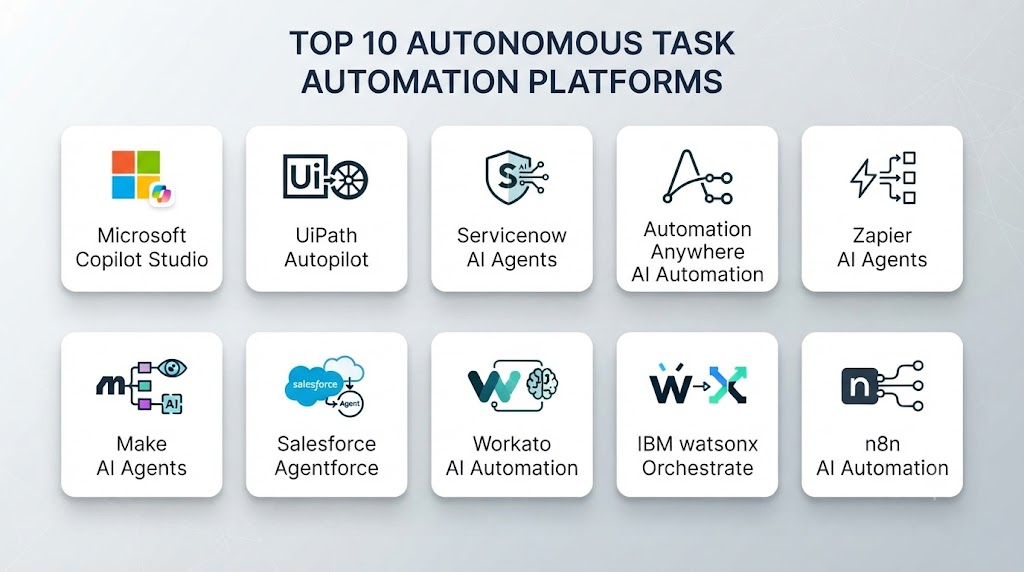
Top 10 Autonomous Task Automation Platforms
1. Microsoft Copilot Studio
Microsoft Copilot Studio enables organizations to create AI agents that automate business processes and interact with enterprise systems.
Key Features
- Custom AI agents
- Workflow automation
- Microsoft 365 integration
- Knowledge sources
- Enterprise connectors
- AI conversations
- Business process automation
- Agent management
- Analytics
- Security controls
Pros
- Strong enterprise integration
- Easy agent creation
- Microsoft ecosystem support
- Low-code development
- Enterprise security
Cons
- Microsoft ecosystem dependency
- Licensing complexity
- Advanced customization requires expertise
Platforms
Cloud environments.
Deployment or Support
Enterprise automation.
Security & Compliance
Microsoft security framework.
Integrations & Ecosystem
Microsoft services and enterprise applications.
Support & Community
Enterprise support.
2. UiPath Autopilot
UiPath provides AI-powered automation for business processes.
Key Features
- AI automation
- Robotic process automation
- Workflow management
- Document processing
- Agent integration
- Process mining
- Automation analytics
- Enterprise workflows
- Human approval
- AI assistants
Pros
- Strong automation ecosystem
- Enterprise adoption
- Powerful workflows
- Good integrations
- Mature platform
Cons
- Higher complexity
- Enterprise pricing
- Requires automation knowledge
Platforms
Cloud and enterprise environments.
Deployment or Support
Enterprise automation.
Security & Compliance
Enterprise security features.
Integrations & Ecosystem
Business applications and APIs.
Support & Community
Large enterprise community.
3. ServiceNow AI Agents
ServiceNow provides autonomous AI agents for enterprise workflow automation.
Key Features
- IT workflow automation
- AI agents
- Incident management
- Knowledge management
- Enterprise workflows
- Task automation
- Service operations
- Analytics
- Integration support
- Governance controls
Pros
- Strong enterprise workflows
- Excellent IT automation
- Large enterprise adoption
- Good governance
- Scalable
Cons
- Enterprise-focused
- Expensive
- Requires platform expertise
Platforms
Cloud environments.
Deployment or Support
Enterprise operations.
Security & Compliance
Enterprise security controls.
Integrations & Ecosystem
Enterprise applications.
Support & Community
Enterprise support.
4. Automation Anywhere AI Automation
Automation Anywhere combines RPA with AI capabilities.
Key Features
- Intelligent automation
- AI agents
- Workflow automation
- Document processing
- Bot management
- Analytics
- Enterprise integrations
- Process automation
- Security controls
- Automation marketplace
Pros
- Mature RPA platform
- Strong enterprise features
- Good scalability
- AI integration
- Large ecosystem
Cons
- Complex deployment
- Enterprise pricing
- Requires training
Platforms
Cloud and enterprise environments.
Deployment or Support
Enterprise automation.
Security & Compliance
Enterprise security.
Integrations & Ecosystem
Business systems and applications.
Support & Community
Enterprise support.
5. Zapier AI Agents
Zapier provides AI-powered automation for connecting applications and workflows.
Key Features
- AI agents
- Workflow automation
- Application integrations
- Task execution
- Trigger-based automation
- No-code workflows
- Data handling
- AI actions
- Productivity automation
- Collaboration tools
Pros
- Easy setup
- Large app ecosystem
- No-code friendly
- Fast automation
- Good usability
Cons
- Limited complex reasoning
- Workflow limitations
- SaaS dependency
Platforms
Cloud environments.
Deployment or Support
Business automation.
Security & Compliance
Cloud security controls.
Integrations & Ecosystem
Thousands of applications.
Support & Community
Large user community.
6. Make AI Agents
Make provides visual workflow automation with AI capabilities.
Key Features
- Visual workflows
- AI automation
- Application integrations
- Data processing
- Scenario building
- API connections
- Automation management
- Task scheduling
- Business workflows
- No-code tools
Pros
- Flexible workflows
- Visual builder
- Good integrations
- Affordable
- User-friendly
Cons
- Complex workflows require learning
- Limited enterprise governance
- Requires configuration
Platforms
Cloud environments.
Deployment or Support
Business automation.
Security & Compliance
Cloud security features.
Integrations & Ecosystem
Applications and APIs.
Support & Community
User community.
7. Salesforce Agentforce
Salesforce Agentforce provides AI agents for customer and business workflows.
Key Features
- Customer service agents
- Sales automation
- CRM integration
- AI workflows
- Data access
- Business actions
- Agent management
- Analytics
- Enterprise security
- Automation tools
Pros
- Strong CRM integration
- Enterprise-ready
- Customer workflow automation
- Good data access
- Scalable
Cons
- Salesforce dependency
- Higher cost
- Requires CRM expertise
Platforms
Cloud environments.
Deployment or Support
Enterprise business automation.
Security & Compliance
Salesforce security framework.
Integrations & Ecosystem
Salesforce ecosystem.
Support & Community
Enterprise support.
8. Workato AI Automation
Workato provides enterprise automation and AI workflow orchestration.
Key Features
- Workflow automation
- AI agents
- Enterprise integrations
- API management
- Data automation
- Business processes
- Recipe automation
- Monitoring
- Security controls
- Collaboration
Pros
- Strong enterprise automation
- Large integration ecosystem
- Scalable
- Good governance
- Powerful workflows
Cons
- Enterprise pricing
- Requires expertise
- Complex implementations
Platforms
Cloud environments.
Deployment or Support
Enterprise automation.
Security & Compliance
Enterprise security.
Integrations & Ecosystem
Enterprise applications.
Support & Community
Enterprise support.
9. IBM watsonx Orchestrate
IBM watsonx Orchestrate helps organizations automate business tasks using AI assistants.
Key Features
- AI assistants
- Workflow automation
- Task orchestration
- Enterprise integration
- Business process automation
- Skills management
- AI governance
- Analytics
- Security
- Enterprise workflows
Pros
- Enterprise AI capabilities
- Strong governance
- IBM ecosystem
- Good automation features
- Security focus
Cons
- Complex setup
- Enterprise pricing
- Requires IBM expertise
Platforms
Cloud environments.
Deployment or Support
Enterprise AI automation.
Security & Compliance
Enterprise security.
Integrations & Ecosystem
IBM and enterprise systems.
Support & Community
Enterprise support.
10. n8n AI Automation
n8n provides open-source workflow automation with AI integrations.
Key Features
- Workflow automation
- AI agent workflows
- API integrations
- Self-hosting
- Data processing
- Custom automation
- Developer tools
- Open-source platform
- Scheduling
- Community templates
Pros
- Open-source
- Flexible
- Self-hosting option
- Developer-friendly
- Cost-effective
Cons
- Requires technical knowledge
- Maintenance needed
- Enterprise features require setup
Platforms
Cloud and self-hosted environments.
Deployment or Support
Flexible deployment.
Security & Compliance
Depends on implementation.
Integrations & Ecosystem
APIs, applications, AI tools.
Support & Community
Open-source community.
Comparison Table
| Tool Name | Best For | Platform(s) Supported | Deployment | Standout Feature | Public Rating |
|---|---|---|---|---|---|
| Microsoft Copilot Studio | Enterprise agents | Cloud | Enterprise | Business AI agents | |
| UiPath Autopilot | RPA automation | Cloud/Enterprise | Enterprise | Intelligent automation | |
| ServiceNow AI Agents | IT workflows | Cloud | Enterprise | Service automation | |
| Automation Anywhere | RPA + AI | Cloud | Enterprise | Enterprise bots | |
| Zapier AI Agents | No-code automation | Cloud | Business | App integrations | |
| Make AI Agents | Visual automation | Cloud | Flexible | Workflow builder | |
| Salesforce Agentforce | CRM automation | Cloud | Enterprise | Customer workflows | |
| Workato | Enterprise workflows | Cloud | Enterprise | Integration automation | |
| watsonx Orchestrate | Enterprise AI | Cloud | Enterprise | AI orchestration | |
| n8n | Custom automation | Cloud/Self-hosted | Flexible | Open-source workflows |
Weighted Evaluation
| Tool Name | Core Features 25% | Ease of Use 15% | Integrations & Ecosystem 15% | Security & Compliance 10% | Performance & Reliability 10% | Support & Community 10% | Price/Value 15% | Total |
|---|---|---|---|---|---|---|---|---|
| Copilot Studio | 25 | 14 | 15 | 10 | 10 | 10 | 13 | 97 |
| UiPath | 25 | 12 | 15 | 10 | 10 | 10 | 13 | 95 |
| ServiceNow | 25 | 12 | 15 | 10 | 10 | 10 | 12 | 94 |
| Automation Anywhere | 24 | 12 | 15 | 10 | 10 | 10 | 13 | 94 |
| Zapier | 22 | 15 | 15 | 10 | 10 | 10 | 15 | 97 |
| Make | 22 | 14 | 14 | 10 | 10 | 10 | 15 | 95 |
| Salesforce | 24 | 13 | 15 | 10 | 10 | 10 | 12 | 94 |
| Workato | 25 | 12 | 15 | 10 | 10 | 10 | 13 | 95 |
| watsonx Orchestrate | 24 | 12 | 14 | 10 | 10 | 10 | 12 | 92 |
| n8n | 23 | 13 | 14 | 10 | 10 | 10 | 15 | 95 |
Which Autonomous Task Automation Platform Is Right for You?
Choose Microsoft Copilot Studio for enterprise AI agents.
Choose UiPath Autopilot for intelligent RPA automation.
Choose ServiceNow AI Agents for IT operations.
Choose Automation Anywhere for enterprise automation.
Choose Zapier AI Agents for simple no-code workflows.
Choose Make AI Agents for visual automation.
Choose Salesforce Agentforce for CRM automation.
Choose Workato for enterprise integration workflows.
Choose IBM watsonx Orchestrate for governed AI automation.
Choose n8n for flexible open-source automation.
Implementation Playbook
Phase 1: Identify Automation Opportunities
- Find repetitive tasks
- Define business goals
- Select workflows
Phase 2: Design Agent Workflows
- Define agent responsibilities
- Select tools
- Configure permissions
Phase 3: Build and Test
- Create workflows
- Test scenarios
- Monitor results
Phase 4: Deploy
- Add security controls
- Monitor performance
- Enable human approvals
Phase 5: Optimize
- Improve workflows
- Analyze results
- Expand automation
Common Mistakes
- Automating unclear processes
- Giving agents excessive permissions
- No human approval for sensitive tasks
- Poor monitoring
- Ignoring security
- Lack of testing
- Choosing unsuitable tools
- Not measuring business impact
FAQs
1. What are Autonomous Task Automation Platforms?
They are AI-powered systems that allow agents to complete tasks automatically.
2. How are they different from traditional automation?
Traditional automation follows fixed rules, while autonomous automation uses AI reasoning and decision-making.
3. Who uses autonomous automation platforms?
Businesses, developers, IT teams, and enterprise organizations use them.
4. Can AI agents work without human involvement?
Yes, but important workflows often require human approval.
5. What tasks can AI agents automate?
They can automate research, customer support, reporting, workflows, and business operations.
6. Are autonomous automation platforms secure?
Security depends on permissions, monitoring, and governance controls.
7. Can these platforms integrate with existing software?
Most support APIs and enterprise applications.
8. Do autonomous agents replace workflow automation tools?
They enhance traditional automation by adding intelligence and decision-making.
9. What industries benefit from autonomous automation?
Finance, healthcare, IT, customer service, marketing, and operations benefit from these platforms.
10. What is the future of autonomous automation?
AI-powered digital workers and intelligent workflows will become increasingly common.
Conclusion
Autonomous Task Automation Platforms are transforming how organizations manage business processes and digital operations. By combining AI agents, workflow automation, integrations, and intelligent decision-making, these platforms enable businesses to automate complex tasks with greater efficiency.Solutions such as Microsoft Copilot Studio, UiPath, ServiceNow AI Agents, Zapier AI Agents, Salesforce Agentforce, Workato, and n8n provide powerful capabilities for building autonomous workflows.As AI agents continue evolving, autonomous task automation will become a critical technology for creating smarter, faster, and more efficient organizations.