Introduction
AI self-service help portals give customers or employees a central place to find answers, troubleshoot problems, submit requests, track cases, and complete routine service tasks without waiting for a human agent. Modern portals combine knowledge bases, intelligent search, conversational assistants, virtual agents, guided workflows, ticket forms, account context, and automation in one experience.
Unlike traditional FAQ pages, newer self-service platforms can understand natural-language questions, retrieve relevant information from approved knowledge, recommend articles, guide users through multi-step processes, and escalate unresolved issues with conversation context preserved. Some can also perform approved actions such as creating requests, checking status, updating information, or triggering service workflows.
Common use cases include customer support, IT help desks, employee service centers, SaaS help centers, account support, troubleshooting, onboarding, order assistance, HR requests, and service-request management.
What’s Changing in AI Self-Service Help Portals
- Search boxes are evolving into conversational question-answer experiences.
- AI agents can increasingly resolve requests instead of simply recommending articles.
- Self-service portals are becoming personalized using customer, employee, account, product, and entitlement context.
- Natural-language search reduces dependence on users knowing exact article titles or keywords.
- RAG-based knowledge retrieval is becoming central to grounded self-service answers.
- AI can increasingly combine multiple approved knowledge sources before answering.
- Portals are connecting directly with CRM, ITSM, order, billing, and identity systems.
- Guided workflows are moving from static decision trees toward adaptive conversational experiences.
- Users increasingly expect one interface for knowledge, requests, ticket tracking, and automated assistance.
- Employee portals are expanding beyond IT into HR, facilities, finance, and operations.
- AI can identify when confidence is low and escalate a request rather than provide an unsupported answer.
- Self-service analytics increasingly measure successful resolution instead of page views alone.
- Support teams are using failed searches and escalations to identify knowledge gaps.
- Multilingual self-service is becoming easier to implement.
- AI agents increasingly preserve context when handing a conversation to a human.
- Personalization must respect permissions so one user cannot retrieve another user’s sensitive information.
- Enterprises increasingly expect RBAC, auditability, retention controls, and identity-aware access.
- AI evaluation is becoming important before customer-facing answers are released.
- Self-service workflows increasingly need protection from prompt injection and manipulated knowledge.
- Human support remains important for complex, emotional, sensitive, and high-impact situations.
Quick Buyer Checklist
Before selecting an AI self-service help portal, check whether it can:
- Provide natural-language search.
- Answer questions conversationally.
- Ground responses in approved knowledge.
- Show relevant knowledge articles.
- Support customer and employee portals.
- Provide personalized answers.
- Understand logged-in user context.
- Create support requests.
- Track existing requests.
- Trigger approved workflows.
- Integrate with CRM.
- Integrate with ITSM.
- Connect with knowledge repositories.
- Support virtual agents.
- Offer multilingual self-service.
- Detect low-confidence responses.
- Escalate to humans.
- Preserve context during escalation.
- Support ticket forms.
- Support request catalogs.
- Provide role-based knowledge access.
- Apply SSO and identity controls.
- Maintain audit logs.
- Protect sensitive information.
- Support knowledge-quality workflows.
- Measure successful self-service.
- Analyze failed searches.
- Identify knowledge gaps.
- Provide APIs and extensibility.
- Reduce vendor lock-in where practical.
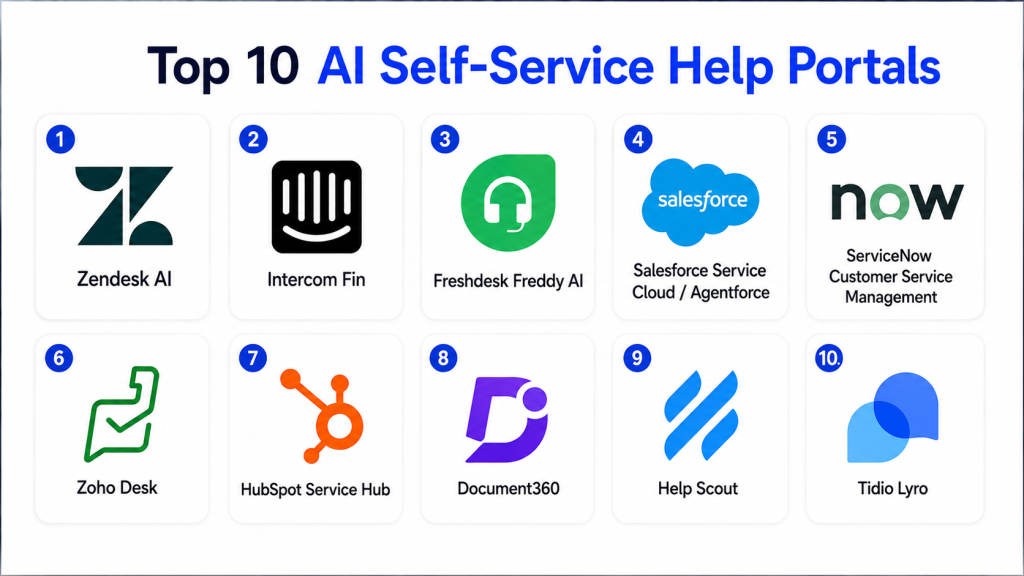
Top 10 AI Self-Service Help Portals
1 — Zendesk Self-Service and Knowledge
One-line verdict: Best for customer-service teams wanting AI-powered knowledge, help-center search, ticketing, and automated support together.
Zendesk combines customer help centers, knowledge management, ticketing, AI agents, and service workflows. Its self-service environment is designed to help customers find answers independently while maintaining a path to human support when necessary.
Standout Capabilities
- Customer help center.
- AI-powered knowledge.
- Conversational support.
- Intelligent search.
- AI agents.
- Request submission.
- Ticket tracking.
- Community and support workflows.
AI-Specific Depth
- Model support: Zendesk-managed AI.
- RAG / knowledge integration: Zendesk Knowledge and connected service information.
- Evaluation: AI-answer and service-outcome evaluation varies by configuration.
- Guardrails: Roles, permissions, workflow rules, and escalation.
- Observability: Self-service, ticket, search, and AI-resolution analytics.
Pros
- Mature customer-support ecosystem.
- Knowledge and ticketing work together naturally.
- Strong path from self-service to human assistance.
Cons
- Advanced AI functionality may depend on selected plans.
- Complex portals need careful administration.
- Best value often comes from broader Zendesk adoption.
Security & Compliance
Verify SSO, RBAC, audit logs, encryption, retention, data residency, knowledge permissions, and required certifications according to the selected plan.
Deployment & Platforms
- Web: Available.
- Cloud: Available.
- Customer help center: Available.
- Mobile-responsive experiences: Available.
- Self-hosted: Varies / N/A.
Integrations & Ecosystem
- Zendesk Support
- Knowledge
- AI agents
- CRM systems
- APIs
- Messaging
- Customer-service applications
Pricing Model
Tiered commercial SaaS with AI functionality varying by product and plan.
Best-Fit Scenarios
- SaaS customer help centers.
- High-volume customer service.
- Organizations already using Zendesk.
2 — ServiceNow Self-Service and Virtual Agent
One-line verdict: Best for large enterprises wanting intelligent employee and customer self-service connected with complex business workflows.
ServiceNow combines portals, service catalogs, knowledge management, virtual agents, AI search, workflow automation, ITSM, customer service, HR, and other enterprise services.
Its major strength is the ability to connect self-service conversations with actual operational workflows.
Standout Capabilities
- Employee self-service.
- Customer self-service.
- Virtual Agent.
- AI search.
- Service catalogs.
- Knowledge management.
- Request workflows.
- Enterprise automation.
AI-Specific Depth
- Model support: ServiceNow-managed AI capabilities.
- RAG / knowledge integration: ServiceNow knowledge, records, workflows, and connected enterprise systems.
- Evaluation: Service-resolution outcomes and human validation.
- Guardrails: Roles, workflow controls, enterprise identity, and permissions.
- Observability: Service, portal, workflow, and virtual-agent analytics.
Pros
- Very broad enterprise workflow capabilities.
- Strong employee-service use cases.
- Can resolve requests rather than only answer questions.
Cons
- Complex implementation.
- Requires experienced administrators.
- Often excessive for small organizations.
Security & Compliance
Verify SSO, RBAC, audit logs, encryption, retention, data residency, workflow permissions, AI governance, and applicable certifications.
Deployment & Platforms
- Cloud: Available.
- Web portals: Available.
- Mobile experiences: Available.
- Enterprise workflow environments: Available.
- Hybrid integrations: Available.
Integrations & Ecosystem
- ITSM
- Customer service
- HR workflows
- CMDB
- Knowledge
- Service catalogs
- Enterprise applications
Pricing Model
Enterprise commercial pricing based on products and modules.
Best-Fit Scenarios
- Enterprise employee portals.
- IT service management.
- Organizations automating multi-department service workflows.
3 — Freshdesk Self-Service with Freddy AI
One-line verdict: Best for growing support teams wanting an approachable help center with AI agents, knowledge, and service automation.
Freshdesk combines customer support, help-center functionality, knowledge management, ticketing, and Freddy AI capabilities.
It can provide a relatively accessible path for organizations that want to move from basic FAQs toward AI-driven customer self-service.
Standout Capabilities
- Customer portal.
- Knowledge base.
- Freddy AI Agent.
- Automated support.
- Ticket submission.
- Request tracking.
- Multichannel service.
- Support analytics.
AI-Specific Depth
- Model support: Freshworks-managed AI.
- RAG / knowledge integration: Freshdesk knowledge and support context.
- Evaluation: Resolution and conversation evaluation workflows vary.
- Guardrails: Access rules, escalation, and administrative settings.
- Observability: Support, AI, and self-service analytics.
Pros
- Accessible for growing teams.
- Combines helpdesk and self-service.
- Good balance between simplicity and automation.
Cons
- Advanced enterprise customization may require additional products.
- AI capabilities depend on plan.
- Knowledge quality strongly affects automated answers.
Security & Compliance
Verify SSO, RBAC, audit trails, encryption, retention, residency, privacy settings, and certifications for the selected environment.
Deployment & Platforms
- Cloud: Available.
- Web: Available.
- Customer portal: Available.
- Messaging: Available depending on configuration.
Integrations & Ecosystem
- Freshdesk
- Freddy AI
- Freshchat
- Knowledge
- CRM integrations
- APIs
- Business applications
Pricing Model
Tiered SaaS with AI functionality varying by plan.
Best-Fit Scenarios
- SMB customer support.
- SaaS help centers.
- Growing customer-service organizations.
4 — Intercom Help Center with Fin
One-line verdict: Best for SaaS companies wanting conversational self-service tightly connected with AI-first customer support.
Intercom combines its Help Center, Knowledge environment, Messenger, helpdesk, and Fin AI Agent to create self-service experiences that can move between article discovery, conversational answers, automated resolution, and human assistance.
Standout Capabilities
- Customer help center.
- Conversational AI support.
- Fin AI Agent.
- Knowledge-grounded answers.
- Messenger.
- Human escalation.
- Customer context.
- Support workflows.
AI-Specific Depth
- Model support: Intercom-managed AI.
- RAG / knowledge integration: Native and connected support knowledge.
- Evaluation: Resolution and support-quality evaluation.
- Guardrails: Knowledge sources, workflow rules, and escalation controls.
- Observability: AI-resolution and conversation analytics.
Pros
- Strong AI-first support experience.
- Good for SaaS companies.
- Smooth transition between AI and human support.
Cons
- Best experience is within Intercom’s ecosystem.
- Less suited to complex enterprise IT service catalogs.
- AI usage economics need evaluation at scale.
Security & Compliance
Verify SSO, RBAC, auditing, retention, encryption, data residency, model-data policies, and applicable certifications.
Deployment & Platforms
- Cloud: Available.
- Web: Available.
- Help center: Available.
- Messenger: Available.
- Mobile integration: Available depending on implementation.
Integrations & Ecosystem
- Intercom Helpdesk
- Knowledge
- Fin AI Agent
- CRM
- Messaging
- APIs
- Customer applications
Pricing Model
Commercial SaaS with helpdesk and AI usage components.
Best-Fit Scenarios
- SaaS product support.
- AI-first customer self-service.
- Organizations wanting conversational support inside their product.
5 — Salesforce Experience Cloud with Agentforce
One-line verdict: Best for Salesforce enterprises requiring personalized customer portals connected deeply with CRM and service data.
Salesforce can combine Experience Cloud, Service Cloud, Knowledge, customer identity, CRM information, and Agentforce-related workflows to build personalized self-service experiences.
A key advantage is the ability to use authenticated customer context when presenting service information and workflows.
Standout Capabilities
- Customer portals.
- CRM-aware personalization.
- Knowledge.
- Case creation.
- Case tracking.
- Agentforce workflows.
- Customer identity.
- Service automation.
AI-Specific Depth
- Model support: Salesforce-managed and supported model ecosystem varies.
- RAG / knowledge integration: CRM, Knowledge, Data Cloud, and connected Salesforce information.
- Evaluation: Agent and service workflow testing.
- Guardrails: Salesforce identity, permissions, and workflow controls.
- Observability: CRM, customer-service, and agent analytics.
Pros
- Deep CRM personalization.
- Powerful enterprise workflow capabilities.
- Strong for authenticated customer portals.
Cons
- Significant implementation complexity.
- Best value requires Salesforce expertise.
- Cost can grow as more products are added.
Security & Compliance
Verify SSO, RBAC, auditability, retention, residency, encryption, customer identity, data controls, and certifications for the selected Salesforce products.
Deployment & Platforms
- Cloud: Available.
- Web portals: Available.
- Mobile-friendly experiences: Available.
- APIs: Available.
Integrations & Ecosystem
- Service Cloud
- Salesforce CRM
- Experience Cloud
- Knowledge
- Agentforce
- Data systems
- Enterprise applications
Pricing Model
Enterprise commercial model depending on licenses, products, users, and AI usage.
Best-Fit Scenarios
- CRM-driven customer portals.
- Partner support.
- Complex account-based self-service.
6 — Jira Service Management Help Center
One-line verdict: Best for IT and engineering organizations wanting employee self-service connected directly with Jira service workflows.
Jira Service Management provides help centers, portals, knowledge, request types, service catalogs, automation, and AI-assisted support workflows.
It is particularly effective when self-service requests ultimately need to become engineering, IT, security, or operational work.
Standout Capabilities
- Service help center.
- Request portals.
- Knowledge integration.
- Virtual service assistance.
- Service catalog.
- Request forms.
- Ticket tracking.
- Automation.
AI-Specific Depth
- Model support: Atlassian-managed AI.
- RAG / knowledge integration: Jira and Confluence context.
- Evaluation: Resolution and request-management outcomes.
- Guardrails: Jira project permissions and workflow rules.
- Observability: Service-management and support analytics.
Pros
- Excellent IT and development alignment.
- Strong connection with Confluence knowledge.
- Useful for technical service organizations.
Cons
- Less focused on consumer-style customer service.
- Complex Jira environments require administration.
- Best fit is within Atlassian-centered organizations.
Security & Compliance
Verify SSO, RBAC, audit logs, retention, encryption, data residency, AI policies, and certifications according to plan.
Deployment & Platforms
- Cloud: Available.
- Web: Available.
- Help center: Available.
- Service portals: Available.
- Enterprise deployment options: Vary.
Integrations & Ecosystem
- Jira
- Confluence
- DevOps workflows
- Service catalogs
- Automation
- Collaboration tools
- APIs
Pricing Model
Tiered commercial model.
Best-Fit Scenarios
- IT service desks.
- Engineering support.
- Employee technical self-service.
7 — Microsoft Dynamics 365 Customer Service Self-Service
One-line verdict: Best for Microsoft-centered organizations connecting customer portals, knowledge, service cases, and conversational automation.
Microsoft Dynamics 365 Customer Service can combine case management, knowledge, virtual agents, Microsoft Power Platform capabilities, and customer-facing portal experiences.
It is useful for enterprises that already use Microsoft business applications and want self-service connected to existing customer and operational data.
Standout Capabilities
- Customer self-service.
- Knowledge management.
- Case management.
- Conversational assistance.
- Workflow automation.
- Microsoft ecosystem integration.
- Customer context.
- Reporting.
AI-Specific Depth
- Model support: Microsoft-managed AI capabilities.
- RAG / knowledge integration: Dynamics, knowledge, and approved Microsoft ecosystem data.
- Evaluation: Human review and service-outcome evaluation.
- Guardrails: Microsoft identity, roles, and platform governance.
- Observability: Customer-service and platform analytics.
Pros
- Strong Microsoft ecosystem fit.
- Flexible workflow automation.
- Useful for enterprise customer-service scenarios.
Cons
- Configuration can become complex.
- Licensing across Microsoft products requires careful planning.
- Smaller companies may prefer simpler helpdesk platforms.
Security & Compliance
Verify identity controls, RBAC, auditing, retention, residency, encryption, data-loss controls, and certifications according to your Microsoft tenant and services.
Deployment & Platforms
- Cloud: Available.
- Web portals: Available.
- Microsoft business applications: Available.
- Mobile experiences: Vary.
Integrations & Ecosystem
- Dynamics 365
- Power Platform
- Microsoft 365
- Customer data
- Knowledge
- Enterprise workflows
- APIs
Pricing Model
Commercial licensing varies by Dynamics and related Microsoft products.
Best-Fit Scenarios
- Microsoft-centered enterprises.
- Customer account self-service.
- Service workflows requiring Power Platform automation.
8 — Aisera AI Self-Service
One-line verdict: Best for enterprises wanting conversational self-service combined with service automation across employee and customer operations.
Aisera focuses on AI-driven service experiences that can answer questions, automate requests, connect with enterprise systems, and escalate unresolved cases.
Its strongest use cases are typically found in larger organizations with complex service workflows.
Standout Capabilities
- Conversational self-service.
- AI agents.
- Knowledge retrieval.
- Workflow automation.
- IT and employee support.
- Customer-service automation.
- Request execution.
- Omnichannel assistance.
AI-Specific Depth
- Model support: Platform-managed and configurable capabilities vary.
- RAG / knowledge integration: Enterprise knowledge and connected service systems.
- Evaluation: Resolution outcomes and AI-quality testing.
- Guardrails: Roles, workflows, and enterprise controls.
- Observability: Service and AI automation analytics.
Pros
- Goes beyond FAQ answering.
- Strong enterprise automation potential.
- Useful across different service departments.
Cons
- Enterprise-focused.
- Requires integration and governance.
- Too broad for basic small-business help centers.
Security & Compliance
Verify SSO, RBAC, auditing, encryption, data retention, residency, model controls, and certifications before adoption.
Deployment & Platforms
- Cloud: Available.
- Enterprise service environments: Available.
- Web/chat self-service: Available.
- Deployment flexibility: Varies.
Integrations & Ecosystem
- ITSM systems
- CRM
- Knowledge platforms
- Enterprise applications
- Service desks
- APIs
- Automation workflows
Pricing Model
Enterprise commercial model.
Best-Fit Scenarios
- Employee self-service.
- Enterprise support automation.
- Organizations integrating multiple service systems.
9 — Moveworks
One-line verdict: Best for enterprise employee self-service spanning IT, HR, finance, workplace, and internal applications.
Moveworks focuses heavily on employee support. It provides conversational access to enterprise knowledge and workflows and can help employees resolve routine service requests without navigating multiple back-office systems.
Standout Capabilities
- Employee self-service.
- Enterprise search.
- AI assistance.
- IT support.
- HR requests.
- Workflow automation.
- Knowledge discovery.
- Enterprise application access.
AI-Specific Depth
- Model support: Moveworks-managed AI.
- RAG / knowledge integration: Enterprise knowledge and connected business applications.
- Evaluation: Self-service resolution and workflow outcomes.
- Guardrails: Identity-aware enterprise permissions.
- Observability: Employee-service and automation analytics.
Pros
- Strong employee-support specialization.
- Works across multiple enterprise departments.
- Can reduce repetitive service-desk requests.
Cons
- Mostly enterprise-focused.
- Less appropriate for public consumer help centers.
- Requires integration across internal business systems.
Security & Compliance
Verify SSO, RBAC, identity-aware access, audit logs, retention, residency, encryption, and certifications according to organizational requirements.
Deployment & Platforms
- Cloud: Available.
- Web: Available.
- Enterprise collaboration environments: Available.
- Internal service channels: Available.
Integrations & Ecosystem
- ITSM
- HR applications
- Enterprise search
- Collaboration platforms
- Knowledge
- Internal business systems
- Workflow automation
Pricing Model
Enterprise commercial pricing.
Best-Fit Scenarios
- Enterprise employee help.
- Internal IT self-service.
- Cross-department service automation.
10 — Custom RAG-Based Self-Service Portal
One-line verdict: Best for mature organizations needing full control over AI models, knowledge, identity, workflows, and portal design.
Some organizations build private self-service portals using language models, RAG, vector databases, knowledge repositories, workflow APIs, authentication systems, and custom user interfaces.
This can provide strong flexibility, but the organization becomes responsible for security, search quality, evaluation, escalation, knowledge governance, and ongoing maintenance.
Standout Capabilities
- BYO models.
- Private RAG.
- Custom portal UI.
- Organization-specific knowledge.
- Identity-aware retrieval.
- Custom workflows.
- Multi-model routing.
- Complete analytics.
AI-Specific Depth
- Model support: BYO / multi-model / open-source / proprietary.
- RAG / knowledge integration: Fully customizable.
- Evaluation: Offline datasets, simulation, human review, and production monitoring.
- Guardrails: Custom source restrictions, authentication, tool permissions, and human escalation.
- Observability: Retrieval sources, model calls, latency, cost, actions, resolution, and failures.
Pros
- Maximum flexibility.
- Can support private deployment.
- Reduces dependence on one service vendor.
Cons
- High engineering effort.
- Requires continuous evaluation.
- Security and reliability become internal responsibilities.
Security & Compliance
Entirely architecture-dependent. Teams must implement SSO, authorization, source-level permissions, retention, encryption, audit logs, identity isolation, model controls, and residency policies.
Deployment & Platforms
- Cloud: Possible.
- Self-hosted: Possible.
- Hybrid: Possible.
- Private models: Possible.
Integrations & Ecosystem
- Knowledge bases
- CRM
- ITSM
- Billing
- Order systems
- Identity platforms
- Internal APIs
Pricing Model
Infrastructure, model inference, engineering, storage, integration, and maintenance costs.
Best-Fit Scenarios
- Regulated enterprises.
- Highly specialized service portals.
- Organizations requiring private models or custom workflows.
Comparison Table
| Tool Name | Best For | Deployment | Model Flexibility | Strength | Watch-Out | Public Rating |
|---|---|---|---|---|---|---|
| Zendesk Self-Service | Customer support | Cloud | Hosted | Mature support ecosystem | Plan complexity | N/A |
| ServiceNow | Enterprise service | Cloud / Enterprise | Hosted | Deep workflow automation | Implementation complexity | N/A |
| Freshdesk + Freddy AI | SMB support | Cloud | Hosted | Easy self-service setup | Advanced features vary | N/A |
| Intercom + Fin | SaaS customer support | Cloud | Hosted | Conversational resolution | Intercom-centric | N/A |
| Salesforce Experience Cloud | CRM-heavy enterprise | Cloud | Hosted / Varies | Personalized customer context | Complex implementation | N/A |
| Jira Service Management | IT and engineering | Cloud / Varies | Hosted | Technical service workflows | Atlassian-centric | N/A |
| Dynamics 365 | Microsoft enterprises | Cloud | Hosted | Microsoft ecosystem | Licensing complexity | N/A |
| Aisera | Enterprise automation | Cloud / Varies | Hosted / Varies | Workflow-driven self-service | Enterprise overhead | N/A |
| Moveworks | Employee self-service | Cloud | Hosted | Cross-department support | Internal focus | N/A |
| Custom RAG Portal | Mature organizations | Cloud / Self-hosted / Hybrid | BYO / Multi-model | Maximum control | Engineering overhead | N/A |
Scoring & Evaluation
The scores below are comparative editorial assessments rather than official vendor ratings. Self-service platforms serve different audiences, so an employee IT portal should not be evaluated exactly like a public SaaS customer help center.
Core features measure knowledge search, portal capabilities, virtual assistance, request management, and workflow support. Reliability measures grounded answers, escalation, and evaluation capabilities. Guardrails consider permissions, privacy, identity, and safe actions. Integrations measure CRM, ITSM, knowledge, workflow, and enterprise-system connectivity.
| Tool | Core | Reliability/Eval | Guardrails | Integrations | Ease | Perf/Cost | Security/Admin | Support | Weighted Total |
|---|---|---|---|---|---|---|---|---|---|
| Zendesk | 10 | 9 | 9 | 10 | 9 | 8 | 9 | 10 | 9.15 |
| ServiceNow | 10 | 10 | 10 | 10 | 7 | 7 | 10 | 10 | 9.10 |
| Freshdesk | 9 | 9 | 9 | 9 | 10 | 9 | 9 | 9 | 9.00 |
| Intercom | 10 | 9 | 9 | 9 | 10 | 8 | 9 | 9 | 9.05 |
| Salesforce | 10 | 9 | 10 | 10 | 7 | 7 | 10 | 10 | 8.95 |
| Jira Service Management | 9 | 9 | 9 | 10 | 9 | 8 | 9 | 9 | 8.95 |
| Dynamics 365 | 9 | 9 | 10 | 10 | 7 | 8 | 10 | 9 | 8.80 |
| Aisera | 10 | 9 | 9 | 10 | 8 | 8 | 9 | 9 | 9.00 |
| Moveworks | 9 | 9 | 10 | 10 | 9 | 8 | 10 | 9 | 9.10 |
| Custom RAG Portal | 10 | 10 | 10 | 10 | 5 | 7 | 10 | 6 | 8. |
Which AI Self-Service Help Portal Is Right for You?
Solo / Small Business
Small teams should begin with a clean searchable knowledge base and simple support portal.
The most important capabilities are:
- FAQs.
- Search.
- Contact forms.
- Request tracking.
- Basic conversational support.
Avoid building unnecessary enterprise workflow complexity.
SMB
Small and growing companies should focus on increasing successful self-service without making human support difficult to reach.
Freshdesk, Intercom, and Zendesk are strong candidates depending on the existing support stack.
Track whether users actually resolve their problem rather than simply whether they opened the portal.
Mid-Market
Growing organizations should connect self-service with customer context.
A mature portal should understand:
- User identity.
- Subscription.
- Product.
- Account.
- Language.
- Previous support requests.
- Entitlements.
- Relevant knowledge.
This allows the experience to become more personalized without exposing information the user should not see.
Enterprise
Enterprise requirements should include:
- SSO.
- RBAC.
- Source-level permissions.
- Audit logs.
- Knowledge governance.
- Workflow approvals.
- Data residency.
- Retention.
- Identity-aware personalization.
- Service catalogs.
- CRM or ITSM integration.
- Multilingual support.
- Human escalation.
- AI evaluation.
- Analytics.
The portal should respect the same authorization model as the systems behind it.
Regulated Industries
Healthcare, finance, government, insurance, and other regulated industries need stronger controls.
Self-service portals may expose:
- Personal information.
- Financial data.
- Medical information.
- Account records.
- Service history.
- Internal policies.
Never allow retrieval or workflow automation to bypass identity verification and authorization.
Budget vs Premium
A basic knowledge portal may be enough when most users only need information.
Premium platforms become more valuable when self-service includes:
- Personalized account information.
- Workflow execution.
- AI agents.
- Service catalogs.
- Case tracking.
- Multilingual support.
- Complex access permissions.
Evaluate cost per successfully self-served request rather than subscription price alone.
Build vs Buy
Building can make sense when the organization needs unusual workflows, private models, custom identity rules, or deeply proprietary knowledge.
Buying is generally better when standard customer or employee service workflows cover most requirements.
Implementation Playbook: 30 / 60 / 90 Days
First 30 Days — Knowledge and Search Pilot
Start with the most common support questions.
Include:
- Account access.
- Billing.
- Product setup.
- Common errors.
- Orders.
- Service requests.
- Policy questions.
Measure:
- Search success.
- Answer accuracy.
- Self-service completion.
- Escalation.
- Failed searches.
- User satisfaction.
Keep AI actions read-only initially.
Days 31–60 — Conversational Support and Context
Add an AI assistant grounded in approved knowledge.
Connect controlled user context such as:
- Account type.
- Product.
- Subscription.
- Language.
- Open cases.
Build evaluation datasets from historical questions.
Test:
- Ambiguous requests.
- Missing knowledge.
- Conflicting articles.
- Incorrect user assumptions.
- Prompt-injection attempts.
- Unauthorized information requests.
Days 61–90 — Workflow Automation
Add low-risk actions such as:
- Creating a ticket.
- Checking ticket status.
- Scheduling service.
- Updating simple preferences.
- Submitting standard requests.
Require stronger authentication or human confirmation for sensitive actions.
Track:
- Successful self-service.
- Escalation.
- Repeat contacts.
- Failed actions.
- Incorrect answers.
- Time saved.
- AI cost.
- Customer or employee satisfaction.
Common Mistakes and How to Avoid Them
- Launching AI self-service on top of outdated knowledge.
- Hiding human support behind the portal.
- Measuring portal visits instead of successful resolutions.
- Allowing the AI to answer without approved sources.
- Giving the portal excessive account permissions.
- Ignoring identity and authorization.
- Mixing internal and public knowledge.
- Failing to test low-confidence answers.
- Automatically executing sensitive actions.
- Ignoring prompt-injection risks.
- Failing to preserve context during escalation.
- Creating too many confusing portal categories.
- Using one experience for every customer type.
- Ignoring mobile usability.
- Failing to analyze unsuccessful searches.
- Ignoring multilingual quality.
- Allowing obsolete articles to remain searchable.
- Failing to measure repeat contacts.
- Locking all knowledge into one proprietary system without an export strategy.
- Assuming self-service means eliminating human support.
Frequently Asked Questions
1. What is an AI self-service help portal?
An AI self-service help portal is a customer- or employee-facing service environment that combines knowledge, search, conversational assistance, request management, and automation so users can solve common problems without immediately contacting a human.
2. How is an AI self-service portal different from a traditional knowledge base?
A traditional knowledge base mainly presents articles. An AI portal can understand natural-language questions, retrieve relevant knowledge, provide direct answers, personalize results, and potentially perform approved service actions.
3. Can AI self-service portals create support tickets?
Yes. Many service platforms can create requests when the AI cannot solve the issue or when the user’s need requires a formal support workflow.
4. Can a self-service portal track existing requests?
Yes. Authenticated portals can often allow customers or employees to view open requests, statuses, updates, and previous cases.
5. Can AI self-service portals use account information?
Yes, when properly integrated and authorized. Account context can improve personalization, but identity verification and least-privilege access are essential.
6. What is RAG in a self-service portal?
RAG retrieves relevant information from approved knowledge sources before generating an answer. This helps ground responses in organization-specific documentation rather than relying only on general model knowledge.
7. Can an AI portal escalate users to human support?
Yes. A good system should escalate when confidence is low, the issue is sensitive, or automation cannot complete the task. It should also transfer the conversation context to the human agent.
8. Are AI self-service portals safe for confidential information?
They can be when correctly designed. Organizations should enforce authentication, permissions, encryption, retention controls, source-level access, auditing, and strict authorization for every business action.
9. How should I measure AI self-service performance?
Track successful resolution, escalation rate, repeat contact, search success, failed searches, user satisfaction, incorrect answers, automation failures, resolution time, and cost per successfully completed self-service interaction.
10. How do I choose the best AI self-service help portal?
Compare knowledge grounding, conversational search, portal usability, AI-agent capabilities, workflow automation, CRM or ITSM integration, identity controls, human escalation, analytics, multilingual support, privacy, security, scalability, and total self-service resolution quality.
Conclusion
AI self-service help portals are changing customer and employee support from a static FAQ experience into an interactive service environment. Users can increasingly ask questions naturally, retrieve personalized information, complete routine requests, track existing cases, and move to human assistance when automation is not enough.Different platforms fit different requirements. Zendesk, Freshdesk, and Intercom are strong candidates for customer-support environments. ServiceNow, Moveworks, and Jira Service Management are especially relevant for enterprise employee and IT self-service. Salesforce is attractive when customer identity and CRM context are central, while Microsoft Dynamics fits organizations already invested deeply in the Microsoft business ecosystem. Aisera provides broader enterprise service automation, and custom RAG portals offer the greatest control for organizations with specialized requirements.