Introduction
AI customer sentiment analysis tools help businesses understand how customers feel across reviews, surveys, support tickets, chats, calls, emails, social media posts, and other feedback channels. Instead of manually reading thousands of comments, teams can use these platforms to identify positive, neutral, and negative sentiment, detect recurring themes, surface urgent complaints, and track how customer perception changes over time.
Modern sentiment analysis is becoming more context-aware. Instead of assigning a simple positive or negative label to an entire message, advanced systems can analyze sentiment by topic, product feature, customer journey stage, account, or conversation segment. Some platforms also combine sentiment with intent, emotion, urgency, effort, and root-cause analysis.
Common use cases include customer-experience monitoring, support-quality analysis, churn-risk detection, product-feedback analysis, review monitoring, contact-center intelligence, campaign analysis, and Voice of Customer programs.
What’s Changing in AI Customer Sentiment Analysis Tools
- Sentiment analysis is moving beyond simple positive, neutral, and negative labels.
- Modern systems increasingly identify emotions such as frustration, satisfaction, confusion, anger, and excitement.
- Aspect-based sentiment analysis can measure sentiment toward individual product features or service areas.
- Customer sentiment is increasingly connected with intent and urgency.
- Conversation-level analysis can identify how sentiment changes during a support interaction.
- Contact centers increasingly use sentiment to identify difficult or escalating calls.
- AI can group large volumes of feedback into recurring themes automatically.
- Voice of Customer platforms increasingly combine surveys, reviews, support conversations, and social feedback.
- Multilingual sentiment analysis is becoming more important for global businesses.
- LLM-based analysis can interpret longer and more nuanced customer comments.
- Teams increasingly want explanations or evidence behind sentiment classifications.
- Sentiment is increasingly connected with churn and retention analysis.
- Product teams can use sentiment to prioritize frequently criticized features.
- Real-time sentiment can help supervisors identify calls that may need intervention.
- Historical sentiment trends are becoming useful for measuring release or policy impact.
- Customer sentiment can increasingly be segmented by account tier, region, product, plan, or customer lifecycle.
- AI can detect mixed sentiment within the same conversation.
- Privacy is becoming more important because feedback often contains personal or confidential information.
- Human review remains necessary for sarcasm, ambiguity, cultural language, and high-impact decisions.
- The strongest platforms combine sentiment with broader customer context rather than treating every message in isolation.
Quick Buyer Checklist
Before selecting an AI customer sentiment analysis tool, check whether it can:
- Detect positive, neutral, and negative sentiment.
- Detect emotions.
- Analyze long-form feedback.
- Analyze support tickets.
- Analyze chat conversations.
- Analyze call transcripts.
- Analyze surveys.
- Analyze product reviews.
- Analyze social feedback.
- Identify sentiment by topic.
- Support aspect-based sentiment analysis.
- Detect customer intent.
- Detect urgency.
- Identify escalation risk.
- Track sentiment trends.
- Segment sentiment by customer type.
- Support multiple languages.
- Provide confidence scores.
- Show evidence behind classifications.
- Handle mixed sentiment.
- Integrate with CRM.
- Integrate with helpdesk systems.
- Integrate with survey tools.
- Support APIs.
- Protect customer data.
- Apply RBAC.
- Provide auditability.
- Support custom categories.
- Allow human correction.
- Export sentiment data for analytics.
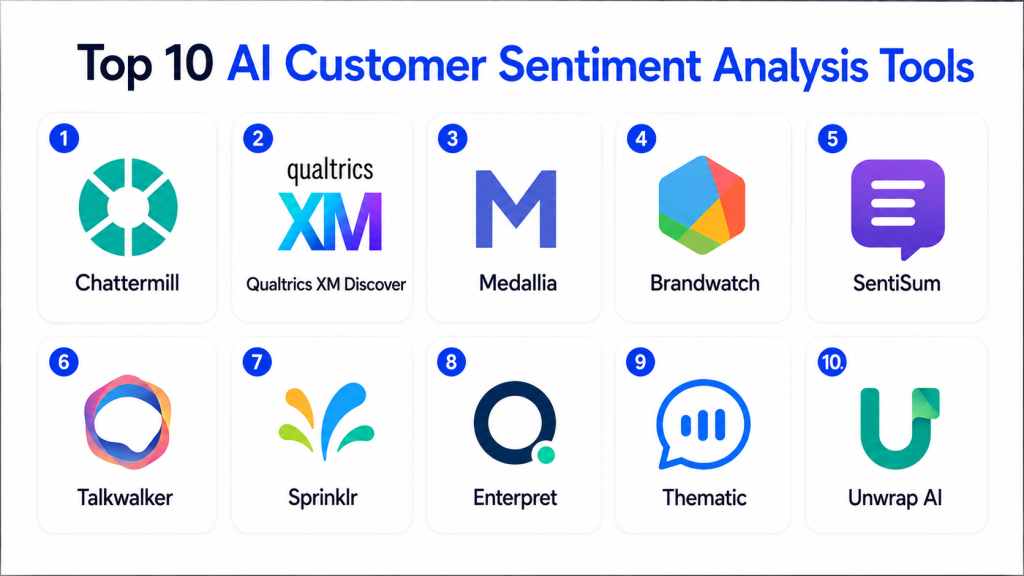
Top 10 AI Customer Sentiment Analysis Tools
1 — Qualtrics XM Discover
One-line verdict: Best for enterprises wanting broad Voice of Customer analytics across surveys, conversations, reviews, and feedback sources.
Qualtrics XM Discover is designed to analyze large volumes of customer feedback and conversational data. It can help organizations identify sentiment, themes, experience drivers, and recurring issues across multiple feedback channels.
Standout Capabilities
- Customer sentiment analysis.
- Voice of Customer analytics.
- Topic detection.
- Theme discovery.
- Conversation analysis.
- Experience drivers.
- Feedback categorization.
- Enterprise reporting.
AI-Specific Depth
- Model support: Platform-managed AI.
- RAG / knowledge integration: Customer-experience and feedback context varies.
- Evaluation: Human validation and analytics review.
- Guardrails: Enterprise permissions and governance.
- Observability: Sentiment, topic, and experience analytics.
Pros
- Strong enterprise CX focus.
- Works across multiple feedback sources.
- Useful for large Voice of Customer programs.
Cons
- More complex than lightweight sentiment tools.
- Enterprise implementation can require significant setup.
- Small businesses may not need the platform breadth.
Security & Compliance
Verify SSO, RBAC, audit logs, encryption, data retention, residency, and required certifications according to deployment.
Deployment & Platforms
- Cloud: Available.
- Web: Available.
- Enterprise feedback environments: Available.
- Self-hosted: Varies / N/A.
Integrations & Ecosystem
- Surveys
- Contact-center data
- Reviews
- CRM systems
- Customer feedback
- Analytics workflows
- Enterprise applications
Pricing Model
Enterprise commercial pricing.
Best-Fit Scenarios
- Enterprise Voice of Customer.
- Customer-experience analytics.
- Multi-channel feedback analysis.
2 — Medallia Text Analytics
One-line verdict: Best for large customer-experience programs that need sentiment, themes, and experience insights across many channels.
Medallia provides customer and employee experience analytics with strong text and conversation analysis capabilities. It can analyze unstructured feedback and connect sentiment with broader customer-experience data.
Standout Capabilities
- Text sentiment analysis.
- Topic discovery.
- Customer-feedback analytics.
- Journey context.
- Experience signals.
- Conversation analysis.
- Trend detection.
- Enterprise dashboards.
AI-Specific Depth
- Model support: Medallia-managed AI.
- RAG / knowledge integration: Customer-experience context varies.
- Evaluation: Human review and analytical validation.
- Guardrails: Enterprise roles and permissions.
- Observability: Experience and sentiment analytics.
Pros
- Strong experience-management ecosystem.
- Good for multi-channel customer feedback.
- Suitable for large enterprises.
Cons
- Broad platform can be complex.
- Setup and taxonomy design require effort.
- Cost may be high for small teams.
Security & Compliance
Verify current SSO, RBAC, auditability, retention, residency, encryption, and certifications directly.
Deployment & Platforms
- Cloud: Available.
- Web: Available.
- Enterprise experience platform: Available.
Integrations & Ecosystem
- Surveys
- Contact centers
- CRM
- Customer reviews
- Feedback systems
- Analytics platforms
- Enterprise applications
Pricing Model
Enterprise commercial model.
Best-Fit Scenarios
- Large CX programs.
- Omnichannel sentiment analytics.
- Customer journey analysis.
3 — Chattermill
One-line verdict: Best for product and customer-experience teams combining feedback from multiple sources into unified sentiment and theme analysis.
Chattermill is focused on customer-feedback intelligence. It helps organizations analyze feedback from support, surveys, reviews, and other channels to understand recurring themes, customer sentiment, and experience drivers.
Standout Capabilities
- Unified customer feedback.
- Sentiment analysis.
- Theme detection.
- Customer-experience analytics.
- Feedback categorization.
- Trend monitoring.
- Product insight.
- Journey analysis.
AI-Specific Depth
- Model support: Platform-managed AI.
- RAG / knowledge integration: Customer-feedback context.
- Evaluation: Human review and feedback comparison.
- Guardrails: Workspace permissions.
- Observability: Feedback and sentiment analytics.
Pros
- Strong focus on unstructured feedback.
- Useful for product and CX teams.
- Combines multiple customer-feedback sources.
Cons
- Requires good source integration.
- Less focused on real-time contact-center intervention.
- Enterprise analytics setup can require careful taxonomy design.
Security & Compliance
Verify SSO, RBAC, data retention, encryption, audit logs, residency, and certifications according to plan.
Deployment & Platforms
- Cloud: Available.
- Web: Available.
- Data integrations: Available.
Integrations & Ecosystem
- Support platforms
- Survey tools
- Reviews
- CRM
- Product feedback
- Analytics
- Data warehouses
Pricing Model
Commercial SaaS.
Best-Fit Scenarios
- Product-feedback analysis.
- Voice of Customer.
- Multi-source sentiment monitoring.
4 — SentiSum
One-line verdict: Best for support teams wanting automated sentiment, topic, and intent analysis across customer-service conversations.
SentiSum focuses on customer-support analytics and feedback intelligence. It can help teams analyze tickets, chats, reviews, and other feedback sources to identify sentiment, recurring contact reasons, and customer-experience problems.
Standout Capabilities
- Support-ticket sentiment.
- Topic detection.
- Contact-reason analysis.
- Intent classification.
- Customer-feedback analytics.
- Trend monitoring.
- Root-cause analysis.
- Support insights.
AI-Specific Depth
- Model support: SentiSum-managed AI.
- RAG / knowledge integration: Support and customer-feedback context.
- Evaluation: Human review and category validation.
- Guardrails: Workspace and data-access controls.
- Observability: Support and sentiment dashboards.
Pros
- Strong customer-support specialization.
- Useful for identifying why customers contact support.
- Can reveal repeated experience issues.
Cons
- Less broad than full enterprise CX suites.
- Value depends on support-data volume.
- Custom taxonomy may require tuning.
Security & Compliance
Verify SSO, permissions, data handling, retention, encryption, auditing, and certifications.
Deployment & Platforms
- Cloud: Available.
- Web: Available.
- Support-data integrations: Available.
Integrations & Ecosystem
- Helpdesk systems
- Reviews
- Surveys
- Customer feedback
- Support analytics
- CRM workflows
Pricing Model
Commercial SaaS.
Best-Fit Scenarios
- Support analytics.
- Contact-reason analysis.
- Customer dissatisfaction detection.
5 — CallMiner
One-line verdict: Best for contact centers wanting sentiment analysis connected with calls, compliance, quality management, and conversation intelligence.
CallMiner provides conversation intelligence for contact centers. Sentiment can be analyzed alongside topics, behaviors, compliance, quality, and customer-experience signals.
Standout Capabilities
- Call sentiment analysis.
- Conversation intelligence.
- Customer emotion signals.
- Topic analysis.
- Compliance monitoring.
- Agent behavior analysis.
- Quality management.
- Trend analytics.
AI-Specific Depth
- Model support: CallMiner-managed AI.
- RAG / knowledge integration: Conversation context varies.
- Evaluation: Call review and human QA.
- Guardrails: Enterprise access controls.
- Observability: Conversation and sentiment analytics.
Pros
- Strong voice and contact-center specialization.
- Sentiment can be connected with agent behavior.
- Useful for quality and compliance teams.
Cons
- May be excessive for teams needing only simple text sentiment.
- Advanced analytics require administration.
- Call-transcription quality affects results.
Security & Compliance
Verify SSO, RBAC, audit logs, encryption, retention, recording controls, PII handling, and certifications.
Deployment & Platforms
- Cloud: Available.
- Web: Available.
- Contact-center conversation analysis: Available.
Integrations & Ecosystem
- Contact-center platforms
- Voice recordings
- Digital conversations
- Quality management
- Compliance workflows
- Coaching
- Analytics
Pricing Model
Enterprise commercial model.
Best-Fit Scenarios
- Contact-center sentiment.
- Call-quality analytics.
- Compliance-heavy customer service.
6 — Observe.AI
One-line verdict: Best for customer-service organizations wanting sentiment and conversation intelligence tied closely to agent performance and QA.
Observe.AI analyzes customer-service conversations and supports automated quality, coaching, and conversation analytics. Sentiment-related insights can help teams understand difficult calls and identify customer-experience patterns.
Standout Capabilities
- Conversation analytics.
- Sentiment signals.
- Customer-intent analysis.
- AutoQA.
- Agent-performance analytics.
- Call summaries.
- Coaching.
- Contact-center intelligence.
AI-Specific Depth
- Model support: Observe.AI-managed AI.
- RAG / knowledge integration: Contact-center context varies.
- Evaluation: Manual QA and conversation review.
- Guardrails: Role and workflow permissions.
- Observability: Interaction and performance analytics.
Pros
- Strong contact-center orientation.
- Sentiment can be connected with agent coaching.
- Useful for high-volume service operations.
Cons
- Best suited to contact centers.
- Not designed primarily for social-media sentiment.
- Requires calibrated analytics and QA processes.
Security & Compliance
Verify SSO, RBAC, audit logs, encryption, data retention, PII handling, residency, and certifications.
Deployment & Platforms
- Cloud: Available.
- Web: Available.
- Voice and digital analytics: Available.
Integrations & Ecosystem
- Contact centers
- CRM
- Support platforms
- QA workflows
- Coaching
- Conversation data
- Enterprise analytics
Pricing Model
Commercial enterprise pricing.
Best-Fit Scenarios
- Contact-center sentiment analysis.
- Customer escalation monitoring.
- Agent-quality improvement.
7 — Brandwatch
One-line verdict: Best for marketing and brand teams analyzing customer sentiment across social media, online conversations, and digital communities.
Brandwatch is a social-listening and consumer-intelligence platform. It can help businesses monitor sentiment, brand mentions, customer reactions, campaigns, competitors, and emerging trends across digital conversations.
Standout Capabilities
- Social sentiment analysis.
- Brand monitoring.
- Consumer intelligence.
- Topic tracking.
- Trend detection.
- Competitive analysis.
- Campaign monitoring.
- Social listening.
AI-Specific Depth
- Model support: Platform-managed AI.
- RAG / knowledge integration: Social and consumer-data context.
- Evaluation: Human analyst validation.
- Guardrails: Workspace permissions.
- Observability: Brand and sentiment dashboards.
Pros
- Strong social-media coverage.
- Good for brand and campaign monitoring.
- Useful for competitive sentiment analysis.
Cons
- Less suited to internal support-ticket analytics.
- Social sentiment can be noisy.
- Sarcasm and cultural language still require caution.
Security & Compliance
Verify enterprise access, data retention, encryption, auditability, and relevant certifications.
Deployment & Platforms
- Cloud: Available.
- Web: Available.
- Social monitoring: Available.
Integrations & Ecosystem
- Social networks
- Consumer conversations
- Marketing analytics
- Brand monitoring
- Research workflows
- Dashboards
Pricing Model
Commercial enterprise SaaS.
Best-Fit Scenarios
- Brand sentiment.
- Campaign analysis.
- Social-media monitoring.
8 — Sprinklr Insights
One-line verdict: Best for global enterprises wanting sentiment analysis connected with social listening, customer care, and unified customer experience.
Sprinklr combines social listening, customer care, marketing, and experience-management capabilities. Its analytics can help enterprises monitor sentiment across customer conversations and digital channels.
Standout Capabilities
- Sentiment analysis.
- Social listening.
- Customer-care analytics.
- Brand monitoring.
- Topic discovery.
- Trend analysis.
- Omnichannel customer signals.
- Enterprise reporting.
AI-Specific Depth
- Model support: Sprinklr-managed AI.
- RAG / knowledge integration: Customer and social context varies.
- Evaluation: Human analyst review.
- Guardrails: Enterprise permissions and governance.
- Observability: Customer and social analytics.
Pros
- Broad enterprise channel coverage.
- Useful for global brands.
- Combines service and marketing insights.
Cons
- Enterprise complexity.
- May be excessive for small teams.
- Implementation requires substantial configuration.
Security & Compliance
Verify SSO, RBAC, audit logs, retention, encryption, residency, and applicable certifications.
Deployment & Platforms
- Cloud: Available.
- Web: Available.
- Enterprise CX environments: Available.
Integrations & Ecosystem
- Social networks
- Customer care
- Marketing
- Contact centers
- CRM
- Analytics
- Enterprise data
Pricing Model
Enterprise commercial pricing.
Best-Fit Scenarios
- Global social listening.
- Enterprise customer sentiment.
- Unified CX analytics.
9 — MonkeyLearn-Style Custom Text Classification Workflows
One-line verdict: Best for teams wanting flexible sentiment classification integrated into custom applications and analytics workflows.
Custom text-classification platforms and API-driven sentiment workflows can be useful when organizations do not need a full Voice of Customer suite. Teams can send reviews, tickets, survey responses, or messages to a model and return structured sentiment labels.
Standout Capabilities
- Text sentiment classification.
- Custom categories.
- API integration.
- Batch processing.
- Feedback labeling.
- Workflow automation.
- Data export.
- Custom analytics.
AI-Specific Depth
- Model support: Varies by implementation.
- RAG / knowledge integration: Usually limited or custom.
- Evaluation: Labeled test datasets and human review.
- Guardrails: Application-level controls.
- Observability: Depends on implementation.
Pros
- Flexible.
- Easier to integrate into custom workflows.
- Suitable for focused use cases.
Cons
- Less turnkey than enterprise CX tools.
- Organizations must build dashboards and governance.
- Context-aware sentiment may require custom modeling.
Security & Compliance
Depends on the selected provider and architecture. Verify API data handling, retention, encryption, authentication, and certifications.
Deployment & Platforms
- Cloud API: Common.
- Custom applications: Supported.
- Self-hosted: Depends on model/provider.
Integrations & Ecosystem
- CRM
- Helpdesk
- Surveys
- Data warehouses
- BI tools
- Custom APIs
- Automation
Pricing Model
Usage-based or subscription pricing varies by platform.
Best-Fit Scenarios
- Custom sentiment pipelines.
- Product-review analysis.
- Lightweight internal analytics.
10 — Custom LLM Sentiment Analysis System
One-line verdict: Best for mature organizations needing custom sentiment taxonomies, private deployment, and complete control over evaluation.
Organizations can build custom sentiment-analysis systems using language models, embeddings, RAG, data warehouses, CRM records, customer feedback, and internal analytics.
This approach allows businesses to move beyond generic positive/negative classifications and define categories that match their own customer experience.
Standout Capabilities
- Custom sentiment labels.
- Emotion detection.
- Aspect-based sentiment.
- Customer-specific taxonomy.
- BYO models.
- Private deployment.
- Custom dashboards.
- Fully configurable evaluation.
AI-Specific Depth
- Model support: BYO / open-source / proprietary / multi-model.
- RAG / knowledge integration: Fully customizable.
- Evaluation: Labeled datasets, regression tests, human review, and calibration.
- Guardrails: Fully customizable.
- Observability: Confidence, model cost, latency, classification drift, and human corrections.
Pros
- Maximum flexibility.
- Strong privacy options.
- Can model domain-specific language.
Cons
- Requires engineering expertise.
- Evaluation can be difficult.
- Ongoing model monitoring is required.
Security & Compliance
Entirely architecture-dependent. Organizations must design access controls, retention, encryption, auditing, model security, privacy, and data residency.
Deployment & Platforms
- Cloud: Possible.
- Self-hosted: Possible.
- Hybrid: Possible.
- Private models: Possible.
Integrations & Ecosystem
- CRM
- Helpdesk
- Surveys
- Reviews
- Social media
- Data warehouses
- BI systems
Pricing Model
Infrastructure, model, engineering, storage, analytics, and maintenance costs.
Best-Fit Scenarios
- Regulated enterprises.
- Domain-specific sentiment analysis.
- Organizations needing private models.
Comparison Table
| Tool Name | Best For | Deployment | Model Flexibility | Strength | Watch-Out | Public Rating |
|---|---|---|---|---|---|---|
| Qualtrics XM Discover | Enterprise CX | Cloud | Hosted | Broad Voice of Customer analytics | Platform complexity | N/A |
| Medallia Text Analytics | Large experience programs | Cloud | Hosted | Multi-channel sentiment | Enterprise overhead | N/A |
| Chattermill | Product and CX teams | Cloud | Hosted | Unified feedback intelligence | Integration effort | N/A |
| SentiSum | Support teams | Cloud | Hosted | Ticket and support sentiment | Narrower enterprise scope | N/A |
| CallMiner | Contact centers | Cloud | Hosted | Voice sentiment + compliance | Call-focused | N/A |
| Observe.AI | Customer service | Cloud | Hosted | Sentiment + QA | Contact-center centric | N/A |
| Brandwatch | Marketing teams | Cloud | Hosted | Social sentiment | Social data can be noisy | N/A |
| Sprinklr Insights | Global enterprises | Cloud | Hosted | Omnichannel sentiment | Enterprise complexity | N/A |
| Custom Classification Workflow | Custom apps | Cloud / Varies | Varies | Flexibility | More internal setup | N/A |
| Custom LLM System | Mature enterprises | Cloud / Self-hosted / Hybrid | BYO / Multi-model | Maximum control | Engineering overhead | N/A |
Scoring & Evaluation
The scores below are comparative editorial assessments rather than official benchmarks. Customer sentiment tools solve different problems. Some focus on surveys and Voice of Customer, others on contact-center conversations, social media, or custom text pipelines.
Core features measure sentiment, topic, emotion, intent, and segmentation capabilities. Reliability considers context, explainability, and human validation. Guardrails cover privacy and governance. Integrations measure support, CRM, surveys, social, data, and analytics connectivity.
| Tool | Core | Reliability/Eval | Guardrails | Integrations | Ease | Perf/Cost | Security/Admin | Support | Weighted Total |
|---|---|---|---|---|---|---|---|---|---|
| Qualtrics XM Discover | 10 | 9 | 10 | 10 | 8 | 7 | 10 | 10 | 9.10 |
| Medallia | 10 | 9 | 10 | 10 | 8 | 7 | 10 | 10 | 9.10 |
| Chattermill | 10 | 9 | 9 | 10 | 9 | 8 | 9 | 9 | 9.15 |
| SentiSum | 9 | 9 | 9 | 9 | 9 | 9 | 9 | 8 | 8.85 |
| CallMiner | 10 | 9 | 10 | 10 | 8 | 8 | 9 | 9 | 9.10 |
| Observe.AI | 9 | 9 | 9 | 10 | 9 | 8 | 9 | 9 | 8.95 |
| Brandwatch | 9 | 8 | 8 | 10 | 8 | 8 | 9 | 9 | 8.55 |
| Sprinklr Insights | 10 | 9 | 10 | 10 | 7 | 7 | 10 | 10 | 9.00 |
| Custom Classification Workflow | 8 | 8 | 8 | 9 | 8 | 9 | 8 | 7 | 8.20 |
| Custom LLM System | 10 | 10 | 10 | 10 | 5 | 7 | 10 | 6 | 8.85 |
Which AI Customer Sentiment Analysis Tool Is Right for You?
Solo / Small Business
Small businesses often do not need a dedicated enterprise sentiment platform.
Start by analyzing:
- Reviews.
- Survey responses.
- Support tickets.
- Social comments.
A lightweight analytics or custom classification workflow may be enough.
SMB
Small and mid-sized companies should prioritize practical insight over complex dashboards.
The system should answer questions such as:
- Why are customers unhappy?
- Which product area receives the most complaints?
- Which issue is becoming more common?
- Which customer segment is most frustrated?
- Are customers happier after a recent product change?
SentiSum and Chattermill can be attractive in these situations.
Mid-Market
Mid-market organizations should combine sentiment across channels.
Useful sources include:
- Support tickets.
- Surveys.
- Product reviews.
- Customer-success notes.
- Call transcripts.
- Chat conversations.
The goal is to avoid analyzing each source independently.
Enterprise
Large organizations should evaluate:
- SSO.
- RBAC.
- Auditability.
- Data residency.
- Retention.
- Multilingual analysis.
- Custom taxonomies.
- Customer segmentation.
- CRM integration.
- Contact-center integration.
- Survey integration.
- Data-warehouse export.
- Human correction workflows.
Enterprise teams should also verify whether a sentiment score can be traced back to the supporting customer text or conversation.
Regulated Industries
Finance, healthcare, insurance, and government organizations should be careful when sentiment analysis processes sensitive customer conversations.
Potential data includes:
- Personal information.
- Account details.
- Medical information.
- Payment information.
- Complaints.
- Legal statements.
Sentiment should not be used alone to make consequential decisions about customers.
Budget vs Premium
Lightweight tools are often enough for product reviews and surveys.
Premium platforms become valuable when businesses need:
- Many feedback channels.
- Real-time analytics.
- Contact-center data.
- Journey context.
- Multilingual support.
- Root-cause analysis.
- Enterprise governance.
Evaluate how many real business decisions the sentiment system improves rather than simply how many comments it can classify.
Build vs Buy
A custom solution may make sense when generic positive/negative labels are not useful.
Organizations can define specialized labels such as:
- Frustrated but retained.
- Pricing concern.
- Product dissatisfaction.
- Support dissatisfaction.
- High churn risk.
- Feature excitement.
- Confused customer.
- Escalation risk.
Buying is generally faster when standard sentiment and Voice of Customer capabilities are sufficient.
Implementation Playbook: 30 / 60 / 90 Days
First 30 Days — Sentiment Pilot
Choose several feedback sources:
- Support tickets.
- Reviews.
- Surveys.
- Chat conversations.
Create a manually labeled sample.
Compare AI classifications with human judgments.
Measure:
- Sentiment accuracy.
- Mixed-sentiment handling.
- Topic accuracy.
- False positives.
- False negatives.
- Human correction rate.
Avoid using sentiment for automated customer decisions initially.
Days 31–60 — Topics and Customer Context
Add topic analysis.
Examples:
- Pricing.
- Product quality.
- Support.
- Billing.
- Delivery.
- Reliability.
- User experience.
- Features.
Segment findings by:
- Product.
- Region.
- Customer plan.
- Lifecycle stage.
- Account type.
This makes sentiment more actionable.
Days 61–90 — Workflow Integration
Connect sentiment insights with operational workflows.
Examples:
- Alert customer-success teams about severe dissatisfaction.
- Surface repeated product complaints.
- Prioritize feedback analysis.
- Identify rising support frustration.
- Detect campaign backlash.
Track:
- Sentiment trends.
- Churn correlation.
- Customer satisfaction.
- Escalation rates.
- Product complaint volume.
- Human corrections.
- Business actions generated from insights.
Common Mistakes and How to Avoid Them
- Treating sentiment as perfectly objective.
- Using positive/negative labels without topic context.
- Ignoring mixed sentiment.
- Ignoring sarcasm.
- Ignoring cultural language differences.
- Using sentiment alone to determine customer priority.
- Failing to validate multilingual performance.
- Assuming every angry customer is likely to churn.
- Ignoring customer intent.
- Not connecting sentiment with product or account context.
- Overreacting to small samples.
- Using social sentiment as representative of all customers.
- Ignoring bot-generated or spam content.
- Sending sensitive conversations to unapproved systems.
- Failing to provide human correction.
- Ignoring model drift.
- Tracking dashboards without acting on insights.
- Measuring sentiment without measuring customer outcomes.
- Treating emotion detection as psychological diagnosis.
- Using AI sentiment scores for high-impact decisions without review.
Frequently Asked Questions
1. What is an AI customer sentiment analysis tool?
It is software that analyzes customer language to estimate whether feedback is positive, negative, neutral, or associated with specific emotions and topics.
2. Can AI sentiment analysis work on support tickets?
Yes. Support tickets are a common use case because AI can analyze sentiment, contact reason, urgency, and recurring customer problems.
3. Can AI analyze sentiment from phone calls?
Yes. Contact-center platforms can transcribe calls and analyze customer sentiment across the conversation.
4. What is aspect-based sentiment analysis?
Aspect-based sentiment measures customer opinion about a specific topic rather than the entire message. For example, a customer may like the product but dislike its pricing.
5. Can sentiment analysis detect emotions?
Some tools can identify signals associated with frustration, satisfaction, anger, confusion, or excitement. These should be treated as probabilistic classifications rather than definitive psychological judgments.
6. Can AI analyze sentiment in multiple languages?
Many modern platforms support multilingual analysis, but accuracy can vary significantly by language, dialect, and cultural context. Important languages should be tested independently.
7. Is AI customer sentiment analysis always accurate?
No. Sarcasm, mixed feelings, slang, ambiguous wording, and cultural differences can lead to errors. Human validation remains important.
8. Can sentiment analysis predict customer churn?
Sentiment can be one useful signal in churn analysis, but it should be combined with product usage, account history, support activity, renewal information, and other customer data.
9. Can sentiment analysis be used in real time?
Yes. Some contact-center and support platforms can analyze conversations during or shortly after interactions and flag potential dissatisfaction or escalation risk.
10. How do I choose the best AI customer sentiment analysis tool?
Compare sentiment accuracy, topic analysis, emotion and intent detection, multilingual support, supported feedback channels, CRM and support integrations, explainability, privacy, segmentation, human correction, security, and whether the insights lead to useful customer-experience decisions.
Conclusion
AI customer sentiment analysis tools help businesses turn large volumes of unstructured customer feedback into more useful signals. Instead of manually reading thousands of reviews, calls, tickets, chats, and survey responses, teams can identify sentiment trends, recurring themes, customer frustrations, and emerging experience problems much faster.Qualtrics XM Discover and Medallia are strong for enterprise Voice of Customer programs. Chattermill is useful for product and CX teams that want to unify feedback across channels. SentiSum is well suited to support-focused analysis. CallMiner and Observe.AI are particularly relevant for contact centers, while Brandwatch and Sprinklr are stronger for social and brand sentiment. Custom systems offer more flexibility when organizations need highly specialized sentiment categories.