Introduction
AI multilingual support translation tools help customer-service teams communicate with customers who speak different languages. Instead of maintaining separate support teams for every market, businesses can use these platforms to translate chats, emails, tickets, knowledge content, and other customer conversations while allowing representatives to continue working in their preferred language.
Modern translation tools go beyond basic word-for-word conversion. They can use conversation context, terminology, glossaries, brand language, previous messages, and customer-service information to produce more natural translations. Some platforms provide real-time translation directly inside helpdesk or contact-center workflows, while others provide APIs that companies can integrate into their own support systems.
Common use cases include international helpdesks, multilingual live chat, cross-border ecommerce support, SaaS customer service, global contact centers, translated knowledge content, travel support, and localization of customer communications.
What’s Changing in AI Multilingual Support Translation
- Translation is becoming increasingly context-aware rather than sentence-by-sentence.
- Real-time translation is becoming practical for live customer conversations.
- Support representatives can increasingly work in one language while customers communicate in another.
- AI can preserve terminology using custom glossaries.
- Translation quality can improve when customer-service context is available.
- Multilingual chatbots and human agents can increasingly share the same translation layer.
- Large language models are expanding conversational translation capabilities.
- Businesses increasingly want translations to preserve brand tone.
- AI can help translate knowledge-base content at scale.
- Automatic language detection reduces manual routing.
- Translation APIs can be embedded directly into support applications.
- Multilingual ticket summarization can help international support operations.
- Speech translation is becoming more important for contact centers.
- Businesses increasingly require control over terminology for product names and technical concepts.
- Human review remains important for high-risk communication.
- Translation quality should be evaluated separately for every important language pair.
- Privacy becomes critical when customer conversations are sent to translation systems.
- Enterprises increasingly require regional processing and retention controls.
- Translation latency matters for real-time chat and voice.
- AI-generated translations need fallback workflows when confidence is low.
Quick Buyer Checklist
Before choosing a multilingual support translation tool, check whether it can:
- Detect languages automatically.
- Translate live chat.
- Translate support tickets.
- Translate email.
- Translate knowledge content.
- Support real-time conversations.
- Translate voice where required.
- Preserve customer-service context.
- Support custom terminology.
- Support glossaries.
- Preserve product names.
- Preserve formatting.
- Handle informal language.
- Handle technical terminology.
- Support regional language variations.
- Translate both incoming and outgoing messages.
- Integrate with helpdesk systems.
- Integrate with contact-center platforms.
- Provide APIs.
- Support batch translation.
- Offer human review workflows.
- Protect sensitive customer information.
- Provide access controls.
- Support auditability.
- Provide retention controls.
- Measure translation quality.
- Monitor latency.
- Support fallback translation providers.
- Scale across global support volumes.
- Avoid unnecessary vendor lock-in.
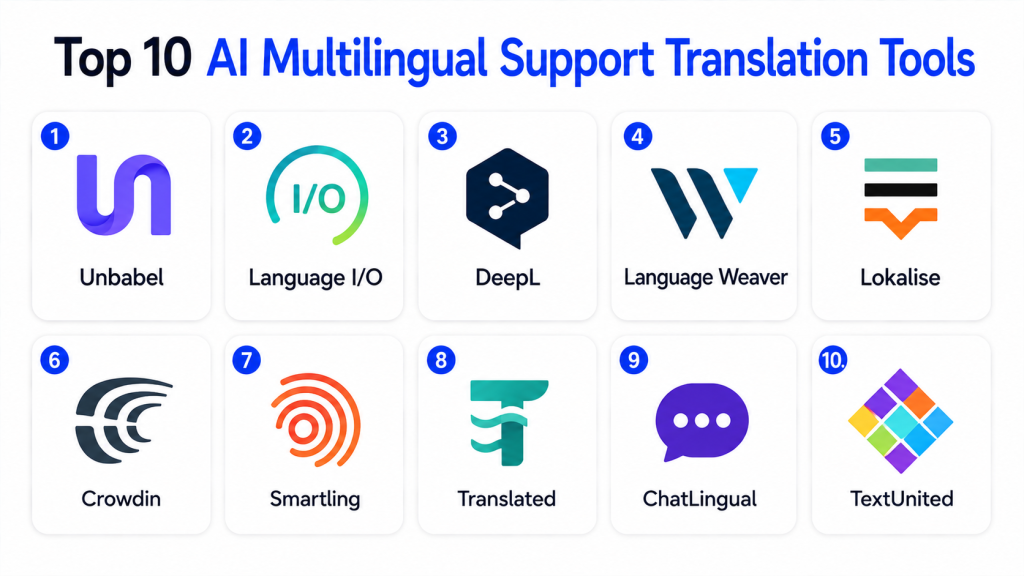
Top 10 AI Multilingual Support Translation Tools
1 — DeepL
One-line verdict: Best for organizations prioritizing natural business translation, terminology control, and high-quality multilingual written communication.
DeepL is widely used for machine translation across business documents, applications, and digital workflows. Its API can also be integrated into customer-service environments where organizations need automated translation of tickets, messages, and support content.
Standout Capabilities
- Context-aware machine translation.
- Automatic language detection.
- Glossary support.
- Terminology control.
- Document translation.
- Translation API.
- Business-language support.
- Writing and language assistance.
AI-Specific Depth
- Model support: Proprietary translation models.
- RAG / knowledge integration: N/A for traditional RAG; terminology can be controlled through supported translation features.
- Evaluation: Organizations should independently evaluate important language pairs.
- Guardrails: Application and data controls vary by product configuration.
- Observability: API usage and application monitoring vary.
Pros
- Strong translation quality for many supported languages.
- Useful terminology controls.
- Developer-friendly API availability.
Cons
- Language coverage should be checked against business requirements.
- Not a complete customer-support platform.
- Support workflows require integration.
Security & Compliance
Business and enterprise capabilities vary. Verify SSO, access controls, encryption, retention, regional processing, data-handling terms, and required certifications.
Deployment & Platforms
- Cloud: Available.
- Web: Available.
- Desktop applications: Available.
- API: Available.
Integrations & Ecosystem
- Translation APIs
- Business applications
- Productivity workflows
- Document workflows
- Customer-service integrations
- Custom applications
Pricing Model
Tiered and usage-based commercial models depending on the product.
Best-Fit Scenarios
- International support tickets.
- Business communication translation.
- Custom support applications requiring translation APIs.
2 — Google Cloud Translation
One-line verdict: Best for developers and enterprises needing scalable translation APIs across large multilingual applications and customer-service workloads.
Google Cloud Translation provides machine translation infrastructure that organizations can integrate into applications, customer-service platforms, websites, and automated workflows.
It is particularly useful when translation needs to operate programmatically at substantial scale.
Standout Capabilities
- Translation API.
- Automatic language detection.
- Broad language coverage.
- Batch translation.
- Custom terminology capabilities.
- Scalable cloud infrastructure.
- Application integration.
- Enterprise API workflows.
AI-Specific Depth
- Model support: Google-managed translation models.
- RAG / knowledge integration: N/A for standard translation.
- Evaluation: Custom evaluation should be performed by language pair.
- Guardrails: Google Cloud IAM and application controls.
- Observability: Cloud monitoring and API metrics.
Pros
- Strong developer ecosystem.
- Suitable for large-scale workloads.
- Broad cloud integration.
Cons
- Requires implementation.
- Not a complete helpdesk solution.
- Usage costs need monitoring at scale.
Security & Compliance
Verify IAM, encryption, logging, retention, residency, regional processing, and required certifications for the selected architecture.
Deployment & Platforms
- Cloud: Available.
- API: Available.
- Web integration: Available.
- Custom application integration: Available.
Integrations & Ecosystem
- Cloud applications
- Customer-service systems
- Data pipelines
- Websites
- Mobile applications
- Contact-center systems
- Custom software
Pricing Model
Usage-based cloud pricing.
Best-Fit Scenarios
- Global digital platforms.
- Developer-led support applications.
- High-volume translation workloads.
3 — Microsoft Azure AI Translator
One-line verdict: Best for Microsoft-centered enterprises needing scalable translation across support, applications, content, and business workflows.
Microsoft Azure AI Translator provides cloud-based machine translation capabilities that can be incorporated into customer-service applications and enterprise workflows.
It is particularly attractive to organizations already operating within the Microsoft and Azure ecosystem.
Standout Capabilities
- Text translation.
- Language detection.
- Translation APIs.
- Document translation.
- Custom terminology capabilities.
- Enterprise application integration.
- Multilingual workflows.
- Cloud scalability.
AI-Specific Depth
- Model support: Microsoft-managed translation models.
- RAG / knowledge integration: N/A for standard translation.
- Evaluation: Organization-specific language testing recommended.
- Guardrails: Azure identity and application controls.
- Observability: Azure monitoring and API analytics.
Pros
- Strong Microsoft integration.
- Scalable enterprise infrastructure.
- Suitable for custom applications.
Cons
- Requires technical implementation.
- Not a complete support platform.
- Cloud architecture adds administration.
Security & Compliance
Verify Azure identity, RBAC, encryption, logging, retention, residency, regional availability, and required certifications.
Deployment & Platforms
- Cloud: Available.
- API: Available.
- Enterprise applications: Available.
- Custom software: Available.
Integrations & Ecosystem
- Azure
- Microsoft business applications
- Contact-center systems
- Websites
- Mobile applications
- Customer-service platforms
- Custom applications
Pricing Model
Usage-oriented cloud pricing.
Best-Fit Scenarios
- Microsoft enterprise environments.
- Global support applications.
- Custom multilingual workflows.
4 — Amazon Translate
One-line verdict: Best for AWS-centered teams needing scalable machine translation integrated with cloud applications and support workflows.
Amazon Translate provides neural machine translation that developers can integrate with applications, content-processing systems, and customer-service workflows.
It is particularly relevant to organizations already using AWS infrastructure.
Standout Capabilities
- Neural machine translation.
- Language detection workflows.
- Batch translation.
- Real-time translation.
- Custom terminology.
- API integration.
- AWS ecosystem connectivity.
- Scalable processing.
AI-Specific Depth
- Model support: AWS-managed translation models.
- RAG / knowledge integration: N/A for standard translation.
- Evaluation: Custom language-pair testing recommended.
- Guardrails: AWS IAM and application controls.
- Observability: AWS monitoring and API metrics.
Pros
- Strong AWS integration.
- Scalable API infrastructure.
- Suitable for automated workflows.
Cons
- Requires development work.
- Not a complete customer-support solution.
- Quality should be tested for target language pairs.
Security & Compliance
Verify IAM, encryption, logging, retention, residency, regional availability, and required certifications.
Deployment & Platforms
- Cloud: Available.
- API: Available.
- AWS applications: Available.
Integrations & Ecosystem
- AWS services
- Customer-service applications
- Data pipelines
- Websites
- Contact-center systems
- Custom applications
Pricing Model
Usage-based cloud pricing.
Best-Fit Scenarios
- AWS-native customer service.
- High-volume translation.
- Automated multilingual applications.
5 — Unbabel
One-line verdict: Best for global customer-service teams needing translation workflows specifically designed around multilingual customer support.
Unbabel focuses strongly on multilingual customer-service operations. It combines automated translation technologies with quality-management approaches intended for customer-support communication.
Unlike general translation APIs, its positioning is closely aligned with multilingual customer experience.
Standout Capabilities
- Customer-service translation.
- Multilingual ticket support.
- Translation quality workflows.
- Language operations.
- Customer-support integrations.
- Terminology management.
- Automated translation.
- Human-quality workflows where applicable.
AI-Specific Depth
- Model support: Platform-managed translation technology.
- RAG / knowledge integration: Support context varies.
- Evaluation: Translation-quality workflows.
- Guardrails: Customer-service workflow and access controls.
- Observability: Translation quality and operational analytics vary.
Pros
- Strong customer-support focus.
- Designed for global service teams.
- Combines translation with operational workflows.
Cons
- More specialized than generic APIs.
- Enterprise deployment may require integration work.
- Exact capabilities vary by configuration.
Security & Compliance
Verify SSO, RBAC, encryption, auditing, retention, residency, customer-data processing, and certifications.
Deployment & Platforms
- Cloud: Available.
- Customer-service integrations: Available.
- Enterprise support environments: Available.
Integrations & Ecosystem
- Helpdesks
- CRM
- Customer-service platforms
- Contact-center environments
- Translation workflows
- Enterprise systems
Pricing Model
Commercial enterprise pricing.
Best-Fit Scenarios
- Global customer support.
- Multilingual helpdesks.
- Enterprise language operations.
6 — Language I/O
One-line verdict: Best for customer-service organizations wanting multilingual translation integrated directly into existing support and CRM workflows.
Language I/O focuses on translation for customer-service environments. It helps support teams communicate across languages without requiring every representative to speak each customer’s language.
Standout Capabilities
- Real-time support translation.
- Ticket translation.
- Chat translation.
- Customer-service integration.
- Language detection.
- Terminology handling.
- Agent workflow integration.
- Multilingual support operations.
AI-Specific Depth
- Model support: Translation architecture varies.
- RAG / knowledge integration: Support context varies.
- Evaluation: Translation quality should be validated for required languages.
- Guardrails: Enterprise workflow controls.
- Observability: Translation and operational metrics vary.
Pros
- Customer-service specialization.
- Fits existing support workflows.
- Useful for global support organizations.
Cons
- Narrower than general cloud AI platforms.
- Integration requirements vary.
- Exact model flexibility may not be publicly stated.
Security & Compliance
Verify SSO, RBAC, auditing, encryption, retention, residency, and required certifications.
Deployment & Platforms
- Cloud: Available.
- Support-system integrations: Available.
- Web-based workflows: Available.
Integrations & Ecosystem
- CRM
- Helpdesk platforms
- Customer-service applications
- Chat
- Ticketing
- Enterprise workflows
Pricing Model
Commercial enterprise pricing.
Best-Fit Scenarios
- Multilingual ticket support.
- Global service desks.
- CRM-integrated translation.
7 — Smartling
One-line verdict: Best for enterprises combining customer-support translation with broader localization, terminology, content, and language-management requirements.
Smartling is primarily a translation and localization management platform. It can be useful when organizations need customer-support content, knowledge resources, product experiences, and other business content managed across multiple languages.
Standout Capabilities
- Translation management.
- Machine translation workflows.
- Human translation workflows.
- Terminology management.
- Translation memory.
- Content localization.
- Quality management.
- Workflow automation.
AI-Specific Depth
- Model support: Multiple translation approaches depending on configuration.
- RAG / knowledge integration: N/A for conventional RAG.
- Evaluation: Translation quality and human-review workflows.
- Guardrails: Workflow and enterprise permissions.
- Observability: Translation and localization analytics.
Pros
- Strong localization workflow management.
- Useful terminology controls.
- Supports broader multilingual content operations.
Cons
- More localization-focused than live agent assist.
- Can be excessive for basic support translation.
- Implementation requires localization planning.
Security & Compliance
Verify SSO, RBAC, audit logs, encryption, retention, residency, and required certifications.
Deployment & Platforms
- Cloud: Available.
- Web: Available.
- Enterprise content workflows: Available.
Integrations & Ecosystem
- CMS
- Knowledge systems
- Content repositories
- Business applications
- Localization workflows
- APIs
- Enterprise systems
Pricing Model
Commercial enterprise pricing.
Best-Fit Scenarios
- Multilingual knowledge bases.
- Enterprise localization.
- Global support-content management.
8 — Lokalise
One-line verdict: Best for product and support teams managing multilingual customer experiences, help content, applications, and localization workflows.
Lokalise provides localization-management capabilities for software, digital content, and multilingual customer experiences.
Support organizations can use it where translation requirements extend beyond individual tickets into help centers, applications, product interfaces, and customer-facing content.
Standout Capabilities
- Localization management.
- Translation workflows.
- Machine translation.
- Translation memory.
- Terminology management.
- Collaboration.
- API access.
- Software localization.
AI-Specific Depth
- Model support: Translation and AI capabilities vary.
- RAG / knowledge integration: N/A for standard localization.
- Evaluation: Human review and localization QA.
- Guardrails: Workspace permissions and review workflows.
- Observability: Localization project analytics.
Pros
- Developer-friendly localization workflows.
- Useful for product and support content.
- Strong collaboration capabilities.
Cons
- Not primarily a live contact-center translator.
- Real-time support may require integration.
- Workflow setup is required.
Security & Compliance
Verify SSO, RBAC, auditing, encryption, retention, residency, and required certifications.
Deployment & Platforms
- Cloud: Available.
- Web: Available.
- API: Available.
- Developer workflows: Available.
Integrations & Ecosystem
- Software repositories
- CMS
- Design workflows
- Knowledge content
- APIs
- Product applications
- Enterprise systems
Pricing Model
Tiered commercial SaaS.
Best-Fit Scenarios
- Multilingual help centers.
- SaaS localization.
- Product and support content translation.
9 — Phrase
One-line verdict: Best for enterprises needing structured localization infrastructure across customer support, product content, websites, and digital experiences.
Phrase provides localization and translation-management capabilities for organizations operating across multiple markets.
It is particularly relevant when multilingual customer support is part of a broader enterprise localization program rather than an isolated helpdesk requirement.
Standout Capabilities
- Translation management.
- Localization workflows.
- Machine translation integration.
- Translation memory.
- Terminology.
- Quality management.
- Developer workflows.
- Content localization.
AI-Specific Depth
- Model support: Translation options vary by configuration.
- RAG / knowledge integration: N/A for conventional localization.
- Evaluation: Localization QA and human review.
- Guardrails: Enterprise workflow permissions.
- Observability: Translation and localization analytics.
Pros
- Strong localization infrastructure.
- Useful for large multilingual organizations.
- Supports technical and content workflows.
Cons
- Not primarily an agent-assist platform.
- Can require localization expertise.
- Real-time support workflows may need additional integration.
Security & Compliance
Verify SSO, RBAC, audit logs, encryption, retention, residency, and required certifications.
Deployment & Platforms
- Cloud: Available.
- Web: Available.
- Developer integrations: Available.
Integrations & Ecosystem
- Content systems
- Software development
- Knowledge platforms
- Translation providers
- APIs
- Enterprise applications
Pricing Model
Commercial SaaS and enterprise plans.
Best-Fit Scenarios
- Enterprise localization.
- Global support content.
- Multilingual digital products.
10 — Custom LLM-Based Support Translation
One-line verdict: Best for technically mature organizations needing custom terminology, workflow control, model flexibility, and private translation architecture.
Organizations can build custom support translation systems using language models, translation models, glossaries, customer context, knowledge systems, and workflow APIs.
This approach can provide more control over how translations use conversation history and business terminology.
Standout Capabilities
- Custom language workflows.
- BYO models.
- Multi-model routing.
- Custom terminology.
- Conversation-aware translation.
- Private deployment options.
- Custom quality evaluation.
- Support-system integration.
AI-Specific Depth
- Model support: Proprietary / open-source / BYO / multi-model.
- RAG / knowledge integration: Fully customizable.
- Evaluation: Human scoring, language-pair benchmarks, regression tests, and terminology checks.
- Guardrails: Custom policies, PII handling, permissions, and human review.
- Observability: Quality, latency, cost, model usage, and error metrics.
Pros
- Maximum flexibility.
- Strong terminology customization.
- Greater architectural control.
Cons
- Significant engineering work.
- Requires multilingual evaluation expertise.
- Ongoing model monitoring is necessary.
Security & Compliance
Architecture-dependent. Organizations must design identity, encryption, logging, retention, residency, access controls, and model governance.
Deployment & Platforms
- Cloud: Possible.
- Self-hosted: Possible.
- Hybrid: Possible.
- Private infrastructure: Possible.
Integrations & Ecosystem
- Helpdesk
- CRM
- Contact centers
- Knowledge systems
- Translation models
- LLMs
- Internal APIs
Pricing Model
Model usage, infrastructure, storage, engineering, evaluation, and maintenance costs.
Best-Fit Scenarios
- Highly specialized terminology.
- Regulated enterprises.
- Large organizations requiring model flexibility.
Comparison Table
| Tool Name | Best For | Deployment | Model Flexibility | Strength | Watch-Out | Public Rating |
|---|---|---|---|---|---|---|
| DeepL | Business translation | Cloud / API | Hosted | Natural translation | Check language coverage | N/A |
| Google Cloud Translation | Developers | Cloud / API | Hosted | Scale and language coverage | Requires integration | N/A |
| Azure AI Translator | Microsoft enterprises | Cloud / API | Hosted | Enterprise integration | Requires implementation | N/A |
| Amazon Translate | AWS environments | Cloud / API | Hosted | AWS-native translation | Not complete helpdesk | N/A |
| Unbabel | Global support | Cloud | Hosted | CX-focused translation | Enterprise-oriented | N/A |
| Language I/O | Customer service | Cloud | Varies | Helpdesk translation | Specialized scope | N/A |
| Smartling | Enterprise localization | Cloud | Varies | Language operations | Less live-support focused | N/A |
| Lokalise | Product and support teams | Cloud | Varies | Localization workflows | Not contact-center focused | N/A |
| Phrase | Global enterprises | Cloud | Varies | Localization infrastructure | Requires localization maturity | N/A |
| Custom Translation | Technical enterprises | Cloud / Self-hosted / Hybrid | BYO / Multi-model | Maximum control | Engineering overhead | N/A |
Scoring & Evaluation
These scores are comparative editorial assessments rather than official vendor ratings. Translation quality varies significantly by language pair, terminology, conversation type, and customer-service context.
A tool performing exceptionally well for English-to-German support may not produce identical results for another language pair. Buyers should therefore test platforms using representative support conversations rather than generic translation samples.
| Tool | Core | Reliability/Eval | Guardrails | Integrations | Ease | Perf/Cost | Security/Admin | Support | Weighted Total |
|---|---|---|---|---|---|---|---|---|---|
| DeepL | 10 | 9 | 9 | 9 | 10 | 9 | 9 | 9 | 9.25 |
| Google Cloud Translation | 10 | 9 | 9 | 10 | 8 | 9 | 10 | 9 | 9.25 |
| Azure AI Translator | 10 | 9 | 10 | 10 | 8 | 9 | 10 | 9 | 9.35 |
| Amazon Translate | 9 | 9 | 10 | 10 | 8 | 9 | 10 | 9 | 9.15 |
| Unbabel | 10 | 10 | 9 | 10 | 9 | 8 | 9 | 9 | 9.30 |
| Language I/O | 10 | 9 | 9 | 10 | 9 | 8 | 9 | 8 | 9.05 |
| Smartling | 9 | 10 | 10 | 10 | 8 | 8 | 10 | 9 | 9.20 |
| Lokalise | 9 | 9 | 9 | 10 | 9 | 8 | 9 | 9 | 9.00 |
| Phrase | 9 | 9 | 10 | 10 | 8 | 8 | 10 | 9 | 9.05 |
| Custom Translation | 10 | 10 | 10 | 10 | 5 | 7 | 10 | 6 | 8.85 |
Which AI Multilingual Support Translation Tool Is Right for You?
Solo / Freelancer
Individual professionals generally need simple translation rather than complex localization infrastructure.
Prioritize:
- Translation quality.
- Ease of use.
- Important language coverage.
- Document support.
- Cost.
A straightforward translation application may be sufficient.
SMB
Small and mid-sized support teams should prioritize:
- Ticket translation.
- Chat translation.
- Automatic language detection.
- Terminology.
- Helpdesk integration.
- Easy agent workflows.
Avoid deploying complex localization infrastructure when the main requirement is simply helping agents communicate with international customers.
Mid-Market
Mid-market organizations should evaluate:
- CRM integration.
- Helpdesk integration.
- Translation APIs.
- Knowledge translation.
- Terminology management.
- Multilingual analytics.
- Human review.
- Regional language support.
Centralized terminology becomes increasingly important as support teams grow.
Enterprise
Enterprise buyers should examine:
- SSO.
- RBAC.
- Audit logs.
- Data retention.
- Data residency.
- Regional processing.
- API scalability.
- Translation latency.
- Glossaries.
- Translation memory.
- Human review.
- Quality evaluation.
- Multilingual support.
- Data encryption.
- Vendor lock-in.
Translation quality should be benchmarked for each business-critical language.
Regulated Industries
Healthcare, finance, insurance, government, and legal environments need stronger safeguards.
Machine translation should not automatically be treated as authoritative for:
- Legal agreements.
- Medical instructions.
- Regulatory notices.
- Financial commitments.
- High-risk customer decisions.
Qualified human review may be necessary.
Budget vs Premium
Basic translation services can be sufficient for low-volume support.
Premium platforms become more useful when organizations require:
- Real-time translation.
- Large support volumes.
- Custom terminology.
- Human review.
- Enterprise security.
- Localization workflows.
- Multiple content types.
- Regional governance.
Build vs Buy
Buying is usually the faster approach for standard translation requirements.
Building can make sense when organizations require:
- Proprietary terminology.
- Private models.
- Specialized languages.
- Multiple translation providers.
- Custom quality scoring.
- Context-aware support translation.
A multi-model architecture can also reduce dependence on one translation provider.
Implementation Playbook: 30 / 60 / 90 Days
First 30 Days — Language-Pair Pilot
Identify your highest-volume language pairs.
Collect representative examples from:
- Technical questions.
- Billing requests.
- Complaints.
- Product questions.
- Refund requests.
- Account issues.
Have bilingual reviewers evaluate translation quality.
Measure:
- Meaning preservation.
- Terminology accuracy.
- Fluency.
- Tone.
- Missing information.
- Incorrect additions.
Days 31–60 — Terminology and Workflow Controls
Build approved glossaries for:
- Product names.
- Technical terms.
- Subscription plans.
- Company terminology.
- Policy language.
- Industry terminology.
Integrate translation with your helpdesk.
Test incoming and outgoing messages separately.
Add human review for sensitive categories.
Days 61–90 — Scale and Monitor
Expand to additional languages only after quality has been validated.
Track:
- Translation errors.
- Agent corrections.
- Customer clarification requests.
- Response time.
- Resolution time.
- Translation latency.
- Cost per interaction.
- CSAT by language.
Review terminology regularly as products and policies change.
Common Mistakes and How to Avoid Them
- Assuming all language pairs perform equally.
- Testing only simple sentences.
- Ignoring customer-service terminology.
- Translating product names incorrectly.
- Failing to maintain glossaries.
- Ignoring regional language variations.
- Translating without conversation context.
- Sending sensitive customer data without reviewing privacy requirements.
- Using automated translation for high-risk legal communication without review.
- Ignoring translation latency.
- Measuring fluency without checking meaning.
- Assuming natural-sounding translation is automatically accurate.
- Failing to test informal customer language.
- Ignoring spelling mistakes and slang.
- Not providing agents with the original message.
- Removing human escalation paths.
- Failing to monitor recurring translation errors.
- Locking workflows into one provider unnecessarily.
- Ignoring translation costs at high volume.
- Expanding to new languages without quality evaluation.
Frequently Asked Questions
1. What is an AI multilingual support translation tool?
It is software that automatically translates customer-service conversations, tickets, chats, emails, or support content between languages so customers and representatives can communicate more easily.
2. Can AI translate live customer-support chats?
Yes. Many translation systems can process messages quickly enough to support near-real-time or real-time chat workflows.
3. Can support reps work in one language while customers use another?
Yes. Incoming customer messages can be translated into the representative’s preferred language, while outgoing responses can be translated back into the customer’s language.
4. Can AI translation understand technical support terminology?
It can, but performance depends on the platform, language pair, and available terminology controls. Custom glossaries can significantly improve consistency for specialized terms.
5. Is machine translation always accurate?
No. Translation can lose meaning, tone, context, or specialized terminology. Important language pairs should be tested using real support conversations.
6. Can these tools translate customer-support voice calls?
Some platforms and cloud architectures can support speech translation or combine speech recognition with machine translation. Capabilities vary considerably by product.
7. Is AI translation safe for sensitive customer information?
It depends on the architecture and vendor controls. Organizations should evaluate encryption, retention, regional processing, access controls, data usage, and contractual requirements.
8. Can businesses customize translations for their terminology?
Many platforms support glossaries, terminology lists, translation memory, custom models, or related mechanisms for keeping product and industry terminology consistent.
9. Should human translators still review customer communication?
Human review is valuable for sensitive, legally important, medical, financial, complex, or high-value communication where mistranslation could have serious consequences.
10. How do I choose the best multilingual support translation tool?
Compare translation quality for your actual language pairs, latency, language coverage, terminology controls, helpdesk integration, APIs, privacy, human-review workflows, scalability, cost, and the ability to preserve customer meaning and tone.
Conclusion
AI multilingual support translation tools can help businesses provide customer service across languages without requiring every representative to be fluent in every language their customers speak. By translating chats, tickets, emails, support content, and other interactions, these systems can make global customer-service operations more scalable and accessible.Different tools serve different requirements. DeepL is attractive for organizations prioritizing natural business translation. Google Cloud Translation, Azure AI Translator, and Amazon Translate provide scalable APIs for technical teams. Unbabel and Language I/O are more directly focused on multilingual customer-service operations, while Smartling, Lokalise, and Phrase are valuable when support translation is part of a broader localization strategy. Custom architectures provide greater model and deployment flexibility for technically mature organizations.