Short, honest answer first 🧠
Yes — modern AI tools can:
- Read your entire repo
- Understand cross-file logic
- Suggest new code, refactors, tests, and fixes
- Modify multiple files at once
But only some tools truly do this well. Autocomplete ≠ code understanding.
Corrected & Updated: Top AI Coding Tools (2026 – Reality-Based)
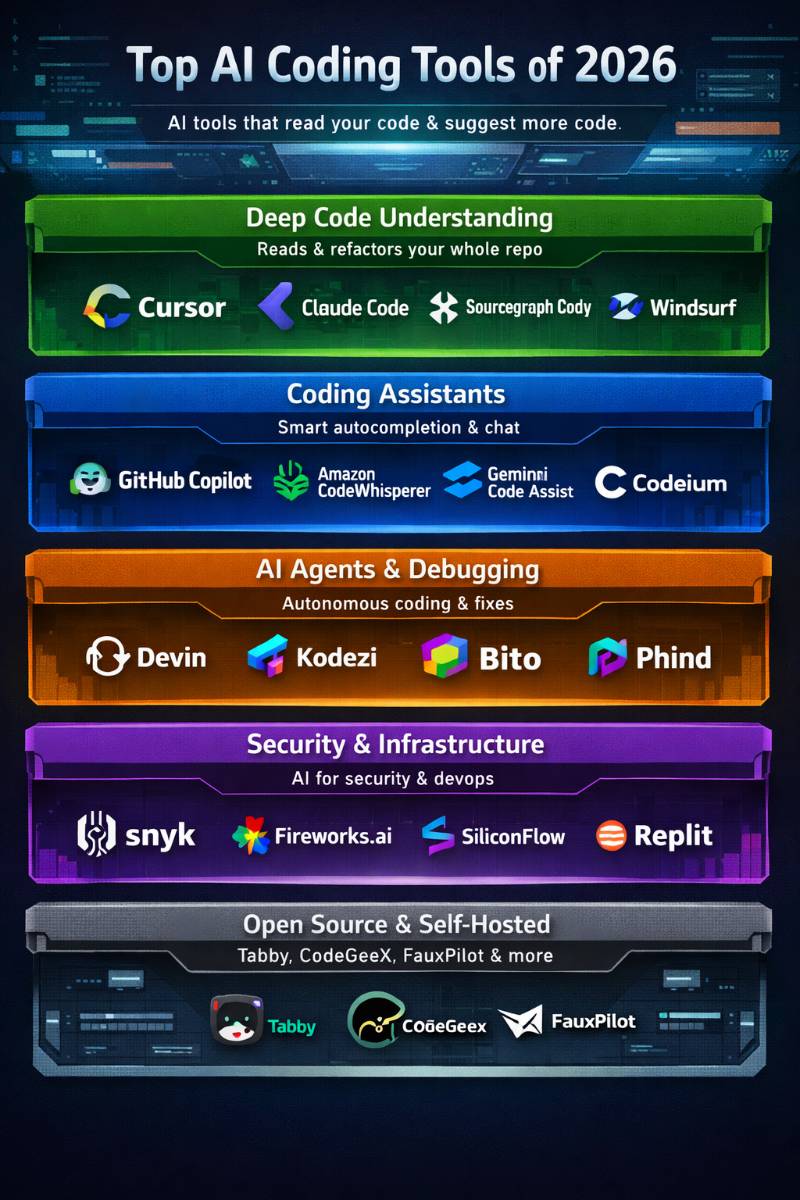
Category 1: AI tools that ACTUALLY read your repo (most important)
These are the tools you want if you mean “read my code and suggest more code”.
| # | Tool | What it REALLY does |
|---|---|---|
| 1 | Cursor | Best overall: full-repo understanding, multi-file edits, refactors, tests, migrations |
| 2 | Claude Code | Massive context, excellent reasoning, best for large & messy repos |
| 3 | Sourcegraph Cody | Enterprise-scale repo analysis + AI + semantic search |
| 4 | Windsurf | Flow-state coding, navigation-heavy refactors |
| 5 | Continue | OSS, self-hosted, repo-aware, works with many LLMs |
👉 These tools understand architecture, not just syntax.
🟡 Category 2: Strong IDE copilots (code suggestion focused)
Great for daily coding, weaker repo reasoning.
| # | Tool | Notes |
|---|---|---|
| 6 | GitHub Copilot | Excellent autocomplete + chat, limited repo-wide reasoning |
| 7 | Amazon CodeWhisperer | Best for AWS-heavy codebases |
| 8 | Gemini Code Assist | Good in GCP + Java/Kotlin ecosystems |
| 9 | Codeium | Fast, free, surprisingly good |
| 10 | Tabnine | Privacy & self-hosting strength |
🟠 Category 3: AI agents & autonomous coding (experimental but powerful)
| # | Tool | Reality check |
|---|---|---|
| 11 | Devin | Real, but slow & expensive; good for isolated tasks |
| 12 | Kodezi | Debugging & fixes, not architecture |
| 13 | Bito | Helpful explanations & tests |
| 14 | Phind | Search + reasoning, not repo editing |
🔵 Category 4: Security & infra-aware AI tools
| # | Tool | Focus |
|---|---|---|
| 15 | Snyk | AI-assisted security fixes |
| 16 | Fireworks AI | Build your own coding AI |
| 17 | SiliconFlow | High-performance code models |
| 18 | Replit | Education + quick prototypes |
| 19 | PlayCode | Frontend-only |
| 20 | OSS tools (Tabby, CodeGeeX, FauxPilot) | Self-hosted alternatives |
🚨 Important Corrections to Your Original List
❌ Common misconceptions
- ChatGPT alone does NOT read your repo
→ Needs IDE integration (Cursor / Continue) - Autocomplete ≠ code understanding
- “AI engineer” tools still need supervision
✅ What you got right
- Cursor, Claude Code, Cody are top-tier
- Open-source tools matter for enterprise
- Security tools now use AI heavily
🔥 Best Picks Based on REAL Use Cases (Laravel / Microservices / DevOps)
🥇 Best overall (recommended for you)
👉 Cursor + Claude model
- Reads Laravel projects deeply
- Suggests controllers, services, migrations, tests
- Refactors across folders
🥈 Best enterprise / privacy
👉 Continue (self-hosted) + Claude / GPT
- Works behind firewall
- Full repo context
🥉 Best lightweight daily driver
👉 GitHub Copilot + VS Code
This blog is helpful and easy to understand, especially for someone trying to choose the right AI coding tools. I liked that the tools are shared in a simple way, without making it feel confusing. The post also gives a clear idea of how these tools can support daily coding and save time. Thanks for sharing this, it was a useful read.
This is a useful roundup of AI coding tools because it highlights that different tools excel at different parts of the development process. Some are great for code completion, others for debugging, refactoring, or generating entire applications from natural language. The biggest takeaway for me is that AI coding assistants are most effective when they complement a developer’s skills rather than replace them. Choosing the right tool depends on your workflow, experience level, and the type of projects you build.