Introduction
Agent Workflow Engines are AI orchestration platforms designed to help organizations create, manage, automate, and execute workflows powered by autonomous AI agents.
Unlike traditional workflow automation tools that follow fixed rules, Agent Workflow Engines allow AI agents to make decisions, adapt to changing situations, use external tools, and complete multi-step tasks dynamically.
As businesses adopt AI-powered automation, they need reliable systems that can coordinate agent activities, manage workflows, control execution, and ensure that AI agents complete tasks accurately and securely.
Agent Workflow Engines help organizations:
- Design AI-powered workflows
- Coordinate multiple AI agents
- Automate complex business processes
- Connect AI agents with enterprise systems
- Manage task execution
- Track workflow performance
- Improve operational efficiency
- Build scalable AI applications
These platforms are used by:
- AI engineers
- Software developers
- Enterprise automation teams
- Data scientists
- Business analysts
- Product teams
- Cloud architects
- Research organizations
Modern Agent Workflow Engines provide capabilities such as:
- Visual workflow design
- Agent task management
- Workflow automation
- Tool integration
- Decision making
- Memory management
- Human approval workflows
- Monitoring and analytics
- Enterprise deployment
The goal of Agent Workflow Engines is to provide a structured environment where AI agents can execute complex workflows reliably, efficiently, and intelligently.
What Are Agent Workflow Engines?
Agent Workflow Engines are software platforms that manage the execution process of AI agent-based applications.
They control:
- What tasks agents perform
- When tasks should execute
- How agents communicate
- Which tools agents can use
- How decisions are made
Traditional workflow engines use predefined rules, while agent workflow engines combine:
- AI reasoning
- Automation
- Dynamic decision-making
- Tool usage
How Agent Workflow Engines Work
Goal Input
A user provides a business objective.
Example:
“Analyze customer feedback and create improvement recommendations.”
Workflow Planning
The engine breaks the objective into smaller tasks.
Example:
- Collect feedback
- Analyze sentiment
- Identify problems
- Generate recommendations
Agent Assignment
Different agents handle different activities.
Example:
- Data collection agent
- Analysis agent
- Report generation agent
Task Execution
Agents perform assigned tasks using:
- AI models
- APIs
- Databases
- Business tools
Workflow Coordination
The engine manages:
- Task order
- Dependencies
- Agent communication
- Decision points
Final Output
The workflow produces a completed result.
Key Capabilities of Agent Workflow Engines
Workflow Orchestration
Manages complex AI processes.
Benefits:
- Better automation
- Reliable execution
- Reduced manual effort
AI Agent Management
Controls:
- Agent creation
- Agent roles
- Agent behavior
Task Scheduling
Handles:
- Task priorities
- Execution timing
- Dependencies
Tool Integration
Connects agents with:
- APIs
- Databases
- Enterprise applications
Memory and Context Management
Stores:
- Previous interactions
- Workflow history
- Knowledge
Monitoring and Analytics
Tracks:
- Workflow status
- Agent actions
- Errors
- Performance
Common Use Cases
Enterprise Process Automation
Organizations automate:
- Business operations
- Approval workflows
- Data processing
Customer Service Automation
AI workflows manage:
- Customer conversations
- Support tickets
- Knowledge retrieval
Software Development
Agent workflows support:
- Code generation
- Testing
- Documentation
- Deployment
Research Automation
AI workflows handle:
- Information gathering
- Analysis
- Report generation
Marketing Automation
Agents manage:
- Campaign analysis
- Content creation
- Customer insights
Business Intelligence
AI workflows assist with:
- Data analysis
- Reporting
- Decision support
Why Agent Workflow Engines Matter
Dynamic Automation
AI agents can adapt workflows based on situations.
Higher Productivity
Automation reduces repetitive tasks.
Better Decision Making
AI agents analyze information and recommend actions.
Scalable Operations
Organizations can manage large AI workflows.
Improved AI Reliability
Structured execution reduces errors.
Evaluation Criteria for Buyers
Workflow Design Features
Important capabilities include:
- Visual builders
- Workflow templates
- Conditional logic
- Task management
Agent Support
Platforms should provide:
- Multiple agents
- Agent communication
- Agent memory
Integration Capabilities
Support should include:
- APIs
- Databases
- Enterprise systems
Monitoring Features
Important tools include:
- Logs
- Analytics
- Workflow tracking
Security
Organizations should evaluate:
- Access controls
- Data protection
- Governance
Scalability
Platforms should support:
- Large workloads
- Enterprise applications
- Distributed execution
Key Trends
AI-Powered Business Automation
Organizations are replacing manual workflows with intelligent AI systems.
Autonomous Workflow Execution
AI agents are increasingly handling complete processes.
Human-AI Collaboration
Businesses are combining AI automation with human approvals.
Enterprise Agent Platforms
Companies are investing in production-ready AI workflows.
Workflow Intelligence
AI systems are becoming better at planning and adapting processes.
AI Governance
Organizations are focusing on controlling AI decisions.
Methodology
The following Agent Workflow Engines were evaluated based on:
- Workflow capabilities
- Agent orchestration
- Integration support
- Scalability
- Developer experience
- Enterprise readiness
- Monitoring capabilities
- Security features
- Community adoption
- Value
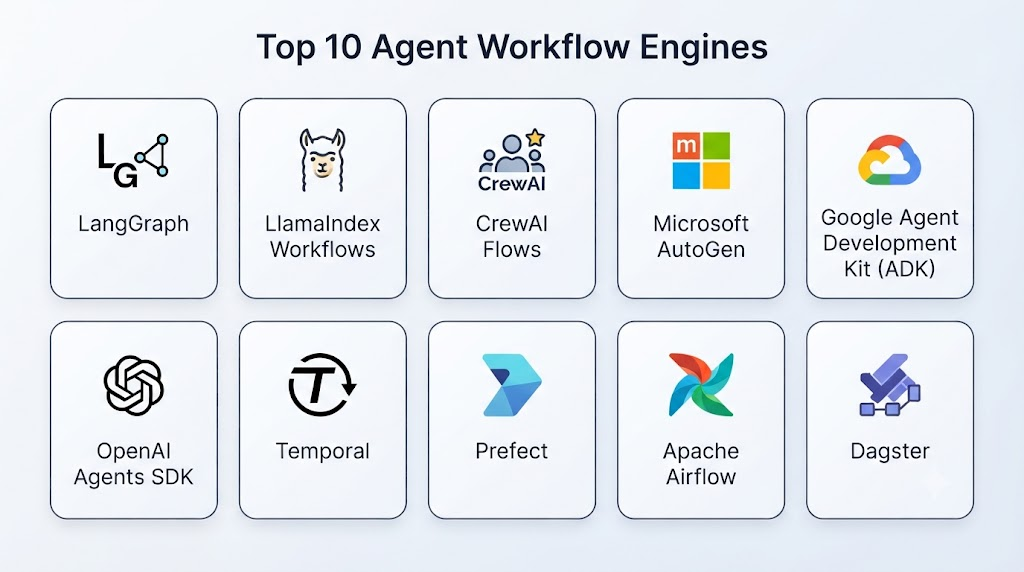
Top 10 Agent Workflow Engines
- LangGraph
- Temporal
- Microsoft Semantic Kernel
- CrewAI
- Microsoft AutoGen
- Apache Airflow with AI Agents
- Prefect
- LlamaIndex Workflows
- Haystack Pipelines
- n8n AI Workflows
1. LangGraph
LangGraph is a framework designed for building stateful AI agent workflows using graph-based execution.
Key Features
- Stateful workflows
- Agent orchestration
- Graph-based execution
- Memory management
- Human approval workflows
- Tool integration
- Multi-agent support
- Workflow debugging
- LLM integration
- Production deployment
Pros
- Strong workflow control
- Flexible architecture
- Good for complex agents
- Developer-friendly
- Production-ready
Cons
- Requires programming skills
- Learning curve
- Technical setup needed
Platforms
Cloud and local environments.
Deployment or Support
Production AI applications.
Security & Compliance
Depends on implementation.
Integrations & Ecosystem
LLMs, APIs, databases, and enterprise systems.
Support & Community
Large developer community.
2. Temporal
Temporal is a workflow orchestration platform that enables reliable execution of long-running processes.
Key Features
- Workflow orchestration
- Durable execution
- Task management
- Failure recovery
- Scheduling
- Distributed workflows
- State management
- Monitoring
- Developer SDKs
- Enterprise deployment
Pros
- Extremely reliable
- Strong workflow management
- Handles complex processes
- Fault tolerant
- Enterprise adoption
Cons
- Not AI-specific
- Requires technical expertise
- Infrastructure setup needed
Platforms
Cloud and self-hosted environments.
Deployment or Support
Enterprise workflow deployment.
Security & Compliance
Enterprise security support.
Integrations & Ecosystem
Applications, APIs, and cloud systems.
Support & Community
Developer community.
3. Microsoft Semantic Kernel
Semantic Kernel provides AI orchestration capabilities for building intelligent workflows.
Key Features
- AI workflow management
- Plugin integration
- Planning
- Memory support
- Agent orchestration
- Enterprise integration
- Multiple language support
- LLM connectivity
- Automation workflows
- Developer SDKs
Pros
- Enterprise-ready
- Strong Microsoft ecosystem
- Flexible
- Good integrations
- Production-focused
Cons
- Requires development knowledge
- Complex for beginners
- Microsoft ecosystem focused
Platforms
Cloud and enterprise environments.
Deployment or Support
Enterprise deployment.
Security & Compliance
Supports enterprise security practices.
Integrations & Ecosystem
Microsoft services, APIs, and AI tools.
Support & Community
Enterprise support.
4. CrewAI
CrewAI enables organizations to build workflows where AI agents work together with assigned roles.
Key Features
- Role-based agents
- Task workflows
- Agent collaboration
- Tool integration
- Memory management
- Process automation
- Workflow execution
- Custom agents
- LLM support
- Developer tools
Pros
- Easy agent workflow creation
- Simple architecture
- Fast development
- Good documentation
- Growing community
Cons
- Less mature
- Advanced workflows require customization
- Requires workflow planning
Platforms
Cloud and local environments.
Deployment or Support
Flexible deployment.
Security & Compliance
Depends on implementation.
Integrations & Ecosystem
LLMs, APIs, and automation tools.
Support & Community
Developer community.
5. Microsoft AutoGen
AutoGen enables AI agents to collaborate through conversations and workflows.
Key Features
- Multi-agent workflows
- Agent communication
- Task automation
- Human feedback
- Tool integration
- Custom agents
- Workflow management
- LLM support
- Agent collaboration
- Development tools
Pros
- Strong multi-agent support
- Flexible
- Open-source
- Research-backed
- Powerful workflows
Cons
- Requires technical knowledge
- Rapidly evolving
- Production setup required
Platforms
Cloud and local environments.
Deployment or Support
Research and enterprise deployment.
Security & Compliance
Depends on implementation.
Integrations & Ecosystem
Microsoft ecosystem, APIs, and AI tools.
Support & Community
Developer community.
6. Apache Airflow with AI Agents
Apache Airflow is a workflow management platform that can be extended for AI-powered automation.
Key Features
- Workflow scheduling
- Task pipelines
- Dependency management
- Automation workflows
- Monitoring
- Data integration
- Custom AI tasks
- Enterprise workflows
- Scheduling
- Execution tracking
Pros
- Mature workflow platform
- Large ecosystem
- Reliable scheduling
- Enterprise adoption
- Flexible
Cons
- Not AI-native
- Requires customization
- Technical setup needed
Platforms
Cloud and local environments.
Deployment or Support
Enterprise workflows.
Security & Compliance
Depends on deployment.
Integrations & Ecosystem
Data platforms, APIs, and cloud systems.
Support & Community
Large open-source community.
7. Prefect
Prefect provides modern workflow orchestration for data and automation processes.
Key Features
- Workflow automation
- Task scheduling
- Monitoring
- Error handling
- Cloud execution
- API integration
- Workflow tracking
- Automation pipelines
- Developer tools
- Deployment management
Pros
- Modern workflow design
- Easy monitoring
- Flexible deployment
- Good developer experience
- Scalable
Cons
- Requires technical knowledge
- Not fully AI-focused
- Advanced use cases need customization
Platforms
Cloud and local environments.
Deployment or Support
Enterprise workflow deployment.
Security & Compliance
Depends on implementation.
Integrations & Ecosystem
Cloud systems, APIs, and data tools.
Support & Community
Developer community.
8. LlamaIndex Workflows
LlamaIndex Workflows provide tools for creating AI-powered workflows connected with enterprise data.
Key Features
- Event-driven workflows
- AI agents
- Data integration
- RAG workflows
- Memory management
- Tool usage
- Document processing
- LLM integration
- Workflow automation
- Enterprise applications
Pros
- Strong data integration
- Excellent RAG support
- Flexible
- AI-focused
- Developer-friendly
Cons
- Requires AI knowledge
- Data preparation needed
- Complex workflows require expertise
Platforms
Cloud and local environments.
Deployment or Support
Enterprise AI applications.
Security & Compliance
Depends on implementation.
Integrations & Ecosystem
Databases, documents, APIs, and AI models.
Support & Community
Developer community.
9. Haystack Pipelines
Haystack provides workflow pipelines for AI search and retrieval applications.
Key Features
- Pipeline workflows
- Agent integration
- Retrieval systems
- Document processing
- Search workflows
- LLM integration
- Data pipelines
- Custom components
- Enterprise search
- AI applications
Pros
- Strong retrieval workflows
- Open-source
- Flexible architecture
- Enterprise use cases
- Good documentation
Cons
- More search-focused
- Requires technical knowledge
- Complex pipelines need expertise
Platforms
Cloud and local environments.
Deployment or Support
Enterprise deployment.
Security & Compliance
Depends on implementation.
Integrations & Ecosystem
Search systems, databases, and LLMs.
Support & Community
Open-source community.
10. n8n AI Workflows
n8n provides visual automation workflows with AI integration capabilities.
Key Features
- Visual workflow builder
- AI agent integration
- API connections
- Automation workflows
- Data processing
- Business integrations
- Trigger-based workflows
- Custom nodes
- Developer tools
- Workflow monitoring
Pros
- Easy visual automation
- Many integrations
- Low-code approach
- Fast development
- Flexible
Cons
- Complex AI workflows need customization
- Scaling requires planning
- Less specialized for agents
Platforms
Cloud and self-hosted environments.
Deployment or Support
Flexible deployment.
Security & Compliance
Depends on deployment.
Integrations & Ecosystem
APIs, SaaS applications, databases.
Support & Community
Developer community.
Comparison Table
| Tool Name | Best For | Platform(s) Supported | Deployment | Standout Feature | Public Rating |
|---|---|---|---|---|---|
| LangGraph | AI agent workflows | Cloud/Local | Production | Stateful orchestration | |
| Temporal | Reliable workflows | Cloud/Self-hosted | Enterprise | Durable execution | |
| Semantic Kernel | Enterprise AI | Cloud | Enterprise | AI orchestration | |
| CrewAI | Agent teams | Cloud/Local | Flexible | Role-based workflows | |
| AutoGen | Multi-agent systems | Cloud/Local | Flexible | Agent collaboration | |
| Airflow | Data workflows | Cloud/Local | Enterprise | Workflow scheduling | |
| Prefect | Automation pipelines | Cloud/Local | Flexible | Modern orchestration | |
| LlamaIndex Workflows | Data agents | Cloud/Local | Enterprise | RAG workflows | |
| Haystack Pipelines | Search workflows | Cloud/Local | Enterprise | AI pipelines | |
| n8n AI Workflows | Low-code automation | Cloud/Self-hosted | Flexible | Visual workflows |
Weighted Evaluation
| Tool Name | Core Features 25% | Ease of Use 15% | Integrations & Ecosystem 15% | Security & Compliance 10% | Performance & Reliability 10% | Support & Community 10% | Price/Value 15% | Total |
|---|---|---|---|---|---|---|---|---|
| LangGraph | 25 | 13 | 15 | 10 | 10 | 10 | 14 | 97 |
| Temporal | 25 | 12 | 15 | 10 | 10 | 10 | 14 | 96 |
| Semantic Kernel | 24 | 12 | 15 | 10 | 10 | 10 | 13 | 94 |
| CrewAI | 24 | 15 | 14 | 10 | 10 | 10 | 15 | 98 |
| AutoGen | 25 | 13 | 15 | 10 | 10 | 10 | 14 | 97 |
| Airflow | 23 | 12 | 15 | 10 | 10 | 10 | 14 | 94 |
| Prefect | 23 | 14 | 14 | 10 | 10 | 10 | 14 | 95 |
| LlamaIndex Workflows | 24 | 14 | 15 | 10 | 10 | 10 | 14 | 97 |
| Haystack Pipelines | 23 | 13 | 14 | 10 | 10 | 10 | 14 | 94 |
| n8n AI Workflows | 22 | 15 | 15 | 10 | 10 | 10 | 15 | 97 |
Which Agent Workflow Engine Is Right for You?
Choose LangGraph for advanced AI agent workflows.
Choose Temporal for highly reliable business workflows.
Choose Semantic Kernel for enterprise AI applications.
Choose CrewAI for simple agent-based automation.
Choose AutoGen for collaborative AI agents.
Choose Airflow for large-scale workflow pipelines.
Choose Prefect for modern automation workflows.
Choose LlamaIndex Workflows for data-driven AI applications.
Choose Haystack Pipelines for search and retrieval workflows.
Choose n8n AI Workflows for low-code automation.
Implementation Playbook
Phase 1: Define Workflow Goals
- Identify business processes
- Select automation opportunities
- Define agent responsibilities
- Set success metrics
Phase 2: Design Workflow Architecture
- Create workflow steps
- Assign agents
- Define dependencies
- Configure tools
Phase 3: Build and Test
- Integrate AI models
- Connect external systems
- Test workflows
- Validate outputs
Phase 4: Deploy
- Monitor execution
- Manage permissions
- Track performance
- Optimize workflows
Phase 5: Improve Continuously
- Analyze workflow results
- Update agents
- Improve automation
- Enhance security
Common Mistakes
- Poor workflow planning
- Too much automation without control
- Lack of monitoring
- Weak security policies
- Ignoring human approvals
- Poor agent coordination
- Not testing edge cases
- Selecting unsuitable tools
FAQs
1. What are Agent Workflow Engines?
Agent Workflow Engines are platforms that manage and automate workflows powered by AI agents.
2. Why use Agent Workflow Engines?
They help organizations automate complex tasks using intelligent AI systems.
3. How are agent workflows different from traditional workflows?
Agent workflows can reason, adapt, and make decisions dynamically.
4. Who uses Agent Workflow Engines?
Enterprises, developers, automation teams, and AI researchers use them.
5. Can AI agents work with business applications?
Yes. They can connect with APIs, databases, and enterprise systems.
6. Are Agent Workflow Engines scalable?
Yes. Many platforms support enterprise-scale automation.
7. Do these platforms support human approval?
Many provide human-in-the-loop workflows.
8. Can organizations create custom workflows?
Yes. Most frameworks allow customized workflows.
9. How are AI workflows monitored?
Platforms provide logs, analytics, and execution tracking.
10. What is the future of Agent Workflow Engines?
They will become a core technology for enterprise automation and autonomous AI systems.
Conclusion
Agent Workflow Engines are becoming a critical foundation for building intelligent automation systems. They allow organizations to combine AI reasoning, workflow management, and autonomous agents to complete complex business processes.Platforms such as LangGraph, Temporal, CrewAI, Semantic Kernel, AutoGen, LlamaIndex Workflows, and n8n provide powerful capabilities for creating scalable AI-driven workflows.As businesses continue adopting AI automation, Agent Workflow Engines will play an important role in building reliable, efficient, and intelligent digital operations.