Introduction
AI Code Assistants are software development tools that use artificial intelligence to help developers write, understand, debug, test, and improve code more efficiently.
Modern software development requires teams to manage increasingly complex applications, multiple programming languages, cloud environments, and fast delivery cycles. AI Code Assistants help developers reduce repetitive tasks, improve productivity, and accelerate software development workflows.
These tools provide capabilities such as:
- Code generation
- Code completion
- Bug detection
- Code explanation
- Refactoring suggestions
- Test generation
- Documentation creation
- Developer productivity improvement
AI Code Assistants are becoming an important part of modern development environments by supporting:
- Software engineers
- DevOps teams
- Data scientists
- Application developers
- Platform engineers
- Engineering managers
They integrate with popular development environments and platforms, including:
- IDEs
- Code editors
- Version control systems
- Cloud development platforms
- CI/CD workflows
The goal of AI Code Assistants is to help developers build software faster while maintaining code quality, security, and reliability.
Why AI Code Assistants Matter
Software teams face challenges such as:
- Increasing code complexity
- Short development timelines
- Limited engineering resources
- Repetitive programming tasks
- Learning new technologies
AI Code Assistants help developers:
- Write code faster
- Understand unfamiliar codebases
- Reduce repetitive work
- Improve debugging
- Learn new frameworks
- Increase productivity
How AI Code Assistants Work
Step 1: Developer Input
Developers provide:
- Code snippets
- Natural language instructions
- Programming questions
Step 2: AI Code Analysis
The assistant analyzes:
- Existing code
- Programming patterns
- Project context
Step 3: Code Generation
The system provides:
- Code suggestions
- Functions
- Explanations
Step 4: Developer Review
Developers:
- Validate suggestions
- Modify code
- Apply improvements
Step 5: Continuous Learning
Tools improve through:
- User feedback
- Updated models
- Better context understanding
Key Features of AI Code Assistants
Code Completion
Provides:
- Autocomplete suggestions
- Function recommendations
- Code snippets
Code Generation
Creates:
- Functions
- Classes
- Scripts
- Application components
Code Explanation
Helps developers understand:
- Existing code
- Complex logic
- Dependencies
Debugging Assistance
Identifies:
- Errors
- Bugs
- Possible fixes
Test Generation
Creates:
- Unit tests
- Test cases
- Validation scenarios
Documentation Support
Generates:
- Comments
- API documentation
- Technical explanations
Common Use Cases
Software Development
Supporting:
- Application coding
- Feature development
DevOps Engineering
Helping with:
- Scripts
- Automation
- Infrastructure code
Cloud Development
Supporting:
- Cloud configurations
- Deployment files
Data Engineering
Assisting with:
- SQL queries
- Data pipelines
- Processing scripts
Learning Programming
Helping:
- Beginners understand concepts
- Developers learn frameworks
Code Maintenance
Supporting:
- Refactoring
- Optimization
- Documentation
Benefits of AI Code Assistants
Increased Developer Productivity
Reduces time spent on repetitive coding tasks.
Faster Development
Helps teams deliver applications quickly.
Better Code Understanding
Explains complex programming logic.
Improved Learning
Supports developers learning new technologies.
Reduced Development Costs
Improves engineering efficiency.
Challenges of AI Code Assistants
Code Accuracy
AI-generated code may require review.
Security Risks
Generated code may introduce vulnerabilities.
Data Privacy
Organizations must manage code-sharing policies.
Dependency Issues
Suggestions may use outdated libraries.
Over-Reliance
Developers still need technical judgment.
Evaluation Criteria
Code Quality
Evaluate:
- Accuracy
- Reliability
- Maintainability
Language Support
Consider:
- Programming languages
- Framework compatibility
IDE Integration
Check:
- Editor support
- Developer workflow integration
Security
Evaluate:
- Privacy controls
- Code protection
Productivity Features
Consider:
- Automation
- Context awareness
Enterprise Support
Evaluate:
- Administration
- Governance
Key Trends
AI-Powered Software Development
Development teams are adopting AI assistants for daily coding tasks.
AI Pair Programming
Developers increasingly use AI as a collaborative coding partner.
Enterprise AI Coding Security
Organizations are focusing on:
- Code privacy
- Secure AI development
AI Agents for Development
Future assistants will handle:
- Larger development tasks
- Automated workflows
Integrated Development Intelligence
AI coding tools are becoming part of complete software platforms.
Methodology
The following AI Code Assistants were evaluated based on:
- Code generation quality
- Language support
- IDE integration
- Security
- Enterprise features
- Productivity
- Developer experience
- Documentation
- Scalability
- Value
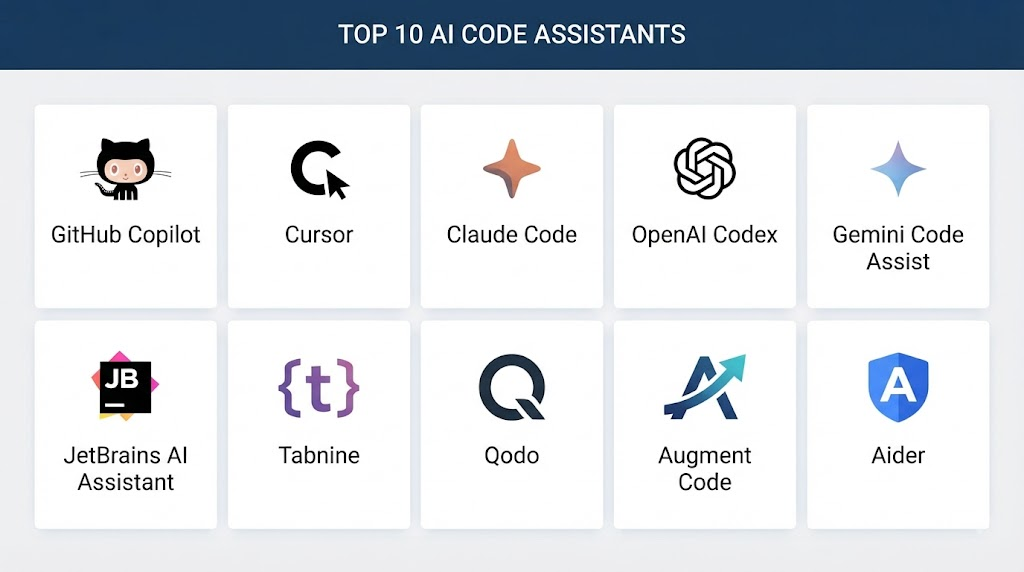
Top 10 AI Code Assistants
1. GitHub Copilot
GitHub Copilot is an AI-powered coding assistant integrated with popular development environments.
Key Features
- Code completion
- Code generation
- Chat-based assistance
- Debugging support
- Documentation generation
- IDE integration
Pros
- Strong developer adoption
- Excellent IDE support
- Large ecosystem integration
Cons
- Requires subscription for advanced features
2. Cursor AI
Cursor AI is an AI-powered code editor designed for AI-assisted software development.
Key Features
- AI code editing
- Codebase understanding
- Chat assistance
- Code generation
- Refactoring support
Pros
- Strong context awareness
- Developer-friendly workflow
Cons
- Newer ecosystem
3. Amazon Q Developer
Amazon Q Developer helps developers build applications with AI assistance.
Key Features
- Code generation
- AWS development support
- Debugging assistance
- Security suggestions
- Cloud integration
Pros
- Strong AWS integration
- Enterprise capabilities
Cons
- Best suited for AWS users
4. Tabnine
Tabnine provides AI-powered code completion and developer assistance.
Key Features
- Code completion
- Privacy-focused AI
- Multiple language support
- Enterprise controls
- Team collaboration
Pros
- Strong privacy features
- Enterprise-friendly
Cons
- Less advanced reasoning compared with some competitors
5. Codeium (Windsurf)
Codeium provides AI coding assistance through its Windsurf development environment.
Key Features
- Code generation
- AI chat
- Code understanding
- Autocomplete
- Developer workflows
Pros
- Good free availability
- Modern AI coding experience
Cons
- Enterprise features vary
6. JetBrains AI Assistant
JetBrains AI Assistant integrates AI capabilities into JetBrains IDEs.
Key Features
- Code generation
- Code explanation
- Refactoring
- Documentation
- IDE integration
Pros
- Excellent JetBrains integration
- Developer-focused
Cons
- Requires JetBrains ecosystem
7. Google Gemini Code Assist
Google Gemini Code Assist provides AI support for software development.
Key Features
- Code completion
- Code generation
- Cloud development support
- Debugging assistance
- Google Cloud integration
Pros
- Strong cloud integration
- Enterprise support
Cons
- Best experience with Google ecosystem
8. Sourcegraph Cody
Sourcegraph Cody helps developers understand and work with large codebases.
Key Features
- Code search
- Code explanation
- Repository understanding
- AI assistance
- Developer workflows
Pros
- Excellent codebase understanding
- Strong enterprise capabilities
Cons
- Requires Sourcegraph setup
9. Replit AI
Replit AI provides AI-assisted coding within an online development environment.
Key Features
- Code generation
- Debugging
- Learning assistance
- Browser-based development
Pros
- Beginner friendly
- Easy access
Cons
- Limited enterprise use cases
10. OpenAI Codex
OpenAI Codex provides AI-powered programming capabilities.
Key Features
- Code generation
- Programming assistance
- Natural language coding
- Software development support
Pros
- Strong AI reasoning capabilities
- Broad programming support
Cons
- Requires integration for specific workflows
Comparison Table: Top 10 AI Code Assistants
| No. | Tool Name | Best For | Platform(s) Supported | Deployment | Standout Feature | Public Rating |
|---|---|---|---|---|---|---|
| 1 | GitHub Copilot | General development | IDEs | Cloud | AI pair programming | 4.8/5 |
| 2 | Cursor AI | AI coding workflow | Editor | Cloud | Codebase understanding | 4.7/5 |
| 3 | Amazon Q Developer | AWS development | Cloud/IDE | Managed | AWS integration | 4.7/5 |
| 4 | Tabnine | Enterprise coding | IDEs | Cloud/Local | Privacy controls | 4.6/5 |
| 5 | Codeium Windsurf | AI development | IDE | Cloud | AI editor | 4.6/5 |
| 6 | JetBrains AI Assistant | JetBrains users | IDE | Managed | IDE integration | 4.6/5 |
| 7 | Gemini Code Assist | Cloud developers | Google Cloud | Managed | Cloud coding | 4.6/5 |
| 8 | Sourcegraph Cody | Large codebases | Enterprise | Managed | Code understanding | 4.5/5 |
| 9 | Replit AI | Learning & prototyping | Browser | Cloud | Online coding | 4.5/5 |
| 10 | OpenAI Codex | AI programming | API/Cloud | Managed | Code generation | 4.7/5 |
Weighted Evaluation Table
| No. | Tool Name | Code Quality 25% | Ease of Use 15% | Language Support 15% | Security 10% | Scalability 10% | Integration 10% | Value 15% | Total Score |
|---|---|---|---|---|---|---|---|---|---|
| 1 | GitHub Copilot | 25 | 15 | 15 | 10 | 10 | 10 | 14 | 99 |
| 2 | Cursor AI | 24 | 15 | 15 | 10 | 10 | 10 | 14 | 98 |
| 3 | Amazon Q Developer | 24 | 14 | 15 | 10 | 10 | 10 | 14 | 97 |
| 4 | Tabnine | 23 | 15 | 14 | 10 | 10 | 10 | 14 | 96 |
| 5 | Codeium Windsurf | 24 | 15 | 14 | 9 | 10 | 10 | 14 | 96 |
| 6 | JetBrains AI Assistant | 23 | 15 | 15 | 10 | 10 | 10 | 13 | 96 |
| 7 | Gemini Code Assist | 24 | 14 | 15 | 10 | 10 | 10 | 14 | 97 |
| 8 | Sourcegraph Cody | 23 | 13 | 15 | 10 | 10 | 10 | 13 | 94 |
| 9 | Replit AI | 22 | 15 | 14 | 9 | 9 | 10 | 14 | 93 |
| 10 | OpenAI Codex | 24 | 14 | 15 | 10 | 10 | 10 | 14 | 97 |
Which AI Code Assistant Is Right for You?
Choose GitHub Copilot for general software development.
Choose Cursor AI for AI-first coding workflows.
Choose Amazon Q Developer for AWS development.
Choose Tabnine for privacy-focused enterprise coding.
Choose Codeium Windsurf for modern AI editing.
Choose JetBrains AI Assistant for JetBrains IDE users.
Choose Gemini Code Assist for Google Cloud development.
Choose Sourcegraph Cody for large enterprise codebases.
Choose Replit AI for learning and prototyping.
Choose OpenAI Codex for advanced AI programming workflows.
Implementation Playbook
Phase 1: Define Development Goals
- Identify coding needs
- Select supported languages
- Define security requirements
Phase 2: Integrate AI Assistant
- Install IDE extensions
- Configure permissions
- Set usage policies
Phase 3: Train Development Teams
- Explain AI workflows
- Review generated code
- Establish best practices
Phase 4: Monitor Usage
- Track productivity
- Review security issues
- Improve workflows
Phase 5: Continuous Improvement
- Update policies
- Improve AI adoption
- Maintain code quality
Common Mistakes
- Accepting AI-generated code without review
- Ignoring security concerns
- Sharing sensitive code improperly
- Over-dependence on AI suggestions
- Not defining usage guidelines
- Skipping testing
FAQs
1. What are AI Code Assistants?
AI Code Assistants are tools that help developers write, understand, and improve software code using artificial intelligence.
2. How do AI Code Assistants improve productivity?
They reduce repetitive coding work and provide faster development support.
3. Can AI Code Assistants generate complete applications?
Some tools can generate large portions of applications, but developer review is required.
4. Which programming languages do AI Code Assistants support?
Most support popular languages such as Python, JavaScript, Java, C++, and many others.
5. Are AI Code Assistants safe for enterprise use?
Yes, with proper security policies and privacy controls.
6. Can AI assistants find bugs?
Many tools can identify possible errors and suggest fixes.
7. Do AI Code Assistants replace developers?
No, they assist developers and improve productivity.
8. Can AI Code Assistants create tests?
Yes, many tools can generate unit tests and testing suggestions.
9. Are AI Code Assistants useful for beginners?
Yes, they help beginners learn programming concepts.
10. What is the future of AI coding assistants?
They will become more capable development partners supporting complete software workflows.
Conclusion
AI Code Assistants are transforming modern software development by helping developers write code faster, understand complex systems, and improve productivity. These tools provide valuable support across coding, debugging, testing, and documentation workflows.Platforms such as GitHub Copilot, Cursor AI, Amazon Q Developer, Tabnine, Gemini Code Assist, Sourcegraph Cody, and OpenAI Codex are helping organizations build software more efficiently.As AI continues advancing, AI Code Assistants will become an important part of software engineering workflows, enabling developers to create secure, reliable, and innovative applications faster.