Introduction
AI appointment scheduling assistants help businesses automate booking, rescheduling, reminders, calendar coordination, and basic customer communication around appointments. Instead of asking customers to exchange multiple emails or wait for staff to check availability manually, these tools can guide users toward suitable time slots, collect required information, handle scheduling rules, and update calendars automatically.
Modern scheduling assistants go beyond simple booking links. They can understand natural-language requests, coordinate across multiple calendars, manage time zones, qualify appointments, route bookings to the right team member, trigger reminders, and connect appointments with CRM, sales, support, healthcare, or service workflows.
Common use cases include sales meetings, customer-support callbacks, medical appointments, consulting sessions, interviews, demos, onboarding calls, field-service bookings, and internal team scheduling.
What’s Changing in AI Appointment Scheduling Assistants
- Scheduling is moving from static booking pages toward conversational booking.
- AI can increasingly understand natural-language scheduling requests.
- Calendar coordination is becoming more automated across teams.
- Time-zone handling is increasingly built into scheduling workflows.
- Appointment qualification can happen before a slot is offered.
- AI can route bookings to the right person based on skills, region, or account ownership.
- Rescheduling and cancellation workflows are becoming easier to automate.
- Reminder messages are becoming more personalized.
- Scheduling tools increasingly connect with CRM and customer records.
- AI can summarize booking requests before meetings.
- Customer intent can help determine which appointment type to offer.
- Round-robin scheduling is becoming more intelligent.
- Buffer times and travel constraints can be incorporated into availability.
- Scheduling assistants increasingly work across chat, email, websites, and customer portals.
- AI can help reduce double-booking and manual calendar conflicts.
- Appointment analytics can reveal no-show patterns and booking friction.
- Enterprises increasingly need SSO, RBAC, auditability, and data governance.
- Healthcare and financial workflows need stronger privacy and consent controls.
- Human review remains useful for VIP, sensitive, or complex bookings.
- The best scheduling systems increasingly connect booking with downstream workflows rather than stopping at calendar creation.
Quick Buyer Checklist
Before choosing an AI appointment scheduling assistant, check whether it can:
- Show real-time availability.
- Coordinate multiple calendars.
- Support Google Calendar.
- Support Microsoft calendars.
- Handle time zones.
- Allow rescheduling.
- Allow cancellations.
- Support appointment types.
- Support buffer times.
- Support round-robin assignment.
- Route meetings based on rules.
- Collect intake information.
- Qualify appointments.
- Send reminders.
- Send follow-up notifications.
- Reduce double-booking.
- Integrate with CRM.
- Integrate with video meeting platforms.
- Integrate with customer-support tools.
- Support web embedding.
- Support mobile workflows.
- Provide APIs.
- Support team scheduling.
- Support recurring appointments.
- Apply permissions.
- Maintain auditability.
- Protect customer data.
- Support no-show tracking.
- Provide analytics.
- Allow human override.
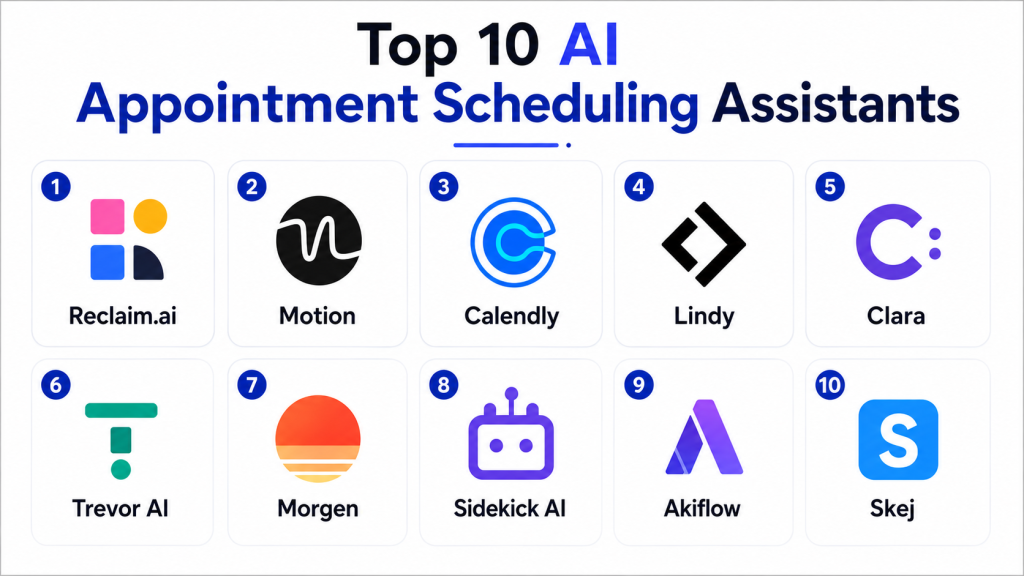
Top 10 AI Appointment Scheduling Assistants
1 — Calendly
One-line verdict: Best for general business scheduling with simple booking, team routing, calendar coordination, and broad integrations.
Calendly is one of the most widely used scheduling platforms for sales meetings, customer calls, interviews, consultations, and internal meetings. It reduces back-and-forth communication by allowing users to book available time directly.
Standout Capabilities
- Booking pages.
- Calendar synchronization.
- Round-robin scheduling.
- Team scheduling.
- Appointment routing.
- Buffer times.
- Automated reminders.
- Workflow automation.
AI-Specific Depth
- Model support: AI capabilities vary by product and workflow.
- RAG / knowledge integration: N/A for standard scheduling.
- Evaluation: Booking completion and workflow outcomes.
- Guardrails: Scheduling rules, permissions, and calendar controls.
- Observability: Booking and scheduling analytics.
Pros
- Easy to adopt.
- Broad business use cases.
- Strong integration ecosystem.
Cons
- Complex service workflows may need additional tools.
- Advanced routing can require higher-tier features.
- AI depth is lighter than fully conversational assistants.
Security & Compliance
Verify SSO, RBAC, audit logs, encryption, retention, residency, and required certifications for the selected plan.
Deployment & Platforms
- Cloud: Available.
- Web: Available.
- Mobile: Available.
- Embedded scheduling: Available.
Integrations & Ecosystem
- Google Calendar
- Microsoft calendars
- CRM
- Video meetings
- Sales tools
- Workflow automation
Pricing Model
Tiered SaaS.
Best-Fit Scenarios
- Sales meetings.
- Customer-success calls.
- General business scheduling.
2 — Microsoft Bookings
One-line verdict: Best for Microsoft-centered organizations needing appointment scheduling integrated with Microsoft 365.
Microsoft Bookings provides appointment scheduling for businesses already using the Microsoft ecosystem. It can support customer bookings, staff calendars, reminders, and team scheduling.
Standout Capabilities
- Appointment booking.
- Staff scheduling.
- Calendar integration.
- Customer booking pages.
- Notifications.
- Service types.
- Team availability.
- Microsoft 365 integration.
AI-Specific Depth
- Model support: Microsoft-managed AI capabilities may support adjacent workflows.
- RAG / knowledge integration: N/A for core scheduling.
- Evaluation: Booking and service outcomes.
- Guardrails: Microsoft identity and permissions.
- Observability: Booking analytics vary.
Pros
- Strong Microsoft integration.
- Good for internal and customer appointments.
- Familiar enterprise identity environment.
Cons
- Best fit for Microsoft users.
- Less flexible than specialist scheduling platforms in some workflows.
- Advanced automation may require Power Platform.
Security & Compliance
Verify SSO, RBAC, auditing, encryption, retention, residency, and applicable Microsoft compliance requirements.
Deployment & Platforms
- Cloud: Available.
- Web: Available.
- Microsoft 365 environment: Available.
Integrations & Ecosystem
- Outlook
- Microsoft Teams
- Microsoft 365
- Power Automate
- Enterprise identity
- Business workflows
Pricing Model
Commercial Microsoft licensing.
Best-Fit Scenarios
- Enterprise appointment scheduling.
- Internal service bookings.
- Microsoft-centered businesses.
3 — Google Calendar Appointment Scheduling
One-line verdict: Best for Google Workspace users wanting simple appointment booking connected directly with Google Calendar.
Google Calendar appointment scheduling allows users and organizations to create bookable schedules linked directly to calendar availability.
Standout Capabilities
- Appointment schedules.
- Calendar synchronization.
- Booking pages.
- Availability rules.
- Time-zone handling.
- Meeting links.
- Booking notifications.
- Google Workspace integration.
AI-Specific Depth
- Model support: Google-managed AI capabilities may support adjacent productivity workflows.
- RAG / knowledge integration: N/A.
- Evaluation: Booking completion and scheduling outcomes.
- Guardrails: Google Workspace permissions.
- Observability: Calendar and booking analytics vary.
Pros
- Simple for Google Workspace users.
- No separate calendar ecosystem required.
- Good for straightforward bookings.
Cons
- Less specialized than dedicated scheduling platforms.
- Advanced routing may be limited.
- Complex intake workflows need other tools.
Security & Compliance
Verify identity, access controls, retention, residency, auditing, and required certifications for the relevant Google Workspace configuration.
Deployment & Platforms
- Cloud: Available.
- Web: Available.
- Mobile calendar workflows: Available.
Integrations & Ecosystem
- Google Calendar
- Google Meet
- Gmail
- Google Workspace
- Business applications
Pricing Model
Availability depends on the Google Workspace plan.
Best-Fit Scenarios
- Google-based teams.
- Consultant bookings.
- Simple customer appointments.
4 — HubSpot Meetings Scheduler
One-line verdict: Best for sales and marketing teams wanting appointment scheduling tied directly to CRM and lead workflows.
HubSpot’s meeting scheduling capabilities are particularly useful for teams that want each booked meeting connected with lead, contact, and sales records.
Standout Capabilities
- Meeting links.
- CRM synchronization.
- Lead routing.
- Team scheduling.
- Sales workflows.
- Contact history.
- Automated follow-up.
- Calendar integration.
AI-Specific Depth
- Model support: HubSpot-managed AI capabilities vary.
- RAG / knowledge integration: CRM context.
- Evaluation: Meeting conversion and sales outcomes.
- Guardrails: CRM permissions and workflow controls.
- Observability: Sales and booking analytics.
Pros
- Strong CRM connection.
- Useful for lead qualification.
- Good for revenue teams.
Cons
- Best value comes from HubSpot adoption.
- Less suitable for complex healthcare or field-service scheduling.
- Advanced automation may depend on broader HubSpot plans.
Security & Compliance
Verify SSO, RBAC, auditing, encryption, retention, residency, and certifications for the selected HubSpot products.
Deployment & Platforms
- Cloud: Available.
- Web: Available.
- CRM environment: Available.
Integrations & Ecosystem
- HubSpot CRM
- Sales workflows
- Marketing automation
- Calendars
- Video meetings
Pricing Model
Tiered SaaS depending on HubSpot products and capabilities.
Best-Fit Scenarios
- Sales demos.
- Lead appointments.
- Revenue-team scheduling.
5 — Salesforce Scheduler
One-line verdict: Best for Salesforce-centered enterprises needing appointments tied to CRM, customer records, service workflows, and routing.
Salesforce Scheduler is designed for businesses that need appointment management deeply connected with customer and account data.
Standout Capabilities
- CRM-connected scheduling.
- Customer appointments.
- Resource assignment.
- Service routing.
- Appointment types.
- Customer context.
- Workflow integration.
- Enterprise scheduling.
AI-Specific Depth
- Model support: Salesforce-managed AI capabilities vary.
- RAG / knowledge integration: CRM and customer context.
- Evaluation: Appointment outcomes and workflow performance.
- Guardrails: Salesforce permissions and governance.
- Observability: CRM and appointment analytics.
Pros
- Deep customer context.
- Strong enterprise workflow potential.
- Suitable for complex account-based scheduling.
Cons
- Significant implementation effort.
- Best value requires Salesforce adoption.
- Licensing and architecture can be complex.
Security & Compliance
Verify SSO, RBAC, auditing, encryption, retention, residency, consent controls, and required certifications.
Deployment & Platforms
- Cloud: Available.
- Web: Available.
- Salesforce environment: Available.
Integrations & Ecosystem
- CRM
- Service workflows
- Customer portals
- Sales
- Field service
- Enterprise applications
Pricing Model
Enterprise commercial pricing.
Best-Fit Scenarios
- Enterprise customer appointments.
- CRM-driven scheduling.
- Account-based service bookings.
6 — Reclaim AI
One-line verdict: Best for individuals and teams wanting intelligent calendar optimization around meetings, tasks, habits, and focus time.
Reclaim AI focuses on intelligent calendar management rather than traditional public appointment booking. It helps users automatically organize tasks, routines, and meetings around available time.
Standout Capabilities
- Smart calendar blocking.
- Meeting coordination.
- Task scheduling.
- Habit scheduling.
- Focus-time protection.
- Calendar optimization.
- Priority handling.
- Schedule adjustments.
AI-Specific Depth
- Model support: Platform-managed scheduling intelligence.
- RAG / knowledge integration: N/A.
- Evaluation: Calendar efficiency and user outcomes.
- Guardrails: User-defined scheduling rules.
- Observability: Calendar and scheduling analytics.
Pros
- Strong personal productivity focus.
- Protects focus time.
- Reduces manual calendar organization.
Cons
- Not primarily a customer appointment portal.
- Limited business intake compared with booking platforms.
- Best suited to knowledge workers.
Security & Compliance
Verify access controls, calendar permissions, encryption, retention, and enterprise capabilities where required.
Deployment & Platforms
- Cloud: Available.
- Web: Available.
- Calendar integration: Available.
Integrations & Ecosystem
- Calendars
- Task management
- Collaboration
- Productivity workflows
Pricing Model
Tiered SaaS.
Best-Fit Scenarios
- Internal scheduling.
- Personal calendar optimization.
- Meeting-load management.
7 — Motion
One-line verdict: Best for professionals wanting AI-driven calendar planning that combines meetings, tasks, and project work.
Motion combines calendar management, task planning, and scheduling automation. It is oriented more toward productivity and internal planning than traditional customer booking.
Standout Capabilities
- Automated calendar planning.
- Task scheduling.
- Meeting booking.
- Priority management.
- Project planning.
- Deadline handling.
- Schedule rebalancing.
- Team coordination.
AI-Specific Depth
- Model support: Platform-managed scheduling intelligence.
- RAG / knowledge integration: N/A.
- Evaluation: Task completion and scheduling outcomes.
- Guardrails: User priorities and calendar rules.
- Observability: Productivity and planning metrics.
Pros
- Strong automated planning.
- Combines meetings and tasks.
- Useful for busy professionals.
Cons
- Not primarily designed for customer-facing booking.
- More productivity-focused than service-scheduling focused.
- Can be excessive for simple appointment needs.
Security & Compliance
Verify identity, permissions, encryption, retention, and enterprise capabilities.
Deployment & Platforms
- Cloud: Available.
- Web: Available.
- Desktop and mobile workflows: Available.
Integrations & Ecosystem
- Calendars
- Task workflows
- Projects
- Team productivity
- Meeting scheduling
Pricing Model
Commercial SaaS.
Best-Fit Scenarios
- Executive scheduling.
- Personal productivity.
- Team calendar management.
8 — Chili Piper
One-line verdict: Best for B2B revenue teams needing intelligent lead routing and instant sales-meeting scheduling.
Chili Piper focuses strongly on inbound lead conversion and sales scheduling. It helps companies route qualified prospects to the right representative and reduce friction between form submission and meeting booking.
Standout Capabilities
- Lead routing.
- Instant meeting booking.
- Round-robin assignment.
- CRM integration.
- Qualification workflows.
- Account ownership rules.
- Sales-calendar coordination.
- Conversion analytics.
AI-Specific Depth
- Model support: Routing and automation intelligence varies.
- RAG / knowledge integration: CRM and lead context.
- Evaluation: Meeting conversion and routing outcomes.
- Guardrails: Routing and ownership rules.
- Observability: Booking and sales-conversion analytics.
Pros
- Strong B2B sales focus.
- Reduces lead-to-meeting friction.
- Good CRM-based routing.
Cons
- Less useful outside revenue workflows.
- Not designed for healthcare or general service appointments.
- Requires good CRM data.
Security & Compliance
Verify SSO, RBAC, auditing, encryption, retention, residency, and required certifications.
Deployment & Platforms
- Cloud: Available.
- Web: Available.
- Sales workflows: Available.
Integrations & Ecosystem
- CRM
- Sales forms
- Calendars
- Revenue workflows
- Marketing automation
- Video meetings
Pricing Model
Commercial SaaS.
Best-Fit Scenarios
- B2B sales demos.
- Inbound lead conversion.
- Revenue-team scheduling.
9 — Zoho Bookings
One-line verdict: Best for SMBs wanting affordable appointment scheduling connected with broader business applications.
Zoho Bookings provides appointment scheduling for service businesses and teams, particularly those already using Zoho’s business software.
Standout Capabilities
- Booking pages.
- Staff scheduling.
- Service types.
- Calendar synchronization.
- Notifications.
- Customer information.
- Team scheduling.
- Business-app integration.
AI-Specific Depth
- Model support: AI capabilities vary across the broader Zoho ecosystem.
- RAG / knowledge integration: N/A for core scheduling.
- Evaluation: Booking and service outcomes.
- Guardrails: Workspace and scheduling controls.
- Observability: Booking analytics.
Pros
- Good value for SMBs.
- Strong Zoho ecosystem integration.
- Suitable for service businesses.
Cons
- Less advanced than enterprise scheduling platforms.
- AI functionality is not the primary strength.
- Complex routing may require additional tools.
Security & Compliance
Verify SSO, permissions, encryption, retention, residency, and required certifications.
Deployment & Platforms
- Cloud: Available.
- Web: Available.
- Mobile workflows: Available.
Integrations & Ecosystem
- Zoho CRM
- Calendars
- Video meetings
- Business applications
- Notifications
- Customer records
Pricing Model
Tiered commercial SaaS.
Best-Fit Scenarios
- SMB appointments.
- Consulting.
- Service businesses.
10 — Custom AI Scheduling Assistant
One-line verdict: Best for mature organizations needing conversational scheduling, custom business rules, private models, and specialized workflow automation.
Organizations can build custom appointment assistants using language models, calendar APIs, CRM data, routing rules, scheduling engines, customer portals, and workflow automation.
A custom solution can understand conversational requests while still enforcing structured scheduling rules.
Standout Capabilities
- Conversational scheduling.
- Natural-language booking.
- Custom appointment logic.
- BYO models.
- CRM-aware routing.
- Custom qualification.
- Private deployment.
- Workflow automation.
AI-Specific Depth
- Model support: Proprietary / open-source / BYO / multi-model.
- RAG / knowledge integration: Fully customizable.
- Evaluation: Booking success, intent accuracy, workflow validation, and human review.
- Guardrails: Custom permissions, availability rules, and approval controls.
- Observability: Booking accuracy, latency, cost, failures, and human overrides.
Pros
- Maximum flexibility.
- Strong domain-specific customization.
- Can support highly specialized business rules.
Cons
- High engineering effort.
- Calendar edge cases require careful testing.
- Reliability and security become internal responsibilities.
Security & Compliance
Architecture-dependent. Organizations must implement identity, authorization, encryption, retention, auditing, residency, and model governance.
Deployment & Platforms
- Cloud: Possible.
- Self-hosted: Possible.
- Hybrid: Possible.
- Private models: Possible.
Integrations & Ecosystem
- Calendar systems
- CRM
- Customer portals
- Helpdesk
- Video meetings
- Workflow engines
- Internal APIs
Pricing Model
Infrastructure, model, engineering, calendar integrations, and maintenance costs.
Best-Fit Scenarios
- Highly specialized scheduling.
- Regulated workflows.
- Complex enterprise appointment routing.
Comparison Table
| Tool Name | Best For | Deployment | Model Flexibility | Strength | Watch-Out | Public Rating |
|---|---|---|---|---|---|---|
| Calendly | General business scheduling | Cloud | Hosted / Varies | Simple booking workflow | Limited deep AI | N/A |
| Microsoft Bookings | Microsoft organizations | Cloud | Hosted | Microsoft 365 integration | Ecosystem-centric | N/A |
| Google Appointment Scheduling | Google Workspace teams | Cloud | Hosted | Simple calendar-native booking | Limited complex routing | N/A |
| HubSpot Meetings | Sales teams | Cloud | Hosted | CRM-linked scheduling | HubSpot-centric | N/A |
| Salesforce Scheduler | Enterprises | Cloud | Hosted / Varies | CRM-driven scheduling | Complex implementation | N/A |
| Reclaim AI | Knowledge workers | Cloud | Hosted | Calendar optimization | Not customer-booking focused | N/A |
| Motion | Professionals and teams | Cloud | Hosted | Tasks + calendar planning | Productivity-focused | N/A |
| Chili Piper | B2B revenue teams | Cloud | Hosted / Varies | Lead routing + instant booking | Sales-centric | N/A |
| Zoho Bookings | SMB service businesses | Cloud | Hosted | Affordable business scheduling | Limited advanced AI | N/A |
| Custom Assistant | Mature enterprises | Cloud / Self-hosted / Hybrid | BYO / Multi-model | Maximum control | Engineering overhead | N/A |
Scoring & Evaluation
The scores below are comparative editorial assessments rather than official vendor benchmarks. Appointment scheduling tools should be judged by how reliably they reduce booking friction while respecting availability, routing, time zones, permissions, and customer context.
| Tool | Core | Reliability/Eval | Guardrails | Integrations | Ease | Perf/Cost | Security/Admin | Support | Weighted Total |
|---|---|---|---|---|---|---|---|---|---|
| Calendly | 10 | 9 | 9 | 10 | 10 | 9 | 9 | 9 | 9.35 |
| Microsoft Bookings | 9 | 9 | 10 | 10 | 9 | 9 | 10 | 10 | 9.35 |
| Google Appointment Scheduling | 8 | 9 | 9 | 9 | 10 | 9 | 9 | 9 | 8.95 |
| HubSpot Meetings | 9 | 9 | 9 | 10 | 9 | 8 | 9 | 9 | 8.95 |
| Salesforce Scheduler | 10 | 9 | 10 | 10 | 7 | 7 | 10 | 10 | 8.95 |
| Reclaim AI | 9 | 9 | 8 | 9 | 9 | 9 | 8 | 8 | 8.65 |
| Motion | 9 | 8 | 8 | 8 | 9 | 8 | 8 | 8 | 8.30 |
| Chili Piper | 10 | 9 | 9 | 10 | 9 | 8 | 9 | 9 | 9.10 |
| Zoho Bookings | 8 | 8 | 8 | 9 | 9 | 10 | 8 | 8 | 8.50 |
| Custom Assistant | 10 | 10 | 10 | 10 | 5 | 7 | 10 | 6 | 8.85 |
Which AI Appointment Scheduling Assistant Is Right for You?
Solo / Freelancer
Solo professionals usually need:
- A booking page.
- Calendar sync.
- Time-zone handling.
- Buffers.
- Rescheduling.
- Reminders.
Calendly, Google appointment scheduling, or similar lightweight tools may be enough.
SMB
Small businesses should focus on reducing administrative work.
Useful capabilities include:
- Multiple appointment types.
- Team calendars.
- Reminder messages.
- Customer information collection.
- Calendar synchronization.
- Basic routing.
Avoid enterprise complexity unless the scheduling process genuinely requires it.
Mid-Market
Mid-market organizations should connect appointments with:
- CRM.
- Customer records.
- Sales.
- Support.
- Video meetings.
- Marketing.
- Intake forms.
The goal should be to make the booking part of the customer workflow rather than an isolated calendar event.
Enterprise
Enterprise buyers should evaluate:
- SSO.
- RBAC.
- Audit logs.
- Data retention.
- Data residency.
- Calendar permissions.
- Customer identity.
- Routing.
- CRM integration.
- APIs.
- Scheduling analytics.
- Multi-region support.
- Appointment ownership.
- Workflow approvals.
- Human override.
Complex organizations should also test how the system behaves when calendars, ownership, or routing rules change.
Regulated Industries
Healthcare, finance, insurance, legal, and government organizations require stricter controls.
Appointment systems may process:
- Personal information.
- Medical details.
- Financial information.
- Account identifiers.
- Service requirements.
Only collect the information necessary for scheduling and apply appropriate access, encryption, retention, and consent controls.
Budget vs Premium
Basic tools are enough for straightforward appointment booking.
Premium platforms become useful when organizations require:
- CRM-aware routing.
- Multiple teams.
- Complex qualification.
- Enterprise identity.
- Service-resource assignment.
- Large appointment volumes.
- Advanced workflow automation.
Measure administrative time saved and appointment completion, not just subscription cost.
Build vs Buy
Buying is usually the faster option for standard scheduling.
Building may be justified when the organization needs:
- Highly specialized qualification.
- Private models.
- Complex resource constraints.
- Multiple approval steps.
- Custom customer portals.
- Proprietary routing logic.
A custom AI assistant should always be backed by deterministic calendar and availability rules.
Implementation Playbook: 30 / 60 / 90 Days
First 30 Days — Booking Pilot
Choose one high-volume appointment type.
Examples:
- Sales demo.
- Consultation.
- Customer-success call.
- Technical-support callback.
- Interview.
Define:
- Meeting duration.
- Working hours.
- Buffer time.
- Cancellation policy.
- Rescheduling rules.
Measure:
- Booking completion.
- Time to book.
- Double-bookings.
- No-shows.
- Manual coordination.
Days 31–60 — Add Routing and Intake
Connect:
- Team calendars.
- CRM.
- Appointment ownership.
- Customer information.
- Qualification questions.
Test:
- Different time zones.
- Calendar conflicts.
- Last-minute cancellations.
- Rescheduling.
- Team-member absence.
- Overlapping availability.
Create fallback workflows when no suitable slot is available.
Days 61–90 — Automation and Optimization
Add:
- Automated reminders.
- Follow-up messages.
- CRM updates.
- Meeting preparation.
- Post-meeting workflows.
- No-show follow-up.
Track:
- Appointment conversion.
- No-show rate.
- Rescheduling rate.
- Booking completion.
- Lead-to-meeting time.
- Administrative time saved.
Optimize based on actual booking behavior.
Common Mistakes and How to Avoid Them
- Offering too many appointment types.
- Showing irrelevant time slots.
- Ignoring time zones.
- Failing to add buffer time.
- Creating double-booking risks.
- Sending too many reminders.
- Collecting unnecessary information.
- Failing to confirm meeting location.
- Ignoring calendar permission problems.
- Using round-robin assignment without ownership rules.
- Routing valuable accounts incorrectly.
- Ignoring staff absence.
- Failing to provide easy rescheduling.
- Making cancellation unnecessarily difficult.
- Over-automating sensitive appointments.
- Failing to measure no-shows.
- Ignoring mobile booking usability.
- Connecting AI directly to calendars without deterministic availability rules.
- Creating workflows with no human fallback.
- Assuming more bookings always mean better customer outcomes.
Frequently Asked Questions
1. What is an AI appointment scheduling assistant?
It is software that helps users find available appointment times, coordinate calendars, collect booking information, schedule meetings, and automate related workflows.
2. How is an AI scheduling assistant different from a normal booking calendar?
A normal booking calendar mainly displays available time slots. An AI-assisted system may also understand natural-language requests, qualify bookings, route users, and automate related business tasks.
3. Can AI scheduling assistants handle multiple calendars?
Yes. Many platforms can coordinate availability across individual or team calendars and avoid conflicting bookings.
4. Can appointment assistants handle different time zones?
Yes. Time-zone conversion is a standard capability in many scheduling systems and is particularly important for international teams.
5. Can AI automatically reschedule appointments?
Many tools support customer-driven rescheduling. More advanced workflows can also help suggest alternative times when availability changes.
6. Can scheduling assistants qualify customers before booking?
Yes. Intake questions, routing logic, CRM information, or conversational workflows can be used to determine which meeting type or representative is appropriate.
7. Can appointment scheduling connect with CRM?
Yes. Many scheduling platforms can create or update contact, lead, opportunity, or activity records when a meeting is booked.
8. Can AI appointment scheduling reduce no-shows?
Automated reminders, confirmations, easy rescheduling, and follow-up workflows can help reduce no-shows, although no system can eliminate them completely.
9. Are scheduling assistants safe for sensitive appointments?
They can be when configured with appropriate identity, encryption, retention, privacy, access, and consent controls. Sensitive details should not be collected unless required.
10. How do I choose the best AI appointment scheduling assistant?
Compare calendar support, booking experience, routing, intake, reminders, CRM integrations, team scheduling, time-zone handling, permissions, analytics, security, cost, API support, and how reliably the platform reduces manual scheduling work.
Conclusion
AI appointment scheduling assistants help businesses reduce one of the most common sources of unnecessary administrative work: coordinating when people are available. By combining calendar synchronization, booking rules, routing, reminders, customer context, and workflow automation, these systems can make appointment management faster and easier for both customers and staff.Different tools fit different requirements. Calendly is a strong general-purpose option. Microsoft Bookings and Google appointment scheduling are attractive for organizations already centered on their respective productivity ecosystems. HubSpot Meetings and Chili Piper are particularly useful for revenue teams, while Salesforce Scheduler is better suited to complex CRM-driven enterprise workflows. Reclaim AI and Motion focus more heavily on intelligent personal and team calendar management, and Zoho Bookings provides a practical option for smaller service businesses. Custom assistants offer greater flexibility when appointment rules are unusually complex.