Introduction
Vector Database Platforms are specialized database systems designed to store, search, and manage high-dimensional vector data generated by artificial intelligence models.
With the rapid growth of Generative AI, Large Language Models (LLMs), Retrieval-Augmented Generation (RAG), recommendation systems, and semantic search applications, organizations need powerful systems that can understand the meaning behind data instead of only matching keywords.
Vector databases enable AI applications to perform similarity searches by comparing mathematical representations called embeddings.
These platforms help organizations build:
- AI search engines
- RAG applications
- Recommendation systems
- Knowledge assistants
- Image and video search systems
- Semantic search applications
- AI agents
Vector Database Platforms are used by:
- AI engineers
- Machine learning engineers
- Data scientists
- Software developers
- MLOps teams
- Enterprise AI teams
Modern vector databases provide capabilities such as:
- Vector storage
- Similarity search
- Embedding management
- Metadata filtering
- Hybrid search
- Real-time indexing
- Scalability
- Security controls
- API access
- AI framework integration
The goal of Vector Database Platforms is to provide fast, accurate, and scalable search capabilities for modern AI applications.
What Is a Vector Database?
A vector database is a database designed to store and search vector embeddings.
Vectors are numerical representations of information created by AI models.
For example:
A text document can be converted into a vector that captures its meaning.
A vector database can then find documents with similar meanings instead of only matching exact words.
Example:
User searches:
“How can employees reset passwords?”
A traditional database searches exact keywords.
A vector database understands related concepts:
- Account recovery
- Password management
- Authentication process
and returns relevant information.
Why Organizations Need Vector Database Platforms
Traditional databases are excellent for structured data but are not designed for semantic understanding.
AI applications require:
- Meaning-based search
- Fast similarity matching
- Large-scale embedding storage
- Real-time retrieval
Without vector databases, organizations face challenges such as:
- Slow AI searches
- Poor contextual understanding
- Complex AI application development
- Limited scalability
Vector databases help organizations:
- Build intelligent applications
- Improve search accuracy
- Support generative AI
- Manage large AI datasets
How Vector Databases Work
Data Processing
Information is collected from:
- Documents
- Images
- Audio
- Videos
- Databases
Embedding Generation
AI models convert information into:
- Numerical vectors
- Semantic representations
Vector Storage
The database stores:
- Embeddings
- Metadata
- Source information
Similarity Search
When users submit queries:
- Query is converted into a vector
- Database compares vectors
- Most similar results are returned
AI Response Generation
Retrieved information can be provided to:
- LLMs
- AI agents
- Search systems
Key Components of Vector Database Platforms
Vector Storage Engine
Manages:
- Embeddings
- High-dimensional data
- Index structures
Similarity Search Engine
Supports:
- Nearest neighbor search
- Semantic retrieval
- Ranking
Indexing System
Improves:
- Search speed
- Query performance
Metadata Filtering
Allows filtering by:
- Categories
- Dates
- User permissions
- Business rules
API Layer
Provides:
- Application integration
- Developer access
Security Management
Controls:
- Data access
- Authentication
- Permissions
Types of Vector Database Platforms
Dedicated Vector Databases
Built specifically for AI search.
Examples:
- Pinecone
- Weaviate
- Milvus
Open Source Vector Databases
Designed for:
- Custom deployment
- Developer flexibility
Examples:
- Milvus
- Chroma
- Qdrant
Cloud Vector Database Services
Managed by cloud providers.
Examples:
- Amazon OpenSearch Vector Engine
- Azure AI Search
- Google Vertex AI Vector Search
Database Extensions
Traditional databases adding vector support.
Examples:
- PostgreSQL with pgvector
Key Features of Vector Database Platforms
Similarity Search
Finds information based on meaning.
High Performance
Supports:
- Millions of vectors
- Fast retrieval
Hybrid Search
Combines:
- Keyword search
- Semantic search
Metadata Filtering
Improves:
- Search accuracy
- Data control
Scalability
Supports:
- Large AI applications
- Enterprise workloads
AI Framework Integration
Connects with:
- LangChain
- LlamaIndex
- RAG frameworks
Common Use Cases
Retrieval-Augmented Generation (RAG)
Supporting:
- Enterprise AI assistants
- Knowledge systems
Semantic Search
Improving:
- Document search
- Enterprise search
Recommendation Systems
Powering:
- Product recommendations
- Content discovery
AI Chatbots
Providing:
- Context-aware responses
- Knowledge retrieval
Image Search
Finding:
- Similar images
- Visual content
AI Agents
Supporting:
- Memory systems
- Tool retrieval
Why Vector Databases Matter
Better AI Understanding
Systems understand meaning instead of keywords.
Faster Retrieval
Large datasets can be searched efficiently.
Better RAG Performance
AI applications receive better context.
Enterprise AI Enablement
Businesses can build intelligent applications.
Flexible Data Support
Supports text, images, audio, and other formats.
Evaluation Criteria for Buyers
Search Performance
Evaluate:
- Query speed
- Accuracy
- Scalability
Integration Support
Consider:
- AI frameworks
- Cloud platforms
- APIs
Deployment Options
Evaluate:
- Cloud
- Self-hosted
- Hybrid deployment
Security
Consider:
- Access controls
- Data protection
Developer Experience
Evaluate:
- Documentation
- SDK support
- Community
Enterprise Readiness
Consider:
- Reliability
- Monitoring
- Support
Key Trends
RAG Growth
Vector databases are becoming essential for enterprise AI assistants.
Multimodal Search
Platforms are expanding support for:
- Text
- Images
- Audio
- Video
AI Agent Memory
Vector databases are becoming storage layers for AI agents.
Hybrid Search Adoption
Organizations are combining semantic and keyword search.
Real-Time AI Applications
Low-latency vector retrieval is becoming increasingly important.
Cloud-Native Vector Services
Major cloud providers are offering managed vector search.
Methodology
The following Vector Database Platforms were evaluated based on:
- Search performance
- Scalability
- AI integration
- Developer experience
- Deployment flexibility
- Security
- Enterprise readiness
- Community support
- Features
- Value
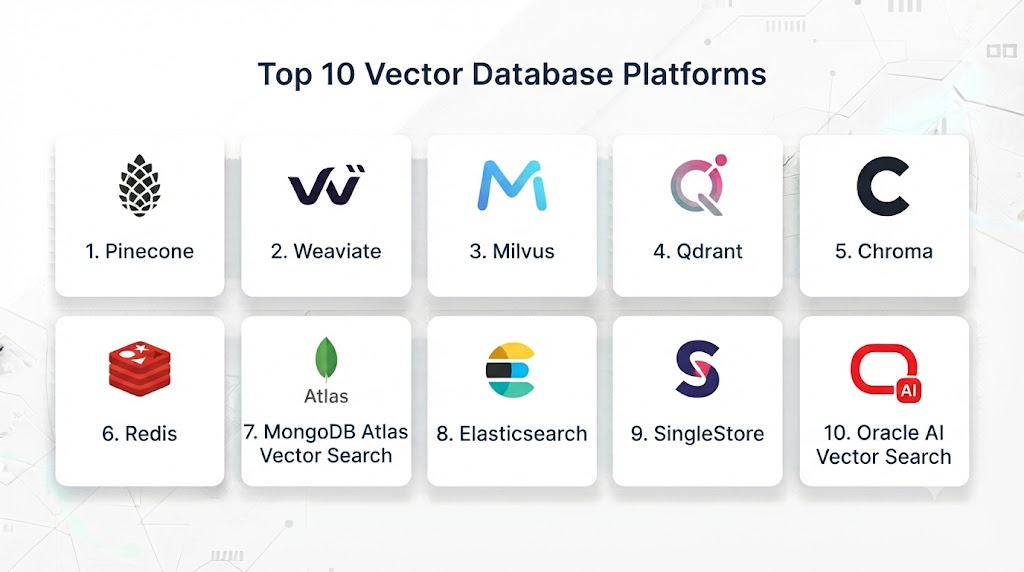
Top 10 Vector Database Platforms
1. Pinecone
Pinecone is a managed vector database platform designed for production AI applications.
Key Features
- Managed vector database
- Similarity search
- Metadata filtering
- Real-time indexing
- High scalability
- API access
- RAG support
- AI framework integration
- Enterprise security
- Low-latency retrieval
Pros
- Fully managed
- Easy deployment
- Strong performance
- Enterprise ready
- Developer friendly
Cons
- Cloud dependency
- Pricing can increase with scale
- Limited self-hosting
Platforms
Cloud environments.
Deployment or Support
AI application teams.
Security & Compliance
Enterprise security controls.
Integrations & Ecosystem
LLM frameworks and AI tools.
Support & Community
Commercial support.
2. Weaviate
Weaviate is an open-source vector database with AI search capabilities.
Key Features
- Vector search
- Hybrid search
- GraphQL APIs
- Semantic search
- Metadata filtering
- AI integrations
- Multi-modal support
- Cloud deployment
- Open-source architecture
- RAG support
Pros
- Open source
- Flexible
- Strong AI features
- Developer friendly
- Good community
Cons
- Requires configuration
- Operational complexity
- Scaling requires expertise
Platforms
Cloud and local environments.
Deployment or Support
Developers and enterprises.
Security & Compliance
Deployment dependent.
Integrations & Ecosystem
AI frameworks.
Support & Community
Open-source community.
3. Milvus
Milvus is an open-source vector database designed for large-scale AI applications.
Key Features
- High-performance search
- Distributed architecture
- Vector indexing
- Large-scale storage
- Metadata filtering
- Cloud-native design
- AI framework support
- Real-time search
- Scalability
- Enterprise deployment
Pros
- Highly scalable
- Open source
- Strong performance
- Large community
- Flexible deployment
Cons
- Complex setup
- Requires infrastructure knowledge
- Management overhead
Platforms
Cloud and local environments.
Deployment or Support
Enterprise AI teams.
Security & Compliance
Implementation dependent.
Integrations & Ecosystem
AI platforms.
Support & Community
Open-source community.
4. Qdrant
Qdrant provides vector similarity search capabilities for AI applications.
Key Features
- Vector search
- Filtering
- REST APIs
- Cloud deployment
- Real-time indexing
- Embedding storage
- AI integrations
- High performance
- Metadata support
- Developer tools
Pros
- Open source
- Fast performance
- Easy integration
- Developer friendly
- Flexible
Cons
- Smaller ecosystem
- Requires setup
- Enterprise features developing
Platforms
Cloud and local environments.
Deployment or Support
AI developers.
Security & Compliance
Implementation dependent.
Integrations & Ecosystem
AI frameworks.
Support & Community
Developer community.
5. Chroma
Chroma is an open-source vector database focused on AI application development.
Key Features
- Embedding storage
- Similarity search
- Metadata filtering
- Developer APIs
- Local deployment
- LLM integration
- RAG support
- Lightweight architecture
- Simple setup
- AI workflows
Pros
- Easy to use
- Open source
- Developer friendly
- Fast setup
- Good for prototypes
Cons
- Limited enterprise features
- Smaller scale workloads
- Requires additional components
Platforms
Cloud and local environments.
Deployment or Support
Developers.
Security & Compliance
Implementation dependent.
Integrations & Ecosystem
AI development tools.
Support & Community
Open-source community.
6. Elasticsearch Vector Search
Elasticsearch provides vector search capabilities alongside traditional search.
Key Features
- Hybrid search
- Keyword search
- Vector search
- Analytics
- Security
- Enterprise search
- Filtering
- Ranking
- Scalability
- Data management
Pros
- Strong search capabilities
- Enterprise adoption
- Hybrid search
- Mature ecosystem
- Reliable
Cons
- Resource intensive
- Complex management
- Not vector-only
Platforms
Cloud and local environments.
Deployment or Support
Enterprise organizations.
Security & Compliance
Enterprise controls.
Integrations & Ecosystem
Search ecosystem.
Support & Community
Large community.
7. Amazon OpenSearch Vector Engine
Amazon OpenSearch provides managed vector search capabilities.
Key Features
- Vector search
- Semantic search
- AWS integration
- Scalability
- Security
- Hybrid search
- Monitoring
- Enterprise deployment
- Analytics
- AI workflows
Pros
- AWS integration
- Managed service
- Enterprise security
- Scalable
- Production ready
Cons
- AWS dependency
- Cost complexity
- Configuration required
Platforms
AWS Cloud.
Deployment or Support
Enterprise AI teams.
Security & Compliance
AWS security framework.
Integrations & Ecosystem
AWS services.
Support & Community
Enterprise support.
8. Azure AI Search
Azure AI Search provides enterprise search with vector capabilities.
Key Features
- Vector search
- Semantic search
- AI integration
- Document indexing
- Security
- Data connectors
- Hybrid search
- Enterprise workflows
- Scalability
- Cloud integration
Pros
- Microsoft ecosystem
- Enterprise ready
- Strong search
- Managed service
- Secure
Cons
- Azure dependency
- Pricing complexity
- Configuration learning
Platforms
Microsoft Azure.
Deployment or Support
Enterprise organizations.
Security & Compliance
Microsoft security framework.
Integrations & Ecosystem
Azure services.
Support & Community
Enterprise support.
9. Google Vertex AI Vector Search
Google provides managed vector search for AI applications.
Key Features
- Vector similarity search
- AI integration
- High scalability
- Embedding management
- Enterprise security
- Cloud integration
- RAG support
- Monitoring
- Real-time retrieval
- ML workflows
Pros
- Managed service
- Google AI ecosystem
- High performance
- Enterprise ready
- Scalable
Cons
- Google Cloud dependency
- Pricing complexity
- Less flexibility
Platforms
Google Cloud.
Deployment or Support
Enterprise AI teams.
Security & Compliance
Google Cloud security.
Integrations & Ecosystem
Google AI services.
Support & Community
Enterprise support.
10. PostgreSQL with pgvector
pgvector adds vector search capabilities to PostgreSQL.
Key Features
- Vector storage
- Similarity search
- SQL integration
- Existing database support
- Metadata handling
- Open source
- Application integration
- Hybrid workloads
- Developer familiarity
- Flexible deployment
Pros
- Simple adoption
- Open source
- Uses PostgreSQL ecosystem
- Cost effective
- Developer friendly
Cons
- Limited extreme-scale performance
- Requires optimization
- Not dedicated vector infrastructure
Platforms
Cloud and local environments.
Deployment or Support
Developers and businesses.
Security & Compliance
PostgreSQL security.
Integrations & Ecosystem
Database ecosystem.
Support & Community
Large community.
Comparison Table
| Tool Name | Best For | Platform(s) Supported | Deployment | Standout Feature | Public Rating |
|---|---|---|---|---|---|
| Pinecone | Production AI apps | Cloud | Managed | Low latency | |
| Weaviate | Open-source AI search | Cloud/Local | Flexible | Hybrid search | |
| Milvus | Large-scale AI | Cloud/Local | Enterprise | Scalability | |
| Qdrant | Similarity search | Cloud/Local | Flexible | Performance | |
| Chroma | Developers | Cloud/Local | Flexible | Simplicity | |
| Elasticsearch | Enterprise search | Cloud/Local | Enterprise | Hybrid search | |
| OpenSearch | AWS AI search | AWS | Enterprise | Managed vector search | |
| Azure AI Search | Microsoft AI | Azure | Enterprise | Enterprise search | |
| Vertex AI Vector Search | Google AI | GCP | Enterprise | Managed AI search | |
| pgvector | Database integration | Cloud/Local | Flexible | PostgreSQL support |
Weighted Evaluation
| Tool Name | Core Features 25% | Ease of Use 15% | Integrations & Ecosystem 15% | Security & Compliance 10% | Performance & Reliability 10% | Support & Community 10% | Price/Value 15% | Total |
|---|---|---|---|---|---|---|---|---|
| Pinecone | 25 | 15 | 15 | 10 | 10 | 10 | 13 | 98 |
| Weaviate | 24 | 14 | 15 | 10 | 10 | 10 | 15 | 98 |
| Milvus | 25 | 12 | 15 | 10 | 10 | 10 | 15 | 97 |
| Qdrant | 23 | 15 | 14 | 10 | 10 | 10 | 15 | 97 |
| Chroma | 22 | 15 | 14 | 10 | 10 | 10 | 15 | 96 |
| Elasticsearch | 24 | 13 | 15 | 10 | 10 | 10 | 13 | 95 |
| OpenSearch | 24 | 13 | 15 | 10 | 10 | 10 | 13 | 95 |
| Azure AI Search | 24 | 13 | 15 | 10 | 10 | 10 | 12 | 94 |
| Vertex AI Search | 24 | 13 | 15 | 10 | 10 | 10 | 12 | 94 |
| pgvector | 22 | 15 | 14 | 10 | 10 | 10 | 15 | 96 |
Which Vector Database Platform Is Right for You?
Choose Pinecone for managed production AI applications.
Choose Weaviate for flexible open-source AI search.
Choose Milvus for large-scale vector workloads.
Choose Qdrant for fast similarity search.
Choose Chroma for prototypes and developer projects.
Choose Elasticsearch Vector Search for enterprise hybrid search.
Choose Amazon OpenSearch Vector Engine for AWS environments.
Choose Azure AI Search for Microsoft ecosystems.
Choose Google Vertex AI Vector Search for Google Cloud.
Choose pgvector for PostgreSQL-based applications.
Implementation Playbook
Phase 1: Prepare Data
- Collect documents
- Generate embeddings
- Define metadata
Phase 2: Select Vector Database
- Evaluate scale
- Choose deployment model
- Configure indexing
Phase 3: Build Search Pipeline
- Connect applications
- Implement retrieval
- Optimize queries
Phase 4: Integrate AI Models
- Connect LLMs
- Build RAG workflows
- Test responses
Phase 5: Monitor Performance
- Track latency
- Improve accuracy
- Optimize storage
Common Mistakes
- Choosing the wrong indexing strategy
- Poor embedding selection
- Ignoring metadata design
- No security controls
- Weak evaluation process
- Poor scalability planning
- Not monitoring search quality
FAQs
1. What are Vector Database Platforms?
They are databases designed to store and search AI-generated vector embeddings.
2. Why are vector databases important for AI?
They enable semantic search and help AI systems retrieve relevant information.
3. What is a vector embedding?
It is a numerical representation of data meaning created by AI models.
4. Who uses vector databases?
AI engineers, developers, and enterprises use them for AI applications.
5. Are vector databases used in RAG systems?
Yes, they are a core component of many RAG architectures.
6. Can vector databases store images and audio?
Yes, many support multimodal embeddings.
7. Are open-source vector databases available?
Yes, Milvus, Weaviate, Qdrant, Chroma, and pgvector provide open-source options.
8. How are vector databases different from traditional databases?
They search based on similarity and meaning rather than exact matches.
9. Can vector databases support AI agents?
Yes, they can provide memory and knowledge retrieval for AI agents.
10. What is the future of vector databases?
They will become a fundamental infrastructure layer for enterprise AI applications.
Conclusion
Vector Database Platforms are becoming essential infrastructure for modern AI systems, especially with the growth of RAG, LLM applications, and AI agents.Platforms such as Pinecone, Weaviate, Milvus, Qdrant, Chroma, and cloud-based vector search services help organizations build intelligent applications with fast and accurate knowledge retrieval.As artificial intelligence continues evolving, vector databases will play a critical role in enabling scalable, contextual, and reliable AI experiences.