Introduction
Model Distillation Toolkits are artificial intelligence development frameworks that help organizations create smaller, faster, and more efficient AI models by transferring knowledge from large teacher models into compact student models.
Modern AI models, especially large language models (LLMs) and deep learning systems, often require significant computing resources, memory, and infrastructure. While large models provide excellent accuracy and intelligence, they can be expensive and difficult to deploy on mobile devices, edge systems, and resource-constrained environments.
Knowledge distillation solves this challenge by training smaller models to imitate the behavior of larger models. The smaller student model learns important patterns, predictions, and representations from the teacher model while requiring fewer resources.
Model Distillation Toolkits help organizations:
- Reduce AI model size
- Improve inference speed
- Lower deployment costs
- Enable edge AI applications
- Optimize cloud infrastructure usage
- Deploy AI on limited hardware
- Maintain strong model performance
These platforms are used by:
- Machine learning engineers
- AI researchers
- Enterprise AI teams
- Mobile developers
- Edge computing companies
- Data scientists
- Cloud architects
- Robotics developers
Modern model distillation toolkits support:
- Knowledge distillation
- Neural network compression
- LLM optimization
- Quantization
- Pruning
- Teacher-student training
- Model evaluation
- Deployment optimization
The goal of these platforms is to make advanced AI models smaller, faster, and more practical for real-world applications.
How Model Distillation Works
Teacher Model Selection
The process starts with a large, powerful model known as the teacher model.
The teacher model provides:
- Predictions
- Knowledge representations
- Probability distributions
- Learned patterns
Student Model Training
A smaller student model learns from the teacher model.
Instead of learning only from raw data, the student model learns from the teacher’s outputs.
Knowledge Transfer
The toolkit transfers knowledge through:
- Soft labels
- Feature representations
- Model behavior
- Intermediate layers
Optimization Process
The student model is optimized to achieve:
- Lower memory usage
- Faster inference
- Reduced computational requirements
Deployment
The optimized model can run on:
- Mobile devices
- Edge hardware
- Embedded systems
- Enterprise applications
Types of Model Distillation
Response-Based Distillation
The student model learns from the final outputs of the teacher model.
Example:
- Prediction scores
- Generated responses
Feature-Based Distillation
The student learns internal representations from teacher model layers.
Benefits:
- Better feature understanding
- Improved accuracy
Relation-Based Distillation
The student learns relationships between different data representations.
LLM Distillation
Large language models are compressed into smaller versions while maintaining useful capabilities.
Common Use Cases
Edge AI Applications
Distilled models enable AI deployment on:
- IoT devices
- Smart cameras
- Embedded systems
Mobile AI Applications
Developers use smaller models for:
- Mobile assistants
- Translation apps
- Voice applications
Enterprise AI Optimization
Companies reduce infrastructure costs by deploying smaller models.
Real-Time Applications
Fast models support:
- Autonomous systems
- Robotics
- Interactive applications
Healthcare AI
Optimized models help deploy AI in resource-limited environments.
Natural Language Processing
Distillation improves:
- Chatbots
- Search systems
- Text analysis
Why Model Distillation Toolkits Matter
Lower Infrastructure Costs
Smaller models require fewer computing resources.
Faster AI Responses
Reduced model size improves inference speed.
Better Accessibility
AI becomes available on more devices.
Energy Efficiency
Smaller models consume less power.
Easier Deployment
Organizations can deploy AI in more environments.
Evaluation Criteria for Buyers
Distillation Capabilities
Platforms should support:
- Knowledge transfer
- Teacher-student training
- Model compression
Model Compatibility
Important support includes:
- Neural networks
- Transformer models
- Large language models
- Computer vision models
Performance Optimization
Organizations should evaluate:
- Accuracy retention
- Speed improvement
- Memory reduction
Hardware Support
Important compatibility includes:
- CPUs
- GPUs
- Edge devices
- Mobile processors
Developer Experience
Platforms should provide:
- APIs
- Documentation
- Training tools
- Examples
Deployment Support
Important features include:
- Model export
- Runtime optimization
- Production deployment
Key Trends
Efficient AI Models
Organizations are focusing on smaller AI models with strong performance.
Edge AI Growth
Distillation is enabling AI deployment closer to users.
LLM Compression
Large language models are being optimized for practical applications.
Green AI Development
Smaller models reduce energy consumption.
AI Cost Optimization
Businesses are reducing operational costs through efficient models.
Hybrid AI Systems
Organizations combine large cloud models with smaller local models.
Methodology
The following platforms were evaluated based on:
- Distillation capabilities
- Model support
- Optimization features
- Developer experience
- Performance
- Deployment flexibility
- Hardware support
- Community support
- Security
- Value
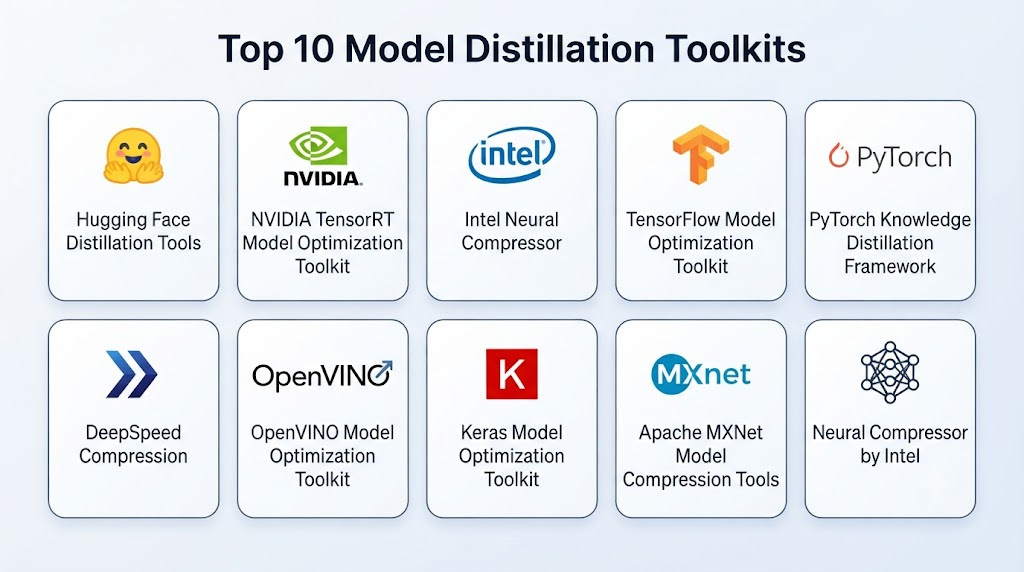
Top 10 Model Distillation Toolkits
1. Hugging Face Distillation Tools
Hugging Face provides tools and models that support knowledge distillation for transformer-based AI systems.
Key Features
- Transformer distillation
- Language model compression
- Student-teacher training
- Model optimization
- Pre-trained models
- NLP workflows
- Fine-tuning support
- Model sharing
- Evaluation tools
- Community resources
Pros
- Large AI ecosystem
- Strong transformer support
- Easy model sharing
- Good documentation
- Open-source community
Cons
- Requires ML knowledge
- Large models need resources
- Custom workflows require expertise
Platforms
Cloud and local environments.
Deployment or Support
Flexible deployment.
Security & Compliance
Depends on implementation.
Integrations & Ecosystem
Transformers ecosystem, datasets, AI frameworks, and model hubs.
Support & Community
Large AI developer community.
2. NVIDIA TensorRT Model Optimization Toolkit
NVIDIA provides optimization tools for creating efficient AI models for GPU and edge deployment.
Key Features
- Model compression
- Quantization
- Pruning
- Knowledge distillation
- GPU optimization
- LLM acceleration
- Inference optimization
- Deployment tools
- Performance analysis
- Hardware acceleration
Pros
- Excellent GPU performance
- Enterprise-ready
- Strong optimization
- Fast inference
- Production support
Cons
- NVIDIA hardware dependency
- Requires expertise
- Enterprise-focused
Platforms
GPU, cloud, and edge environments.
Deployment or Support
Enterprise deployment.
Security & Compliance
Enterprise security controls.
Integrations & Ecosystem
NVIDIA hardware, AI frameworks, cloud platforms, and enterprise systems.
Support & Community
Enterprise support.
3. Intel Neural Compressor
Intel Neural Compressor helps optimize deep learning models through compression techniques.
Key Features
- Quantization
- Model compression
- Accuracy control
- Optimization workflows
- Hardware tuning
- AI model evaluation
- Performance improvement
- Multiple framework support
- Deployment optimization
- Automated workflows
Pros
- Strong CPU optimization
- Enterprise support
- Framework flexibility
- Easy optimization workflows
- Good performance
Cons
- Intel-focused optimization
- Requires configuration
- Technical knowledge needed
Platforms
Cloud, desktop, and edge environments.
Deployment or Support
Local and enterprise deployment.
Security & Compliance
Supports enterprise deployment practices.
Integrations & Ecosystem
Intel hardware, AI frameworks, and deployment tools.
Support & Community
Developer and enterprise support.
4. TensorFlow Model Optimization Toolkit
TensorFlow Model Optimization Toolkit provides tools for improving AI model efficiency.
Key Features
- Quantization
- Pruning
- Compression
- Model optimization
- TensorFlow integration
- Deployment support
- Performance tuning
- Mobile optimization
- Edge AI support
- Developer tools
Pros
- Strong TensorFlow ecosystem
- Good documentation
- Mobile support
- Easy integration
- Mature framework
Cons
- TensorFlow dependency
- Limited framework flexibility
- Advanced optimization requires expertise
Platforms
Cloud, mobile, and edge environments.
Deployment or Support
Flexible deployment.
Security & Compliance
Supports secure model deployment.
Integrations & Ecosystem
TensorFlow ecosystem, mobile applications, and AI tools.
Support & Community
Large developer community.
5. PyTorch Knowledge Distillation Framework
PyTorch provides flexible tools for implementing knowledge distillation workflows.
Key Features
- Custom distillation pipelines
- Neural network training
- Teacher-student models
- Research flexibility
- Model experimentation
- Deep learning support
- Custom optimization
- Training workflows
- Evaluation tools
- Developer libraries
Pros
- Highly flexible
- Strong research adoption
- Easy experimentation
- Large community
- Customizable workflows
Cons
- Requires coding expertise
- Manual configuration needed
- Optimization requires experience
Platforms
Cloud and local environments.
Deployment or Support
Flexible deployment.
Security & Compliance
Depends on implementation.
Integrations & Ecosystem
PyTorch ecosystem, AI frameworks, and research tools.
Support & Community
Large research community.
6. DeepSpeed Compression
DeepSpeed provides model compression and optimization techniques for large AI models.
Key Features
- Model compression
- Quantization
- Pruning
- Knowledge distillation
- Large model optimization
- Memory reduction
- Distributed training
- Performance tuning
- LLM optimization
- Deployment support
Pros
- Large model support
- Strong optimization
- Enterprise scalability
- Research-backed
- Efficient training
Cons
- Complex setup
- Requires expertise
- Infrastructure requirements
Platforms
Cloud and high-performance environments.
Deployment or Support
Enterprise and research deployment.
Security & Compliance
Depends on implementation.
Integrations & Ecosystem
AI frameworks, cloud platforms, and distributed systems.
Support & Community
Developer community.
7. OpenVINO Model Optimization Toolkit
OpenVINO provides tools for optimizing and deploying AI models efficiently on Intel hardware.
Key Features
- Model compression
- Quantization
- Optimization
- Model conversion
- Edge deployment
- Performance analysis
- Hardware acceleration
- Inference optimization
- AI deployment tools
- Model management
Pros
- Strong edge support
- Good Intel optimization
- Enterprise-ready
- Efficient inference
- Flexible deployment
Cons
- Intel-focused
- Requires optimization knowledge
- Hardware limitations
Platforms
Edge, desktop, and enterprise systems.
Deployment or Support
Local and enterprise deployment.
Security & Compliance
Supports secure AI deployment.
Integrations & Ecosystem
Intel hardware, AI frameworks, and edge platforms.
Support & Community
Developer community.
8. Keras Model Optimization Toolkit
Keras provides optimization methods for improving deep learning model efficiency.
Key Features
- Pruning
- Quantization
- Model compression
- TensorFlow integration
- Training optimization
- Deployment support
- Mobile AI support
- Developer tools
- Performance improvements
- Model management
Pros
- Beginner-friendly
- Easy integration
- Strong TensorFlow support
- Good documentation
- Simple workflows
Cons
- Framework dependency
- Limited advanced features
- Requires TensorFlow ecosystem
Platforms
Cloud and local environments.
Deployment or Support
Flexible deployment.
Security & Compliance
Depends on implementation.
Integrations & Ecosystem
Keras, TensorFlow, and AI development tools.
Support & Community
Large developer community.
9. Apache MXNet Model Compression Tools
Apache MXNet provides tools for optimizing machine learning models.
Key Features
- Model compression
- Quantization
- Neural network optimization
- Deployment support
- Edge AI support
- Model conversion
- Performance tuning
- Training workflows
- Developer tools
- Framework integration
Pros
- Lightweight framework
- Good deployment support
- Flexible optimization
- Efficient execution
- Open-source
Cons
- Smaller ecosystem
- Reduced adoption
- Limited modern LLM support
Platforms
Cloud and edge environments.
Deployment or Support
Flexible deployment.
Security & Compliance
Depends on implementation.
Integrations & Ecosystem
AI frameworks and deployment tools.
Support & Community
Open-source community.
10. Neural Compressor by Intel
Intel Neural Compressor provides automated optimization techniques for AI models.
Key Features
- Quantization
- Model tuning
- Compression
- Accuracy evaluation
- Automated optimization
- Hardware-aware optimization
- AI deployment support
- Framework integration
- Performance analysis
- Model improvement
Pros
- Automated optimization
- Enterprise-ready
- Good hardware support
- Performance improvements
- Flexible workflows
Cons
- Intel-focused
- Requires technical knowledge
- Configuration needed
Platforms
Cloud, edge, and enterprise systems.
Deployment or Support
Enterprise deployment.
Security & Compliance
Supports enterprise requirements.
Integrations & Ecosystem
Intel hardware, AI frameworks, and deployment platforms.
Support & Community
Enterprise support.
Comparison Table
| Tool Name | Best For | Platform(s) Supported | Deployment | Standout Feature | Public Rating |
|---|---|---|---|---|---|
| Hugging Face Distillation Tools | Transformer models | Cloud/Local | Flexible | LLM distillation | N/A |
| NVIDIA TensorRT Optimization | GPU AI | Cloud/Edge | Enterprise | High performance | N/A |
| Intel Neural Compressor | CPU optimization | Multi-platform | Enterprise | Automated compression | N/A |
| TensorFlow Optimization Toolkit | TensorFlow models | Cloud/Mobile | Flexible | Model optimization | N/A |
| PyTorch Distillation | Research workflows | Cloud/Local | Flexible | Custom pipelines | N/A |
| DeepSpeed Compression | Large models | Cloud | Enterprise | LLM optimization | N/A |
| OpenVINO Toolkit | Edge AI | Edge/Desktop | Local | Hardware optimization | N/A |
| Keras Optimization | Deep learning apps | Cloud/Local | Flexible | Easy workflows | N/A |
| Apache MXNet Tools | Lightweight AI | Cloud/Edge | Flexible | Compression support | N/A |
| Neural Compressor | Enterprise optimization | Multi-platform | Enterprise | Automated tuning | N/A |
Weighted Evaluation
| Tool Name | Core Features 25% | Ease of Use 15% | Integrations & Ecosystem 15% | Security & Compliance 10% | Performance & Reliability 10% | Support & Community 10% | Price/Value 15% | Total |
|---|---|---|---|---|---|---|---|---|
| Hugging Face Distillation | 24 | 14 | 15 | 10 | 10 | 10 | 14 | 97 |
| NVIDIA TensorRT Optimization | 25 | 12 | 14 | 10 | 10 | 10 | 11 | 92 |
| Intel Neural Compressor | 24 | 13 | 14 | 10 | 10 | 10 | 13 | 94 |
| TensorFlow Optimization | 23 | 14 | 15 | 10 | 10 | 10 | 14 | 96 |
| PyTorch Distillation | 24 | 12 | 15 | 10 | 10 | 10 | 14 | 95 |
| DeepSpeed Compression | 25 | 11 | 14 | 10 | 10 | 10 | 12 | 92 |
| OpenVINO Toolkit | 23 | 13 | 14 | 10 | 10 | 10 | 13 | 93 |
| Keras Optimization | 22 | 15 | 14 | 10 | 10 | 10 | 14 | 95 |
| Apache MXNet Tools | 21 | 12 | 12 | 10 | 10 | 10 | 14 | 89 |
| Neural Compressor | 24 | 13 | 14 | 10 | 10 | 10 | 13 | 94 |
Which Model Distillation Toolkit Is Right for You?
Choose Hugging Face Distillation Tools when working with transformer and language models.
Choose NVIDIA TensorRT Optimization when GPU acceleration is required.
Choose Intel Neural Compressor when optimizing CPU-based AI workloads.
Choose TensorFlow Model Optimization Toolkit for TensorFlow applications.
Choose PyTorch Distillation for research and custom workflows.
Choose DeepSpeed Compression for large-scale AI models.
Choose OpenVINO Toolkit for edge AI deployment.
Choose Keras Optimization Toolkit for simple deep learning optimization.
Choose Apache MXNet Tools for lightweight model deployment.
Choose Neural Compressor for automated enterprise optimization.
Implementation Playbook
Phase 1: Define Optimization Goals
- Identify deployment requirements
- Measure current model performance
- Define speed and memory targets
Phase 2: Select Teacher and Student Models
- Choose accurate teacher model
- Select smaller student architecture
- Define compression goals
Phase 3: Apply Distillation
- Configure training process
- Transfer model knowledge
- Evaluate accuracy
Phase 4: Optimize Deployment
- Apply quantization
- Test hardware performance
- Deploy optimized models
Phase 5: Monitor and Improve
- Track performance
- Update models
- Improve efficiency
Common Mistakes
- Compressing models without evaluation
- Losing too much accuracy
- Choosing incorrect student models
- Ignoring hardware requirements
- Poor optimization testing
- Not monitoring performance
- Skipping validation
- Using unsuitable compression methods
FAQs
1. What are Model Distillation Toolkits?
Model Distillation Toolkits help create smaller AI models by transferring knowledge from larger models.
2. Why use model distillation?
Distillation reduces model size, improves speed, and lowers deployment costs.
3. What is a teacher model?
A teacher model is a larger AI model that provides knowledge to a smaller student model.
4. What is a student model?
A student model is a smaller model trained to imitate the teacher model.
5. Can LLMs be distilled?
Yes. Large language models can be compressed into smaller versions.
6. Does distillation reduce accuracy?
Some accuracy reduction may occur, but optimization techniques help maintain performance.
7. Who uses model distillation?
Enterprises, researchers, developers, and edge AI companies use it.
8. Is distillation useful for edge devices?
Yes. It enables AI deployment on devices with limited resources.
9. How is distillation different from quantization?
Distillation transfers knowledge between models, while quantization reduces numerical precision.
10. What is the future of model distillation?
Model distillation will continue growing as organizations need efficient AI systems for cloud, mobile, and edge environments.
Conclusion
Model Distillation Toolkits are becoming essential for making advanced AI models more efficient, affordable, and deployable. By transferring knowledge from powerful teacher models into smaller student models, organizations can achieve faster performance while reducing infrastructure requirements.Tools such as Hugging Face Distillation, NVIDIA TensorRT Optimization, TensorFlow Model Optimization, PyTorch frameworks, Intel Neural Compressor, and DeepSpeed Compression provide powerful options for optimizing modern AI systems.As AI adoption expands across cloud, mobile, and edge environments, model distillation will play a critical role in creating efficient, scalable, and practical artificial intelligence solutions.