Introduction
AI Smart Forms & Intake Assistants are intelligent platforms designed to automate form filling, data collection, and customer intake processes. They leverage AI and natural language processing to guide users, pre-fill data, validate entries, and integrate information directly into backend systems, reducing manual work and errors.
Why it Matters
- Increased Efficiency: AI reduces manual data entry and validation, saving time for both users and staff.
- Enhanced Accuracy: Intelligent pre-fills and real-time validation minimize errors and improve data quality.
- Better User Experience: Conversational guidance, conditional logic, and predictive fields simplify form completion for users.
- Compliance & Security: Built-in guardrails, encryption, and retention policies help meet industry regulations and protect sensitive data.
- Scalable Workflows: AI forms handle high-volume intake efficiently, from HR onboarding to healthcare patient intake.
- Actionable Insights: Analytics on submissions, errors, and completion trends help organizations optimize processes.
- Cost Reduction: Automation reduces labor-intensive manual checks and error correction, saving operational costs.
Real-world use cases include:
- Automated client onboarding for banks, insurance, or SaaS platforms.
- Healthcare patient intake and medical history collection.
- Legal document intake and form validation.
- Government or municipal application submissions.
- HR recruitment and employee onboarding forms.
- Internal enterprise workflows for approvals or data capture.
Evaluation criteria for buyers:
- AI accuracy in interpreting user input
- Multimodal support: text, voice, or image uploads
- Integration with CRM, ERP, EHR, or other backend systems
- Compliance with industry-specific regulations (HIPAA, GDPR, SOC2)
- Real-time validation and error checking
- Security, data privacy, and retention controls
- Workflow automation and conditional logic
- User experience and accessibility
- Customization and template management
- Scalability for high-volume intake
Best for: enterprises, healthcare providers, law firms, HR teams, government agencies, and SaaS platforms requiring high-volume form handling.
Not ideal for: teams with very low intake volume or simple forms that do not require AI guidance.
What’s Changed in AI Smart Forms & Intake Assistants
- Integration of multimodal inputs: text, voice, images, and file uploads.
- Intelligent pre-fill and predictive field completion.
- Real-time validation and AI-guided error prevention.
- Agentic workflows for dynamic form routing and approvals.
- Compliance automation for privacy and industry regulations.
- Integration with backend systems via API or RAG pipelines.
- Observability dashboards for form completion metrics, latency, and errors.
- Cost and latency optimization with cloud or edge deployments.
- BYO or open-source AI model support for specialized forms.
- Advanced security features, including encryption and role-based access.
- Automated follow-ups and notifications based on intake completion.
- AI-driven analytics for workflow optimization and user behavior.
Quick Buyer Checklist
- ✅ Real-time AI validation and guidance for form fields
- ✅ Multimodal input support: text, voice, and file uploads
- ✅ Integration with CRM, ERP, HR, EHR, and other backend systems
- ✅ Data privacy, retention, and compliance controls (HIPAA, GDPR)
- ✅ Model choice: hosted, BYO, or open-source
- ✅ Evaluation and testing for accuracy and error reduction
- ✅ Guardrails for policy compliance, sensitive data handling, and input validation
- ✅ Latency and performance monitoring
- ✅ Auditability and traceability of submissions
- ✅ Conditional workflows and dynamic routing
- ✅ Scalability for high-volume intake
- ✅ Analytics for completion rates, errors, and user behavior
- ✅ Automated notifications and follow-ups
- ✅ Template management and AI-assisted customization
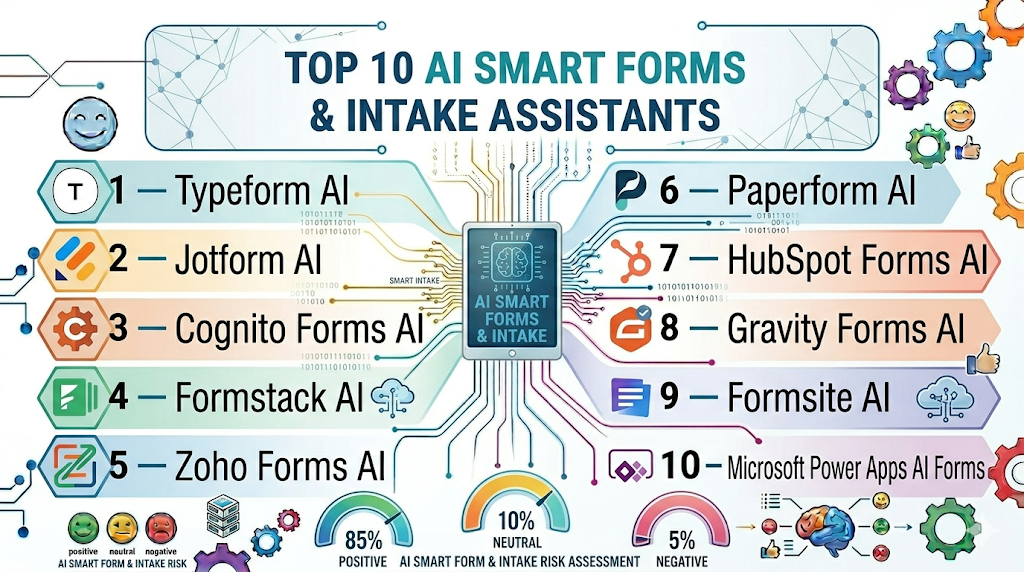
Top 10 AI Smart Forms & Intake Assistants
1 — Typeform AI
One-line verdict: Best for enterprises and SMBs needing conversational AI forms for high engagement intake.
Short description :
Typeform AI enables conversational, interactive forms with AI-assisted guidance and field validation.
It pre-fills answers, validates entries, and integrates with backend systems.
Ideal for client onboarding, surveys, and HR forms.
Supports seamless user experience with minimal friction.
Standout Capabilities
- Conversational AI form experience
- Pre-fill and predictive answer suggestions
- Conditional logic and dynamic routing
- Integration with CRM and marketing platforms
- Analytics dashboard for completion and error tracking
AI-Specific Depth
- Model support: Proprietary
- RAG / knowledge integration: API connectors
- Evaluation: Human review and regression testing
- Guardrails: Input validation, policy checks
- Observability: Completion metrics, latency
Pros
- High user engagement
- Reduces manual errors
- Easy integration with CRM/marketing tools
Cons
- Limited complex enterprise workflows
- Subscription cost can scale with volume
- Customization options may require developer support
Security & Compliance
SSO, encryption, Not publicly stated certifications
Deployment & Platforms
Web, Cloud
Integrations & Ecosystem
- CRM connectors
- Marketing automation
- Webhooks and API
- Analytics dashboards
Pricing Model
Subscription-based, enterprise tiers
Best-Fit Scenarios
- Client onboarding forms
- Employee survey collection
- Marketing lead intake
2 — Jotform AI
One-line verdict: Ideal for SMBs and enterprises needing AI-driven form creation and intake automation.
Short description :
Jotform AI assists in auto-generating forms, pre-filling fields, and validating user inputs.
Supports conditional logic, notifications, and integration with backend systems.
Suitable for healthcare, HR, and enterprise data collection workflows.
Helps streamline data intake and reduce manual entry errors.
Standout Capabilities
- Auto-generated AI forms
- Real-time field validation
- Conditional logic workflows
- Integration with CRM, ERP, and cloud storage
- Analytics on submission and completion
AI-Specific Depth
- Model support: Proprietary
- RAG / knowledge integration: N/A
- Evaluation: Human review of AI suggestions
- Guardrails: Policy enforcement and sensitive data checks
- Observability: Submission metrics
Pros
- Fast form creation
- Reduces manual input errors
- Integrates with enterprise workflows
Cons
- Some advanced automation requires paid tiers
- Limited AI customization options
- Complex workflows may need developer support
Security & Compliance
Encryption, SSO, Not publicly stated certifications
Deployment & Platforms
Web, Cloud
Integrations & Ecosystem
- CRM connectors
- Cloud storage systems
- API and webhooks
- Analytics dashboards
Pricing Model
Subscription; tiered plans
Best-Fit Scenarios
- Healthcare patient intake
- HR onboarding forms
- Enterprise client data collection
3 — Cognito Forms AI
One-line verdict: Suited for organizations needing secure and AI-enhanced form automation.
Short description :
Cognito Forms AI automates data capture, pre-fills form fields, and validates user inputs.
Ideal for secure enterprise workflows, including finance, legal, and healthcare forms.
Supports automated notifications and backend integrations.
Reduces errors and manual entry workload.
Standout Capabilities
- AI-assisted form field validation
- Conditional logic workflows
- Secure submissions with encryption
- Backend integration with ERP/CRM
- Analytics dashboard for submissions
AI-Specific Depth
- Model support: Proprietary
- RAG / knowledge integration: N/A
- Evaluation: Offline testing and human review
- Guardrails: Compliance and input validation
- Observability: Latency and submission metrics
Pros
- Secure data collection
- Reduces manual errors
- Supports complex enterprise workflows
Cons
- Limited AI customization
- May require IT for integrations
- Subscription costs for advanced features
Security & Compliance
Encryption, role-based access; Not publicly stated certifications
Deployment & Platforms
Web, Cloud
Integrations & Ecosystem
- CRM and ERP
- Payment gateways
- API and webhook support
- Analytics dashboards
Pricing Model
Subscription-based
Best-Fit Scenarios
- Financial intake forms
- Legal document intake
- Healthcare patient onboarding
4 — Formstack AI
One-line verdict: Ideal for enterprises and mid-market teams needing automated workflows and intake management.
Short description:
Formstack AI automates form creation, pre-fills fields, and validates inputs in real time.
It integrates with workflows and backend systems for seamless data capture.
Ideal for HR, marketing, and client onboarding processes.
Reduces manual processing and errors.
Standout Capabilities
- Automated form creation and validation
- Conditional logic and workflow automation
- Pre-fill and predictive input suggestions
- Backend system integrations
- Analytics and reporting
AI-Specific Depth
- Model support: Proprietary
- RAG / knowledge integration: N/A
- Evaluation: Human-in-loop review
- Guardrails: Compliance and validation
- Observability: Submission analytics
Pros
- Streamlines intake processes
- Reduces errors
- Integrates with enterprise systems
Cons
- Advanced features require paid plans
- Limited AI customization
- Workflow complexity may need developer support
Security & Compliance
Encryption, SSO; Not publicly stated certifications
Deployment & Platforms
Web, Cloud
Integrations & Ecosystem
- CRM systems
- ERP connectors
- API and webhooks
- Analytics dashboards
Pricing Model
Subscription
Best-Fit Scenarios
- Marketing lead intake
- HR onboarding
- Enterprise client intake
5 — Zoho Forms AI
One-line verdict: Best for SMBs and mid-market enterprises needing integrated AI forms.
Short description :
Zoho Forms AI pre-fills data, validates entries, and automates form workflows.
Supports integration with Zoho ecosystem and third-party platforms.
Ideal for HR, sales, and support intake forms.
Improves accuracy and reduces manual processing.
Standout Capabilities
- AI-assisted pre-fill and validation
- Conditional logic workflows
- Zoho ecosystem integration
- Notifications and automated approvals
- Analytics dashboards
AI-Specific Depth
- Model support: Proprietary
- RAG / knowledge integration: Zoho CRM
- Evaluation: Human review, regression testing
- Guardrails: Validation and compliance
- Observability: Submission metrics
Pros
- Easy integration with Zoho apps
- Reduces data entry errors
- Supports automated workflows
Cons
- Limited external ecosystem integration
- Advanced AI features require premium plan
- Some workflow customization may need IT support
Security & Compliance
Encryption, role-based access; Not publicly stated certifications
Deployment & Platforms
Web, Cloud
Integrations & Ecosystem
- Zoho CRM and ERP
- Payment gateways
- API and webhook support
- Analytics dashboards
Pricing Model
Subscription; tiered
Best-Fit Scenarios
- SMB client intake
- Sales lead forms
- HR onboarding
6 — Paperform AI
One-line verdict: Great for teams needing AI‑assisted form creation with conversational and intuitive intake experiences.
Short description :
Paperform AI enhances form building with AI‑guided content suggestions and intelligent logic.
It supports dynamic questions, pre‑fill guidance, and validation rules for structured intake.
Useful for marketing, sales, HR, and support teams collecting rich user data.
Improves form submission quality and reduces friction with conversational UX.
Standout Capabilities
- AI‑assisted question and content generation
- Conversational intake experience for respondents
- Dynamic logic and conditional workflows
- Real‑time validation and preview
- Templates for common intake scenarios
AI‑Specific Depth
- Model support: Proprietary
- RAG / knowledge integration: N/A
- Evaluation: Human review and built‑in testing
- Guardrails: Input validation, prediction checks
- Observability: Submission stats and error tracking
Pros
- Fast creation of intelligent forms
- Engaging user experience
- Good for multi‑purpose intake
Cons
- Advanced logic may require training
- Some features behind higher tiers
- Less backend system focus
Security & Compliance
Encryption; Not publicly stated certifications
Deployment & Platforms
Web, Cloud
Integrations & Ecosystem
Paperform AI integrates with modern workflow and data systems via:
- CRM platforms
- Workspace automation tools
- Payment processors
- Webhook and API triggers
- Analytics tools
Pricing Model
Subscription; tiered plans depending on features
Best‑Fit Scenarios
- Marketing lead capture
- Support intake forms
- Conversational user surveys
7 — HubSpot Forms AI
One-line verdict: Best for teams already using HubSpot, adding AI form intake and routing inside a unified CRM.
Short description :
HubSpot Forms AI delivers intelligent intake forms that pre‑fill, validate, and qualify submissions.
It integrates deeply with HubSpot CRM, workflows, and contacts database.
Ideal for sales, marketing, and support teams needing automated lead routing.
Helps reduce manual data entry and improves qualification accuracy.
Standout Capabilities
- AI‑guided input suggestions
- CRM‑native form analytics
- Lead scoring and routing automation
- Asset personalization and conditional logic
- Built‑in error prevention and prompts
AI‑Specific Depth
- Model support: Proprietary
- RAG / knowledge integration: CRM backbone
- Evaluation: Regression tests and review
- Guardrails: Built‑in compliance checks
- Observability: CRM dashboards and form analytics
Pros
- Seamless CRM integration
- Automated workflows and routing
- Familiar interface for marketers
Cons
- Most value tied to HubSpot suite
- Advanced AI features may require premium tiers
- Less standalone flexibility
Security & Compliance
SSO, encryption; Not publicly stated certifications
Deployment & Platforms
Web, Cloud
Integrations & Ecosystem
HubSpot Forms AI extends HubSpot with:
- CRM contact and deal integration
- Marketing automation
- Support ticket pipelines
- Workflow automation
- Custom APIs
Pricing Model
Subscription based on HubSpot tier
Best‑Fit Scenarios
- Sales lead intake
- Marketing conversion forms
- Customer support triage
8 — Gravity Forms AI
One-line verdict: Best choice for WordPress–centric teams needing AI form automation integrated with web CMS.
Short description :
Gravity Forms AI enhances WordPress forms with AI‑assisted suggestions and validations.
It supports conditional logic, pre‑filled fields, and API integrations.
Best for web teams building complex site intake workflows.
Improves data accuracy and reduces backend cleanup.
Standout Capabilities
- AI‑guided field suggestions
- Conditional logic branching
- Site‑embedded forms with real‑time validation
- Integration with WordPress ecosystem
- Support for file uploads and advanced inputs
AI‑Specific Depth
- Model support: Proprietary
- RAG / knowledge integration: Through add‑ons
- Evaluation: Manual and test workflows
- Guardrails: Input validation, spam protection
- Observability: Submission logs
Pros
- Tight WordPress integration
- Works with page builders and plugins
- Flexible input types
Cons
- AI feature set narrower than enterprise tools
- Requires WordPress hosting expertise
- Some add‑ons are paid
Security & Compliance
Role‑based access; Not publicly stated certifications
Deployment & Platforms
Web (WordPress), Cloud
Integrations & Ecosystem
Gravity Forms AI integrates via:
- WordPress plugins
- CRM add‑ons
- Email automation
- Payment gateways
- Webhooks and APIs
Pricing Model
Subscription; add‑ons vary
Best‑Fit Scenarios
- Website lead capture
- Support intake on WordPress
- Contact and feedback forms
9 — Formsite AI
One-line verdict: Suited for organizations needing robust, AI‑enhanced form intake with enterprise controls.
Short description :
Formsite AI uses AI to simplify form building and data capture, including intelligent validation.
It supports secure submissions, reporting, and team collaboration.
Useful for HR, operations, and support teams needing structured intake.
Provides tools for data export and workflow automation.
Standout Capabilities
- AI‑assisted design and validation
- Secure data collection
- Conditional routing and logic
- Team collaboration features
- Submission reporting
AI‑Specific Depth
- Model support: Proprietary
- RAG / knowledge integration: APIs available
- Evaluation: Offline test frameworks
- Guardrails: Policy and validation rules
- Observability: Reporting dashboards
Pros
- Strong enterprise controls
- Collaboration and permissions
- Good reporting
Cons
- Less conversational intake experience
- Advanced AI features limited
- Cost scales with teams
Security & Compliance
Encryption, role permissions; Not publicly stated certifications
Deployment & Platforms
Web, Cloud
Integrations & Ecosystem
Formsite AI connects with:
- Data export tools
- CRM connectors
- Workflow automation
- Email and alerts
- Apps via API
Pricing Model
Subscription tiers
Best‑Fit Scenarios
- Internal intake processes
- HR and ops forms
- Support ticket triage
10 — Microsoft Power Apps AI Forms
One-line verdict: Ideal for enterprises needing AI form intake within Microsoft ecosystems and custom apps.
Short description:
Power Apps AI Forms enables low‑code form creation with AI guidance and integration into enterprise systems.
It supports data validation, pre‑fill logic, and backend workflows.
Best for organizations using Microsoft 365, Dynamics, and Azure.
Bridges form intake with enterprise apps and automation.
Standout Capabilities
- Low‑code AI form design
- Integration with Microsoft ecosystems
- Backend workflows with Power Automate
- Real‑time validation and logic
- Enterprise data governance
AI‑Specific Depth
- Model support: Proprietary Microsoft models
- RAG / knowledge integration: Dynamics/Azure connectors
- Evaluation: Regression and scenario tests
- Guardrails: Enterprise policy controls
- Observability: Power Platform dashboards
Pros
- Seamless MS ecosystem integration
- Low‑code flexibility
- Enterprise governance tools
Cons
- Best within Microsoft stack
- Requires platform expertise
- Cost can be enterprise level
Security & Compliance
SSO, encryption, RBAC; Not publicly stated certifications
Deployment & Platforms
Web, Windows, Cloud
Integrations & Ecosystem
Power Apps AI Forms extends:
- Microsoft 365
- Dynamics 365
- Azure services
- Power Automate
- Enterprise connectors
Pricing Model
Subscription bundled with Power Platform
Best‑Fit Scenarios
- Enterprise form intake
- Internal business processes
- Microsoft‑centric workflows
Comparison Table
| Tool Name | Best For | Deployment | Model Flexibility | Strength | Watch‑Out | Public Rating |
|---|---|---|---|---|---|---|
| Typeform AI | Conversational intake | Cloud | Proprietary | Engaging UX | Limited complex logic | N/A |
| Jotform AI | SMB & enterprise | Cloud | Proprietary | Fast form creation | AI customization limited | N/A |
| Cognito Forms AI | Secure enterprise intake | Cloud | Proprietary | Enterprise workflows | Limited AI depth | N/A |
| Formstack AI | Workflows & automation | Cloud | Proprietary | Workflow focus | Developer setup | N/A |
| Zoho Forms AI | SMB integration | Cloud | Proprietary | Zoho ecosystem | External ecosystem limits | N/A |
| Paperform AI | Conversational rich UX | Cloud | Proprietary | UX & personalization | Backend integration | N/A |
| HubSpot Forms AI | CRM‑centric intake | Cloud | Proprietary | HubSpot integration | HubSpot dependent | N/A |
| Gravity Forms AI | WordPress sites | Cloud/Hosted | Proprietary | Web CMS focus | Add‑on complexity | N/A |
| Formsite AI | Enterprise intake | Cloud | Proprietary | Controls & reporting | AI feature limits | N/A |
| Power Apps AI Forms | Microsoft ecosystem | Cloud/Hybrid | Proprietary | Low‑code + enterprise | MS stack required | N/A |
Scoring & Evaluation (Transparent Rubric)
| Tool | Core | Reliability/Eval | Guardrails | Integrations | Ease | Perf/Cost | Security/Admin | Support | Weighted Total |
|---|---|---|---|---|---|---|---|---|---|
| Typeform AI | 9 | 8 | 7 | 8 | 9 | 8 | 7 | 7 | 8.1 |
| Jotform AI | 8 | 8 | 7 | 8 | 8 | 8 | 7 | 7 | 7.8 |
| Cognito Forms AI | 8 | 8 | 8 | 8 | 7 | 8 | 7 | 7 | 7.9 |
| Formstack AI | 8 | 8 | 8 | 8 | 7 | 8 | 7 | 7 | 7.9 |
| Zoho Forms AI | 8 | 7 | 7 | 7 | 8 | 7 | 7 | 7 | 7.6 |
| Paperform AI | 8 | 7 | 7 | 7 | 8 | 7 | 7 | 7 | 7.6 |
| HubSpot Forms AI | 8 | 8 | 8 | 9 | 8 | 8 | 8 | 8 | 8.3 |
| Gravity Forms AI | 7 | 7 | 7 | 7 | 8 | 7 | 7 | 7 | 7.3 |
| Formsite AI | 7 | 7 | 8 | 7 | 7 | 7 | 7 | 7 | 7.1 |
| Power Apps AI Forms | 8 | 8 | 8 | 9 | 7 | 8 | 8 | 8 | 8.2 |
Top 3 for Enterprise: HubSpot Forms AI, Power Apps AI Forms, Typeform AI
Top 3 for SMB: Jotform AI, Zoho Forms AI, Paperform AI
Top 3 for Developers: Formstack AI, Cognito Forms AI, Gravity Forms AI
Which AI Smart Forms & Intake Assistants Tool Is Right for You?
Solo / Freelancer
- Paperform AI or Gravity Forms AI — easy setup for personal projects or websites.
- Use intuitive templates and conversational intake to collect user data quickly.
- Focus on simplicity and lower cost tiers.
SMB
- Jotform AI or Zoho Forms AI — flexible and affordable for growing teams.
- Combine intake automation with CRM and operations workflows.
- Use analytics to optimize completion and reduce errors.
Mid‑Market
- Cognito Forms AI or Formstack AI — balance between automation and enterprise workflows.
- Ideal for HR onboarding, support intake, and operational forms.
- Add conditional routing and analytics to streamline processing.
Enterprise
- HubSpot Forms AI, Power Apps AI Forms, Typeform AI — best for large teams and global operations.
- Deep integrations with CRM, ERP, or Microsoft stacks.
- Leverage analytics, governance, and scalability.
Regulated industries (finance/healthcare/public sector)
- Cognito Forms AI and Power Apps AI Forms for compliance and governance.
- Ensure strict retention controls and encryption are configured.
- Leverage secure approval and audit workflows.
Budget vs premium
- Budget: Paperform AI or Zoho Forms AI for lean operations.
- Premium: HubSpot or Power Apps for enterprise integration and governance.
Build vs buy
- Build: Gravity Forms AI or Formstack AI if you have dev resources.
- Buy: SaaS platforms for rapid deployment and managed updates.
Implementation Playbook (30/60/90 Days)
30 Days – Pilot & Define Metrics
- Select one intake workflow (e.g., HR onboarding).
- Define success metrics: accuracy, time saved, completion rates.
- Deploy AI smart form to a test group.
- Validate field pre‑fill and conditional logic.
- Train staff on AI guidance features.
- Monitor first‑week completion errors.
60 Days – Harden & Integrate
- Add backend integrations (CRM, ERP, EHR).
- Implement guardrails for data privacy and compliance.
- Run evaluation tests for accuracy and errors.
- Introduce automated notifications.
- Review observability dashboards for performance.
90 Days – Optimize & Scale
- Expand to additional workflows.
- Fine‑tune AI prompts and field suggestions.
- Conduct red‑teaming for edge cases.
- Automate escalation and approval workflows.
- Track ROI: time saved, errors reduced.
Common Mistakes & How to Avoid Them
- Lack of evaluation and testing leading to inaccurate guidance.
- Ignoring edge‑case input or prompt injection risks.
- Unmanaged data retention and privacy exposure.
- No observability for latency and errors.
- Over‑automation without human review.
- Vendor lock‑in without APIs/extensions.
- Misaligned business logic in conditional workflows.
- No fallback for manual entry when AI fails.
- Ignoring accessibility and UX standards.
- Cost surprises from high usage volumes.
- Poor staff onboarding and adoption planning.
- Ignoring analytics to improve form design.
FAQs
- How does AI improve forms?
AI pre-fills fields, validates inputs, and guides users dynamically. This reduces errors, speeds up completion, and enhances the user experience. It also adapts to patterns over time for more accurate intake. - Are smart intake assistants secure?
Most platforms offer encryption, role-based access, and data retention controls. Always confirm compliance with regulations like GDPR, HIPAA, or SOC 2 for your industry. Proper configuration ensures sensitive data is protected. - Can AI forms handle voice or images?
Yes, many support multimodal inputs including speech-to-text and image/text extraction. This allows users to submit complex documents or spoken responses directly into forms. It improves accessibility and accuracy. - What integrations matter for AI forms?
Integrations with CRM, ERP, HRIS, EHR, and payment gateways ensure intake data flows seamlessly into backend systems. APIs, webhooks, and workflow connectors extend automation and reporting capabilities. - Do these tools require training for staff?
Yes, onboarding is important for understanding AI suggestions, conditional logic, and workflow automation. Staff training ensures proper handling of edge cases and reduces errors or override conflicts. - How do I measure success for AI intake forms?
Track metrics like completion rates, error reduction, submission time, and data accuracy. Monitor analytics dashboards to evaluate workflow improvements and identify areas needing optimization. - Can these tools work offline?
Most rely on cloud-based AI models for processing. Offline functionality is limited, but some platforms allow local caching or self-hosted deployment for restricted environments. - Are there compliance risks?
Yes, handling personal or sensitive data requires adherence to regional and industry regulations. Ensure the platform supports privacy, audit logs, retention policies, and access controls. - How do smart forms handle sensitive or regulated data?
Guardrails, encryption, and restricted access control ensure sensitive data is stored securely. Many platforms also provide audit logs and compliance reporting for regulated workflows. - Can I customize AI logic in these forms?
Some platforms allow custom prompt rules, business logic, or conditional workflows. This enables tailoring the form behavior to organization-specific processes and user needs. - Do AI forms support multiple languages?
Yes, several platforms offer multilingual support, translating prompts, validations, and guidance. Language coverage varies, so confirm the tool supports your target languages for accurate intake. - Is it easy to switch tools if needed?
Switching is easier if the tool provides export features, APIs, or integration flexibility. Planning for migration early reduces lock-in and ensures continuity of intake processes.
Conclusion
AI Smart Forms & Intake Assistants are transforming how organizations collect, validate, and process user data. They reduce manual workload, increase accuracy, and drive process automation across marketing, HR, support, healthcare, and enterprise workflows. The best choice depends on integration needs, volume, and compliance requirements.
Next steps:
- Shortlist tools aligned with your systems and workflow priorities.
- Pilot with clear success criteria and performance metrics.
- Validate security, guardrails, and AI accuracy before scaling across teams.
The comparison is practical and easy to follow, helping readers evaluate the right tools quickly. A must-read for optimizing intake and form management processes!
This article provides valuable guidance for businesses looking to choose the right AI-powered forms and intake assistant platform. The comparisons were very clear and useful.