Introduction
AI Knowledge Base Auto-Authoring Tools automatically create, maintain, and update knowledge bases using AI. They process structured and unstructured data, summarize content, and generate accurate, searchable articles, reducing manual effort and keeping knowledge current.
These tools are essential for improving operational efficiency, scaling customer support, training, and compliance workflows.
Real-world use cases
- Customer support knowledge bases: Generate searchable FAQs and self-service articles automatically.
- Internal documentation: Create onboarding guides, SOPs, and operational manuals.
- Regulatory and policy content: Maintain audit-ready compliance documents.
- Training material generation: Convert internal knowledge into structured tutorials.
- Automated FAQ updates: Extract insights from tickets, emails, and manuals.
- Product knowledge management: Consolidate manuals, feature updates, and technical guides across teams.
Evaluation Criteria for Buyers
- Content quality and coherence
- AI model accuracy and reliability
- Integration with CMS, CRM, and ticketing systems
- Customization and template flexibility
- Ease of use and learning curve
- Update automation frequency
- Data privacy, retention, and compliance controls
- Deployment options: cloud, self-hosted, hybrid
- Observability: logging, token usage, latency metrics
- Guardrails against hallucinations and prompt injections
- Versioning and auditability
- Multimodal support: text, PDFs, images
- Scalability for enterprise teams
- Multi-language content support
Best for: Enterprises, SMBs, and teams requiring accurate, up-to-date knowledge at scale, particularly in support, compliance-heavy workflows, and training.
Not ideal for: Small teams with minimal documentation needs, ad hoc content creation, or where manual oversight is preferred.
What’s Changed in AI Knowledge Base Auto-Authoring Tools
- Agentic workflows automate content creation, editing, and review cycles.
- Tool-calling integrations sync AI outputs with CMS, CRM, and ticketing systems.
- Multimodal input support allows text, PDFs, images, and structured data.
- Evaluation frameworks detect hallucinations and inconsistencies automatically.
- Guardrails mitigate prompt injection and enforce policies.
- Enterprise privacy ensures data residency, retention, and governance compliance.
- Cost and latency optimizations via model routing and BYO options.
- Observability dashboards track token usage, latency, and generation cost.
- Automated tagging and semantic clustering improve search relevance.
- Governance workflows include approvals, audit logs, and versioning.
- Knowledge graph integration enhances discovery.
- Vendor-neutral export reduces lock-in and supports hybrid/self-hosted deployment.
Quick Buyer Checklist
- Data privacy & retention compliance
- Model choice: hosted, BYO, or open-source
- RAG/connectors for vector DB or knowledge source integration
- Evaluation workflows: prompt testing, regression, human review
- Guardrails & policy enforcement
- Latency & cost monitoring
- Auditability & admin controls
- Observability dashboards
- Multimodal input support
- Versioning & rollback capabilities
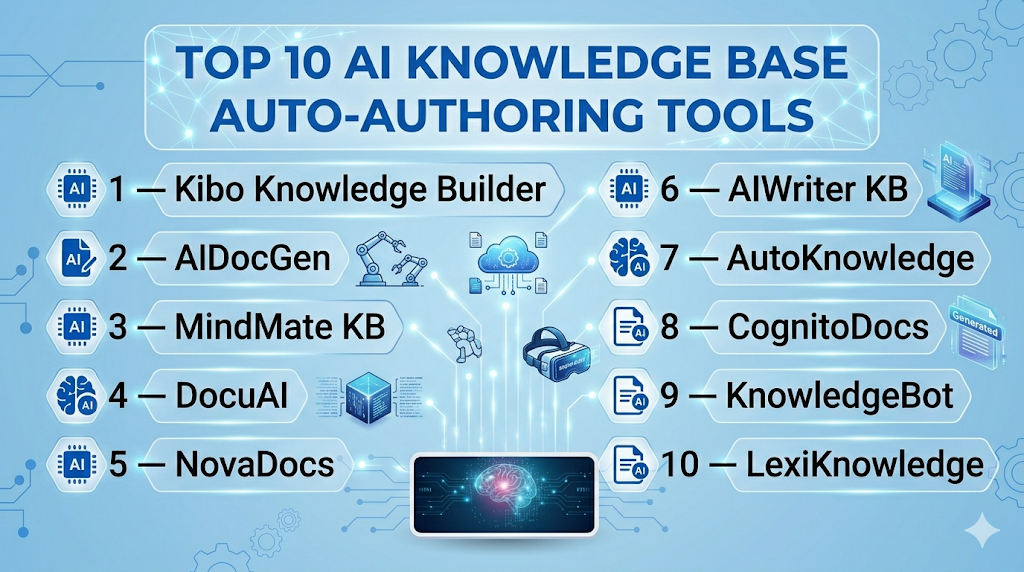
Top 10 AI Knowledge Base Auto-Authoring Tools
1 — Kibo Knowledge Builder
One-line verdict: Best for large enterprises needing AI-driven internal knowledge bases with audit-ready content.
Short description: Kibo automates knowledge base creation and updates for support, documentation, and policy teams. It supports multimodal inputs and ensures high-quality searchable content across departments.
Standout Capabilities
- AI-driven article generation
- Multimodal input handling
- Continuous updates from repositories
- Semantic tagging and search
- Workflow approvals with human oversight
AI-Specific Depth
- Model support: Proprietary + BYO
- RAG / knowledge integration: CRM and document repositories
- Evaluation: Regression testing, human review
- Guardrails: Policy checks, prompt injection defense
- Observability: Token usage, latency metrics
Pros
- High-quality automated content
- Reduces manual updates
- Enterprise integration
Cons
- Initial data cleanup required
- Expensive for small teams
- Learning curve
Security & Compliance
SSO/SAML, RBAC, audit logs, encryption, data residency; Certifications: Not publicly stated
Deployment & Platforms
Web, Cloud, Hybrid
Integrations & Ecosystem
APIs, SDKs, Salesforce, Zendesk, Confluence, Jira, SharePoint
Pricing Model
Usage-based tiered subscription
Best-Fit Scenarios
- Enterprise KB
- Regulatory content
- Support automation
2 — AIDocGen
One-line verdict: Ideal for developer teams automating API and technical documentation.
Short description: Converts codebases and APIs into updated technical documentation with continuous integration. Supports structured output and links with CI/CD pipelines for developers.
Standout Capabilities
- Code-to-doc automation
- Syntax-aware summarization
- Auto-linking & indexing
- Version and changelog tracking
- CI/CD integration
AI-Specific Depth
- Model support: Open-source + BYO
- RAG / knowledge integration: GitHub, GitLab
- Evaluation: Unit testing, human review
- Guardrails: Code injection prevention
- Observability: Token metrics, build logs
Pros
- Reduces manual API documentation
- Continuous updates from code
- Developer-friendly
Cons
- Limited non-code content support
- Setup complexity
- Fine-tuning required
Security & Compliance
Not publicly stated
Deployment & Platforms
Web, Cloud, Self-hosted
Integrations & Ecosystem
GitHub, GitLab, Bitbucket, CI/CD pipelines
Pricing Model
Tiered subscription + usage-based
Best-Fit Scenarios
- API docs
- Developer onboarding
- Internal technical knowledge sharing
3 — MindMate KB
One-line verdict: Best for SMBs automating FAQs and help desk content efficiently.
Short description: Summarizes support tickets, generates FAQs, and maintains self-service knowledge bases. Quick deployment and multi-language support help SMB teams scale support knowledge efficiently.
Standout Capabilities
- Auto-FAQ from tickets
- Semantic search
- Suggested updates
- Multi-language support
- Topic clustering
AI-Specific Depth
- Model support: Proprietary hosted
- RAG / knowledge integration: Zendesk, Intercom
- Evaluation: Content audits, feedback loops
- Guardrails: Policy enforcement
- Observability: Ticket-to-article tracking
Pros
- Quick deployment
- Reduces repetitive work
- Improves self-service efficiency
Cons
- Limited enterprise features
- Fewer customization options
- Integration-dependent
Security & Compliance
SSO/SAML, RBAC, audit logs; Certifications: Not publicly stated
Deployment & Platforms
Web, Cloud
Integrations & Ecosystem
Zendesk, Intercom, Freshdesk, Salesforce Service Cloud
Pricing Model
Tiered subscription
Best-Fit Scenarios
- SMB support KBs
- FAQ automation
- Customer self-service
4 — DocuAI
One-line verdict: Strong for enterprises automating compliance and SOP content.
Short description: Auto-authors policies, SOPs, and regulatory content with audit-ready versioning. Ensures enterprise teams maintain compliance efficiently with continuous AI updates.
Standout Capabilities
- SOP automation
- Audit-ready version control
- Content standardization
- Multimodal ingestion
- Cross-department workflows
AI-Specific Depth
- Model support: Proprietary + BYO
- RAG / knowledge integration: ERP and document systems
- Evaluation: Human compliance review
- Guardrails: Policy enforcement, injection defense
- Observability: Content metrics
Pros
- Regulatory alignment
- Reduces manual drafting
- Audit-ready content
Cons
- Overkill for SMBs
- High learning curve
- Expensive
Security & Compliance
SSO/SAML, encryption, RBAC; Certifications: Not publicly stated
Deployment & Platforms
Web, Cloud, Hybrid
Integrations & Ecosystem
SAP, Oracle, Confluence, SharePoint
Pricing Model
Tiered enterprise license
Best-Fit Scenarios
- Compliance documentation
- SOP maintenance
- Policy automation
5 — NovaDocs
One-line verdict: Ideal for startups automating multi-source knowledge synthesis.
Short description: Ingests wikis, chat logs, and PDFs to produce coherent knowledge base articles. Supports cross-team collaboration and continuous updates.
Standout Capabilities
- Multi-source data ingestion
- AI summarization
- Real-time updates
- Knowledge clustering
- Collaboration features
AI-Specific Depth
- Model support: Open-source + hosted
- RAG / knowledge integration: Vector DBs, Slack, internal docs
- Evaluation: Human-in-the-loop review
- Guardrails: Content policy filters
- Observability: Token and latency metrics
Pros
- Handles unstructured inputs
- Rapid knowledge base creation
- Collaboration-ready
Cons
- Setup complexity
- Cost scales with volume
- Requires fine-tuning
Security & Compliance
Not publicly stated
Deployment & Platforms
Web, Cloud
Integrations & Ecosystem
Slack, Confluence, SharePoint, APIs
Pricing Model
Usage-based subscription
Best-Fit Scenarios
- Startup knowledge consolidation
- Cross-team documentation
- Rapid content generation
6 — AIWriter KB
One-line verdict: Ideal for content-heavy organizations automating marketing and support knowledge.
Short description: Generates articles from manuals, internal wikis, and customer interactions. Supports multilingual output and suggested updates for accuracy.
Standout Capabilities
- Article generation and updates
- SEO optimization
- Multilingual support
- Version control
- Suggested edits
AI-Specific Depth
- Model support: Proprietary hosted
- RAG / knowledge integration: CSV, PDFs, wikis
- Evaluation: QA + human review
- Guardrails: Brand and policy guidelines
- Observability: Token tracking
Pros
- Keeps knowledge bases fresh
- Reduces editorial workload
- Multilingual support
Cons
- Not for technical code docs
- Limited BYO support
- Manual review still required
Security & Compliance
SSO, audit logs; Certifications: Not publicly stated
Deployment & Platforms
Web, Cloud
Integrations & Ecosystem
CMS, internal wiki, APIs
Pricing Model
Tiered subscription
Best-Fit Scenarios
- Marketing KBs
- Product guides
- Multilingual documentation
7 — AutoKnowledge
One-line verdict: Ideal for IT teams automating internal documentation from logs, code, and configurations.
Short description: AutoKnowledge ingests logs, code commits, and system configurations to produce searchable technical knowledge bases. It supports continuous updates, versioning, and developer-friendly integration.
Standout Capabilities
- Log and code-to-document automation
- Semantic search for technical content
- Continuous updates and versioning
- Integration with DevOps workflows
- Multi-format ingestion (text, PDFs)
AI-Specific Depth
- Model support: Open-source + BYO
- RAG / knowledge integration: GitHub, Jira, internal repos
- Evaluation: Regression testing and human review
- Guardrails: Injection prevention and policy checks
- Observability: Token usage and latency metrics
Pros
- Reduces technical documentation effort
- Maintains versioned knowledge
- Integrates with developer workflows
Cons
- Technical setup required
- Not suited for marketing content
- Training needed
Security & Compliance
Not publicly stated
Deployment & Platforms
Web, Cloud, Self-hosted
Integrations & Ecosystem
GitHub, GitLab, Jira, Slack, API access
Pricing Model
Usage-based subscription
Best-Fit Scenarios
- Internal IT documentation
- Developer knowledge sharing
- Log-based article generation
8 — CognitoDocs
One-line verdict: Best for regulated enterprises automating structured policy and compliance content.
Short description: CognitoDocs auto-generates policies, SOPs, and guidance content with audit-ready workflows. Supports multi-department deployment, compliance tracking, and structured templates.
Standout Capabilities
- Structured policy templates
- Audit-ready versioning
- Automated policy updates
- Cross-department workflow support
- Multilingual content support
AI-Specific Depth
- Model support: Proprietary hosted
- RAG / knowledge integration: ERP systems, internal DBs
- Evaluation: Human compliance review
- Guardrails: Policy enforcement, injection defense
- Observability: Token and latency monitoring
Pros
- Ensures regulatory compliance
- Reduces manual drafting
- Multi-language capabilities
Cons
- Expensive for SMBs
- Complex initial setup
- Limited open-source support
Security & Compliance
SSO/SAML, encryption, RBAC; Certifications: Not publicly stated
Deployment & Platforms
Web, Cloud, Hybrid
Integrations & Ecosystem
ERP platforms, CMS, compliance tools, APIs
Pricing Model
Tiered enterprise license
Best-Fit Scenarios
- Regulatory content automation
- SOP maintenance
- Enterprise policy documentation
9 — KnowledgeBot
One-line verdict: Developer-focused tool for AI knowledge extraction and content verification.
Short description: KnowledgeBot ingests internal data sources and generates validated articles. It supports technical content, semantic search, and continuous knowledge base updates.
Standout Capabilities
- Structured and unstructured content summarization
- Automatic knowledge updates
- Slack and wiki integration
- Versioning and rollback
- Multi-format support (text, PDFs, images)
AI-Specific Depth
- Model support: Open-source + BYO
- RAG / knowledge integration: Vector DBs, internal repos
- Evaluation: Human-in-the-loop validation
- Guardrails: Policy enforcement
- Observability: Latency and cost metrics
Pros
- Rapid content creation
- Developer-friendly APIs
- Supports multiple content formats
Cons
- Requires training
- Smaller vendor ecosystem
- Limited enterprise workflows
Security & Compliance
Not publicly stated
Deployment & Platforms
Web, Cloud, Self-hosted
Integrations & Ecosystem
Slack, Confluence, internal wikis, API access
Pricing Model
Usage-based subscription
Best-Fit Scenarios
- Technical knowledge extraction
- Internal wiki automation
- Developer documentation
10 — LexiKnowledge
One-line verdict: Excellent for SMBs automating FAQs and self-service knowledge.
Short description: LexiKnowledge converts manuals, tickets, and support data into AI-maintained knowledge bases. Supports continuous updates, search optimization, and multi-language content.
Standout Capabilities
- Automated FAQ and guide generation
- Multi-language support
- Suggested updates from tickets and logs
- Semantic search and tagging
- Easy integration with support systems
AI-Specific Depth
- Model support: Proprietary hosted
- RAG / knowledge integration: Zendesk, Freshdesk
- Evaluation: Manual review + automated QA
- Guardrails: Content policy enforcement
- Observability: Token and latency metrics
Pros
- Easy SMB deployment
- Reduces manual content creation
- Improves self-service portals
Cons
- Limited enterprise features
- Fewer integration options
- Proprietary model limits flexibility
Security & Compliance
SSO/SAML, audit logs; Certifications: Not publicly stated
Deployment & Platforms
Web, Cloud
Integrations & Ecosystem
Zendesk, Freshdesk, internal CMS, API access
Pricing Model
Tiered subscription
Best-Fit Scenarios
- SMB support KBs
- FAQ automation
- Customer self-service improvement
Comparison Table
| Tool Name | Best For | Deployment | Model Flexibility | Strength | Watch-Out | Public Rating |
|---|---|---|---|---|---|---|
| Kibo Knowledge Builder | Enterprise KB | Cloud/Hybrid | Proprietary/BYO | High-quality content | Expensive for SMBs | N/A |
| AIDocGen | API Docs | Cloud/Self-hosted | Open-source/BYO | Code-to-doc automation | Setup complexity | N/A |
| MindMate KB | SMB Support | Cloud | Proprietary | Quick deployment | Limited enterprise features | N/A |
| DocuAI | Compliance/SOP | Cloud/Hybrid | Proprietary/BYO | Regulatory alignment | High learning curve | N/A |
| NovaDocs | Startups | Cloud | Open-source/Hosted | Multi-source ingestion | Setup complexity | N/A |
| AIWriter KB | Marketing KB | Cloud | Proprietary | Multilingual support | Limited BYO model | N/A |
| AutoKnowledge | IT Docs | Cloud/Self-hosted | Open-source/BYO | Log/code ingestion | Requires technical setup | N/A |
| CognitoDocs | Regulatory content | Cloud/Hybrid | Proprietary | Structured policy content | Expensive for SMBs | N/A |
| KnowledgeBot | Developer knowledge | Cloud/Self-hosted | Open-source/BYO | AI content verification | Smaller ecosystem | N/A |
| LexiKnowledge | SMB FAQs | Cloud | Proprietary | Easy SMB deployment | Limited enterprise features | N/A |
Scoring & Evaluation (Transparent Rubric)
| Tool | Core | Reliability/Eval | Guardrails | Integrations | Ease | Perf/Cost | Security/Admin | Support | Weighted Total |
|---|---|---|---|---|---|---|---|---|---|
| Kibo | 9 | 8 | 8 | 8 | 7 | 7 | 8 | 7 | 8.0 |
| AIDocGen | 8 | 8 | 7 | 7 | 6 | 7 | 7 | 6 | 7.2 |
| MindMate KB | 7 | 7 | 7 | 6 | 8 | 8 | 7 | 7 | 7.2 |
| DocuAI | 9 | 8 | 8 | 8 | 6 | 6 | 8 | 6 | 7.6 |
| NovaDocs | 8 | 7 | 7 | 7 | 7 | 7 | 7 | 7 | 7.2 |
| AIWriter KB | 7 | 7 | 7 | 6 | 7 | 7 | 7 | 6 | 6.9 |
| AutoKnowledge | 8 | 7 | 7 | 7 | 6 | 7 | 7 | 6 | 7.0 |
| CognitoDocs | 9 | 8 | 8 | 8 | 6 | 6 | 8 | 6 | 7.6 |
| KnowledgeBot | 8 | 7 | 7 | 7 | 6 | 7 | 7 | 6 | 7.0 |
| LexiKnowledge | 7 | 7 | 7 | 6 | 8 | 7 | 7 | 6 | 6.9 |
Top 3 for Enterprise: Kibo, DocuAI, CognitoDocs
Top 3 for SMB: MindMate KB, LexiKnowledge, NovaDocs
Top 3 for Developers: AIDocGen, AutoKnowledge, KnowledgeBot
Which AI Knowledge Base Auto-Authoring Tool Is Right for You? (Detailed)
Solo / Freelancer
LexiKnowledge or MindMate KB are ideal for solo users or freelancers. They are easy to deploy, require minimal technical setup, and allow rapid creation of knowledge bases or FAQs without deep IT support.
SMB
MindMate KB, LexiKnowledge, or NovaDocs offer SMBs automation for customer support knowledge, internal guides, and FAQs. Quick ROI and multilingual support make them perfect for growing teams with limited technical resources.
Mid-Market
NovaDocs and AIWriter KB work well for mid-market organizations managing multiple content sources. They support semantic search, multi-language knowledge bases, and AI-assisted content updates.
Enterprise
Kibo Knowledge Builder, DocuAI, and CognitoDocs provide full-scale enterprise automation. They ensure regulatory compliance, multi-department workflow integration, and audit-ready versioning. Ideal for large-scale knowledge management.
Regulated Industries
DocuAI and CognitoDocs provide robust compliance and SOP automation with guardrails and audit trails for healthcare, finance, and public sector organizations.
Budget vs Premium
SMBs and startups can start with LexiKnowledge or MindMate KB for cost-efficient deployment. Enterprises requiring advanced governance, integrations, and auditability should invest in Kibo or DocuAI.
Build vs Buy
Developer teams can choose open-source or BYO solutions like AIDocGen or AutoKnowledge to integrate with internal tools. Enterprises typically buy full-featured platforms for integrated workflows and security compliance.
Implementation Playbook (30 / 60 / 90 Days)
30 Days – Pilot Phase:
- Select a small knowledge subset to test AI auto-authoring
- Define success metrics: content accuracy, usability, and adoption
- Integrate with core systems (CMS, CRM, ticketing)
- Validate AI-generated content for quality and coherence
- Configure observability dashboards for token usage and latency
- Train pilot team on review processes and feedback loops
60 Days – Expansion Phase:
- Expand AI sources: manuals, wikis, tickets, PDFs
- Enable evaluation workflows: prompt testing, regression, human review
- Implement guardrails for content policy and prompt injection
- Enable versioning and audit logging
- Integrate additional connectors (Slack, ERP, CRM, vector DBs)
- Extend team training to all relevant users
90 Days – Scale Phase:
- Deploy across departments for full knowledge base automation
- Monitor dashboards: token usage, latency, cost, content accuracy
- Optimize model routing and cost per document
- Conduct regular human-in-the-loop review for sensitive content
- Implement multilingual and multimodal workflows
- Automate notifications for content updates and approvals
- Audit compliance, governance, and security protocols
- Train employees on content feedback and iterative improvements
Common Mistakes & How to Avoid Them
- Ignoring prompt injection risks
- No evaluation framework for AI outputs
- Unmanaged data retention or privacy violations
- Lack of observability and metrics
- Unexpected operational costs
- Over-automation without human review
- Vendor lock-in without abstraction
- Missing content audits
- Poor workflow integration
- Weak guardrails
- Ignoring multilingual or multimodal workflows
- Unsupported AI models
- Insufficient employee training
- Scaling without governance
FAQs
- What data privacy measures are included? Enterprise tools offer SSO, RBAC, encryption, and retention controls to protect internal content effectively.
- Can I bring my own AI model? Many platforms support BYO, open-source, or proprietary hosted models; verify integration compatibility.
- Are these tools suitable for small teams? SMBs can use LexiKnowledge or MindMate KB for rapid, low-overhead deployment.
- How is AI output evaluated for accuracy? Evaluation includes prompt testing, regression checks, offline validation, and human review.
- What guardrails exist against hallucinations? Guardrails enforce content policies, detect prompt injection, and integrate human approval.
- Can they integrate with CMS or CRM systems? Yes, most platforms support APIs, SDKs, and connectors for Zendesk, Confluence, Jira, Salesforce.
- How are cost and latency managed? Observability dashboards track token usage, latency, and cost; tiered/usage-based pricing controls expenses.
- Are self-hosted deployments available? Many tools offer cloud, self-hosted, or hybrid deployment options.
- Do these tools support multiple languages? Yes, most platforms offer multilingual support to serve global teams.
- Can they generate FAQs from tickets automatically? Yes, SMB-focused tools like MindMate KB generate FAQs from ticket data.
- How scalable are these tools for enterprises? Enterprise-grade tools like Kibo and DocuAI scale across departments with audit-ready workflows.
- What is the typical pricing model? Generally tiered or usage-based; exact figures are often not publicly disclosed.
Conclusion
AI Knowledge Base Auto-Authoring Tools are essential in 2026 for organizations seeking accurate, up-to-date, and searchable knowledge. Enterprises benefit from Kibo, DocuAI, and CognitoDocs for compliance and large-scale automation. SMBs can use MindMate KB or LexiKnowledge for agile knowledge base management. Developers leverage AIDocGen or AutoKnowledge for technical documentation automation.
Next steps:
- Shortlist: Identify 2–3 tools that fit team size, workflows, and compliance needs.
- Pilot: Test a small subset to evaluate content quality, guardrails, and integrations.
- Verify & Scale: Validate privacy, evaluation, and observability before enterprise-wide deployment.
I found the breakdown of auto-authoring tools extremely helpful for understanding how AI can reduce manual documentation efforts. Great research and presentation throughout the blog.