Introduction
AI Legislative Drafting Assistants are AI-powered systems designed to help lawmakers, legislative counsel, policy teams, government agencies, and legal professionals research, structure, analyze, and draft legislative documents. They can assist with tasks such as generating initial language, comparing provisions, identifying inconsistencies, summarizing proposed amendments, analyzing related laws, and preparing alternative wording.
Unlike ordinary AI writing tools, legislative drafting systems must operate within strict legal, procedural, constitutional, and jurisdictional constraints. A useful system should help users work faster without presenting generated language as legally authoritative or replacing professional legislative review.
Important evaluation criteria include legal-research quality, jurisdictional coverage, citation accuracy, drafting consistency, document handling, explainability, privacy, security, auditability, version control, integrations, human review, AI evaluation, and coLegislative counsel offices, parliamentary teams, government departments, policy organizations, public-sector legal teams, think tanks, and organizations that regularly prepare or analyze legislative doc Individuals drafting simple policy documents with no legislative complexity. Conventional legal research tools or general-purpose document editors may be sufficient for small, low-risk tasks.
What’s Changed in AI Legislative Drafting Assistants
- Generative AI can now produce structured legislative drafts from detailed policy requirements.
- Multimodal systems can work with legislation, tables, scanned documents, charts, and supporting materials.
- Retrieval-augmented generation can ground drafting assistance in legislation, regulations, policy documents, and internal drafting manuals.
- AI agents can assist with multi-step workflows such as researching provisions, identifying related statutes, drafting alternatives, and checking cross-references.
- Citation verification is increasingly important because fabricated authorities or incorrect references can create serious legal problems.
- Organizations are placing greater emphasis on jurisdiction-specific knowledge rather than generic language generation.
- Human-in-the-loop review remains essential because generated legislative language can contain subtle semantic or legal errors.
- AI systems can help identify inconsistent terminology across large legislative documents.
- Automated comparison can make it easier to understand the effect of proposed amendments.
- Privacy controls are important when drafting confidential government material or unpublished legislation.
- Prompt-injection protection is critical when AI processes externally supplied legislative or stakeholder documents.
- Model evaluation should test legal accuracy, factual grounding, drafting consistency, and instruction following.
- Smaller models can handle straightforward formatting and extraction while more capable models handle complex drafting analysis.
- Version-controlled AI workflows can help legislative teams understand which prompts, documents, and model configurations contributed to a draft.
- Governance requirements are increasing as governments explore AI for high-impact legal and public-sector workflows.
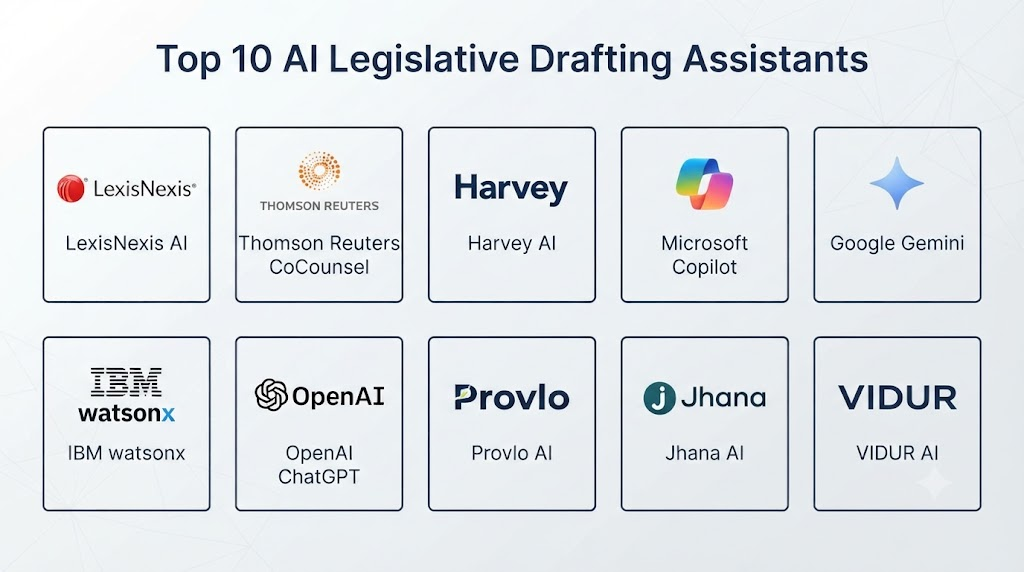
Top 10 AI Legislative Drafting Assistants
1. Thomson Reuters CoCounsel
One-line verdict: Best for legal teams combining generative AI assistance with professional legal research and document-analysis workflows.
Short description:
CoCounsel provides AI assistance for legal professionals across research, document analysis, drafting, summarization, and related workflows. It can be useful to legislative counsel and government legal teams when legal research and document review are part of the drafting process.
Standout Capabilities
- Legal research assistance
- Document analysis
- Summarization
- Drafting assistance
- Legal question answering
- Document comparison
- Workflow automation
- Integration with legal information resources
AI-Specific Depth
- Model support: Uses advanced generative AI capabilities within the provider’s legal technology ecosystem; exact model availability varies.
- RAG / knowledge integration: Strong legal-information retrieval capabilities depending on configuration.
- Evaluation: Legal AI evaluation and quality controls are part of the broader platform approach; exact workflows vary.
- Guardrails: Legal workflow controls and source grounding help reduce unsupported answers.
- Observability: Platform-level controls vary; detailed AI telemetry depends on product configuration.
Pros
- Strong legal-domain orientation
- Useful for research and document-heavy workflows
- Can reduce repetitive legal-analysis tasks
Cons
- Not exclusively designed for legislative drafting
- Enterprise configuration may be required
- Exact AI capabilities vary by subscription and deployment
Security & Compliance
Enterprise security, access management, and administrative controls are available. Specific certifications, retention policies, and residency options should be verified for the selected deployment.
Deployment & Platforms
- Cloud: Yes
- Web: Yes
- Self-hosted: Varies / N/A
- Mobile: Varies / N/A
Integrations & Ecosystem
CoCounsel is designed to work within a broader legal-information ecosystem.
- Legal research
- Document management
- Legal workflows
- APIs
- Enterprise applications
- Document repositories
Pricing Model
Enterprise and subscription pricing varies. Exact pricing is not publicly stated.
Best-Fit Scenarios
- Legislative counsel research
- Government legal departments
- Large document-analysis workflows
2. Lexis+ AI
One-line verdict: Best for legal professionals needing AI-assisted research, drafting, summarization, and access to extensive legal information.
Short description:
Lexis+ AI combines generative AI with legal research capabilities. It can support legal professionals who need to research authorities, summarize materials, analyze legal questions, and create initial drafts.
Standout Capabilities
- Legal research
- Generative legal answers
- Document summarization
- Drafting assistance
- Legal citation support
- Source-grounded research
- Legal information retrieval
- Workflow assistance
AI-Specific Depth
- Model support: Proprietary legal AI capabilities with underlying model details varying by product configuration.
- RAG / knowledge integration: Strong integration with legal information resources.
- Evaluation: Legal-answer quality controls and source grounding are important parts of the platform.
- Guardrails: Legal-source grounding and workflow controls are available.
- Observability: Detailed AI observability varies.
Pros
- Strong legal research foundation
- Useful for complex legal analysis
- Helpful for drafting and summarization
Cons
- Not a dedicated legislative drafting system
- Subscription access can vary by organization
- Users still need to validate generated language
Security & Compliance
Enterprise security and access controls are available. Specific certifications and retention configurations should be verified.
Deployment & Platforms
- Cloud: Yes
- Web: Yes
- Self-hosted: Varies / N/A
Integrations & Ecosystem
- Legal research
- Legal documents
- Citation resources
- APIs
- Enterprise legal workflows
Pricing Model
Subscription and enterprise pricing varies.
Best-Fit Scenarios
- Legal research for legislation
- Legislative counsel
- Policy and legal analysis
3. Harvey
One-line verdict: Best for sophisticated legal organizations building customized AI workflows for drafting, analysis, research, and document-intensive work.
Short description:
Harvey provides AI capabilities for legal professionals and organizations. Its customizable workflow approach can support drafting, legal analysis, document review, and other complex professional legal tasks.
Standout Capabilities
- Legal drafting
- Legal research
- Document analysis
- Workflow customization
- Matter-specific AI assistance
- Complex legal reasoning
- Enterprise collaboration
- AI-assisted document workflows
AI-Specific Depth
- Model support: Multi-model architecture has been part of Harvey’s approach; exact available models can vary.
- RAG / knowledge integration: Supports organization-specific and matter-specific knowledge workflows.
- Evaluation: Enterprise AI evaluation and workflow controls vary by implementation.
- Guardrails: Enterprise controls and workflow restrictions can be configured.
- Observability: AI workflow monitoring varies by deployment.
Pros
- Strong customization
- Legal-specific AI orientation
- Suitable for sophisticated legal teams
Cons
- Primarily enterprise-oriented
- Implementation may require substantial configuration
- Not a dedicated legislative publishing system
Security & Compliance
Enterprise security and administrative capabilities are available. Specific certifications and data-residency options should be verified for the relevant contract.
Deployment & Platforms
- Cloud: Yes
- Web: Yes
- Private deployment: Varies / N/A
Integrations & Ecosystem
- Document management
- Legal research
- APIs
- Enterprise data
- Internal knowledge repositories
- Workflow systems
Pricing Model
Enterprise pricing is typically customized. Exact pricing is not publicly stated.
Best-Fit Scenarios
- Government legal teams
- Large legislative counsel offices
- Complex policy drafting
4. Microsoft 365 Copilot
One-line verdict: Best for legislative teams already using Microsoft productivity tools and seeking AI assistance inside familiar document workflows.
Short description:
Microsoft 365 Copilot can assist with document drafting, summarization, analysis, rewriting, and information retrieval across Microsoft productivity environments. Legislative teams can use it as a general productivity layer around controlled legal workflows.
Standout Capabilities
- Word drafting assistance
- Document summarization
- Information retrieval
- Meeting and communication assistance
- Content rewriting
- Enterprise data integration
- Workflow automation
- AI-assisted productivity
AI-Specific Depth
- Model support: Microsoft-managed AI models and capabilities; exact model selection varies.
- RAG / knowledge integration: Can work with authorized organizational content through Microsoft 365 capabilities.
- Evaluation: AI evaluation capabilities vary by implementation.
- Guardrails: Enterprise identity, permissions, data boundaries, and AI controls are available.
- Observability: Microsoft administration and monitoring capabilities vary.
Pros
- Familiar document environment
- Strong enterprise integration
- Useful for everyday drafting and analysis
Cons
- Not a legal-specific system
- Requires carefully designed legal workflows
- Generated legal language needs professional review
Security & Compliance
Microsoft provides enterprise identity, permissions, encryption, auditing, governance, and data controls. Specific certifications depend on the relevant Microsoft services and configuration.
Deployment & Platforms
- Cloud: Yes
- Web: Yes
- Windows: Yes
- macOS: Yes
- Mobile: Supported
Integrations & Ecosystem
- Microsoft Word
- SharePoint
- OneDrive
- Teams
- Microsoft 365
- Power Platform
- Enterprise data
Pricing Model
Subscription-based pricing varies by licensing arrangement.
Best-Fit Scenarios
- Government offices using Microsoft 365
- Legislative document drafting
- Internal policy teams
5. Google Workspace with Gemini
One-line verdict: Best for organizations using Google Workspace that want AI-assisted document creation, summarization, research, and collaboration.
Short description:
Google’s AI capabilities integrated with Workspace can support document drafting, summarization, information processing, and collaborative workflows. It can be adapted to policy and legislative support when paired with authoritative internal documents.
Standout Capabilities
- Document drafting
- Summarization
- Information analysis
- Collaborative editing
- Enterprise search
- AI-assisted productivity
- Data integration
- Workflow support
AI-Specific Depth
- Model support: Google-managed Gemini models.
- RAG / knowledge integration: Organizational content integration depends on Workspace configuration.
- Evaluation: AI evaluation capabilities vary.
- Guardrails: Enterprise permissions and AI controls are available.
- Observability: Administrative and security monitoring varies.
Pros
- Strong collaborative environment
- Familiar productivity tools
- Useful for policy-document workflows
Cons
- Not legal-specific
- Requires additional controls for legislative use
- Legal accuracy must be independently reviewed
Security & Compliance
Enterprise security, identity, access, auditing, and data controls are available. Specific certifications should be verified for the selected configuration.
Deployment & Platforms
- Cloud: Yes
- Web: Yes
- Windows: Yes
- macOS: Yes
- Mobile: Supported
Integrations & Ecosystem
- Google Docs
- Google Drive
- Gmail
- Google Meet
- Workspace
- APIs
- Enterprise applications
Pricing Model
Subscription-based pricing varies.
Best-Fit Scenarios
- Government policy teams
- Collaborative legislative drafting
- Organizations already using Google Workspace
6. IBM watsonx
One-line verdict: Best for government organizations requiring governed, customizable AI workflows around sensitive legislative and policy information.
Short description:
IBM watsonx provides AI, data, governance, and model-management capabilities. It can be used to construct controlled legislative drafting and policy-analysis workflows where governance and enterprise data management are priorities.
Standout Capabilities
- Generative AI
- AI governance
- Model management
- Data management
- Document analysis
- Enterprise AI
- Workflow integration
- Custom AI applications
AI-Specific Depth
- Model support: Multiple model options are available depending on product configuration.
- RAG / knowledge integration: Supported.
- Evaluation: AI evaluation capabilities are available.
- Guardrails: Governance and AI safety capabilities are available.
- Observability: Monitoring and governance capabilities vary.
Pros
- Strong governance orientation
- Enterprise deployment flexibility
- Suitable for sensitive workloads
Cons
- Requires technical expertise
- Legislative workflows need customization
- Implementation can be complex
Security & Compliance
Enterprise security, identity, governance, encryption, and auditing capabilities are available. Specific certifications depend on the deployment.
Deployment & Platforms
- Cloud: Yes
- Hybrid: Yes
- On-premises: Available for applicable products
- Web: Yes
Integrations & Ecosystem
- Enterprise databases
- Document repositories
- AI models
- APIs
- Analytics
- Workflow applications
- Government systems
Pricing Model
Enterprise subscription and usage models vary.
Best-Fit Scenarios
- Government agencies
- Legislative research environments
- Governed AI deployments
7. Palantir AIP
One-line verdict: Best for government organizations connecting AI agents, structured data, documents, workflows, and operational decision-support systems.
Short description:
Palantir’s AI platform provides infrastructure for integrating AI models with organizational data and operational workflows. It can support legislative analysis applications where multiple information sources must be connected.
Standout Capabilities
- AI agents
- Enterprise data integration
- Workflow automation
- Document analysis
- Operational applications
- Model integration
- Access controls
- Governance
AI-Specific Depth
- Model support: Multiple model providers can be integrated depending on deployment.
- RAG / knowledge integration: Strong enterprise knowledge integration capabilities.
- Evaluation: AI evaluation and testing capabilities are available within applicable workflows.
- Guardrails: Permissions and controlled tool access are important architectural components.
- Observability: Application and AI workflow monitoring capabilities vary.
Pros
- Strong data integration
- Suitable for complex government workflows
- Supports agentic architectures
Cons
- Enterprise implementation can be substantial
- Not a legislative drafting product
- Requires specialized deployment expertise
Security & Compliance
Enterprise access control, auditing, governance, and security capabilities are available. Specific certifications depend on deployment.
Deployment & Platforms
- Cloud: Yes
- Hybrid: Yes
- Government environments: Supported where applicable
- Web: Yes
Integrations & Ecosystem
- Enterprise databases
- Document systems
- APIs
- AI models
- Data platforms
- Government systems
- Workflow applications
Pricing Model
Enterprise pricing is typically customized.
Best-Fit Scenarios
- Large government agencies
- Complex legislative intelligence workflows
- AI agent deployments
8. OpenAI API
One-line verdict: Best for technical teams building customized legislative drafting assistants with controlled retrieval, evaluation, and workflow orchestration.
Short description:
The OpenAI API can serve as the model layer for custom legislative drafting applications. Development teams can combine language models with authoritative legal documents, retrieval systems, structured prompts, evaluation pipelines, and application-specific guardrails.
Standout Capabilities
- Generative drafting
- Structured outputs
- Document analysis
- Tool calling
- Agentic workflows
- Multimodal processing
- Retrieval architectures
- Custom application development
AI-Specific Depth
- Model support: Multiple model options are available within the API ecosystem.
- RAG / knowledge integration: Can be implemented using external or application-managed knowledge systems.
- Evaluation: Evaluation tooling and application-level testing can be implemented.
- Guardrails: Application developers can implement policy controls, validation, permissions, and input filtering.
- Observability: Application-level tracing, latency, usage, and cost monitoring can be implemented.
Pros
- Highly customizable
- Strong developer flexibility
- Suitable for specialized legislative workflows
Cons
- Requires engineering expertise
- Legal grounding must be designed carefully
- Organization is responsible for workflow validation
Security & Compliance
Security capabilities depend on the selected API architecture and organizational configuration. Specific data-retention, residency, and compliance requirements should be verified before deployment.
Deployment & Platforms
- Cloud API: Yes
- Self-hosted model deployment: Varies / N/A
- Web: Application-dependent
- Mobile: Application-dependent
Integrations & Ecosystem
- APIs
- Vector databases
- Document repositories
- Government systems
- Legal databases
- Workflow engines
- Custom applications
Pricing Model
Usage-based API pricing varies by model and usage.
Best-Fit Scenarios
- Custom legislative assistants
- Government technology teams
- Developer-built legal AI systems
9. Claude for Enterprise
One-line verdict: Best for organizations seeking strong long-document analysis and drafting assistance within controlled enterprise workflows.
Short description:
Claude can assist with long documents, summarization, analysis, drafting, and structured reasoning. Legislative teams can use it to analyze bills, policy documents, amendments, and internal drafting material, subject to appropriate verification.
Standout Capabilities
- Long-document analysis
- Drafting
- Summarization
- Document comparison
- Research assistance
- Structured analysis
- Enterprise collaboration
- Custom knowledge workflows
AI-Specific Depth
- Model support: Anthropic’s Claude model family.
- RAG / knowledge integration: Can be incorporated through enterprise knowledge and application integrations.
- Evaluation: Evaluation depends on the product and application architecture.
- Guardrails: Enterprise controls and application-level safeguards are available.
- Observability: Enterprise and API-level monitoring varies.
Pros
- Strong document-analysis capabilities
- Useful for lengthy legislative material
- Good drafting and summarization workflows
Cons
- Not specifically designed for legislative publishing
- Legal citations still require verification
- Advanced workflows require configuration
Security & Compliance
Enterprise security and administrative controls are available. Specific certifications, retention, and residency options should be verified for the selected plan.
Deployment & Platforms
- Cloud: Yes
- Web: Yes
- API: Yes
- Self-hosted: Varies / N/A
Integrations & Ecosystem
- APIs
- Document repositories
- Enterprise knowledge
- Workflow systems
- Custom applications
- Data platforms
Pricing Model
Subscription and API usage models vary.
Best-Fit Scenarios
- Long legislative documents
- Policy analysis
- Drafting assistance
10. Luminance
One-line verdict: Best for legal teams needing AI-assisted document analysis, review, contract-style workflows, and enterprise legal document management.
Short description:
Luminance focuses on AI-powered legal document analysis and workflow automation. While not a dedicated legislative drafting platform, its document-analysis capabilities can be relevant for teams reviewing large bodies of legal and policy material.
Standout Capabilities
- Document analysis
- Legal document review
- Classification
- Data extraction
- Search
- Document comparison
- Workflow automation
- Legal AI
AI-Specific Depth
- Model support: Proprietary AI capabilities; exact model architecture varies.
- RAG / knowledge integration: Knowledge integration varies by implementation.
- Evaluation: AI evaluation capabilities vary.
- Guardrails: Enterprise controls and workflow restrictions are available.
- Observability: Product-specific AI observability is not fully publicly stated.
Pros
- Strong document-analysis orientation
- Useful for large document collections
- Designed around professional legal workflows
Cons
- Not specifically designed for legislation
- Drafting capabilities may require customization
- Enterprise implementation may be necessary
Security & Compliance
Enterprise security and access controls are available. Specific certifications and deployment controls should be verified for the relevant service.
Deployment & Platforms
- Cloud: Yes
- Web: Yes
- Private deployment: Varies / N/A
Integrations & Ecosystem
- Document management
- Legal workflows
- APIs
- Enterprise repositories
- Search
- Internal systems
Pricing Model
Enterprise pricing varies. Exact pricing is not publicly stated.
Best-Fit Scenarios
- Legislative document analysis
- Legal document review
- Large policy-document collections
Comparison Table
| Tool Name | Best For | Deployment | Model Flexibility | Strength | Watch-Out | Public Rating |
|---|---|---|---|---|---|---|
| Thomson Reuters CoCounsel | Legal teams | Cloud | Hosted / Varies | Legal workflow assistance | Not legislation-specific | N/A |
| Lexis+ AI | Legal research | Cloud | Hosted / Varies | Legal research | Requires verification | N/A |
| Harvey | Enterprise legal AI | Cloud | Multi-model / Varies | Custom workflows | Enterprise complexity | N/A |
| Microsoft 365 Copilot | Microsoft environments | Cloud | Hosted | Productivity integration | General-purpose AI | N/A |
| Google Workspace with Gemini | Google environments | Cloud | Hosted | Collaboration | General-purpose AI | N/A |
| IBM watsonx | Governed government AI | Cloud / Hybrid | Multi-model | Governance | Implementation effort | N/A |
| Palantir AIP | Government workflows | Cloud / Hybrid | Multi-model | Data integration | Complex deployment | N/A |
| OpenAI API | Custom applications | Cloud API | Multi-model | Developer flexibility | Requires engineering | N/A |
| Claude for Enterprise | Long documents | Cloud | Hosted | Document analysis | Not legislation-specific | N/A |
| Luminance | Legal documents | Cloud / Private | Proprietary / Varies | Document intelligence | Legislative customization | N/A |
Scoring & Evaluation
The following scores are comparative estimates for suitability in AI-assisted legislative drafting rather than universal product ratings.
Actual results can vary significantly depending on jurisdiction, implementation quality, source corpus, model configuration, governance, and user expertise.
| Tool | Core | Reliability/Eval | Guardrails | Integrations | Ease | Perf/Cost | Security/Admin | Support | Weighted Total |
|---|---|---|---|---|---|---|---|---|---|
| Thomson Reuters CoCounsel | 9.2 | 9.0 | 9.0 | 9.1 | 8.8 | 8.2 | 9.2 | 9.2 | 8.9 |
| Lexis+ AI | 9.2 | 9.1 | 9.0 | 9.0 | 8.8 | 8.2 | 9.2 | 9.2 | 8.9 |
| Harvey | 9.0 | 9.0 | 9.0 | 9.1 | 8.2 | 8.0 | 9.2 | 9.0 | 8.8 |
| Microsoft 365 Copilot | 8.5 | 8.3 | 8.8 | 9.6 | 9.4 | 8.8 | 9.5 | 9.5 | 9.0 |
| Google Workspace with Gemini | 8.3 | 8.2 | 8.6 | 9.4 | 9.3 | 8.7 | 9.2 | 9.2 | 8.8 |
| IBM watsonx | 9.0 | 9.1 | 9.5 | 9.2 | 7.8 | 8.0 | 9.5 | 9.2 | 8.9 |
| Palantir AIP | 9.2 | 9.1 | 9.4 | 9.6 | 7.7 | 8.0 | 9.6 | 9.3 | 9.0 |
| OpenAI API | 9.2 | 9.0 | 8.8 | 9.7 | 7.4 | 8.8 | 8.9 | 9.1 | 8.8 |
| Claude for Enterprise | 8.8 | 8.8 | 8.7 | 8.8 | 9.0 | 8.6 | 9.0 | 9.0 | 8.8 |
| Luminance | 8.5 | 8.6 | 8.7 | 8.6 | 8.3 | 8.0 | 9.0 | 8.7 | 8.5 |
Top 3 for Enterprise
- Palantir AIP
- Microsoft 365 Copilot
- Thomson Reuters CoCounsel
Top 3 for SMB
- Microsoft 365 Copilot
- Google Workspace with Gemini
- Lexis+ AI
Top 3 for Developers
- OpenAI API
- IBM watsonx
- Palantir AIP
Which AI Legislative Drafting Assistant Is Right for You?
Solo / Freelancer
Individual policy researchers and consultants usually need assistance with research, summarization, drafting, and document comparison rather than a complete legislative AI infrastructure.
Prioritize:
- Strong document handling
- Reliable source grounding
- Citation verification
- Low setup complexity
- Exportable drafts
- Clear human review
General-purpose enterprise AI tools can work well for early-stage drafting, provided sensitive documents are handled appropriately.
SMB
Smaller policy organizations should prioritize simplicity.
A practical setup can include:
- AI document analysis
- Secure document storage
- A controlled reference library
- Drafting templates
- Review workflows
- Manual citation verification
Avoid building complex AI infrastructure unless the organization processes large volumes of legislative material.
Mid-Market
Mid-sized government and policy organizations should consider a retrieval-based architecture.
The system can connect:
- Existing legislation
- Regulations
- Legislative manuals
- Policy documents
- Previous bills
- Committee materials
- Internal drafting standards
The AI should cite or identify the source material supporting important claims.
Enterprise
Large legislative bodies and government departments need governance-first implementations.
Prioritize:
- Jurisdiction-specific sources
- Role-based access
- SSO
- Audit logs
- Document versioning
- Data-retention controls
- Model governance
- AI evaluations
- Prompt management
- Red-team testing
- Human approval
- Source verification
Regulated Industries and Public Sector
Legislative work is inherently sensitive because drafts can influence public policy and legal obligations.
Organizations should establish:
- Clear AI-use policies
- Authorized-user controls
- Confidentiality rules
- Source hierarchies
- Human approval requirements
- Audit trails
- Citation verification
- Bias testing
- Incident response
Budget vs Premium
Budget implementations should focus on low-risk tasks:
- Summarization
- Formatting
- Draft restructuring
- Document comparison
- Terminology checks
Premium implementations can add:
- Jurisdiction-specific retrieval
- AI agents
- Automated cross-reference analysis
- Advanced evaluation
- Enterprise governance
- Large-scale document processing
Build vs Buy
Buy when:
- Legal research is the primary requirement.
- The organization needs rapid deployment.
- Existing legal platforms already contain required sources.
- Internal engineering resources are limited.
Build when:
- The organization has specialized legislative drafting rules.
- Jurisdiction-specific workflows are highly customized.
- Existing tools cannot integrate required government systems.
- The organization needs complete control over retrieval and evaluation.
A hybrid architecture is often the strongest option: use an established legal research or document platform for authoritative content and add a controlled AI application for drafting assistance.
Implementation Playbook: 30 / 60 / 90 Days
First 30 Days: Pilot + Success Metrics
Choose low-risk use cases first:
- Summarizing legislation
- Comparing versions
- Extracting defined terms
- Identifying cross-references
- Preparing initial draft alternatives
Create a test set containing:
- Current legislation
- Historical legislation
- Amendments
- Long documents
- Complex definitions
- Cross-referenced provisions
Measure:
- Factual accuracy
- Citation accuracy
- Drafting consistency
- Retrieval accuracy
- Reviewer correction rate
- Time saved
Days 31–60: Security + Evaluation + Rollout
Create a controlled AI evaluation harness.
Test:
- Hallucinated authorities
- Incorrect citations
- Conflicting legislation
- Ambiguous instructions
- Long documents
- Conflicting source material
- Prompt injection
- Unauthorized information access
- Incorrect cross-references
- Inconsistent terminology
Establish:
- Prompt version control
- Document version control
- Human approval
- Access controls
- Data-retention policies
- Incident-response procedures
Days 61–90: Optimize Cost/Latency + Governance + Scale
Expand into higher-value workflows after validation.
Add:
- Automated source retrieval
- Amendment comparison
- Legislative consistency checks
- Controlled AI agents
- Model routing
- Cost monitoring
- Latency monitoring
- Governance dashboards
- Reviewer feedback loops
Keep final legislative approval with authorized professionals.
Common Mistakes & How to Avoid Them
- Treating generated legislative language as legally authoritative.
- Accepting citations without verifying the underlying source.
- Using general web information as a substitute for authoritative legislation.
- Failing to specify the jurisdiction.
- Allowing AI to invent statutes, regulations, cases, or legislative history.
- Giving applicant or stakeholder documents authority over system instructions.
- Ignoring prompt-injection attacks.
- Failing to maintain version control.
- Allowing different reviewers to use inconsistent AI instructions.
- Using historical legislation without checking whether it remains current.
- Automating legal conclusions without human review.
- Ignoring confidential or unpublished drafts in data-retention policies.
- Failing to test long documents.
- Ignoring cross-reference errors.
- Treating AI confidence as evidence of accuracy.
- Failing to measure hallucination rates.
- Allowing AI to introduce policy choices that were not authorized by the drafter.
- Deploying AI without an audit trail.
- Using a single model for every task regardless of cost and complexity.
- Failing to establish clear accountability for AI-assisted drafts.
FAQs
What are AI Legislative Drafting Assistants?
They are AI systems that help legislative and policy professionals research, analyze, structure, summarize, compare, and draft legislative material.
Can AI write an entire bill?
AI can generate draft language, but a complete bill should undergo detailed legal, policy, procedural, and jurisdiction-specific review by qualified professionals.
Can AI replace legislative counsel?
No. Legislative counsel provides legal judgment, institutional knowledge, procedural expertise, and accountability that AI cannot reliably replace.
Can AI verify legislative citations?
AI can assist with citation retrieval and checking, but important citations should be independently verified against authoritative sources.
Can these systems work with existing legislation?
Yes. Retrieval-based systems can connect AI assistants to legislative databases, internal repositories, regulations, drafting manuals, and other authoritative sources.
What is RAG in legislative drafting?
Retrieval-augmented generation allows an AI system to retrieve relevant source material before generating an answer or draft, reducing dependence on model memory.
Why is RAG important for legislative AI?
Legislation changes over time. RAG can help the system work from current and jurisdiction-specific source material instead of relying only on information encoded in a model.
Can AI analyze amendments?
Yes. AI can compare versions of legislative documents, identify changed provisions, summarize differences, and help reviewers understand potential effects.
Can AI detect inconsistent terminology?
AI can help identify inconsistent definitions, terminology, references, and drafting patterns, although automated findings should be reviewed.
Can legislative AI systems be self-hosted?
Some enterprise AI architectures support private or hybrid deployment, while many managed AI products are cloud-based. Availability varies by vendor and configuration.
Can organizations use their own AI models?
Some platforms support multiple model providers or custom models. Others are primarily based on vendor-managed models.
How should legislative AI be evaluated?
Evaluation should measure factual accuracy, citation correctness, source grounding, drafting consistency, retrieval accuracy, hallucination rates, and resistance to adversarial inputs.
What is prompt injection in legislative AI?
Prompt injection occurs when untrusted content attempts to manipulate the AI’s instructions. This is particularly important when legislative assistants process documents from external stakeholders.
Can AI process confidential legislation?
Potentially, but organizations must verify the platform’s data handling, access controls, retention policies, encryption, and deployment model before processing confidential material.
What are the main risks of AI legislative drafting?
Major risks include hallucinated legal authorities, incorrect citations, outdated information, inconsistent drafting, hidden policy assumptions, confidentiality problems, and overreliance on automated recommendations.
How can organizations reduce AI hallucinations?
Use authoritative retrieval, structured prompts, source verification, evaluation datasets, constrained workflows, human review, and explicit instructions not to fabricate authorities.
Is AI suitable for public-sector legislative work?
It can be useful, particularly for research, document analysis, summarization, comparison, and drafting assistance. Public-sector deployments should place strong emphasis on governance and accountability.
What is the best AI legislative drafting assistant?
There is no universal winner. Legal research platforms may be best for source-heavy workflows, while developer platforms may be better for organizations building specialized legislative applications.
What are alternatives to AI legislative drafting assistants?
Alternatives include traditional legal research platforms, document-management systems, rules-based drafting tools, legislative information systems, manual legal research, and conventional word processors.
Conclusion
AI Legislative Drafting Assistants can become valuable productivity tools for legislative counsel, policy teams, government agencies, and legal departments. Their strongest applications are often not fully autonomous bill creation but research assistance, document analysis, amendment comparison, terminology checking, summarization, and controlled drafting support.Legal-focused platforms are attractive when authoritative research and professional legal workflows are the priority. Enterprise AI platforms are more suitable when organizations need custom governance, data integration, or specialized workflows. Developer-oriented AI APIs can provide the greatest flexibility for organizations capable of building their own retrieval, evaluation, security, and workflow layers.