Introduction
AI AR/VR Learning Coach Systems combine artificial intelligence with augmented reality (AR), virtual reality (VR), spatial computing, and immersive learning environments to provide interactive guidance during training. Instead of learning only through videos, documents, or traditional software, learners can practice tasks inside simulated or augmented environments while an AI-powered coach provides instructions, feedback, explanations, and adaptive support.
These systems can be useful for technical training, healthcare education, industrial skills, employee onboarding, safety training, customer-service simulations, language practice, and professional devel Enterprises, universities, training providers, technical schools, healthcare organizations, and teams that benefit from hands-on or simulation-based learnin Simple knowledge-transfer courses, basic compliance modules, or organizations without suitable AR/VR hardware, content, or instructional-design resources.
What Are AI AR/VR Learning Coach Systems?
AI AR/VR Learning Coach Systems are immersive learning platforms that use AI to guide learners through simulated or augmented experiences.
A traditional learning application might tell a learner how to repair a machine. An immersive learning coach can place the learner inside a virtual representation of the machine and guide them through the repair process.
The AI layer can potentially provide:
- Step-by-step instructions
- Conversational explanations
- Personalized hints
- Performance feedback
- Scenario-based practice
- Adaptive difficulty
- Mistake detection
- Progress tracking
- Natural-language interaction
The exact capabilities vary considerably between platforms.
Some products are primarily VR training systems with AI capabilities, while others are general-purpose spatial-computing platforms that organizations can use to build AI-powered learning experiences.
How AI AR/VR Learning Coach Systems Work
1. Immersive Environment
The learner enters a virtual or augmented environment using supported hardware.
This could be:
- A VR headset
- AR glasses
- A mixed-reality headset
- A mobile device
- A desktop-connected immersive environment
2. Learning Scenario
The system presents a lesson, simulation, task, or training scenario.
For example:
“Inspect the machine and identify the component that requires maintenance.”
3. Learner Interaction
The learner interacts using:
- Hand tracking
- Controllers
- Voice
- Gaze
- Spatial movement
- Touch
- Physical objects
4. AI Coaching
An AI coach can provide context-aware guidance.
For example:
“You selected the correct component. Before removing it, verify that the safety lock is engaged.”
5. Performance Analysis
Depending on the platform, the system can track:
- Task completion
- Errors
- Time
- Interaction patterns
- Assessment scores
- Scenario outcomes
6. Adaptive Learning
The learning experience can potentially become easier or more challenging depending on learner performance.
Why AI Matters in Immersive Learning
VR and AR already provide immersive environments. AI adds a layer of personalization and interaction.
Without AI, a VR lesson may follow a predetermined sequence.
With AI, the experience can potentially respond dynamically to the learner.
For example:
- Beginner → More instructions
- Intermediate → Fewer hints
- Advanced → More challenging scenarios
An AI coach can also answer natural-language questions rather than forcing learners to navigate menus.
What to Evaluate Before Choosing an AI AR/VR Learning Coach
Organizations should evaluate:
- AI coaching capabilities
- VR/AR hardware compatibility
- Mixed-reality support
- Content-authoring capabilities
- Scenario customization
- Conversational AI
- Assessment capabilities
- Analytics
- LMS integration
- User management
- Enterprise security
- Privacy
- Offline capabilities
- AI model flexibility
- Content scalability
- Ease of deployment
- Accessibility
- Cost
- Developer tooling
- Support
What Has Changed in AI AR/VR Learning Coach Systems
- Generative AI is making immersive coaching more conversational: Learners can increasingly interact with simulated instructors using natural language.
- Multimodal AI is becoming more relevant: Voice, text, vision, spatial information, and learner actions can potentially be combined.
- Mixed reality is expanding learning possibilities: Learners can receive digital guidance while interacting with physical environments.
- AI-generated training content is reducing authoring effort: Organizations can use AI to accelerate scenario creation, dialogue generation, and instructional content development.
- Adaptive simulations are becoming more practical: AI can help vary scenarios according to learner behavior.
- Spatial computing is changing interfaces: Learning is increasingly moving beyond flat screens.
- Real-time feedback is becoming more important: Learners can receive guidance during an activity instead of only after completing an assessment.
- Enterprise analytics are becoming more sophisticated: Organizations increasingly want evidence that immersive training improves performance.
- Privacy is becoming a bigger consideration: Voice, video, movement, and behavioral data can be sensitive.
- AI governance is increasingly important: Training organizations need policies for AI-generated feedback and automated learner evaluation.
- Cost and hardware remain important: Immersive training can require headsets, content development, device management, and technical support.
- Human instructional design remains essential: AI does not automatically make a simulation pedagogically effective.
Quick Buyer Checklist
Before selecting an AI AR/VR learning coach platform:
- Does it support your required VR/AR hardware?
- Does it support mixed reality?
- Can learners communicate naturally with the AI?
- Can organizations customize scenarios?
- Can AI generate or assist with learning content?
- Can instructors modify AI-generated content?
- Does it support adaptive learning?
- Can the platform track learner performance?
- Does it provide assessment analytics?
- Can it integrate with your LMS?
- Does it provide APIs or SDKs?
- Can it work with existing 3D assets?
- Does it support multiple AI models?
- Can organizations control AI behavior?
- Are privacy and retention controls available?
- Is voice data stored?
- Is learner behavioral data collected?
- Can the platform operate offline?
- Does it support enterprise identity systems?
- Can administrators manage devices?
- Does it support accessibility requirements?
- What is the total hardware and software cost?
- Can the content be reused across platforms?
- How difficult is it to scale from a pilot to thousands of learners?
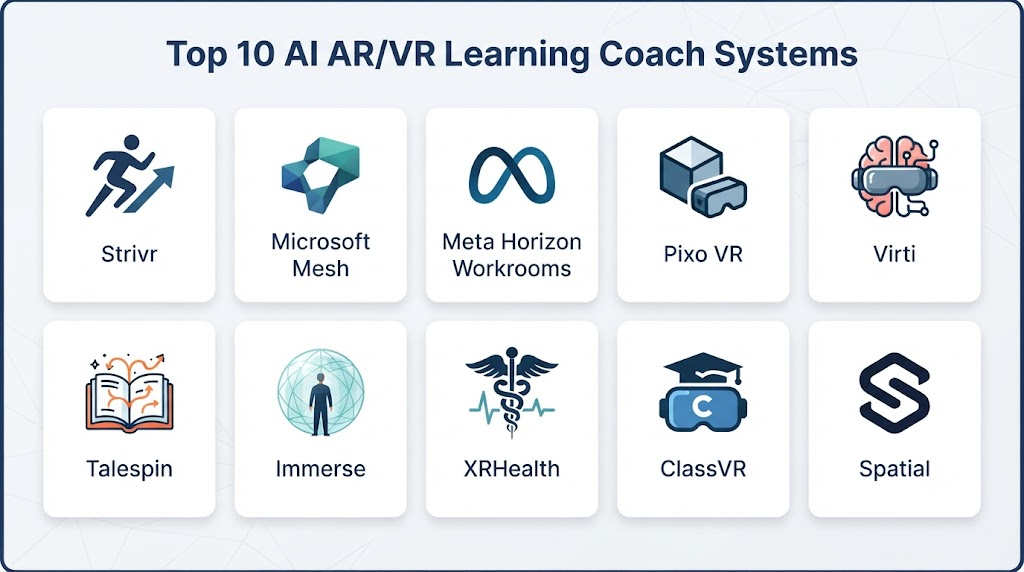
Top 10 AI AR/VR Learning Coach Systems
1 — Strivr
One-line verdict: Best for enterprises building immersive workforce training programs around realistic simulations and measurable learning experiences.
Short description:
Strivr focuses on immersive learning and training experiences, particularly for enterprise workforce development. Its platform has been used for simulation-oriented training and immersive employee learning.
Standout Capabilities
- Immersive workforce training
- VR-based simulations
- Scenario-based learning
- Employee skills development
- Performance measurement
- Training analytics
- Enterprise learning workflows
- Custom immersive experiences
AI-Specific Depth
- Model support: Specific underlying AI models are not publicly stated.
- RAG / knowledge integration: Varies / N/A.
- Evaluation: Learning-performance measurement is supported; detailed AI evaluation methodology is not publicly stated.
- Guardrails: Training workflows and administrative controls; AI-specific guardrail details are not publicly stated.
- Observability: Training analytics and learner performance metrics are available; model-level traces are not publicly stated.
Pros
- Strong enterprise immersive-learning focus
- Designed around practical training scenarios
- Suitable for workforce learning
Cons
- Enterprise implementation can require planning
- Immersive content can require significant development
- Hardware and deployment requirements should be considered
Security & Compliance
Security and compliance capabilities vary by deployment and contract. Specific current certifications should be verified directly with the vendor.
Deployment & Platforms
- Deployment: Cloud/service-based
- Platforms: Supported VR environments
- Self-hosted: Not publicly stated
Integrations & Ecosystem
Strivr is designed for enterprise learning environments.
- LMS integrations
- Enterprise learning systems
- Analytics
- VR hardware
- Custom content
- Enterprise APIs/workflows
Pricing Model
Enterprise pricing is not publicly standardized.
Best-Fit Scenarios
- Workforce training
- Safety simulations
- Enterprise skills development
2 — Talespin
One-line verdict: Best for organizations using immersive simulations to develop communication, leadership, and workplace skills.
Short description:
Talespin develops immersive learning experiences focused on workforce skills and simulation-based training.
Standout Capabilities
- Immersive simulations
- Soft-skills training
- Virtual characters
- Workplace scenarios
- Conversational practice
- Learning analytics
- Scenario authoring
- Enterprise training
AI-Specific Depth
- Model support: Specific current model architecture is not publicly stated.
- RAG / knowledge integration: Varies / N/A.
- Evaluation: Learner performance and scenario outcomes can be evaluated; exact AI evaluation framework is not publicly stated.
- Guardrails: Scenario design and administrative controls; detailed AI guardrail architecture is not publicly stated.
- Observability: Learning analytics are available; model-level token or trace metrics are not publicly stated.
Pros
- Strong focus on soft skills
- Interactive virtual-character experiences
- Useful for realistic workplace conversations
Cons
- More specialized than general LMS platforms
- Requires immersive deployment planning
- Hardware availability can affect adoption
Security & Compliance
Specific security controls and certifications should be verified for the current enterprise offering.
Deployment & Platforms
- Deployment: Cloud/service
- Platforms: Immersive and supported computing environments
- Self-hosted: Not publicly stated
Integrations & Ecosystem
- Enterprise learning systems
- LMS
- Immersive hardware
- Learning analytics
- Custom scenarios
- Enterprise workflows
Pricing Model
Enterprise pricing varies.
Best-Fit Scenarios
- Leadership training
- Customer-service simulations
- Communication training
3 — Mursion
One-line verdict: Best for immersive interpersonal-skills practice involving realistic conversations, simulations, and guided feedback.
Short description:
Mursion provides immersive simulation experiences designed around human interaction and professional skills development.
Standout Capabilities
- Virtual simulations
- Interpersonal skills training
- Conversational practice
- Workplace scenarios
- Feedback
- Scenario-based learning
- Professional development
- Simulation analytics
AI-Specific Depth
- Model support: Specific underlying models are not publicly stated.
- RAG / knowledge integration: N/A or varies.
- Evaluation: Scenario performance can be evaluated; exact AI evaluation methodology is not publicly stated.
- Guardrails: Scenario controls and human oversight can be part of the training model.
- Observability: Training outcomes and session information may be available; model-level telemetry is not publicly stated.
Pros
- Strong interpersonal-learning focus
- Realistic scenario-based practice
- Useful for professional development
Cons
- Not a general-purpose VR authoring platform
- Specialized implementation
- Costs may be higher than basic digital learning tools
Security & Compliance
Security and compliance details should be verified for the specific service arrangement.
Deployment & Platforms
- Deployment: Managed/cloud service
- Platforms: Supported immersive environments
- Self-hosted: Not publicly stated
Integrations & Ecosystem
- Enterprise training
- Learning programs
- Immersive devices
- Analytics
- Custom scenarios
Pricing Model
Pricing is not publicly standardized.
Best-Fit Scenarios
- Leadership development
- Difficult-conversation training
- Customer interaction practice
4 — ENGAGE
One-line verdict: Best for organizations wanting customizable social VR environments for collaborative education, training, and virtual events.
Short description:
ENGAGE provides immersive virtual environments for education, training, collaboration, and enterprise use.
Standout Capabilities
- Virtual classrooms
- Collaborative VR
- Training environments
- 3D learning spaces
- Interactive presentations
- Multi-user experiences
- Virtual meetings
- Custom environments
AI-Specific Depth
- Model support: AI capabilities and specific models vary.
- RAG / knowledge integration: Varies / N/A.
- Evaluation: Learning analytics vary by implementation.
- Guardrails: Administrative controls vary.
- Observability: Platform and learning analytics vary.
Pros
- Flexible immersive environments
- Supports collaboration
- Useful beyond traditional training
Cons
- AI coaching capabilities depend on implementation
- Requires compatible immersive hardware
- Content development can require expertise
Security & Compliance
Security and compliance capabilities depend on deployment and enterprise configuration.
Deployment & Platforms
- Deployment: Cloud
- Platforms: VR and supported computing devices
- Self-hosted: Varies / N/A
Integrations & Ecosystem
- VR hardware
- Enterprise learning
- Collaboration
- 3D content
- APIs and integrations
- Virtual classrooms
Pricing Model
Tiered and enterprise models may vary.
Best-Fit Scenarios
- Virtual classrooms
- Collaborative training
- Enterprise immersive events
5 — LearnBrite
One-line verdict: Best for organizations creating immersive learning journeys with virtual environments, simulations, and interactive learning content.
Short description:
LearnBrite provides immersive learning and simulation environments designed for organizations creating interactive training experiences.
Standout Capabilities
- Immersive learning
- Virtual environments
- Scenario-based training
- Learning journeys
- Simulations
- Interactive content
- Learning analytics
- Enterprise training
AI-Specific Depth
- Model support: Specific AI model support is not publicly stated.
- RAG / knowledge integration: Varies / N/A.
- Evaluation: Learning analytics and assessments vary by implementation.
- Guardrails: Content and administrative controls vary.
- Observability: Learning analytics available; AI model telemetry is not publicly stated.
Pros
- Flexible immersive-learning approach
- Supports customized learning environments
- Useful for enterprise learning
Cons
- AI coaching depth should be validated
- Content creation requires planning
- Hardware requirements vary
Security & Compliance
Verify current security, privacy, retention, and compliance requirements with the vendor.
Deployment & Platforms
- Deployment: Cloud
- Platforms: Web and immersive environments
- Self-hosted: Not publicly stated
Integrations & Ecosystem
- LMS
- Learning platforms
- 3D environments
- Enterprise systems
- Analytics
- Custom content
Pricing Model
Pricing varies according to deployment and requirements.
Best-Fit Scenarios
- Enterprise learning
- Simulation-based education
- Immersive onboarding
6 — Bodyswaps
One-line verdict: Best for immersive soft-skills training involving AI-supported conversation practice and personalized feedback.
Short description:
Bodyswaps focuses on immersive soft-skills training using VR-based scenarios and conversational practice.
Standout Capabilities
- VR soft-skills training
- Conversational practice
- Communication skills
- Presentation practice
- Confidence building
- Scenario-based learning
- Feedback
- Learning analytics
AI-Specific Depth
- Model support: Specific underlying models are not publicly stated.
- RAG / knowledge integration: N/A / Varies.
- Evaluation: Speech and behavioral feedback capabilities vary.
- Guardrails: Training scenarios and content controls.
- Observability: Learner progress and performance analytics are available; model-level telemetry is not publicly stated.
Pros
- Strong focus on communication
- Practical immersive scenarios
- AI-assisted conversational practice
Cons
- Narrower than general immersive platforms
- Primarily focused on soft skills
- Hardware requirements remain a consideration
Security & Compliance
Verify current security, privacy, data retention, and enterprise requirements.
Deployment & Platforms
- Deployment: Cloud/service
- Platforms: VR-supported environments
- Self-hosted: Not publicly stated
Integrations & Ecosystem
- LMS
- VR headsets
- Learning analytics
- Enterprise training
- Assessment workflows
Pricing Model
Enterprise pricing varies.
Best-Fit Scenarios
- Communication training
- Presentation skills
- Workplace confidence
7 — VictoryXR
One-line verdict: Best for educational institutions building immersive classrooms, simulations, and virtual learning experiences.
Short description:
VictoryXR develops immersive educational environments and virtual learning experiences for schools, universities, and training organizations.
Standout Capabilities
- Virtual classrooms
- Immersive education
- 3D learning
- Simulation
- Virtual campuses
- Interactive educational environments
- STEM learning
- Spatial education
AI-Specific Depth
- Model support: Specific AI model support varies and is not fully publicly stated.
- RAG / knowledge integration: Varies / N/A.
- Evaluation: Learning assessment capabilities vary by experience.
- Guardrails: Educational administration controls vary.
- Observability: Learning analytics depend on the implementation.
Pros
- Education-focused
- Strong immersive environments
- Useful for spatial learning
Cons
- AI coaching capabilities may vary
- Hardware requirements
- Content and curriculum alignment require planning
Security & Compliance
Current security and compliance controls should be verified for the intended deployment.
Deployment & Platforms
- Deployment: Cloud/service
- Platforms: VR/AR-supported devices
- Self-hosted: Not publicly stated
Integrations & Ecosystem
- Educational institutions
- VR hardware
- 3D content
- Learning platforms
- Virtual classrooms
Pricing Model
Pricing varies by institutional deployment.
Best-Fit Scenarios
- Higher education
- STEM education
- Immersive classrooms
8 — zSpace
One-line verdict: Best for schools and training organizations using interactive 3D visualization to teach complex concepts and procedures.
Short description:
zSpace provides immersive and interactive 3D learning technology designed for education and training.
Standout Capabilities
- Interactive 3D learning
- STEM education
- Medical learning
- Technical training
- Virtual models
- Interactive visualization
- Classroom learning
- Specialized educational content
AI-Specific Depth
- Model support: Specific AI model support is not publicly stated.
- RAG / knowledge integration: N/A / Varies.
- Evaluation: Assessment capabilities vary by content.
- Guardrails: Administrative and classroom controls vary.
- Observability: Learning analytics vary by implementation.
Pros
- Strong 3D visualization
- Useful for complex subjects
- Education-focused ecosystem
Cons
- Hardware-specific experiences can require investment
- AI coaching depth varies
- May require specialized content
Security & Compliance
Verify current security and privacy controls for institutional deployment.
Deployment & Platforms
- Deployment: Hardware/software ecosystem
- Platforms: zSpace-supported computing environments
- Self-hosted: Varies / N/A
Integrations & Ecosystem
- Education platforms
- 3D content
- STEM curriculum
- Medical education
- Hardware ecosystem
Pricing Model
Pricing varies by hardware and institutional requirements.
Best-Fit Scenarios
- STEM education
- Medical training
- Technical visualization
9 — Interplay Learning
One-line verdict: Best for industrial organizations using immersive training to develop hands-on technical and equipment-related workforce skills.
Short description:
Interplay Learning focuses on skilled-trades and technical training using immersive and interactive learning experiences.
Standout Capabilities
- Technical skills training
- VR learning
- Industrial simulations
- Equipment training
- Skilled-trades education
- Safety training
- Assessment
- Workforce development
AI-Specific Depth
- Model support: Specific AI model architecture is not publicly stated.
- RAG / knowledge integration: Varies / N/A.
- Evaluation: Skills assessment and learning analytics vary by program.
- Guardrails: Training workflows and administrative controls vary.
- Observability: Learner performance analytics are available; AI model telemetry is not publicly stated.
Pros
- Strong technical-training orientation
- Useful for skilled trades
- Practical simulation approach
Cons
- Specialized rather than general-purpose
- Hardware and content requirements
- AI coaching capabilities should be verified for the exact program
Security & Compliance
Current security and compliance information should be verified with the vendor.
Deployment & Platforms
- Deployment: Cloud/service
- Platforms: Web and VR-supported environments
- Self-hosted: Not publicly stated
Integrations & Ecosystem
- Enterprise learning
- Technical training
- VR devices
- LMS
- Skills analytics
- Training content
Pricing Model
Pricing varies by organization and learner volume.
Best-Fit Scenarios
- Industrial training
- Skilled trades
- Equipment education
10 — NVIDIA Omniverse
One-line verdict: Best for developers and enterprises building advanced AI-enabled spatial learning environments and digital-twin-based simulations.
Short description:
NVIDIA Omniverse is a platform for developing and connecting 3D applications, simulations, digital twins, and spatial workflows. It is not a turnkey learning coach, but organizations can use it as an infrastructure layer for immersive training systems.
Standout Capabilities
- 3D collaboration
- Digital twins
- Simulation
- Physically based environments
- AI development workflows
- Developer tooling
- Spatial computing
- Enterprise 3D pipelines
AI-Specific Depth
- Model support: Broad AI ecosystem and NVIDIA technologies; exact model choices depend on the application.
- RAG / knowledge integration: Can be implemented at the application layer.
- Evaluation: Application-specific.
- Guardrails: Application and infrastructure dependent.
- Observability: Application-specific; enterprise infrastructure can provide monitoring depending on architecture.
Pros
- Powerful development foundation
- Strong digital-twin capabilities
- Suitable for complex simulations
Cons
- Not a turnkey learning-management platform
- Requires technical development
- Can have significant infrastructure requirements
Security & Compliance
Security capabilities depend on the architecture and deployment model. Specific certifications should be verified for the selected services.
Deployment & Platforms
- Deployment: Cloud, workstation, and enterprise infrastructure depending on application
- Platforms: Windows and supported NVIDIA environments
- Self-hosted: Supported for relevant components/workflows
Integrations & Ecosystem
- 3D applications
- Digital twins
- AI models
- Simulation
- Developer SDKs
- Enterprise infrastructure
Pricing Model
Pricing varies by software, infrastructure, enterprise services, and deployment.
Best-Fit Scenarios
- Digital-twin training
- Advanced technical simulation
- Custom AI/VR learning platforms
Comparison Table
| Tool | Best For | Deployment | Model Flexibility | Strength | Watch-Out | Public Rating |
|---|---|---|---|---|---|---|
| Strivr | Enterprise workforce training | Cloud/Service | Managed AI | Enterprise immersive learning | Implementation complexity | N/A |
| Talespin | Soft-skills training | Cloud | Managed AI | Virtual workplace simulations | Hardware requirements | N/A |
| Mursion | Interpersonal skills | Managed Service | Managed AI | Realistic conversations | Specialized use case | N/A |
| ENGAGE | Collaborative VR education | Cloud | Varies | Virtual classrooms | AI depth varies | N/A |
| LearnBrite | Immersive learning | Cloud | Varies | Learning environments | Content development | N/A |
| Bodyswaps | Communication skills | Cloud/VR | Managed AI | Conversational practice | Soft-skills focus | N/A |
| VictoryXR | Immersive education | Cloud/VR | Varies | Virtual education | Hardware dependency | N/A |
| zSpace | 3D education | Hardware/Software | Varies | 3D visualization | Specialized hardware | N/A |
| Interplay Learning | Technical training | Cloud/VR | Managed AI | Skilled-trades training | Industry focus | N/A |
| NVIDIA Omniverse | Custom spatial systems | Cloud/Hybrid/Self-managed | Multi-model ecosystem | Digital twins and simulation | Developer-heavy | N/A |
Scoring & Evaluation
The following scores are comparative editorial assessments rather than official vendor ratings. A platform designed for custom spatial development should not automatically be judged the same way as a turnkey training product.
| Tool | Core | Reliability/Eval | Guardrails | Integrations | Ease | Perf/Cost | Security/Admin | Support | Weighted Total |
|---|---|---|---|---|---|---|---|---|---|
| Strivr | 9 | 8 | 9 | 9 | 8 | 7 | 9 | 9 | 8.45 |
| Talespin | 9 | 8 | 8 | 8 | 8 | 7 | 8 | 9 | 8.10 |
| Mursion | 9 | 8 | 9 | 7 | 7 | 6 | 8 | 9 | 7.85 |
| ENGAGE | 8 | 7 | 8 | 8 | 8 | 8 | 8 | 8 | 7.85 |
| LearnBrite | 8 | 7 | 8 | 8 | 8 | 7 | 8 | 8 | 7.70 |
| Bodyswaps | 8 | 8 | 8 | 7 | 8 | 7 | 8 | 8 | 7.75 |
| VictoryXR | 8 | 7 | 8 | 7 | 7 | 7 | 8 | 8 | 7.45 |
| zSpace | 8 | 7 | 8 | 7 | 7 | 7 | 8 | 8 | 7.45 |
| Interplay Learning | 9 | 8 | 8 | 8 | 8 | 7 | 8 | 9 | 8.05 |
| NVIDIA Omniverse | 10 | 9 | 8 | 10 | 5 | 6 | 9 | 10 | 8.25 |
Top 3 for Enterprise
- Strivr
- NVIDIA Omniverse
- Interplay Learning
Top 3 for SMB
- Bodyswaps
- ENGAGE
- LearnBrite
Top 3 for Developers
- NVIDIA Omniverse
- ENGAGE
- LearnBrite
Which AI AR/VR Learning Coach System Is Right for You?
Solo / Freelancer
Independent educators should avoid unnecessary immersive complexity.
A lightweight solution may be better when the goal is:
- Personalized tutoring
- Conversational practice
- Demonstrations
- Basic simulations
If learners do not already own compatible hardware, VR deployment can create unnecessary friction.
SMB
Small businesses should prioritize:
- Easy deployment
- Low content-authoring overhead
- Browser compatibility
- Simple learner analytics
- Affordable hardware
- Ready-made scenarios
The best option is often a platform that provides usable training content instead of requiring a custom 3D development team.
Mid-Market
Mid-market organizations can benefit from:
- Custom scenarios
- VR skills training
- LMS integration
- Learning analytics
- AI coaching
- Reusable 3D assets
- Employee performance measurement
Start with one high-value training workflow before expanding.
Enterprise
Large organizations should evaluate:
- Enterprise identity
- LMS integration
- Device management
- Analytics
- Data governance
- Custom content
- AI model governance
- Multi-language support
- Global deployment
- Simulation scalability
For complex industrial or engineering use cases, a platform such as NVIDIA Omniverse may make more sense as a development foundation than a turnkey training product.
Regulated Industries
Healthcare, aviation, energy, manufacturing, and public-sector organizations should pay particular attention to:
- Data privacy
- Learner recordings
- Voice processing
- Biometric information
- Auditability
- AI-generated feedback
- Human oversight
- Training validation
- Safety implications
An AI coach should not be allowed to make unreviewed decisions in situations where incorrect training guidance could create safety risks.
Budget vs Premium
A basic immersive program may require:
- Headsets
- Learning software
- Training content
- Device management
Premium deployments can additionally require:
- Custom 3D environments
- Digital twins
- AI integration
- Learning analytics
- Enterprise administration
- Custom instructional design
Organizations should calculate total cost of ownership rather than comparing software subscription prices alone.
Build vs Buy
Buy when:
- You need training quickly.
- You want ready-made immersive scenarios.
- You have limited 3D development expertise.
- Your use case matches an existing platform.
Build when:
- You need highly specialized simulations.
- Your physical environment needs a digital twin.
- You need custom AI coaching.
- You have internal 3D, AI, and software engineering teams.
A hybrid approach can often work best: use a commercial immersive platform while building proprietary scenarios and AI coaching logic on top.
Implementation Playbook: 30 / 60 / 90 Days
First 30 Days: Pilot
Select one learning objective.
For example:
Train technicians to identify and safely inspect a specific piece of equipment.
Define measurable outcomes:
- Completion rate
- Time to competency
- Error rate
- Assessment score
- Learner confidence
- Instructor intervention rate
Create one small immersive scenario.
Do not attempt to reproduce an entire curriculum during the pilot.
Days 31–60: Harden the Experience
Focus on:
- AI response quality
- Scenario accuracy
- Hardware compatibility
- Accessibility
- Voice recognition
- Learner privacy
- Data retention
- AI evaluation
- Human review
Create an evaluation set containing realistic learner questions and mistakes.
Test whether the AI coach:
- Gives correct answers
- Avoids unsafe advice
- Understands context
- Knows when it does not know something
- Provides appropriate hints
- Avoids excessive assistance
Days 61–90: Scale
Once the pilot works:
- Integrate the LMS.
- Create reusable scenarios.
- Establish AI governance.
- Track learner outcomes.
- Monitor infrastructure costs.
- Optimize latency.
- Expand device support.
- Establish content-version control.
- Create incident procedures.
- Establish regular AI evaluations.
For enterprise deployments, treat AI prompts, models, scenario logic, and training content as versioned production assets.
Common Mistakes and How to Avoid Them
- Buying hardware before defining the learning objective: Start with the training problem, not the headset.
- Assuming VR automatically improves learning: Immersion is useful only when it supports the instructional objective.
- Using AI without evaluation: Test AI responses against a curated set of learner questions.
- Allowing hallucinated instructions: Critical training content should use controlled knowledge and appropriate validation.
- Ignoring latency: Conversational coaching becomes frustrating when responses take too long.
- Overusing generative AI: Not every training interaction needs an AI-generated response.
- Ignoring privacy: Voice, movement, gaze, and behavioral data can be sensitive.
- Skipping human oversight: High-risk training should retain appropriate expert review.
- Creating beautiful but ineffective simulations: Visual quality is not the same as instructional quality.
- Ignoring accessibility: Not every learner can use VR in the same way.
- Failing to measure learning outcomes: Track whether training actually improves performance.
- Underestimating content costs: 3D content creation can require substantial resources.
- Creating vendor lock-in: Maintain portable learning content and data where practical.
- Ignoring device management: Large deployments require hardware provisioning and maintenance.
- Treating AI feedback as authoritative: AI should support learning rather than replace subject-matter expertise.
FAQs
What is an AI AR/VR Learning Coach System?
It is an immersive learning system that combines AR or VR environments with AI-powered guidance, feedback, personalization, or conversational assistance.
How does AI improve VR learning?
AI can make simulations more adaptive by providing personalized hints, answering questions, adjusting difficulty, and giving contextual feedback.
Do learners need a VR headset?
Not always. Some immersive systems support computers, mobile devices, AR devices, or mixed-reality hardware. Requirements vary by platform.
Can AI learning coaches understand voice?
Some systems support conversational or voice-based interaction. The exact speech capabilities depend on the platform and implementation.
Can these systems create personalized learning paths?
Potentially. AI can use learner performance and interaction data to recommend additional practice or adjust scenario difficulty.
Can AI AR/VR systems replace instructors?
They can automate some guidance and practice activities, but they should generally complement instructors rather than completely replace expert teaching.
Are AI AR/VR learning systems expensive?
Costs vary significantly. Organizations need to consider software, hardware, content development, device management, integration, and support.
Can these platforms integrate with an LMS?
Many enterprise learning platforms provide LMS or learning-system integrations, but the exact standards and integrations vary by product.
Can organizations create their own VR training scenarios?
Some platforms provide authoring tools or customization options, while developer-oriented platforms can support building custom immersive applications.
Is learner data collected?
Potentially. Depending on the system, data can include performance, voice, movement, interaction, assessment, and usage information. Organizations should verify exactly what is collected.
Can AI coaches hallucinate?
Yes. Generative AI systems can produce incorrect information. This is especially important for safety-critical or technical training.
How can organizations evaluate an AI learning coach?
Create a test set containing realistic learner questions, expected answers, common misconceptions, edge cases, and safety-sensitive scenarios. Evaluate correctness, consistency, latency, and inappropriate responses.
Are AR/VR learning systems useful for corporate training?
Yes. They can be particularly useful for hands-on procedures, safety, equipment operation, customer interactions, leadership practice, and situations that are difficult or expensive to reproduce physically.
Can these systems work offline?
Offline capabilities vary. Some immersive experiences can support local content, while AI-powered features may require network connectivity.
Should organizations build or buy an AI VR learning system?
Buy when a suitable training platform already exists. Build when the organization requires highly specialized simulations, proprietary digital twins, or deep AI customization.
Conclusion
AI AR/VR Learning Coach Systems are moving immersive learning beyond static simulations toward more interactive, adaptive, and conversational experiences.The most valuable applications are not necessarily the most visually impressive ones. The strongest systems connect immersive technology with a clear learning objective, measurable outcomes, reliable content, and appropriate AI governance.Platforms such as Strivr, Talespin, Mursion, ENGAGE, LearnBrite, Bodyswaps, VictoryXR, zSpace, Interplay Learning, and NVIDIA Omniverse represent different approaches to immersive learning.Some are focused on enterprise training. Others specialize in communication skills, education, technical training, or custom spatial applications.