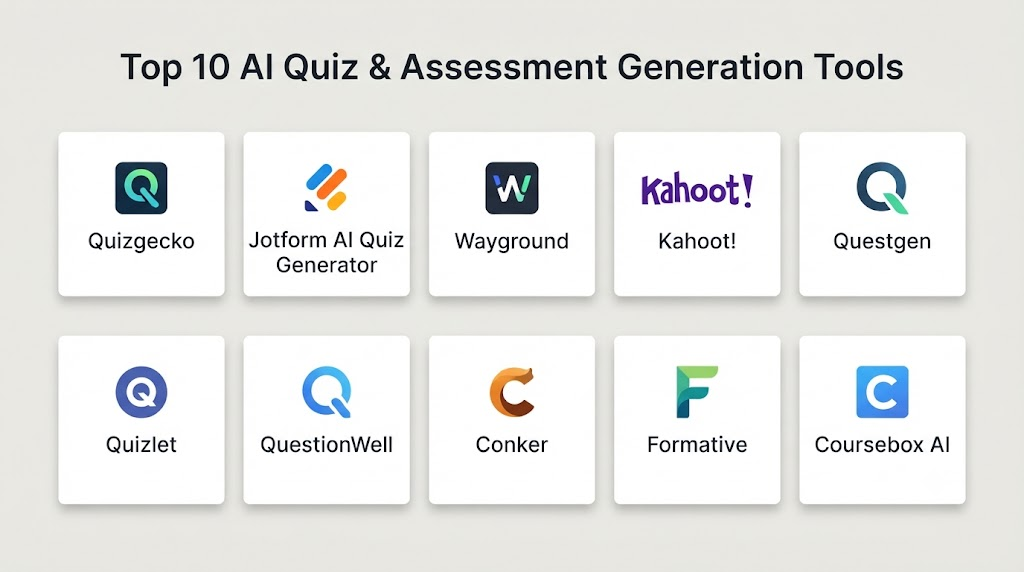
Introduction
AI Quiz & Assessment Generation tools use artificial intelligence to help educators, trainers, instructional designers, and course creators create questions, quizzes, tests, assignments, and other assessment materials. Instead of manually writing every question, users can provide a topic, lesson, document, curriculum, or learning objective and use AI to generate an initial set of assessment content.
These tools can support multiple assessment formats, including multiple-choice questions, true-or-false questions, short-answer questions, scenario-based questions, matching exercises, and other knowledge checks. More advanced platforms can also help personalize difficulty, provide automated feedback, and analyze learner performance.
Best for: Teachers, universities, corporate training teams, instructional designers, tutors, certification providers, and online course creators who regularly need assessment content.
Not ideal for: High-stakes examinations that require formally validated questions, psychometric testing, or strict human-controlled assessment design without AI-generated content.
What Is AI Quiz & Assessment Generation?
AI Quiz & Assessment Generation refers to software that uses AI to create assessment questions and supporting materials from educational or training content.
A traditional assessment workflow may look like:
Learning objectives → Review curriculum → Write questions → Create answer choices → Write explanations → Review → Format → Publish
AI can accelerate several of these steps.
For example, an instructor can provide a lesson about cloud computing and request:
- 10 multiple-choice questions
- 5 beginner questions
- 3 intermediate questions
- 2 scenario-based questions
- Answer explanations
- A scoring rubric
The AI can produce a draft assessment that the instructor can edit and approve.
The quality of the final assessment depends heavily on the quality of the source material, instructions, AI system, and human review process.
How AI Quiz & Assessment Generation Works
Content Analysis
The AI analyzes supplied text, lessons, documents, or learning objectives.
It can identify:
- Important concepts
- Definitions
- Relationships
- Processes
- Skills
- Facts
- Potential misconceptions
Question Generation
The system converts identified concepts into questions.
Possible formats include:
- Multiple choice
- True or false
- Fill in the blank
- Short answer
- Essay prompts
- Matching
- Scenario questions
- Practice exercises
Difficulty Generation
Some platforms can generate questions at different difficulty levels.
For example:
Beginner: Identify the definition of a concept.
Intermediate: Apply the concept to a practical situation.
Advanced: Analyze a complex scenario and choose the best solution.
Answer Generation
AI can generate:
- Correct answers
- Distractors
- Explanations
- Hints
- Feedback
However, automatically generated answers should always be checked before being used in important assessments.
Assessment Personalization
Some platforms can use learner performance to recommend additional questions or adjust difficulty.
This turns a static quiz into a more adaptive assessment experience.
Why AI Assessment Generation Matters
Writing high-quality assessment questions is often one of the most time-consuming parts of instructional design.
AI can reduce repetitive work by creating first drafts quickly.
Potential benefits include:
- Faster question creation
- More assessment variations
- Rapid quiz creation
- Easier differentiation
- Faster formative assessment
- Automated explanations
- More practice opportunities
- Easier conversion of existing content into quizzes
However, AI-generated questions can also introduce problems such as ambiguous wording, incorrect answers, weak distractors, inappropriate difficulty, and questions that test memorization instead of meaningful understanding.
Human review remains essential.
Key Features to Look For
When evaluating AI quiz-generation software, look for:
- AI question generation
- Multiple-choice questions
- True/false questions
- Short-answer questions
- Essay prompts
- Scenario-based questions
- Difficulty controls
- Bloom’s taxonomy support
- Learning-objective mapping
- Document-to-quiz generation
- Automatic explanations
- Answer-key generation
- Question banks
- Randomization
- Question variations
- Adaptive assessments
- Performance analytics
- LMS integration
- Export options
- Collaboration
- AI evaluation
- Content validation
- Privacy controls
- Administrative controls
Major Use Cases
Classroom Quizzes
Teachers can quickly generate formative assessments from lessons and classroom materials.
Online Courses
Course creators can turn individual lessons into quizzes and knowledge checks.
Corporate Training
Organizations can create assessments for onboarding, compliance, product knowledge, and professional skills.
Certification Preparation
Training providers can generate practice questions around certification topics.
Exam Revision
Students can create additional practice questions based on their study material.
Employee Skill Assessment
Organizations can use assessments to identify knowledge gaps and determine additional training needs.
Formative Assessment
Teachers can generate quick knowledge checks to understand whether learners have understood a lesson.
Top 10 AI Quiz & Assessment Generation Tools
1. Quizizz
One-line verdict: Best for interactive quizzes, classroom assessment, and engaging AI-assisted question creation.
Short description:
Quizizz is an educational assessment platform designed for interactive quizzes, classroom activities, and learning assessments. Its AI capabilities can assist educators in creating questions and instructional activities.
Standout Capabilities
- AI-assisted question generation
- Interactive quizzes
- Classroom assessments
- Homework activities
- Question banks
- Learner reports
- Gamified assessment
- Teacher dashboards
AI-Specific Depth
- Model support: Managed AI capabilities; exact model configuration varies.
- RAG / knowledge integration: Can work with educational content and user-provided material depending on the workflow.
- Evaluation: Generated questions require educator review.
- Guardrails: Education-oriented controls vary.
- Observability: Learner and assessment analytics.
Pros
- Engaging assessment experience
- Strong classroom orientation
- Useful reporting for teachers
Cons
- More education-focused than enterprise assessment platforms
- AI-generated questions require review
- Advanced capabilities may vary by plan
Security & Compliance
Security, privacy, retention, and compliance information should be verified for the specific institutional deployment.
Deployment & Platforms
- Deployment: Cloud
- Platforms: Web and supported mobile devices
- Self-hosted: Not publicly stated
Integrations & Ecosystem
Quizizz focuses on interactive learning and classroom assessment.
- Quizzes
- Assignments
- Classroom activities
- Teacher dashboards
- Learning analytics
- Supported educational integrations
Pricing Model
Free and paid offerings vary.
Best-Fit Scenarios
- Classroom quizzes
- Student practice
- Formative assessment
2. Kahoot!
One-line verdict: Best for highly interactive quizzes, live classroom participation, and engaging knowledge checks.
Short description:
Kahoot! is a widely used interactive learning and assessment platform. Its AI-assisted features can help users create quiz content and learning activities.
Standout Capabilities
- Interactive quizzes
- AI-assisted question creation
- Live assessments
- Self-paced quizzes
- Game-based learning
- Question banks
- Reports
- Classroom engagement
AI-Specific Depth
- Model support: Managed AI.
- RAG / knowledge integration: User-provided content and platform workflows vary.
- Evaluation: Educator review is recommended.
- Guardrails: Product-level safety controls.
- Observability: Assessment and participation analytics.
Pros
- Highly engaging
- Strong live-learning experience
- Easy for educators and trainers to adopt
Cons
- Game-based approach may not fit every assessment
- Advanced assessment needs may require additional tools
- AI architecture is not fully public
Security & Compliance
Verify current enterprise and educational security requirements before deployment.
Deployment & Platforms
- Deployment: Cloud
- Platforms: Web and mobile
- Self-hosted: N/A
Integrations & Ecosystem
- Classroom learning
- Corporate training
- Interactive presentations
- Assessments
- Learning activities
- Supported integrations
Pricing Model
Freemium and paid plans vary.
Best-Fit Scenarios
- Live quizzes
- Classroom engagement
- Corporate workshops
3. QuestionWell
One-line verdict: Best for educators who want to transform source material into structured AI-generated questions and assessments.
Short description:
QuestionWell is focused on helping educators generate questions from learning material. It can help transform source content into questions and related assessment resources.
Standout Capabilities
- AI question generation
- Multiple-choice questions
- Question sets
- Source-content analysis
- Educational assessment
- Question editing
- Export workflows
- Teacher-focused tools
AI-Specific Depth
- Model support: Managed AI; exact model configuration varies.
- RAG / knowledge integration: Works from supplied educational content.
- Evaluation: Question review and editing are important.
- Guardrails: Varies / N/A.
- Observability: Varies / N/A.
Pros
- Strong question-generation focus
- Useful for converting content into quizzes
- Teacher-friendly workflow
Cons
- Primarily focused on question creation
- Generated questions require validation
- Advanced enterprise governance may vary
Security & Compliance
Verify current privacy and data-processing policies before uploading sensitive materials.
Deployment & Platforms
- Deployment: Cloud
- Platforms: Web
- Self-hosted: Not publicly stated
Integrations & Ecosystem
- Educational content
- Question generation
- Quiz workflows
- Teacher tools
- Assessment exports
Pricing Model
Free and paid options may vary.
Best-Fit Scenarios
- Teacher question generation
- Lesson-to-quiz conversion
- Formative assessment
4. MagicSchool
One-line verdict: Best for teachers creating AI-assisted quizzes, assessments, lesson plans, and differentiated instructional materials.
Short description:
MagicSchool provides AI-powered tools designed specifically for educators. Its assessment capabilities can assist teachers with creating questions and other instructional resources.
Standout Capabilities
- AI assessment generation
- Quiz creation
- Lesson planning
- Differentiation
- Rubrics
- Classroom resources
- Teacher productivity
- Educational workflows
AI-Specific Depth
- Model support: Managed AI; exact configuration varies.
- RAG / knowledge integration: User-provided educational context and platform workflows.
- Evaluation: Teacher review is expected.
- Guardrails: Education-focused controls.
- Observability: Product and administrative analytics vary.
Pros
- Broad teacher toolkit
- Strong educational focus
- Combines assessments with lesson planning
Cons
- Primarily designed for education
- Generated content still requires teacher validation
- Enterprise capabilities vary
Security & Compliance
Verify current security, privacy, retention, and compliance documentation for institutional deployment.
Deployment & Platforms
- Deployment: Cloud
- Platforms: Web
- Self-hosted: Not publicly stated
Integrations & Ecosystem
- Lesson planning
- Assessments
- Rubrics
- Classroom resources
- Teacher workflows
- Educational platforms
Pricing Model
Free and paid offerings vary.
Best-Fit Scenarios
- K–12 assessment
- Teacher productivity
- Differentiated quizzes
5. Question AI
One-line verdict: Best for AI-assisted educational question creation and personalized assessment workflows.
Short description:
Question AI represents AI-powered question-generation tools that can assist learners and educators with creating or working through educational questions.
Standout Capabilities
- AI question generation
- Practice questions
- Educational assistance
- Explanations
- Question variations
- Subject-based practice
- Learning support
AI-Specific Depth
- Model support: Managed AI; exact model configuration varies.
- RAG / knowledge integration: Varies by product workflow.
- Evaluation: Generated answers require validation.
- Guardrails: Varies / N/A.
- Observability: Varies / N/A.
Pros
- Quick question generation
- Useful for practice
- Can support multiple subjects
Cons
- Exact capabilities depend on product offering
- Not necessarily a complete assessment-management platform
- AI-generated content requires review
Security & Compliance
Not publicly stated across all offerings; verify policies before using sensitive information.
Deployment & Platforms
- Deployment: Cloud
- Platforms: Web
- Self-hosted: Not publicly stated
Integrations & Ecosystem
- AI question generation
- Educational content
- Practice workflows
- Learning assistance
Pricing Model
Pricing varies.
Best-Fit Scenarios
- Practice-question creation
- Individual learning
- Educational experimentation
6. Question Generator
One-line verdict: Best for educators who need quick AI-assisted question creation from topics, text, or learning materials.
Short description:
Question-generation platforms can use AI to transform supplied content into assessment questions. They are useful when educators need multiple question variations without writing every question manually.
Standout Capabilities
- AI question creation
- Topic-based generation
- Text-based question generation
- Question variations
- Multiple-choice questions
- Educational exercises
- Quick assessment drafting
AI-Specific Depth
- Model support: Hosted AI; exact model configuration varies.
- RAG / knowledge integration: Source-text workflows vary.
- Evaluation: Manual review is recommended.
- Guardrails: Varies / N/A.
- Observability: Varies / N/A.
Pros
- Fast question creation
- Simple workflow
- Useful for repetitive assessment tasks
Cons
- Capabilities vary considerably between products using this category name
- Advanced analytics may be limited
- Question quality requires review
Security & Compliance
Not publicly stated; verify current data-processing policies.
Deployment & Platforms
- Deployment: Cloud
- Platforms: Web
- Self-hosted: Varies / N/A
Integrations & Ecosystem
- Question creation
- Source material
- Educational workflows
- Assessment content
Pricing Model
Varies by provider.
Best-Fit Scenarios
- Quick quizzes
- Practice questions
- Teacher resource creation
7. Formative
One-line verdict: Best for real-time formative assessment, feedback, and classroom learning analytics.
Short description:
Formative is an assessment platform focused on real-time learning checks, teacher feedback, student responses, and instructional analytics.
Standout Capabilities
- Formative assessments
- Real-time responses
- Teacher feedback
- Student performance
- Question creation
- Assessment analytics
- Interactive learning
- Classroom workflows
AI-Specific Depth
- Model support: AI capabilities vary by product feature.
- RAG / knowledge integration: User-provided educational content.
- Evaluation: Assessment analytics and teacher review.
- Guardrails: Education-focused controls vary.
- Observability: Strong emphasis on learner response analytics.
Pros
- Excellent formative assessment workflow
- Real-time learner feedback
- Useful teacher analytics
Cons
- More assessment-focused than curriculum generation
- AI capabilities vary
- Some advanced features may require paid plans
Security & Compliance
Organizations should verify current security and privacy documentation.
Deployment & Platforms
- Deployment: Cloud
- Platforms: Web and supported devices
- Self-hosted: Not publicly stated
Integrations & Ecosystem
- Assessments
- Student responses
- Teacher feedback
- Learning analytics
- Classroom systems
- Supported integrations
Pricing Model
Free and paid offerings vary.
Best-Fit Scenarios
- Formative assessment
- Classroom feedback
- Real-time learning checks
8. Quizlet
One-line verdict: Best for AI-assisted study sets, practice questions, flashcards, and learner-focused assessment preparation.
Short description:
Quizlet is a learning and study platform built around flashcards, practice activities, and assessment preparation. AI-powered functionality can assist with creating and interacting with learning materials.
Standout Capabilities
- AI-assisted study content
- Flashcards
- Practice tests
- Question generation
- Explanations
- Personalized practice
- Study activities
- Learning analytics
AI-Specific Depth
- Model support: Managed AI capabilities.
- RAG / knowledge integration: User-created and platform learning content.
- Evaluation: Practice and assessment workflows.
- Guardrails: Product-level controls vary.
- Observability: Learner progress and practice analytics.
Pros
- Large learning ecosystem
- Strong study experience
- Easy for individual learners
Cons
- More study-focused than enterprise assessment management
- User-generated material quality can vary
- Advanced institutional functionality differs by offering
Security & Compliance
Institutional users should verify current security and privacy requirements.
Deployment & Platforms
- Deployment: Cloud
- Platforms: Web and mobile
- Self-hosted: N/A
Integrations & Ecosystem
- Flashcards
- Study sets
- Practice tests
- Learning content
- Mobile learning
- Educational workflows
Pricing Model
Freemium and subscription offerings vary.
Best-Fit Scenarios
- Exam preparation
- Student practice
- Study materials
9. ClassPoint
One-line verdict: Best for teachers embedding interactive AI-assisted questions and assessments directly into presentations.
Short description:
ClassPoint is an interactive classroom presentation and assessment platform. Its AI-related functionality can assist teachers in generating questions from presentation content.
Standout Capabilities
- AI-assisted questions
- Interactive presentations
- Classroom quizzes
- Live student responses
- Polls
- Short-answer questions
- Presentation-based learning
- Teacher analytics
AI-Specific Depth
- Model support: Managed AI capabilities vary.
- RAG / knowledge integration: Presentation content and user-provided material.
- Evaluation: Teacher review and learner responses.
- Guardrails: Varies / N/A.
- Observability: Classroom response analytics.
Pros
- Integrates assessment into presentations
- Useful for live classrooms
- Simple interactive workflow
Cons
- Presentation-centered
- Not designed primarily for high-stakes testing
- AI architecture is not publicly stated
Security & Compliance
Verify institutional security and privacy requirements before deployment.
Deployment & Platforms
- Deployment: Cloud/software-assisted
- Platforms: Windows and supported presentation environments
- Self-hosted: Varies / N/A
Integrations & Ecosystem
- Presentation software
- Classroom activities
- Interactive questions
- Student responses
- Teacher workflows
Pricing Model
Free and paid options vary.
Best-Fit Scenarios
- Classroom presentations
- Live knowledge checks
- Interactive teaching
10. Brisk Teaching
One-line verdict: Best for educators using AI to create differentiated learning resources, questions, feedback, and classroom assessments.
Short description:
Brisk Teaching is an AI education tool designed to assist teachers with instructional content and classroom workflows. It can help generate educational resources and assessment-related materials.
Standout Capabilities
- AI question generation
- Lesson support
- Differentiation
- Educational resources
- Feedback
- Teacher productivity
- Classroom workflows
- Content transformation
AI-Specific Depth
- Model support: Managed AI; exact model configuration varies.
- RAG / knowledge integration: Can work with user-provided educational content.
- Evaluation: Teacher review recommended.
- Guardrails: Education-focused controls vary.
- Observability: Product analytics vary.
Pros
- Strong teacher workflow
- Useful for differentiated materials
- Can reduce repetitive preparation
Cons
- Primarily teacher-focused
- Generated assessment content requires validation
- Advanced assessment management may require another platform
Security & Compliance
Verify current security, privacy, and data-processing practices for institutional use.
Deployment & Platforms
- Deployment: Cloud/browser-based
- Platforms: Web and supported browser environments
- Self-hosted: Not publicly stated
Integrations & Ecosystem
- Educational content
- Teacher workflows
- Classroom resources
- Assessments
- Differentiation
- Browser-based workflows
Pricing Model
Free and paid offerings vary.
Best-Fit Scenarios
- Teacher assessment creation
- Differentiated instruction
- Classroom resource generation
Comparison Table
| Tool | Best For | Deployment | Model Flexibility | Strength | Watch-Out | Public Rating |
|---|---|---|---|---|---|---|
| Quizizz | Interactive quizzes | Cloud | Hosted/Managed | Engaging assessments | Education-focused | N/A |
| Kahoot! | Live quizzes | Cloud | Hosted/Managed | Gamified learning | Not ideal for every formal test | N/A |
| QuestionWell | Question generation | Cloud | Hosted | Content-to-question workflow | Requires review | N/A |
| MagicSchool | Teacher assessment | Cloud | Hosted/Managed | Broad educator toolkit | Teacher review needed | N/A |
| Question AI | Practice questions | Cloud | Hosted | Rapid question generation | Capabilities vary | N/A |
| Question Generator | Quick assessment drafts | Cloud | Hosted | Simple generation | Product quality varies | N/A |
| Formative | Formative assessment | Cloud | Hosted/Managed | Real-time feedback | AI varies by feature | N/A |
| Quizlet | Study and practice | Cloud | Hosted | Large study ecosystem | Not a full assessment suite | N/A |
| ClassPoint | Presentation quizzes | Cloud/Software | Hosted/Managed | Presentation integration | Presentation-centric | N/A |
| Brisk Teaching | Teacher workflows | Cloud/Browser | Hosted | Differentiation | Formal assessment needs may require more | N/A |
Scoring & Evaluation
These scores are comparative editorial assessments, not official vendor ratings. Assessment quality depends heavily on source content, question design, review processes, learner population, and implementation.
| Tool | Core | Reliability/Eval | Guardrails | Integrations | Ease | Perf/Cost | Security/Admin | Support | Weighted Total |
|---|---|---|---|---|---|---|---|---|---|
| Quizizz | 9 | 8 | 8 | 9 | 10 | 9 | 8 | 9 | 8.80 |
| Kahoot! | 9 | 8 | 9 | 9 | 10 | 8 | 8 | 9 | 8.75 |
| QuestionWell | 9 | 8 | 8 | 8 | 9 | 9 | 7 | 8 | 8.25 |
| MagicSchool | 9 | 8 | 9 | 8 | 10 | 9 | 8 | 9 | 8.80 |
| Question AI | 8 | 7 | 7 | 7 | 9 | 9 | 7 | 8 | 7.75 |
| Question Generator | 8 | 7 | 7 | 7 | 10 | 9 | 6 | 7 | 7.65 |
| Formative | 9 | 9 | 9 | 9 | 9 | 8 | 9 | 9 | 8.90 |
| Quizlet | 9 | 8 | 9 | 8 | 10 | 9 | 8 | 9 | 8.75 |
| ClassPoint | 8 | 8 | 8 | 9 | 9 | 9 | 7 | 8 | 8.25 |
| Brisk Teaching | 8 | 8 | 9 | 8 | 10 | 9 | 7 | 8 | 8.30 |
Top 3 for Enterprise
- Formative
- Quizizz
- Kahoot!
Top 3 for SMB
- Quizizz
- Formative
- Kahoot!
Top 3 for Educators and Developers
- QuestionWell
- MagicSchool
- Brisk Teaching
Which AI Quiz & Assessment Generation Tool Is Right for You?
Solo / Freelancer
Individual educators, tutors, and course creators should prioritize simplicity and speed.
Look for:
- Easy question generation
- Multiple question formats
- Editing controls
- Export options
- Affordable access
- Good learner experience
A simple question-generation tool may be sufficient if you only need assessment drafts.
SMB
Small businesses and training organizations should focus on ease of administration and assessment delivery.
Prioritize:
- Question banks
- AI generation
- Learner analytics
- Course integration
- Reporting
- Collaboration
- Reasonable pricing
Mid-Market
Mid-sized organizations should evaluate the assessment platform as part of their broader learning environment.
Important requirements include:
- LMS integration
- SSO
- Role-based access
- Question banks
- Assessment analytics
- Version control
- Content governance
- AI evaluation
Enterprise
Enterprises should pay particular attention to governance and reliability.
Evaluate:
- Assessment security
- Identity management
- Auditability
- Data retention
- Question-bank governance
- AI evaluation
- Human approval
- API support
- Data portability
- Analytics
- Cost controls
Regulated Industries
AI-generated assessments used in healthcare, finance, government, or other regulated sectors require additional review.
Consider:
- Data privacy
- Data retention
- Access controls
- Audit logs
- Human approval
- Content validation
- Regulatory requirements
- Assessment integrity
Budget vs Premium
Budget tools can work well for classroom quizzes and basic practice.
Premium platforms become more valuable when organizations require:
- Large question banks
- Detailed analytics
- Enterprise administration
- LMS integration
- Assessment governance
- Large-scale deployment
Build vs Buy
Buy when:
- You need assessment generation quickly.
- Your requirements are standard.
- You want an established learner interface.
- Your team lacks specialized AI engineering resources.
Build when:
- You have unique assessment methodologies.
- You require specialized psychometric models.
- Your question-generation workflow is strategically important.
- You need complete infrastructure control.
- You have experienced AI engineering resources.
Implementation Playbook: 30 / 60 / 90 Days
First 30 Days: Pilot
Choose one course, subject, or training program.
Define:
- Learning objectives
- Question formats
- Difficulty levels
- Assessment standards
- Required source materials
- Acceptable error rates
Create a test set containing:
- Easy questions
- Difficult questions
- Ambiguous concepts
- Common misconceptions
- Scenario-based problems
- Questions requiring reasoning
Measure:
- Question accuracy
- Distractor quality
- Alignment with objectives
- Review time
- Learner performance
Days 31–60: Security and Evaluation
Build an assessment evaluation process.
Test generated questions for:
- Factual accuracy
- Correct answer validity
- Distractor plausibility
- Ambiguity
- Difficulty
- Bias
- Reading level
- Learning-objective alignment
- Hallucination
- Prompt injection
Introduce:
- Question version control
- Human approval
- AI output review
- Red-team testing
- Content provenance
- Incident handling
Days 61–90: Optimization and Scale
After validating the pilot:
- Expand the question bank.
- Create reusable generation templates.
- Add multiple difficulty levels.
- Integrate the LMS.
- Track learner outcomes.
- Monitor AI usage.
- Measure generation costs.
- Improve prompts.
- Establish governance.
- Continuously evaluate generated questions.
Common Mistakes and How to Avoid Them
- Publishing AI-generated questions without review: Human validation should remain part of the workflow.
- Using weak source material: AI cannot reliably create strong assessments from inaccurate content.
- Testing memorization only: Use application and scenario-based questions where appropriate.
- Poor distractors: Incorrect answers should be plausible without being misleading.
- Ambiguous questions: Review wording carefully.
- Ignoring learning objectives: Every assessment should measure something meaningful.
- No difficulty validation: AI-generated difficulty labels are not automatically reliable.
- Using AI for high-stakes exams without validation: High-stakes assessment requires stronger quality controls.
- Ignoring learner privacy: Avoid exposing sensitive student or employee information unnecessarily.
- No question versioning: Track changes to important assessment items.
- Ignoring duplicate questions: AI can generate similar questions repeatedly.
- No bias testing: Review questions for inappropriate assumptions or biased framing.
- Overusing multiple-choice questions: Combine formats when deeper understanding matters.
- Ignoring answer explanations: Explanations should be accurate and educational.
- No ongoing evaluation: Monitor assessment quality after deployment.
FAQs
What is AI Quiz & Assessment Generation?
It is the use of artificial intelligence to automatically create quizzes, questions, answer choices, explanations, assignments, and other assessment materials from topics, lessons, documents, or learning objectives.
Can AI generate multiple-choice questions?
Yes. Multiple-choice generation is one of the most common uses. AI can generate a question, correct answer, distractors, and sometimes an explanation.
Can AI generate questions from a PDF or document?
Many tools can generate questions from supplied educational material, although supported formats and document-processing capabilities vary by platform.
Are AI-generated assessment questions accurate?
Not always. AI can produce factual errors, incorrect answer keys, ambiguous wording, or weak distractors. Important assessments should undergo human review.
Can AI create different difficulty levels?
Yes. AI can be instructed to create beginner, intermediate, and advanced questions. However, difficulty should be tested rather than assumed solely from the AI’s label.
Can AI generate scenario-based assessments?
Yes. Generative AI can create realistic scenarios that ask learners to apply concepts, make decisions, or solve problems.
Can AI-generated quizzes be used for employee training?
Yes. They can be useful for onboarding, product training, knowledge checks, compliance education, and professional development, subject to appropriate review.
Can AI replace assessment designers?
AI can reduce repetitive question-writing work, but it does not eliminate the need for assessment expertise. Human designers remain important for validity, fairness, difficulty, and learning alignment.
How can organizations evaluate AI-generated questions?
Create an evaluation set and measure factual accuracy, answer correctness, ambiguity, difficulty, learning-objective alignment, distractor quality, bias, and consistency.
Can AI quiz tools integrate with an LMS?
Some platforms support LMS or education-system integrations, while others focus primarily on standalone quiz creation. Integration capabilities should be checked individually.
Conclusion
AI Quiz & Assessment Generation tools can dramatically reduce the time required to create educational questions, knowledge checks, practice tests, and training assessments.The strongest platforms go beyond simply generating multiple-choice questions. They can support question banks, personalized practice, learner analytics, explanations, interactive assessments, and integration with broader learning workflows.The most important consideration is assessment quality rather than generation speed.A good AI assessment workflow should look like:For teachers, tools such as Quizizz, Kahoot!, MagicSchool, and QuestionWell can simplify everyday assessment creation. For organizations requiring stronger assessment workflows, platforms such as Formative may provide more comprehensive assessment capabilities.