Introduction
AI Media Transcoding Optimization with ML uses machine learning to make video and audio transcoding more efficient, adaptive, and cost-effective. Instead of applying the same encoding settings to every media file, intelligent transcoding systems can analyze content characteristics and optimize codecs, bitrates, resolutions, frame rates, and encoding parameters for different devices, networks, and viewing conditions.
This technology is particularly valuable as organizations manage increasingly large libraries of high-resolution video, including 4K, HDR, live streams, user-generated content, sports footage, and on-demand m Streaming platforms, broadcasters, OTT services, sports organizations, media companies, cloud applications, gaming platforms, social networks, and businesses processing video at scal Small teams that only transcode occasional videos or organizations with simple media requirements. Standard cloud transcoding or traditional FFmpeg workflows may be sufficient when optimization is not a major concern.
What Is AI Media Transcoding Optimization with ML?
Traditional transcoding converts media from one format or encoding profile into another.
For example:
Source video → Encoder → Multiple resolutions → Multiple bitrates → Distribution
An ML-optimized workflow adds intelligence to this process.
Instead of blindly encoding every video using the same settings, machine learning can help estimate:
- Visual complexity.
- Motion intensity.
- Scene changes.
- Texture complexity.
- Perceptual quality.
- Expected bitrate requirements.
- Encoding efficiency.
- Device capabilities.
- Network conditions.
The result can be a more intelligent encoding pipeline.
A simplified workflow looks like this:
Media analysis → ML prediction → Encoding decision → Quality assessment → Optimization → Delivery
The objective is usually to achieve the best possible balance between visual quality, file size, encoding time, infrastructure cost, and playback performance.
ularly useful for organizations operating large media pipelines.
Key Capabilities to Evaluate
When evaluating AI-powered transcoding optimization solutions, consider:
- Content-aware encoding: Does the system adapt encoding parameters based on the actual content?
- Perceptual quality optimization: Can it optimize for perceived quality instead of bitrate alone?
- Codec support: Does it support relevant modern codecs?
- Adaptive bitrate streaming: Can it generate appropriate streaming renditions?
- Hardware acceleration: Can encoding use GPUs, ASICs, or dedicated media accelerators?
- Scene analysis: Can the system identify changes in visual complexity?
- Bitrate optimization: Can it reduce bandwidth without unacceptable quality loss?
- Encoding speed: How quickly can media be processed?
- Quality metrics: Does the workflow support objective quality measurements?
- Cloud scalability: Can processing scale with workload?
- Workflow automation: Can encoding decisions happen automatically?
- Cost controls: Can organizations optimize compute and storage spending?
- Live-stream support: Can optimization happen with low latency?
- Batch processing: Is large-scale VOD processing supported?
- API access: Can the technology be integrated into existing media pipelines?
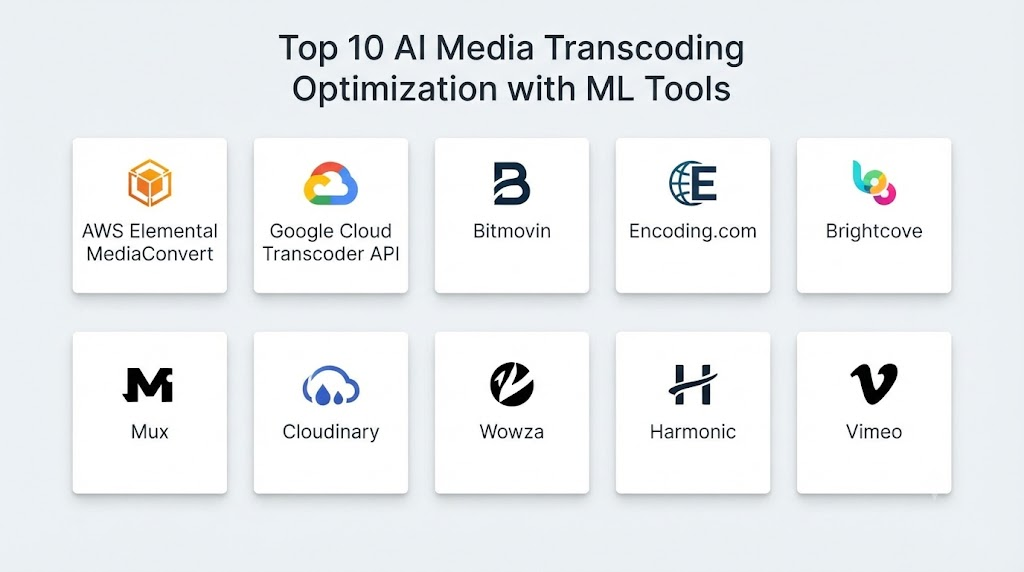
Top 10 AI Media Transcoding Optimization with ML Tools
1. Bitmovin
One-line verdict: Best for media companies seeking scalable cloud video encoding, streaming, and intelligent media workflows.
Short description:
Bitmovin provides video encoding, player, and streaming infrastructure for organizations building large-scale media delivery systems. Its platform supports automated encoding workflows and technologies designed to optimize video quality and delivery efficiency.
Standout Capabilities
- Cloud-based video encoding.
- Adaptive bitrate encoding.
- Automated media workflows.
- Multi-codec support.
- Video quality optimization.
- Streaming infrastructure.
- Encoding APIs.
- Large-scale media processing.
AI-Specific Depth
- Model support: Proprietary optimization technologies; specific model architecture: Not publicly stated.
- RAG / knowledge integration: N/A.
- Evaluation: Video-quality and encoding optimization workflows.
- Guardrails: N/A for conventional transcoding.
- Observability: Encoding and streaming metrics available depending on product configuration.
Pros
- Designed for large-scale media workflows.
- Strong API-oriented architecture.
- Combines encoding and streaming capabilities.
Cons
- Primarily targeted at professional and enterprise users.
- Architecture can be more complex than simple transcoding services.
- Costs depend heavily on workload and configuration.
Security & Compliance
Enterprise security and administrative capabilities vary by configuration. Specific certifications should be verified directly with the vendor.
Deployment & Platforms
- Deployment: Cloud.
- Web: API and cloud workflows.
- Self-hosted: Varies by product.
- Hybrid: Varies.
Integrations & Ecosystem
Bitmovin is designed to integrate with media-processing architectures.
- APIs.
- Cloud storage.
- Streaming platforms.
- Media players.
- Content delivery infrastructure.
- Encoding pipelines.
Pricing Model
Enterprise and usage-based pricing models may apply. Exact pricing varies by workload and configuration.
Best-Fit Scenarios
- OTT platforms.
- Streaming services.
- Large media libraries.
2. AWS Elemental MediaConvert
One-line verdict: Best for organizations already using AWS that need scalable cloud media transcoding and workflow automation.
Short description:
AWS Elemental MediaConvert is a cloud-based file transcoding service for broadcast and multiscreen video processing. It supports a wide range of encoding workflows and can be integrated with broader AWS media architectures.
Standout Capabilities
- File-based video transcoding.
- Automated media workflows.
- Adaptive bitrate packaging.
- Multiple output formats.
- Cloud scalability.
- Integration with AWS storage.
- Job-based processing.
- Professional media workflows.
AI-Specific Depth
- Model support: ML optimization is not the primary product abstraction; specific ML-driven encoding capabilities vary.
- RAG / knowledge integration: N/A.
- Evaluation: Encoding-quality metrics can be incorporated into broader workflows.
- Guardrails: IAM and AWS security controls.
- Observability: AWS monitoring and logging capabilities.
Pros
- Strong cloud scalability.
- Deep AWS ecosystem integration.
- Suitable for large media workloads.
Cons
- Can become complex for teams unfamiliar with AWS.
- Cost optimization requires careful architecture.
- Not primarily positioned as an AI-native transcoding product.
Security & Compliance
AWS provides extensive security and access-control capabilities, including IAM, encryption options, logging, and regional infrastructure controls. Specific compliance requirements should be verified for the exact AWS service configuration.
Deployment & Platforms
- Deployment: Cloud.
- Self-hosted: No.
- Hybrid: Possible through broader AWS architectures.
Integrations & Ecosystem
- Amazon S3.
- AWS Elemental services.
- AWS Lambda.
- Amazon CloudWatch.
- AWS IAM.
- Cloud-based media workflows.
Pricing Model
Usage-based.
Best-Fit Scenarios
- AWS-based media platforms.
- OTT services.
- Large VOD libraries.
3. Google Cloud Transcoder API
One-line verdict: Best for teams building programmable cloud video-processing pipelines on Google Cloud infrastructure.
Short description:
Google Cloud Transcoder API provides programmatic video transcoding capabilities. It can be incorporated into automated media pipelines for video-on-demand applications and large-scale processing workloads.
Standout Capabilities
- API-driven transcoding.
- Cloud processing.
- Multiple output configurations.
- Adaptive streaming workflows.
- Google Cloud integration.
- Automated processing.
- Scalable infrastructure.
- Media pipeline integration.
AI-Specific Depth
- Model support: AI/ML optimization is not the primary interface; specific underlying optimizations are not fully exposed.
- RAG / knowledge integration: N/A.
- Evaluation: Can be integrated with external video-quality evaluation workflows.
- Guardrails: Google Cloud IAM and service controls.
- Observability: Google Cloud monitoring and logging.
Pros
- Strong cloud-native architecture.
- Good API integration.
- Suitable for scalable video workflows.
Cons
- Primarily cloud focused.
- Requires cloud engineering knowledge.
- ML-specific transcoding controls may not be directly exposed.
Security & Compliance
Security depends on Google Cloud configuration, IAM, encryption, logging, and applicable organizational policies. Specific certifications should be verified for the relevant service and region.
Deployment & Platforms
- Deployment: Cloud.
- Self-hosted: No.
- Hybrid: Possible through surrounding architecture.
Integrations & Ecosystem
- Google Cloud Storage.
- Google Cloud IAM.
- Cloud monitoring.
- APIs.
- Media pipelines.
- Other Google Cloud services.
Pricing Model
Usage-based.
Best-Fit Scenarios
- Google Cloud applications.
- Video SaaS platforms.
- Automated VOD processing.
4. Azure Media Services Alternatives and Azure Video Workflows
One-line verdict: Best for Microsoft-centric organizations building customized cloud video processing and AI workflows.
Short description:
Microsoft’s media-services ecosystem has evolved over time, so organizations should distinguish between legacy media services and current Azure-based architectures. Azure can still serve as infrastructure for building customized video processing, AI, storage, and delivery workflows.
Standout Capabilities
- Cloud media processing infrastructure.
- Azure AI integration.
- Cloud storage.
- Event-driven workflows.
- Media analysis.
- Custom encoding pipelines.
- Enterprise identity management.
- Scalable infrastructure.
AI-Specific Depth
- Model support: Depends on the selected Azure AI and media components.
- RAG / knowledge integration: N/A for core transcoding.
- Evaluation: Can be implemented through Azure-based AI and media-quality workflows.
- Guardrails: Azure security and identity controls.
- Observability: Azure monitoring and logging.
Pros
- Strong enterprise cloud ecosystem.
- Flexible architecture.
- Good integration with Microsoft environments.
Cons
- Requires architecture planning.
- Media workflows may require multiple Azure services.
- Product capabilities can vary as Microsoft’s media portfolio evolves.
Security & Compliance
Azure provides enterprise security, identity, encryption, logging, and governance capabilities. Specific certifications and compliance coverage should be verified for the selected services.
Deployment & Platforms
- Deployment: Cloud.
- Self-hosted: Varies.
- Hybrid: Supported through broader Azure architecture.
Integrations & Ecosystem
- Azure Storage.
- Azure AI.
- Azure Functions.
- Microsoft Entra ID.
- Azure Monitor.
- APIs.
Pricing Model
Usage-based cloud pricing.
Best-Fit Scenarios
- Microsoft-centric enterprises.
- Custom media pipelines.
- AI-enabled video applications.
5. Beamr
One-line verdict: Best for organizations focused on efficient video compression, codec optimization, and high-performance media processing.
Short description:
Beamr specializes in video encoding and compression technologies. Its technology is relevant to organizations trying to reduce video size, improve encoding efficiency, and optimize media processing performance.
Standout Capabilities
- Video encoding.
- Compression optimization.
- Codec technologies.
- High-performance processing.
- Video quality optimization.
- Media infrastructure.
- Encoding acceleration.
- Large-scale media workloads.
AI-Specific Depth
- Model support: Specific ML model architecture: Not publicly stated.
- RAG / knowledge integration: N/A.
- Evaluation: Video quality and compression analysis.
- Guardrails: N/A.
- Observability: Performance and encoding metrics depend on deployment.
Pros
- Strong compression expertise.
- Useful for performance-sensitive workflows.
- Focused media technology stack.
Cons
- More specialized than general-purpose cloud media platforms.
- Implementation may require engineering expertise.
- Suitability depends on existing infrastructure.
Security & Compliance
Specific enterprise security certifications and controls should be verified for the selected product and deployment.
Deployment & Platforms
- Deployment: Varies.
- Cloud: Supported through applicable solutions.
- Self-hosted: Varies.
- Hybrid: Varies.
Integrations & Ecosystem
- Encoding pipelines.
- Media infrastructure.
- Codec workflows.
- Cloud architectures.
- Video processing systems.
Pricing Model
Enterprise/commercial licensing; exact pricing is not publicly stated.
Best-Fit Scenarios
- Video infrastructure providers.
- Streaming platforms.
- High-volume encoding operations.
6. NETINT
One-line verdict: Best for high-volume video infrastructure teams using dedicated hardware acceleration for efficient encoding and transcoding.
Short description:
NETINT develops video processing and encoding technologies, including hardware acceleration designed for demanding media workloads. Its solutions are relevant to infrastructure teams looking for performance and efficiency.
Standout Capabilities
- Video encoding acceleration.
- Dedicated processing hardware.
- High-density media processing.
- Cloud infrastructure integration.
- Video transcoding.
- Streaming workloads.
- Encoding optimization.
- Datacenter deployment.
AI-Specific Depth
- Model support: ML-specific model support varies / N/A.
- RAG / knowledge integration: N/A.
- Evaluation: Encoding quality and performance testing.
- Guardrails: N/A.
- Observability: Hardware and encoding metrics vary by implementation.
Pros
- Designed for high-throughput workloads.
- Hardware acceleration can improve processing efficiency.
- Useful for media infrastructure providers.
Cons
- Hardware deployments require engineering expertise.
- Infrastructure costs need careful modeling.
- Not a simple plug-and-play creator tool.
Security & Compliance
Security depends on deployment architecture.
Deployment & Platforms
- Deployment: Hardware/on-premises/cloud infrastructure.
- Self-hosted: Supported.
- Hybrid: Supported depending on architecture.
Integrations & Ecosystem
- Media servers.
- Encoding software.
- Cloud infrastructure.
- Datacenter systems.
- Video pipelines.
Pricing Model
Commercial hardware/software pricing; exact pricing is not publicly stated.
Best-Fit Scenarios
- Streaming infrastructure.
- Media datacenters.
- High-volume transcoding.
7. Harmonic VOS
One-line verdict: Best for broadcasters and media operators managing large-scale cloud and broadcast video workflows.
Short description:
Harmonic provides video infrastructure and media delivery technologies for broadcasters, service providers, and streaming operators. Its VOS platform supports cloud-based media workflows and video processing.
Standout Capabilities
- Cloud video processing.
- Broadcast workflows.
- Streaming infrastructure.
- Encoding.
- Media delivery.
- Workflow automation.
- Large-scale operations.
- Video distribution.
AI-Specific Depth
- Model support: AI/ML capabilities vary across products.
- RAG / knowledge integration: N/A.
- Evaluation: Media quality and operational monitoring vary.
- Guardrails: Enterprise platform controls.
- Observability: Operational monitoring capabilities vary.
Pros
- Designed for professional media operations.
- Broad broadcast capabilities.
- Suitable for large deployments.
Cons
- Enterprise-oriented complexity.
- Requires media engineering knowledge.
- May be excessive for small video libraries.
Security & Compliance
Enterprise security capabilities vary by deployment and service.
Deployment & Platforms
- Deployment: Cloud and professional media infrastructure.
- Self-hosted: Varies.
- Hybrid: Supported in applicable architectures.
Integrations & Ecosystem
- Broadcast infrastructure.
- Streaming systems.
- Cloud workflows.
- Media delivery.
- Encoding systems.
Pricing Model
Enterprise pricing; exact pricing is not publicly stated.
Best-Fit Scenarios
- Broadcasters.
- Telecom operators.
- Large streaming services.
8. Bitmovin Per-Title / Content-Aware Encoding Workflows
One-line verdict: Best for streaming teams seeking content-specific encoding decisions instead of fixed bitrate ladders.
Short description:
Content-aware encoding approaches analyze individual videos and adjust encoding parameters to achieve a desired quality level more efficiently. Bitmovin’s encoding ecosystem supports this type of optimization within broader video workflows.
Standout Capabilities
- Content-aware encoding.
- Automated bitrate optimization.
- Adaptive streaming.
- Multi-codec workflows.
- Quality optimization.
- Cloud processing.
- Encoding APIs.
- Streaming integration.
AI-Specific Depth
- Model support: Optimization technology; exact model architecture: Not publicly stated.
- RAG / knowledge integration: N/A.
- Evaluation: Video-quality optimization.
- Guardrails: N/A.
- Observability: Encoding and delivery metrics vary.
Pros
- Reduces reliance on fixed encoding settings.
- Useful for large streaming libraries.
- Can improve quality-to-bitrate efficiency.
Cons
- Requires careful quality validation.
- Optimization benefits depend on content.
- Enterprise-oriented implementation.
Security & Compliance
Specific enterprise security information varies by configuration.
Deployment & Platforms
- Deployment: Cloud.
- Self-hosted: Varies.
- Hybrid: Varies.
Integrations & Ecosystem
- Encoding APIs.
- Cloud storage.
- CDN workflows.
- Streaming players.
- Media pipelines.
Pricing Model
Usage-based or enterprise pricing.
Best-Fit Scenarios
- OTT platforms.
- Video streaming services.
- Large VOD libraries.
9. FFmpeg + Custom ML Optimization
One-line verdict: Best for engineering teams that want maximum control over codecs, encoding parameters, automation, and custom ML logic.
Short description:
FFmpeg is a widely used open-source multimedia framework rather than a commercial AI transcoding platform. Engineering teams can combine it with machine-learning models to create custom content-aware encoding pipelines.
Standout Capabilities
- Broad codec support.
- Audio and video processing.
- Custom pipelines.
- Command-line automation.
- Hardware acceleration.
- Batch processing.
- Custom ML integration.
- Flexible deployment.
AI-Specific Depth
- Model support: Bring-your-own ML models.
- RAG / knowledge integration: N/A.
- Evaluation: Fully customizable.
- Guardrails: Fully customizable.
- Observability: Fully customizable.
Pros
- Extremely flexible.
- Open-source.
- No dependency on a single commercial encoding platform.
Cons
- Requires significant engineering expertise.
- AI optimization must be built separately.
- Operational maintenance is the organization’s responsibility.
Security & Compliance
Security depends entirely on how the system is deployed and maintained.
Deployment & Platforms
- Deployment: Self-hosted, cloud, hybrid.
- Windows: Supported.
- macOS: Supported.
- Linux: Supported.
Integrations & Ecosystem
- Python.
- C/C++.
- GPU encoders.
- Cloud storage.
- ML frameworks.
- Media pipelines.
Pricing Model
Open-source software. Infrastructure, engineering, and operational costs still apply.
Best-Fit Scenarios
- Engineering-led organizations.
- Custom media platforms.
- High-control environments.
10. GStreamer + ML Pipelines
One-line verdict: Best for developers building custom real-time media pipelines with ML-driven analysis and transcoding decisions.
Short description:
GStreamer is an open-source multimedia framework that can be combined with machine-learning components for custom media-processing systems. It is particularly useful when organizations need control over real-time media pipelines.
Standout Capabilities
- Real-time media pipelines.
- Audio and video processing.
- Custom plugins.
- Hardware acceleration.
- ML integration.
- Streaming workflows.
- Low-level pipeline control.
- Self-hosted deployment.
AI-Specific Depth
- Model support: BYO model through compatible integrations.
- RAG / knowledge integration: N/A.
- Evaluation: Customizable.
- Guardrails: Customizable.
- Observability: Customizable.
Pros
- Highly extensible.
- Open-source.
- Strong real-time capabilities.
Cons
- Significant engineering requirements.
- Custom ML integration is not turnkey.
- Maintenance becomes the user’s responsibility.
Security & Compliance
Depends on deployment architecture and organizational controls.
Deployment & Platforms
- Deployment: Self-hosted/cloud/hybrid.
- Linux: Strong support.
- Windows: Supported.
- macOS: Supported.
Integrations & Ecosystem
- ML frameworks.
- Hardware accelerators.
- Streaming protocols.
- Cloud infrastructure.
- Custom plugins.
- Media servers.
Pricing Model
Open-source; infrastructure and development costs apply.
Best-Fit Scenarios
- Custom streaming platforms.
- Real-time media applications.
- Engineering-heavy organizations.
Comparison Table
| Tool | Best For | Deployment | Model Flexibility | Strength | Watch-Out | Public Rating |
|---|---|---|---|---|---|---|
| Bitmovin | OTT and streaming | Cloud | Proprietary | Encoding + streaming | Enterprise complexity | N/A |
| AWS Elemental MediaConvert | AWS media workloads | Cloud | Proprietary/cloud | AWS integration | Architecture complexity | N/A |
| Google Cloud Transcoder API | Programmable VOD | Cloud | Cloud-managed | API-first processing | Cloud dependency | N/A |
| Azure media workflows | Microsoft environments | Cloud/Hybrid | Multi-service | Enterprise ecosystem | Requires architecture | N/A |
| Beamr | Compression optimization | Varies | Proprietary | Encoding efficiency | Specialized | N/A |
| NETINT | Hardware acceleration | Hybrid/Self-hosted | Hardware/software | High throughput | Infrastructure expertise | N/A |
| Harmonic VOS | Broadcast/OTT | Cloud/Hybrid | Proprietary | Professional media workflows | Enterprise complexity | N/A |
| Content-aware encoding | Streaming optimization | Cloud | Proprietary | Per-title optimization | Requires testing | N/A |
| FFmpeg + ML | Custom pipelines | Self-hosted/Cloud | BYO/Open-source | Maximum flexibility | Engineering effort | N/A |
| GStreamer + ML | Real-time pipelines | Self-hosted/Cloud | BYO/Open-source | Extensibility | Complex implementation | N/A |
Scoring & Evaluation
The scoring below is comparative rather than an official product rating. It evaluates suitability for AI-assisted media transcoding and ML optimization workflows.
| Tool | Core | Reliability/Eval | Guardrails | Integrations | Ease | Perf/Cost | Security/Admin | Support | Weighted Total |
|---|---|---|---|---|---|---|---|---|---|
| Bitmovin | 10 | 9 | 8 | 10 | 8 | 9 | 9 | 9 | 9.10 |
| AWS Elemental MediaConvert | 10 | 9 | 8 | 10 | 7 | 9 | 10 | 10 | 9.15 |
| Google Cloud Transcoder API | 9 | 9 | 8 | 10 | 8 | 9 | 10 | 9 | 9.05 |
| Azure workflows | 9 | 8 | 8 | 10 | 7 | 8 | 10 | 9 | 8.75 |
| Beamr | 9 | 9 | 8 | 8 | 7 | 10 | 8 | 8 | 8.65 |
| NETINT | 9 | 8 | 8 | 8 | 6 | 10 | 8 | 8 | 8.35 |
| Harmonic VOS | 10 | 9 | 8 | 9 | 7 | 9 | 9 | 9 | 8.90 |
| Content-aware encoding | 9 | 9 | 8 | 9 | 7 | 10 | 8 | 8 | 8.75 |
| FFmpeg + ML | 10 | 10 | 10 | 10 | 5 | 9 | 8 | 10 | 8.95 |
| GStreamer + ML | 9 | 10 | 10 | 10 | 5 | 9 | 8 | 9 | 8.80 |
Top 3 for Enterprise
- AWS Elemental MediaConvert
- Bitmovin
- Harmonic VOS
Top 3 for SMB
- Google Cloud Transcoder API
- Bitmovin
- AWS Elemental MediaConvert
Top 3 for Developers
- FFmpeg + ML
- GStreamer + ML
- Google Cloud Transcoder API
Which AI Media Transcoding Optimization Tool Is Right for You?
Solo / Freelancer
For occasional workloads, avoid overengineering.
A cloud transcoding API may be more practical than building an ML-based encoding pipeline.
Prioritize:
- Simplicity.
- Predictable costs.
- API access.
- Fast processing.
- Standard codecs.
SMB
SMBs should look for managed cloud services.
A good solution should minimize infrastructure maintenance while providing enough control over encoding profiles and output formats.
Cloud transcoding services are usually easier to operate than custom ML pipelines.
Mid-Market
Mid-market organizations should begin looking at content-aware optimization.
Prioritize:
- Automated encoding decisions.
- Quality measurement.
- Cost monitoring.
- Storage optimization.
- Multi-region processing.
- Workflow automation.
Bitmovin, Google Cloud, and AWS-based architectures can be strong candidates.
Enterprise
Enterprise media operations should evaluate the entire pipeline rather than the encoder alone.
Consider:
Storage → Transcoding → Quality Control → Packaging → CDN → Playback → Analytics
Enterprise teams may also benefit from hardware acceleration, dedicated media infrastructure, and custom ML optimization.
Regulated Industries
For healthcare, finance, government, and other sensitive environments, media processing should be treated as a data-governance problem as well as a technical problem.
Evaluate:
- Data residency.
- Encryption.
- Access controls.
- Retention.
- Audit logs.
- Private networking.
- Vendor data usage.
- Deployment architecture.
Do not assume that a platform’s general enterprise capabilities automatically satisfy your organization’s regulatory requirements.
Budget vs Premium
A managed cloud service is usually easier to launch.
A custom FFmpeg or GStreamer pipeline can potentially provide greater cost control at scale, but engineering and maintenance costs need to be included.
The cheapest encoder price is not necessarily the cheapest overall architecture.
Build vs Buy
Buy when:
- You need fast deployment.
- Your workflows are relatively standard.
- You want managed infrastructure.
- You have limited media engineering resources.
Build when:
- You process extremely large volumes.
- Encoding cost is a major business expense.
- You need specialized optimization.
- You have strong engineering capabilities.
- You need custom ML decision-making.
Implementation Playbook
30 Days: Pilot + Success Metrics
Start with a representative media dataset.
Include different content types:
- Interviews.
- Sports.
- Movies.
- Screen recordings.
- Animation.
- User-generated content.
- High-motion footage.
Measure:
- Encoding time.
- Output size.
- Visual quality.
- Compute cost.
- Bitrate.
- Playback performance.
- Failure rates.
Create a baseline using your current transcoding workflow.
60 Days: Security + Evaluation + Rollout
Build an encoding evaluation framework.
Test:
- Multiple codecs.
- Multiple bitrate ladders.
- Different resolutions.
- Different content categories.
- Hardware versus software encoding.
- Quality versus compression trade-offs.
Use objective metrics where appropriate and human visual review for representative samples.
Maintain:
- Encoding configuration versions.
- Model versions.
- Dataset versions.
- Quality thresholds.
- Processing logs.
90 Days: Optimize Cost, Latency + Scale
Once the pipeline is reliable:
- Automate encoding decisions.
- Introduce content-aware profiles.
- Optimize hardware utilization.
- Monitor compute costs.
- Optimize storage.
- Reduce unnecessary renditions.
- Implement failure recovery.
- Add quality monitoring.
- Establish governance.
- Scale processing horizontally.
The goal should be a media pipeline that continuously balances quality, speed, and cost.
Common Mistakes & How to Avoid Them
- Optimizing bitrate without measuring perceived quality: Lower bitrate is not automatically better.
- Using one encoding profile for everything: Different content requires different strategies.
- Ignoring codec compatibility: Efficient codecs are useful only when target devices support them.
- Skipping quality evaluation: Always compare output quality against a baseline.
- Ignoring encoding latency: Batch optimization may not work for live video.
- Ignoring hardware costs: GPUs and dedicated accelerators can change the economics of transcoding.
- Failing to monitor cloud spending: Large media workloads can generate significant processing costs.
- Creating too many renditions: More versions increase storage and processing requirements.
- Ignoring storage costs: Transcoding optimization should include both compute and storage.
- Not separating live and VOD requirements: Their latency and reliability requirements are different.
- Overusing ML: A simple deterministic rule can sometimes outperform a complex model.
- Ignoring model drift: ML-based decisions should be periodically evaluated.
- Not maintaining a quality baseline: Optimization is impossible to measure without a reference.
- Ignoring regional delivery requirements: Encoding strategy can influence bandwidth and CDN efficiency.
FAQs
What is AI media transcoding optimization?
It is the use of AI or machine learning to make video and audio encoding decisions more efficiently based on content characteristics, quality requirements, and infrastructure constraints.
How is ML different from traditional transcoding?
Traditional transcoding generally follows predefined encoding parameters. ML-based systems can analyze content and help select or optimize parameters dynamically.
Can AI reduce video file sizes?
Yes. Content-aware encoding can sometimes reduce bitrate or file size while maintaining a comparable perceived quality level.
Does AI transcoding improve video quality?
It can improve the quality-to-bitrate trade-off. However, AI does not automatically make a low-quality source high quality in every situation.
What is content-aware encoding?
Content-aware encoding analyzes characteristics of individual videos and adjusts encoding parameters rather than applying identical settings to every video.
Is FFmpeg an AI transcoding platform?
FFmpeg itself is not an AI platform. However, developers can integrate FFmpeg into ML-powered transcoding pipelines.
Is cloud transcoding better than self-hosted transcoding?
Neither is universally better. Cloud services simplify infrastructure management, while self-hosted systems can provide greater control and potentially better economics at very large scale.
Can ML optimize live video transcoding?
Yes, but live workflows require extremely low decision latency. Optimization strategies must account for real-time processing constraints.
What metrics should be used to evaluate transcoding?
Useful metrics can include bitrate, file size, encoding time, processing cost, visual quality, startup performance, buffering, and playback reliability.
Can GPUs accelerate AI transcoding?
Yes. GPUs can accelerate video encoding, decoding, AI inference, and related processing depending on the hardware and software stack.
Does ML eliminate the need for video engineers?
No. ML can automate optimization decisions, but engineering expertise remains important for architecture, codecs, infrastructure, monitoring, and quality control.
How can companies reduce transcoding costs?
They can optimize encoding profiles, reduce unnecessary renditions, use efficient codecs, improve hardware utilization, optimize cloud workloads, and apply content-aware encoding.
Can AI select the best codec automatically?
It can help make codec-selection decisions, but compatibility requirements and business constraints must also be considered.
Is AI transcoding useful for OTT platforms?
Yes. OTT platforms can benefit from content-aware encoding, adaptive bitrate optimization, codec selection, and large-scale automated processing.
What is the biggest challenge with ML-based transcoding?
The main challenge is balancing compression efficiency, visual quality, encoding time, infrastructure cost, and compatibility.
Should every organization build its own ML transcoding system?
No. Most organizations should start with managed transcoding technology. Building a custom ML pipeline makes more sense when media processing is strategically important or operates at significant scale.
Conclusion
AI Media Transcoding Optimization with ML is becoming increasingly important as video workloads grow more complex and organizations look for better ways to control bandwidth, storage, compute, and delivery costs.The most effective approach is not simply to compress every video as aggressively as possible. The objective is to find the right balance between quality, bitrate, encoding speed, compatibility, infrastructure cost, and viewer experience.For managed cloud workflows, AWS Elemental MediaConvert, Google Cloud Transcoder API, and Bitmovin are strong options to evaluate. Organizations with specialized compression requirements can also investigate technologies from Beamr, NETINT, and Harmonic.