Introduction
AI Thumbnail Optimization Tools are changing how YouTubers, video creators, publishers, marketers, media companies, and businesses create thumbnails designed to attract attention and communicate content quickly.
A thumbnail is often the first visual impression a viewer receives before deciding whether to watch a video. A strong thumbnail can make the subject immediately understandable, create curiosity, establish an emotional connection, and complement the video title.
However, thumbnail optimization involves more than simply making an image look attractive. Effective thumbnails need to work at small sizes, maintain visual clarity, communicate a clear idea, avoid excessive text, create a strong focal point, and accurately represent the underlying content.
AI tools can assist throughout this process. Depending on the platform, they can generate thumbnail concepts, evaluate existing designs, identify visual elements, analyze composition, suggest improvements, create multiple variants, and support A/B testing.
YouTube itself provides a native Test & Compare feature for eligible videos that allows creators to compare up to three thumbnails. Its evaluation is based on watch-time share rather than simply maximizing clicks, which highlights an important principle: the best thumbnail is not necessarily the one that gets the most clicks, but the one that helps attract the right viewers and leads to meaningful viewing.
AI Thumbnail Optimization Tools therefore work best when they combine creative assistance with real-world audience data.
What Are AI Thumbnail Optimization Tools?
AI Thumbnail Optimization Tools are software solutions that use artificial intelligence, machine learning, computer vision, generative AI, and analytics to help improve thumbnail creation and performance.
Depending on the platform, they can help with:
- Thumbnail generation
- Thumbnail redesign
- Thumbnail scoring
- Visual composition analysis
- CTR prediction
- Face detection
- Facial-expression analysis
- Text readability
- Color contrast
- Subject positioning
- Mobile-feed previews
- Competitor analysis
- Thumbnail variation generation
- A/B testing
- Performance analytics
- Title-thumbnail alignment
- Brand consistency
- Automated creative testing
Some platforms specialize in thumbnail creation, while others focus on optimization, prediction, analytics, or testing.
The most effective workflows often combine these capabilities.
Why Thumbnail Optimization Matters
Video platforms contain enormous amounts of competing content.
When users scroll through a feed, search results, recommendations, or subscription pages, thumbnails compete for attention within a very limited visual space.
A thumbnail must therefore communicate its core idea quickly.
Important characteristics include:
- Strong visual hierarchy
- Clear subject
- High readability
- Appropriate contrast
- Recognizable faces
- Strong emotional cues
- Simple composition
- Consistent branding
- Appropriate color use
- Mobile readability
- Alignment with the video topic
AI can help creators evaluate these factors faster than manual inspection alone.
How AI Thumbnail Optimization Works
1. Image Analysis
The AI analyzes the thumbnail and identifies important elements.
These may include:
- People
- Faces
- Products
- Objects
- Backgrounds
- Text
- Logos
- Colors
- Shapes
- Visual contrast
2. Visual Hierarchy Analysis
The system evaluates whether the viewer can quickly determine what the thumbnail is about.
A strong hierarchy usually contains:
- Primary subject
- Supporting visual
- Optional text
- Background
If everything has equal visual importance, the thumbnail may become confusing.
3. Attention Analysis
Some AI systems estimate which regions of an image are likely to attract viewer attention.
This can help creators determine whether:
- The face is prominent enough
- The product is visible
- The main object is positioned correctly
- The background is distracting
These are predictive signals, not guarantees of audience behavior.
4. Text Analysis
AI can evaluate:
- Text size
- Text length
- Contrast
- Position
- Readability
- Font treatment
- Visual clutter
This is especially important because thumbnails are often viewed on smartphones.
5. Face Analysis
For thumbnails featuring people, AI may examine:
- Face size
- Face visibility
- Facial expression
- Eye direction
- Subject position
- Emotional intensity
6. Color Analysis
AI can evaluate:
- Contrast
- Saturation
- Brightness
- Color balance
- Background separation
7. Variant Generation
Generative AI can create multiple thumbnail concepts from the same source material.
For example:
- Close-up version
- Emotional version
- Minimal version
- Text-heavy version
- Product-focused version
- Face-focused version
- Curiosity-driven version
8. Performance Testing
The final step is real-world testing.
Creators can compare different thumbnails using audience behavior and determine which version produces stronger results.
Key Features of AI Thumbnail Optimization Tools
AI Thumbnail Generation
Generate thumbnail concepts automatically from:
- Video topics
- Titles
- Images
- Video frames
- Scripts
- Prompts
Thumbnail Scoring
Some systems provide a predicted score based on factors such as:
- Composition
- Contrast
- Text
- Faces
- Subject clarity
- Visual hierarchy
These scores should be treated as directional guidance rather than guaranteed performance predictions.
AI Thumbnail Variations
Creators can quickly generate multiple versions of the same concept.
Face Optimization
AI can identify faces and help improve their placement, size, or prominence.
Text Optimization
AI can suggest shorter and more readable thumbnail text.
Background Simplification
AI can remove distracting elements from backgrounds.
Object Emphasis
Important objects can be enlarged or visually emphasized.
Automatic Background Removal
The main subject can be separated from the background.
Generative Backgrounds
AI can create new environments or supporting visual elements.
A/B Testing
Multiple thumbnails can be tested against real audiences.
Performance Analytics
Tools can track:
- Impressions
- Click-through rate
- Watch time
- Engagement
- Audience retention
- Conversion
Mobile Preview
Creators can preview thumbnails at smaller sizes to determine whether the core message remains understandable.
Competitor Analysis
Some platforms can help creators study common visual patterns in their content category.
Brand Consistency
Teams can maintain:
- Fonts
- Colors
- Logos
- Layout styles
- Visual identity
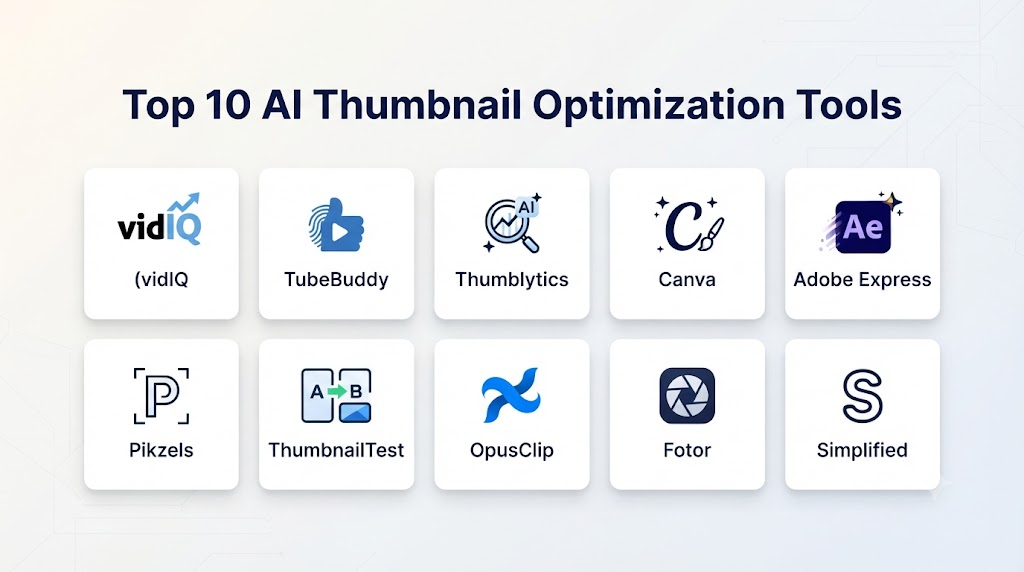
Top 10 AI Thumbnail Optimization Tools
1. vidIQ
One-line verdict: Best overall AI-assisted platform for creators who want thumbnail optimization alongside broader YouTube intelligence.
Short description:
vidIQ combines creator analytics, keyword research, content strategy, AI assistance, and thumbnail-related capabilities. Its broader ecosystem makes it useful for creators who want to optimize thumbnails as part of an overall YouTube growth strategy.
Standout Capabilities
- AI-assisted content analysis
- Thumbnail guidance
- Video optimization
- Keyword research
- Content ideas
- Competitor insights
- Performance analytics
- AI writing assistance
- Channel analytics
AI-Specific Depth
- Model support: AI-assisted creator intelligence.
- RAG / knowledge integration: Platform-specific data and contextual creator workflows.
- Evaluation: Channel and content performance metrics.
- Guardrails: Platform and account-level controls.
- Observability: Analytics dashboards and performance reporting.
Pros
- Broad creator ecosystem
- Useful analytics
- Strong YouTube focus
- Helpful content research
- Combines optimization with strategy
Cons
- Some advanced functionality requires paid plans
- Not exclusively a thumbnail tool
- AI recommendations should still be validated with actual performance data
Security & Compliance
Businesses should review account permissions, analytics access, and data-processing practices before connecting organizational channels.
Deployment & Platforms
- Web
- Browser-based workflows
- Creator dashboards
Integrations & Ecosystem
- YouTube
- Content planning
- Channel analytics
- Creator workflows
Pricing Model
Free and paid subscription options.
Best-Fit Scenarios
- YouTubers
- Creator businesses
- Marketing teams
- Video publishers
- Agencies
2. TubeBuddy
One-line verdict: Best for YouTube creators who want thumbnail testing and channel optimization tools in one ecosystem.
Short description:
TubeBuddy provides a collection of YouTube growth and optimization tools, including thumbnail-related workflows, analytics, testing capabilities, SEO assistance, and channel management.
Standout Capabilities
- Thumbnail testing
- A/B testing
- Video optimization
- SEO tools
- Channel analytics
- Keyword research
- Content planning
- Creator productivity
AI-Specific Depth
- Model support: AI-assisted creator features.
- RAG / knowledge integration: Platform and channel-context information can support recommendations.
- Evaluation: Actual channel performance.
- Guardrails: Account and platform controls.
- Observability: Testing and analytics dashboards.
Pros
- Strong YouTube ecosystem
- Useful testing capabilities
- Channel analytics
- SEO functionality
- Creator-focused
Cons
- Primarily designed for YouTube
- Advanced features may require subscription
- Testing availability can depend on platform conditions
Security & Compliance
Teams should evaluate permissions and channel-access requirements before connecting business accounts.
Deployment & Platforms
- Web
- Browser extensions
- YouTube-related workflows
Best-Fit Scenarios
- YouTubers
- Agencies
- Channel managers
- Video marketing teams
3. Canva
One-line verdict: Best for creating visually polished thumbnails with AI-assisted design capabilities.
Short description:
Canva provides an extensive design environment for thumbnail creation. Its AI capabilities can help users generate imagery, remove backgrounds, edit objects, create designs, and quickly produce thumbnail variations.
Standout Capabilities
- AI image generation
- Background removal
- Object editing
- Templates
- Brand kits
- Text effects
- Design suggestions
- Thumbnail templates
- Collaboration
- Resizing
AI-Specific Depth
- Model support: Multiple AI technologies across the design platform.
- RAG / knowledge integration: Brand and design context can support broader workflows.
- Evaluation: Design comparison and user review.
- Guardrails: Platform content controls.
- Observability: Business-level administration depends on the plan.
Pros
- Extremely easy to use
- Large template ecosystem
- Strong AI design tools
- Excellent brand controls
- Collaboration features
- Useful for non-designers
Cons
- Not primarily a thumbnail analytics platform
- AI predictions may be less specialized
- Advanced users may want more granular control
Security & Compliance
Enterprise users should evaluate workspace permissions, access controls, content policies, and organizational administration.
Deployment & Platforms
- Web
- Desktop
- Mobile
Best-Fit Scenarios
- Marketing teams
- YouTubers
- Small businesses
- Agencies
- Social-media creators
4. Adobe Photoshop
One-line verdict: Best for professional creators who need complete control over thumbnail composition.
Short description:
Adobe Photoshop provides advanced image manipulation capabilities combined with AI-assisted editing. Creators can build highly customized thumbnails while maintaining detailed control over layers, masks, typography, color, and composition.
Standout Capabilities
- AI-assisted editing
- Generative Fill
- Background removal
- Object removal
- Generative Expand
- Layer editing
- Smart selection
- Professional retouching
- Advanced typography
- Color correction
AI-Specific Depth
- Model support: Adobe AI technologies and supported generative models.
- RAG / knowledge integration: Not primarily a RAG application.
- Evaluation: Visual review and professional comparison.
- Guardrails: AI safety and content controls.
- Observability: Enterprise configuration varies.
Pros
- Maximum creative control
- Professional workflow
- Powerful AI tools
- Advanced compositing
- Excellent typography controls
Cons
- Learning curve
- Subscription-based
- Requires more manual expertise than simplified thumbnail platforms
Best-Fit Scenarios
- Professional YouTubers
- Agencies
- Media companies
- Advertising teams
- Professional designers
5. CapCut
One-line verdict: Best for video creators who want thumbnail creation integrated with video production.
Short description:
CapCut combines video editing with AI-powered creative tools, making it useful for creators who produce videos and thumbnails within the same workflow.
Standout Capabilities
- AI image editing
- Background removal
- Templates
- Image effects
- Text effects
- Video-to-image workflows
- Creative generation
- Social-media formats
Pros
- Strong creator workflow
- Easy to learn
- Video and image tools together
- Good for social content
- Fast editing
Cons
- Less advanced than Photoshop
- Thumbnail analytics are not its primary strength
- Some features depend on plan and platform
Best-Fit Scenarios
- Short-form creators
- YouTubers
- Social-media teams
- Video marketing teams
6. Fotor
One-line verdict: Best for beginners looking for fast AI-powered thumbnail creation and enhancement.
Short description:
Fotor provides AI image generation, editing, enhancement, background removal, and design capabilities that can be used to create thumbnail variations quickly.
Standout Capabilities
- AI image generation
- Background removal
- AI enhancement
- Object removal
- Templates
- Text effects
- Image resizing
- Creative effects
Pros
- Beginner-friendly
- Fast
- Simple interface
- AI-focused features
- Useful templates
Cons
- Limited professional control
- Less specialized thumbnail analytics
- Advanced features may require paid access
Best-Fit Scenarios
- New creators
- Small businesses
- Social-media creators
- Marketing teams
7. Picsart
One-line verdict: Best for creators who want highly creative AI-powered thumbnail designs.
Short description:
Picsart combines AI image creation and editing with creative effects, templates, background tools, and social-media-oriented design capabilities.
Standout Capabilities
- AI image generation
- Background replacement
- Object removal
- Creative effects
- Templates
- Text effects
- Image enhancement
- Stickers
- Social content tools
Pros
- Creative flexibility
- Large effect library
- Easy to use
- Strong mobile experience
- Useful AI features
Cons
- Less focused on performance analytics
- Professional workflows can be less structured
- Some features require paid plans
Best-Fit Scenarios
- Social creators
- YouTubers
- Influencers
- Mobile creators
8. Thumbnail AI
One-line verdict: Best for creators specifically interested in AI-generated thumbnail concepts.
Short description:
Thumbnail-focused AI platforms can generate visual concepts designed around video titles and topics. These tools are particularly useful when creators need several ideas quickly.
Standout Capabilities
- AI thumbnail generation
- Prompt-based creation
- Thumbnail concepts
- Face-focused compositions
- Background generation
- Text placement
- Variant generation
Pros
- Thumbnail-specific workflow
- Fast concept generation
- Easy experimentation
- Useful for creators without design expertise
Cons
- Generated results may require refinement
- AI scoring does not guarantee performance
- Advanced manual editing can be limited
Best-Fit Scenarios
- YouTubers
- New creators
- Content teams
- Video marketers
9. Taja
One-line verdict: Best for creators looking for AI-assisted YouTube optimization across thumbnails, titles, descriptions, and content packaging.
Short description:
Taja focuses on helping creators optimize video packaging using AI, including thumbnail-related recommendations and broader metadata optimization.
Standout Capabilities
- AI content optimization
- Thumbnail assistance
- Title optimization
- Description generation
- Content analysis
- Video packaging
- Channel workflows
Pros
- AI-focused
- Broad video optimization
- Useful for creator workflows
- Reduces manual optimization
Cons
- Recommendations are predictive
- Actual audience behavior may differ
- Advanced capabilities may require subscription
Best-Fit Scenarios
- YouTubers
- Video agencies
- Content publishers
- Creator businesses
10. YouTube Test & Compare
One-line verdict: Best real-world thumbnail testing option because it evaluates actual audience behavior.
Short description:
YouTube’s native Test & Compare functionality allows eligible creators to test multiple thumbnails and evaluate how they perform with viewers.
This is fundamentally different from an AI prediction score because it uses actual audience behavior.
Standout Capabilities
- Thumbnail comparison
- Multi-thumbnail testing
- Real audience data
- Watch-time-based evaluation
- Native YouTube workflow
Pros
- Uses real audience behavior
- Native platform integration
- More reliable than purely predictive scoring
- Directly connected to video performance
Cons
- Not available for every video or channel
- Testing requires sufficient audience exposure
- Results can take time
- Does not replace creative design tools
Best-Fit Scenarios
- Established YouTube channels
- Professional creators
- Media companies
- Marketing teams
Comparison Table
| Tool | Best For | AI Generation | Thumbnail Analysis | A/B Testing | Analytics | Ease of Use |
|---|---|---|---|---|---|---|
| vidIQ | YouTube optimization | Excellent | Excellent | Good | Excellent | High |
| TubeBuddy | YouTube testing | Good | Excellent | Excellent | Excellent | High |
| Canva | Thumbnail design | Excellent | Good | Limited | Moderate | Excellent |
| Photoshop | Professional design | Excellent | Good | External | Moderate | Medium |
| CapCut | Video creators | Excellent | Good | Limited | Moderate | Excellent |
| Fotor | Beginner design | Excellent | Good | Limited | Basic | Excellent |
| Picsart | Creative thumbnails | Excellent | Good | Limited | Basic | Excellent |
| Thumbnail AI | AI generation | Excellent | Good | Limited | Basic | High |
| Taja | AI video optimization | Excellent | Good | Good | Excellent | High |
| YouTube Test & Compare | Real-world testing | Limited | Performance-based | Excellent | Excellent | High |
Scoring & Evaluation
These scores are editorial assessments rather than official vendor benchmarks.
| Tool | Core Capability | Reliability | AI Quality | Analytics | Integrations | Ease of Use | Performance/Cost | Security/Admin | Support | Weighted Total |
|---|---|---|---|---|---|---|---|---|---|---|
| vidIQ | 10 | 9 | 9 | 10 | 10 | 9 | 8 | 9 | 9 | 9.20 |
| TubeBuddy | 10 | 9 | 8 | 10 | 10 | 9 | 8 | 9 | 9 | 9.10 |
| Canva | 10 | 9 | 10 | 7 | 10 | 10 | 9 | 9 | 9 | 9.25 |
| Photoshop | 10 | 10 | 10 | 7 | 10 | 8 | 8 | 9 | 10 | 9.10 |
| CapCut | 9 | 9 | 9 | 7 | 9 | 10 | 9 | 8 | 9 | 8.90 |
| Fotor | 8 | 8 | 9 | 6 | 7 | 10 | 9 | 7 | 8 | 8.00 |
| Picsart | 9 | 8 | 9 | 6 | 8 | 10 | 8 | 8 | 8 | 8.25 |
| Thumbnail AI | 8 | 7 | 9 | 6 | 7 | 9 | 8 | 7 | 7 | 7.70 |
| Taja | 9 | 8 | 9 | 9 | 8 | 9 | 8 | 8 | 8 | 8.50 |
| YouTube Test & Compare | 10 | 10 | 6 | 10 | 10 | 9 | 10 | 9 | 10 | 9.40 |
Top 3 AI Thumbnail Optimization Tools for Enterprise
1. YouTube Test & Compare
For organizations publishing substantial volumes of YouTube content, real audience testing is more valuable than relying exclusively on predictive AI scores.
2. Canva
Canva is highly useful for teams that need standardized thumbnail creation, collaboration, brand consistency, and scalable design workflows.
3. Adobe Photoshop
Photoshop is ideal when creative teams require detailed control over every aspect of a thumbnail.
Top 3 for SMB
1. Canva
Best overall option for small businesses that need affordable, easy-to-use design and AI capabilities.
2. vidIQ
Strong for businesses that use YouTube as a marketing and customer-acquisition channel.
3. TubeBuddy
Useful for businesses that want channel optimization and thumbnail testing in one ecosystem.
Top 3 for Developers
1. YouTube Test & Compare
The strongest option for teams interested in real-world performance testing within the YouTube ecosystem.
2. vidIQ
Useful for data-driven content optimization and creator analytics workflows.
3. Canva
Useful for scalable design workflows and brand-oriented creative production.
Benefits of AI Thumbnail Optimization Tools
Faster Thumbnail Creation
AI can generate concepts in seconds rather than requiring designers to start from scratch.
More Creative Variations
Creators can test several concepts instead of relying on one design.
Better Visual Consistency
AI-assisted templates can help maintain a consistent channel identity.
Improved Mobile Readability
AI analysis can help identify thumbnails that become unclear when displayed at small sizes.
Faster A/B Testing
Creators can produce multiple variations and compare performance.
Reduced Design Work
AI can automate repetitive tasks such as:
- Background removal
- Image resizing
- Subject isolation
- Text placement
- Color adjustment
Data-Driven Decisions
Analytics can help creators move beyond subjective design opinions.
Better Content Packaging
AI can analyze the relationship between:
- Title
- Thumbnail
- Video topic
- Audience expectations
Scalable Production
Media companies can create and test large numbers of thumbnail variations.
AI Thumbnail Optimization for YouTube
YouTube is one of the most important environments for thumbnail optimization.
A strong YouTube workflow can look like:
Video topic → title → thumbnail concept → AI generation → manual refinement → thumbnail testing → performance analysis → optimization
Creators should evaluate:
- Impressions
- Click-through rate
- Watch time
- Audience retention
- Viewer satisfaction
- Returning viewers
- Traffic sources
CTR should not be considered in isolation.
A thumbnail that produces a high click-through rate but attracts viewers who immediately leave may not be as valuable as a thumbnail that produces slightly fewer clicks but attracts viewers who watch a substantial portion of the video.
AI Thumbnail Optimization for Short-Form Video
Short-form platforms create different thumbnail challenges.
Users often encounter videos in highly visual feeds where the first frame and other visual signals may be more important than a traditional static thumbnail.
AI can still help by optimizing:
- Cover images
- Opening frames
- Text overlays
- Subject placement
- Face visibility
- Color contrast
- Brand identity
Creators should optimize the entire visual package rather than treating the thumbnail as an isolated asset.
AI Thumbnail Optimization for Podcasts
Podcast publishers can use AI thumbnail tools to create:
- Episode covers
- Guest-focused designs
- Quote-based graphics
- Topic-focused thumbnails
- Video podcast thumbnails
- Social-media promotional graphics
AI can generate multiple variations based on the guest, topic, or episode theme.
AI Thumbnail Optimization for Educational Content
Educational channels can use thumbnails to simplify complex topics.
AI can help creators visualize:
- Technical concepts
- Scientific topics
- Historical events
- Mathematical ideas
- Business concepts
- Tutorials
The main challenge is avoiding visual clutter.
Educational thumbnails should communicate the central concept quickly.
AI Thumbnail Optimization for Gaming
Gaming creators frequently rely on:
- Character faces
- Game environments
- Action scenes
- Reactions
- Large visual elements
- High-contrast compositions
AI can rapidly create different combinations of these elements.
However, thumbnails should remain recognizable and relevant to the game.
AI Thumbnail Optimization for E-Commerce Video
Businesses can use thumbnails to promote:
- Product demonstrations
- Reviews
- Tutorials
- Product comparisons
- Unboxing videos
- Customer stories
AI can help emphasize the product while reducing background distractions.
AI Thumbnail Optimization for Marketing Teams
Marketing teams can use AI thumbnail tools to create visual assets for:
- YouTube campaigns
- Video advertisements
- Webinars
- Online courses
- Product launches
- Corporate videos
- Social-media campaigns
A centralized brand system can ensure that all thumbnails use consistent:
- Fonts
- Colors
- Logos
- Layouts
- Image styles
Important Thumbnail Optimization Metrics
Click-Through Rate
CTR measures the percentage of impressions that result in clicks.
It is useful, but it should not be treated as the only success metric.
Watch Time
Watch time indicates whether viewers continue consuming the content after clicking.
Audience Retention
Retention shows how effectively the video holds attention.
Impressions
Impressions indicate how frequently a thumbnail is shown.
Engagement
Depending on the platform, engagement can include:
- Likes
- Comments
- Shares
- Saves
- Subscriptions
Conversion Rate
For commercial videos, the ultimate goal may be:
- Leads
- Purchases
- Registrations
- Downloads
- Sign-ups
Thumbnail Optimization Framework
A practical framework can evaluate a thumbnail across seven areas.
1. Clarity
Can viewers understand the topic immediately?
2. Contrast
Does the main subject stand out?
3. Curiosity
Does the thumbnail create a reason to investigate further?
4. Emotion
Does the visual communicate a strong emotional signal when appropriate?
5. Simplicity
Is the thumbnail easy to understand at a small size?
6. Relevance
Does it accurately represent the content?
7. Differentiation
Does it stand out from competing thumbnails?
Common AI Thumbnail Optimization Mistakes
1. Optimizing Only for CTR
High CTR does not automatically mean successful content.
Solution: Evaluate CTR alongside watch time and retention.
2. Using Too Much Text
Large blocks of text can become unreadable on mobile devices.
Solution: Use short, meaningful phrases.
3. Making Thumbnails Too Complex
Too many objects can make the visual confusing.
Solution: Use a clear focal point.
4. Overusing AI Faces
Artificial or exaggerated facial expressions can make thumbnails feel generic.
Solution: Use authentic expressions whenever possible.
5. Making Misleading Thumbnails
Clickbait may generate clicks but damage audience trust.
Solution: Make the thumbnail compelling while accurately representing the video.
6. Ignoring Mobile Screens
A design that looks good on a large monitor may become unreadable on a smartphone.
Solution: Always evaluate thumbnails at small sizes.
7. Following AI Scores Blindly
Predictive scores are not guaranteed performance results.
Solution: Use AI scores as recommendations and validate with real-world testing.
8. Copying Competitors
Repeating another channel’s visual style can reduce differentiation.
Solution: Study competitors for insights but create a distinctive visual identity.
9. Using Generic AI Images
Generic imagery can make a channel look interchangeable.
Solution: Incorporate original footage, recognizable faces, products, or unique visual elements.
10. Ignoring Title-Thumbnail Alignment
The title and thumbnail should work together.
Solution: Give each element a complementary role instead of repeating the same message.
11. Testing Too Many Variables
Changing everything between variants makes it difficult to understand what caused the performance difference.
Solution: Use controlled experiments where practical.
12. Ending Testing Too Quickly
Small samples can produce misleading results.
Solution: Allow sufficient impressions and viewing behavior before making major decisions.
Build vs. Buy
Build When
A company may consider building a custom thumbnail optimization system when it:
- Operates a large media network.
- Has millions of videos.
- Needs proprietary prediction models.
- Has extensive historical thumbnail data.
- Requires custom scoring.
- Needs deep integration with internal content systems.
- Has a strong machine-learning team.
Buy When
Buying an established platform makes more sense when:
- You need immediate deployment.
- You have limited AI engineering resources.
- You need standard thumbnail functionality.
- You want an established interface.
- You need integrated analytics.
Hybrid Approach
A sophisticated enterprise workflow could combine:
Content database → AI thumbnail generator → thumbnail scoring → human review → platform testing → performance analytics → model feedback
Historical performance data can then be used to improve future thumbnail strategies.
Implementation Playbook: 30 / 60 / 90 Days
First 30 Days: Establish a Baseline
Collect existing thumbnails and categorize them by:
- Topic
- Audience
- Video length
- Content type
- Performance
- Traffic source
Measure:
- CTR
- Watch time
- Retention
- Impressions
- Engagement
Days 31–60: Introduce AI
Begin generating alternative thumbnail concepts.
Test:
- Different layouts
- Different subject sizes
- Different backgrounds
- Different text lengths
- Different facial expressions
- Different color treatments
Track performance carefully.
Days 61–90: Scale
Develop:
- Thumbnail templates
- Brand guidelines
- AI prompt standards
- Testing procedures
- Approval workflows
- Performance dashboards
- Thumbnail libraries
Create a repeatable system for every new video.
Future of AI Thumbnail Optimization
The next generation of thumbnail optimization will likely move beyond static image generation.
Potential developments include:
Predictive Personalization
Different viewers may receive different thumbnail variants based on their interests.
Automated Multi-Variant Testing
AI could continuously generate and test variations while learning from audience behavior.
Real-Time Optimization
Thumbnail systems could adapt to changing audience trends.
Title-Thumbnail Co-Optimization
AI could optimize titles and thumbnails together instead of treating them as separate assets.
Audience-Segment Optimization
Different thumbnail styles could be designed for:
- New viewers
- Returning viewers
- Subscribers
- Different geographic markets
- Different age groups
- Different interest groups
Automated Creative Learning
Historical performance data could teach AI which visual patterns work best for a particular channel.
Multimodal Optimization
Future systems could analyze:
- Video content
- Audio
- Transcript
- Title
- Description
- Audience behavior
- Thumbnail
and then generate a coordinated content package.
FAQs
1. What Are AI Thumbnail Optimization Tools?
AI Thumbnail Optimization Tools use artificial intelligence to create, analyze, score, improve, and test thumbnails for platforms such as YouTube and other video or content platforms.
2. Can AI Predict Whether a Thumbnail Will Get More Clicks?
AI can provide predictive signals based on visual characteristics and historical patterns, but it cannot guarantee future performance. Real audience testing is generally more reliable than relying only on an AI score.
3. What Is the Best AI Thumbnail Optimization Tool?
The best tool depends on the workflow. Canva and Photoshop are strong for design, vidIQ and TubeBuddy are useful for YouTube optimization, while YouTube’s native testing capabilities are valuable for measuring real audience behavior.
4. Can AI Automatically Create YouTube Thumbnails?
Yes. AI tools can generate thumbnail concepts from prompts, images, video content, or titles. Human review is still recommended to ensure accuracy and brand consistency.
5. Does a High CTR Mean a Thumbnail Is Successful?
Not necessarily. CTR should be evaluated alongside watch time, audience retention, engagement, and the overall quality of viewers attracted by the thumbnail.
6. How Much Text Should a Thumbnail Have?
There is no universal number of words that guarantees success, but concise text is generally easier to understand, especially on mobile screens. The image should communicate the main idea even when the text is difficult to read.
7. Can AI Optimize Thumbnails for Mobile Users?
Yes. AI-assisted design tools can help evaluate composition, text size, subject visibility, and contrast at smaller dimensions. Creators should still manually preview the final thumbnail at mobile size.
8. Can AI Test Multiple Thumbnail Designs?
Yes. Some platforms support thumbnail experimentation, while YouTube also provides native testing functionality for eligible creators. Actual performance testing can provide more useful evidence than predictive AI scoring alone.
9. Are AI-Generated Thumbnails Better Than Human-Designed Thumbnails?
Not automatically. AI is excellent at generating variations and automating repetitive work, while experienced designers and creators provide creative judgment, brand knowledge, context, and audience understanding.
10. Will AI Replace Thumbnail Designers?
AI will likely automate many repetitive thumbnail-design tasks, but professional designers will continue to play an important role in creative direction, brand identity, visual storytelling, experimentation, and quality control.
Conclusion
AI Thumbnail Optimization Tools are becoming an important part of modern video-content workflows. They can help creators move from manually designing one thumbnail to systematically creating, analyzing, testing, and improving multiple thumbnail variations.Tools such as vidIQ, TubeBuddy, Canva, Adobe Photoshop, CapCut, Fotor, Picsart, Taja, and specialized AI thumbnail platforms can assist with different parts of the workflow.For professional YouTube channels, native audience testing can provide particularly valuable evidence because it measures how real viewers respond. For businesses and agencies, brand consistency and scalable production may be more important than maximizing a single metric.