Introduction
AI Color Grading Assistants are changing the way filmmakers, video editors, production studios, advertising agencies, content creators, and professional colorists approach video post-production. Traditional color grading can require extensive manual work to correct exposure, white balance, contrast, saturation, skin tones, highlights, shadows, and color consistency across hundreds or thousands of shots.
AI-powered color grading assistants help reduce this repetitive workload by analyzing footage, identifying visual characteristics, matching shots, detecting faces and subjects, balancing colors, and recommending or applying corrections.
Rather than replacing professional colorists, these tools are primarily designed to accelerate technical and repetitive tasks while allowing creative professionals to focus on storytelling, mood, visual style, and final quality.
Modern AI color workflows can be especially useful when footage comes from multiple cameras, lighting conditions vary significantly, or a project contains a large number of shots that need to maintain a consistent visual appearance.
What Are AI Color Grading Assistants?
AI Color Grading Assistants are software tools that use artificial intelligence, machine learning, computer vision, or intelligent image-processing techniques to support video color correction and grading.
Depending on the platform, they can help with:
- Automatic exposure correction
- White-balance correction
- Color balancing
- Shot matching
- Camera matching
- Skin-tone detection
- Face-aware adjustments
- Subject isolation
- Automatic masking
- Look development
- Reference-image matching
- Scene analysis
- Color consistency
- HDR workflows
- Noise reduction
- Creative color experimentation
The main objective is to reduce repetitive manual work while maintaining professional-quality results.
How AI Is Changing Color Grading
AI is influencing color workflows in several important ways.
1. Automatic Footage Analysis
AI can analyze footage and identify exposure, color temperature, contrast, saturation, and other visual characteristics.
2. Faster Initial Corrections
Instead of starting every shot from scratch, editors and colorists can use AI-generated corrections as a starting point.
3. Intelligent Shot Matching
AI can compare shots and recommend adjustments to make footage visually consistent.
4. Face and Skin-Tone Detection
AI can identify faces and help colorists make targeted corrections while preserving natural skin tones.
5. Automatic Subject Isolation
AI-powered masking can isolate people, objects, and backgrounds for targeted grading.
6. Camera Matching
AI-assisted workflows can help normalize footage captured using different cameras and profiles.
7. Creative Look Development
AI can accelerate experimentation with different cinematic styles and visual references.
8. Large-Scale Processing
Production teams can process large volumes of footage more efficiently.
9. HDR Support
Modern grading platforms increasingly combine intelligent assistance with professional HDR color-management workflows.
10. Human-in-the-Loop Production
Professional colorists can review, refine, and override AI recommendations to maintain artistic control.
Key Features to Look For
When evaluating an AI Color Grading Assistant, consider the following capabilities:
- AI color correction
- Automatic exposure adjustment
- Automatic white balance
- AI shot matching
- Camera matching
- Face detection
- Skin-tone protection
- Subject segmentation
- Automatic masking
- Object tracking
- Reference matching
- AI look generation
- LUT support
- RAW support
- Log footage support
- HDR support
- SDR support
- ACES compatibility
- Color-space management
- Scene detection
- Shot grouping
- Batch processing
- GPU acceleration
- Local processing
- Cloud processing
- Collaboration
- Version control
- API access
- Enterprise security
- Data privacy
- Data retention controls
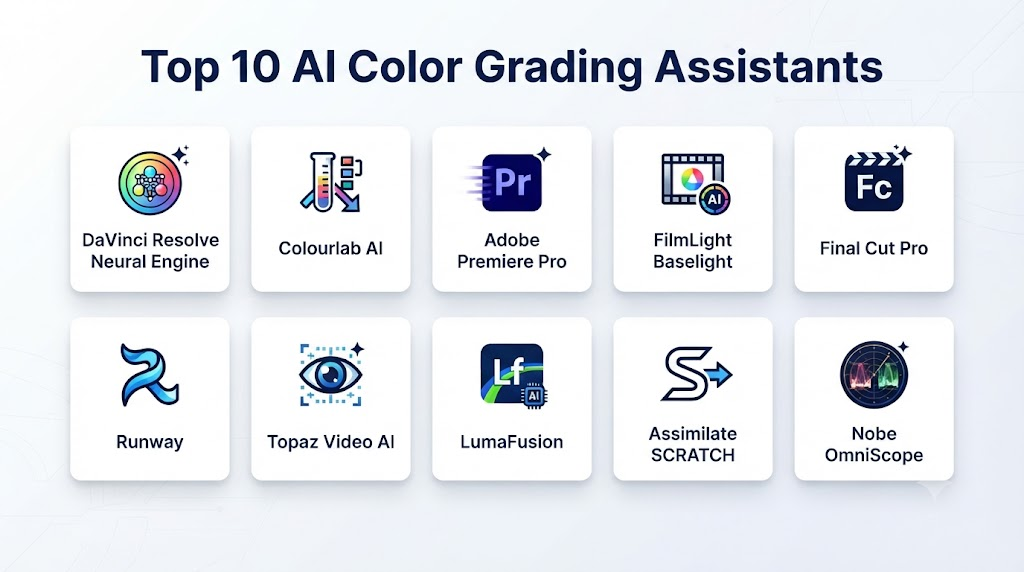
Top 10 AI Color Grading Assistants
1. DaVinci Resolve
One-line verdict: Best overall choice for professional AI-assisted color grading and complete post-production.
Short description:
DaVinci Resolve combines professional editing, color grading, visual effects, motion graphics, and audio production in one platform. Its intelligent features can assist with subject isolation, face detection, tracking, masking, noise reduction, and other grading tasks.
Standout Capabilities
- AI-assisted color workflows
- Face detection
- Face refinement
- Magic Mask
- Object tracking
- Subject isolation
- Shot matching
- HDR grading
- Professional scopes
- Node-based grading
- Noise reduction
- Color management
AI-Specific Depth
- Model support: Integrated AI capabilities from Blackmagic Design.
- RAG / knowledge integration: Not primarily a RAG application.
- Evaluation: Professional visual review, scopes, references, and colorist assessment.
- Guardrails: Application and workflow controls.
- Observability: Dependent on the production environment.
Pros
- Professional color-grading capabilities
- Strong AI-assisted tools
- Excellent HDR workflow
- Integrated editing and VFX
- Suitable for high-end production
- Strong professional ecosystem
Cons
- Learning curve for advanced workflows
- Some advanced features require the Studio edition
- May be overwhelming for beginners
Security & Compliance
Local processing can be useful for organizations handling confidential production footage. Teams should still implement appropriate workstation, storage, access, and backup security.
Deployment & Platforms
- Desktop
- Local workstations
- Professional post-production environments
Integrations & Ecosystem
- Editing
- Fusion
- Fairlight
- Professional cameras
- Post-production pipelines
Pricing Model
Free version and paid Studio edition.
Best-Fit Scenarios
- Feature films
- Television
- Advertising
- YouTube
- Corporate video
- Professional post-production
2. Adobe Premiere Pro
One-line verdict: Best for editors who want AI-assisted color and editing capabilities within the Adobe ecosystem.
Short description:
Adobe Premiere Pro combines professional editing with color correction and AI-assisted workflows. It is particularly useful for teams already using Adobe Creative Cloud.
Standout Capabilities
- AI-assisted editing
- Lumetri Color
- Color correction
- Color matching
- Subject masking
- Object tracking
- Auto tone adjustments
- Creative color workflows
- Professional editing
AI-Specific Depth
- Model support: Adobe-managed AI technologies and supported generative models.
- RAG / knowledge integration: Not primarily a RAG application.
- Evaluation: Editor and colorist review.
- Guardrails: Adobe platform controls.
- Observability: Enterprise capabilities vary.
Pros
- Strong Adobe ecosystem
- Excellent editing environment
- Professional color tools
- Good Creative Cloud integration
- Accessible for editors
Cons
- Dedicated colorists may prefer specialized grading platforms
- Subscription-based
- Advanced grading requires experience
Security & Compliance
Professional organizations should review current Adobe privacy, security, and data-processing policies before using cloud-connected AI functionality with confidential footage.
Deployment & Platforms
- Desktop
- Creative Cloud
Integrations & Ecosystem
- After Effects
- Photoshop
- Media Encoder
- Creative Cloud
Pricing Model
Subscription.
Best-Fit Scenarios
- Video editing
- Advertising
- Social media
- Corporate video
- Content production
3. Colourlab AI
One-line verdict: Best for AI-powered color matching, automated grading assistance, and professional color workflows.
Short description:
Colourlab AI focuses specifically on intelligent color grading and color-management workflows. It helps colorists accelerate repetitive processes while maintaining creative control.
Standout Capabilities
- AI color grading
- Automatic balancing
- Shot matching
- Camera matching
- Reference matching
- Look development
- Scene consistency
- Color management
AI-Specific Depth
- Model support: Proprietary AI-assisted color technologies.
- RAG / knowledge integration: Not a primary capability.
- Evaluation: Reference comparison and colorist review.
- Guardrails: Application and workflow controls.
- Observability: Dependent on production setup.
Pros
- Dedicated color workflow
- Strong AI focus
- Useful shot matching
- Professional colorist orientation
- Faster repetitive grading
Cons
- Specialized rather than all-in-one
- Requires some color-grading knowledge
- Professional features may require higher-tier plans
Security & Compliance
Production teams should review data-handling policies and determine whether local or cloud workflows are appropriate for sensitive projects.
Deployment & Platforms
- Desktop
- Professional post-production environments
Integrations & Ecosystem
- DaVinci Resolve
- Adobe Premiere Pro
- Professional color workflows
Pricing Model
Subscription and professional licensing options vary.
Best-Fit Scenarios
- Professional colorists
- Film
- Television
- Advertising
- High-volume grading
4. FilmLight Baselight
One-line verdict: Best for high-end professional color grading and sophisticated finishing workflows.
Short description:
Baselight is a professional color-grading platform used in high-end film and television production. It provides extensive color-management and grading capabilities for demanding projects.
Standout Capabilities
- Professional color grading
- Shot matching
- Tracking
- Keying
- Layer-based grading
- HDR
- Color management
- Look development
- Secondary corrections
- Professional finishing
AI-Specific Depth
- Model support: Capabilities depend on the product version and workflow.
- RAG / knowledge integration: Not primarily applicable.
- Evaluation: Professional colorist review.
- Guardrails: Studio-managed workflows.
- Observability: Production-pipeline dependent.
Pros
- High-end color capabilities
- Precise grading controls
- Strong film and television workflow
- Professional color management
- Excellent finishing environment
Cons
- Expensive
- Steep learning curve
- Excessive for casual creators
Security & Compliance
Suitable for controlled professional environments where local processing and studio-managed infrastructure are important.
Deployment & Platforms
- Professional workstations
- Studio environments
Integrations & Ecosystem
- Film production
- Television
- Editorial
- VFX
- Finishing
Pricing Model
Professional licensing.
Best-Fit Scenarios
- Feature films
- Premium television
- High-end advertising
- Professional color grading
5. Colourlab AI Creator
One-line verdict: Best for creators looking for accessible AI-assisted grading and look-development workflows.
Short description:
Creator-oriented AI color tools can help simplify technical color correction and allow users to create consistent visual styles without performing every adjustment manually.
Standout Capabilities
- Automatic balancing
- AI looks
- Reference matching
- Shot matching
- Color consistency
- Look development
Pros
- Accessible workflow
- Faster initial grading
- Useful for creators
- Reduces repetitive corrections
Cons
- Less control than high-end grading platforms
- Complex productions may require professional software
- Results depend on source footage
Security & Compliance
Creators working with confidential commercial material should review applicable data-processing and storage policies.
Deployment & Platforms
- Desktop
- Creator workflows
Integrations & Ecosystem
- Video editing
- Color grading
- Creative production
Pricing Model
Subscription or licensing options may vary.
Best-Fit Scenarios
- YouTube creators
- Social media creators
- Independent filmmakers
- Small production teams
6. Final Cut Pro
One-line verdict: Best for Mac-based creators seeking intelligent editing and professional color tools in a streamlined application.
Short description:
Final Cut Pro provides professional editing and color-correction capabilities with intelligent features that can accelerate common post-production workflows.
Standout Capabilities
- Color correction
- Color wheels
- Color curves
- Masking
- Tracking
- Object isolation
- HDR workflows
- Intelligent editing assistance
AI-Specific Depth
AI capabilities depend on the current version and supported Apple technologies.
Pros
- Strong Mac performance
- Professional editing
- Good color tools
- Efficient media organization
- Creator-friendly workflow
Cons
- Apple ecosystem
- Less specialized than high-end grading applications
- Advanced colorists may prefer Resolve or Baselight
Security & Compliance
Local editing can reduce dependence on cloud processing for sensitive footage.
Deployment & Platforms
- macOS
Integrations & Ecosystem
- Apple ecosystem
- Motion
- Compressor
- Professional camera workflows
Pricing Model
One-time purchase model, subject to current product terms.
Best-Fit Scenarios
- Mac-based editors
- YouTubers
- Independent filmmakers
- Content teams
7. Color.io
One-line verdict: Best for creators interested in fast creative color development and cinematic looks.
Short description:
Color-focused creative applications can help users experiment with cinematic color styles, reference-based grading, and advanced color transformations.
Standout Capabilities
- AI-assisted color
- Look development
- Color matching
- Creative grading
- Film-inspired looks
- Color transformations
Pros
- Fast creative experimentation
- Accessible workflow
- Useful for developing visual styles
- Creator-friendly
Cons
- Not a complete replacement for professional grading systems
- Complex finishing may require additional software
- Results vary by source footage
Best-Fit Scenarios
- Content creators
- Independent filmmakers
- Social video
- Creative agencies
8. FilmConvert
One-line verdict: Best for film-inspired color workflows and consistent cinematic looks.
Short description:
FilmConvert provides camera-specific film-emulation tools that can help creators achieve consistent cinematic aesthetics across digital footage.
Standout Capabilities
- Film emulation
- Camera profiles
- Film stocks
- Color correction
- Film grain
- Look development
- Camera matching
AI-Specific Depth
FilmConvert’s main strength is specialized color processing and film emulation rather than general-purpose generative AI.
Pros
- Strong cinematic aesthetics
- Simple creative workflow
- Camera-specific processing
- Consistent film looks
Cons
- Not a full AI grading platform
- Focused primarily on film-emulation workflows
- Professional colorists may require more advanced tools
Best-Fit Scenarios
- Independent filmmaking
- Advertising
- YouTube
- Cinematic content
9. Topaz Video AI
One-line verdict: Best for AI-powered video enhancement that complements professional color-grading workflows.
Short description:
Topaz Video AI is primarily designed for video enhancement rather than color grading. It can be valuable when footage requires restoration, denoising, stabilization, or upscaling before or after grading.
Standout Capabilities
- AI enhancement
- Noise reduction
- Upscaling
- Stabilization
- Frame interpolation
- Detail enhancement
- Video restoration
AI-Specific Depth
- Model support: AI video-processing models.
- RAG / knowledge integration: Not applicable.
- Evaluation: Visual quality assessment.
- Guardrails: Application-level controls.
Pros
- Strong video enhancement
- Useful for low-quality footage
- Local processing
- Helpful restoration workflow
Cons
- Not a dedicated grading application
- Enhancement may affect perceived color and detail
- Should be carefully integrated into the production pipeline
Best-Fit Scenarios
- Restoration
- Archival footage
- Low-quality video
- Pre-grading enhancement
10. DaVinci Resolve Studio AI Workflows
One-line verdict: Best for professional teams that need advanced AI-assisted grading features combined with complete post-production capabilities.
Short description:
The Studio edition of DaVinci Resolve expands the platform’s professional capabilities and provides advanced AI-assisted tools that can be valuable for colorists, editors, and finishing teams.
Standout Capabilities
- Advanced AI tools
- Magic Mask
- Face detection
- Face refinement
- Object isolation
- Tracking
- Noise reduction
- HDR grading
- Professional color management
- Advanced finishing
Pros
- Comprehensive post-production platform
- Strong AI-assisted functionality
- Excellent color management
- Professional HDR workflow
- Integrated VFX and audio
Cons
- Requires professional learning
- Paid Studio edition
- Advanced workflows may require powerful hardware
Best-Fit Scenarios
- Professional studios
- Film
- Television
- Advertising
- High-end content production
Comparison Table
| Tool | Best For | AI Assistance | Shot Matching | HDR | Professional Grading | Ease of Use |
|---|---|---|---|---|---|---|
| DaVinci Resolve | Professional grading | Excellent | Excellent | Excellent | Excellent | Medium |
| Adobe Premiere Pro | Editing + color | Excellent | Good | Excellent | Very Good | High |
| Colourlab AI | AI color workflows | Excellent | Excellent | Excellent | Excellent | Medium |
| FilmLight Baselight | High-end grading | Excellent | Excellent | Excellent | Excellent | Low |
| Colourlab AI Creator | Creator workflows | Excellent | Excellent | Good | Good | High |
| Final Cut Pro | Mac editing + color | Good | Good | Excellent | Very Good | High |
| Color.io | Creative color | Good | Good | Good | Good | High |
| FilmConvert | Film looks | Moderate | Good | Good | Good | High |
| Topaz Video AI | Video enhancement | Excellent | Limited | Good | Complementary | High |
| Resolve Studio | Advanced professional workflows | Excellent | Excellent | Excellent | Excellent | Medium |
Scoring & Evaluation
The following scores are editorial evaluations intended to compare general capabilities rather than official vendor benchmarks.
| Tool | Core | Reliability/Eval | Guardrails | Integrations | Ease | Performance/Cost | Security/Admin | Support | Weighted Total |
|---|---|---|---|---|---|---|---|---|---|
| DaVinci Resolve | 10 | 10 | 9 | 10 | 8 | 9 | 9 | 9 | 9.35 |
| Adobe Premiere Pro | 9 | 9 | 9 | 10 | 9 | 8 | 9 | 9 | 9.05 |
| Colourlab AI | 10 | 9 | 9 | 9 | 8 | 8 | 8 | 9 | 8.85 |
| FilmLight Baselight | 10 | 10 | 9 | 10 | 6 | 7 | 10 | 9 | 8.90 |
| Colourlab AI Creator | 8 | 8 | 8 | 8 | 9 | 9 | 8 | 8 | 8.25 |
| Final Cut Pro | 9 | 9 | 9 | 9 | 9 | 9 | 9 | 9 | 9.05 |
| Color.io | 8 | 8 | 8 | 7 | 9 | 8 | 8 | 8 | 8.00 |
| FilmConvert | 8 | 9 | 9 | 8 | 9 | 9 | 8 | 9 | 8.60 |
| Topaz Video AI | 8 | 9 | 8 | 7 | 9 | 8 | 9 | 8 | 8.30 |
| Resolve Studio | 10 | 10 | 9 | 10 | 8 | 9 | 9 | 9 | 9.35 |
Top 3 for Enterprise
- DaVinci Resolve Studio — Strong combination of AI-assisted tools, professional color management, HDR, VFX, editing, and finishing.
- FilmLight Baselight — Excellent for high-end professional color-grading facilities.
- Adobe Premiere Pro — Strong option for organizations already operating within the Adobe ecosystem.
Top 3 for SMB
- DaVinci Resolve — Excellent balance of professional capabilities and accessibility.
- Adobe Premiere Pro — Strong choice for Adobe-centered teams.
- Colourlab AI — Useful for AI-assisted color matching and grading.
Top 3 for Developers
- DaVinci Resolve — Strong professional production environment.
- Colourlab AI — Useful for AI-assisted color workflows.
- Adobe Premiere Pro — Relevant for Adobe-centered production environments.
Benefits of AI Color Grading Assistants
Faster Production
AI can automate repetitive color-correction tasks and help colorists reach a usable starting point faster.
Better Shot Consistency
AI-assisted shot matching can reduce visual differences between shots captured under different lighting conditions.
Reduced Manual Work
Automatic masks, tracking, face detection, and subject isolation can save significant amounts of time.
Easier Camera Matching
AI can assist with normalizing footage from different cameras and profiles.
Faster Creative Experimentation
Creators can explore different looks without manually building every adjustment.
Scalable Post-Production
AI can become particularly valuable when hundreds or thousands of shots need to be processed.
Better Workflow Efficiency
Editors and colorists can spend more time on creative decisions rather than repetitive technical adjustments.
AI Color Grading Use Cases
Film Production
AI can help normalize camera footage, match shots, isolate subjects, and accelerate initial grading.
Television Production
High-volume television workflows can benefit from automated shot matching and consistency checks.
Advertising
Advertising teams can rapidly experiment with different visual styles and maintain consistent brand aesthetics.
YouTube Content
Creators can use AI-assisted grading to achieve more polished visuals without extensive color-grading expertise.
Social Media
Fast-turnaround social content can benefit from automatic color correction and look presets.
Corporate Video
Businesses producing large quantities of training and marketing footage can use AI to improve consistency.
Documentary Production
Documentary footage often comes from multiple cameras and uncontrolled lighting environments, making intelligent correction particularly valuable.
Archive Restoration
AI enhancement can complement grading when working with older or degraded footage.
Which AI Color Grading Assistant Is Right for You?
Solo / Freelancer
Prioritize:
- Ease of use
- Automatic correction
- Shot matching
- Affordable pricing
- Fast exports
- Simple look development
DaVinci Resolve, Final Cut Pro, and creator-focused AI color tools are strong starting points.
SMB
Prioritize:
- Consistent color
- Team workflows
- Professional color management
- Camera matching
- Batch processing
- Cost efficiency
DaVinci Resolve, Premiere Pro, and Colourlab AI are strong candidates.
Mid-Market
Prioritize:
- Workflow automation
- Multiple editors and colorists
- Consistent visual standards
- HDR support
- Asset management
- Review workflows
- Security
A combination of DaVinci Resolve and AI-assisted grading tools can provide a flexible workflow.
Enterprise
Evaluate:
- SSO
- RBAC
- Audit logs
- Data retention
- Data residency
- Encryption
- Local processing
- Cloud processing
- API capabilities
- Pipeline integration
- Commercial-use rights
- Version control
- Production monitoring
For large professional post-production facilities, DaVinci Resolve Studio and Baselight are particularly important platforms to evaluate.
Regulated Industries
For confidential footage, prioritize:
- Local processing
- Encryption
- Access control
- Data retention
- Data residency
- Auditability
- Vendor security
- Restricted AI uploads
Budget vs Premium
Budget
Focus on:
- Automatic correction
- White balance
- Exposure
- Basic shot matching
- Simple looks
- Local processing
Premium
Focus on:
- Advanced color management
- HDR
- ACES
- Camera matching
- Professional scopes
- Advanced secondary corrections
- Automated shot matching
- Collaboration
- Enterprise security
- Pipeline integration
Build vs Buy
Build When
- Your organization processes very large volumes of footage.
- You need proprietary color standards.
- You have specialized camera workflows.
- You require custom AI models.
- You need private AI inference.
- You want deep integration with internal production systems.
Buy When
- You need immediate productivity improvements.
- Your grading workflow is relatively standard.
- You do not want to maintain AI infrastructure.
- You need commercial support.
- You require proven professional grading capabilities.
Hybrid Approach
A modern AI-assisted grading pipeline can follow:
- Footage ingestion
- Metadata extraction
- Camera identification
- Color-space detection
- Exposure analysis
- White-balance analysis
- Shot classification
- Automatic normalization
- AI shot matching
- Skin-tone detection
- Subject isolation
- Creative look application
- Colorist refinement
- HDR/SDR quality control
- Final mastering
Implementation Playbook: 30 / 60 / 90 Days
First 30 Days: Pilot + Success Metrics
Select representative footage containing:
- Multiple cameras
- Different lighting conditions
- Indoor scenes
- Outdoor scenes
- Night scenes
- Different skin tones
- High dynamic-range scenes
- Mixed color temperatures
- Difficult exposure
- Log footage
Measure:
- Grading time per shot
- Shot-matching time
- Manual correction time
- Skin-tone consistency
- Exposure consistency
- Color consistency
- Number of manual corrections
- Render time
- Cost per project
- Colorist satisfaction
Days 31–60: Security + Evaluation + Rollout
Create a standardized test set covering:
- Underexposure
- Overexposure
- Mixed lighting
- Different skin tones
- Strong color casts
- Different cameras
- HDR footage
- Log footage
- Night footage
- High-contrast scenes
Evaluate:
- Color accuracy
- Skin-tone consistency
- Shot matching
- Highlight preservation
- Shadow detail
- Saturation control
- Temporal consistency
- Look consistency
- Artifact frequency
Establish:
- Approved tools
- Approved workflows
- Color-management standards
- Review procedures
- Security requirements
- Data-handling rules
Days 61–90: Optimize + Scale
After validating the workflow:
- Build grading presets
- Create reference looks
- Standardize camera transforms
- Automate shot grouping
- Establish color benchmarks
- Create review checkpoints
- Track grading time
- Monitor AI usage
- Integrate grading with editing and finishing
Common Mistakes & How to Avoid Them
- Treating AI correction as final grading: Use AI as an efficient starting point and allow professional review.
- Ignoring color management: Incorrect color-space handling can create inaccurate colors.
- Applying identical corrections to every shot: Different scenes often require different creative treatment.
- Over-saturating footage: AI-generated looks can sometimes become unnatural.
- Ignoring skin tones: Human faces are especially sensitive to color errors.
- Not checking highlights: Automated corrections can affect highlight detail.
- Ignoring shadows: Aggressive adjustments can crush important information.
- Matching shots without considering lighting: Visual consistency requires more than numerical similarity.
- Applying creative looks before technical correction: Separate technical normalization from creative grading.
- Ignoring camera differences: Camera sensors and profiles can respond differently to the same grade.
- Skipping calibrated monitoring: Accurate grading requires an appropriate monitoring environment.
- Not checking HDR output: HDR projects require suitable color management and monitoring.
- Overusing AI masks: Hair, transparency, smoke, and motion can require manual refinement.
- Skipping temporal review: Grading changes should remain stable throughout a sequence.
- Not preserving original footage: Always maintain source footage and versioned grades.
- Skipping final QC: Masters should be reviewed before delivery.
- Uploading confidential footage without checking policies: Cloud AI may introduce privacy and security considerations.
- Not validating software updates: Changes to AI models or algorithms can affect output.
- Failing to establish visual standards: Teams should define reference looks and grading expectations.
- Ignoring artistic intent: Technical accuracy does not automatically create the right cinematic mood.
1. What Are AI Color Grading Assistants?
AI Color Grading Assistants use artificial intelligence and intelligent image-processing techniques to help analyze footage, correct colors, match shots, adjust exposure, identify subjects, and develop visual looks.
2. Can AI Automatically Color Grade a Video?
Yes. Some platforms can generate an initial grade or correction automatically. Professional projects generally benefit from having a colorist review and refine the result.
3. Which AI Color Grading Tool Is Best?
DaVinci Resolve is one of the strongest overall options because it combines professional color grading, AI-assisted features, editing, VFX, HDR, and finishing capabilities.
4. Can AI Match Different Cameras?
Yes. AI-assisted workflows can help normalize footage from different cameras, although proper camera transforms and color management remain important.
5. Can AI Correct Skin Tones?
Yes. Many modern applications can detect faces and skin tones and apply targeted corrections. Human review remains important because lighting and individual skin tones vary.
6. Can AI Create Cinematic Looks?
Yes. AI-assisted tools can help creators experiment with cinematic styles, reference images, film-inspired looks, and different visual moods.
7. Can AI Replace a Professional Colorist?
AI can automate repetitive technical tasks, but professional colorists remain valuable for creative decisions, visual storytelling, complex corrections, consistency, and final quality control.
8. Can AI Color Grade HDR and Log Footage?
Yes. Professional grading applications can support HDR and log workflows, provided the correct color-space and color-management settings are used.
9. Can AI Reduce Color-Grading Time?
Yes. AI can significantly reduce repetitive work such as initial balancing, shot matching, subject isolation, camera normalization, and basic corrections.
10. Is AI Color Grading Safe for Confidential Footage?
It depends on the tool and its processing model. Organizations should evaluate data retention, privacy, security, data residency, access controls, and whether processing occurs locally or in the cloud before using AI with confidential footage.
Conclusion
AI Color Grading Assistants are becoming an important part of modern video post-production. They can accelerate technical correction, shot matching, camera normalization, subject isolation, exposure adjustment, skin-tone protection, and creative look development.For professional workflows, offers one of the strongest combinations of AI assistance and advanced color-grading capabilities. Colourlab AI is particularly relevant for AI-focused color workflows, while remains highly relevant for high-end professional finishing. Adobe Premiere Pro and Final Cut Pro are valuable choices for editors who want color tools integrated into broader editing environments.This human-plus-AI workflow can make color grading faster, more consistent, and more scalable while preserving the creative control that remains essential to professional visual storytelling.