Introduction
AI VFX Scene Cleanup Tools are transforming the way filmmakers, visual-effects artists, advertising agencies, post-production studios, and content creators remove unwanted elements and repair footage. Instead of manually painting every frame, artists can use AI-assisted tools to remove objects, wires, rigs, people, logos, reflections, blemishes, and other unwanted elements from video.Traditional VFX cleanup can be extremely time-consuming because unwanted objects often move across multiple frames. Artists may need to track the object, create masks, paint replacement pixels, manage motion blur, reconstruct backgrounds, and review the result frame by frame.AI can accelerate these processes by identifying objects, generating masks, tracking elements, reconstructing backgrounds, and filling removed regions. VFX artists, filmmakers, editors, advertising agencies, post-production studios, YouTubers, and content-production teams.
What’s Changed in AI VFX Scene Cleanup Tools
- Object removal has become faster: AI can identify and remove unwanted elements with significantly less manual masking.
- Video inpainting is improving: AI can reconstruct areas hidden by unwanted objects across multiple frames.
- Automatic masking is increasingly common: Artists can isolate subjects and unwanted elements more quickly.
- Tracking and segmentation are becoming integrated: AI can follow objects as they move through a scene.
- Background reconstruction is improving: AI can infer missing visual information from surrounding frames.
- Rotoscoping is increasingly AI-assisted: Automatic subject segmentation can reduce repetitive manual work.
- Generative fill is expanding into video workflows: AI can synthesize replacement content for removed areas.
- AI restoration is becoming more practical: Noise, artifacts, scratches, and other defects can sometimes be reduced automatically.
- Cloud processing is becoming common: Teams can access advanced AI capabilities without maintaining their own GPU infrastructure.
- Professional workflows remain hybrid: AI handles repetitive tasks while artists refine masks, edges, tracking, and final compositing.
- Temporal consistency remains critical: A visually correct single frame is not enough; the repair must remain stable throughout the shot.
- Fine details remain challenging: Hair, smoke, transparent objects, reflections, motion blur, and complex shadows can require manual correction.
- Security and privacy matter more for professional footage: Studios need to understand how uploaded footage is processed, retained, and protected.
- AI-generated replacement pixels require review: Generated content should be checked for continuity, realism, and unintended artifacts.
- AI VFX cleanup is increasingly connected to larger post-production pipelines: Cleanup can be combined with compositing, editing, color, tracking, and finishing.
Quick Buyer Checklist
Before choosing an AI VFX Scene Cleanup Tool, evaluate:
- Object removal.
- Video inpainting.
- Generative fill.
- Automatic masking.
- Rotoscoping.
- Object tracking.
- Motion tracking.
- Background reconstruction.
- Temporal consistency.
- Frame interpolation.
- Wire removal.
- Rig removal.
- Logo removal.
- Person removal.
- Reflection cleanup.
- Blemish removal.
- Noise reduction.
- Scratch removal.
- Dust removal.
- Image restoration.
- Matte generation.
- Edge refinement.
- Motion-blur handling.
- Transparency handling.
- Hair handling.
- Smoke handling.
- Shadow reconstruction.
- Camera tracking.
- 3D tracking.
- Compositing.
- Color management.
- EXR support.
- High-resolution footage.
- Batch processing.
- GPU acceleration.
- Cloud rendering.
- Local processing.
- API access.
- Collaboration.
- Version control.
- Review workflows.
- Export formats.
- Commercial-use rights.
- Data privacy.
- Data retention.
- Security.
- SSO.
- RBAC.
- Audit logs.
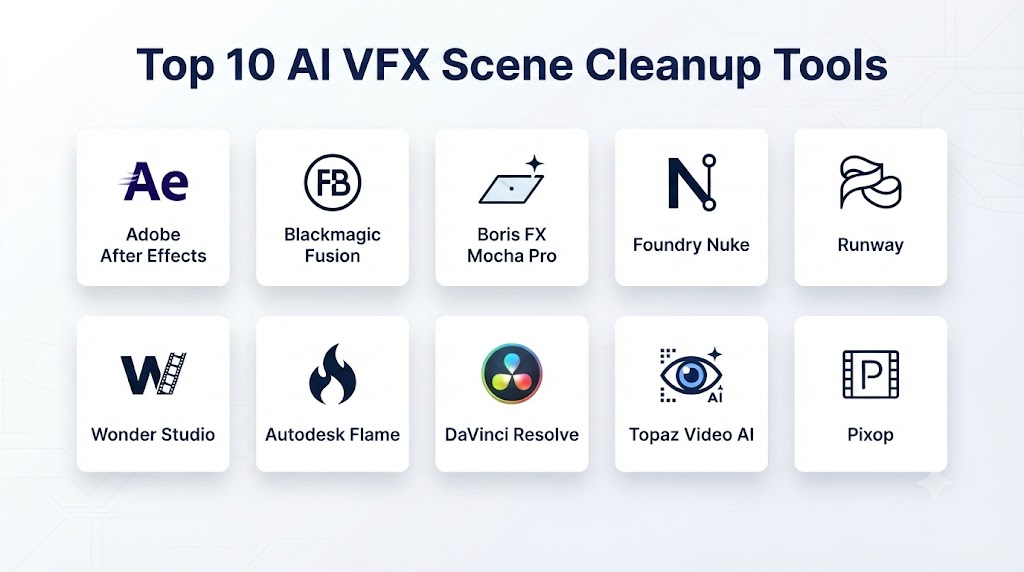
Top 10 AI VFX Scene Cleanup Tools
1. Adobe After Effects
One-line verdict: Best overall for professional VFX cleanup workflows combining AI-assisted tools with advanced compositing and motion-tracking capabilities.
Short description:
Adobe After Effects is widely used for motion graphics and visual effects. Its AI-assisted capabilities can help artists perform masking, object isolation, tracking, content-aware cleanup, and compositing tasks more efficiently.
Standout Capabilities
- Object removal.
- Content-aware cleanup.
- Rotoscoping.
- Motion tracking.
- Masking.
- Compositing.
- Matte creation.
- Generative workflows.
- Motion graphics.
- Visual-effects finishing.
AI-Specific Depth
- Model support: Adobe-managed AI capabilities and supported generative technologies.
- RAG / knowledge integration: Not primarily a RAG application.
- Evaluation: Visual artist review and frame-by-frame quality control.
- Guardrails: Adobe platform and content controls.
- Observability: Product and enterprise capabilities vary.
Pros
- Powerful professional VFX ecosystem.
- Strong compositing capabilities.
- Extensive third-party ecosystem.
- Suitable for complex cleanup.
- Works well in professional post-production pipelines.
Cons
- Steeper learning curve.
- Subscription cost.
- Complex cleanup can still require manual work.
- Advanced workflows require experienced artists.
Security & Compliance
Professional teams should review current Adobe enterprise security, privacy, data-handling, and commercial-use policies before processing confidential footage.
Deployment & Platforms
- Desktop.
- Cloud-connected workflows.
Integrations & Ecosystem
- Premiere Pro.
- Photoshop.
- Adobe Creative Cloud.
- Motion graphics.
- Compositing.
- Post-production.
Pricing Model
Subscription-based.
Best-Fit Scenarios
- Film VFX.
- Advertising.
- Television.
- Professional post-production.
- Motion graphics.
2. Runway
One-line verdict: Best for creators seeking fast AI-powered object removal, video editing, and generative VFX workflows.
Short description:
Runway provides AI-powered video creation and editing capabilities. Its tools can help creators remove objects, isolate subjects, modify scenes, and generate visual replacements.
Standout Capabilities
- Object removal.
- AI video editing.
- Background removal.
- Video generation.
- Image-to-video.
- Video transformation.
- Subject isolation.
- Generative editing.
- Scene manipulation.
AI-Specific Depth
- Model support: Platform-managed AI models.
- RAG / knowledge integration: Not primarily a RAG system.
- Evaluation: Human visual review.
- Guardrails: Platform-level content and safety controls.
- Observability: Usage capabilities vary by plan.
Pros
- Easy-to-use AI workflow.
- Strong generative video ecosystem.
- Fast experimentation.
- Useful for creators without extensive VFX experience.
Cons
- Fine VFX control can be more limited than specialist compositing software.
- Cloud processing may not suit sensitive footage.
- Results can vary with complex scenes.
Security & Compliance
Studios should review current privacy, data-retention, commercial-use, and enterprise-security terms before uploading unreleased footage.
Deployment & Platforms
- Web.
- Cloud.
Integrations & Ecosystem
- AI video.
- AI image generation.
- Creative production.
- Advertising.
- Content creation.
Pricing Model
Subscription and usage-based plans vary.
Best-Fit Scenarios
- Social content.
- Advertising.
- Quick VFX cleanup.
- AI video production.
3. DaVinci Resolve
One-line verdict: Best for professionals who want AI-assisted cleanup integrated with editing, color grading, compositing, and finishing.
Short description:
DaVinci Resolve combines editing, color correction, visual effects, motion graphics, audio, and AI-assisted tools in a single production environment.
Standout Capabilities
- Object masking.
- AI tracking.
- Magic Mask.
- Object isolation.
- Rotoscoping assistance.
- Cleanup workflows.
- Fusion compositing.
- Color correction.
- Noise reduction.
- Professional finishing.
AI-Specific Depth
- Model support: Blackmagic Design’s integrated AI features.
- RAG / knowledge integration: Not primarily a RAG system.
- Evaluation: Professional artist review.
- Guardrails: Primarily application-level controls.
- Observability: Depends on deployment and workflow.
Pros
- Comprehensive post-production platform.
- Excellent color workflow.
- Strong Fusion integration.
- AI tools integrated with professional editing.
- Supports high-end production.
Cons
- Requires learning for advanced workflows.
- Some advanced features depend on the Studio edition.
- Complex cleanup may still require manual compositing.
Security & Compliance
Local workflows can be attractive for organizations that do not want to upload sensitive footage to third-party AI services.
Deployment & Platforms
- Desktop.
- Local workstation.
- Professional post-production environments.
Integrations & Ecosystem
- Fusion.
- Editing.
- Color grading.
- Audio.
- VFX.
- Professional finishing.
Pricing Model
Free and paid Studio editions are available.
Best-Fit Scenarios
- Film.
- Television.
- Professional editing.
- Color grading.
- VFX.
4. Boris FX Mocha Pro
One-line verdict: Best for professional tracking, masking, object removal, and VFX cleanup workflows.
Short description:
Mocha Pro is a specialized visual-effects and tracking solution used for planar tracking, masking, object removal, stabilization, and compositing workflows.
Standout Capabilities
- Planar tracking.
- Object removal.
- Masking.
- Rotoscoping.
- Stabilization.
- Wire removal.
- Surface tracking.
- VFX compositing.
AI-Specific Depth
- Model support: Capabilities vary by product version and workflow.
- RAG / knowledge integration: Not applicable as a primary workflow.
- Evaluation: Professional VFX review.
- Guardrails: Primarily application-level controls.
- Observability: Depends on production environment.
Pros
- Excellent tracking.
- Professional VFX workflow.
- Strong cleanup capabilities.
- Useful for difficult moving shots.
- Integrates with major post-production applications.
Cons
- Professional learning curve.
- Licensing cost.
- Not primarily a generative AI platform.
Security & Compliance
Local processing can be advantageous for sensitive production footage.
Deployment & Platforms
- Desktop.
- Professional post-production environments.
Integrations & Ecosystem
- After Effects.
- Nuke.
- DaVinci Resolve.
- Other VFX workflows.
Pricing Model
Commercial licensing and subscription options vary.
Best-Fit Scenarios
- Film VFX.
- Wire removal.
- Object removal.
- Professional tracking.
5. Nuke
One-line verdict: Best for high-end film and television VFX teams that require extensive compositing and professional cleanup control.
Short description:
Nuke is a professional node-based compositing platform used extensively in film and television VFX. AI-assisted and automated tools can complement its advanced compositing and cleanup workflows.
Standout Capabilities
- Node-based compositing.
- Rotoscoping.
- Tracking.
- Keying.
- Paint.
- Object removal.
- Matte creation.
- Deep compositing.
- 3D compositing.
- VFX pipeline integration.
AI-Specific Depth
- Model support: Depends on available tools and connected technologies.
- RAG / knowledge integration: Not primarily a RAG application.
- Evaluation: Professional artist and supervisor review.
- Guardrails: Studio-managed.
- Observability: Can be integrated into professional pipelines.
Pros
- High-end compositing.
- Powerful node-based workflow.
- Extensive VFX ecosystem.
- Excellent for complex shots.
- Strong production pipeline support.
Cons
- Expensive for small creators.
- Significant learning curve.
- AI automation may require additional tools.
Security & Compliance
Local and studio-managed workflows can provide strong control over sensitive footage.
Deployment & Platforms
- Desktop.
- Studio pipeline.
- Render-farm environments.
Integrations & Ecosystem
- Film VFX.
- Animation.
- 3D.
- Compositing.
- Render farms.
Pricing Model
Professional licensing.
Best-Fit Scenarios
- Feature films.
- High-end television.
- VFX studios.
6. Topaz Video AI
One-line verdict: Best for AI-assisted video enhancement, restoration, noise reduction, stabilization, and quality cleanup.
Short description:
Topaz Video AI focuses on improving video quality through AI-based enhancement and restoration. It is particularly useful when scene cleanup involves image-quality problems rather than only object removal.
Standout Capabilities
- Video enhancement.
- Upscaling.
- Noise reduction.
- Stabilization.
- Frame interpolation.
- Restoration.
- Detail enhancement.
- Artifact reduction.
AI-Specific Depth
- Model support: AI models optimized for video enhancement.
- RAG / knowledge integration: Not applicable.
- Evaluation: Visual quality assessment.
- Guardrails: Application-level controls.
- Observability: Primarily local workflow.
Pros
- Strong enhancement capabilities.
- Useful for old or low-quality footage.
- Local processing can help with sensitive footage.
- Simple workflow.
Cons
- Not a full compositing application.
- Object removal is not its primary purpose.
- Enhancement can sometimes create artificial-looking details.
Security & Compliance
Local processing may reduce the need to upload footage to cloud services.
Deployment & Platforms
- Desktop.
- Local GPU processing.
Integrations & Ecosystem
- Video editing.
- Restoration.
- Post-production.
- Archival workflows.
Pricing Model
Paid software with licensing options that may vary.
Best-Fit Scenarios
- Video restoration.
- Upscaling.
- Noise reduction.
- Archival footage.
7. Adobe Premiere Pro
One-line verdict: Best for editors who want AI-assisted cleanup and scene manipulation without leaving the primary video-editing environment.
Short description:
Adobe Premiere Pro includes AI-assisted features for editing and video workflows. It can be used alongside After Effects for more advanced VFX cleanup.
Standout Capabilities
- AI-assisted editing.
- Object masking.
- Generative video workflows.
- Scene editing.
- Color tools.
- Audio enhancement.
- Content-aware workflows.
- Adobe ecosystem integration.
AI-Specific Depth
- Model support: Adobe and supported generative models.
- RAG / knowledge integration: Depends on connected Adobe capabilities.
- Evaluation: Editor review.
- Guardrails: Adobe controls.
- Observability: Enterprise capabilities vary.
Pros
- Excellent editing workflow.
- Familiar to professional editors.
- Strong integration with After Effects.
- Useful for fast cleanup.
Cons
- Advanced VFX work may require After Effects or dedicated tools.
- Subscription-based.
- Complex cleanup still requires expertise.
Security & Compliance
Enterprise teams should evaluate Adobe’s current security and data-handling capabilities.
Deployment & Platforms
- Desktop.
- Creative Cloud.
Integrations & Ecosystem
- After Effects.
- Photoshop.
- Adobe Media Encoder.
- Creative Cloud.
Pricing Model
Subscription.
Best-Fit Scenarios
- Video editors.
- Advertising.
- Corporate video.
- Professional post-production.
8. Blackmagic Fusion
One-line verdict: Best for advanced compositing and cleanup within the DaVinci Resolve ecosystem.
Short description:
Fusion is a node-based compositing environment integrated into DaVinci Resolve. It provides tools for tracking, masking, keying, painting, and complex visual-effects workflows.
Standout Capabilities
- Node-based compositing.
- Object tracking.
- Rotoscoping.
- Paint.
- Masking.
- Keying.
- 3D compositing.
- Visual-effects finishing.
AI-Specific Depth
- Model support: AI-assisted capabilities depend on the Resolve/Fusion version.
- RAG / knowledge integration: Not applicable.
- Evaluation: Professional visual review.
- Guardrails: Application-level controls.
- Observability: Production pipeline dependent.
Pros
- Powerful compositing.
- Strong integration with Resolve.
- Suitable for professional VFX.
- Local workflow.
Cons
- Complex for beginners.
- Requires technical VFX knowledge.
- AI automation is not its only focus.
Security & Compliance
Local workflows can be beneficial for confidential footage.
Deployment & Platforms
- Desktop.
- Local workstations.
Integrations & Ecosystem
- DaVinci Resolve.
- Color grading.
- Editing.
- VFX.
- Audio.
Pricing Model
Included with Resolve, with advanced capabilities available through Studio depending on feature.
Best-Fit Scenarios
- Professional VFX.
- Film.
- Television.
- Post-production.
9. Runway Aleph
One-line verdict: Best for generative video transformations and AI-assisted scene modifications.
Short description:
Runway’s generative video capabilities can support creative scene manipulation, object changes, and visual experimentation. These workflows are useful for VFX concept development and certain cleanup tasks.
Standout Capabilities
- Video transformation.
- Generative editing.
- Scene modification.
- Object manipulation.
- Visual effects.
- AI video generation.
- Image-to-video workflows.
AI-Specific Depth
- Model support: Platform-managed models.
- RAG / knowledge integration: Not primarily a RAG system.
- Evaluation: Human review.
- Guardrails: Platform safety controls.
- Observability: Depends on account and plan.
Pros
- Fast experimentation.
- Powerful generative workflows.
- Accessible to non-specialists.
- Useful for creative VFX exploration.
Cons
- Not a replacement for high-end compositing.
- Temporal consistency can be challenging.
- Cloud processing may be unsuitable for confidential footage.
Security & Compliance
Review current enterprise security and data policies before processing production footage.
Deployment & Platforms
- Cloud.
- Web.
Integrations & Ecosystem
- AI video.
- Generative media.
- Creative production.
Pricing Model
Subscription and usage-based plans vary.
Best-Fit Scenarios
- Creative VFX.
- Concept testing.
- AI-assisted scene modification.
10. HitFilm
One-line verdict: Best for creators who want editing and visual-effects capabilities in a more accessible production environment.
Short description:
HitFilm has historically combined video editing and VFX workflows, making it useful for independent filmmakers and creators working on smaller productions.
Standout Capabilities
- Video editing.
- Compositing.
- Visual effects.
- Masking.
- Tracking.
- Green-screen workflows.
- Layer-based effects.
- Motion graphics.
AI-Specific Depth
AI capabilities depend on the current product version and available ecosystem.
Pros
- Combines editing and VFX.
- Accessible to independent creators.
- Useful for smaller productions.
- Broad creative feature set.
Cons
- AI capabilities may not match dedicated AI platforms.
- Product availability and feature sets can change.
- High-end studios may prefer specialist VFX applications.
Security & Compliance
Review the current product’s data-handling and licensing policies before using confidential footage.
Deployment & Platforms
- Desktop.
Integrations & Ecosystem
- Editing.
- VFX.
- Motion graphics.
- Independent filmmaking.
Pricing Model
Availability and pricing vary.
Best-Fit Scenarios
- Independent filmmakers.
- YouTube creators.
- Small production teams.
Comparison Table
| Tool | Best For | Object Removal | Tracking | AI Enhancement | Compositing | Ease of Use |
|---|---|---|---|---|---|---|
| Adobe After Effects | Professional VFX | Excellent | Excellent | Excellent | Excellent | Medium |
| Runway | AI video cleanup | Excellent | Good | Excellent | Good | High |
| DaVinci Resolve | Editing + VFX | Excellent | Excellent | Excellent | Excellent | Medium |
| Mocha Pro | Tracking + cleanup | Excellent | Excellent | Good | Excellent | Medium |
| Nuke | High-end VFX | Excellent | Excellent | Good | Excellent | Low |
| Topaz Video AI | Video restoration | Good | Good | Excellent | Limited | High |
| Premiere Pro | Editing + cleanup | Good | Good | Excellent | Good | High |
| Fusion | Advanced compositing | Excellent | Excellent | Good | Excellent | Medium |
| Runway Aleph | Generative scene modification | Excellent | Good | Excellent | Good | High |
| HitFilm | Independent creators | Good | Good | Good | Good | Medium |
Scoring & Evaluation
The following scores are editorial evaluations intended to help compare general capabilities. They are not official vendor benchmarks.
| Tool | Core | Reliability/Eval | Guardrails | Integrations | Ease | Performance/Cost | Security/Admin | Support | Weighted Total |
|---|---|---|---|---|---|---|---|---|---|
| Adobe After Effects | 10 | 9 | 9 | 10 | 8 | 8 | 9 | 9 | 9.05 |
| Runway | 9 | 8 | 8 | 9 | 10 | 8 | 8 | 9 | 8.60 |
| DaVinci Resolve | 10 | 10 | 9 | 10 | 8 | 9 | 9 | 9 | 9.35 |
| Mocha Pro | 10 | 10 | 9 | 10 | 7 | 8 | 9 | 9 | 9.10 |
| Nuke | 10 | 10 | 9 | 10 | 6 | 7 | 10 | 9 | 8.90 |
| Topaz Video AI | 8 | 9 | 8 | 7 | 9 | 8 | 9 | 8 | 8.30 |
| Premiere Pro | 9 | 9 | 9 | 10 | 9 | 8 | 9 | 9 | 9.05 |
| Fusion | 10 | 10 | 9 | 10 | 7 | 9 | 9 | 9 | 9.15 |
| Runway Aleph | 9 | 8 | 8 | 9 | 9 | 8 | 8 | 9 | 8.55 |
| HitFilm | 8 | 8 | 8 | 8 | 8 | 8 | 7 | 8 | 7.95 |
Top 3 for Enterprise
- DaVinci Resolve — Strong all-in-one editing, color, audio, and VFX environment.
- Adobe After Effects — Excellent professional compositing and ecosystem integration.
- Nuke — Strong choice for high-end VFX studios and complex production pipelines.
Top 3 for SMB
- DaVinci Resolve — Excellent combination of editing and VFX capabilities.
- Adobe After Effects — Strong professional ecosystem.
- Runway — Useful for fast AI-assisted scene cleanup and experimentation.
Top 3 for Developers
- DaVinci Resolve/Fusion — Useful for structured professional workflows and automation possibilities.
- Nuke — Strong for pipeline-oriented VFX environments.
- Runway — Attractive for AI-centric workflows and emerging creative APIs.
Which AI VFX Scene Cleanup Tool Is Right for You?
Solo / Freelancer
Prioritize:
- Ease of use.
- Fast object removal.
- Affordable pricing.
- Local processing.
- Simple masking.
- Quick exports.
Runway, DaVinci Resolve, and Topaz Video AI are useful starting points.
SMB
Prioritize:
- Professional output.
- Editing integration.
- AI-assisted cleanup.
- Collaboration.
- Reliable tracking.
- Reasonable cost.
DaVinci Resolve, After Effects, and Runway are strong options.
Mid-Market
Prioritize:
- Production workflows.
- Version control.
- Collaboration.
- Asset management.
- Security.
- Consistent quality.
- Batch processing.
A hybrid workflow using After Effects, Resolve, Mocha Pro, and AI-generation tools may be more effective than relying on one application.
Enterprise
Enterprise VFX teams should evaluate:
- SSO.
- RBAC.
- Audit logs.
- Data retention.
- Data residency.
- Local processing.
- Cloud-processing policies.
- Commercial rights.
- API access.
- Pipeline integration.
- Render-farm compatibility.
- Vendor security.
Nuke, DaVinci Resolve, Adobe After Effects, and Mocha Pro are particularly relevant for professional production environments.
Regulated Industries
For confidential footage, evaluate:
- Local processing.
- Encryption.
- Data retention.
- Cloud processing.
- Access control.
- Auditability.
- Vendor security.
- Employee permissions.
- Intellectual-property protection.
Budget vs Premium
Budget
Focus on:
- Object removal.
- Masking.
- Basic tracking.
- Simple compositing.
- Local processing.
Premium
Focus on:
- Temporal consistency.
- Advanced tracking.
- Professional compositing.
- HDR and high-resolution support.
- EXR workflows.
- Automation.
- Collaboration.
- Pipeline integration.
- Enterprise governance.
Build vs Buy
Build When
- Your studio needs a proprietary cleanup pipeline.
- You have specialized footage requirements.
- You need private AI inference.
- You process large volumes of similar shots.
- You need custom object-detection models.
- You require deep integration with internal production systems.
Buy When
- You need immediate productivity improvements.
- You have a small VFX team.
- Standard object-removal workflows are sufficient.
- You do not want to maintain AI infrastructure.
- You need managed software updates.
Hybrid Approach
A professional hybrid architecture could include:
- Footage ingestion
- AI scene analysis
- Object detection
- Automatic segmentation
- Motion tracking
- AI background reconstruction
- Video inpainting
- Temporal consistency checking
- Artist review
- Manual paint correction
- Compositing
- Color matching
- Quality control
- Final export
Implementation Playbook: 30 / 60 / 90 Days
First 30 Days: Pilot + Success Metrics
Select representative shots containing:
- Moving people.
- Wires.
- Equipment.
- Logos.
- Reflections.
- Shadows.
- Complex backgrounds.
- Motion blur.
- Hair.
- Smoke.
- Transparent objects.
Measure:
- Cleanup time per shot.
- Manual masking time.
- Tracking accuracy.
- Temporal stability.
- Artifact rate.
- Number of corrections.
- Render time.
- Cost per shot.
- Artist satisfaction.
Days 31–60: Security + Evaluation + Rollout
Build a test set covering:
- Easy object removal.
- Difficult object removal.
- Moving-camera shots.
- Static-camera shots.
- Complex backgrounds.
- Fine details.
- Reflections.
- Shadows.
- Transparency.
Evaluate:
- Frame-to-frame consistency.
- Edge quality.
- Texture reconstruction.
- Lighting consistency.
- Motion-blur consistency.
- Color consistency.
- Unwanted AI artifacts.
Establish:
- Approved tools.
- Approved workflows.
- Data-handling rules.
- Privacy requirements.
- Commercial-use policies.
- Human-review procedures.
Days 61–90: Optimize + Scale
After validating the workflow:
- Build cleanup presets.
- Create reusable templates.
- Automate repetitive tasks.
- Standardize tracking workflows.
- Create quality benchmarks.
- Establish review checkpoints.
- Monitor AI usage.
- Track production savings.
- Integrate cleanup with editing and compositing pipelines.
Common Mistakes & How to Avoid Them
- Removing an object without considering its shadow: The shadow may remain and reveal the cleanup.
- Ignoring reflections: Reflections can expose removed objects.
- Generating a replacement background independently for every frame: This can cause flickering.
- Skipping tracking: Moving objects require accurate temporal tracking.
- Expecting AI to handle every edge perfectly: Hair, smoke, glass, and motion blur often require manual refinement.
- Not checking frame-to-frame consistency: A single clean frame does not mean the shot is clean.
- Ignoring color and lighting: Replacement pixels should match the surrounding plate.
- Using AI-generated textures without checking continuity: Reconstructed textures may shift over time.
- Removing logos without checking legal requirements: Cleanup may be appropriate for production purposes, but rights and contractual requirements should still be considered.
- Uploading confidential footage without reviewing privacy policies: Production material may contain unreleased intellectual property.
- Choosing a generative tool for every cleanup task: Traditional paint and compositing tools can still outperform generative AI for certain precise jobs.
- Skipping manual QC: Professional VFX cleanup should be reviewed by an experienced artist.
- Not keeping the original plate: Always preserve the source footage and maintain versioned cleanup outputs.
- Ignoring metadata: Preserve appropriate frame rate, resolution, color space, timecode, and other production metadata.
- Over-processing footage: Excessive AI enhancement can create unnatural textures and halos.
- Not testing difficult shots: Evaluate representative difficult footage before rolling out a tool across an entire production.
- Treating AI cleanup as final without compositing review: Cleanup often needs integration with the entire shot.
- Ignoring model or software changes: AI outputs can change between versions, so production teams should validate upgrades.
- Failing to establish approval standards: Define what constitutes acceptable cleanup before scaling.
FAQs
1. What Are AI VFX Scene Cleanup Tools?
AI VFX Scene Cleanup Tools use artificial intelligence to help remove unwanted objects, repair footage, reconstruct backgrounds, isolate subjects, and improve video quality.
2. What Can AI Remove From Video?
AI can assist with removing:
- People.
- Wires.
- Rigs.
- Microphones.
- Equipment.
- Logos.
- Temporary objects.
- Blemishes.
- Background objects.
Results depend heavily on scene complexity.
3. Can AI Remove a Person From a Video?
Yes. AI-assisted object removal and video inpainting can remove people from certain scenes, particularly when sufficient background information is available.
4. Can AI Remove Wires From Film Footage?
Yes. Wire and rig removal is a common VFX cleanup task. Professional tools can combine tracking, masking, paint, and automated removal.
5. What Is Video Inpainting?
Video inpainting is the process of reconstructing areas of video after an unwanted object has been removed.
6. What Is AI Object Removal?
AI object removal identifies an unwanted object, creates a mask around it, and generates or reconstructs replacement imagery.
7. Can AI Remove Logos From Videos?
AI can assist with logo removal, although businesses should ensure that the intended use complies with applicable intellectual-property and contractual requirements.
8. Can AI Remove Reflections?
Some AI and traditional VFX workflows can reduce or remove unwanted reflections, but complex reflections may require manual compositing.
9. Can AI Remove Shadows?
AI can assist with removing unwanted shadows, but realistic shadow reconstruction can be difficult because shadows interact with lighting and surrounding surfaces.
10. Can AI Reconstruct Backgrounds?
Yes. AI can infer missing background information using surrounding image data or generated content.
11. Does AI Cleanup Work Frame by Frame?
Some workflows process frames individually, while more advanced systems attempt to maintain temporal consistency across the sequence.
12. Why Is Temporal Consistency Important?
Without temporal consistency, generated content may flicker, shift, or change texture between frames.
13. Can AI Handle Moving Cameras?
Yes, but moving-camera shots can be significantly more difficult. Tracking and camera motion must be handled accurately.
14. Can AI Handle Motion Blur?
AI can sometimes handle motion blur, but complex motion-blurred objects may require manual VFX work.
15. Can AI Remove Objects From 4K Video?
Yes. Many professional tools can work with high-resolution footage, although processing requirements and output quality vary.
16. Which Tool Is Best for Professional VFX Cleanup?
For professional workflows, DaVinci Resolve, Adobe After Effects, Mocha Pro, and Nuke are strong options depending on the specific cleanup task.
17. Which AI VFX Cleanup Tool Is Best for Beginners?
Runway and DaVinci Resolve can be accessible starting points, depending on the complexity of the project.
18. Which Tool Is Best for Wire Removal?
Dedicated tracking and compositing applications such as Mocha Pro, After Effects, Nuke, and Fusion are particularly useful for professional wire-removal workflows.
19. Can AI Replace a VFX Artist?
AI can automate repetitive cleanup tasks, but experienced VFX artists remain important for tracking, compositing, continuity, edge refinement, lighting matching, and quality control.
20. Can AI Cleanup Be Used in Feature Films?
Yes. AI-assisted workflows can support feature-film VFX production, but professional studios generally use them alongside established compositing, tracking, paint, and quality-control processes.
21. Can AI Cleanup Work With Green-Screen Footage?
Yes. AI segmentation, masking, and background removal can complement traditional keying workflows.
22. Can AI Clean Old Film Footage?
Yes. AI enhancement tools can assist with noise reduction, upscaling, stabilization, artifact removal, and restoration.
23. Is AI Video Cleanup Better Than Traditional VFX?
Not always. AI can be faster for repetitive tasks, while traditional VFX provides more precise control for complex shots.
24. Can AI Cleanup Preserve the Original Background?
When enough background information is available, AI can reconstruct or preserve surrounding visual information. Results depend on the scene.
25. Can AI Cleanup Cause Flickering?
Yes. Temporal inconsistencies can produce flickering, texture changes, edge instability, or other artifacts.
26. How Should AI VFX Cleanup Quality Be Evaluated?
Evaluate:
- Object removal accuracy.
- Temporal consistency.
- Edge quality.
- Texture quality.
- Lighting consistency.
- Shadow consistency.
- Motion-blur consistency.
- Color matching.
- Artifact frequency.
- Artist correction time.
27. Is Cloud-Based AI VFX Safe for Unreleased Film Footage?
It depends on the provider’s security architecture, privacy policies, retention practices, access controls, and contractual terms. Studios should conduct security review before uploading sensitive footage.
28. Is Local AI VFX Better for Confidential Projects?
Local processing can provide greater control over footage because files can remain within the organization’s infrastructure, but the organization becomes responsible for infrastructure security and maintenance.
29. Can AI VFX Cleanup Be Automated?
Yes. Production pipelines can combine object detection, segmentation, tracking, inpainting, compositing, QC, and export into automated workflows.
30. What Is the Biggest Challenge With AI VFX Cleanup?
Temporal consistency is one of the biggest challenges. A successful cleanup must remain visually stable throughout the entire shot.
31. Can AI Remove Production Equipment?
Yes. AI object removal can help eliminate cameras, stands, cables, lighting equipment, microphones, and other unwanted production elements.
32. Can AI Remove Boom Microphones?
Yes. AI-assisted object removal can sometimes remove boom microphones, but complex movement, shadows, and background interaction may require manual VFX work.
33. Can AI Remove Unwanted People in the Background?
Yes. AI object-removal systems can assist with this task, especially when the background can be reconstructed from nearby frames.
34. Can AI VFX Tools Work With RAW Footage?
Support depends on the software and production workflow. Some applications support professional camera formats directly or through established media pipelines.
35. What Should Enterprises Look for in an AI VFX Cleanup Platform?
Enterprises should evaluate:
- Security.
- Data retention.
- Data residency.
- Encryption.
- SSO.
- RBAC.
- Audit logs.
- Local processing.
- API access.
- Pipeline integrations.
- Commercial-use rights.
- Version control.
- Human review.
- Cost management.
Conclusion
AI VFX Scene Cleanup Tools are making one of the most repetitive parts of post-production significantly more efficient. Object removal, wire removal, masking, tracking, background reconstruction, video restoration, and scene modification can increasingly be accelerated through AI-assisted workflows.For Adobe After Effects, Nuke, DaVinci Resolve/Fusion, and Mocha Pro provide strong production-oriented capabilities. For Runway offers a more accessible approach. For Topaz Video AI is particularly relevant.The best production strategy is not to eliminate traditional VFX techniques but to combine them intelligently:AI can dramatically reduce repetitive work, but professional artists remain essential for difficult shots, creative judgment, continuity, and final quality assurance.