Introduction
AI Video Generation Platforms are software tools that use generative AI to create, edit, transform, or enhance video from text prompts, images, existing footage, scripts, audio, or other creative inputs. Instead of requiring every scene to be recorded or manually animated, these platforms can help produce visual concepts, short clips, advertisements, explainers, product videos, social content, and other media.
Modern AI video platforms are expanding beyond basic text-to-video generation. Many now support image-to-video, video transformation, motion control, camera movement, lip synchronization, digital presenters, storyboard workflows, video editing, and multimodal creation.
Best for: Marketing teams, video creators, agencies, filmmakers, social-media teams, e-commerce businesses, educators, creative studios, developers, and enterprises producing video at scale.
Not ideal for: Workflows requiring guaranteed factual accuracy, highly precise physical simulation, unrestricted control over every frame, or production environments where generated footage can be used without human review.
What’s Changed in AI Video Generation Platforms
- Text-to-video is becoming only one part of the workflow: Modern platforms increasingly combine text-to-video, image-to-video, video editing, transformation, and compositing.
- Image-to-video workflows are increasingly important: A single generated or existing image can become the starting point for animated scenes, product demonstrations, cinematic shots, and social content.
- Multimodal prompting is expanding: Users can combine text descriptions, reference images, existing videos, audio, and other contextual inputs.
- Short clips remain a major production pattern: Many AI video systems are particularly useful for generating short sequences that can be edited together into longer productions.
- Motion control is improving: Camera movement, subject motion, framing, and scene dynamics are becoming increasingly important differentiators.
- Character consistency is becoming a key requirement: Creative teams increasingly need characters and visual subjects to remain recognizable across multiple scenes.
- Video editing and generation are converging: AI systems can increasingly remove objects, alter scenes, extend footage, generate transitions, and transform visual styles.
- Digital avatars are becoming a separate major workflow: AI presenters and synthetic spokespersons can support training, sales, localization, and internal communications.
- Audio and video workflows are converging: Some platforms increasingly combine generated visuals with voice, sound effects, dialogue, and other audio capabilities.
- Enterprise privacy matters more: Organizations need to understand how uploaded footage, faces, voices, scripts, and generated media are processed and retained.
- Model choice is becoming strategic: Teams may need to choose between proprietary hosted models, multiple integrated models, or models that can be deployed independently.
- API access is becoming more important: Developers can integrate video generation into marketing systems, creative applications, e-commerce platforms, and automated production pipelines.
- Cost and latency are major production considerations: Video generation can be considerably more computationally intensive than image generation, making resolution, duration, queue time, and generation success rates important.
- Content provenance is gaining attention: Businesses increasingly need ways to distinguish synthetic media, track assets, and document how AI-generated content was produced.
- Human review remains essential: Generated videos can contain inconsistent motion, incorrect physics, visual artifacts, identity changes, or unintended details.
- Agentic creative workflows are emerging: AI systems can increasingly assist with multi-step production tasks such as scripting, storyboarding, scene generation, editing, and asset preparation.
Quick Buyer Checklist
Before selecting an AI video generation platform, evaluate:
- Text-to-video quality.
- Image-to-video quality.
- Video-to-video capabilities.
- Video editing.
- Generative fill.
- Inpainting.
- Outpainting or scene extension.
- Camera-motion control.
- Subject-motion control.
- Character consistency.
- Product consistency.
- Style consistency.
- Scene continuity.
- Storyboard support.
- Reference-image support.
- Reference-video support.
- Avatar capabilities.
- Lip synchronization.
- Voice generation.
- Sound-effect generation.
- Music capabilities.
- Subtitle generation.
- Video resolution.
- Supported aspect ratios.
- Maximum clip duration.
- Generation speed.
- Generation success rate.
- API access.
- SDK support.
- Automation.
- Batch generation.
- Model selection.
- Hosted versus self-managed models.
- BYO-model options.
- Fine-tuning capabilities.
- Commercial-use terms.
- Content ownership considerations.
- Data privacy.
- Data retention.
- Data residency.
- SSO and RBAC.
- Auditability.
- Content moderation.
- Deepfake safeguards.
- Likeness and consent controls.
- Cost per generated second.
- Cost per usable video.
- Vendor lock-in.
- Export formats.
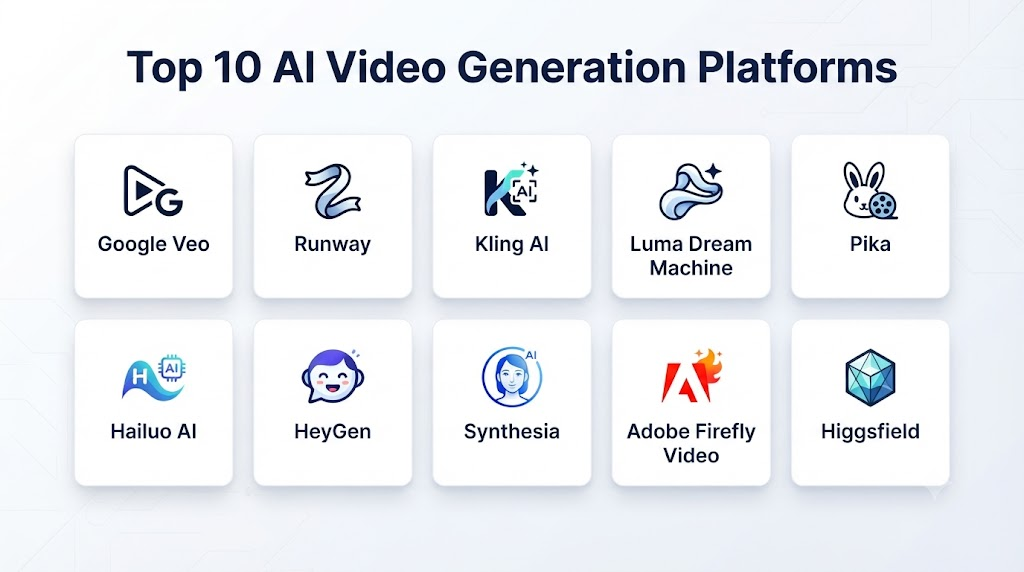
Top 10 AI Video Generation Platforms
1. OpenAI Video Generation
One-line verdict: Best for advanced generative video workflows requiring strong prompt understanding, visual quality, and multimodal creative control.
Short description:
OpenAI’s video-generation technology is designed to generate video from natural-language instructions and other creative inputs. It is particularly relevant to creators and developers exploring cinematic generation, visual storytelling, and multimodal production workflows.
Standout Capabilities
- Text-to-video generation.
- Visual scene generation.
- Multimodal creative workflows.
- Prompt-based video creation.
- Image-guided generation where supported.
- Cinematic scene development.
- Creative experimentation.
- Developer-oriented AI workflows.
AI-Specific Depth
- Model support: OpenAI-managed video-generation models; exact availability varies by product and access.
- RAG / knowledge integration: Not primarily a RAG platform; external knowledge can be incorporated through surrounding applications.
- Evaluation: Application-level testing can evaluate prompt adherence, consistency, quality, and safety.
- Guardrails: Platform safety controls and content policies.
- Observability: Usage, latency, and application-level metrics can be monitored; detailed internal model telemetry varies.
Pros
- Strong natural-language interaction.
- Well suited to multimodal creative workflows.
- Potentially useful for developers building video-generation applications.
Cons
- Hosted-model dependency.
- Video generation can be computationally expensive.
- Exact capabilities and access can vary by product.
Security & Compliance
Security, privacy, retention, and enterprise controls depend on the applicable product and deployment. Specific certifications should be verified for the selected service rather than assumed.
Deployment & Platforms
- Cloud.
- Web-based workflows where available.
- API-based application integration where supported.
Integrations & Ecosystem
OpenAI video capabilities can fit into broader generative-AI workflows.
- APIs.
- Creative applications.
- Marketing automation.
- Content-management systems.
- Multimodal applications.
- Custom software.
- AI production pipelines.
Pricing Model
Usage-based and/or product-specific pricing varies. Exact pricing should be checked against the applicable service.
Best-Fit Scenarios
- Cinematic concept generation.
- AI-powered creative applications.
- Multimodal video experimentation.
2. Runway
One-line verdict: Best for creative professionals seeking an integrated environment for AI video generation, editing, and visual production.
Short description:
Runway is a generative-media platform focused heavily on AI-powered video creation and editing. It is widely relevant to filmmakers, designers, agencies, marketing teams, and creative professionals experimenting with AI-assisted production.
Standout Capabilities
- Text-to-video generation.
- Image-to-video generation.
- Video transformation.
- AI video editing.
- Generative visual effects.
- Motion-oriented workflows.
- Creative experimentation.
- Production-oriented tools.
AI-Specific Depth
- Model support: Runway-managed models and capabilities vary.
- RAG / knowledge integration: N/A as a core video-generation feature.
- Evaluation: Creative review and workflow-level evaluation; formal model-evaluation capabilities are not the primary focus.
- Guardrails: Platform safety controls and content policies.
- Observability: User-facing usage information and platform-level metrics vary.
Pros
- Strong video-centric creative environment.
- Combines generation and editing.
- Useful for professional visual workflows.
Cons
- High-volume generation can become expensive.
- Output may require multiple iterations.
- Advanced production control remains different from conventional filmmaking tools.
Security & Compliance
Security and enterprise administration depend on the selected offering. Specific certifications and retention policies should be verified before procurement.
Deployment & Platforms
- Cloud.
- Web-based creative environment.
- API capabilities depending on the service.
Integrations & Ecosystem
- Creative production.
- Video editing.
- Marketing.
- Advertising.
- Storyboarding.
- Media workflows.
- API integrations.
Pricing Model
Subscription and usage-based models vary.
Best-Fit Scenarios
- Film previsualization.
- Marketing video creation.
- Creative agencies.
3. Google Veo
One-line verdict: Best for organizations seeking advanced generative video capabilities within a broader cloud and AI ecosystem.
Short description:
Google’s Veo family focuses on generative video creation and is relevant to creators, developers, and organizations experimenting with AI-generated visual content. Its cloud ecosystem makes it particularly interesting for enterprise application development.
Standout Capabilities
- Text-to-video generation.
- High-quality video synthesis.
- Cinematic visual generation.
- Developer integration.
- Cloud-based workflows.
- Multimodal AI ecosystem.
- Creative experimentation.
- Video-generation APIs where available.
AI-Specific Depth
- Model support: Google-managed Veo models.
- RAG / knowledge integration: Can be integrated into broader AI applications, but RAG is not the core video-generation mechanism.
- Evaluation: Application-level evaluation can test output quality, consistency, safety, and prompt adherence.
- Guardrails: Platform safety mechanisms and responsible-AI controls.
- Observability: Cloud-level monitoring and application telemetry vary by implementation.
Pros
- Strong cloud ecosystem.
- Suitable for developer-oriented workflows.
- Enterprise application potential.
Cons
- Availability can vary by service and region.
- Cloud implementation may require technical expertise.
- Production costs need careful management.
Security & Compliance
Google Cloud provides enterprise security and administrative capabilities. Specific controls and certifications depend on the applicable service and configuration.
Deployment & Platforms
- Cloud.
- APIs.
- Enterprise applications.
Integrations & Ecosystem
- Cloud AI.
- APIs.
- Enterprise applications.
- Data platforms.
- Developer tooling.
- Generative-AI systems.
Pricing Model
Usage-based cloud pricing varies according to model, duration, resolution, and usage.
Best-Fit Scenarios
- Enterprise AI applications.
- Cloud-native video generation.
- Developer experimentation.
4. Kling AI
One-line verdict: Best for creators seeking detailed AI-generated video with strong motion, cinematic scenes, and image-to-video workflows.
Short description:
Kling AI is a generative video platform focused on creating visual sequences from prompts and reference imagery. It is particularly relevant to creators experimenting with cinematic scenes, character movement, product concepts, and short-form content.
Standout Capabilities
- Text-to-video.
- Image-to-video.
- Cinematic scene generation.
- Motion generation.
- Creative visual effects.
- Character animation.
- Short-form video production.
- Visual experimentation.
AI-Specific Depth
- Model support: Kling-managed models.
- RAG / knowledge integration: N/A.
- Evaluation: User-driven evaluation and iteration.
- Guardrails: Platform safety policies and content controls.
- Observability: Usage information varies by product and plan.
Pros
- Strong visual-generation capabilities.
- Useful for image-to-video workflows.
- Suitable for cinematic experimentation.
Cons
- Hosted-model dependency.
- Complex scenes can require iteration.
- Commercial and enterprise requirements should be reviewed carefully.
Security & Compliance
Security, privacy, and enterprise controls should be verified for the applicable offering. Specific certifications are not assumed without current verification.
Deployment & Platforms
- Cloud.
- Web-based interface.
- API availability varies.
Integrations & Ecosystem
- Creative workflows.
- Image-generation pipelines.
- Marketing content.
- Social media.
- Video production.
- Developer integrations where available.
Pricing Model
Subscription and/or usage-based models vary.
Best-Fit Scenarios
- Cinematic short clips.
- Image-to-video experiments.
- Social-media content.
5. Adobe Firefly Video
One-line verdict: Best for professional creative teams wanting AI video generation connected to established design and video-production workflows.
Short description:
Adobe Firefly’s video-generation capabilities extend generative AI into professional creative production. The platform is especially relevant to organizations already using Adobe’s broader creative ecosystem.
Standout Capabilities
- Text-to-video generation.
- Generative video editing.
- Creative transformation.
- Scene generation.
- Background-related workflows.
- Professional design integration.
- Video-production workflows.
- Enterprise creative collaboration.
AI-Specific Depth
- Model support: Adobe-managed Firefly models and selected integrated capabilities vary.
- RAG / knowledge integration: Not primarily a RAG system.
- Evaluation: Creative review and workflow evaluation; exact AI evaluation tooling varies.
- Guardrails: Content policies and platform safety controls.
- Observability: Product and usage analytics vary.
Pros
- Strong creative-software ecosystem.
- Suitable for professional production teams.
- Familiar workflow for Adobe users.
Cons
- Most valuable when integrated with broader Adobe workflows.
- Feature availability can vary.
- Generative video may require significant experimentation for complex scenes.
Security & Compliance
Adobe provides enterprise security and administrative capabilities. Specific certifications and data-processing controls should be verified for the selected product.
Deployment & Platforms
- Cloud.
- Web.
- Desktop creative workflows.
- Integrated Adobe applications where supported.
Integrations & Ecosystem
- Adobe Creative Cloud.
- Video editing.
- Design.
- Marketing.
- Digital assets.
- Creative collaboration.
- Enterprise content workflows.
Pricing Model
Subscription and credit-based pricing varies.
Best-Fit Scenarios
- Professional video teams.
- Adobe-based organizations.
- Marketing departments.
6. Pika
One-line verdict: Best for accessible AI video experimentation, social content, creative effects, and short-form visual generation.
Short description:
Pika provides AI-powered video creation and transformation capabilities designed for creative users. It is particularly suitable for short-form content and rapid experimentation with animated and transformed visuals.
Standout Capabilities
- Text-to-video.
- Image-to-video.
- Creative effects.
- Video transformation.
- Short-form content.
- Social-media creation.
- Rapid experimentation.
- Visual effects.
AI-Specific Depth
- Model support: Pika-managed models.
- RAG / knowledge integration: N/A.
- Evaluation: User-driven creative review.
- Guardrails: Platform safety controls.
- Observability: Usage and generation information varies.
Pros
- Accessible creative workflow.
- Useful for short-form video.
- Good for experimentation.
Cons
- Less suited to highly controlled enterprise production.
- Hosted-model dependency.
- Complex scenes may require repeated generation.
Security & Compliance
Enterprise controls, certifications, and retention policies should be verified for the selected offering.
Deployment & Platforms
- Cloud.
- Web.
- Platform-specific integrations may vary.
Integrations & Ecosystem
- Social content.
- Creative experimentation.
- Marketing.
- Short-form video.
- Image workflows.
- Content production.
Pricing Model
Subscription and usage-based plans vary.
Best-Fit Scenarios
- Social-media creators.
- Marketing experiments.
- Short-form video.
7. Luma
One-line verdict: Best for creators and developers exploring realistic motion, visual storytelling, and AI-generated video workflows.
Short description:
Luma develops generative AI technologies for visual content and video creation. Its tools are relevant to creative professionals, developers, and teams experimenting with AI-assisted visual storytelling.
Standout Capabilities
- Text-to-video.
- Image-to-video.
- Visual storytelling.
- Motion generation.
- Creative transformations.
- Cinematic experimentation.
- Developer workflows.
- Generative-media production.
AI-Specific Depth
- Model support: Luma-managed models.
- RAG / knowledge integration: N/A.
- Evaluation: Creative evaluation and application-level testing.
- Guardrails: Platform safety controls.
- Observability: Usage and generation metrics vary.
Pros
- Strong creative orientation.
- Useful for visual storytelling.
- Suitable for experimentation.
Cons
- Output can vary depending on prompt complexity.
- Hosted-model dependency.
- Advanced enterprise governance requires verification.
Security & Compliance
Specific enterprise security features, certifications, and retention policies should be verified for the applicable offering.
Deployment & Platforms
- Cloud.
- Web.
- API capabilities depending on service.
Integrations & Ecosystem
- APIs.
- Creative tools.
- Marketing.
- Visual storytelling.
- Content pipelines.
- AI applications.
Pricing Model
Subscription and usage-based approaches vary.
Best-Fit Scenarios
- Creative production.
- AI video experimentation.
- Developer applications.
8. Synthesia
One-line verdict: Best for businesses creating presenter-led training, corporate communication, onboarding, and localized instructional videos.
Short description:
Synthesia focuses on AI-generated presenter videos using digital avatars and synthetic voices. It is particularly useful for organizations producing business communications, training materials, instructional videos, and multilingual content.
Standout Capabilities
- AI avatars.
- AI presenters.
- Text-to-video.
- Synthetic voice.
- Multilingual video.
- Training content.
- Corporate communications.
- Template-based production.
AI-Specific Depth
- Model support: Platform-managed AI models and services.
- RAG / knowledge integration: Can be connected to external business workflows; not primarily a RAG platform.
- Evaluation: Content review and workflow-level evaluation.
- Guardrails: Policies and controls around synthetic media and avatar usage.
- Observability: Usage and administrative metrics vary by plan.
Pros
- Strong business-video use cases.
- Efficient for training and communications.
- Useful for multilingual content.
Cons
- More specialized than cinematic video generators.
- Avatar-based workflows are less appropriate for every creative project.
- Enterprise features may require higher-tier plans.
Security & Compliance
Enterprise security and administrative controls are available in applicable offerings. Specific certifications should be verified before procurement.
Deployment & Platforms
- Cloud.
- Web.
- Enterprise workflows.
- API capabilities may vary.
Integrations & Ecosystem
- Learning systems.
- Corporate communications.
- Training.
- Content-management workflows.
- Collaboration.
- Enterprise applications.
Pricing Model
Subscription and enterprise pricing models vary.
Best-Fit Scenarios
- Employee training.
- Corporate communications.
- Multilingual instructional content.
9. HeyGen
One-line verdict: Best for AI avatar videos, sales content, multilingual communication, and personalized business video production.
Short description:
HeyGen provides AI-powered video creation with a strong focus on digital avatars, synthetic presenters, voice generation, localization, and business communication. It is particularly relevant to sales, marketing, training, and customer-facing teams.
Standout Capabilities
- AI avatars.
- Text-to-video.
- Voice generation.
- Lip synchronization.
- Video translation.
- Localization.
- Personalized video.
- Business communication.
AI-Specific Depth
- Model support: Platform-managed models and AI services.
- RAG / knowledge integration: N/A as a core video-generation feature.
- Evaluation: Human review and workflow-level evaluation.
- Guardrails: Synthetic-media policies and platform safety controls.
- Observability: Usage and account-level analytics vary.
Pros
- Strong avatar workflows.
- Useful for localization.
- Accessible for business users.
Cons
- Less focused on cinematic scene generation.
- Avatar workflows require careful brand and consent management.
- Advanced features vary by plan.
Security & Compliance
Enterprise security features vary by offering. Specific certifications, retention policies, and administrative controls should be verified before deployment.
Deployment & Platforms
- Cloud.
- Web.
- APIs and integrations depending on plan.
Integrations & Ecosystem
- Sales.
- Marketing.
- Training.
- Localization.
- Business communications.
- API workflows.
- Content-management systems.
Pricing Model
Subscription and usage-based pricing varies.
Best-Fit Scenarios
- Sales videos.
- Training.
- Multilingual marketing.
10. Hailuo AI
One-line verdict: Best for creators seeking accessible generative video experimentation, short clips, and AI-powered visual storytelling.
Short description:
Hailuo AI is a generative-media platform focused on AI-created visual content. It can be useful for creators experimenting with text-driven video generation, image animation, and short-form visual concepts.
Standout Capabilities
- Text-to-video.
- Image-to-video.
- Short video generation.
- Visual storytelling.
- Creative experimentation.
- Motion generation.
- Concept development.
- Social-media content.
AI-Specific Depth
- Model support: Platform-managed models.
- RAG / knowledge integration: N/A.
- Evaluation: User-driven visual evaluation.
- Guardrails: Platform safety policies.
- Observability: Usage information varies.
Pros
- Accessible creative workflow.
- Useful for rapid experimentation.
- Suitable for short-form content.
Cons
- Complex production workflows may require additional editing.
- Hosted-model dependency.
- Enterprise controls should be verified before business-critical use.
Security & Compliance
Security, privacy, retention, and certification details should be verified against the current service offering.
Deployment & Platforms
- Cloud.
- Web-based access.
- Availability of APIs or other integrations varies.
Integrations & Ecosystem
- Creative workflows.
- Social media.
- Marketing.
- Image-to-video pipelines.
- Short-form content.
- Visual experimentation.
Pricing Model
Subscription and/or usage-based models vary.
Best-Fit Scenarios
- Creative experimentation.
- Social-media videos.
- Short AI-generated scenes.
Comparison Table
| Tool Name | Best For | Deployment | Model Flexibility | Strength | Watch-Out | Public Rating |
|---|---|---|---|---|---|---|
| OpenAI Video Generation | Multimodal video creation | Cloud | Hosted | Natural-language video generation | Hosted-model dependency | |
| Runway | Professional creative production | Cloud | Hosted | Generation + editing | Cost at scale | |
| Google Veo | Enterprise AI applications | Cloud | Hosted | Cloud ecosystem | Technical implementation | |
| Kling AI | Cinematic AI video | Cloud | Hosted | Motion and visual quality | Output iteration | |
| Adobe Firefly Video | Professional creative teams | Cloud | Hosted / Integrated | Creative ecosystem | Adobe dependency | |
| Pika | Short-form creative content | Cloud | Hosted | Accessible experimentation | Limited production control | |
| Luma | Visual storytelling | Cloud | Hosted | Creative motion generation | Output variability | |
| Synthesia | Business avatar videos | Cloud | Hosted | Training and communications | Less cinematic | |
| HeyGen | Avatar and localization | Cloud | Hosted | Business video localization | Avatar-focused | |
| Hailuo AI | AI video experimentation | Cloud | Hosted | Short-form generation | Enterprise controls vary |
Scoring & Evaluation
These scores are comparative editorial assessments rather than official vendor benchmarks. The weighting emphasizes production capability, AI reliability, integration, security, and operational practicality.
| Tool | Core | Reliability/Eval | Guardrails | Integrations | Ease | Perf/Cost | Security/Admin | Support | Weighted Total |
|---|---|---|---|---|---|---|---|---|---|
| OpenAI Video Generation | 10 | 9 | 9 | 10 | 9 | 8 | 9 | 9 | 9.10 |
| Runway | 10 | 9 | 9 | 9 | 9 | 8 | 8 | 9 | 8.95 |
| Google Veo | 10 | 9 | 9 | 10 | 8 | 8 | 10 | 9 | 9.15 |
| Kling AI | 9 | 8 | 8 | 7 | 8 | 8 | 7 | 8 | 8.00 |
| Adobe Firefly Video | 10 | 9 | 9 | 10 | 9 | 8 | 10 | 9 | 9.25 |
| Pika | 8 | 8 | 8 | 7 | 9 | 8 | 7 | 8 | 8.00 |
| Luma | 9 | 8 | 8 | 8 | 9 | 8 | 7 | 8 | 8.15 |
| Synthesia | 9 | 9 | 9 | 9 | 10 | 8 | 9 | 9 | 9.05 |
| HeyGen | 9 | 9 | 9 | 9 | 10 | 8 | 9 | 9 | 9.05 |
| Hailuo AI | 8 | 7 | 7 | 7 | 9 | 8 | 6 | 7 | 7.35 |
Top 3 for Enterprise
- Adobe Firefly Video — Strong fit for organizations with established professional creative workflows.
- Google Veo — Strong candidate for cloud-native generative-AI applications.
- OpenAI Video Generation — Strong option for multimodal AI applications and advanced creative workflows.
Top 3 for SMB
- HeyGen — Strong for business communication and personalized video.
- Synthesia — Particularly useful for training and instructional content.
- Canva-style integrated creative workflows or Runway — Suitable when teams need broader creative production rather than avatar-focused content.
Top 3 for Developers
- OpenAI Video Generation — Strong multimodal application potential.
- Google Veo — Strong cloud integration.
- Runway — Strong creative-production ecosystem and developer-oriented possibilities.
Which AI Video Generation Platform Is Right for You?
Solo / Freelancer
Solo creators should prioritize:
- Ease of use.
- Video quality.
- Generation speed.
- Image-to-video capabilities.
- Editing tools.
- Export options.
- Cost per usable clip.
Runway, Pika, Luma, Kling AI, and Hailuo AI can be attractive for creators experimenting with generative video.
For business-oriented videos featuring presenters, HeyGen or Synthesia may be more appropriate.
SMB
SMBs should focus on practical production rather than simply selecting the most technically impressive model.
Look for:
- Templates.
- Brand consistency.
- Easy editing.
- Voice generation.
- Localization.
- Team collaboration.
- Predictable costs.
- Commercial-use clarity.
HeyGen and Synthesia are strong candidates for communication and training, while Runway and Adobe Firefly Video can be more appropriate for visual marketing.
Mid-Market
Mid-market companies should consider:
- API access.
- Automation.
- Content-management integration.
- Brand governance.
- Usage controls.
- Team permissions.
- Asset management.
- Privacy.
- Video localization.
- Cost monitoring.
At this stage, a centralized AI-video workflow can prevent individual teams from adopting disconnected tools.
Enterprise
Enterprise buyers should evaluate:
- Security.
- Privacy.
- Data retention.
- Data residency.
- SSO.
- RBAC.
- Auditability.
- Content governance.
- Model governance.
- API capabilities.
- Commercial rights.
- Synthetic-media controls.
- Cost management.
- Human approval.
Adobe Firefly Video, Google Veo, and OpenAI’s video-generation capabilities can be strong candidates depending on the existing technology and creative ecosystem.
Regulated Industries
Healthcare, finance, government, education, and other regulated organizations should be especially careful with:
- Customer information.
- Employee information.
- Faces.
- Voices.
- Confidential footage.
- Internal documents.
- Sensitive scripts.
- Patient information.
- Financial information.
- Data retention.
- Data residency.
Organizations should establish approved AI-video policies before allowing employees to upload sensitive footage or generate videos involving identifiable people.
Budget vs Premium
Budget
Prioritize:
- Low-cost generation.
- Short clips.
- Templates.
- Simple editing.
- Social-media content.
- Basic voice generation.
Premium
Consider:
- Higher-quality generation.
- Professional editing.
- API access.
- Enterprise administration.
- Localization.
- Brand controls.
- Large-scale generation.
- Advanced model capabilities.
Build vs Buy
Build when:
- AI video is part of your core product.
- You need specialized generation workflows.
- You have ML engineering capabilities.
- You require deep infrastructure control.
- You need custom model behavior.
Buy when:
- You need immediate productivity.
- You lack specialized AI infrastructure.
- Your primary objective is content production.
- You need managed generation.
- You want integrated editing and collaboration.
Hybrid Approach
A hybrid architecture can combine:
- Commercial AI video APIs.
- Open or independently deployable models where appropriate.
- Internal video-processing systems.
- Content moderation.
- Brand governance.
- Human approval.
- Asset management.
- Automated quality checks.
Implementation Playbook: 30 / 60 / 90 Days
First 30 Days: Pilot + Success Metrics
Begin with low-risk use cases.
Examples include:
- Internal training clips.
- Social-media videos.
- Product concepts.
- Marketing experiments.
- Storyboards.
- Internal presentations.
- Concept visualization.
Build an evaluation set containing representative prompts, reference images, and desired outputs.
Measure:
- Prompt adherence.
- Visual quality.
- Motion quality.
- Character consistency.
- Scene continuity.
- Audio quality.
- Generation time.
- Cost per usable clip.
- Human preference.
Create clear rules around:
- Approved users.
- Sensitive data.
- Customer footage.
- Employee likenesses.
- Voice cloning.
- Copyright-sensitive material.
- Human approval.
Days 31–60: Security + Evaluation + Rollout
Build an AI-video evaluation harness.
Test:
- Prompt adherence.
- Temporal consistency.
- Character identity.
- Object consistency.
- Motion realism.
- Physics.
- Lip synchronization.
- Audio quality.
- Text rendering.
- Brand compliance.
- Safety behavior.
For API workflows, monitor:
- Generation latency.
- Failure rates.
- Retry rates.
- Usage limits.
- Cost per second.
- Queue performance.
- Output resolution.
Introduce version control for:
- Prompts.
- Models.
- Generation settings.
- Reference assets.
- Production templates.
Days 61–90: Optimize + Scale
Move successful workflows into production.
Consider:
- Automated video generation.
- Batch generation.
- Personalized video.
- Product-video generation.
- Localization.
- Training-video automation.
- Marketing automation.
- API integration.
Monitor:
- Cost.
- Latency.
- Quality.
- Rejection rates.
- Safety incidents.
- Model changes.
- User adoption.
- Brand compliance.
Create a model-selection strategy that determines which system should be used for different video-generation tasks.
Common Mistakes & How to Avoid Them
- Assuming generated video is production-ready: Review every important output.
- Ignoring temporal consistency: Objects and characters can change unexpectedly between frames.
- No evaluation dataset: Test representative scenarios before selecting a platform.
- Ignoring audio quality: Good visuals can still produce poor final videos if narration or sound is weak.
- No character-consistency strategy: Use references and controlled workflows for recurring subjects.
- Uploading confidential footage: Establish clear data-handling policies.
- Ignoring likeness rights: Obtain appropriate permission before using identifiable people.
- Ignoring voice rights: Voice cloning requires careful consent and governance.
- No cost controls: Video generation can become expensive at high volumes.
- Generating excessive resolution: Match resolution to the actual publishing requirement.
- No human review: AI-generated videos can contain subtle visual errors.
- Ignoring commercial-use terms: Verify applicable rights before publishing.
- No prompt/version control: Changing prompts can significantly change results.
- No fallback system: Production workflows need alternatives when generation fails.
- Ignoring vendor lock-in: Maintain portable assets and workflow abstractions where possible.
- No synthetic-media policy: Establish rules for disclosure, labeling, and responsible use.
- Over-automating creative decisions: AI should support human creative judgment.
- No red-team testing: Test for unsafe, deceptive, misleading, or manipulated outputs.
- Ignoring model changes: Hosted AI models can evolve and change output behavior.
- No asset provenance: Maintain information about how important AI-generated media was created.
FAQs
1. What Are AI Video Generation Platforms?
AI Video Generation Platforms use generative AI to create or transform video using text prompts, images, existing footage, scripts, or other inputs.
2. How Does AI Video Generation Work?
AI video models learn visual and temporal relationships from large datasets and use those learned patterns to generate sequences that correspond to user instructions.
3. What Is Text-to-Video Generation?
Text-to-video allows users to describe a scene using natural language and have an AI model generate a corresponding video sequence.
4. What Is Image-to-Video Generation?
Image-to-video starts with a still image and uses AI to generate movement, camera motion, environmental changes, or other animation around the visual content.
5. Can AI Generate Long Videos?
Some platforms can create longer sequences through various workflows, but many generative-video systems are especially effective for shorter clips that can be edited together.
6. Can AI Generate Cinematic Videos?
Yes. AI video models can generate cinematic-looking scenes with controlled descriptions of environments, lighting, camera movement, and visual style.
7. Can AI Video Platforms Create Product Videos?
Yes. Businesses can use AI to generate product demonstrations, promotional scenes, lifestyle concepts, advertisements, and other product-focused content.
8. Can AI Video Be Used for E-Commerce?
Yes. Potential applications include product demonstrations, promotional videos, social-media advertisements, product storytelling, and localized marketing.
9. Can AI Create Videos With Digital Avatars?
Yes. Platforms such as Synthesia and HeyGen specialize in AI-generated presenter and avatar videos for training, sales, marketing, and communications.
10. Can AI Clone a Person’s Voice?
Some AI video platforms provide voice-related capabilities, but voice cloning involves important consent, privacy, identity, and legal considerations.
11. Can AI Generate a Video From an Existing Image?
Yes. Image-to-video is one of the most common generative-video workflows and can be used to animate photographs, illustrations, product images, and generated artwork.
12. Can AI Edit Existing Video?
Some platforms can transform or edit existing footage, including object removal, background modification, visual transformation, extension, and other generative edits.
13. What Is Video Inpainting?
Video inpainting uses AI to modify or regenerate selected areas of video while attempting to preserve the surrounding scene and temporal continuity.
14. Can AI Maintain Character Consistency?
Some platforms provide reference-based or consistency-oriented workflows, but perfect consistency is not guaranteed. Complex productions may still require manual editing.
15. Can AI Maintain Product Consistency?
AI can help create product-related scenes, but businesses should verify that important product characteristics remain accurate.
16. Can AI Video Generation Be Used Commercially?
Commercial use depends on the platform’s current terms, licenses, source materials, and applicable laws. Businesses should review these requirements before publishing generated content.
17. Can I Use My Own Video as Input?
Some platforms support video-to-video or video-transformation workflows. The exact functionality varies by platform.
18. Can I Use AI Video APIs?
Yes. Several providers offer APIs or developer integrations that can embed video generation into software applications and automated workflows.
19. Can AI Video Generation Be Self-Hosted?
Some open or independently deployable video models can potentially be self-hosted, but requirements vary considerably in terms of hardware, licensing, model size, and technical expertise.
20. Is Self-Hosting Better Than Cloud AI Video?
Self-hosting can provide greater control over infrastructure and data, but it requires significant engineering and operational resources. Cloud services are easier to deploy but provide less infrastructure control.
21. What Is Multimodal Video Generation?
Multimodal video generation uses multiple types of input, such as text, images, video, audio, or other context, to guide the generation process.
22. Is RAG Important for AI Video Generation?
RAG is not generally a core video-generation capability. It can become useful in enterprise applications where an AI system needs to retrieve product information, brand guidelines, scripts, or other knowledge before generating video.
23. How Should AI Video Quality Be Evaluated?
Evaluate prompt adherence, visual quality, temporal consistency, motion, character consistency, audio, brand compliance, safety, latency, and cost.
24. How Expensive Is AI Video Generation?
Costs vary considerably depending on the provider, model, duration, resolution, generation volume, and subscription or API structure. High-volume production should be carefully cost-tested.
25. How Can Companies Control AI Video Costs?
Use shorter generation tests, appropriate resolution, reusable assets, batching, caching, model selection, automated quality checks, and production limits.
26. Can AI Video Replace Traditional Video Production?
For some simple and repetitive content, AI can reduce the need for conventional production. However, complex storytelling, live-action work, specialized cinematography, and high-stakes communications often still benefit from professional human production.
27. Can AI Video Be Used for Training?
Yes. AI video is particularly useful for instructional content, onboarding, internal communications, software demonstrations, and multilingual training.
28. Can AI Video Be Used for Marketing?
Yes. Common applications include advertisements, product videos, social-media content, promotional clips, personalized campaigns, and concept development.
29. How Can Businesses Protect Brand Identity?
Use approved templates, brand guidelines, reference images, controlled prompts, human review, centralized asset libraries, and standardized production workflows.
30. How Can AI Video Systems Be Protected From Prompt Injection?
Applications should validate untrusted inputs, isolate external instructions, limit tool permissions, apply content filtering, and prevent external content from overriding higher-priority system policies.
31. What Is the Best AI Video Generation Platform?
There is no universal winner. Adobe Firefly Video is attractive for professional creative workflows, Runway for AI-assisted production, Google Veo for cloud AI applications, OpenAI video generation for multimodal workflows, and Synthesia or HeyGen for business avatar videos.
32. Which AI Video Generator Is Best for Beginners?
Beginners typically benefit from platforms with simple interfaces and integrated workflows. Runway, Pika, HeyGen, Synthesia, and similar platforms can be approachable depending on whether the goal is creative video, social content, or presenter-led communication.
33. What Should Enterprises Check Before Buying an AI Video Platform?
Enterprises should examine privacy, retention, security, access control, data residency, commercial rights, API availability, content governance, synthetic-media controls, auditability, cost, and model-change policies.
34. Should AI-Generated Videos Be Reviewed by Humans?
Yes. Human review is especially important for public-facing, regulated, advertising, educational, or reputation-sensitive content.
35. How Can Companies Avoid AI Video Vendor Lock-In?
Maintain portable source assets, standardized prompts, internal evaluation datasets, documented workflows, and application-level abstractions where practical.
Conclusion
AI Video Generation Platforms are becoming more than simple text-to-video tools. They are evolving into broader AI-powered video production environments that combine generation, editing, animation, avatars, audio, localization, and automation.Adobe Firefly Video is particularly relevant to professional creative teams already using Adobe’s ecosystem. Runway is a strong choice for AI-assisted visual production and experimentation. Google Veo can be attractive for cloud-oriented generative-AI applications, while OpenAI’s video-generation capabilities are relevant to multimodal AI workflows.For business communication, training, and avatar-led content, Synthesia and HeyGen address a different but highly valuable category of video production. Kling AI, Pika, Luma, and Hailuo AI provide additional options for creators focused on short-form and experimental generative video.