Introduction
AI Time & Attendance Anomaly Detection tools help organizations identify unusual, inconsistent, or potentially incorrect patterns in employee attendance and time records. Traditional time and attendance systems primarily capture information such as clock-in time, clock-out time, breaks, overtime, absences, and work schedules. However, manually reviewing thousands of employee records to identify unusual patterns can be difficult, time-consuming, and prone to human error.AI-powered anomaly detection adds an additional layer of intelligence by analyzing large volumes of workforce data and identifying patterns that may require review. These patterns can include unusual clock-in behavior, repeated late arrivals, unexpected overtime, missing punches, duplicate records, irregular break patterns, attendance deviations, schedule inconsistencies, and other exceptions.
For example, an organization may have thousands of employees working across multiple locations and shifts. A traditional reporting system may show all attendance records, but a manager may struggle to identify which records actually require attention. AI and advanced analytics can prioritize unusual events based on historical patterns, schedules, workforce rules, and relevant organizational policies.
What Is AI Time & Attendance Anomaly Detection?
AI Time & Attendance Anomaly Detection refers to the use of machine learning, artificial intelligence, automation, and workforce analytics to identify unusual patterns in employee time and attendance data.
The system may analyze information such as:
- Clock-in times
- Clock-out times
- Break durations
- Shift schedules
- Overtime
- Absences
- Leave records
- Missing punches
- Attendance history
- Work locations
- Approved schedule changes
- Payroll records
- Historical workforce patterns
The platform can identify records that differ significantly from expected or historical behavior.
Types of Attendance Anomalies
Missing Clock-In or Clock-Out Records
The system can identify incomplete attendance records that may require correction.
Unusual Clock-In Times
AI can flag clock-ins that differ significantly from normal schedules or historical patterns.
Repeated Late Arrivals
Analytics can identify recurring lateness patterns over time.
Unexpected Overtime
Systems can detect unusually high working hours or overtime compared with schedules or historical patterns.
Break Anomalies
The platform may identify unusually long, short, missing, or inconsistent break records.
Duplicate Time Records
Automation can help detect duplicate or conflicting attendance entries.
Schedule Deviations
The system can identify situations where recorded attendance differs from assigned schedules.
Irregular Attendance Patterns
Machine learning can identify changes in historical attendance behavior that may require review.
Potential Timekeeping Errors
AI can help detect records that may result from system issues, incorrect punches, or data-entry problems.
How AI Anomaly Detection Works
Data Collection
The platform gathers attendance information from time clocks, workforce management systems, scheduling platforms, HR systems, and other approved sources.
Pattern Analysis
AI analyzes historical and current data to understand normal attendance behavior.
Baseline Creation
The system establishes expected patterns based on factors such as:
- Work schedules
- Shift assignments
- Historical attendance
- Department patterns
- Approved leave
- Overtime rules
Anomaly Detection
The platform identifies records that differ significantly from expected patterns.
Risk or Priority Scoring
Some systems may rank exceptions based on factors such as frequency, severity, payroll impact, or policy relevance.
Human Review
Managers, payroll teams, or HR professionals review flagged records and determine whether action is necessary.
Why AI Time & Attendance Anomaly Detection Matters
Organizations managing large workforces may process thousands or millions of attendance records.
AI can help teams:
- Reduce manual record reviews
- Identify payroll exceptions
- Improve timekeeping accuracy
- Detect unusual attendance patterns
- Monitor overtime
- Identify missing punches
- Improve workforce reporting
- Support policy compliance
- Prioritize exceptions for review
Key Features
Automated Anomaly Detection
The system identifies unusual time and attendance patterns automatically.
Missing Punch Detection
Platforms can identify incomplete clock-in or clock-out records.
Overtime Monitoring
Analytics can identify unexpected or unusual overtime patterns.
Attendance Pattern Analysis
AI can analyze recurring attendance behavior over time.
Exception Management
Managers can review, approve, correct, or investigate flagged records.
Schedule Comparison
Recorded working time can be compared with planned schedules.
Real-Time Alerts
Some platforms can notify managers when important attendance exceptions occur.
Predictive Workforce Analytics
Advanced platforms may identify trends that could indicate future attendance or scheduling challenges.
Payroll Integration
Time anomalies can be reviewed before payroll processing.
Workforce Reporting
Organizations can analyze attendance trends across teams, locations, and time periods.
Mobile Time Tracking
Employees can submit and manage time records using mobile applications.
Policy Rule Configuration
Organizations can configure attendance, overtime, and scheduling rules.
Common Use Cases
Missing Punch Management
Automatically identify employees with incomplete time records.
Overtime Exception Detection
Identify unexpected working hours before payroll processing.
Shift Compliance
Compare actual attendance with scheduled shifts.
Payroll Error Prevention
Detect unusual time records that could affect payroll calculations.
Workforce Operations
Help managers prioritize attendance records requiring review.
Large Workforce Monitoring
Analyze attendance patterns across thousands of employees.
Remote and Distributed Teams
Monitor approved timekeeping patterns across different work arrangements.
Compliance Support
Identify records that may require review against organizational timekeeping rules.
Benefits
Reduced Manual Work
AI can prioritize records that require attention instead of requiring teams to review every entry.
Improved Data Accuracy
Automated anomaly detection can identify incomplete or inconsistent records.
Faster Exception Resolution
Managers can focus on high-priority attendance exceptions.
Better Overtime Visibility
Organizations can identify unexpected overtime trends.
Improved Payroll Preparation
Potential errors can be reviewed before payroll processing.
Workforce Insights
Attendance data can provide useful information about schedules, workloads, and workforce operations.
Scalable Monitoring
AI can analyze large volumes of workforce records more efficiently than manual processes.
Challenges and Risks
False Positives
Not every unusual attendance event represents an actual problem.
Incomplete Context
Attendance data may not include important information such as approved schedule changes or personal circumstances.
Privacy Concerns
Time and attendance information is sensitive employee data.
Algorithmic Bias
Models should be evaluated to ensure they do not unfairly flag particular groups or work arrangements.
Employee Trust
Employees should understand how attendance data is collected and used.
Over-Surveillance
Organizations should avoid using workforce technology in unnecessarily intrusive ways.
Automated Discipline
AI-generated anomaly flags should not automatically trigger disciplinary action.
Data Quality
Incorrect schedules or missing leave information can generate misleading anomalies.
Responsible AI Practices
Organizations should establish clear governance for AI-powered attendance monitoring.
Recommended practices include:
- Use AI flags as indicators for review
- Maintain human oversight
- Investigate context before taking action
- Monitor false-positive rates
- Protect employee data
- Limit access to sensitive information
- Clearly communicate monitoring practices
- Allow correction of inaccurate records
- Audit detection rules regularly
- Avoid automated disciplinary decisions based solely on anomaly scores
Evaluation Criteria
Organizations should evaluate platforms based on:
- Anomaly detection capabilities
- Time tracking features
- Attendance management
- Shift and schedule integration
- Overtime monitoring
- Exception workflows
- Payroll integration
- Workforce analytics
- Mobile access
- Security
- Privacy controls
- Ease of use
- Enterprise scalability
Key Trends
AI-Powered Workforce Analytics
Organizations are increasingly using advanced analytics to identify patterns across large workforce datasets.
Predictive Attendance Insights
Some platforms are expanding beyond historical reporting toward predictive workforce insights.
Automated Exception Management
AI and automation can prioritize attendance records requiring review.
Real-Time Workforce Monitoring
Organizations are moving toward faster visibility into scheduling and attendance exceptions.
Integrated Workforce Management
Time, attendance, scheduling, payroll, and workforce analytics are becoming more connected.
Mobile and Flexible Timekeeping
Modern workforce systems support mobile, remote, hybrid, and distributed work arrangements.
Responsible Workforce AI
Organizations are placing greater emphasis on privacy, transparency, governance, and human oversight.
Methodology
The tools below were selected based on their relevance to time and attendance management, workforce analytics, exception handling, anomaly identification, overtime monitoring, scheduling integration, and enterprise workforce operations.
The comparison considers:
- Anomaly and exception detection
- Time tracking
- Attendance management
- Scheduling
- Workforce analytics
- Overtime monitoring
- Payroll integration
- Integrations
- Ease of use
- Scalability
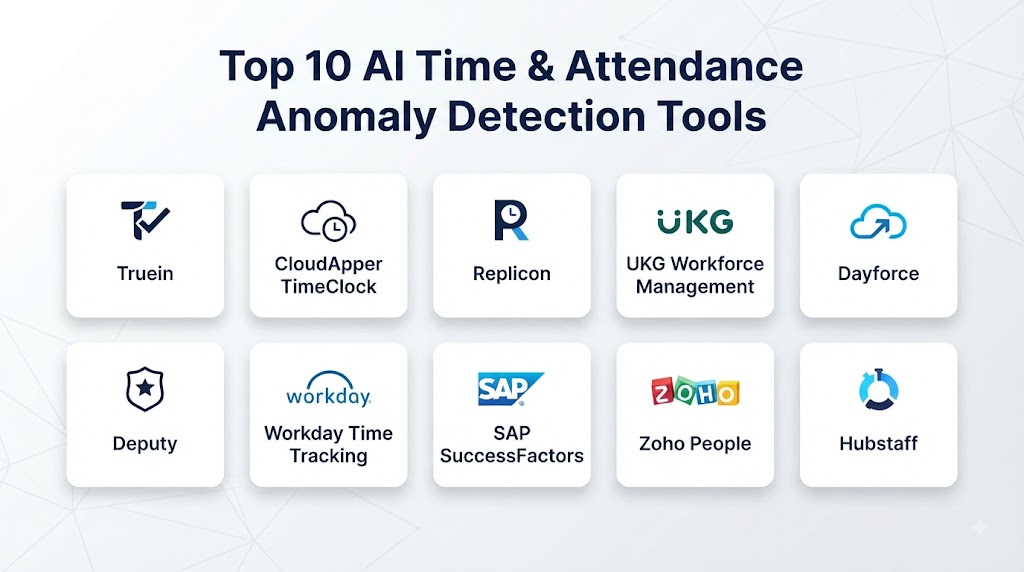
Top 10 AI Time & Attendance Anomaly Detection Tools
1. UKG Pro Workforce Management
UKG Pro Workforce Management provides workforce management capabilities covering time, attendance, scheduling, labor management, and workforce analytics.
Key Features
- Time and attendance tracking
- Exception management
- Schedule monitoring
- Overtime visibility
- Workforce analytics
- Payroll and workforce integration
Pros
- Strong workforce management capabilities
- Suitable for large organizations
- Advanced scheduling support
- Comprehensive attendance workflows
Cons
- Enterprise implementation can require significant configuration
- Extensive functionality may be more than smaller organizations need
2. ADP Workforce Manager
ADP provides workforce management and time tracking capabilities that can support attendance monitoring, payroll workflows, and workforce reporting.
Key Features
- Time tracking
- Attendance management
- Overtime monitoring
- Exception workflows
- Payroll integration
- Workforce reporting
Pros
- Strong payroll ecosystem
- Useful workforce integrations
- Suitable for organizations managing payroll and time together
- Broad HR capabilities
Cons
- Available functionality can vary by product configuration
- Advanced analytics requirements may depend on selected services
3. Workday Time Tracking
Workday Time Tracking connects employee time data with broader HCM, payroll, workforce, and employee management processes.
Key Features
- Time tracking
- Attendance management
- Exception handling
- Workforce reporting
- HCM integration
- Payroll connectivity
Pros
- Strong integration with broader workforce data
- Suitable for enterprise organizations
- Centralized employee information
- Flexible workflow capabilities
Cons
- Best suited to organizations using the broader Workday ecosystem
- Enterprise configuration can be complex
4. SAP SuccessFactors Time Tracking
SAP SuccessFactors provides employee time and attendance capabilities connected with broader HR and workforce management processes.
Key Features
- Time recording
- Attendance tracking
- Time exceptions
- Workforce data integration
- Employee self-service
- HR system connectivity
Pros
- Strong enterprise HR ecosystem
- Integrates with broader employee management
- Suitable for global organizations
- Flexible configuration possibilities
Cons
- Complex workforce requirements may require detailed implementation planning
- User experience can depend on configuration
5. Dayforce
Dayforce provides workforce management capabilities that combine time, attendance, scheduling, payroll, and workforce data.
Key Features
- Time and attendance
- Scheduling
- Overtime monitoring
- Payroll connectivity
- Workforce analytics
- Exception management
Pros
- Integrated workforce platform
- Strong payroll connection
- Useful for organizations managing complex workforce operations
- Enterprise scalability
Cons
- Broad functionality can increase implementation complexity
- Advanced configuration may require specialist support
6. Rippling
Rippling provides workforce management capabilities that connect HR, employee information, payroll, and time-related processes.
Key Features
- Time tracking
- Employee management
- Payroll integration
- Attendance workflows
- Workforce reporting
- Automation
Pros
- Strong automation capabilities
- Modern user experience
- Broad HR and workforce ecosystem
- Useful integration options
Cons
- Advanced anomaly analysis should be evaluated based on specific requirements
- Complex enterprise scheduling may require additional functionality
7. WorkForce Software
WorkForce Software focuses on enterprise workforce management, including time, attendance, scheduling, labor compliance, and workforce operations.
Key Features
- Enterprise time management
- Attendance monitoring
- Scheduling
- Workforce analytics
- Compliance support
- Exception management
Pros
- Strong enterprise workforce focus
- Suitable for complex scheduling environments
- Useful labor and attendance capabilities
- Scalable architecture
Cons
- Implementation may require significant planning
- Advanced enterprise functionality can require specialist administration
8. Deputy
Deputy provides employee scheduling, time tracking, attendance, and workforce management capabilities.
Key Features
- Employee scheduling
- Time tracking
- Attendance management
- Timesheet workflows
- Mobile access
- Workforce reporting
Pros
- User-friendly experience
- Strong scheduling capabilities
- Useful for shift-based teams
- Mobile accessibility
Cons
- Advanced enterprise anomaly detection requirements should be evaluated carefully
- May require additional systems for complex global workforce environments
9. Paycom
Paycom provides HR and payroll technology with time and labor management capabilities.
Key Features
- Time tracking
- Attendance management
- Payroll integration
- Overtime tracking
- Employee self-service
- Workforce reporting
Pros
- Strong payroll integration
- Centralized employee workflows
- Useful self-service capabilities
- Broad HR functionality
Cons
- Feature availability may depend on configuration
- Organizations should evaluate advanced analytics requirements
10. BambooHR Time Tracking
BambooHR provides HR management and employee time tracking capabilities suitable for organizations that need centralized HR and attendance processes.
Key Features
- Time tracking
- Attendance records
- Employee information
- Reporting
- HR integration
- Self-service
Pros
- User-friendly interface
- Suitable for growing organizations
- Centralized HR data
- Straightforward time management
Cons
- Advanced anomaly detection requirements may require additional analytics tools
- May not provide the same depth as specialized enterprise workforce platforms
Comparison Table
| No. | Platform | Best For | Exception Management | Time & Attendance | Scheduling | Overtime Monitoring | Analytics |
|---|---|---|---|---|---|---|---|
| 1 | UKG Pro Workforce Management | Enterprise workforce operations | Strong | Strong | Strong | Strong | Strong |
| 2 | ADP Workforce Manager | Payroll and workforce management | Strong | Strong | Strong | Strong | Strong |
| 3 | Workday Time Tracking | HCM-integrated time management | Strong | Strong | Moderate | Strong | Strong |
| 4 | SAP SuccessFactors | Enterprise HR integration | Strong | Strong | Moderate | Strong | Strong |
| 5 | Dayforce | Integrated workforce management | Strong | Strong | Strong | Strong | Strong |
| 6 | Rippling | Modern HR and automation | Moderate | Strong | Moderate | Strong | Strong |
| 7 | WorkForce Software | Complex workforce operations | Strong | Strong | Strong | Strong | Strong |
| 8 | Deputy | Shift-based workforce | Moderate | Strong | Strong | Moderate | Strong |
| 9 | Paycom | Payroll-integrated workforce management | Strong | Strong | Moderate | Strong | Strong |
| 10 | BambooHR Time Tracking | Growing organizations | Moderate | Strong | Moderate | Moderate | Moderate |
Weighted Evaluation Table
| No. | Platform | Exception Detection 20% | Time & Attendance 20% | Scheduling 15% | Analytics 15% | Payroll Integration 10% | Integrations 10% | Ease of Use 10% | Total Score |
|---|---|---|---|---|---|---|---|---|---|
| 1 | UKG Pro Workforce Management | 20 | 20 | 15 | 15 | 10 | 10 | 8 | 98 |
| 2 | ADP Workforce Manager | 19 | 20 | 14 | 14 | 10 | 10 | 9 | 96 |
| 3 | Workday Time Tracking | 19 | 20 | 13 | 15 | 10 | 10 | 8 | 95 |
| 4 | SAP SuccessFactors | 19 | 20 | 13 | 14 | 10 | 10 | 8 | 94 |
| 5 | Dayforce | 20 | 20 | 15 | 15 | 10 | 10 | 8 | 98 |
| 6 | Rippling | 17 | 19 | 12 | 14 | 10 | 10 | 10 | 92 |
| 7 | WorkForce Software | 20 | 20 | 15 | 14 | 9 | 10 | 7 | 95 |
| 8 | Deputy | 16 | 19 | 15 | 13 | 8 | 9 | 10 | 90 |
| 9 | Paycom | 18 | 20 | 13 | 14 | 10 | 10 | 9 | 94 |
| 10 | BambooHR Time Tracking | 15 | 18 | 12 | 12 | 8 | 9 | 10 | 84 |
Which Tool Is Right for You?
Choose UKG Pro Workforce Management if you manage a large or complex workforce and need advanced time, attendance, scheduling, and exception management.
Choose ADP Workforce Manager if payroll integration and workforce management are central requirements.
Choose Workday Time Tracking if your organization already uses a broader enterprise HCM environment and needs tightly integrated workforce data.
Choose SAP SuccessFactors Time Tracking if you require enterprise HR and time management capabilities within a global workforce ecosystem.
Choose Dayforce if you want an integrated platform covering time, attendance, scheduling, payroll, and workforce operations.
Choose Rippling if automation, modern HR workflows, and integrated employee management are important.
Choose WorkForce Software if your organization manages complex scheduling, labor rules, and enterprise workforce requirements.
Choose Deputy if you need straightforward scheduling and attendance management for shift-based teams.
Choose Paycom if you want time and attendance connected closely with payroll and HR processes.
Choose BambooHR Time Tracking if you need simple time tracking integrated with broader HR management.
Common Mistakes
- Treating every anomaly as employee misconduct
- Automatically disciplining employees based on AI flags
- Ignoring approved schedule changes
- Using inaccurate shift data
- Failing to account for missing system records
- Monitoring employees more than necessary
- Ignoring employee privacy
- Failing to explain attendance monitoring practices
- Using anomaly scores without human review
- Ignoring false-positive rates
- Separating time data from payroll validation
- Failing to regularly audit detection rules
FAQs
1. What is AI Time & Attendance Anomaly Detection?
It uses AI, machine learning, analytics, and automation to identify unusual or inconsistent patterns in employee time and attendance records.
2. What types of anomalies can be detected?
Examples include missing punches, unusual clock-in times, unexpected overtime, schedule deviations, duplicate records, and irregular attendance patterns.
3. Does an anomaly mean an employee did something wrong?
No. An anomaly simply indicates that a record differs from an expected or historical pattern and may require contextual review.
4. Can AI prevent payroll errors?
AI and automated exception detection can help identify unusual records before payroll processing, potentially reducing errors.
5. Can AI detect repeated attendance patterns?
Yes. Analytics can identify recurring trends such as repeated lateness, overtime patterns, or unusual schedule deviations.
6. Should AI automatically discipline employees?
No. Attendance anomalies should be reviewed by appropriate human managers or HR professionals before consequential action is considered.
7. What data is used for anomaly detection?
Data may include time records, schedules, attendance history, overtime, approved leave, shift assignments, and payroll information.
8. Can these tools support remote employees?
Depending on organizational policies and the platform, time and attendance systems can support remote, hybrid, mobile, and distributed work arrangements.
9. What should organizations evaluate before selecting a platform?
Key considerations include time tracking, exception workflows, scheduling, payroll integration, analytics, privacy, security, scalability, and ease of use.
10. What is the future of AI attendance management?
The category is moving toward smarter exception prioritization, predictive workforce analytics, integrated scheduling, real-time insights, automated workflows, and stronger responsible AI governance.
Conclusion
AI Time & Attendance Anomaly Detection tools can help organizations manage large volumes of workforce data by identifying unusual records, prioritizing exceptions, improving attendance data quality, and supporting payroll and workforce operations.UKG Pro Workforce Management, ADP Workforce Manager, Workday Time Tracking, SAP SuccessFactors Time Tracking, Dayforce, Rippling, WorkForce Software, Deputy, Paycom, and BambooHR offer different approaches to time tracking, attendance management, workforce analytics, scheduling, and exception handling.The right platform depends on workforce size, scheduling complexity, payroll requirements, existing HR systems, geographic operations, compliance needs, and the desired level of automation.