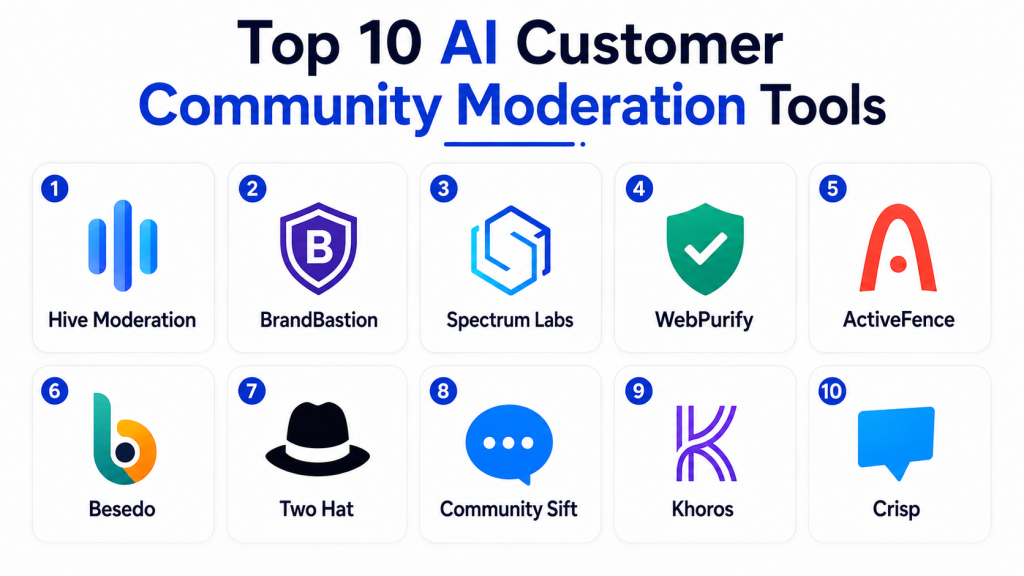
Introduction
AI customer community moderation tools help businesses keep online communities, forums, customer groups, discussion boards, review spaces, and social support environments safe and useful. Instead of relying only on human moderators to review every post, comment, image, or user report, these platforms can automatically detect spam, harassment, abusive language, scams, unsafe content, impersonation, coordinated abuse, and other policy violations.
Modern moderation systems go beyond simple keyword filters. They can use machine learning, language understanding, image analysis, behavioral signals, reputation data, and configurable policies to evaluate content and user activity in context. Some systems automatically block obvious violations, while uncertain cases are routed to human moderators for review.
Common use cases include customer forums, gaming communities, marketplaces, SaaS communities, social platforms, review systems, brand communities, livestream chat, discussion boards, and user-generated content platforms.
What’s Changing in AI Customer Community Moderation Tools
- Moderation is moving beyond keyword lists toward contextual understanding.
- AI can increasingly analyze complete conversations rather than isolated comments.
- Multimodal moderation can evaluate text, images, video, and audio.
- Spam detection is becoming more behavioral rather than purely content-based.
- Community systems can increasingly identify coordinated abuse across multiple accounts.
- AI can help detect harassment that avoids obvious prohibited words.
- Scam and phishing detection are becoming more important in customer communities.
- Moderation platforms increasingly combine content signals with user reputation and account history.
- Multilingual moderation is becoming essential for global communities.
- AI can prioritize moderation queues based on severity and confidence.
- Human moderators increasingly receive AI-generated explanations or summaries of incidents.
- Appeal workflows are becoming more important as automated enforcement expands.
- Communities increasingly need separate rules for customers, employees, creators, and anonymous users.
- Generative models can help summarize long toxic conversations for moderator review.
- Image and text moderation are increasingly handled in unified workflows.
- Real-time moderation is becoming more important for live chat and community events.
- Enterprises increasingly need audit trails showing why content was flagged or removed.
- False-positive monitoring is becoming a key quality metric.
- Privacy and data-retention controls are becoming more important.
- The strongest moderation systems combine automation with clear human escalation.
Quick Buyer Checklist
Before selecting an AI customer community moderation tool, check whether it can:
- Moderate text.
- Moderate images.
- Moderate video where required.
- Moderate audio where required.
- Detect harassment.
- Detect hate or abusive language.
- Detect threats.
- Detect sexual or explicit content.
- Detect spam.
- Detect scams.
- Detect phishing attempts.
- Detect impersonation.
- Detect repeated abusive behavior.
- Analyze user reputation.
- Support configurable policies.
- Support multilingual content.
- Provide confidence scores.
- Route uncertain cases to humans.
- Support moderator queues.
- Support appeals.
- Maintain moderation history.
- Integrate through APIs.
- Support real-time moderation.
- Provide webhooks or event workflows.
- Apply RBAC.
- Maintain audit logs.
- Support retention controls.
- Protect user information.
- Measure false positives.
- Allow human overrides.
Top 10 AI Customer Community Moderation Tools
1 — Hive Moderation
One-line verdict: Best for platforms needing scalable multimodal moderation across text, images, video, and user-generated content.
Hive provides automated content-understanding and moderation capabilities that can help digital platforms classify and filter user-generated media.
It is particularly relevant when customer communities include more than text and require moderation across visual content as well.
Standout Capabilities
- Text moderation.
- Image moderation.
- Video moderation.
- Multimodal classification.
- Unsafe-content detection.
- Spam and abuse filtering.
- API-based moderation.
- High-volume processing.
AI-Specific Depth
- Model support: Platform-managed machine-learning models.
- RAG / knowledge integration: N/A for standard moderation.
- Evaluation: Human-labeled datasets and moderation outcome review.
- Guardrails: Policy thresholds, confidence settings, and human review.
- Observability: Moderation events, classifications, and API analytics.
Pros
- Strong multimodal coverage.
- Useful for high-volume platforms.
- Developer-friendly moderation workflows.
Cons
- Requires platform integration.
- Community-specific rules still need custom policy logic.
- Human review remains necessary for ambiguous content.
Security & Compliance
Verify SSO, RBAC, auditing, encryption, retention, residency, data processing, and required certifications.
Deployment & Platforms
- Cloud: Available.
- API: Available.
- Web-based administration: Varies.
- Real-time processing: Available depending on implementation.
Integrations & Ecosystem
- Social platforms
- Marketplaces
- Forums
- Media applications
- User-generated content
- Custom APIs
- Trust and safety workflows
Pricing Model
Commercial and usage-oriented pricing.
Best-Fit Scenarios
- Large UGC platforms.
- Image-heavy communities.
- Mixed text and media moderation.
2 — Spectrum Labs
One-line verdict: Best for online communities needing contextual abuse detection across conversations and behavioral interactions.
Spectrum Labs focuses on trust and safety for online communities. Its technology is designed to identify harmful behaviors and conversational abuse rather than relying only on individual keywords.
Standout Capabilities
- Contextual text moderation.
- Harassment detection.
- Toxic-behavior analysis.
- Community safety signals.
- Real-time moderation.
- Conversation-level analysis.
- Behavioral detection.
- Custom policy workflows.
AI-Specific Depth
- Model support: Platform-managed AI.
- RAG / knowledge integration: N/A.
- Evaluation: Human moderation comparison and policy validation.
- Guardrails: Custom policies, thresholds, and human escalation.
- Observability: Moderation and community-safety analytics.
Pros
- Strong conversation context.
- Useful for interactive communities.
- Better suited to nuanced abuse than basic keyword filters.
Cons
- Primarily focused on conversational safety.
- Visual-content moderation may require additional tools.
- Community policies still need careful configuration.
Security & Compliance
Verify SSO, RBAC, auditing, retention, encryption, residency, and required certifications.
Deployment & Platforms
- Cloud: Available.
- API integration: Available.
- Real-time community workflows: Available.
Integrations & Ecosystem
- Forums
- Gaming communities
- Social platforms
- Messaging
- Customer communities
- Trust and safety systems
Pricing Model
Commercial enterprise pricing.
Best-Fit Scenarios
- Gaming communities.
- Social discussion platforms.
- Real-time conversational moderation.
3 — ActiveFence
One-line verdict: Best for trust-and-safety teams needing broader harmful-content intelligence, abuse detection, and policy enforcement support.
ActiveFence focuses on online trust and safety, including harmful content, abuse, threat intelligence, and platform-integrity workflows.
It can be useful for organizations managing communities where harmful behavior extends beyond simple profanity or spam.
Standout Capabilities
- Harmful-content detection.
- Platform-abuse intelligence.
- Threat monitoring.
- Policy support.
- Risk classification.
- Trust-and-safety workflows.
- Moderator intelligence.
- Cross-platform risk signals.
AI-Specific Depth
- Model support: Platform-managed AI and intelligence systems.
- RAG / knowledge integration: Varies.
- Evaluation: Human analyst review and policy outcome validation.
- Guardrails: Policy configuration and human escalation.
- Observability: Risk and trust-and-safety analytics.
Pros
- Strong broader safety intelligence.
- Useful for sophisticated threat environments.
- Supports trust-and-safety teams beyond basic moderation.
Cons
- More enterprise-focused.
- May be excessive for ordinary customer forums.
- Requires experienced policy teams.
Security & Compliance
Verify access controls, auditing, encryption, retention, residency, data-processing policies, and certifications.
Deployment & Platforms
- Cloud: Available.
- API and enterprise workflows: Available.
- Trust-and-safety operations: Available.
Integrations & Ecosystem
- Online platforms
- Marketplaces
- Social communities
- Trust and safety
- Risk operations
- Moderation systems
Pricing Model
Enterprise commercial pricing.
Best-Fit Scenarios
- Large digital communities.
- Complex trust-and-safety operations.
- Platforms facing coordinated abuse.
4 — Besedo
One-line verdict: Best for marketplaces and customer communities needing automated moderation combined with human review services.
Besedo provides content moderation and fraud-prevention capabilities designed particularly for marketplaces and user-generated content environments.
It can combine automated filtering with manual moderation workflows where human review remains important.
Standout Capabilities
- Text moderation.
- Image moderation.
- Marketplace abuse detection.
- Spam filtering.
- Scam detection.
- Manual moderation workflows.
- Content review.
- Policy enforcement.
AI-Specific Depth
- Model support: Platform-managed AI and moderation systems.
- RAG / knowledge integration: N/A.
- Evaluation: Human moderation comparison.
- Guardrails: Human review and policy-based moderation.
- Observability: Moderation and content-quality analytics.
Pros
- Strong marketplace experience.
- Combines automation with human review.
- Useful for scam and content abuse.
Cons
- Less developer-centric than pure moderation APIs.
- May not suit every community type.
- Advanced community analytics vary.
Security & Compliance
Verify SSO, RBAC, auditability, encryption, retention, residency, and certifications.
Deployment & Platforms
- Cloud: Available.
- Managed moderation: Available.
- API workflows: Vary.
Integrations & Ecosystem
- Marketplaces
- Classified platforms
- Customer communities
- Review systems
- Trust and safety
- Human moderation operations
Pricing Model
Commercial enterprise model.
Best-Fit Scenarios
- Online marketplaces.
- Classified communities.
- Platforms needing human moderation support.
5 — Two Hat
One-line verdict: Best for gaming and social communities needing automated moderation, classification, and configurable community-safety rules.
Two Hat focuses on community moderation and online safety. It is particularly associated with environments where real-time user interaction creates high moderation volume.
Standout Capabilities
- Text moderation.
- Community rules.
- Toxic-content detection.
- User-behavior monitoring.
- Real-time classification.
- Moderation automation.
- Policy customization.
- Community-safety workflows.
AI-Specific Depth
- Model support: Platform-managed moderation models.
- RAG / knowledge integration: N/A.
- Evaluation: Human moderator validation.
- Guardrails: Policy thresholds and human review.
- Observability: Moderation analytics.
Pros
- Strong community-safety focus.
- Useful for gaming environments.
- Suitable for real-time interactions.
Cons
- Best suited to community and gaming use cases.
- Broader enterprise CX workflows require integrations.
- Exact platform capabilities can vary.
Security & Compliance
Verify RBAC, auditing, encryption, retention, residency, and required certifications.
Deployment & Platforms
- Cloud: Available.
- Real-time moderation: Available.
- API integration: Available.
Integrations & Ecosystem
- Gaming
- Social communities
- Forums
- Chat systems
- Trust and safety
- Community applications
Pricing Model
Commercial enterprise pricing.
Best-Fit Scenarios
- Gaming communities.
- Youth-focused platforms.
- High-volume chat moderation.
6 — Bodyguard.ai
One-line verdict: Best for brands and communities wanting automated protection against toxic comments, harassment, and abusive social interactions.
Bodyguard.ai focuses on protecting online communities and brands from toxic or harmful interactions, particularly in social and comment-driven environments.
Standout Capabilities
- Toxic-comment detection.
- Harassment filtering.
- Hate and abuse detection.
- Community protection.
- Social moderation.
- Contextual classification.
- Real-time filtering.
- Brand-safety workflows.
AI-Specific Depth
- Model support: Platform-managed AI.
- RAG / knowledge integration: N/A.
- Evaluation: Human moderation and classification review.
- Guardrails: Policy controls and moderation settings.
- Observability: Community-safety analytics vary.
Pros
- Strong focus on toxic interactions.
- Useful for brands with active communities.
- Can reduce moderator workload.
Cons
- Less comprehensive for fraud or marketplace abuse.
- Media moderation breadth varies.
- Best suited to text-heavy interactions.
Security & Compliance
Verify access controls, encryption, retention, privacy, residency, and certifications.
Deployment & Platforms
- Cloud: Available.
- Social moderation workflows: Available.
- APIs: Vary.
Integrations & Ecosystem
- Social platforms
- Brand communities
- Comment systems
- Gaming
- Media
- Customer communities
Pricing Model
Commercial SaaS.
Best-Fit Scenarios
- Brand communities.
- Social comment moderation.
- Harassment protection.
7 — Crisp Thinking
One-line verdict: Best for organizations prioritizing online community safety, youth protection, and behavioral risk detection.
Crisp Thinking focuses on online safety and risk detection across communities and digital environments.
Its capabilities can be relevant for organizations where harmful behavior, grooming, harassment, or community risk requires deeper contextual monitoring.
Standout Capabilities
- Online safety analysis.
- Behavioral risk detection.
- Harmful interaction detection.
- Community monitoring.
- Risk classification.
- Moderator escalation.
- Conversation analysis.
- Safety workflows.
AI-Specific Depth
- Model support: Platform-managed AI.
- RAG / knowledge integration: N/A.
- Evaluation: Human safety-team review.
- Guardrails: Escalation and safety policies.
- Observability: Safety and risk analytics.
Pros
- Strong safety focus.
- Useful for sensitive communities.
- Supports behavioral risk detection.
Cons
- More specialized than general customer moderation.
- Requires experienced safety teams.
- May be excessive for low-risk communities.
Security & Compliance
Verify SSO, RBAC, auditing, encryption, retention, residency, and certifications.
Deployment & Platforms
- Cloud: Available.
- Community-safety workflows: Available.
- Integration options: Vary.
Integrations & Ecosystem
- Social communities
- Youth platforms
- Messaging
- Trust and safety
- Risk operations
Pricing Model
Commercial enterprise pricing.
Best-Fit Scenarios
- Youth communities.
- Safety-sensitive platforms.
- Behavioral risk monitoring.
8 — Microsoft Azure AI Content Safety
One-line verdict: Best for Microsoft-centered developers needing configurable text and image moderation APIs for custom community applications.
Azure AI Content Safety provides APIs and cloud services that developers can use to identify potentially harmful text and images.
It is particularly useful when organizations want moderation infrastructure rather than a complete community-management platform.
Standout Capabilities
- Text safety classification.
- Image moderation.
- Severity classification.
- API integration.
- Custom application support.
- Cloud scalability.
- Enterprise identity.
- Developer workflows.
AI-Specific Depth
- Model support: Microsoft-managed safety models.
- RAG / knowledge integration: N/A.
- Evaluation: Application-specific testing and human review.
- Guardrails: Application rules, thresholds, and Microsoft identity controls.
- Observability: Azure monitoring and moderation-event logging.
Pros
- Strong developer ecosystem.
- Suitable for custom applications.
- Enterprise cloud infrastructure.
Cons
- Requires technical implementation.
- Not a complete moderation operations suite.
- Community-specific logic needs to be built separately.
Security & Compliance
Verify IAM, RBAC, logging, encryption, retention, residency, regional availability, and required certifications.
Deployment & Platforms
- Cloud: Available.
- API: Available.
- Custom applications: Available.
Integrations & Ecosystem
- Web applications
- Mobile apps
- Forums
- Chat systems
- Enterprise applications
- Custom APIs
Pricing Model
Usage-based cloud pricing.
Best-Fit Scenarios
- Custom community products.
- Enterprise developer teams.
- Text and image moderation infrastructure.
9 — Google Cloud Content Moderation Workflows
One-line verdict: Best for developer teams building moderation pipelines using cloud AI, classification, image analysis, and custom policy logic.
Google Cloud can support custom moderation architectures through language, image, machine-learning, and application services.
Rather than acting as a complete community moderation product, it is useful as infrastructure for organizations building their own safety systems.
Standout Capabilities
- Text classification workflows.
- Image-content analysis.
- Custom machine learning.
- API integration.
- Event processing.
- Scalable cloud infrastructure.
- Custom policy logic.
- Data analytics.
AI-Specific Depth
- Model support: Google-managed and custom models.
- RAG / knowledge integration: Optional for custom architectures.
- Evaluation: Organization-managed evaluation datasets.
- Guardrails: IAM, policy engines, and custom moderation rules.
- Observability: Cloud monitoring and custom analytics.
Pros
- Highly flexible.
- Strong developer ecosystem.
- Suitable for custom moderation pipelines.
Cons
- Requires significant engineering.
- No single turnkey moderation workspace.
- Human-review systems must often be added separately.
Security & Compliance
Verify IAM, encryption, logging, retention, residency, regional availability, and required certifications.
Deployment & Platforms
- Cloud: Available.
- APIs: Available.
- Custom applications: Available.
Integrations & Ecosystem
- Data pipelines
- Community applications
- Messaging systems
- Image processing
- Machine learning
- Analytics
- Internal tools
Pricing Model
Usage-based cloud pricing.
Best-Fit Scenarios
- Developer-led moderation.
- Custom safety infrastructure.
- Large-scale community applications.
10 — Custom AI Community Moderation Platform
One-line verdict: Best for mature organizations requiring custom policies, private models, multimodal moderation, and complete enforcement control.
Organizations with strong engineering and trust-and-safety teams can build custom moderation platforms using language models, classifiers, image models, graph analysis, user reputation, behavioral signals, and workflow engines.
This approach gives organizations complete control over moderation policies and appeals but also places responsibility for accuracy, fairness, and safety on the internal team.
Standout Capabilities
- Custom moderation taxonomy.
- Custom language models.
- Multimodal moderation.
- User reputation.
- Graph-based abuse detection.
- Behavioral signals.
- Private deployment.
- Custom appeals.
AI-Specific Depth
- Model support: BYO / open-source / proprietary / multi-model.
- RAG / knowledge integration: Customizable for policy guidance and moderator assistance.
- Evaluation: Labeled datasets, red-team testing, human review, and regression benchmarks.
- Guardrails: Custom thresholds, policy rules, and human escalation.
- Observability: Precision, recall, false positives, latency, cost, appeals, and model drift.
Pros
- Maximum control.
- Can match unique community policies.
- Strong privacy and deployment flexibility.
Cons
- High engineering effort.
- Requires continuous safety evaluation.
- Appeals and human-review systems must be maintained internally.
Security & Compliance
Architecture-dependent. Organizations must implement identity, access control, encryption, auditability, retention, residency, privacy, and model governance.
Deployment & Platforms
- Cloud: Possible.
- Self-hosted: Possible.
- Hybrid: Possible.
- Private models: Possible.
Integrations & Ecosystem
- Community platforms
- Forums
- CRM
- Identity systems
- Trust and safety
- Data warehouses
- Internal APIs
Pricing Model
Infrastructure, model, engineering, human moderation, storage, and maintenance costs.
Best-Fit Scenarios
- Large communities.
- Regulated or sensitive platforms.
- Organizations with highly specialized moderation rules.
Comparison Table
| Tool Name | Best For | Deployment | Model Flexibility | Strength | Watch-Out | Public Rating |
|---|---|---|---|---|---|---|
| Hive Moderation | Multimodal UGC | Cloud / API | Hosted | Text + image + video moderation | Requires integration | N/A |
| Spectrum Labs | Conversational communities | Cloud / API | Hosted | Contextual abuse detection | Text-heavy focus | N/A |
| ActiveFence | Trust and safety teams | Cloud / Enterprise | Hosted | Broad harmful-content intelligence | Enterprise complexity | N/A |
| Besedo | Marketplaces | Cloud / Varies | Hosted | AI + human moderation | Marketplace-oriented | N/A |
| Two Hat | Gaming communities | Cloud / API | Hosted | Real-time community moderation | Specialized scope | N/A |
| Bodyguard.ai | Brands and social communities | Cloud | Hosted | Toxic-comment filtering | Less fraud coverage | N/A |
| Crisp Thinking | Safety-sensitive platforms | Cloud / Varies | Hosted | Behavioral safety monitoring | Specialized use cases | N/A |
| Azure AI Content Safety | Developers | Cloud / API | Hosted | Custom moderation infrastructure | Requires engineering | N/A |
| Google Cloud Workflows | Developers | Cloud / API | Hosted / Custom | Maximum cloud flexibility | Not turnkey | N/A |
| Custom Moderation Platform | Mature enterprises | Cloud / Self-hosted / Hybrid | BYO / Multi-model | Maximum control | Engineering overhead | N/A |
Scoring & Evaluation
The scores below are comparative editorial assessments rather than official vendor ratings. Community moderation should be judged by safety outcomes, false-positive rates, coverage, response time, transparency, and human-review quality rather than by the number of comments automatically removed.
Core features measure abuse, spam, multimodal, and behavioral detection. Reliability considers precision, recall, context, and human validation. Guardrails include configurable policies and appeals. Integrations evaluate APIs, community systems, identity, and moderation workflows.
- Core features – 20%
- AI reliability and evaluation – 15%
- Guardrails and safety – 10%
- Integrations and ecosystem – 15%
- Ease of use – 10%
- Performance and cost controls – 15%
- Security and administration – 10%
- Support and community – 5%
| Tool | Core | Reliability/Eval | Guardrails | Integrations | Ease | Perf/Cost | Security/Admin | Support | Weighted Total |
|---|---|---|---|---|---|---|---|---|---|
| Hive Moderation | 10 | 9 | 9 | 10 | 9 | 9 | 9 | 8 | 9.15 |
| Spectrum Labs | 10 | 9 | 10 | 9 | 8 | 8 | 9 | 9 | 8.95 |
| ActiveFence | 10 | 10 | 10 | 9 | 7 | 7 | 10 | 10 | 9.00 |
| Besedo | 9 | 9 | 10 | 9 | 9 | 8 | 9 | 9 | 8.95 |
| Two Hat | 9 | 9 | 10 | 9 | 8 | 8 | 9 | 9 | 8.80 |
| Bodyguard.ai | 9 | 9 | 9 | 8 | 9 | 9 | 8 | 8 | 8.60 |
| Crisp Thinking | 9 | 9 | 10 | 8 | 7 | 8 | 9 | 8 | 8.45 |
| Azure AI Content Safety | 9 | 9 | 10 | 10 | 8 | 9 | 10 | 9 | 9.15 |
| Google Cloud Workflows | 9 | 9 | 9 | 10 | 7 | 9 | 10 | 9 | 8.95 |
| Custom Moderation Platform | 10 | 10 | 10 | 10 | 5 | 7 | 10 | 6 | 8.85 |
Which AI Customer Community Moderation Tool Is Right for You?
Solo / Small Community
Small communities may only require:
- Spam filtering.
- Basic profanity controls.
- User reporting.
- Manual moderator review.
Avoid adding complex moderation infrastructure until volume makes manual review difficult.
SMB
Growing communities should prioritize:
- Harassment detection.
- Spam filtering.
- Scam detection.
- Moderator queues.
- User reporting.
- Configurable rules.
- Appeal workflows.
The system should reduce workload without making legitimate users afraid to participate.
Mid-Market
Mid-market businesses should combine content moderation with:
- User reputation.
- Account history.
- Community reports.
- Customer identity.
- Moderator actions.
- Repeat violations.
Repeated behavior can often provide more useful risk context than a single message.
Enterprise
Enterprise buyers should evaluate:
- Text moderation.
- Image moderation.
- Video moderation.
- Real-time performance.
- Multilingual accuracy.
- SSO.
- RBAC.
- Audit logs.
- Data retention.
- Data residency.
- Custom policies.
- Moderator queues.
- Appeals.
- Explainability.
- Model monitoring.
- API scalability.
Large organizations should maintain separate thresholds for low-risk and high-risk moderation decisions.
Regulated or Sensitive Communities
Healthcare, finance, education, youth communities, and public-sector environments may require stronger safety and privacy controls.
Moderation workflows should include:
- Clear policies.
- Human review.
- Escalation rules.
- Evidence preservation where appropriate.
- Restricted access.
- Audit trails.
Automated classification should not be treated as unquestionable proof.
Budget vs Premium
Basic moderation tools may be sufficient for simple customer forums.
Premium platforms become valuable when communities include:
- High posting volume.
- Images or video.
- Live chat.
- Coordinated abuse.
- Fraud.
- Sensitive users.
- Multiple languages.
- Complex community policies.
Evaluate moderator time saved alongside false positives and user experience.
Build vs Buy
Buying is usually faster when standard safety categories cover most community risks.
Building may make sense when organizations require:
- Specialized policy taxonomies.
- Private models.
- Custom enforcement rules.
- Proprietary behavioral signals.
- Complex appeals.
- Highly specific user-risk models.
Implementation Playbook: 30 / 60 / 90 Days
First 30 Days — Define Policies and Baseline
Create clear moderation categories.
Examples:
- Spam.
- Harassment.
- Threats.
- Hate or abusive language.
- Scams.
- Impersonation.
- Sexual content.
- Off-topic promotion.
Collect previously moderated examples.
Measure:
- Moderator workload.
- Removal rate.
- User reports.
- False positives.
- Repeat offenders.
Do not automate permanent enforcement initially.
Days 31–60 — Evaluate and Introduce AI Triage
Use AI to categorize incoming content.
Test:
- Slang.
- Misspellings.
- Sarcasm.
- Quoted abusive language.
- Community-specific jokes.
- Multilingual content.
- Adversarial wording.
Route low-confidence cases to human moderators.
Compare AI decisions with experienced moderators.
Days 61–90 — Controlled Enforcement
Automate only high-confidence, low-risk decisions first.
Examples:
- Obvious spam.
- Repeated promotional abuse.
- Known malicious links.
- Clearly prohibited media.
Require human review for:
- Permanent bans.
- Threat assessments.
- Ambiguous harassment.
- Sensitive accusations.
- High-value customer accounts.
Track both safety improvements and moderation mistakes.
Common Mistakes and How to Avoid Them
- Relying only on keyword filtering.
- Ignoring conversation context.
- Automatically banning users after one uncertain classification.
- Failing to create an appeal process.
- Ignoring multilingual accuracy.
- Treating sarcasm as straightforward abuse.
- Ignoring quoted or educational context.
- Applying one policy to every community.
- Failing to review moderator disagreement.
- Ignoring false positives.
- Measuring only content removal.
- Ignoring coordinated account behavior.
- Failing to protect moderator access to user data.
- Keeping unclear community rules.
- Using AI without human escalation.
- Ignoring image-based abuse.
- Failing to monitor model drift.
- Treating every disagreement as harmful content.
- Over-moderating customer criticism.
- Assuming automation automatically creates a healthy community.
Frequently Asked Questions
1. What is an AI customer community moderation tool?
It is software that uses machine learning or AI to identify potentially harmful, abusive, fraudulent, spammy, or policy-violating content and help moderation teams review or enforce community rules.
2. Can AI moderation detect harassment?
Yes. Modern systems can detect many forms of harassment and abusive language, although subtle, contextual, or culturally specific cases may still require human review.
3. Can AI moderation analyze images?
Some platforms can detect unsafe or prohibited visual content in addition to text. Multimodal capabilities vary by provider.
4. Can AI moderation detect spam and scams?
Yes. Moderation systems can use content, behavior, account patterns, repetition, links, and other signals to identify spam or suspicious activity.
5. Can moderation tools work in real time?
Yes. Many platforms support low-latency moderation for chat, comments, forums, and other live community experiences.
6. Can AI moderation support multiple languages?
Many platforms support multilingual moderation, but accuracy varies by language, slang, regional usage, and cultural context. Important languages should be tested separately.
7. Should AI automatically ban community members?
Permanent bans should generally include stronger evidence and human oversight, especially when AI confidence is uncertain or the consequences are significant.
8. How can businesses reduce false-positive moderation?
Use confidence thresholds, contextual models, human review, policy-specific evaluation, appeals, and regular audits of incorrectly flagged content.
9. Can AI moderation replace human moderators?
Not completely. AI can reduce repetitive workload and prioritize cases, while humans remain important for context, appeals, nuanced policy interpretation, and complex safety decisions.
10. How do I choose the best AI customer community moderation tool?
Compare content coverage, multilingual accuracy, real-time performance, configurable policies, moderator workflows, appeals, APIs, multimodal support, explainability, security, privacy, false-positive controls, analytics, and how well the platform supports your specific community rules.
Conclusion
AI customer community moderation tools help businesses maintain safer and more useful online spaces by automatically analyzing large volumes of user-generated content and prioritizing potentially harmful activity for action. Instead of forcing moderators to inspect every message manually, these platforms can identify spam, harassment, threats, scams, unsafe media, repeated abuse, and other policy violations much faster.Different tools fit different environments. Hive Moderation is strong for multimodal content. Spectrum Labs is useful for contextual conversational abuse. ActiveFence is better suited to sophisticated trust-and-safety operations. Besedo combines automated and human moderation, while Two Hat and Bodyguard.ai fit community-heavy environments. Crisp Thinking is more specialized around behavioral safety, and Azure or Google Cloud-based approaches provide flexibility for organizations building custom moderation systems.