Introduction
AI Maintenance Work Order Prioritization tools help maintenance teams decide which maintenance jobs should be handled first based on factors such as asset criticality, equipment condition, failure risk, production impact, safety considerations, urgency, spare-parts availability, and technician capacity. Instead of relying entirely on manually assigned priority levels, AI and analytics can help maintenance organizations rank work according to operational risk and business impact.These capabilities are especially useful in factories, utilities, energy facilities, transportation, mining, logistics, buildings, and other asset-intensive environments where maintenance teams may manage hundreds or thousands of open work orders.When evaluating these platforms, buyers should consider asset hierarchy, AI and predictive analytics, work-order management, CMMS/EAM integration, condition monitoring, failure prediction, explainability, data quality, mobile access, workflow automation, human approval, cybersecurity, deployment options, scalability, and total cost of ownership.
What’s Changed in AI Maintenance Work Order Prioritization
- AI-assisted prioritization: Work orders can increasingly be ranked using multiple operational variables rather than a manually selected urgency field.
- Predictive maintenance integration: Failure-risk predictions can influence the priority of maintenance jobs.
- Asset criticality is becoming more dynamic: Criticality can incorporate production impact, safety, quality, and operational context.
- AI can combine multiple data sources: Work-order history, sensor readings, asset information, technician notes, inspection results, and production data can potentially be evaluated together.
- Natural-language maintenance data is becoming more useful: AI can extract useful signals from technician notes and historical work descriptions.
- Multimodal maintenance workflows are emerging: Images, inspection reports, sensor data, text, and machine information can be considered together.
- AI agents can support maintenance workflows: Future systems may identify high-risk jobs, investigate asset history, recommend actions, and prepare work packages.
- Human-in-the-loop controls remain important: Maintenance priorities should not be changed automatically without appropriate operational oversight.
- Explainability matters: Maintenance teams need to understand why a work order was elevated or deprioritized.
- Cost optimization is becoming more important: AI should balance failure risk against maintenance cost, downtime, labor, and spare-parts requirements.
- Cybersecurity is increasingly relevant: AI-connected maintenance systems can become part of the operational technology environment.
- Governance is moving closer to the maintenance workflow: Organizations need traceable changes to priorities, recommendations, and automated actions.
Quick Buyer Checklist
Before shortlisting an AI maintenance work-order prioritization platform, check:
- Asset criticality support.
- Failure-risk prediction.
- Work-order scoring.
- CMMS/EAM integration.
- Predictive-maintenance integration.
- Condition-monitoring integration.
- Historical maintenance-data analysis.
- Natural-language maintenance notes.
- Technician recommendations.
- Production-impact analysis.
- Safety-related prioritization.
- Spare-parts availability.
- Technician availability.
- Maintenance backlog analysis.
- AI explainability.
- Human approval workflows.
- Audit trails.
- Role-based access.
- Data retention controls.
- Data privacy.
- Cloud/self-hosted options.
- API access.
- Mobile support.
- Workflow automation.
- Model monitoring.
- AI evaluation.
- Vendor lock-in risk.
- Integration with existing plant systems.
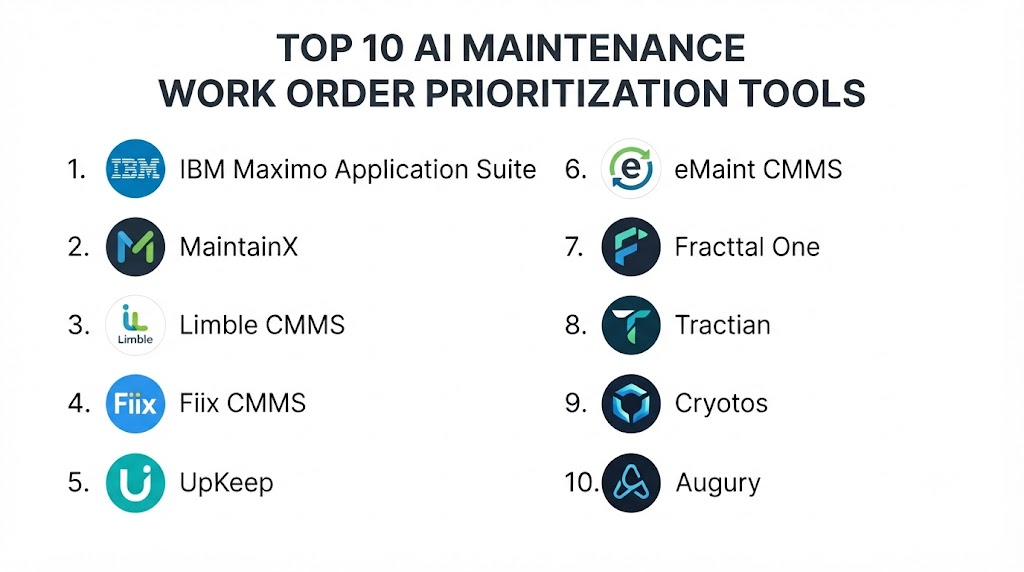
Top 10 AI Maintenance Work Order Prioritization Tools
1. IBM Maximo Application Suite
One-line verdict: Best for enterprises seeking AI-enhanced asset management, maintenance workflows, work orders, and predictive maintenance.
Short description:
IBM Maximo Application Suite provides enterprise asset management and maintenance capabilities across asset-intensive industries. Its AI and analytics capabilities can help organizations identify maintenance risks, analyze asset information, and improve maintenance decision-making.
Standout Capabilities
- Enterprise asset management.
- Work-order management.
- Asset lifecycle management.
- Predictive-maintenance capabilities.
- Condition monitoring.
- Maintenance planning.
- Mobile maintenance workflows.
- AI-assisted asset insights.
AI-Specific Depth
- Model support: AI capabilities are primarily provided through the IBM ecosystem; exact BYO-model options vary.
- RAG / knowledge integration: Enterprise data integration varies by implementation.
- Evaluation: Analytics and predictive models can support maintenance decision-making; exact evaluation tooling varies.
- Guardrails: Enterprise governance and access controls depend on the selected deployment.
- Observability: Asset and maintenance analytics are available; AI-specific observability varies.
Pros
- Strong enterprise asset-management foundation.
- Suitable for complex maintenance environments.
- Broad maintenance and asset functionality.
Cons
- Can be complex for smaller organizations.
- Implementation may require specialized expertise.
- Enterprise configuration can take significant time.
Security & Compliance
Security features such as access controls, authentication, auditability, and data protection vary by deployment and product configuration. Specific certifications should be verified for the selected environment.
Deployment & Platforms
- Cloud.
- Enterprise environments.
- Hybrid deployment options may vary.
- Mobile maintenance workflows.
Integrations & Ecosystem
IBM Maximo can connect maintenance workflows with broader enterprise and industrial systems.
- ERP systems.
- IoT platforms.
- Asset-monitoring systems.
- APIs.
- Mobile applications.
- Analytics platforms.
- Enterprise data systems.
Pricing Model
Enterprise/custom licensing. Exact pricing is Not publicly stated as a universal package.
Best-Fit Scenarios
- Large manufacturing organizations.
- Utilities and energy companies.
- Asset-intensive enterprises.
2. SAP Asset Performance Management
One-line verdict: Best for SAP-centric enterprises connecting asset health, maintenance risk, and enterprise work-management processes.
Short description:
SAP Asset Performance Management provides capabilities for monitoring asset performance, identifying risks, and supporting maintenance decisions. Organizations already using SAP can integrate asset insights with broader enterprise maintenance processes.
Standout Capabilities
- Asset performance monitoring.
- Asset health analysis.
- Risk assessment.
- Maintenance strategy support.
- Predictive analytics.
- Enterprise asset management integration.
- SAP ecosystem connectivity.
- Asset-performance insights.
AI-Specific Depth
- Model support: AI capabilities depend on SAP services and implementation.
- RAG / knowledge integration: Enterprise-data integration varies.
- Evaluation: Predictive and analytical models support asset decisions; specific evaluation workflows vary.
- Guardrails: Enterprise controls depend on configuration.
- Observability: Asset-performance monitoring and analytics.
Pros
- Strong SAP integration.
- Useful for enterprise asset strategies.
- Connects asset information with business processes.
Cons
- Most valuable for SAP-centric organizations.
- Implementation can be complex.
- Advanced capabilities may require specialist expertise.
Security & Compliance
Security controls depend on SAP deployment and configuration. Specific certifications should be verified for the applicable product and region.
Deployment & Platforms
- Cloud.
- Enterprise environments.
- SAP ecosystem.
Integrations & Ecosystem
Common integration areas include:
- SAP enterprise systems.
- Maintenance management.
- Asset data.
- IoT sources.
- Analytics.
- APIs.
- Enterprise workflows.
Pricing Model
Enterprise/custom licensing; exact pricing is Not publicly stated.
Best-Fit Scenarios
- SAP-based manufacturers.
- Large industrial enterprises.
- Asset-intensive organizations.
3. Microsoft Dynamics 365 Asset Management
One-line verdict: Best for organizations using Microsoft business systems that need integrated maintenance and asset-management workflows.
Short description:
Dynamics 365 Asset Management supports maintenance management within the broader Dynamics ecosystem. Organizations can manage assets, maintenance activities, work orders, and related operational processes.
Standout Capabilities
- Asset management.
- Maintenance requests.
- Work orders.
- Preventive maintenance.
- Asset tracking.
- Maintenance planning.
- Microsoft ecosystem integration.
- Business-process connectivity.
AI-Specific Depth
- Model support: Microsoft AI capabilities vary by connected services and configuration.
- RAG / knowledge integration: Can be extended using Microsoft data and AI services.
- Evaluation: AI evaluation depends on the connected AI implementation.
- Guardrails: Enterprise AI controls vary by configuration.
- Observability: Microsoft monitoring capabilities can be used depending on architecture.
Pros
- Strong Microsoft ecosystem.
- Useful for organizations already using Dynamics.
- Connects maintenance with business operations.
Cons
- AI prioritization may require configuration or additional services.
- Not necessarily ideal for highly specialized predictive-maintenance environments.
- Implementation complexity varies.
Security & Compliance
Security capabilities depend on the Microsoft environment, tenant configuration, identity architecture, and connected services.
Deployment & Platforms
- Cloud.
- Enterprise environments.
- Web.
- Mobile capabilities depend on the configured application.
Integrations & Ecosystem
- Microsoft Dynamics.
- Power Platform.
- Data services.
- Analytics.
- APIs.
- Enterprise applications.
- IoT systems.
Pricing Model
Licensing varies by Microsoft product, user type, and implementation. Exact pricing is Not publicly stated here.
Best-Fit Scenarios
- Microsoft-centric businesses.
- Mid-market manufacturers.
- Enterprise maintenance teams.
4. Fiix CMMS
One-line verdict: Best for maintenance teams wanting accessible CMMS functionality with analytics and increasingly intelligent maintenance workflows.
Short description:
Fiix provides computerized maintenance management capabilities covering work orders, assets, preventive maintenance, parts, and maintenance operations. Its analytics and AI-oriented capabilities can support maintenance teams looking to improve prioritization and decision-making.
Standout Capabilities
- Work-order management.
- Preventive maintenance.
- Asset management.
- Maintenance analytics.
- Parts management.
- Mobile maintenance.
- Maintenance reporting.
- Workflow automation.
AI-Specific Depth
- Model support: AI capabilities depend on available product functionality.
- RAG / knowledge integration: N/A or varies.
- Evaluation: Analytics and maintenance performance measurement.
- Guardrails: Workflow permissions and administrative controls.
- Observability: Maintenance metrics and analytics.
Pros
- Accessible CMMS approach.
- Strong work-order functionality.
- Suitable for many maintenance teams.
Cons
- Advanced AI capabilities may vary.
- Complex enterprise requirements can require additional configuration.
- Predictive capabilities depend on available integrations and data.
Security & Compliance
Security controls and certifications should be verified against the current product configuration.
Deployment & Platforms
- Cloud.
- Web.
- Mobile.
- Enterprise environments.
Integrations & Ecosystem
Fiix can connect maintenance operations with external systems.
- APIs.
- ERP systems.
- IoT platforms.
- Asset systems.
- Mobile devices.
- Reporting tools.
Pricing Model
Tiered/subscription-based commercial model; exact pricing depends on configuration.
Best-Fit Scenarios
- SMB maintenance teams.
- Mid-sized manufacturers.
- Organizations replacing spreadsheets with CMMS workflows.
5. MaintainX
One-line verdict: Best for frontline maintenance teams seeking modern digital work-order management and operational collaboration.
Short description:
MaintainX is a maintenance and operations platform focused on work orders, procedures, inspections, asset information, and frontline workflows. It can help organizations move maintenance processes away from paper and disconnected spreadsheets.
Standout Capabilities
- Digital work orders.
- Preventive maintenance.
- Inspection workflows.
- Maintenance procedures.
- Asset management.
- Team collaboration.
- Mobile-first workflows.
- Maintenance reporting.
AI-Specific Depth
- Model support: AI functionality varies by product configuration.
- RAG / knowledge integration: Maintenance documentation and organizational information can support workflows; exact RAG architecture varies.
- Evaluation: Operational reporting and workflow measurement.
- Guardrails: User permissions and workflow controls.
- Observability: Maintenance performance reporting.
Pros
- User-friendly maintenance workflows.
- Strong frontline usability.
- Useful for digitizing maintenance operations.
Cons
- Advanced predictive analytics may require additional systems.
- Highly complex enterprise environments may need broader EAM functionality.
- AI-specific capabilities vary.
Security & Compliance
Specific security features and certifications should be verified against the current enterprise offering.
Deployment & Platforms
- Cloud.
- Web.
- Mobile.
- Hybrid integrations may vary.
Integrations & Ecosystem
- APIs.
- Maintenance systems.
- ERP platforms.
- Asset databases.
- Mobile devices.
- Operational workflows.
Pricing Model
Subscription/tiered commercial model; exact pricing varies.
Best-Fit Scenarios
- Frontline maintenance teams.
- SMB and mid-market organizations.
- Paper-based maintenance operations moving to digital workflows.
6. UpKeep
One-line verdict: Best for organizations seeking cloud-based CMMS capabilities with mobile maintenance and data-driven work management.
Short description:
UpKeep provides maintenance management tools for work orders, preventive maintenance, assets, inventory, and technician workflows. It is designed to help maintenance teams organize operational work and improve maintenance visibility.
Standout Capabilities
- Work-order management.
- Preventive maintenance.
- Asset management.
- Inventory management.
- Mobile maintenance.
- Maintenance reporting.
- Scheduling.
- Operational dashboards.
AI-Specific Depth
- Model support: Varies by current product functionality.
- RAG / knowledge integration: Varies / N/A.
- Evaluation: Maintenance metrics and operational reporting.
- Guardrails: Permissions and workflow controls.
- Observability: Operational maintenance reporting.
Pros
- Mobile-friendly workflows.
- Accessible CMMS experience.
- Suitable for distributed maintenance teams.
Cons
- Advanced AI prioritization may require additional functionality.
- Complex predictive-maintenance requirements may need integrations.
- Enterprise needs vary.
Security & Compliance
Security and compliance details should be verified for the selected subscription and implementation.
Deployment & Platforms
- Cloud.
- Web.
- Mobile.
- Connected enterprise systems.
Integrations & Ecosystem
- APIs.
- ERP systems.
- Asset systems.
- Mobile devices.
- Reporting.
- Maintenance workflows.
Pricing Model
Subscription-based; exact pricing varies by plan and implementation.
Best-Fit Scenarios
- Distributed maintenance teams.
- SMBs.
- Mobile-first maintenance organizations.
7. IBM Envizi
One-line verdict: Best for organizations connecting operational information with sustainability, energy, and asset-related decision-making.
Short description:
IBM Envizi focuses heavily on sustainability and environmental data management rather than serving as a standalone maintenance work-order system. It can complement maintenance strategies when energy, equipment performance, and sustainability metrics influence operational decisions.
Standout Capabilities
- Sustainability data management.
- Environmental analytics.
- Energy-related information.
- Reporting.
- Enterprise data integration.
- Analytics.
- Operational visibility.
- Sustainability workflows.
AI-Specific Depth
- Model support: IBM AI ecosystem capabilities vary.
- RAG / knowledge integration: Depends on implementation.
- Evaluation: Analytics and reporting.
- Guardrails: Enterprise controls depend on deployment.
- Observability: Environmental and operational analytics.
Pros
- Strong sustainability orientation.
- Useful for energy-intensive organizations.
- Can complement asset-management programs.
Cons
- Not primarily a maintenance work-order platform.
- Requires integration with maintenance systems.
- May be unnecessary for basic maintenance requirements.
Security & Compliance
Enterprise security depends on the implementation and selected IBM services. Specific certifications should be verified.
Deployment & Platforms
- Cloud.
- Enterprise systems.
- Integrated data environments.
Integrations & Ecosystem
- Enterprise data sources.
- Energy systems.
- Reporting platforms.
- Asset data.
- Analytics.
- Sustainability applications.
Pricing Model
Enterprise/custom licensing; Not publicly stated.
Best-Fit Scenarios
- Energy-intensive enterprises.
- Sustainability-driven maintenance programs.
- Organizations combining asset and energy analytics.
8. Augury
One-line verdict: Best for manufacturers seeking AI-powered machine health insights that can inform maintenance prioritization.
Short description:
Augury focuses on machine health and predictive maintenance. By analyzing machine condition and identifying potential problems, platforms in this category can provide information that maintenance teams can use to prioritize work.
Standout Capabilities
- Machine health monitoring.
- Predictive maintenance.
- Condition monitoring.
- Failure-risk insights.
- Machine diagnostics.
- Maintenance recommendations.
- Industrial asset monitoring.
- Reliability analytics.
AI-Specific Depth
- Model support: Primarily platform-provided AI/ML capabilities.
- RAG / knowledge integration: Varies.
- Evaluation: Machine-health prediction and monitoring workflows.
- Guardrails: Human validation is important before maintenance action.
- Observability: Asset-health metrics and predictive indicators.
Pros
- Strong focus on machine health.
- Useful for predictive-maintenance programs.
- Can provide additional information for work-order prioritization.
Cons
- Not a traditional full CMMS.
- Requires appropriate machine data.
- Integration with work-management systems may be necessary.
Security & Compliance
Security capabilities depend on deployment and connected industrial systems. Specific certifications should be verified.
Deployment & Platforms
- Cloud.
- Industrial monitoring environments.
- Connected equipment.
Integrations & Ecosystem
- Sensors.
- Industrial equipment.
- Maintenance systems.
- APIs.
- Data platforms.
- Enterprise asset systems.
Pricing Model
Enterprise/custom pricing; exact pricing is Not publicly stated.
Best-Fit Scenarios
- Predictive-maintenance programs.
- Manufacturing plants.
- Reliability engineering teams.
9. C3 AI Reliability
One-line verdict: Best for large asset-intensive organizations applying enterprise AI to predictive maintenance and reliability management.
Short description:
C3 AI provides enterprise AI applications for asset reliability and predictive maintenance. Its approach is suited to organizations that want to combine large volumes of operational data with AI models for asset-performance analysis.
Standout Capabilities
- Predictive maintenance.
- Asset reliability.
- Failure prediction.
- Industrial data integration.
- Enterprise AI.
- Asset-health analytics.
- Risk analysis.
- Operational decision support.
AI-Specific Depth
- Model support: Enterprise AI/ML capabilities; exact model flexibility varies.
- RAG / knowledge integration: Enterprise data integration varies.
- Evaluation: Predictive model evaluation depends on implementation.
- Guardrails: Enterprise governance capabilities depend on deployment.
- Observability: Asset and model performance monitoring varies.
Pros
- Enterprise AI orientation.
- Strong asset-reliability focus.
- Suitable for large data environments.
Cons
- Enterprise implementation complexity.
- May be excessive for smaller maintenance organizations.
- Requires substantial data and integration work.
Security & Compliance
Enterprise security features depend on deployment and contract. Specific certifications should be verified for the selected environment.
Deployment & Platforms
- Cloud.
- Enterprise environments.
- Deployment options vary.
Integrations & Ecosystem
- Industrial data.
- IoT systems.
- EAM/CMMS.
- Enterprise databases.
- APIs.
- Analytics platforms.
Pricing Model
Enterprise/custom licensing; exact pricing is Not publicly stated.
Best-Fit Scenarios
- Large industrial enterprises.
- Utilities.
- Oil and gas.
- Transportation and infrastructure.
10. GE Vernova APM
One-line verdict: Best for industrial organizations prioritizing asset reliability, risk management, and maintenance decision support.
Short description:
GE Vernova’s asset performance management capabilities are designed for industrial environments where asset reliability, risk, maintenance planning, and operational performance are closely connected.
Standout Capabilities
- Asset performance management.
- Reliability analysis.
- Asset health monitoring.
- Risk assessment.
- Predictive maintenance.
- Maintenance strategy.
- Industrial analytics.
- Asset lifecycle management.
AI-Specific Depth
- Model support: Platform-specific AI/analytics capabilities; exact BYO-model support varies.
- RAG / knowledge integration: Varies by implementation.
- Evaluation: Predictive and reliability analytics.
- Guardrails: Enterprise governance and engineering review.
- Observability: Asset-health and performance monitoring.
Pros
- Strong industrial focus.
- Suitable for high-value assets.
- Useful for reliability-centered maintenance.
Cons
- Enterprise-oriented.
- Implementation can be complex.
- May be excessive for basic CMMS requirements.
Security & Compliance
Security controls and certifications depend on the applicable deployment and contract. Verify current details before procurement.
Deployment & Platforms
- Enterprise.
- Cloud.
- Industrial environments.
- Hybrid options may vary.
Integrations & Ecosystem
- Industrial IoT.
- EAM/CMMS.
- Operational technology.
- Enterprise data systems.
- Analytics.
- APIs.
Pricing Model
Enterprise/custom licensing; exact pricing is Not publicly stated.
Best-Fit Scenarios
- Utilities.
- Energy infrastructure.
- Large industrial facilities.
Comparison Table
| Tool | Best For | Deployment | Model Flexibility | Strength | Watch-Out | Public Rating |
|---|---|---|---|---|---|---|
| IBM Maximo Application Suite | Enterprise maintenance | Cloud / Hybrid | Hosted / Varies | Enterprise EAM | Implementation complexity | N/A |
| SAP Asset Performance Management | SAP-centric enterprises | Cloud | Hosted / Varies | SAP integration | SAP ecosystem dependency | N/A |
| Microsoft Dynamics 365 Asset Management | Microsoft-centric organizations | Cloud | Hosted / Varies | Business integration | Configuration requirements | N/A |
| Fiix CMMS | SMB and mid-market maintenance | Cloud | Varies | Work-order management | Advanced AI varies | N/A |
| MaintainX | Frontline maintenance | Cloud | Varies | Ease of use | Advanced predictive capabilities vary | N/A |
| UpKeep | Mobile maintenance | Cloud | Varies | Mobile workflows | Advanced analytics may require integration | N/A |
| IBM Envizi | Sustainability + operations | Cloud | Hosted / Varies | Sustainability analytics | Not a core CMMS | N/A |
| Augury | Predictive maintenance | Cloud | Platform AI | Machine health | Requires machine data | N/A |
| C3 AI Reliability | Enterprise predictive maintenance | Cloud / Enterprise | Enterprise AI | AI-powered reliability | High implementation complexity | N/A |
| GE Vernova APM | Industrial asset reliability | Cloud / Hybrid | Platform AI | Industrial reliability | Enterprise-oriented | N/A |
Scoring & Evaluation
The following scores are comparative estimates designed to provide a consistent evaluation framework. They are not official vendor ratings or independently audited benchmarks.
The scoring model uses:
- Core features – 20%
- AI reliability & evaluation – 15%
- Guardrails & safety – 10%
- Integrations & ecosystem – 15%
- Ease of use – 10%
- Performance & cost controls – 15%
- Security & admin – 10%
- Support & community – 5%
| Tool | Core | Reliability/Eval | Guardrails | Integrations | Ease | Perf/Cost | Security/Admin | Support | Weighted Total |
|---|---|---|---|---|---|---|---|---|---|
| IBM Maximo Application Suite | 10 | 9 | 9 | 10 | 7 | 8 | 10 | 9 | 9.15 |
| SAP Asset Performance Management | 10 | 9 | 9 | 10 | 7 | 8 | 10 | 9 | 9.15 |
| Microsoft Dynamics 365 Asset Management | 9 | 8 | 9 | 10 | 8 | 8 | 9 | 9 | 8.85 |
| Fiix CMMS | 8 | 7 | 8 | 9 | 9 | 9 | 8 | 9 | 8.25 |
| MaintainX | 8 | 7 | 8 | 8 | 10 | 9 | 8 | 9 | 8.35 |
| UpKeep | 8 | 7 | 8 | 8 | 9 | 9 | 8 | 9 | 8.20 |
| IBM Envizi | 7 | 8 | 8 | 9 | 8 | 8 | 9 | 9 | 8.15 |
| Augury | 8 | 9 | 8 | 8 | 8 | 8 | 8 | 8 | 8.20 |
| C3 AI Reliability | 10 | 10 | 9 | 10 | 7 | 8 | 10 | 9 | 9.35 |
| GE Vernova APM | 10 | 9 | 9 | 10 | 7 | 8 | 10 | 9 | 9.15 |
Top 3 for Enterprise
- C3 AI Reliability — Strong enterprise AI and reliability orientation.
- IBM Maximo Application Suite — Broad EAM and maintenance capabilities.
- SAP Asset Performance Management — Strong choice for SAP-centric organizations.
Top 3 for SMB
- MaintainX — Strong frontline usability.
- Fiix CMMS — Balanced maintenance-management capabilities.
- UpKeep — Useful mobile-oriented maintenance workflows.
Top 3 for Developers
- C3 AI Reliability — Strong enterprise AI orientation.
- Microsoft Dynamics 365 Asset Management — Broad API and Microsoft ecosystem possibilities.
- IBM Maximo Application Suite — Extensive enterprise integration potential.
Which AI Maintenance Work Order Prioritization Tool Is Right for You?
Solo / Freelancer
For a small maintenance operation or independent consultant, avoid unnecessarily complex enterprise platforms.
Prioritize:
- Simple work-order management.
- Mobile access.
- Easy reporting.
- APIs.
- Basic asset tracking.
- Low implementation effort.
MaintainX, Fiix, or UpKeep-style CMMS platforms may be more appropriate than a large enterprise APM deployment.
SMB
SMBs should focus on solving the maintenance backlog problem first.
Look for:
- Work-order prioritization.
- Preventive maintenance.
- Asset criticality.
- Mobile access.
- Technician scheduling.
- Inventory.
- Simple dashboards.
The platform should be easy enough that technicians actually use it consistently.
Mid-Market
Mid-market companies should begin combining CMMS data with asset-health information.
Consider:
- Predictive-maintenance integrations.
- Sensor data.
- Failure-risk scoring.
- Production impact.
- Spare-parts information.
- Technician availability.
- Maintenance history.
This is where AI-assisted prioritization can begin producing significant operational value.
Enterprise
Large enterprises should consider a broader asset-performance architecture.
Important capabilities include:
- Enterprise EAM.
- Predictive analytics.
- AI-driven risk scoring.
- Multi-site asset hierarchy.
- Data integration.
- Governance.
- Security.
- Auditability.
- APIs.
- Role-based access.
- Model monitoring.
- Enterprise reporting.
IBM Maximo, SAP, C3 AI, and GE Vernova-oriented solutions can be relevant depending on the organization’s existing technology ecosystem.
Regulated Industries
Industries such as energy, utilities, transportation, healthcare facilities, and critical infrastructure should place additional emphasis on:
- Safety.
- Audit trails.
- Human approval.
- Change management.
- Data governance.
- Cybersecurity.
- Explainability.
- Incident response.
- Regulatory requirements.
AI should recommend priorities while established maintenance and safety procedures remain authoritative.
Budget vs Premium
A lower-cost CMMS can make sense when the main problem is:
- Disorganized work orders.
- Poor maintenance tracking.
- Spreadsheet dependency.
- Weak preventive-maintenance scheduling.
Premium APM and AI platforms become more compelling when the organization has:
- Thousands of assets.
- Large maintenance backlogs.
- Expensive downtime.
- Extensive sensor data.
- Complex asset hierarchies.
- Multiple facilities.
- Significant predictive-maintenance requirements.
Build vs Buy
Build an internal solution when your organization has:
- Strong data-science expertise.
- High-quality maintenance data.
- Specialized asset models.
- Unique prioritization rules.
- Existing data infrastructure.
Buy an established platform when you need:
- Faster deployment.
- Mature work-order management.
- Asset hierarchy.
- Mobile workflows.
- Maintenance reporting.
- Vendor support.
A hybrid approach can work well: use a CMMS/EAM as the system of record and develop a separate AI prioritization layer that recommends work-order priority scores.
Implementation Playbook: 30 / 60 / 90 Days
First 30 Days: Pilot + Success Metrics
Select one facility or asset group.
Collect:
- Open work orders.
- Historical work orders.
- Asset criticality.
- Failure history.
- Downtime records.
- Maintenance costs.
- Technician availability.
- Spare-parts information.
- Production-impact information.
Establish baseline metrics:
- Average backlog age.
- Emergency work percentage.
- Mean time to repair.
- Repeat failures.
- Unplanned downtime.
- Work-order completion rate.
Create a simple AI prioritization prototype.
Days 31–60: Harden Security + Evaluation + Rollout
Build an evaluation framework.
Test whether AI recommendations correctly identify:
- High-risk assets.
- Safety-related jobs.
- Production-critical equipment.
- Repeated failure patterns.
- Aging work orders.
- High-cost failure scenarios.
Add:
- Human approval.
- Priority-change logging.
- Role-based access.
- Data-retention controls.
- Prompt/version management where generative AI is used.
- AI output testing.
- Red-team scenarios.
- Incident procedures.
The maintenance planner should be able to see why a work order received its priority.
Days 61–90: Optimize Cost, Latency + Governance + Scale
After validating the pilot:
- Expand to more asset classes.
- Integrate sensor data.
- Connect production information.
- Add spare-parts data.
- Improve technician matching.
- Monitor prediction quality.
- Review false positives.
- Track AI recommendation acceptance.
- Optimize model and infrastructure costs.
- Establish governance procedures.
Create regular reviews comparing AI recommendations with actual maintenance outcomes.
Common Mistakes & How to Avoid Them
- Prioritizing only by age: An old work order is not necessarily the most dangerous or operationally important.
- Ignoring asset criticality: Critical production equipment should receive appropriate weighting.
- Ignoring safety: Safety-related work needs explicit priority rules.
- Poor maintenance data: AI cannot compensate for severely incomplete work-order histories.
- No evaluation: Compare AI recommendations against historical maintenance decisions and actual outcomes.
- No explanation: Maintenance planners need to understand why the AI changed a priority.
- Over-automation: Keep humans involved in high-impact decisions.
- Ignoring production schedules: Maintenance priority can depend heavily on production requirements.
- Ignoring spare parts: A high-priority job may need additional planning if required parts are unavailable.
- Ignoring technician skills: The most urgent job is not useful if nobody qualified can perform it.
- Unmanaged data retention: Sensitive operational data should not be retained indefinitely without a defined policy.
- Prompt injection exposure: Generative AI systems connected to maintenance documents or external tools require appropriate safeguards.
- No observability: Track recommendations, overrides, outcomes, latency, and AI costs.
- Vendor lock-in: Maintain accessible work-order and asset data so it can be moved or analyzed independently.
FAQs
1. What is AI Maintenance Work Order Prioritization?
It uses AI, analytics, asset information, and operational data to help maintenance teams determine which work orders should receive attention first.
2. How does AI decide which maintenance job is most important?
Depending on the platform, factors may include asset criticality, failure risk, production impact, safety, downtime cost, work-order age, technician availability, and parts availability.
3. Can AI automatically change work-order priorities?
Some workflows can support automated recommendations or changes, but organizations should consider human approval for high-impact maintenance decisions.
4. Does AI prioritization require a CMMS?
A CMMS or EAM is highly useful because it provides structured work-order and asset information. AI can also operate as an additional layer connected to existing systems.
5. What data does AI need?
Useful data can include asset history, work orders, failures, inspections, sensor readings, maintenance notes, downtime, production information, spare-parts data, and asset criticality.
6. Can AI prioritize preventive maintenance?
Yes. AI can help identify which preventive-maintenance activities may deserve greater attention based on asset condition, risk, failure history, or operational importance.
7. Can AI prioritize predictive-maintenance alerts?
Yes. Predictive-maintenance systems can identify potential failures, while a work-management system can use those insights to help determine which maintenance jobs should be addressed first.
8. Is cloud deployment safe for maintenance data?
It can be appropriate when security, access control, encryption, retention, network architecture, and data-handling requirements are properly addressed.
9. Can companies use their own AI model?
BYO-model support varies significantly. Some architectures can connect externally developed models, while other platforms primarily use their own AI capabilities.
10. Can AI work with technician notes?
Generative AI and natural-language processing can potentially extract useful information from technician notes, descriptions, inspection comments, and historical maintenance records.
11. How should AI prioritization be evaluated?
Compare AI recommendations with historical decisions and actual outcomes. Useful metrics include downtime avoided, emergency-work percentage, backlog age, failure rates, maintenance cost, and recommendation accuracy.
12. Can AI reduce maintenance backlog?
It can help identify high-value work and improve prioritization, but reducing backlog also requires adequate staffing, parts, planning, execution capacity, and management processes.
13. What happens if the AI makes a wrong recommendation?
Organizations should maintain human oversight, audit logs, override mechanisms, and incident procedures. AI recommendations should not bypass established safety or maintenance controls.
14. Can AI prioritize safety-critical work?
AI can provide supporting analysis, but safety-critical priorities should be governed by established engineering, safety, and regulatory procedures.
15. Does AI replace maintenance planners?
Generally, AI is more useful as decision support. Maintenance planners still provide operational context, validate recommendations, coordinate resources, and manage exceptions.
16. What is the difference between CMMS and APM?
A CMMS primarily manages maintenance work, assets, schedules, inventory, and work orders. APM focuses more heavily on asset performance, reliability, risk, and predictive insights. Some enterprise platforms combine both areas.
17. Should an SMB use an enterprise APM platform?
Not necessarily. Smaller organizations may benefit more from an accessible CMMS with strong work-order management before adding advanced predictive analytics.
18. Can AI consider spare-parts availability?
It can when spare-parts information is available through the maintenance or inventory system. This can help determine whether a high-priority work order can be executed immediately or requires additional planning.
19. Can AI consider technician availability?
Yes, provided the system has access to relevant workforce and scheduling information. This can help connect priority with actual execution capacity.
20. Should companies build their own AI prioritization system?
Building can make sense when an organization has specialized assets, strong internal AI expertise, high-quality data, and unique prioritization requirements. Otherwise, an established platform may provide faster implementation.
Conclusion
AI Maintenance Work Order Prioritization can help maintenance teams move from simple urgency labels toward more intelligent, risk-based decision-making. The strongest systems combine work-order information with asset criticality, condition monitoring, failure prediction, production impact, maintenance history, and operational constraints.For enterprise asset management, IBM Maximo, SAP Asset Performance Management, and Microsoft Dynamics 365 can provide strong foundations within their respective ecosystems. C3 AI Reliability and GE Vernova APM are particularly relevant for organizations emphasizing industrial asset reliability and predictive analytics. For SMB and frontline maintenance teams, platforms such as MaintainX, Fiix, and UpKeep can offer a more accessible starting point.