Introduction
AI Deposition Transcript Summarization tools use artificial intelligence to turn lengthy deposition transcripts into structured, easier-to-review information. Instead of manually reading hundreds of pages line by line, attorneys and litigation teams can use AI to identify key testimony, summarize witness statements, extract important facts, organize topics, and locate potentially significant passages.
A deposition transcript can contain repetitive questioning, objections, clarifications, procedural exchanges, and detailed testimony. AI can help reduce the time required to navigate this material while keeping the original transcript available for verific Litigation attorneys, law firms, corporate legal departments, legal operations teams, paralegals, investigators, and organizations handling large volumes of deposition testimon Simple matters involving very short transcripts, teams that cannot validate AI-generated summaries, or situations where the original transcript must be reviewed exclusively without automated assistance.
What Is AI Deposition Transcript Summarization?
AI Deposition Transcript Summarization is the use of artificial intelligence to analyze deposition transcripts and produce concise summaries of testimony.
Modern systems may use natural-language processing, machine learning, large language models, semantic search, and document analysis to identify important information within transcripts.
Depending on the platform, AI can help identify:
- Key testimony
- Witness claims
- Admissions
- Contradictions
- Important dates
- Names and entities
- Events
- Locations
- Financial information
- Technical terminology
- Relevant topics
- Questions and answers
- Potential inconsistencies
- Important quotations
- Action items
- Timeline information
The goal is not simply to make a transcript shorter. A useful system should help attorneys understand what matters, locate the underlying testimony, and verify AI-generated conclusions against the original record.
How AI Deposition Transcript Summarization Works
1. Transcript Ingestion
The deposition transcript is uploaded or imported into the platform.
Depending on the system, transcripts may arrive as:
- PDF files
- Text documents
- Word documents
- OCR-generated documents
- Structured transcript files
- Court reporting exports
2. Text Processing
The system analyzes the transcript and identifies speakers, questions, answers, page references, timestamps where available, and other structural information.
3. Semantic Analysis
AI examines the meaning of the testimony rather than simply matching keywords.
For example, it may identify several statements that discuss the same event even when the witness describes that event using different language.
4. Summarization
The system creates summaries based on the selected scope.
Possible outputs include:
- Full deposition summaries
- Topic summaries
- Witness summaries
- Section summaries
- Question-specific summaries
- Executive summaries
5. Fact Extraction
AI can identify potentially relevant:
- People
- Dates
- Events
- Organizations
- Locations
- Documents
- Statements
- Relationships
6. Human Verification
Attorneys or legal professionals review the AI output against the source transcript.
This step is essential because AI-generated summaries can omit context, misunderstand testimony, or incorrectly interpret ambiguous statements.
Why AI Deposition Transcript Summarization Matters
Deposition transcripts can be lengthy and difficult to navigate, particularly when a case involves multiple witnesses.
AI-assisted summarization can help legal teams:
- Review testimony faster
- Identify important sections
- Prepare for trial
- Compare witness statements
- Locate contradictions
- Build timelines
- Reduce repetitive reading
- Organize case facts
- Improve internal collaboration
- Accelerate preliminary case analysis
The technology is most valuable when it reduces navigation and organization work without removing human responsibility for interpreting testimony.
Key Features to Evaluate
When selecting an AI deposition transcript summarization platform, evaluate:
- Transcript summarization
- Topic-based summaries
- Natural-language search
- Semantic search
- Question-and-answer analysis
- Citation or page-reference support
- Source-grounded answers
- Fact extraction
- Timeline generation
- Witness comparison
- Contradiction identification
- Document linking
- Multi-transcript analysis
- Export capabilities
- Collaboration
- Access controls
- Auditability
- Data retention
- AI model governance
- API availability
What Has Changed in AI Deposition Transcript Summarization
- Natural-language interaction is becoming more important: Attorneys can increasingly ask questions about testimony instead of manually searching transcripts.
- Source-grounded answers are critical: AI outputs should point reviewers back to the relevant transcript material whenever possible.
- Multi-document analysis is increasingly useful: Teams may want to compare multiple witnesses, transcripts, exhibits, and related documents.
- Contradiction detection is becoming more practical: AI can help identify statements that appear inconsistent across testimony.
- Timeline generation is becoming a useful workflow: Deposition testimony can be transformed into chronological events for case analysis.
- Multimodal workflows are expanding: Legal teams increasingly work with transcripts alongside exhibits, scanned documents, emails, images, and other evidence.
- Human-in-the-loop review remains essential: AI-generated summaries require verification, particularly for legally significant testimony.
- Prompt injection is a new consideration: Documents and exhibits should be treated as untrusted content when AI systems analyze them.
- Privacy controls matter: Deposition transcripts can contain confidential business information and personal information.
- AI evaluation is increasingly important: Teams should test whether the system accurately represents witness testimony.
- Model and prompt versioning can affect results: Organizations should understand how AI configuration changes can influence outputs.
- Cost and latency are becoming practical concerns: Large transcript collections can create significant processing requirements.
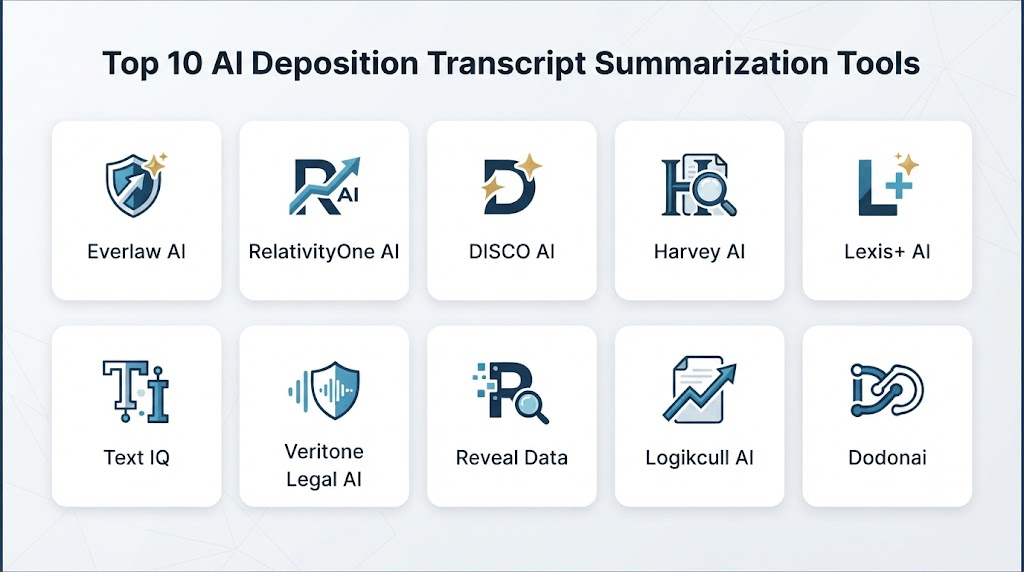
Top 10 AI Deposition Transcript Summarization Tools
1 — CoCounsel
One-line verdict: Best for legal teams wanting AI-assisted analysis, summarization, and question-answering across litigation documents and testimony.
Short description:
CoCounsel is an AI legal assistant designed to support professional legal workflows. Its capabilities can assist with document analysis, summarization, question answering, and litigation-related research.
Standout Capabilities
- Legal document summarization
- AI-assisted legal analysis
- Natural-language interaction
- Document question answering
- Litigation workflow support
- Large-document analysis
- Legal research assistance
- Structured outputs
AI-Specific Depth
- Model support: Vendor-managed AI; exact model configuration varies.
- RAG / knowledge integration: Supports analysis of user-provided legal documents and information.
- Evaluation: Legal AI systems require ongoing quality testing and human validation.
- Guardrails: Designed for professional legal workflows with workflow and access controls.
- Observability: Detailed model-level telemetry is not publicly stated.
Pros
- Strong legal-domain orientation
- Useful for document-heavy workflows
- Natural-language interaction can reduce manual searching
Cons
- AI output still requires attorney verification
- Exact AI model configuration may vary
- Enterprise pricing is not standardized publicly
Security & Compliance
Enterprise security and administrative controls are available depending on the applicable offering. Specific certifications and deployment controls should be verified before handling sensitive testimony.
Deployment & Platforms
- Deployment: Cloud
- Platforms: Web
- Self-hosted: Not publicly stated
Integrations & Ecosystem
CoCounsel is designed to fit into broader professional legal workflows.
- Legal documents
- Litigation materials
- Document analysis
- Research workflows
- Enterprise legal systems
- Productivity workflows
Pricing Model
Enterprise and subscription-based options may vary. Exact pricing is not publicly standardized.
Best-Fit Scenarios
- Deposition analysis
- Litigation preparation
- Large legal-document review
2 — Lexis+ AI
One-line verdict: Best for legal professionals combining AI-assisted document analysis with broader legal research and litigation workflows.
Short description:
Lexis+ AI combines generative AI capabilities with legal research and document-analysis workflows. Legal professionals can use AI-assisted features to analyze information and create structured outputs.
Standout Capabilities
- Legal research
- Document analysis
- Summarization
- Natural-language questions
- Legal drafting assistance
- Source-oriented research
- Litigation support
- AI-assisted analysis
AI-Specific Depth
- Model support: Vendor-managed AI and underlying legal information infrastructure.
- RAG / knowledge integration: Legal content and user-provided documents, depending on workflow.
- Evaluation: Source-grounded legal workflows and professional review.
- Guardrails: Legal-domain controls and access management.
- Observability: Detailed model telemetry varies and is not fully publicly stated.
Pros
- Strong legal research ecosystem
- Useful for combined research and testimony analysis
- Natural-language workflows
Cons
- Can be broader than needed for transcript-only work
- Subscription structure can be complex
- Exact AI features vary by product configuration
Security & Compliance
Enterprise controls and security capabilities are available; organizations should verify current terms and applicable controls.
Deployment & Platforms
- Deployment: Cloud
- Platforms: Web
- Self-hosted: Not publicly stated
Integrations & Ecosystem
- Legal research
- Document analysis
- Litigation workflows
- Legal content
- Enterprise legal systems
- Document management
Pricing Model
Subscription or enterprise licensing; exact pricing varies.
Best-Fit Scenarios
- Litigation research
- Deposition analysis
- Legal teams needing research and AI together
3 — Harvey
One-line verdict: Best for legal organizations building customized AI workflows around document analysis, review, and complex legal work.
Short description:
Harvey provides AI-powered legal workflows for professional legal teams. Its platform can assist with document analysis, summarization, research, and other legal tasks.
Standout Capabilities
- Legal document analysis
- AI-assisted summarization
- Research
- Drafting
- Workflow customization
- Natural-language interaction
- Enterprise legal workflows
- Large-document analysis
AI-Specific Depth
- Model support: Multiple underlying AI technologies may be used; exact configurations vary.
- RAG / knowledge integration: Supports organization and matter-specific information depending on workflow.
- Evaluation: Enterprise deployments can establish workflow-specific validation.
- Guardrails: Enterprise controls and workflow-level governance.
- Observability: Exact AI observability capabilities are not publicly stated.
Pros
- Strong legal specialization
- Flexible AI workflows
- Suitable for enterprise legal environments
Cons
- Enterprise-focused
- Pricing is not publicly standardized
- Requires careful governance for sensitive testimony
Security & Compliance
Enterprise security controls are available, but organizations should verify current certifications, retention policies, residency, and deployment requirements.
Deployment & Platforms
- Deployment: Cloud
- Platforms: Web
- Self-hosted: Not publicly stated
Integrations & Ecosystem
- Legal documents
- Enterprise knowledge
- Legal research
- Document workflows
- Custom AI workflows
- APIs or integrations where supported
Pricing Model
Enterprise pricing; exact pricing is not publicly standardized.
Best-Fit Scenarios
- Large law firms
- Enterprise legal departments
- Complex AI legal workflows
4 — Relativity
One-line verdict: Best for litigation teams analyzing deposition material alongside large-scale eDiscovery collections and case evidence.
Short description:
Relativity is a major eDiscovery and legal data platform supporting document processing, review, analytics, investigations, and AI-assisted workflows.
Standout Capabilities
- Large-scale eDiscovery
- Document review
- Search
- Analytics
- Technology-assisted review
- Investigation
- Case organization
- Production workflows
AI-Specific Depth
- Model support: Platform AI and ecosystem capabilities; exact model availability varies.
- RAG / knowledge integration: Matter-specific data and document repositories.
- Evaluation: Review workflows can support human validation and matter-specific evaluation.
- Guardrails: Access controls and review governance.
- Observability: Case-level and workflow reporting; AI-specific telemetry varies.
Pros
- Excellent for complex litigation
- Strong eDiscovery ecosystem
- Can combine transcripts with broader evidence
Cons
- Can be complex
- May require specialist implementation
- Not primarily a transcript-only application
Security & Compliance
Enterprise security and administrative controls are available. Exact certifications and deployment options should be verified for the applicable environment.
Deployment & Platforms
- Deployment: Cloud and other configurations
- Platforms: Web
- Self-hosted: Varies
Integrations & Ecosystem
- eDiscovery
- Document review
- Legal hold
- Data processing
- Analytics
- APIs
- Legal technology ecosystem
Pricing Model
Enterprise and matter-based pricing; exact pricing varies.
Best-Fit Scenarios
- Large litigation matters
- Multi-transcript investigations
- Enterprise eDiscovery
5 — Everlaw
One-line verdict: Best for cloud-first litigation teams combining transcript analysis with broader document review and investigation.
Short description:
Everlaw is a cloud eDiscovery platform supporting document processing, review, analytics, collaboration, and investigation workflows.
Standout Capabilities
- Document review
- Search
- Analytics
- Predictive coding
- Collaboration
- Investigation
- AI-assisted workflows
- Production
AI-Specific Depth
- Model support: Managed AI; exact models vary.
- RAG / knowledge integration: Matter-specific data collections.
- Evaluation: Review and analytics workflows support iterative validation.
- Guardrails: Access and workflow controls.
- Observability: Review and matter analytics.
Pros
- Strong cloud workflow
- Good collaboration
- Useful for evidence-heavy litigation
Cons
- More comprehensive than a transcript-only tool
- Requires workflow configuration
- Pricing varies
Security & Compliance
Security and compliance capabilities are available, with exact controls depending on the deployment.
Deployment & Platforms
- Deployment: Cloud
- Platforms: Web
- Self-hosted: Not publicly stated
Integrations & Ecosystem
- eDiscovery
- Document processing
- Analytics
- Review
- Production
- APIs
- Legal workflows
Pricing Model
Enterprise or matter-based pricing; exact pricing varies.
Best-Fit Scenarios
- Litigation teams
- Investigations
- Large evidence collections
6 — DISCO
One-line verdict: Best for teams wanting AI-assisted investigation and document review within a cloud-based eDiscovery environment.
Short description:
DISCO provides cloud eDiscovery capabilities for processing, searching, reviewing, analyzing, and producing legal data.
Standout Capabilities
- eDiscovery
- Document analysis
- Search
- AI-assisted investigation
- Analytics
- Review
- Predictive coding
- Production
AI-Specific Depth
- Model support: Vendor-managed AI; exact model configuration varies.
- RAG / knowledge integration: Matter-specific discovery data.
- Evaluation: Review validation workflows vary.
- Guardrails: Permissions and workflow controls.
- Observability: Case-level reporting varies.
Pros
- Cloud-native approach
- AI-oriented legal workflows
- Useful for evidence-heavy matters
Cons
- Not dedicated exclusively to depositions
- AI configuration varies
- Pricing varies by matter and organization
Security & Compliance
Security and compliance capabilities should be verified for the specific deployment.
Deployment & Platforms
- Deployment: Cloud
- Platforms: Web
- Self-hosted: Not publicly stated
Integrations & Ecosystem
- eDiscovery
- Data processing
- Document review
- Investigation
- Analytics
- Legal workflows
Pricing Model
Enterprise or matter-based pricing; exact pricing varies.
Best-Fit Scenarios
- Large litigation cases
- Investigation workflows
- Transcript-plus-document analysis
7 — Casepoint
One-line verdict: Best for enterprise legal teams needing transcript analysis alongside large-scale eDiscovery and investigative workflows.
Short description:
Casepoint provides cloud eDiscovery, review, analytics, investigation, and legal data management capabilities.
Standout Capabilities
- eDiscovery
- Document review
- Analytics
- Search
- Predictive coding
- Legal hold
- Investigation
- Production
AI-Specific Depth
- Model support: Managed AI capabilities vary.
- RAG / knowledge integration: Matter-specific enterprise data.
- Evaluation: Review validation workflows.
- Guardrails: Enterprise permissions and governance.
- Observability: Case and workflow reporting.
Pros
- Enterprise-oriented
- Broad legal-data capabilities
- Useful for complex investigations
Cons
- Implementation can be substantial
- More than needed for simple transcript analysis
- Pricing varies
Security & Compliance
Security controls and compliance options should be verified against organizational requirements.
Deployment & Platforms
- Deployment: Cloud
- Platforms: Web
- Self-hosted: Not publicly stated
Integrations & Ecosystem
- Data sources
- eDiscovery
- Analytics
- Legal review
- Production
- APIs
- Enterprise applications
Pricing Model
Enterprise pricing; exact pricing varies.
Best-Fit Scenarios
- Enterprise litigation
- Regulatory investigations
- Large evidence collections
8 — Logikcull
One-line verdict: Best for smaller legal teams wanting simplified document processing, search, and AI-assisted discovery workflows.
Short description:
Logikcull focuses on simplifying eDiscovery by automating document processing, filtering, searching, reviewing, and production workflows.
Standout Capabilities
- Automated processing
- Search
- Document review
- Deduplication
- Filtering
- eDiscovery
- Production
- Workflow automation
AI-Specific Depth
- Model support: Managed AI capabilities vary.
- RAG / knowledge integration: Matter-specific document collections.
- Evaluation: Human review remains important for AI-assisted workflows.
- Guardrails: Access and workflow controls.
- Observability: Processing and workflow reporting.
Pros
- Easier to operate
- Automation-oriented
- Useful for smaller teams
Cons
- Less specialized for advanced transcript analysis
- Complex matters may need broader platforms
- Pricing varies
Security & Compliance
Security and administrative capabilities are available; specific compliance requirements should be verified.
Deployment & Platforms
- Deployment: Cloud
- Platforms: Web
- Self-hosted: Not publicly stated
Integrations & Ecosystem
- Cloud data
- eDiscovery
- Review
- Processing
- Production
- APIs
Pricing Model
Subscription or usage-oriented pricing; exact pricing varies.
Best-Fit Scenarios
- Small litigation teams
- Routine discovery
- Smaller transcript collections
9 — Reveal
One-line verdict: Best for teams that need visual analytics and AI-assisted investigation across transcripts and related litigation evidence.
Short description:
Reveal provides eDiscovery and investigation capabilities with analytics, search, review, and AI-assisted analysis.
Standout Capabilities
- AI-assisted review
- Search
- Analytics
- Concept clustering
- Visual investigation
- Document classification
- Review workflows
- Investigation
AI-Specific Depth
- Model support: AI capabilities vary by feature.
- RAG / knowledge integration: Matter-specific evidence collections.
- Evaluation: Technology-assisted review and human validation.
- Guardrails: User permissions and workflow controls.
- Observability: Review and analytics reporting.
Pros
- Strong analytics
- Useful for complex investigations
- Visual exploration can help identify relationships
Cons
- Requires training
- Not transcript-specific
- Pricing varies
Security & Compliance
Security and compliance capabilities should be verified according to the required deployment.
Deployment & Platforms
- Deployment: Cloud / varies
- Platforms: Web
- Self-hosted: Varies / N/A
Integrations & Ecosystem
- eDiscovery
- Analytics
- Document review
- Investigations
- Data processing
- Production
- APIs
Pricing Model
Enterprise or matter-based pricing; exact pricing varies.
Best-Fit Scenarios
- Complex litigation
- Investigations
- Multi-source evidence review
10 — Nextpoint
One-line verdict: Best for litigation teams seeking practical cloud-based eDiscovery and AI-assisted analysis around testimony and case documents.
Short description:
Nextpoint provides tools for eDiscovery, document processing, review, organization, analytics, and litigation support.
Standout Capabilities
- Document processing
- Search
- Review
- Litigation support
- Analytics
- Case organization
- Production
- AI-assisted workflows
AI-Specific Depth
- Model support: AI capabilities vary.
- RAG / knowledge integration: Matter-specific document collections.
- Evaluation: Review validation varies by workflow.
- Guardrails: Access and workflow controls.
- Observability: Processing and case reporting.
Pros
- Practical legal workflows
- Useful for litigation teams
- Broad document support
Cons
- AI capabilities vary
- Advanced cases may require configuration
- Not exclusively focused on depositions
Security & Compliance
Security and compliance capabilities should be verified for the specific use case and deployment.
Deployment & Platforms
- Deployment: Cloud
- Platforms: Web
- Self-hosted: Varies / N/A
Integrations & Ecosystem
- Legal documents
- eDiscovery
- Review
- Data processing
- Analytics
- Production
- Litigation workflows
Pricing Model
Subscription or matter-based pricing; exact pricing varies.
Best-Fit Scenarios
- Law firms
- Litigation departments
- Testimony and document review
Comparison Table
| Tool | Best For | Deployment | Model Flexibility | Strength | Watch-Out | Public Rating |
|---|---|---|---|---|---|---|
| CoCounsel | Legal AI analysis | Cloud | Managed AI | Legal-focused AI | Human verification | N/A |
| Lexis+ AI | Research + testimony | Cloud | Managed AI | Legal research ecosystem | Broader than transcript-only tools | N/A |
| Harvey | Enterprise legal AI | Cloud | Managed AI / varies | Custom workflows | Enterprise focus | N/A |
| Relativity | Complex litigation | Cloud / varies | Managed / varies | eDiscovery ecosystem | Complexity | N/A |
| Everlaw | Cloud litigation | Cloud | Managed AI | Collaboration | Configuration | N/A |
| DISCO | AI-assisted discovery | Cloud | Managed AI | Investigation workflows | Matter complexity | N/A |
| Casepoint | Enterprise discovery | Cloud | Managed AI | Broad legal data platform | Implementation | N/A |
| Logikcull | Smaller teams | Cloud | Managed AI | Simplicity | Advanced workflow limits | N/A |
| Reveal | Investigation analytics | Cloud / varies | Managed AI | Visual analytics | Learning curve | N/A |
| Nextpoint | Litigation support | Cloud | Managed AI | Practical workflows | AI depth varies | N/A |
Scoring & Evaluation
These scores are comparative editorial assessments rather than vendor-published ratings. A buyer should test the shortlisted systems against actual deposition transcripts before making a final decision.
| Tool | Core | Reliability/Eval | Guardrails | Integrations | Ease | Perf/Cost | Security/Admin | Support | Weighted Total |
|---|---|---|---|---|---|---|---|---|---|
| CoCounsel | 9 | 9 | 9 | 9 | 9 | 8 | 9 | 9 | 8.90 |
| Lexis+ AI | 9 | 9 | 9 | 10 | 8 | 8 | 9 | 9 | 8.85 |
| Harvey | 9 | 9 | 9 | 9 | 8 | 8 | 9 | 9 | 8.75 |
| Relativity | 10 | 9 | 9 | 10 | 7 | 8 | 10 | 9 | 9.00 |
| Everlaw | 9 | 9 | 9 | 9 | 9 | 8 | 9 | 9 | 8.90 |
| DISCO | 9 | 9 | 9 | 9 | 9 | 8 | 9 | 9 | 8.85 |
| Casepoint | 9 | 9 | 9 | 9 | 7 | 8 | 10 | 9 | 8.75 |
| Logikcull | 8 | 8 | 8 | 8 | 9 | 9 | 8 | 8 | 8.25 |
| Reveal | 9 | 9 | 9 | 9 | 8 | 8 | 9 | 8 | 8.70 |
| Nextpoint | 8 | 8 | 8 | 8 | 8 | 8 | 8 | 8 | 8.00 |
Top 3 for Enterprise
- Relativity
- CoCounsel
- Lexis+ AI
Top 3 for SMB
- Logikcull
- Nextpoint
- Everlaw
Top 3 for Developers
- Harvey
- Relativity
- Everlaw
Which AI Deposition Transcript Summarization Tool Is Right for You?
Solo / Freelancer
Independent attorneys and small practices should avoid purchasing an unnecessarily complicated enterprise eDiscovery platform for a few transcripts.
Prioritize:
- Easy upload
- Fast summaries
- Source references
- Simple search
- Export
- Predictable costs
- Strong privacy controls
The most important requirement is the ability to verify every important AI-generated statement against the transcript.
SMB
Small and mid-sized firms should look for a balance between ease of use and legal functionality.
Prioritize:
- Transcript summarization
- Search
- Topic extraction
- Fact extraction
- Timeline creation
- Document organization
- Collaboration
- Security controls
Mid-Market
Mid-market legal departments may need to analyze testimony alongside emails, contracts, reports, and other evidence.
Prioritize:
- Multi-document analysis
- Semantic search
- AI-assisted review
- Timeline generation
- Contradiction detection
- eDiscovery integration
- Auditability
- Export
Enterprise
Enterprise organizations should treat deposition AI as part of a larger legal-data architecture.
Prioritize:
- Enterprise authentication
- RBAC
- Audit logs
- Data residency
- Retention controls
- API access
- Large-scale processing
- AI evaluation
- Model governance
- Integration with eDiscovery
- Human-review workflows
Regulated Industries
Organizations handling highly sensitive testimony should verify:
- Encryption
- Data retention
- Data residency
- Access controls
- Audit logging
- Vendor data usage
- AI training policies
- Subprocessor controls
- Incident response
- Data deletion
Budget vs Premium
Budget-oriented users should focus on:
- Accurate summarization
- Search
- Source references
- Basic extraction
- Easy export
Premium platforms become more valuable when teams need:
- Multi-matter analysis
- Enterprise security
- Advanced eDiscovery
- Complex investigations
- Multiple evidence sources
- Large-scale collaboration
Build vs Buy
Build when:
- You have highly specialized workflows.
- You need complete control over the AI architecture.
- You have internal AI and legal-technology engineering expertise.
- Your organization has unusual data requirements.
Buy when:
- You need a production-ready legal workflow.
- You need security and administration.
- You need established eDiscovery functionality.
- You need rapid deployment.
- You need support for complex litigation.
A custom summarization application can be relatively straightforward, but building a defensible legal workflow around it is much harder.
Implementation Playbook: 30 / 60 / 90 Days
First 30 Days: Pilot
Select several representative deposition transcripts.
Include:
- Long transcripts
- Short transcripts
- Multiple witnesses
- Technical testimony
- Ambiguous statements
- Repetitive testimony
- Transcripts containing objections
- Transcripts with important dates
- Transcripts containing names and organizations
Create a benchmark dataset reviewed by experienced legal professionals.
Measure:
- Summary accuracy
- Fact extraction accuracy
- Citation accuracy
- Missing important testimony
- Hallucination rate
- Reviewer correction rate
- Processing time
- Cost per transcript
Days 31–60: Security and Evaluation
Establish governance around the AI workflow.
Test:
- Source-grounded answers
- Citation accuracy
- Long-context handling
- Contradiction identification
- Timeline accuracy
- Entity extraction
- Summarization consistency
Perform red-team testing for:
- Prompt injection
- Malicious document instructions
- Unauthorized data exposure
- Cross-matter information leakage
- Hallucinated evidence
Establish:
- Prompt/version control
- Human approval workflows
- Incident procedures
- Access controls
- Retention policies
- AI evaluation criteria
Days 61–90: Scale
Once the system meets the required quality threshold:
- Expand to additional attorneys
- Integrate document repositories
- Create standardized prompts
- Build reusable review templates
- Monitor AI performance
- Monitor processing costs
- Track reviewer corrections
- Improve workflows
- Establish governance reviews
AI performance should be re-evaluated whenever the underlying model, prompt configuration, or workflow changes significantly.
Common Mistakes and How to Avoid Them
- Treating the summary as the official testimony: Always verify important conclusions against the transcript.
- Ignoring source references: Prefer systems that make it easy to return to the original testimony.
- Failing to test hallucinations: Run structured evaluations before production use.
- Assuming AI understands legal context perfectly: Legal terminology can be ambiguous.
- Ignoring objections: Procedural exchanges may affect interpretation.
- Missing qualifiers: Words such as “approximately,” “I believe,” or “I don’t recall” can materially change meaning.
- Over-compressing testimony: A short summary can accidentally remove important context.
- Ignoring contradictions: Compare testimony across witnesses and across time.
- No prompt/version management: Different prompts can produce substantially different outputs.
- Ignoring prompt injection: Treat transcript and exhibit content as untrusted input.
- Poor privacy controls: Deposition transcripts may contain confidential and personally identifiable information.
- No human review: Important legal conclusions should not depend entirely on automated summarization.
- Ignoring model changes: AI behavior can change after model or platform updates.
- Failing to measure cost: Large-scale transcript processing can become expensive.
- No export strategy: Teams should ensure AI-generated work product and underlying evidence remain portable.
FAQs
What is AI deposition transcript summarization?
It is the use of AI to analyze deposition transcripts and create summaries, extract facts, identify important testimony, and help legal professionals navigate lengthy witness statements.
Can AI summarize an entire deposition transcript?
Yes, many AI systems can analyze lengthy transcripts, although the maximum document size and context-handling capabilities vary between platforms.
Can AI identify important testimony?
AI can prioritize potentially important statements based on instructions, topics, or semantic relevance. Attorneys should verify important findings against the original transcript.
Can AI detect contradictions between witnesses?
Some AI workflows can compare multiple documents or transcripts and identify statements that appear inconsistent. These findings should be treated as potential contradictions rather than definitive legal conclusions.
Can AI create deposition timelines?
Yes. AI can extract dates, events, people, and other temporal information and organize them into a timeline. Accuracy should be validated against the source testimony.
Can AI identify admissions?
AI can help surface statements that appear to contain admissions or concessions, but legal professionals should determine whether the statement actually constitutes an admission in context.
Is AI-generated deposition summarization accurate?
Accuracy varies by system, transcript quality, task, and prompt. Organizations should test AI against representative transcripts before relying on it for important legal work.
Can AI hallucinate deposition testimony?
Yes. Generative AI can produce unsupported or incorrect statements. Source-grounded workflows and human verification are important safeguards.
How can attorneys prevent AI hallucinations?
Use systems that provide source references, establish evaluation datasets, test outputs against transcripts, and require human review for legally significant conclusions.
Is deposition transcript data private when using AI?
Privacy depends on the platform, contract, configuration, retention policy, and data-processing practices. Legal teams should verify whether submitted information is retained or used for model training.
Can organizations use their own AI model?
Some enterprise AI platforms support different model configurations or integrations, but BYO-model availability varies. Verify this requirement during vendor evaluation.
Can AI deposition tools be self-hosted?
Some legal AI and eDiscovery platforms provide different deployment options, while others are primarily cloud-based. Self-hosting availability should be confirmed with the vendor.
How much do AI deposition summarization tools cost?
Pricing varies based on users, document volume, features, matter size, processing requirements, and vendor licensing. Exact pricing should be confirmed for the intended workflow.
Can AI summarize multiple depositions together?
Yes, platforms with multi-document analysis can potentially analyze several transcripts together, allowing teams to compare witnesses, topics, events, and statements.
Should attorneys rely on AI summaries in court?
AI summaries should not automatically be treated as authoritative evidence. Attorneys should consult and cite the original transcript when testimony is legally significant.
What is the best AI deposition summarization tool?
There is no universal winner. The best choice depends on whether the priority is standalone legal AI, broader eDiscovery, enterprise security, transcript analysis, or integration with an existing legal technology environment.
Conclusion
AI Deposition Transcript Summarization can significantly improve the way legal teams navigate lengthy testimony. Instead of spending hours searching through transcripts for specific statements, attorneys can use AI to summarize testimony, identify important facts, organize timelines, compare witnesses, and surface potentially significant passages.Tools such as CoCounsel, Lexis+ AI, and Harvey are particularly relevant for broader legal AI workflows, while Relativity, Everlaw, DISCO, Casepoint, Reveal, Logikcull, and Nextpoint become especially valuable when deposition transcripts need to be analyzed alongside larger eDiscovery collections.