Introduction
AI Proctoring with Computer Vision refers to online assessment and examination systems that use cameras, computer vision, machine learning, and automated signals to help monitor test-takers during remote exams. These systems can analyze visual and environmental signals such as face presence, multiple faces, unusual movements, identity-related events, and changes within the testing environment.
AI proctoring is used across universities, certification programs, corporate training, professional exams, recruitment assessments, and online education. Modern systems increasingly combine computer vision with browser monitoring, identity verification, audio analysis, device controls, and human Universities, certification organizations, examination bodies, enterprises, recruitment platforms, and training providers that need scalable remote assessment monitoring. Low-stakes quizzes, informal learning activities, organizations that do not have appropriate consent and privacy processes, or situations where automated monitoring creates more friction than value.
What Is AI Proctoring with Computer Vision?
AI proctoring with computer vision uses automated visual analysis to identify events that may require attention during an online examination.
A typical system may use a candidate’s webcam to detect signals such as:
- Whether a face is visible
- Whether more than one person appears
- Whether the candidate leaves the camera view
- Whether the candidate’s face position changes significantly
- Whether prohibited objects or activities are detected
- Whether identity verification succeeds
- Whether unusual examination behavior occurs
The important point is that computer vision generally identifies signals, not intent.
For example, looking away from the screen does not automatically prove cheating. A candidate may look away while thinking, reading permitted material, or adjusting their environment.
Therefore, organizations should treat AI-generated events as indicators requiring appropriate interpretation rather than automatic proof of misconduct.
How AI Proctoring with Computer Vision Works
1. Identity Verification
The system may verify a candidate’s identity before an examination using:
- ID documents
- Facial comparison
- Selfies
- Authentication workflows
2. Environment Checks
Some systems ask candidates to show their examination environment before beginning.
This may involve:
- Room scans
- Desk checks
- Camera positioning
- Device checks
3. Continuous Visual Monitoring
During the assessment, computer vision can analyze the camera feed for defined events.
4. Event Detection
The system may identify:
- Face absence
- Multiple people
- Unexpected movement
- Potential prohibited objects
- Camera obstruction
- Other configured signals
5. Risk Scoring or Flagging
Depending on the product, detected events may be recorded or used to generate alerts or review indicators.
6. Human Review
For higher-stakes examinations, flagged sessions may be reviewed by trained human proctors.
This human-in-the-loop approach is important because computer vision can produce false positives.
Why Computer Vision Matters in Online Proctoring
Remote exams create a fundamental challenge: the institution cannot physically observe the testing environment.
Computer vision can help provide scalable monitoring without requiring a human proctor to watch every candidate continuously.
Potential benefits include:
- Scalable remote monitoring
- Faster review
- Automated event detection
- Identity verification
- Consistent monitoring workflows
- Reduced manual observation
- Post-exam investigation support
However, these benefits must be balanced against privacy, accessibility, fairness, security, and candidate experience.
What to Evaluate Before Choosing an AI Proctoring Platform
Organizations should evaluate:
- Computer-vision accuracy
- False-positive rates
- Identity verification
- Browser lockdown
- Device monitoring
- Audio monitoring
- Human review
- Candidate privacy
- Consent workflows
- Data retention
- Encryption
- Accessibility
- Bias testing
- Audit logs
- Reporting
- LMS and assessment integrations
- API capabilities
- Candidate experience
- Scalability
- Cost
What Has Changed in AI Proctoring with Computer Vision
- Computer vision is becoming more context-aware: Systems increasingly combine visual signals with other examination events rather than relying on a single indicator.
- Multimodal monitoring is expanding: Video, audio, browser activity, identity signals, and device information can be combined depending on the platform.
- Generative AI has increased cheating concerns: Organizations increasingly need assessment designs that account for AI-assisted answering.
- Human review remains important: Automated flags should not automatically become misconduct findings.
- Privacy expectations are increasing: Organizations need clear explanations of what data is collected, why it is collected, and how long it is retained.
- Bias and accessibility are major considerations: Facial and computer-vision systems must be evaluated across diverse environments and users.
- Remote identity verification is becoming more integrated: Authentication can become part of the examination workflow.
- Browser and device controls are increasingly combined with vision: Computer vision is only one part of modern remote-proctoring architectures.
- Post-exam investigation is becoming more important: Organizations can use recorded events and audit trails to investigate suspicious sessions.
- Edge and browser-based processing can affect privacy and latency: Buyers should understand where video and analysis occur.
- Governance is becoming a procurement requirement: Institutions increasingly need clear policies for automated decision-making, appeals, retention, and human intervention.
- Risk-based proctoring is gaining attention: Not every assessment requires the same level of monitoring.
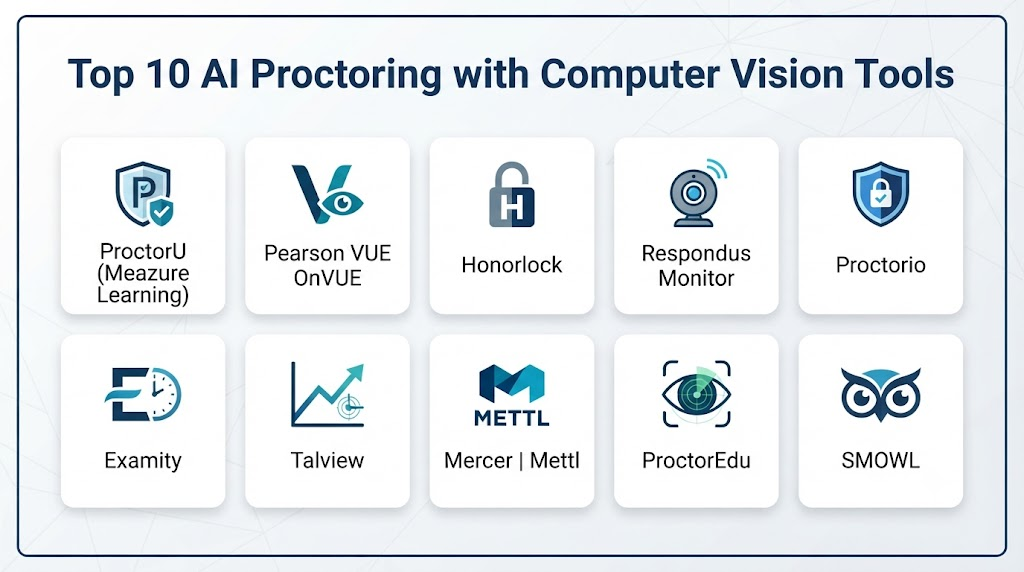
Top 10 AI Proctoring with Computer Vision Tools
1. ProctorU / Meazure Learning
One-line verdict: Best for institutions and examination organizations needing remote proctoring combined with human review and assessment services.
Short description:
Meazure Learning provides assessment and remote-proctoring services for educational institutions, certification organizations, and other examination programs. Its ecosystem combines technology-enabled monitoring with human proctoring and assessment services.
Standout Capabilities
- Remote examination proctoring
- Identity verification
- Human proctoring
- Automated monitoring capabilities
- Exam administration
- Candidate support
- Assessment services
- Post-exam review
AI-Specific Depth
- Model support: Proprietary technology and service architecture; exact model details are not publicly stated.
- RAG / knowledge integration: N/A.
- Evaluation: Proctoring and assessment workflows include automated and human review components; exact AI evaluation methodology is not publicly stated.
- Guardrails: Configurable examination policies and human oversight are relevant controls.
- Observability: Examination events and review workflows are available; detailed model-level telemetry is not publicly stated.
Pros
- Combines technology with human proctoring
- Suitable for high-stakes assessments
- Broad examination-services ecosystem
Cons
- More complex than lightweight self-service tools
- Human-proctoring models can increase operational cost
- Privacy and candidate-experience requirements require careful planning
Security & Compliance
Security, privacy, access control, encryption, retention, and compliance capabilities vary by service and contract. Specific current certifications should be verified directly with the vendor.
Deployment & Platforms
- Deployment: Cloud/service-based
- Platforms: Web and supported candidate environments
- Self-hosted: Not publicly stated
Integrations & Ecosystem
The platform can operate alongside assessment and examination workflows.
- Exam platforms
- Learning systems
- Identity workflows
- APIs
- Candidate management
- Assessment services
Pricing Model
Pricing varies according to examination type, candidate volume, proctoring method, and service requirements.
Best-Fit Scenarios
- High-stakes certification
- Universities and examination organizations
- Large remote examination programs
2. Honorlock
One-line verdict: Best for educational institutions seeking automated and live online exam proctoring integrated with common learning platforms.
Short description:
Honorlock provides online proctoring services for educational institutions. Its approach combines automated technology with human intervention and examination monitoring.
Standout Capabilities
- Online exam proctoring
- Identity verification
- Automated monitoring
- Human review
- Browser-related controls
- LMS integration
- Exam session review
- Candidate support
AI-Specific Depth
- Model support: Specific model architecture is not publicly stated.
- RAG / knowledge integration: N/A.
- Evaluation: Automated monitoring and review workflows are provided; detailed model-evaluation methodology is not publicly stated.
- Guardrails: Examination rules and monitoring policies provide operational controls.
- Observability: Exam events and session information can support review; model-level observability is not publicly stated.
Pros
- Education-focused
- Supports automated and human review
- Designed around online examination workflows
Cons
- Primarily oriented toward education
- Privacy requirements need institutional review
- Monitoring policies can affect candidate experience
Security & Compliance
Security and compliance details vary by deployment and institutional agreement. Organizations should verify current documentation before adoption.
Deployment & Platforms
- Deployment: Cloud
- Platforms: Web/browser-based candidate workflows
- Self-hosted: Not publicly stated
Integrations & Ecosystem
- LMS platforms
- Exam systems
- Identity workflows
- Browser environments
- APIs/integration capabilities
- Institutional administration
Pricing Model
Institutional pricing varies.
Best-Fit Scenarios
- Higher education
- Online courses
- Remote examinations
3. Proctorio
One-line verdict: Best for institutions wanting automated online proctoring and examination controls integrated into digital learning environments.
Short description:
Proctorio provides remote-proctoring technology designed for online assessments. Its capabilities include automated monitoring, identity-related workflows, and examination controls.
Standout Capabilities
- Automated proctoring
- Identity verification
- Browser controls
- Examination monitoring
- LMS integration
- Configurable exam settings
- Session review
- Remote assessment support
AI-Specific Depth
- Model support: Specific models are not publicly stated.
- RAG / knowledge integration: N/A.
- Evaluation: Automated monitoring is provided; detailed evaluation methodology is not publicly stated.
- Guardrails: Examination policies and configurable controls.
- Observability: Session and assessment events are available for review.
Pros
- Strong education focus
- Extensive examination configuration
- Automation can reduce manual monitoring
Cons
- Automated flags can require human interpretation
- Institutional privacy review is essential
- Configuration can affect candidate experience
Security & Compliance
Security, encryption, retention, access, and compliance capabilities should be verified against the institution’s requirements.
Deployment & Platforms
- Deployment: Cloud
- Platforms: Browser-based
- Self-hosted: Not publicly stated
Integrations & Ecosystem
- LMS
- Assessment platforms
- Browser environments
- APIs
- Institutional systems
- Identity workflows
Pricing Model
Institutional and enterprise pricing varies.
Best-Fit Scenarios
- Universities
- Large online courses
- Digital examination programs
4. Respondus Monitor
One-line verdict: Best for educational institutions already using Respondus tools and needing automated remote exam monitoring.
Short description:
Respondus Monitor is designed for online exam proctoring and integrates with learning and assessment workflows used by educational institutions.
Standout Capabilities
- Automated exam monitoring
- Webcam-based proctoring
- Identity-related checks
- LMS integration
- Exam security
- Automated review signals
- Student workflows
- Instructor review
AI-Specific Depth
- Model support: Specific computer-vision models are not publicly stated.
- RAG / knowledge integration: N/A.
- Evaluation: Automated monitoring capabilities are provided; detailed AI evaluation methodology is not publicly stated.
- Guardrails: Exam configuration and monitoring settings.
- Observability: Examination session information and review signals are available.
Pros
- Education-oriented
- Integrates with common learning environments
- Useful for institutions with Respondus workflows
Cons
- Primarily designed for education
- Automated monitoring requires appropriate interpretation
- Candidate device requirements can create support issues
Security & Compliance
Security and privacy controls vary by deployment and institutional requirements. Verify current documentation before procurement.
Deployment & Platforms
- Deployment: Cloud/service
- Platforms: Web and supported devices
- Self-hosted: Not publicly stated
Integrations & Ecosystem
- LMS
- Assessment systems
- Exam tools
- Browser environments
- Institutional workflows
Pricing Model
Institutional pricing varies.
Best-Fit Scenarios
- Higher education
- Online university exams
- Existing Respondus users
5. Examity
One-line verdict: Best for organizations combining online proctoring technology with human-assisted monitoring for high-stakes assessments.
Short description:
Examity provides remote-proctoring services for higher education, certification, and professional assessment programs.
Standout Capabilities
- Remote proctoring
- Identity verification
- Human proctoring
- Automated monitoring
- Exam security
- Candidate authentication
- Session review
- Assessment support
AI-Specific Depth
- Model support: Specific model details are not publicly stated.
- RAG / knowledge integration: N/A.
- Evaluation: Automated and human review capabilities vary by service.
- Guardrails: Exam policies and human review provide operational controls.
- Observability: Session and exam-event information supports review.
Pros
- Suitable for high-stakes exams
- Human-assisted options
- Broad assessment use cases
Cons
- Service complexity can be higher
- Costs depend on proctoring requirements
- Privacy and candidate support need careful planning
Security & Compliance
Specific security and certification claims should be verified directly for the selected service and contract.
Deployment & Platforms
- Deployment: Cloud/service
- Platforms: Web and supported devices
- Self-hosted: Not publicly stated
Integrations & Ecosystem
- Exam platforms
- LMS
- Identity systems
- APIs
- Candidate management
- Assessment providers
Pricing Model
Pricing varies according to exam volume and proctoring model.
Best-Fit Scenarios
- Certification
- Higher education
- Professional examinations
6. Pearson VUE
One-line verdict: Best for professional certification and licensing programs requiring secure remote testing and established assessment infrastructure.
Short description:
Pearson VUE provides computer-based testing and assessment services, including remote testing options for certain examination programs.
Standout Capabilities
- Remote testing
- Identity verification
- Secure examination workflows
- Certification testing
- Test-center infrastructure
- Candidate management
- Assessment delivery
- Exam security
AI-Specific Depth
- Model support: Specific computer-vision model architecture is not publicly stated.
- RAG / knowledge integration: N/A.
- Evaluation: Examination integrity mechanisms vary by program.
- Guardrails: Strong exam-security workflows; exact AI guardrail architecture is not publicly stated.
- Observability: Exam events and operational monitoring are available; detailed AI telemetry is not publicly stated.
Pros
- Strong certification ecosystem
- Established testing infrastructure
- Supports high-stakes assessment programs
Cons
- Not primarily an AI-proctoring product
- Capabilities vary by examination program
- May be excessive for low-stakes testing
Security & Compliance
Security and compliance requirements differ by examination program and deployment. Organizations should verify current controls for their specific use case.
Deployment & Platforms
- Deployment: Cloud/service and physical testing infrastructure
- Platforms: Web and supported testing environments
- Self-hosted: Not publicly stated
Integrations & Ecosystem
- Certification programs
- Examination systems
- Identity verification
- Test centers
- Candidate management
- Assessment platforms
Pricing Model
Pricing varies by examination program.
Best-Fit Scenarios
- Professional certification
- Licensing examinations
- High-stakes testing
7. Talview
One-line verdict: Best for organizations combining AI-enabled assessments, remote proctoring, and broader talent-evaluation workflows.
Short description:
Talview provides assessment, interview, and proctoring technologies for recruitment and workforce evaluation.
Standout Capabilities
- Remote proctoring
- Online assessments
- Video interviews
- Identity verification
- Candidate screening
- AI-assisted evaluation
- Assessment analytics
- Enterprise recruiting
AI-Specific Depth
- Model support: Specific underlying models vary and are not fully publicly stated.
- RAG / knowledge integration: Varies / N/A.
- Evaluation: AI-assisted assessment and evaluation capabilities vary by module.
- Guardrails: Assessment and administrative controls vary.
- Observability: Candidate and assessment analytics available; model-level telemetry varies.
Pros
- Broader talent platform
- Combines assessment and proctoring
- Useful for recruitment workflows
Cons
- Broader platform can require more configuration
- AI evaluation should be validated for each use case
- Privacy review is important for video-based assessment
Security & Compliance
Security, privacy, retention, identity, and compliance capabilities vary by service.
Deployment & Platforms
- Deployment: Cloud
- Platforms: Web and supported devices
- Self-hosted: Not publicly stated
Integrations & Ecosystem
- ATS
- HR systems
- Assessment platforms
- Video interviews
- APIs
- Recruitment workflows
Pricing Model
Enterprise pricing varies.
Best-Fit Scenarios
- Remote recruitment
- Skills assessment
- Enterprise talent evaluation
8. Mercer | Mettl
One-line verdict: Best for enterprise assessment programs combining skills testing, remote proctoring, and workforce evaluation.
Short description:
Mercer | Mettl provides online assessment and proctoring services covering recruitment, professional testing, technical assessments, and workforce development.
Standout Capabilities
- Remote proctoring
- Technical assessments
- Coding tests
- Cognitive assessments
- Behavioral assessments
- Candidate verification
- Enterprise reporting
- Skills evaluation
AI-Specific Depth
- Model support: Specific model architecture is not publicly stated.
- RAG / knowledge integration: N/A or varies.
- Evaluation: Automated assessment and proctoring capabilities vary.
- Guardrails: Examination controls and assessment-integrity mechanisms vary.
- Observability: Assessment and session analytics available.
Pros
- Broad assessment portfolio
- Enterprise-oriented
- Combines assessment and proctoring
Cons
- Can be complex for smaller organizations
- Specific proctoring features should be validated
- Human review may be required for sensitive decisions
Security & Compliance
Security and compliance capabilities vary by product, region, and contract. Verify current certifications and controls directly.
Deployment & Platforms
- Deployment: Cloud
- Platforms: Web
- Self-hosted: Varies / N/A
Integrations & Ecosystem
- ATS
- HR systems
- LMS
- Assessment tools
- APIs
- Enterprise talent platforms
Pricing Model
Enterprise pricing varies.
Best-Fit Scenarios
- Corporate assessments
- High-volume hiring
- Professional examinations
9. TestInvite
One-line verdict: Best for organizations seeking configurable online assessments with remote-proctoring and recruitment workflows.
Short description:
TestInvite provides online assessment and recruitment testing capabilities, including remote proctoring features for selected use cases.
Standout Capabilities
- Online assessments
- Remote proctoring
- Candidate screening
- Technical tests
- Personality assessments
- Custom tests
- Automated scoring
- Recruitment workflows
AI-Specific Depth
- Model support: Specific model architecture is not publicly stated.
- RAG / knowledge integration: N/A.
- Evaluation: Automated assessment capabilities vary.
- Guardrails: Proctoring and test configuration controls vary.
- Observability: Candidate and assessment reporting available.
Pros
- Flexible assessment approach
- Useful for recruitment
- Combines testing and monitoring
Cons
- Less suited to organizations needing highly specialized examination infrastructure
- AI capabilities require feature-level verification
- Privacy requirements need review
Security & Compliance
Security, privacy, retention, and compliance controls vary by plan.
Deployment & Platforms
- Deployment: Cloud
- Platforms: Web
- Self-hosted: Not publicly stated
Integrations & Ecosystem
- ATS
- Recruitment workflows
- Assessment tools
- APIs
- Candidate management
- Online testing systems
Pricing Model
Tiered or enterprise pricing varies.
Best-Fit Scenarios
- Recruitment assessments
- SMB and mid-market hiring
- Online candidate testing
10. ProctorExam
One-line verdict: Best for organizations seeking remote assessment monitoring with flexible proctoring approaches and examination integrations.
Short description:
ProctorExam provides remote online proctoring solutions designed for educational and professional assessment environments.
Standout Capabilities
- Remote proctoring
- Identity verification
- Webcam monitoring
- Screen monitoring
- Automated monitoring
- Human review options
- Exam integrations
- Assessment workflows
AI-Specific Depth
- Model support: Specific AI model architecture is not publicly stated.
- RAG / knowledge integration: N/A.
- Evaluation: Automated monitoring and review workflows vary.
- Guardrails: Exam policies and monitoring controls.
- Observability: Session events and examination records support review.
Pros
- Flexible remote-proctoring approach
- Suitable for online assessments
- Supports examination integrations
Cons
- Feature availability can vary by configuration
- Privacy review is essential
- Automated flags should not be interpreted without context
Security & Compliance
Organizations should verify current security, privacy, retention, residency, and compliance requirements for their deployment.
Deployment & Platforms
- Deployment: Cloud
- Platforms: Web/browser-based
- Self-hosted: Not publicly stated
Integrations & Ecosystem
- LMS
- Exam platforms
- Assessment providers
- APIs
- Identity workflows
- Candidate systems
Pricing Model
Pricing varies based on candidates, exams, and proctoring requirements.
Best-Fit Scenarios
- Online education
- Professional exams
- Remote certification
Comparison Table
| Tool | Best For | Deployment | Model Flexibility | Strength | Watch-Out | Public Rating |
|---|---|---|---|---|---|---|
| ProctorU / Meazure Learning | High-stakes exams | Cloud/Service | Proprietary/Managed | Human + technology proctoring | Higher operational complexity | N/A |
| Honorlock | Higher education | Cloud | Managed AI | Education-focused proctoring | Privacy review required | N/A |
| Proctorio | Digital education | Cloud | Managed AI | Automated monitoring | False-positive interpretation | N/A |
| Respondus Monitor | LMS-based exams | Cloud | Managed AI | Education integration | Device requirements | N/A |
| Examity | High-stakes remote exams | Cloud/Service | Managed AI | Human-assisted proctoring | Variable cost | N/A |
| Pearson VUE | Certification | Cloud/Service | Managed/Proprietary | Testing infrastructure | Program-dependent features | N/A |
| Talview | Recruitment | Cloud | Managed AI | Assessment + proctoring | Broader implementation | N/A |
| Mercer | Mettl | Enterprise assessment | Cloud | Managed AI | Assessment ecosystem | Enterprise complexity | N/A |
| TestInvite | Recruitment assessment | Cloud | Managed AI | Configurable testing | Feature depth varies | N/A |
| ProctorExam | Remote examinations | Cloud | Managed AI | Flexible proctoring | Configuration-dependent | N/A |
Scoring & Evaluation
The following scores are comparative editorial assessments for general AI-proctoring use cases. They are not official vendor ratings. Institutions should validate performance using their own candidate populations, devices, accessibility requirements, and examination environments.
| Tool | Core | Reliability/Eval | Guardrails | Integrations | Ease | Perf/Cost | Security/Admin | Support | Weighted Total |
|---|---|---|---|---|---|---|---|---|---|
| ProctorU / Meazure Learning | 10 | 9 | 10 | 9 | 7 | 7 | 10 | 10 | 9.05 |
| Honorlock | 9 | 9 | 9 | 9 | 8 | 8 | 9 | 9 | 8.85 |
| Proctorio | 9 | 9 | 9 | 10 | 8 | 8 | 9 | 9 | 8.95 |
| Respondus Monitor | 9 | 8 | 9 | 10 | 8 | 9 | 9 | 9 | 8.85 |
| Examity | 10 | 9 | 10 | 9 | 7 | 7 | 10 | 9 | 8.95 |
| Pearson VUE | 10 | 10 | 10 | 9 | 7 | 7 | 10 | 10 | 9.25 |
| Talview | 9 | 8 | 9 | 9 | 8 | 8 | 9 | 9 | 8.75 |
| Mercer | Mettl | 10 | 9 | 9 | 9 | 7 | 8 | 9 | 9 | 8.85 |
| TestInvite | 8 | 8 | 8 | 8 | 9 | 9 | 8 | 8 | 8.25 |
| ProctorExam | 9 | 8 | 9 | 9 | 8 | 8 | 9 | 9 | 8.65 |
Top 3 for Enterprise
- Pearson VUE
- ProctorU / Meazure Learning
- Examity
Top 3 for SMB
- TestInvite
- Honorlock
- ProctorExam
Top 3 for Developers
- Talview
- Mercer | Mettl
- ProctorU / Meazure Learning
Which AI Proctoring with Computer Vision Tool Is Right for You?
Solo / Freelancer
Individual instructors or independent training providers usually do not need an enterprise proctoring infrastructure.
For low-volume assessments, consider:
- Basic identity verification
- Browser controls
- Webcam monitoring
- Simple session recording
- Manual review
The goal should be proportional security rather than maximum surveillance.
SMB
Small organizations should prioritize ease of deployment.
Look for:
- Simple candidate invitations
- Automated monitoring
- Basic identity verification
- Clear incident reporting
- Straightforward integrations
- Transparent administrative workflows
A complex enterprise proctoring service may be unnecessary for low-risk assessments.
Mid-Market
Mid-sized organizations should consider:
- Multiple examination types
- LMS integration
- Candidate identity workflows
- Automated monitoring
- Human review
- Assessment analytics
- Retention controls
They should also create clear internal policies for handling flagged events.
Enterprise
Enterprise organizations should prioritize:
- High-volume scalability
- Global candidate support
- Multiple assessment modes
- Strong identity verification
- Configurable monitoring
- Human review
- Audit trails
- Data governance
- API integrations
- Accessibility
- Incident management
For high-stakes exams, human oversight should generally remain part of the operating model.
Regulated Industries
Organizations operating in regulated sectors should conduct deeper due diligence.
Evaluate:
- Data residency
- Candidate consent
- Biometric-data implications
- Video retention
- Encryption
- Access controls
- Audit logging
- Automated decision-making
- Human appeals
- Accessibility
- Bias testing
Do not assume that an AI-generated flag represents misconduct.
Budget vs Premium
Lower-cost solutions can work for:
- Low-stakes examinations
- Internal training
- Small candidate populations
- Basic remote monitoring
Premium services become more valuable when organizations need:
- High-stakes certification
- Human proctors
- Global candidate support
- Advanced identity verification
- Large-scale examination delivery
- Detailed auditability
Build vs Buy
Buy when:
- You need proctoring quickly.
- Your organization lacks computer-vision expertise.
- You need mature examination workflows.
- You require integrations with existing LMS or exam platforms.
Build when:
- You have highly specialized requirements.
- You require complete control over video processing.
- You have strong computer-vision and security teams.
- You have a compelling reason to operate the infrastructure yourself.
Building a proctoring system is significantly more than building a face detector. A production architecture may require identity verification, consent management, video processing, event detection, browser controls, audit trails, storage governance, human review, security controls, and accessibility workflows.
Implementation Playbook: 30 / 60 / 90 Days
First 30 Days: Pilot
Select one assessment.
Define:
- What constitutes a monitoring event
- Which events require review
- Which events are informational
- What candidate data is collected
- How long recordings are retained
- What happens after an alert
Test across different:
- Lighting conditions
- Cameras
- Browsers
- Devices
- Internet connections
- Physical environments
Days 31–60: Validate and Harden
Evaluate:
- False positives
- False negatives
- Candidate complaints
- Accessibility
- Device compatibility
- Identity-verification performance
- Computer-vision reliability
- Human-review consistency
Create an AI evaluation and red-team process.
Test scenarios such as:
- Poor lighting
- Multiple people entering the room
- Camera movement
- Temporary face obstruction
- Network interruptions
- Unusual but legitimate candidate behavior
Days 61–90: Scale and Govern
At this stage:
- Establish data-retention rules.
- Create human-review procedures.
- Define appeal mechanisms.
- Establish incident handling.
- Monitor system performance.
- Track infrastructure costs.
- Review vendor access.
- Implement role-based administrative access.
- Establish audit procedures.
- Document acceptable and unacceptable uses.
Common Mistakes and How to Avoid Them
- Treating every AI flag as cheating: A detected event is a signal, not necessarily proof of misconduct.
- Ignoring false positives: Computer vision can misinterpret legitimate behavior.
- Using one monitoring policy for every exam: Low-stakes and high-stakes assessments have different requirements.
- Collecting excessive video data: Collect only what is necessary for the assessment purpose.
- Ignoring retention: Define how long recordings and events should be stored.
- Failing to obtain appropriate consent: Candidates should understand the monitoring process.
- Ignoring accessibility: Some candidates may need accommodations that affect camera-based monitoring.
- Overlooking bias: Computer-vision performance can vary across environments and populations.
- Relying entirely on facial analysis: Multiple evidence sources and human review can provide better context.
- Ignoring generative AI: Modern exam security must consider AI-assisted answering.
- Poor incident handling: Institutions should define what happens after a flag is generated.
- No appeal process: Candidates should have an appropriate mechanism to challenge decisions.
- Ignoring network conditions: Connectivity problems can look like suspicious behavior.
- Failing to test different devices: Webcam quality and browser behavior vary widely.
- Assuming more surveillance means better security: Excessive monitoring can damage trust and candidate experience.
FAQs
What is AI proctoring with computer vision?
AI proctoring with computer vision uses cameras and automated visual analysis to monitor online examinations and identify predefined events that may require attention.
Can AI proctoring detect cheating?
AI proctoring can identify certain signals associated with examination-policy violations, but it cannot reliably determine intent from every visual event. Human review is important for high-stakes decisions.
What can computer vision detect during an exam?
Depending on the system, computer vision may detect face absence, multiple people, camera obstruction, unusual movement, or other configured visual events.
Does AI proctoring record candidates?
Many remote-proctoring systems use webcam or screen information, but exactly what is recorded depends on the platform and examination configuration.
Is AI proctoring invasive?
It can be perceived as invasive because it may involve cameras, microphones, screens, or identity verification. Organizations should use proportional monitoring, provide clear information, and establish appropriate privacy controls.
Can AI proctoring identify multiple people?
Some computer-vision systems can detect the presence of multiple people in the camera view. Such an event should generally be reviewed in context rather than automatically treated as proof of misconduct.
Can AI proctoring detect phones?
Some systems may attempt to detect prohibited objects or suspicious environmental events, but detection capability varies and should not be assumed to be perfect.
Does AI proctoring use facial recognition?
Some proctoring workflows use facial comparison or identity-related facial analysis. Organizations should verify exactly which biometric or facial-processing technologies are used by a particular provider.
Can AI proctoring work without a human proctor?
Some platforms support fully or primarily automated monitoring, while others combine automation with human review. The appropriate approach depends on examination risk and institutional requirements.
How accurate is AI proctoring?
There is no single accuracy figure that applies to all platforms or environments. Performance can vary with lighting, cameras, devices, network conditions, candidate behavior, and assessment configuration.
Is AI proctoring suitable for high-stakes exams?
It can be, but high-stakes programs generally require stronger identity verification, security controls, human review, auditability, and clear appeals processes.
Can AI proctoring prevent ChatGPT use?
Proctoring can monitor certain behaviors and examination environments, but it cannot by itself guarantee that a candidate has not used an AI tool. Assessment design and appropriate technical controls are also important.
How long should proctoring recordings be stored?
There is no universal period. Organizations should establish retention based on legitimate assessment, legal, privacy, and dispute-resolution requirements.
Can AI proctoring be self-hosted?
Self-hosting availability varies considerably. Many commercial proctoring systems are cloud or service-based.
What should organizations do with AI-generated cheating flags?
They should establish a review workflow that considers context and evidence. For high-impact decisions, automated flags should generally not be treated as final findings without appropriate human review.
Conclusion
AI Proctoring with Computer Vision can make remote examination monitoring more scalable by automating parts of identity verification, visual observation, event detection, and session review.The technology can be particularly useful for universities, certification bodies, professional examinations, corporate assessments, and other environments where remote testing needs stronger integrity controls.Platforms such as ProctorU / Meazure Learning, Honorlock, Proctorio, Respondus Monitor, Examity, Pearson VUE, Talview, Mercer | Mettl, TestInvite, and ProctorExam represent different approaches to remote assessment monitoring.The best choice depends on examination risk, candidate volume, institutional requirements, existing technology, and governance expectations.