Introduction
AI Customs Document Automation platforms help importers, exporters, freight forwarders, customs brokers, manufacturers, and logistics teams automate the preparation, extraction, validation, classification, and management of customs-related documentation. Instead of manually reading invoices, packing lists, certificates, bills of lading, and other trade documents, AI-powered systems can extract relevant information and move it into customs, trade, transportation, and enterprise workflows.
The category is becoming increasingly important as international trade becomes more data-intensive and organizations face pressure to reduce manual work, improve document accuracy, speed up customs processing, and maintain stronger audit trails. Modern platforms can combine OCR, intelligent document processing, machine learning, natural-language processing, rules engines, APIs, and increasingly generative AI.
Best for: Importers, exporters, manufacturers, customs brokers, freight forwarders, logistics providers, retailers, and multinational enterprises managing large volumes of international shipments.
Not ideal for: Small businesses with very low shipment volumes and straightforward documentation. In such cases, manual processing or a basic document-management system may be more economical than a sophisticated AI platform.
What’s Changed in AI Customs Document Automation
- Generative AI is expanding document understanding: Modern systems can interpret unstructured documents rather than depending entirely on fixed templates.
- Intelligent document processing is becoming more contextual: AI can extract information while considering relationships between fields, documents, shipments, and transactions.
- Human-in-the-loop workflows remain important: Customs documents can have financial and regulatory consequences, so uncertain extractions should be routed for review.
- AI-assisted HS classification is gaining attention: Classification workflows can combine product descriptions, historical classifications, and trade data, although human verification remains important.
- Multimodal AI can process more than plain text: Scanned documents, tables, images, PDFs, and structured files can be incorporated into document workflows.
- Document-to-transaction automation is becoming more important: The goal is increasingly to move extracted data directly into customs and enterprise workflows.
- AI evaluation is becoming a procurement requirement: Buyers should measure extraction accuracy, field-level accuracy, classification performance, and exception rates.
- Prompt-injection risk matters for AI document processing: Uploaded documents should be treated as untrusted data rather than instructions to an AI system.
- Data privacy is increasingly important: Customs documents can contain commercial information, product information, customer data, pricing, and supplier information.
- API-first architectures are becoming more valuable: Companies increasingly want document automation embedded into existing ERP, TMS, customs, and trade-compliance systems.
- Auditability is becoming essential: Organizations need to know what data was extracted, changed, approved, and submitted.
- Automation is shifting toward exception management: The most valuable systems reduce routine manual work while directing uncertain cases to experienced trade professionals.
Quick Buyer Checklist
Before selecting an AI customs document automation platform, check:
- Commercial invoice extraction.
- Packing-list extraction.
- Bill of lading processing.
- Certificate processing.
- PDF and scanned-document support.
- OCR quality.
- Table extraction.
- Handwriting support, if required.
- Multilingual document processing.
- Field-level confidence scores.
- Human review workflows.
- Customs declaration support.
- HS classification assistance.
- Country-of-origin workflows.
- Trade compliance integration.
- Restricted-party screening integration.
- Document validation.
- Duplicate detection.
- Cross-document reconciliation.
- API availability.
- ERP integration.
- TMS integration.
- Customs-system integration.
- Workflow automation.
- Audit trails.
- RBAC.
- SSO.
- Data retention controls.
- Data residency.
- Encryption.
- Model choice.
- BYO model capability, if required.
- Generative AI controls.
- Prompt-injection defenses.
- Evaluation framework.
- Accuracy monitoring.
- Latency.
- Processing-volume limits.
- Usage-based costs.
- Vendor lock-in risk.
- Data export capabilities.
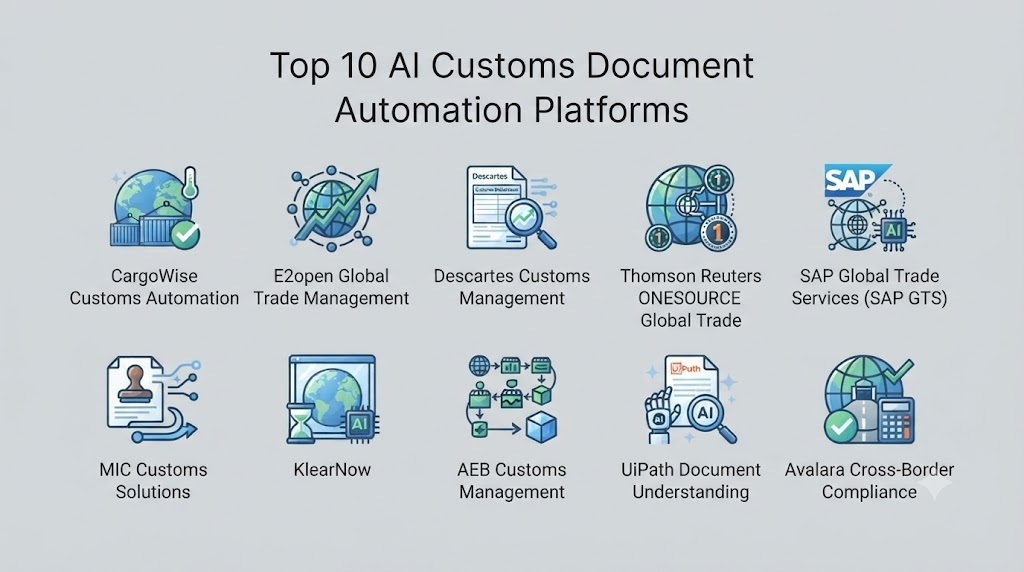
Top 10 AI Customs Document Automation Platforms
1. SAP Document and Trade Compliance Ecosystem
One-line verdict: Best for enterprises already using SAP that want customs-document automation integrated with broader ERP and global trade processes.
Short description:
SAP provides enterprise software for trade management, ERP, document workflows, and global trade processes. Organizations can use its ecosystem to connect trade documentation with business transactions and compliance processes.
Standout Capabilities
- Enterprise document workflows.
- Global trade processes.
- ERP integration.
- Import and export process support.
- Trade compliance workflows.
- Business transaction integration.
- Master-data connectivity.
- Enterprise reporting.
AI-Specific Depth
- Model support: SAP’s AI capabilities vary by product and implementation; exact model availability depends on the selected services.
- RAG / knowledge integration: Enterprise data and business-process integration are supported; exact RAG architecture varies.
- Evaluation: AI evaluation capabilities vary by implementation.
- Guardrails: Enterprise governance and administrative controls vary by product.
- Observability: Workflow and enterprise analytics capabilities vary.
Pros
- Strong ERP integration.
- Suitable for complex multinational organizations.
- Can connect customs processes with broader business data.
Cons
- Enterprise implementations can be complex.
- Configuration may require specialized expertise.
- Can be excessive for smaller organizations.
Security & Compliance
Enterprise security and administrative capabilities vary by SAP product and deployment. Specific certifications or regulatory claims should be verified for the selected service.
Deployment & Platforms
- Cloud.
- Enterprise software environments.
- Hybrid architectures.
- APIs.
- Web-based interfaces vary by product.
Integrations & Ecosystem
SAP’s ecosystem can connect customs and trade workflows with enterprise operations.
- ERP.
- Procurement.
- Finance.
- Logistics.
- Supply chain.
- Trade compliance.
- APIs.
Pricing Model
Enterprise licensing and subscription models vary. Exact pricing is not publicly stated.
Best-Fit Scenarios
- Global manufacturers.
- Multinational enterprises.
- Large import/export organizations.
2. Oracle Global Trade Management
One-line verdict: Best for enterprises seeking trade-management workflows connected to transportation, supply-chain, and enterprise operations.
Short description:
Oracle Global Trade Management supports international trade processes, compliance workflows, and logistics operations. It can help organizations manage trade-related information and connect it with broader supply-chain processes.
Standout Capabilities
- Global trade management.
- Trade compliance.
- Import/export workflows.
- Shipment integration.
- Product classification.
- Trade documentation.
- Supply-chain integration.
- Enterprise data management.
AI-Specific Depth
- Model support: AI capabilities vary by Oracle product and implementation.
- RAG / knowledge integration: Enterprise data integration varies.
- Evaluation: AI evaluation capabilities depend on the implemented Oracle services.
- Guardrails: Enterprise security and governance capabilities vary.
- Observability: Enterprise analytics and workflow monitoring vary.
Pros
- Strong enterprise integration.
- Broad trade-management capabilities.
- Useful for complex global supply chains.
Cons
- Requires implementation expertise.
- May be more comprehensive than a document-only solution.
- Exact automation capabilities vary by configuration.
Security & Compliance
Security, access controls, encryption, and retention capabilities depend on the selected Oracle services and deployment.
Deployment & Platforms
- Cloud.
- Enterprise applications.
- Hybrid integrations.
- APIs.
- Web interfaces.
Integrations & Ecosystem
- ERP.
- TMS.
- Supply-chain systems.
- Trade compliance.
- Customs workflows.
- APIs.
Pricing Model
Enterprise subscription/licensing; exact pricing is not publicly stated.
Best-Fit Scenarios
- Multinational enterprises.
- Large supply-chain organizations.
- Companies with complex trade operations.
3. Descartes
One-line verdict: Best for organizations needing customs compliance, trade-content, logistics connectivity, and automated international trade workflows.
Short description:
Descartes provides logistics and supply-chain software with capabilities covering customs, trade compliance, transportation, and global commerce. Its ecosystem is particularly relevant for organizations that need customs processes connected to logistics operations.
Standout Capabilities
- Customs compliance.
- Global trade management.
- Customs filing workflows.
- Trade-content management.
- Logistics connectivity.
- Import/export automation.
- Document workflows.
- Compliance data.
AI-Specific Depth
- Model support: AI and automation capabilities vary by product.
- RAG / knowledge integration: Trade-content and enterprise data integration are central; specific RAG architecture is not publicly stated.
- Evaluation: Exact AI evaluation methodology is not publicly stated.
- Guardrails: Compliance rules and workflow controls vary by product.
- Observability: Workflow and transaction monitoring capabilities vary.
Pros
- Strong customs and logistics orientation.
- Broad global trade ecosystem.
- Useful for customs brokers and enterprises.
Cons
- Product portfolio can be complex.
- Pricing varies by solution.
- Some capabilities may require significant integration work.
Security & Compliance
Security and compliance features vary across products and deployments. Organizations should validate current requirements directly with the vendor.
Deployment & Platforms
- Cloud.
- Web.
- APIs.
- Enterprise integrations.
- Hybrid options vary.
Integrations & Ecosystem
- Customs systems.
- TMS.
- ERP.
- Freight platforms.
- Trade-content systems.
- APIs.
- Logistics networks.
Pricing Model
Subscription and enterprise pricing vary. Exact pricing is not publicly stated.
Best-Fit Scenarios
- Customs brokers.
- Global importers/exporters.
- Logistics enterprises.
4. E2open
One-line verdict: Best for large supply chains seeking trade compliance and document workflows connected to broader global commerce processes.
Short description:
E2open provides supply-chain software spanning planning, logistics, trade compliance, and partner connectivity. Its broader ecosystem can support international trade processes and data exchange across complex supply networks.
Standout Capabilities
- Global trade management.
- Trade compliance.
- Supply-chain visibility.
- Partner connectivity.
- Import/export workflows.
- Enterprise data integration.
- Supply-chain analytics.
- Transaction management.
AI-Specific Depth
- Model support: AI capabilities vary by product.
- RAG / knowledge integration: Enterprise data integration is supported; specific RAG capabilities vary.
- Evaluation: Detailed AI evaluation methodology is not publicly stated.
- Guardrails: Governance and access controls vary by service.
- Observability: Supply-chain analytics and operational monitoring vary.
Pros
- Broad supply-chain ecosystem.
- Strong partner connectivity potential.
- Suitable for large organizations.
Cons
- Broad platform may require substantial implementation.
- Not exclusively focused on document automation.
- Pricing is not publicly stated.
Security & Compliance
Specific security controls and certifications should be verified for the selected solution.
Deployment & Platforms
- Cloud.
- Web.
- APIs.
- Enterprise integrations.
Integrations & Ecosystem
- ERP.
- TMS.
- Trade systems.
- Supply-chain platforms.
- Partner networks.
- APIs.
Pricing Model
Enterprise subscription model; exact pricing is not publicly stated.
Best-Fit Scenarios
- Global supply networks.
- Multinational manufacturers.
- Complex trade operations.
5. Avalara
One-line verdict: Best for businesses seeking automated tax and trade-related workflows connected to transaction and commerce data.
Short description:
Avalara provides tax compliance and related automation technologies. Its broader ecosystem can be relevant to organizations dealing with cross-border transactions and trade compliance requirements.
Standout Capabilities
- Tax automation.
- Compliance workflows.
- Cross-border transaction support.
- Data automation.
- Enterprise integrations.
- Transaction processing.
- Reporting.
- Compliance management.
AI-Specific Depth
- Model support: AI and automation capabilities vary by product.
- RAG / knowledge integration: N/A or product-dependent.
- Evaluation: Specific AI evaluation methodology is not publicly stated.
- Guardrails: Compliance-oriented rules and controls vary.
- Observability: Transaction and compliance reporting varies.
Pros
- Strong compliance orientation.
- Useful for transaction-heavy businesses.
- Broad integration ecosystem.
Cons
- Not exclusively a customs-document automation platform.
- Capabilities vary across products.
- Trade-document functionality should be evaluated against specific requirements.
Security & Compliance
Security and compliance capabilities vary by service. Specific certifications should be verified for the applicable product.
Deployment & Platforms
- Cloud.
- Web.
- APIs.
- Enterprise integrations.
Integrations & Ecosystem
- ERP.
- E-commerce.
- Finance.
- Tax systems.
- Business applications.
- APIs.
Pricing Model
Subscription and transaction-based models vary.
Best-Fit Scenarios
- Cross-border commerce.
- Enterprise transaction processing.
- Organizations combining tax and compliance workflows.
6. WiseTech Global / CargoWise
One-line verdict: Best for freight forwarders and logistics companies wanting trade documentation embedded into a broader forwarding platform.
Short description:
CargoWise is a logistics management platform used across freight forwarding, customs, warehousing, transportation, and related workflows. Its document and trade capabilities can help reduce manual processing across international logistics.
Standout Capabilities
- Freight forwarding workflows.
- Customs processes.
- Document management.
- Shipment management.
- Transportation workflows.
- Warehouse processes.
- Data exchange.
- Global logistics operations.
AI-Specific Depth
- Model support: AI capabilities vary by CargoWise functionality and implementation.
- RAG / knowledge integration: Enterprise logistics data integration; specific RAG capabilities are not publicly stated.
- Evaluation: Detailed AI evaluation methodology is not publicly stated.
- Guardrails: Workflow and administrative controls vary.
- Observability: Shipment and operational data visibility varies.
Pros
- Strong freight-forwarding orientation.
- Broad logistics functionality.
- Customs processes can be integrated with shipment workflows.
Cons
- Broad platform requires implementation expertise.
- May be more than a document-only automation requirement.
- AI-specific functionality varies.
Security & Compliance
Security and compliance details should be verified based on the selected CargoWise environment and organizational requirements.
Deployment & Platforms
- Cloud.
- Web.
- Enterprise integrations.
- APIs.
Integrations & Ecosystem
- Freight forwarding.
- Customs.
- Warehousing.
- Transportation.
- ERP.
- APIs.
- Partner systems.
Pricing Model
Enterprise/subscription pricing; exact pricing is not publicly stated.
Best-Fit Scenarios
- Freight forwarders.
- Customs brokers.
- International logistics companies.
7. UiPath
One-line verdict: Best for organizations wanting flexible intelligent document processing and workflow automation around existing customs systems.
Short description:
UiPath provides robotic process automation, intelligent document processing, workflow automation, and AI capabilities. It can be used to build custom document-processing workflows for customs and trade operations.
Standout Capabilities
- Intelligent document processing.
- OCR.
- Workflow automation.
- Human-in-the-loop review.
- API automation.
- Robotic process automation.
- Process orchestration.
- Enterprise automation.
AI-Specific Depth
- Model support: Supports multiple AI capabilities; exact model choices vary by UiPath product and deployment.
- RAG / knowledge integration: Possible through platform capabilities and integrations; implementation dependent.
- Evaluation: Workflow and AI evaluation capabilities vary.
- Guardrails: Enterprise governance and AI controls vary by deployment.
- Observability: Process monitoring, analytics, and automation monitoring.
Pros
- Highly customizable.
- Strong document automation capabilities.
- Can connect to existing applications.
Cons
- Requires automation expertise.
- Custom workflows require ongoing maintenance.
- Total cost can increase with scale and complexity.
Security & Compliance
Enterprise security, access control, encryption, governance, and audit capabilities vary by product and deployment.
Deployment & Platforms
- Cloud.
- Windows.
- On-premises components.
- Hybrid.
- APIs.
Integrations & Ecosystem
- ERP.
- Customs software.
- TMS.
- Databases.
- APIs.
- Web applications.
- Desktop applications.
Pricing Model
Tiered, subscription, and enterprise licensing models vary.
Best-Fit Scenarios
- Custom customs workflows.
- Large document-processing operations.
- Enterprises with existing RPA teams.
8. ABBYY
One-line verdict: Best for intelligent document processing teams needing advanced extraction from invoices, forms, PDFs, and complex business documents.
Short description:
ABBYY specializes in document understanding, OCR, intelligent document processing, and process automation. It can be used to extract structured data from customs-related documents and feed downstream workflows.
Standout Capabilities
- OCR.
- Intelligent document processing.
- Document classification.
- Data extraction.
- Document validation.
- Workflow automation.
- Human review.
- Unstructured-document processing.
AI-Specific Depth
- Model support: AI-powered document understanding; specific model architecture varies.
- RAG / knowledge integration: N/A as a core customs capability.
- Evaluation: Document extraction accuracy and workflow evaluation capabilities vary.
- Guardrails: Validation and human-review workflows are available; exact AI safety controls vary.
- Observability: Process and document analytics vary.
Pros
- Strong document-processing specialization.
- Useful for complex PDFs and forms.
- Can support custom document workflows.
Cons
- Requires integration with customs systems.
- Not a dedicated customs platform.
- Configuration may require technical expertise.
Security & Compliance
Security and governance features vary by deployment. Specific certifications should be verified for the applicable product.
Deployment & Platforms
- Cloud.
- On-premises.
- Hybrid.
- APIs.
- Enterprise applications.
Integrations & Ecosystem
- ERP.
- ECM.
- RPA.
- Customs systems.
- TMS.
- APIs.
- Databases.
Pricing Model
Enterprise and subscription pricing varies.
Best-Fit Scenarios
- High-volume document extraction.
- Complex PDF processing.
- Enterprises building custom customs automation.
9. Rossum
One-line verdict: Best for teams seeking AI-native document processing that can extract and validate information from variable business documents.
Short description:
Rossum focuses on intelligent document processing and automation. Its technology can help organizations extract structured information from invoices and other business documents that may not follow fixed templates.
Standout Capabilities
- AI document extraction.
- Document classification.
- Unstructured-document processing.
- Workflow automation.
- Validation.
- Human review.
- API integration.
- Document data processing.
AI-Specific Depth
- Model support: AI-based document processing; exact model architecture is not publicly stated.
- RAG / knowledge integration: N/A as a primary capability.
- Evaluation: Extraction accuracy and workflow evaluation are relevant; detailed methodology is not publicly stated.
- Guardrails: Validation and workflow controls; detailed prompt-injection defenses are not publicly stated.
- Observability: Document-processing and workflow monitoring capabilities vary.
Pros
- AI-native document processing approach.
- Useful for variable document layouts.
- API-friendly automation potential.
Cons
- Customs-specific functionality may require customization.
- Trade-compliance workflows may need other systems.
- Pricing varies.
Security & Compliance
Specific security, retention, residency, and certification claims should be verified for the current service.
Deployment & Platforms
- Cloud.
- Web.
- APIs.
- Enterprise integrations.
Integrations & Ecosystem
- ERP.
- Accounting systems.
- Workflow tools.
- APIs.
- Databases.
- Business applications.
Pricing Model
Subscription and enterprise pricing vary.
Best-Fit Scenarios
- High-volume document processing.
- Import/export documentation.
- Organizations building custom workflows.
10. Hypatos
One-line verdict: Best for organizations automating document-heavy financial and operational workflows using AI-powered document understanding.
Short description:
Hypatos provides intelligent document processing and automation technologies focused on extracting and processing information from business documents. It can potentially support customs-document workflows when integrated with appropriate trade systems.
Standout Capabilities
- Document understanding.
- Data extraction.
- Intelligent automation.
- Document classification.
- Workflow processing.
- Enterprise integration.
- Human review.
- Structured data generation.
AI-Specific Depth
- Model support: Proprietary AI/document-processing capabilities; exact models are not publicly stated.
- RAG / knowledge integration: N/A or implementation-dependent.
- Evaluation: Document-processing evaluation capabilities vary.
- Guardrails: Workflow validation and controls vary.
- Observability: Automation and document-processing analytics vary.
Pros
- Strong document automation orientation.
- Useful for complex business-document workflows.
- Can complement ERP and automation systems.
Cons
- Not primarily a customs-specific platform.
- Requires integration for customs workflows.
- Detailed AI capabilities vary by implementation.
Security & Compliance
Specific security and compliance capabilities should be verified for the selected deployment.
Deployment & Platforms
- Cloud.
- Web.
- APIs.
- Enterprise integrations.
Integrations & Ecosystem
- ERP.
- Finance systems.
- Workflow platforms.
- APIs.
- Document repositories.
- Business applications.
Pricing Model
Enterprise/subscription pricing; exact pricing is not publicly stated.
Best-Fit Scenarios
- Document-heavy enterprises.
- Customs workflows requiring custom extraction.
- Organizations integrating AI document processing with ERP.
Comparison Table
| Tool Name | Best For | Deployment | Model Flexibility | Strength | Watch-Out | Public Rating |
|---|---|---|---|---|---|---|
| SAP | SAP-centric enterprises | Cloud/Hybrid | Hosted/Integrated | ERP + trade integration | Complex implementation | N/A |
| Oracle Global Trade Management | Global enterprises | Cloud/Hybrid | Hosted/Integrated | Trade management | Enterprise complexity | N/A |
| Descartes | Customs and logistics | Cloud/Hybrid | Hosted/Integrated | Customs ecosystem | Broad portfolio | N/A |
| E2open | Global supply chains | Cloud | Hosted/Integrated | Partner connectivity | Broad implementation | N/A |
| Avalara | Cross-border compliance | Cloud | Hosted | Compliance automation | Customs depth varies | N/A |
| CargoWise | Freight forwarders | Cloud | Hosted/Integrated | Logistics workflows | Large platform | N/A |
| UiPath | Custom automation | Cloud/Hybrid/On-premises | Multi-model/Integrated | Flexible automation | Requires expertise | N/A |
| ABBYY | Intelligent document processing | Cloud/Hybrid/On-premises | Multi-model/Integrated | Document extraction | Customs integration needed | N/A |
| Rossum | AI document processing | Cloud | Hosted/Integrated | Unstructured documents | Customs customization | N/A |
| Hypatos | Enterprise document automation | Cloud | Hosted/Integrated | Business document processing | Trade features vary | N/A |
Scoring & Evaluation
The following scores are comparative editorial assessments rather than official vendor ratings. They are intended to provide a consistent framework for comparing different types of platforms.
The scoring emphasizes customs capabilities, AI reliability, document extraction, integration, security, operational usability, cost management, and ecosystem maturity.
| Tool | Core | Reliability/Eval | Guardrails | Integrations | Ease | Perf/Cost | Security/Admin | Support | Weighted Total |
|---|---|---|---|---|---|---|---|---|---|
| SAP | 10 | 9 | 9 | 10 | 7 | 7 | 10 | 10 | 9.10 |
| Oracle Global Trade Management | 10 | 9 | 9 | 10 | 7 | 7 | 10 | 10 | 9.10 |
| Descartes | 10 | 9 | 9 | 10 | 8 | 8 | 9 | 10 | 9.20 |
| E2open | 9 | 9 | 9 | 10 | 7 | 7 | 9 | 9 | 8.75 |
| Avalara | 8 | 8 | 8 | 9 | 9 | 8 | 9 | 9 | 8.45 |
| CargoWise | 10 | 9 | 9 | 10 | 7 | 7 | 9 | 10 | 9.05 |
| UiPath | 9 | 9 | 9 | 10 | 8 | 8 | 9 | 9 | 8.95 |
| ABBYY | 9 | 9 | 8 | 9 | 8 | 8 | 9 | 9 | 8.75 |
| Rossum | 8 | 9 | 8 | 9 | 9 | 8 | 8 | 8 | 8.40 |
| Hypatos | 8 | 8 | 8 | 8 | 8 | 8 | 8 | 8 | 8.00 |
Top 3 for Enterprise
- SAP — Strong choice where ERP and global trade processes already run through SAP.
- Oracle Global Trade Management — Well suited to organizations with complex global trade operations.
- Descartes — Strong option for organizations prioritizing customs and logistics connectivity.
Top 3 for SMB
- Rossum — Useful for document-heavy automation requirements.
- ABBYY — Strong document-processing foundation.
- Avalara — Attractive when cross-border compliance is connected with broader tax workflows.
Top 3 for Developers
- UiPath — Highly configurable automation environment.
- ABBYY — Strong document-processing capabilities and integration potential.
- Rossum — Useful for API-driven document automation.
Which AI Customs Document Automation Platform Is Right for You?
Solo / Freelancer
For a small importer or exporter, avoid overengineering the workflow.
Prioritize:
- Simple document upload.
- Invoice extraction.
- Packing-list extraction.
- Human review.
- Exportable data.
- Basic integrations.
- Transparent processing costs.
A full global trade management platform may be unnecessary if shipment volume is low.
SMB
SMBs should focus on eliminating repetitive document entry.
A good workflow might be:
Upload document → AI extraction → Validation → Human approval → Customs workflow
Prioritize:
- OCR.
- AI extraction.
- Confidence scores.
- Human review.
- API access.
- ERP integration.
- Audit history.
Mid-Market
Mid-market organizations should integrate document automation into their logistics architecture.
Consider:
- ERP integration.
- TMS integration.
- Customs broker connectivity.
- Product master data.
- HS classification workflows.
- Document reconciliation.
- Automated exception handling.
The system should avoid creating another isolated data silo.
Enterprise
Enterprise buyers should evaluate the complete architecture.
A mature workflow might look like:
Document ingestion → Classification → Extraction → Validation → Trade rules → AI risk assessment → Human approval → Customs submission → Audit trail
Enterprise requirements should include:
- High-volume processing.
- Multilingual documents.
- Multiple countries.
- Multiple customs regimes.
- Product master integration.
- HS classification workflows.
- Auditability.
- RBAC.
- SSO.
- Data retention.
- Data residency.
- API access.
- Model governance.
- AI evaluation.
- Disaster recovery.
Regulated Industries
For regulated or highly controlled environments, document automation should prioritize:
- Data integrity.
- Traceability.
- Audit logs.
- Access controls.
- Document versioning.
- Approval workflows.
- Retention policies.
- Human review.
- Evidence preservation.
Do not rely entirely on an AI-generated classification or customs interpretation without an appropriate review process.
Budget vs Premium
A budget-focused implementation may require only:
- OCR.
- Invoice extraction.
- Document classification.
- Basic workflow automation.
Premium deployments may require:
- Multimodal AI.
- Classification assistance.
- Cross-document reconciliation.
- Automated validation.
- Enterprise integrations.
- Global trade-content integration.
- Advanced governance.
- Human-in-the-loop workflows.
Build vs Buy
Build when:
- Your documents are highly specialized.
- You have an experienced engineering team.
- Your customs workflows are unique.
- You need complete control over data and AI infrastructure.
Buy when:
- You need rapid deployment.
- You process large document volumes.
- You need existing OCR and extraction capabilities.
- You need customs and logistics integrations.
- You lack a dedicated AI engineering team.
A hybrid approach can often work well: use a commercial document-processing engine while keeping customs-specific business rules and validation logic under internal control.
Implementation Playbook: 30 / 60 / 90 Days
First 30 Days: Pilot + Success Metrics
Select a representative set of:
- Commercial invoices.
- Packing lists.
- Bills of lading.
- Certificates.
- Customs forms.
- Supplier documents.
- Carrier documents.
Measure:
- Field extraction accuracy.
- Document classification accuracy.
- Manual processing time.
- Exception rate.
- Review time.
- Duplicate rate.
- Missing-field rate.
Establish a baseline before introducing automation.
Days 31–60: Security + Evaluation + Rollout
Build an evaluation dataset containing real documents with verified ground-truth fields.
Test:
- Different document layouts.
- Different suppliers.
- Poor-quality scans.
- Multiple languages.
- Tables.
- Handwritten fields where applicable.
- Missing information.
- Contradictory information.
- Duplicate documents.
For generative AI components, test:
- Hallucination.
- Prompt injection.
- Unsupported conclusions.
- Incorrect classification.
- Data leakage.
- Inconsistent responses.
Use confidence thresholds to determine when human review is mandatory.
Days 61–90: Cost, Latency + Governance
Integrate the automation platform with operational systems.
Potential workflow:
Document received → AI extraction → Validation → Exception detection → Human approval → ERP/TMS/customs system → Audit record
Then establish:
- Prompt/version control.
- Model/version tracking.
- AI evaluation schedules.
- Incident-management procedures.
- Data-retention policies.
- Access controls.
- Cost monitoring.
- Processing SLAs.
- Human-review policies.
Common Mistakes & How to Avoid Them
- Treating OCR as complete AI automation: Extraction is only one part of the customs workflow.
- Accepting AI output without validation: Customs information can have significant financial and regulatory consequences.
- Ignoring document variation: Supplier documents rarely follow one universal format.
- No confidence scoring: Uncertain extractions should be routed to human reviewers.
- Ignoring prompt injection: Uploaded documents should be treated as untrusted content.
- No evaluation dataset: AI accuracy cannot be managed effectively without representative test documents.
- Ignoring cross-document inconsistencies: Invoice and packing-list information should be reconciled where appropriate.
- Over-automating HS classification: Classification assistance should not automatically replace qualified review.
- Ignoring data retention: Trade documents can need to remain accessible for investigations and audits.
- Creating another data silo: Document automation should connect with ERP, TMS, customs, and trade systems.
- Ignoring multilingual documents: International businesses frequently encounter multiple languages and document formats.
- No audit trail: Organizations need to know what the system extracted and who approved changes.
- Ignoring model drift: Document layouts and supplier practices can change.
- Failing to monitor costs: High-volume document processing can create unexpected AI and processing expenses.
- Using a single model for every document: Different document types may benefit from different extraction approaches.
- Removing human review too quickly: High-risk customs processes should retain appropriate human oversight.
FAQs
1. What is AI Customs Document Automation?
AI Customs Document Automation uses OCR, machine learning, document intelligence, natural-language processing, and workflow automation to extract and process information from customs and trade documents.
2. Which customs documents can AI process?
Depending on the platform, AI can process commercial invoices, packing lists, bills of lading, certificates, customs forms, shipping documents, and other structured or unstructured trade documents.
3. Can AI extract data from scanned PDFs?
Yes. OCR and document-understanding technologies can extract information from scanned PDFs, although accuracy depends on document quality, layout, language, and content.
4. Can AI automate customs declarations?
AI can assist with data preparation and workflow automation, but the exact level of automated customs declaration support depends on the platform, country, customs system, and organizational controls.
5. Can AI classify products using HS codes?
AI can assist with HS classification by analyzing product descriptions and relevant information. However, organizations should validate classifications because incorrect classification can have regulatory and financial consequences.
6. Does AI store the customs documents?
Storage depends on the platform and configuration. Buyers should explicitly review retention policies, storage locations, deletion controls, and data residency requirements.
7. Can companies use their own AI models?
Some platforms provide greater model flexibility than others. Traditional document-processing systems may rely primarily on vendor-managed models, while customizable architectures can provide more flexibility.
8. Can AI customs automation be self-hosted?
Some document-processing technologies support on-premises or private deployment, while many modern platforms are primarily cloud-based. Deployment options vary.
9. How accurate is AI document extraction?
There is no universal accuracy percentage. Performance depends on document type, scan quality, language, supplier variation, field complexity, and the model or extraction technology being used.
10. How should buyers evaluate extraction accuracy?
Create a representative test dataset and measure field-level accuracy, document classification accuracy, exception rates, false extraction rates, and human-review requirements.
11. Can AI detect errors between invoices and packing lists?
Yes. A properly designed workflow can compare extracted information across multiple documents and flag inconsistencies for review.
12. Does AI replace customs brokers?
Not necessarily. AI can automate repetitive document-processing work while customs professionals remain responsible for judgment, compliance decisions, exception handling, and oversight.
13. Can generative AI be used with customs documents?
Yes. Generative AI can summarize documents, answer questions about extracted information, assist investigations, and support document workflows. Its output should be grounded in verified data.
14. What is prompt injection in customs document automation?
Prompt injection occurs when malicious or unexpected instructions embedded in documents attempt to influence an AI system. Document-processing architectures should treat document contents as data rather than trusted instructions.
15. Can AI customs automation integrate with ERP systems?
Yes. APIs, connectors, middleware, and automation tools can connect extracted customs data with ERP platforms and other enterprise applications.
16. Can AI process multiple languages?
Many document-processing platforms support multiple languages, but exact language coverage varies. Organizations should test their actual supplier and trading-partner documents.
17. How can companies reduce AI automation risks?
Use confidence thresholds, human review, validation rules, evaluation datasets, audit trails, access controls, monitoring, and controlled deployment.
18. What is the biggest benefit of customs document automation?
The biggest benefit is typically reducing repetitive manual document processing while improving consistency, processing speed, and visibility into trade data.
19. What is the biggest challenge?
The biggest challenge is handling real-world document variability. Different suppliers, countries, languages, formats, scans, and product descriptions can make seemingly simple extraction workflows complicated.
20. Is AI customs document automation suitable for small businesses?
It can be, particularly when document volume is high enough to justify automation. Businesses with only a few simple shipments may find basic document tools more practical.
Conclusion
AI Customs Document Automation is moving beyond traditional OCR toward intelligent document understanding, validation, workflow orchestration, and AI-assisted trade operations.The strongest implementations do not simply extract text from invoices. They connect documents, product data, shipment information, customs workflows, enterprise systems, validation rules, human reviewers, and audit trails into one operational process.For smaller organizations, a lightweight document-extraction solution may provide enough value. Mid-market companies can benefit from integrating document automation with ERP, TMS, and customs workflows. Large multinational organizations may need a complete global trade architecture with advanced automation, governance, multilingual processing, APIs, and human-in-the-loop controls.The most important consideration is not how much AI a platform contains. It is whether the system can reliably transform messy trade documents into accurate, reviewable, traceable business data without creating new compliance or security ris