Introduction
AI Expense Categorization tools help organizations automate the classification of business expenses into appropriate accounting, reporting, tax, and budgeting categories. Businesses process large volumes of receipts, invoices, card transactions, reimbursement requests, and expense reports, and manually assigning each transaction to the correct category can consume significant time.Traditional expense categorization often depends on employees selecting categories manually or finance teams reviewing transactions after submission. This approach can lead to inconsistent classifications, duplicate work, delayed reporting, and avoidable accounting errors.AI-powered expense categorization improves this process by analyzing transaction descriptions, merchant information, receipts, historical classifications, accounting rules, and organizational policies. The system can then recommend or automatically assign an appropriate expense category.
For example, a transaction from an airline may be classified as business travel, while a hotel receipt may be categorized as lodging. A restaurant transaction could potentially be assigned to meals and entertainment, while a software subscription could be mapped to software or technology expenses. The exact classification depends on the organization’s chart of accounts and expense policies.
What Are AI Expense Categorization Tools?
AI Expense Categorization tools use artificial intelligence and automation to classify business transactions and expenses into predefined accounting or organizational categories.
They can analyze:
- Credit card transactions
- Bank transactions
- Receipts
- Invoices
- Expense reports
- Merchant names
- Transaction descriptions
- Purchase dates
- Amounts
- Accounting categories
- Historical expense classifications
Depending on the platform, categorized expenses can be synchronized with accounting, ERP, expense management, or financial planning systems.
Why AI Expense Categorization Matters
Expense categorization affects financial reporting, budgeting, tax preparation, reimbursement processing, and expense policy enforcement.
AI-powered categorization can help organizations:
- Reduce manual data entry
- Improve classification consistency
- Accelerate expense processing
- Reduce accounting workload
- Improve financial reporting
- Detect unusual transactions
- Automate receipt processing
- Support expense policy compliance
- Improve bookkeeping efficiency
- Scale finance operations
Key Features
Automatic Expense Categorization
Classify transactions using historical patterns, merchant data, accounting rules, and AI models.
Receipt OCR
Extract merchant, amount, date, tax, and other information from receipts.
Machine Learning
Learn from previous corrections and classifications to improve future recommendations.
Merchant Recognition
Identify merchants and associate them with relevant expense categories.
Chart of Accounts Mapping
Map transactions to an organization’s accounting structure.
Accounting Integration
Synchronize categorized expenses with accounting and ERP platforms.
Policy Rules
Apply organizational rules to specific expense types.
Tax Categorization
Support tax-related classification where appropriate.
Duplicate Detection
Identify potentially duplicated receipts or transactions.
Confidence Scoring
Flag uncertain classifications for finance-team review.
Expense Reporting
Generate reports based on categorized transactions.
Multi-Currency Support
Process expenses across multiple currencies for international organizations.
Common Use Cases
Employee Reimbursements
Automatically classify expenses submitted by employees.
Corporate Card Transactions
Categorize card transactions before they reach accounting systems.
Receipt Processing
Extract and categorize receipt information.
Bookkeeping
Reduce manual transaction classification.
Accounts Payable
Support classification of invoice-related expenses.
Budget Tracking
Group expenses into meaningful budget categories.
Tax Preparation
Organize expenses into appropriate tax-related categories.
Financial Reporting
Improve the consistency of expense reporting.
Benefits
Reduced Manual Work
Finance teams spend less time manually classifying transactions.
Faster Processing
Expenses can be categorized as transactions enter the system.
Greater Consistency
AI can apply the same classification logic across large transaction volumes.
Improved Reporting
Consistent categories make financial reporting easier.
Better Expense Visibility
Organizations gain a clearer view of spending patterns.
Scalable Automation
AI categorization can handle growing transaction volumes without requiring proportional increases in manual work.
Challenges and Risks
Incorrect Classifications
AI may incorrectly categorize ambiguous transactions.
Merchant Ambiguity
A single merchant can sell products or services belonging to multiple expense categories.
Accounting Complexity
Organizations may have customized charts of accounts and accounting rules.
Tax Differences
Expense treatment can vary by jurisdiction and transaction type.
Limited Context
Transaction descriptions may not contain enough information to determine business purpose.
Data Security
Expense data can contain financial and employee information.
Human Oversight
High-value, unusual, or ambiguous transactions may still require manual review.
Responsible AI Practices
Organizations should implement appropriate controls around automated expense categorization.
Recommended practices include:
- Use approved accounting rules
- Maintain an accurate chart of accounts
- Review low-confidence classifications
- Keep audit trails
- Protect financial information
- Apply role-based access
- Monitor classification accuracy
- Allow finance teams to correct categories
- Regularly review automated rules
- Validate tax-related classifications
- Maintain appropriate approval workflows
Key Trends
AI-Powered Bookkeeping
Expense categorization is increasingly becoming part of broader automated bookkeeping workflows.
Real-Time Categorization
Transactions can increasingly be classified as they occur instead of during month-end accounting.
Intelligent Receipt Processing
AI-powered OCR and document understanding are making receipt processing more automated.
Continuous Learning
Some systems can learn from finance-team corrections and improve future classifications.
Integrated Finance Automation
Expense categorization is increasingly connected with accounting, payments, accounts payable, and financial reporting.
Fraud and Anomaly Detection
Categorization systems are increasingly combined with unusual-spending and policy-violation detection.
Context-Aware Classification
Future systems will increasingly consider merchant, transaction history, employee role, business purpose, location, and organizational rules together.
Methodology
The platforms below were selected based on their relevance to expense management, transaction categorization, receipt processing, accounting automation, corporate cards, financial workflows, and AI-powered bookkeeping.
The evaluation considers:
- Expense categorization
- Receipt processing
- AI automation
- Accounting integration
- Expense management
- Policy controls
- Reporting
- Security
- Ease of use
- Enterprise scalability
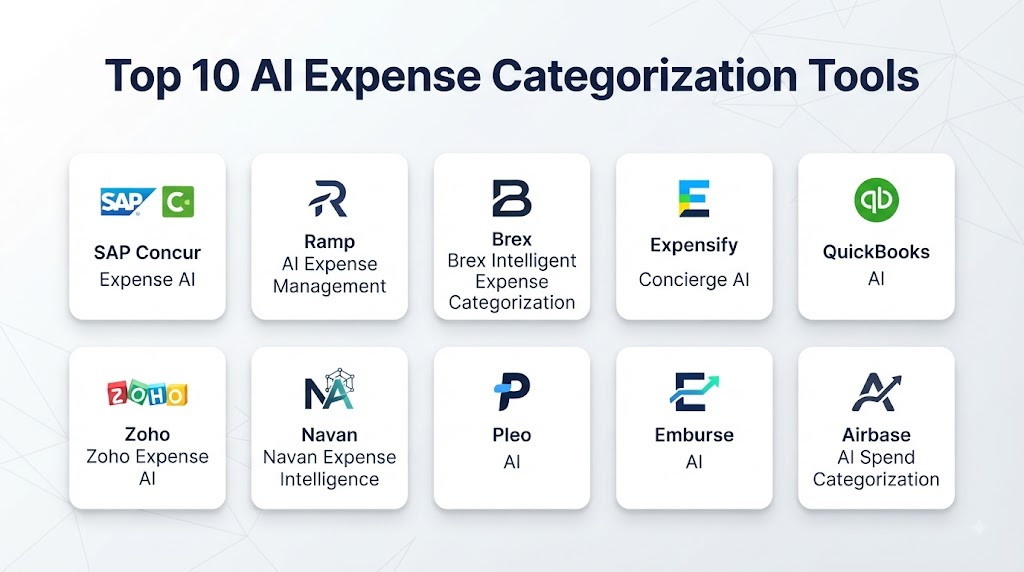
Top 10 AI Expense Categorization Tools
1. Ramp
Ramp combines corporate cards, expense management, spend controls, and financial automation. Its platform can automate aspects of transaction classification and expense management.
Key Features
- AI-powered expense management
- Transaction categorization
- Receipt management
- Corporate cards
- Spend controls
- Accounting integrations
- Expense reporting
Pros
- Strong automation capabilities
- Integrated corporate-card ecosystem
- Useful expense controls
- Broad finance workflow support
Cons
- Best suited to organizations using its broader financial platform
- Advanced functionality may require configuration
2. Brex
Brex provides corporate cards, spend management, expense management, and financial workflows with automation capabilities.
Key Features
- Expense categorization
- Corporate cards
- Receipt management
- Spend controls
- Accounting integrations
- Expense reporting
Pros
- Strong corporate spend platform
- Good automation
- Useful financial controls
- Broad integrations
Cons
- Best value comes from broader platform adoption
- Configuration may be required for complex accounting structures
3. Expensify
Expensify focuses on expense management, receipt scanning, reimbursement, corporate cards, and automated expense reporting.
Key Features
- Smart receipt scanning
- Expense categorization
- Expense reports
- Reimbursements
- Corporate cards
- Accounting integrations
Pros
- Strong receipt automation
- Easy expense submission
- Established expense-management capabilities
- Useful accounting integrations
Cons
- Advanced accounting requirements may require additional configuration
- Organizations with complex workflows may need broader financial systems
4. Navan
Navan combines travel management and expense management, making it particularly useful for organizations with significant travel spending.
Key Features
- Travel expense management
- Expense categorization
- Receipt processing
- Corporate cards
- Travel reporting
- Expense automation
Pros
- Strong travel and expense integration
- Useful automated workflows
- Good employee experience
- Strong travel-spend visibility
Cons
- Best suited to organizations with significant travel requirements
- Broader accounting capabilities may depend on integrations
5. SAP Concur
SAP Concur provides enterprise travel and expense management capabilities for organizations managing large volumes of employee expenses.
Key Features
- Expense categorization
- Receipt processing
- Travel management
- Expense reporting
- Policy enforcement
- Enterprise integrations
Pros
- Strong enterprise capabilities
- Broad travel and expense functionality
- Mature integration ecosystem
- Useful compliance controls
Cons
- Enterprise implementation can be complex
- Configuration may require specialist knowledge
6. BILL Spend & Expense
BILL Spend & Expense provides spend management, corporate cards, expense tracking, and automated financial workflows.
Key Features
- Expense categorization
- Corporate cards
- Spend management
- Receipt capture
- Expense reporting
- Accounting integrations
Pros
- Strong spend-management capabilities
- Useful automation
- Good accounting integrations
- Supports policy controls
Cons
- Advanced use cases may require configuration
- Best suited to organizations seeking an integrated spend-management solution
7. Airbase
Airbase provides spend management and accounts payable capabilities that can help organizations automate expense-related financial processes.
Key Features
- Expense management
- Spend controls
- Corporate cards
- Approval workflows
- Accounting integration
- Financial automation
Pros
- Strong spend controls
- Useful finance workflows
- Good accounting integration
- Supports broader spend management
Cons
- Expense categorization is part of a broader platform
- Complex accounting structures may require customization
8. Zoho Expense
Zoho Expense provides expense tracking, receipt management, policy enforcement, reporting, and integrations within the broader Zoho ecosystem.
Key Features
- Expense categorization
- Receipt scanning
- Expense reports
- Travel expense management
- Policy controls
- Accounting integration
Pros
- Strong expense-management capabilities
- Good value for smaller organizations
- Useful Zoho ecosystem integration
- Accessible interface
Cons
- Advanced enterprise requirements may need additional configuration
- Organizations outside the Zoho ecosystem may need more integrations
9. Emburse
Emburse provides expense management, travel, payments, and corporate spend solutions for businesses.
Key Features
- Expense categorization
- Receipt processing
- Expense reporting
- Corporate cards
- Travel management
- Financial integrations
Pros
- Broad expense-management capabilities
- Enterprise-oriented functionality
- Strong workflow support
- Useful reporting
Cons
- Product capabilities vary across the Emburse portfolio
- Enterprise implementation can require planning
10. QuickBooks Online
QuickBooks Online provides accounting capabilities that include automated transaction categorization and bank-feed workflows.
Key Features
- Transaction categorization
- Bank feeds
- Receipt capture
- Accounting
- Expense tracking
- Financial reporting
Pros
- Strong accounting ecosystem
- Useful automated transaction categorization
- Accessible for small businesses
- Broad financial reporting
Cons
- Less specialized than dedicated enterprise expense-management platforms
- Complex organizations may need complementary expense tools
Comparison Table
| No. | Platform | Best For | Expense Categorization | Receipt Processing | Corporate Cards | Accounting Integration | Policy Controls |
|---|---|---|---|---|---|---|---|
| 1 | Ramp | Automated spend management | Strong | Strong | Strong | Strong | Strong |
| 2 | Brex | Corporate spend | Strong | Strong | Strong | Strong | Strong |
| 3 | Expensify | Expense reporting | Strong | Strong | Strong | Strong | Strong |
| 4 | Navan | Travel and expenses | Strong | Strong | Strong | Strong | Strong |
| 5 | SAP Concur | Enterprise T&E | Strong | Strong | Moderate | Strong | Strong |
| 6 | BILL Spend & Expense | Spend management | Strong | Strong | Strong | Strong | Strong |
| 7 | Airbase | Spend and AP | Strong | Strong | Strong | Strong | Strong |
| 8 | Zoho Expense | SMB expense management | Strong | Strong | Moderate | Strong | Strong |
| 9 | Emburse | Enterprise expense management | Strong | Strong | Strong | Strong | Strong |
| 10 | QuickBooks Online | Small-business accounting | Strong | Strong | Limited | Strong | Moderate |
Weighted Evaluation Table
| No. | Platform | Categorization 20% | AI Automation 15% | Receipt Processing 15% | Accounting Integration 15% | Policy Controls 10% | Security 10% | Ease of Use 5% | Scalability 10% | Total Score |
|---|---|---|---|---|---|---|---|---|---|---|
| 1 | Ramp | 20 | 15 | 14 | 15 | 10 | 10 | 4 | 10 | 98 |
| 2 | Brex | 19 | 15 | 14 | 15 | 10 | 10 | 4 | 10 | 97 |
| 3 | Expensify | 19 | 14 | 15 | 15 | 10 | 9 | 5 | 9 | 96 |
| 4 | Navan | 18 | 14 | 14 | 14 | 10 | 9 | 5 | 9 | 93 |
| 5 | SAP Concur | 19 | 14 | 15 | 15 | 10 | 10 | 3 | 10 | 96 |
| 6 | BILL Spend & Expense | 18 | 14 | 14 | 15 | 10 | 9 | 4 | 10 | 94 |
| 7 | Airbase | 18 | 14 | 14 | 14 | 10 | 9 | 4 | 9 | 92 |
| 8 | Zoho Expense | 18 | 13 | 14 | 14 | 9 | 9 | 5 | 9 | 91 |
| 9 | Emburse | 18 | 14 | 14 | 14 | 10 | 9 | 4 | 10 | 93 |
| 10 | QuickBooks Online | 17 | 13 | 13 | 15 | 8 | 9 | 5 | 9 | 89 |
How to Choose the Right AI Expense Categorization Tool
Choose Ramp if automated spend management, corporate cards, expense categorization, and financial controls are your primary priorities.
Choose Brex if you want expense categorization integrated with corporate cards and broader spend management.
Choose Expensify if receipt scanning, expense reports, reimbursements, and straightforward expense automation are most important.
Choose Navan if travel expenses represent a significant portion of your organization’s spending.
Choose SAP Concur if you need mature enterprise travel and expense management.
Choose BILL Spend & Expense if you want spend management and expense automation integrated into a broader financial workflow.
Choose Airbase if accounts payable, spend controls, and expense management need to work together.
Choose Zoho Expense if you need an accessible expense platform, particularly within the Zoho ecosystem.
Choose Emburse if your organization needs enterprise-oriented expense and payment management.
Choose QuickBooks Online if transaction categorization is primarily part of a broader small-business accounting workflow.
Common Mistakes
- Assuming AI classifications are always correct
- Failing to maintain the chart of accounts
- Ignoring unusual transactions
- Allowing incorrect historical classifications to train future recommendations
- Treating merchant names as sufficient context
- Failing to review high-value transactions
- Ignoring regional tax requirements
- Not maintaining expense policies
- Using too many overlapping categories
- Failing to monitor categorization accuracy
- Neglecting financial-data security
- Automating classifications without exception workflows
FAQs
1. What is AI expense categorization?
AI expense categorization uses machine learning, transaction data, receipt information, and accounting rules to classify expenses automatically.
2. Can AI categorize credit card transactions?
Yes. Many expense and spend-management platforms can classify corporate-card transactions using merchant, transaction, historical, and accounting information.
3. Can AI categorize receipts?
Yes. Receipt-processing systems can extract information such as merchant, amount, date, and tax and use that information to recommend an expense category.
4. Can AI learn from accounting corrections?
Some systems can use historical classifications and user corrections to improve future categorization recommendations.
5. Can expense categorization be automated completely?
Many routine transactions can be automated, but unusual, ambiguous, or high-value expenses should generally have appropriate review mechanisms.
6. Can AI categorize expenses for tax purposes?
Some platforms can assist with tax-related classification, but organizations should validate tax treatment against applicable accounting and tax requirements.
7. Does AI expense categorization reduce accounting workload?
It can reduce repetitive transaction-classification work and allow finance teams to focus on exceptions, reconciliation, analysis, and higher-value activities.
8. Can these tools integrate with accounting software?
Yes. Many expense-management platforms integrate with accounting and ERP systems to transfer categorized transactions and related information.
9. How accurate is AI expense categorization?
Accuracy varies by platform, data quality, transaction complexity, accounting structure, and how well the system is configured and monitored.
10. What is the future of AI expense categorization?
The category is moving toward real-time transaction classification, context-aware accounting, automated bookkeeping, intelligent exception handling, anomaly detection, and deeper integration with financial systems.
Conclusion
AI Expense Categorization tools can significantly reduce the manual effort involved in organizing business spending. By analyzing transaction descriptions, merchant information, receipts, historical classifications, and accounting structures, these platforms can automate many routine categorization tasks.Ramp, Brex, Expensify, Navan, SAP Concur, BILL Spend & Expense, Airbase, Zoho Expense, Emburse, and QuickBooks Online provide different approaches to expense automation, corporate spending, accounting, and financial workflows.The best solution depends on transaction volume, company size, accounting complexity, travel requirements, corporate-card usage, existing financial systems, and the level of automation required.