Introduction
AI IT Helpdesk Copilots are transforming how organizations provide technical support to employees, customers, and internal teams. Traditional IT help desks depend heavily on human agents to answer repetitive questions, classify tickets, troubleshoot common issues, search knowledge bases, and communicate with users. As organizations grow, the volume and complexity of support requests can make these processes difficult to manage efficiently.AI-powered helpdesk copilots provide an intelligent assistance layer on top of existing IT service management and support workflows. They can help employees troubleshoot common problems, summarize incidents, recommend solutions, draft responses, categorize tickets, search documentation, and assist human support agents with contextual information.
For example, an employee may report that they cannot access an internal application. Instead of immediately creating a ticket and waiting for an agent, an AI copilot can ask relevant diagnostic questions, retrieve approved troubleshooting instructions, and guide the employee through potential solutions. If the problem requires human intervention, the conversation and collected information can be passed to the appropriate support team.
What Are AI IT Helpdesk Copilots?
AI IT Helpdesk Copilots are AI-powered assistants designed to support IT service desks, helpdesk agents, employees, and technical support teams.
They can assist with:
- Ticket creation
- Ticket classification
- Incident summarization
- Knowledge retrieval
- Troubleshooting
- Employee self-service
- Response drafting
- Ticket routing
- Root-cause investigation
- Workflow automation
- Knowledge-base recommendations
- Incident resolution
They can operate through service portals, chat interfaces, collaboration platforms, email workflows, or other support channels.
Why AI IT Helpdesk Copilots Matter
IT teams frequently spend significant time handling repetitive requests such as password problems, application access questions, software installation requests, device issues, account questions, and basic troubleshooting.
AI copilots can help organizations:
- Reduce repetitive support work
- Accelerate ticket resolution
- Improve employee self-service
- Assist helpdesk agents
- Improve knowledge discovery
- Automate ticket classification
- Provide consistent responses
- Reduce support backlogs
- Improve service availability
- Scale support operations
Key Features
AI-Powered Self-Service
Employees can interact with an AI assistant to troubleshoot common technology problems.
Natural-Language Ticket Creation
Users can describe problems conversationally rather than filling out complex forms.
Ticket Summarization
AI can summarize lengthy incident histories for support agents.
Intelligent Ticket Classification
Copilots can categorize and prioritize incoming requests.
Automated Routing
Tickets can be routed to appropriate teams based on issue type, service, urgency, or context.
Knowledge Retrieval
AI can search approved knowledge articles and documentation to provide relevant answers.
Response Generation
Copilots can draft professional responses for agents.
Troubleshooting Guidance
AI can provide step-by-step troubleshooting based on approved support documentation.
Incident Context
The system can surface relevant information from previous incidents and related tickets.
Workflow Automation
Approved actions can be triggered through connected IT workflows.
Agent Assistance
AI can recommend next steps while an agent handles a live support interaction.
Multichannel Support
Some platforms can support chat, portals, collaboration tools, and other communication channels.
Common Use Cases
Password and Account Support
Guide employees through approved account and password workflows.
Application Troubleshooting
Help users resolve common application problems.
Hardware Support
Assist with common device and peripheral troubleshooting.
Software Requests
Guide employees through approved software installation or access workflows.
Access Requests
Collect information and route requests to appropriate teams.
Incident Management
Summarize, classify, and prioritize incidents.
Employee Onboarding
Help new employees understand technology services and support procedures.
Knowledge Management
Help employees and agents discover relevant support documentation.
Agent Productivity
Reduce manual work involved in researching and documenting tickets.
Benefits
Faster Resolution
AI can provide immediate assistance for common problems.
Lower Support Workload
Automating repetitive questions allows human agents to focus on more complex issues.
Better Self-Service
Employees can receive assistance without waiting for a support representative.
Improved Consistency
Approved knowledge sources can help standardize responses.
Better Agent Productivity
AI can summarize tickets, retrieve information, and draft responses.
Scalable Support
AI assistants can handle large numbers of simultaneous conversations.
Improved Knowledge Utilization
Copilots can make organizational documentation easier to discover.
Challenges and Risks
Hallucinated Answers
AI may generate technically incorrect information if responses are not grounded in trusted sources.
Security Risks
An improperly configured copilot could expose sensitive employee, system, or infrastructure information.
Excessive Automation
Technical actions should not be automated without appropriate authorization and safeguards.
Poor Knowledge Quality
Outdated or inaccurate documentation can lead to poor AI responses.
Access-Control Problems
AI should respect the same permissions and information boundaries that apply to human support agents.
Integration Complexity
Connecting the copilot with ITSM, identity, endpoint, asset, and knowledge systems can require significant implementation work.
Human Escalation
The system must recognize when an issue requires human expertise.
Responsible AI Practices
Organizations should establish strong governance before deploying an AI IT Helpdesk Copilot.
Recommended practices include:
- Ground answers in approved knowledge sources
- Apply role-based access controls
- Protect sensitive employee information
- Maintain audit logs
- Require authorization for high-impact actions
- Provide human escalation paths
- Test AI responses regularly
- Monitor incorrect recommendations
- Keep knowledge articles current
- Restrict access to confidential systems
- Separate informational assistance from privileged automation
Key Trends
Generative AI for IT Support
Generative AI is increasingly being used for conversational troubleshooting, ticket summarization, and response generation.
Autonomous Service Desk Workflows
AI is moving beyond answering questions toward completing predefined service workflows.
AI Agent Assistance
Copilots can support human agents by retrieving information and recommending next actions.
Knowledge-Centered Support
Organizations are increasingly connecting AI assistants to curated internal documentation.
Predictive IT Support
AI can analyze incidents and operational data to identify recurring problems and potential issues.
Multichannel Support
AI helpdesk assistants are increasingly available across service portals and workplace collaboration channels.
AI-Powered Incident Management
Copilots can assist with incident classification, prioritization, summarization, and resolution workflows.
Methodology
The platforms below were selected based on their relevance to AI-powered IT support, helpdesk automation, service management, conversational assistance, knowledge retrieval, ticket management, agent assistance, and enterprise integrations.
The evaluation considers:
- AI helpdesk capabilities
- Self-service
- Agent assistance
- Knowledge management
- Ticket automation
- Workflow integration
- Security and governance
- Ease of use
- Enterprise scalability
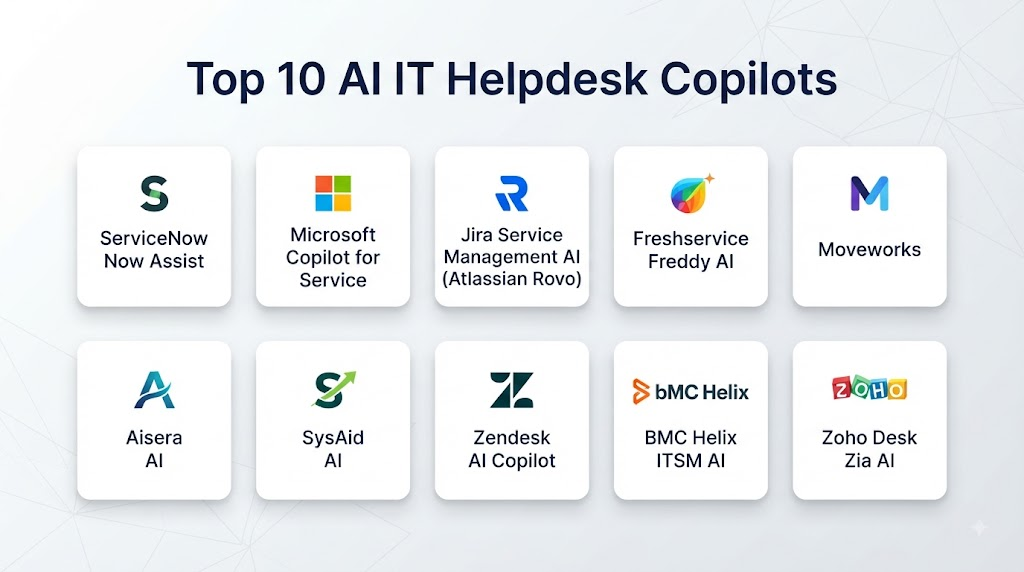
Top 10 AI IT Helpdesk Copilots
1. ServiceNow Now Assist
ServiceNow Now Assist provides generative AI capabilities across service management workflows and can assist IT support teams with incident summarization, knowledge discovery, response generation, and other service operations.
Key Features
- Incident summarization
- Knowledge assistance
- AI-generated responses
- IT service workflows
- Employee self-service
- Agent assistance
- Workflow automation
Pros
- Strong ITSM integration
- Broad enterprise service management ecosystem
- Useful agent productivity capabilities
- Extensive workflow possibilities
Cons
- Best suited to organizations using the broader ServiceNow environment
- Enterprise implementation can require significant configuration
2. Microsoft Copilot for Service
Microsoft’s service-focused Copilot capabilities help support agents use organizational knowledge and customer or employee context within service workflows.
Key Features
- Agent assistance
- Knowledge retrieval
- Response drafting
- Case summarization
- Conversational support
- Microsoft ecosystem integration
Pros
- Strong Microsoft ecosystem integration
- Useful productivity capabilities
- Familiar enterprise environment
- Broad AI capabilities
Cons
- Capabilities depend on the selected Microsoft services and configuration
- Organizations may require careful governance across multiple Microsoft systems
3. Atlassian Rovo
Atlassian Rovo provides AI-powered search, knowledge discovery, and assistance capabilities across Atlassian environments.
Key Features
- AI search
- Knowledge discovery
- Conversational assistance
- Jira integration
- Confluence knowledge access
- Agent capabilities
Pros
- Strong Atlassian ecosystem integration
- Useful knowledge discovery
- Good fit for Jira and Confluence environments
- Supports collaborative service workflows
Cons
- Best fit depends on existing Atlassian adoption
- Complex enterprise workflows may require additional configuration
4. Moveworks
Moveworks provides an enterprise AI platform focused on employee support, automation, and conversational assistance across workplace services.
Key Features
- Employee self-service
- Conversational AI
- IT support
- Knowledge discovery
- Workflow automation
- Enterprise integrations
Pros
- Strong employee support focus
- Broad enterprise integrations
- Effective conversational experience
- Extensive automation capabilities
Cons
- Enterprise deployment may require significant integration planning
- Advanced automation requires careful governance
5. Aisera
Aisera provides AI-powered service automation and conversational assistance across IT, employee, and enterprise support environments.
Key Features
- AI service desk
- Employee self-service
- Ticket automation
- Knowledge retrieval
- Conversational support
- Workflow automation
Pros
- Broad service automation capabilities
- Strong conversational AI focus
- Useful enterprise integrations
- Supports multiple service functions
Cons
- Configuration requirements can vary significantly
- Organizations should carefully validate AI responses and automation workflows
6. Freshworks Freddy AI
Freshworks Freddy AI provides AI capabilities across Freshworks service and support products.
Key Features
- Ticket assistance
- Response generation
- Ticket summarization
- Knowledge recommendations
- Self-service
- Workflow support
Pros
- Accessible interface
- Strong Freshworks integration
- Useful support automation
- Suitable for growing organizations
Cons
- Advanced capabilities depend on product configuration
- Large enterprises may require additional customization
7. Zendesk AI
Zendesk AI provides AI-powered capabilities for customer and employee support, including automated responses, ticket intelligence, and agent assistance.
Key Features
- AI ticket classification
- Automated responses
- Agent assistance
- Knowledge recommendations
- Ticket summarization
- Conversational support
Pros
- Mature support ecosystem
- Strong ticket management
- Useful AI-assisted agent workflows
- Good knowledge integration
Cons
- Primarily known for customer service use cases
- IT-specific requirements may require additional configuration or integrations
8. Salesforce Agentforce
Salesforce Agentforce provides AI agent capabilities that can support service workflows, knowledge retrieval, case handling, and automated interactions.
Key Features
- AI agents
- Service automation
- Knowledge retrieval
- Case assistance
- Workflow automation
- Enterprise integrations
Pros
- Strong Salesforce ecosystem
- Broad automation capabilities
- Useful for organizations already using Salesforce
- Extensible enterprise platform
Cons
- Best fit depends on Salesforce ecosystem adoption
- Implementation can require substantial configuration and governance
9. IBM watsonx Assistant
IBM watsonx Assistant provides conversational AI capabilities that organizations can use to build virtual assistants and support experiences.
Key Features
- Conversational AI
- Knowledge retrieval
- Virtual assistance
- Workflow integration
- Enterprise deployment options
- AI governance capabilities
Pros
- Enterprise AI capabilities
- Flexible conversational workflows
- Strong integration potential
- Suitable for complex environments
Cons
- Implementation can require technical expertise
- Organizations may need additional service management integration
10. BMC HelixGPT
BMC HelixGPT provides generative AI capabilities across BMC’s service management environment.
Key Features
- Incident summarization
- Knowledge assistance
- Service desk support
- AI-generated responses
- ITSM integration
- Service management automation
Pros
- Strong ITSM orientation
- Useful enterprise service management capabilities
- AI integrated with service workflows
- Suitable for complex IT environments
Cons
- Best fit depends on BMC ecosystem adoption
- Enterprise implementation may require specialist expertise
Comparison Table
| No. | Platform | Best For | AI Self-Service | Agent Assistance | Ticket Automation | Knowledge AI | ITSM Integration |
|---|---|---|---|---|---|---|---|
| 1 | ServiceNow Now Assist | Enterprise ITSM | Strong | Strong | Strong | Strong | Strong |
| 2 | Microsoft Copilot for Service | Microsoft environments | Strong | Strong | Strong | Strong | Strong |
| 3 | Atlassian Rovo | Jira and Confluence | Strong | Strong | Moderate | Strong | Strong |
| 4 | Moveworks | Employee support automation | Strong | Strong | Strong | Strong | Strong |
| 5 | Aisera | Enterprise service automation | Strong | Strong | Strong | Strong | Strong |
| 6 | Freshworks Freddy AI | Growing support teams | Strong | Strong | Strong | Strong | Strong |
| 7 | Zendesk AI | Support operations | Strong | Strong | Strong | Strong | Moderate |
| 8 | Salesforce Agentforce | Salesforce service workflows | Strong | Strong | Strong | Strong | Strong |
| 9 | IBM watsonx Assistant | Custom enterprise assistants | Strong | Strong | Strong | Strong | Moderate |
| 10 | BMC HelixGPT | Enterprise ITSM | Strong | Strong | Strong | Strong | Strong |
Weighted Evaluation Table
| No. | Platform | AI Capabilities 20% | Self-Service 15% | Agent Assistance 15% | Automation 15% | Knowledge Management 10% | Integrations 10% | Security & Governance 10% | Ease of Use 5% | Total Score |
|---|---|---|---|---|---|---|---|---|---|---|
| 1 | ServiceNow Now Assist | 20 | 15 | 15 | 15 | 10 | 10 | 9 | 4 | 98 |
| 2 | Microsoft Copilot for Service | 20 | 15 | 15 | 14 | 10 | 10 | 9 | 4 | 97 |
| 3 | Atlassian Rovo | 18 | 14 | 14 | 13 | 10 | 10 | 9 | 5 | 93 |
| 4 | Moveworks | 20 | 15 | 15 | 15 | 10 | 10 | 9 | 4 | 98 |
| 5 | Aisera | 19 | 15 | 15 | 15 | 10 | 10 | 9 | 4 | 97 |
| 6 | Freshworks Freddy AI | 18 | 14 | 14 | 14 | 9 | 9 | 9 | 5 | 92 |
| 7 | Zendesk AI | 18 | 14 | 15 | 14 | 9 | 9 | 9 | 5 | 93 |
| 8 | Salesforce Agentforce | 20 | 15 | 15 | 15 | 10 | 10 | 9 | 4 | 98 |
| 9 | IBM watsonx Assistant | 19 | 14 | 14 | 14 | 10 | 10 | 10 | 3 | 94 |
| 10 | BMC HelixGPT | 19 | 15 | 15 | 14 | 10 | 9 | 9 | 4 | 95 |
Which AI IT Helpdesk Copilot Is Right for You?
Choose ServiceNow Now Assist if your organization already relies heavily on ServiceNow and wants AI capabilities embedded into enterprise IT service workflows.
Choose Microsoft Copilot for Service if your organization operates extensively within the Microsoft ecosystem and wants AI assistance integrated with service operations.
Choose Atlassian Rovo if your support and development teams depend heavily on Jira and Confluence.
Choose Moveworks if employee self-service, conversational IT support, and enterprise workflow automation are your primary priorities.
Choose Aisera if you need broad AI-powered service automation across IT and employee support functions.
Choose Freshworks Freddy AI if you want AI-assisted support capabilities within a relatively accessible service management ecosystem.
Choose Zendesk AI if ticket management, knowledge assistance, and support automation are central requirements.
Choose Salesforce Agentforce if your organization already operates within Salesforce and wants AI agents integrated with service workflows.
Choose IBM watsonx Assistant if you need flexible conversational AI and enterprise integration capabilities.
Choose BMC HelixGPT if your organization uses BMC’s IT service management ecosystem and needs generative AI capabilities for service operations.
Common Mistakes
- Treating AI answers as automatically accurate
- Allowing AI to execute privileged actions without authorization
- Connecting AI to unverified knowledge sources
- Ignoring outdated documentation
- Failing to establish escalation rules
- Giving AI access to unnecessary sensitive information
- Deploying automation without testing
- Failing to monitor hallucinations
- Ignoring employee feedback
- Treating the copilot as a complete replacement for human agents
- Failing to maintain audit logs
- Not measuring resolution quality
FAQs
1. What is an AI IT Helpdesk Copilot?
An AI IT Helpdesk Copilot is an intelligent assistant that helps employees and IT support agents troubleshoot problems, find knowledge, manage tickets, and automate approved support workflows.
2. Can AI copilots resolve IT tickets automatically?
Some platforms can automatically resolve specific, predefined requests when appropriate permissions, workflows, and safeguards are configured.
3. Can an AI helpdesk copilot create tickets?
Yes. Many systems can convert conversational requests into structured tickets and automatically categorize or route them.
4. Can AI help employees troubleshoot technical problems?
Yes. AI can guide employees through approved troubleshooting procedures using organizational knowledge and support documentation.
5. Can AI summarize support tickets?
Yes. Ticket summarization is a common use case that helps agents quickly understand incident history and previous troubleshooting actions.
6. Can AI copilots reduce helpdesk workload?
They can reduce repetitive work by providing self-service support, answering common questions, classifying requests, and assisting human agents.
7. Are AI helpdesk copilots secure?
Security depends heavily on platform architecture, configuration, access controls, data governance, integrations, and organizational policies.
8. Can AI access internal knowledge bases?
Yes, many platforms can connect AI assistants to approved organizational knowledge sources and service documentation.
9. Should AI have permission to change employee systems?
Only when the organization has explicitly authorized the workflow and implemented appropriate authentication, authorization, validation, and audit controls.
10. What is the future of AI IT Helpdesk Copilots?
The category is moving toward more autonomous service workflows, AI agents, predictive support, contextual troubleshooting, automated remediation, and deeper integration with enterprise IT operations.
Conclusion
AI IT Helpdesk Copilots can help organizations move from reactive support toward faster, more conversational, and increasingly automated IT service delivery. They can provide employees with immediate assistance while helping human agents reduce repetitive work such as ticket summarization, knowledge searches, classification, and response drafting.ServiceNow Now Assist, Microsoft Copilot for Service, Atlassian Rovo, Moveworks, Aisera, Freshworks Freddy AI, Zendesk AI, Salesforce Agentforce, IBM watsonx Assistant, and BMC HelixGPT represent different approaches to AI-powered support and service automation.The right solution depends on the organization’s existing ITSM environment, knowledge architecture, support channels, automation requirements, security model, and desired level of AI autonomy.