Introduction
AI DEX (Digital Employee Experience) Assistants help organizations improve how employees interact with workplace technology. Modern employees rely on laptops, desktops, mobile devices, collaboration platforms, cloud applications, identity systems, virtual desktops, and business software to complete their daily work. When these digital tools become slow, unavailable, difficult to access, or confusing, employee productivity and satisfaction can suffer.Traditional IT support often depends on employees reporting problems through tickets or contacting the help desk. This reactive approach can create delays because IT teams may not know about an issue until multiple employees experience it. AI-powered DEX platforms aim to provide more proactive visibility by analyzing endpoint performance, application behavior, device health, employee feedback, and digital experience signals.
A Digital Employee Experience assistant can help detect issues such as slow application performance, device instability, login problems, software crashes, excessive resource usage, poor collaboration experience, and recurring technical problems. Some platforms can automatically prioritize issues, recommend remediation actions, provide self-service assistance, or automate predefined fixes.
What Are AI DEX Assistants?
AI DEX Assistants are platforms that use AI, automation, endpoint analytics, machine learning, digital experience monitoring, and conversational assistance to help employees and IT teams identify and resolve technology problems.
They may collect and analyze signals related to:
- Device performance
- Application performance
- Operating system health
- Login experience
- Endpoint stability
- Network conditions
- Collaboration tools
- Software crashes
- Resource utilization
- Employee feedback
- IT incidents
- Service tickets
- Virtual desktop performance
The objective is to identify digital friction and help organizations improve the overall employee technology experience.
Why AI DEX Matters
Employees increasingly depend on digital tools to perform nearly every aspect of their work. A slow device, unreliable application, repeated login issue, or poorly performing virtual desktop can affect productivity and employee satisfaction.
AI DEX platforms can help organizations:
- Identify technical friction earlier
- Reduce reactive support
- Analyze endpoint experience
- Detect recurring issues
- Prioritize remediation
- Automate repetitive fixes
- Improve IT service delivery
- Reduce help desk workload
- Support remote and hybrid employees
- Improve visibility across distributed environments
Key Features of AI DEX Assistants
Digital Experience Monitoring
Monitor the quality and performance of employee technology experiences.
Endpoint Analytics
Analyze device health, stability, performance, and resource utilization.
AI-Powered Issue Detection
Identify patterns and anomalies that may indicate widespread technology problems.
Automated Remediation
Execute approved actions to resolve common technical issues.
Experience Scoring
Provide metrics that help IT teams understand digital experience quality.
Application Monitoring
Identify slow, unstable, or frequently failing applications.
Employee Sentiment and Feedback
Collect feedback to understand how employees perceive their technology experience.
Conversational IT Assistance
Provide AI-powered support that can help employees troubleshoot common issues.
Self-Healing Capabilities
Automatically address predefined technical problems without requiring manual intervention.
Root Cause Investigation
Help IT teams investigate possible causes of recurring experience issues.
IT Service Management Integration
Connect digital experience insights with incident and service workflows.
Remote Workforce Support
Monitor and improve experiences across distributed employee environments.
Common Use Cases
Slow Device Detection
Identify devices experiencing performance degradation.
Application Experience Monitoring
Detect recurring application crashes or slow performance.
Login and Access Issues
Identify authentication or access problems affecting employees.
Remote Employee Support
Improve visibility into the technology experience of remote workers.
Automated IT Remediation
Automatically resolve approved and well-understood technical issues.
Help Desk Optimization
Reduce repetitive support requests by identifying recurring problems.
Virtual Desktop Monitoring
Analyze digital experience in VDI and desktop-as-a-service environments.
Employee Feedback Analysis
Combine technical telemetry with employee feedback.
Software Performance Analysis
Identify applications that may be contributing to poor employee experience.
Benefits of AI DEX Assistants
Proactive IT Support
Problems can potentially be identified before employees submit multiple support tickets.
Faster Issue Resolution
AI and automation can help IT teams prioritize and resolve common issues.
Reduced Help Desk Workload
Automated remediation and self-service capabilities can reduce repetitive tickets.
Improved Employee Productivity
Better-performing devices and applications can reduce digital friction.
Better Technology Visibility
IT teams gain broader insight into employee-facing technology environments.
Scalable Experience Management
DEX platforms can analyze large numbers of endpoints and applications.
Data-Driven IT Decisions
Experience analytics can help organizations prioritize technology investments.
Challenges and Risks
Employee Privacy
DEX platforms may collect extensive endpoint and experience data. Organizations should carefully define what information is necessary.
Over-Monitoring
Digital experience management should not become unnecessary employee surveillance.
Data Volume
Large endpoint environments can generate substantial amounts of telemetry.
False Alerts
AI systems may identify issues that require additional validation.
Complex Technology Environments
Applications, networks, cloud systems, and endpoints may create complicated root-cause relationships.
Automation Risks
Automated remediation should be carefully controlled and tested.
Integration Complexity
Organizations may need to connect DEX platforms with ITSM, endpoint management, security, identity, and collaboration systems.
Responsible AI and Privacy Practices
Organizations should consider the following practices when deploying AI DEX technology:
- Collect only necessary experience data
- Establish clear employee communication
- Avoid unnecessary productivity surveillance
- Apply role-based access controls
- Define data retention policies
- Review automated remediation workflows
- Monitor AI-generated recommendations
- Validate important root-cause findings
- Protect endpoint and employee data
- Separate digital experience improvement from inappropriate employee performance monitoring
Key Trends
Autonomous Endpoint Management
DEX platforms are increasingly combining analytics with automated remediation.
Generative AI Support
AI assistants are being integrated into IT support and service management workflows.
Experience-Based IT Operations
Organizations are increasingly measuring employee technology experience rather than only infrastructure availability.
Predictive Issue Detection
Analytics can help identify potential device or application problems before they become widespread.
Self-Healing IT
Automation is increasingly used to resolve common and well-understood endpoint problems.
Hybrid Workforce Optimization
DEX platforms are helping IT teams support employees working across offices, homes, and distributed locations.
Unified Experience Data
Organizations are combining endpoint, application, network, service desk, and feedback data.
Methodology
The tools below were selected based on their relevance to Digital Employee Experience, endpoint analytics, IT experience monitoring, automation, AI-assisted support, proactive remediation, employee technology experience, and enterprise scalability.
The evaluation considers:
- DEX monitoring
- AI analytics
- Endpoint visibility
- Automated remediation
- Application experience
- IT integrations
- Privacy and governance
- Ease of use
- Enterprise scalability
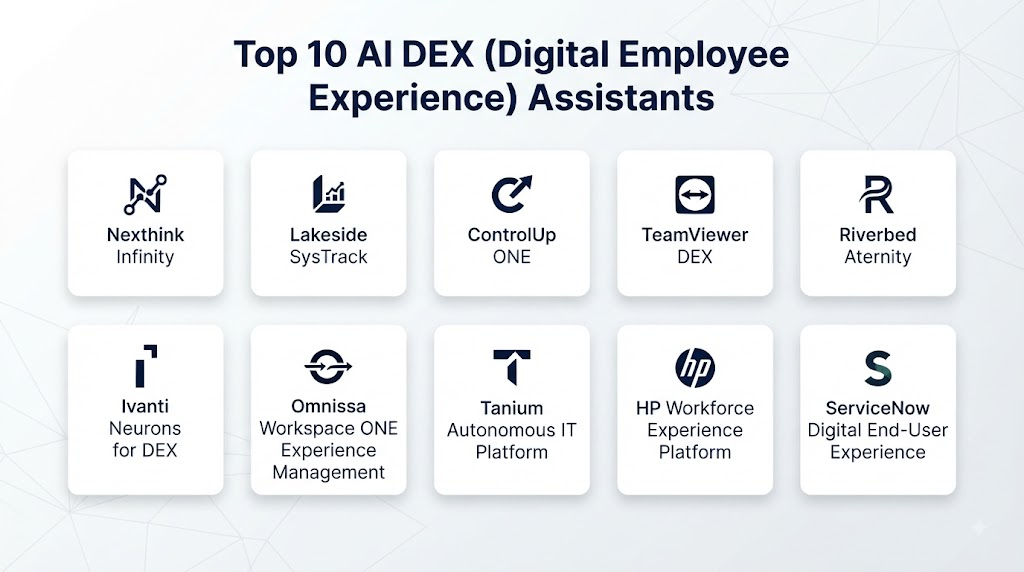
Top 10 AI DEX (Digital Employee Experience) Assistants
1. Nexthink
Nexthink is a Digital Employee Experience platform focused on helping IT teams understand, analyze, and improve employee technology experiences.
Key Features
- Digital experience monitoring
- Endpoint analytics
- Employee feedback
- Experience insights
- Automated remediation
- IT service management integration
Pros
- Strong DEX focus
- Comprehensive endpoint visibility
- Useful experience analytics
- Supports proactive IT operations
Cons
- Enterprise deployments may require planning
- Advanced capabilities may require specialized configuration
2. Riverbed Aternity
Riverbed Aternity provides digital experience monitoring and analytics designed to help organizations understand application and endpoint experiences.
Key Features
- Digital experience monitoring
- Application performance insights
- Endpoint monitoring
- Experience analytics
- Performance visibility
- IT operations integration
Pros
- Strong application and endpoint visibility
- Useful enterprise analytics
- Supports digital experience measurement
- Suitable for complex IT environments
Cons
- Enterprise implementations can be complex
- Organizations may need expertise to interpret extensive telemetry
3. ControlUp
ControlUp provides monitoring and management capabilities for digital workspaces, endpoints, and virtual desktop environments.
Key Features
- Endpoint monitoring
- VDI monitoring
- Digital workspace analytics
- Performance monitoring
- Automation
- IT troubleshooting
Pros
- Strong virtual desktop support
- Useful real-time monitoring
- Automation capabilities
- Suitable for complex digital workspace environments
Cons
- Advanced functionality may require technical expertise
- Best fit depends on endpoint and virtual workspace architecture
4. Lakeside Software
Lakeside Software provides digital employee experience intelligence designed to help organizations analyze employee technology experiences.
Key Features
- Digital experience intelligence
- Endpoint analytics
- Experience scoring
- IT automation
- Application insights
- Workforce technology analytics
Pros
- Strong DEX analytics focus
- Useful endpoint intelligence
- Supports proactive IT management
- Broad experience visibility
Cons
- Large-scale deployments may require planning
- Advanced analytics can require technical expertise
5. Ivanti Neurons for Digital Experience
Ivanti Neurons provides automation and digital experience capabilities designed to help IT teams identify and resolve technology issues.
Key Features
- Digital experience insights
- Automated remediation
- Endpoint management
- IT automation
- Self-healing capabilities
- Service management integration
Pros
- Strong automation capabilities
- Useful for proactive issue resolution
- Broad IT management ecosystem
- Supports endpoint operations
Cons
- Feature availability can depend on selected modules
- Complex environments may require detailed configuration
6. ServiceNow Digital Experience Monitoring
ServiceNow provides digital experience and IT service capabilities that can help organizations connect technology insights with service workflows and enterprise operations.
Key Features
- Digital experience visibility
- IT service workflows
- Incident management
- AI-assisted service operations
- Automation
- Enterprise integrations
Pros
- Strong ITSM integration
- Broad enterprise ecosystem
- Useful workflow automation
- Centralized service operations
Cons
- Best fit often depends on broader platform adoption
- Enterprise implementation can require significant planning
7. VMware Workspace ONE Experience Management
VMware Workspace ONE Experience Management focuses on understanding and improving digital workspace experiences across managed devices and applications.
Key Features
- Device experience monitoring
- Endpoint analytics
- Application experience insights
- Workspace management
- Experience scoring
- Digital workspace visibility
Pros
- Strong integration with digital workspace environments
- Useful endpoint experience insights
- Supports managed device ecosystems
- Enterprise scalability
Cons
- Best fit depends on existing workspace architecture
- Organizations should evaluate current product ecosystem and roadmap requirements
8. ThousandEyes
ThousandEyes provides digital experience and network visibility that can help IT teams understand connectivity and application delivery issues.
Key Features
- Network visibility
- Internet monitoring
- Application delivery insights
- Experience troubleshooting
- Cloud and SaaS visibility
- Digital service analytics
Pros
- Strong network and internet visibility
- Useful for SaaS experience troubleshooting
- Supports distributed environments
- Helps investigate external connectivity issues
Cons
- More focused on network and digital service visibility than full endpoint DEX
- May need to be combined with endpoint-focused tools
9. Tanium
Tanium provides endpoint management, visibility, automation, and IT operations capabilities that can support endpoint health and digital experience improvement.
Key Features
- Endpoint visibility
- Device management
- Automation
- Endpoint analytics
- IT operations support
- Enterprise scalability
Pros
- Strong endpoint visibility
- Broad enterprise scalability
- Useful automation capabilities
- Supports large distributed environments
Cons
- DEX-specific capabilities should be evaluated against dedicated platforms
- Advanced deployment may require technical expertise
10. 1E
1E provides endpoint management and digital employee experience capabilities focused on improving device performance and IT operations.
Key Features
- Endpoint experience analytics
- Automated remediation
- Device insights
- IT automation
- Self-healing workflows
- Digital experience monitoring
Pros
- Strong endpoint automation
- Useful self-healing capabilities
- Supports proactive IT operations
- Suitable for enterprise environments
Cons
- Organizations should evaluate integration requirements
- Advanced automation requires governance and testing
Comparison Table
| No. | Platform | Best For | DEX Monitoring | Endpoint Analytics | Automation | AI-Assisted Insights | Enterprise Scale |
|---|---|---|---|---|---|---|---|
| 1 | Nexthink | Comprehensive DEX | Strong | Strong | Strong | Strong | Strong |
| 2 | Riverbed Aternity | Application experience | Strong | Strong | Moderate | Strong | Strong |
| 3 | ControlUp | VDI and digital workspaces | Strong | Strong | Strong | Strong | Strong |
| 4 | Lakeside Software | Experience intelligence | Strong | Strong | Strong | Strong | Strong |
| 5 | Ivanti Neurons | Automated remediation | Strong | Strong | Strong | Strong | Strong |
| 6 | ServiceNow | ITSM-connected DEX | Strong | Moderate | Strong | Strong | Strong |
| 7 | Workspace ONE Experience Management | Managed digital workspaces | Strong | Strong | Moderate | Moderate | Strong |
| 8 | ThousandEyes | Network experience visibility | Strong | Limited | Moderate | Strong | Strong |
| 9 | Tanium | Endpoint operations | Moderate | Strong | Strong | Moderate | Strong |
| 10 | 1E | Endpoint self-healing | Strong | Strong | Strong | Strong | Strong |
Weighted Evaluation Table
| No. | Platform | DEX Monitoring 20% | AI Analytics 15% | Endpoint Visibility 15% | Automation 15% | Integrations 10% | Privacy & Governance 10% | Ease of Use 5% | Scalability 10% | Total Score |
|---|---|---|---|---|---|---|---|---|---|---|
| 1 | Nexthink | 20 | 15 | 15 | 14 | 10 | 9 | 4 | 10 | 97 |
| 2 | Riverbed Aternity | 20 | 14 | 15 | 12 | 10 | 9 | 4 | 10 | 94 |
| 3 | ControlUp | 19 | 14 | 15 | 15 | 9 | 9 | 4 | 10 | 95 |
| 4 | Lakeside Software | 20 | 15 | 15 | 14 | 9 | 9 | 4 | 10 | 96 |
| 5 | Ivanti Neurons | 19 | 14 | 15 | 15 | 10 | 9 | 4 | 10 | 96 |
| 6 | ServiceNow | 18 | 15 | 12 | 15 | 10 | 10 | 4 | 10 | 94 |
| 7 | Workspace ONE Experience Management | 19 | 12 | 15 | 12 | 10 | 9 | 4 | 10 | 91 |
| 8 | ThousandEyes | 18 | 14 | 8 | 12 | 10 | 9 | 4 | 10 | 85 |
| 9 | Tanium | 15 | 12 | 15 | 15 | 10 | 10 | 3 | 10 | 90 |
| 10 | 1E | 19 | 14 | 15 | 15 | 9 | 9 | 4 | 10 | 95 |
Which AI DEX Assistant Is Right for You?
Choose Nexthink if you need a comprehensive Digital Employee Experience platform with strong endpoint analytics and experience intelligence.
Choose Riverbed Aternity if application performance and employee-facing digital experience monitoring are major priorities.
Choose ControlUp if your organization manages complex VDI, virtual desktops, and digital workspace environments.
Choose Lakeside Software if endpoint intelligence and detailed experience analytics are central requirements.
Choose Ivanti Neurons for Digital Experience if automated remediation and self-healing IT operations are important.
Choose ServiceNow Digital Experience Monitoring if you want digital experience insights closely connected with IT service management workflows.
Choose Workspace ONE Experience Management if you manage a large digital workspace and need device and application experience visibility.
Choose ThousandEyes if network, SaaS, internet, and application delivery experience are major areas of concern.
Choose Tanium if enterprise endpoint visibility and automation are the primary priorities.
Choose 1E if endpoint experience improvement and automated remediation are key requirements.
Common Mistakes
- Treating DEX as employee surveillance
- Collecting unnecessary employee data
- Monitoring productivity instead of digital experience
- Ignoring privacy requirements
- Automatically applying AI-generated remediation without testing
- Failing to integrate DEX insights with ITSM workflows
- Measuring infrastructure availability without measuring employee experience
- Ignoring employee feedback
- Creating too many alerts without prioritization
- Failing to validate AI-generated root-cause insights
- Using automation without change controls
- Choosing a platform without considering existing endpoint architecture
FAQs
1. What is an AI DEX Assistant?
An AI DEX Assistant uses analytics, automation, endpoint data, and AI-assisted insights to help organizations identify and improve employee technology experiences.
2. What does DEX mean?
DEX stands for Digital Employee Experience. It refers to how employees experience the digital devices, applications, services, and technology they use for work.
3. How does AI improve Digital Employee Experience?
AI can analyze large volumes of telemetry, identify unusual patterns, prioritize technical issues, recommend remediation, and support automated resolution of approved problems.
4. Can AI DEX tools reduce IT support tickets?
They can help reduce repetitive support work by detecting issues proactively, enabling self-service, and automating well-understood remediation workflows.
5. What data do DEX platforms analyze?
They may analyze endpoint health, application performance, device stability, network conditions, system events, IT incidents, and employee feedback.
6. Are DEX platforms employee monitoring tools?
They should primarily be implemented to understand and improve technology experiences. Organizations should avoid unnecessary surveillance and establish transparent privacy policies.
7. Can DEX tools automatically fix problems?
Some platforms provide automation or self-healing capabilities for predefined and approved technical issues.
8. Are AI DEX Assistants useful for remote employees?
Yes. They can help IT teams gain visibility into technology experiences across remote, hybrid, and distributed work environments.
9. What should organizations evaluate before selecting a DEX tool?
Organizations should evaluate monitoring depth, endpoint support, AI analytics, automation, integrations, privacy controls, security, scalability, and ease of use.
10. What is the future of AI DEX?
The category is moving toward autonomous endpoint management, AI-powered support, predictive issue detection, self-healing IT, unified experience analytics, and privacy-aware digital experience management.
Conclusion
AI DEX Assistants are becoming increasingly important as organizations depend on complex digital environments to support employees. These platforms can help IT teams understand employee technology experiences, identify recurring problems, prioritize remediation, and automate selected technical fixes.Nexthink, Riverbed Aternity, ControlUp, Lakeside Software, Ivanti Neurons, ServiceNow, Workspace ONE Experience Management, ThousandEyes, Tanium, and 1E offer different approaches to digital experience monitoring, endpoint analytics, automation, and IT operations.The right platform depends on your endpoint environment, workforce size, VDI requirements, existing ITSM ecosystem, automation strategy, privacy requirements, and desired level of proactive support.