Introduction
AI ticket triage and routing systems help customer-support, IT service management, helpdesk, operations, and service teams automatically understand incoming requests and send them to the right destination. Instead of support representatives manually reading every new ticket, selecting categories, setting priorities, adding tags, identifying language, and deciding which team should handle it, AI can perform much of this initial sorting automatically.
Modern systems are becoming far more capable than traditional keyword-based routing. They can classify tickets by intent, topic, sentiment, language, urgency, customer context, product area, and other business-specific signals. Zendesk’s intelligent triage, for example, can classify tickets using topic, sentiment, language, and detected entities, while Freshdesk’s Freddy AI can automate categorization, prioritization, and routing.
Typical use cases include customer-service routing, IT incident assignment, SLA prioritization, escalation, spam detection, multilingual support, skills-based assignment, and automated handoff between AI agents and humans.
What’s Changing in AI Ticket Triage & Routing Systems
- Ticket routing is moving beyond static rules toward context-aware classification.
- AI can classify requests by topic, intent, sentiment, language, urgency, and business-specific fields.
- Skills-based assignment is becoming more precise as systems match ticket context with agent expertise.
- Freshservice currently describes AI-based skill routing that analyzes ticket context and matches it with agent expertise.
- Routing and triage are increasingly connected with automated resolution.
- AI agents may attempt self-service resolution before sending a ticket to a human queue.
- Customer context such as plan, account type, product, region, and previous conversations is becoming more important.
- ServiceNow’s current ITSM agentic workflow can automatically categorize incidents and associate them with services, service offerings, configuration items, major incidents, and known problems.
- Multilingual routing is becoming easier because AI can classify requests independently of rigid language-specific rules.
- Sentiment and urgency increasingly influence prioritization.
- AI can identify high-risk customers or potential escalations before an agent opens the ticket.
- Routing systems are increasingly integrated with human-agent capacity and skills.
- Atlassian’s Jira Service Management uses AI-assisted triage to help classify and assign incoming work more efficiently.
- Confidence thresholds are becoming important because low-confidence classifications should often go to human triage.
- Human handoff increasingly includes the AI’s understanding of intent and context.
- AI-driven routing needs continuous evaluation because categories, products, and teams change.
- Historical ticket data is increasingly used to help classify new requests.
- Agentic support platforms are combining triage, routing, response generation, and workflow execution.
- Governance matters because incorrect routing can delay high-severity incidents.
- Enterprises increasingly need explainability so operations teams understand why a ticket received a specific classification or assignment.
- Vendor lock-in becomes important when routing logic depends heavily on proprietary AI models and workflow systems.
Quick Buyer Checklist
Before selecting an AI ticket triage and routing system, check whether it can:
- Automatically classify incoming tickets.
- Detect customer intent.
- Identify ticket topic.
- Detect language.
- Analyze sentiment.
- Estimate urgency.
- Identify product or service area.
- Apply tags automatically.
- Populate ticket fields.
- Assign ticket priority.
- Match tickets to agent skills.
- Route tickets to the correct team.
- Consider agent availability.
- Escalate high-risk tickets.
- Apply SLA rules.
- Detect duplicate tickets.
- Identify major incidents.
- Recognize spam or irrelevant requests.
- Work across email, chat, portal, and messaging channels.
- Integrate with your existing helpdesk.
- Allow confidence thresholds.
- Send uncertain cases to human triage.
- Provide human overrides.
- Maintain audit history.
- Support custom routing rules.
- Protect sensitive customer data.
- Provide RBAC.
- Support testing before deployment.
- Measure misrouting rates.
- Allow easy changes when teams or products evolve.
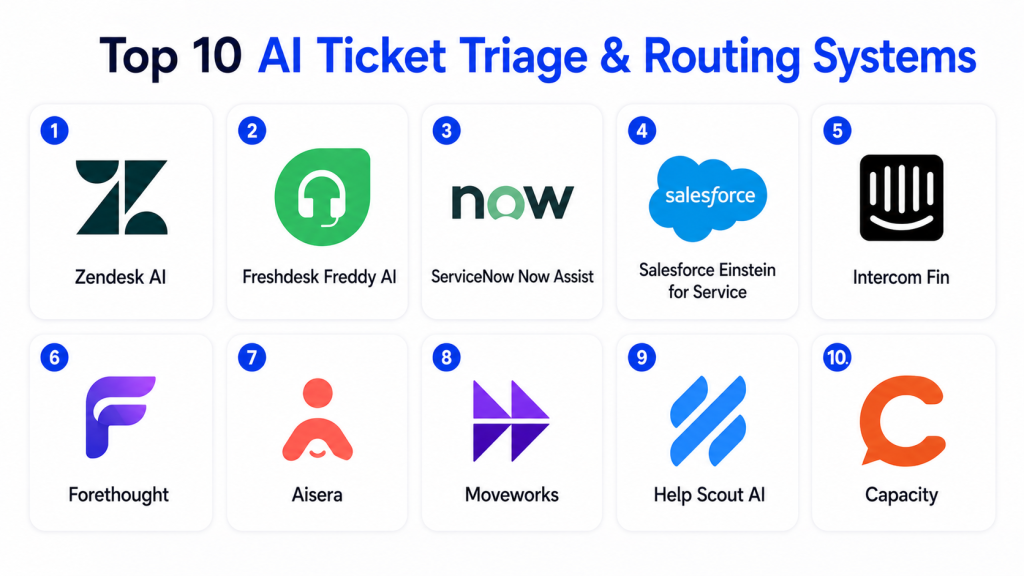
Top 10 AI Ticket Triage & Routing Systems
1 — Zendesk Intelligent Triage
One-line verdict: Best for established customer-service teams wanting AI classification, prioritization, and routing inside a mature helpdesk.
Zendesk Intelligent Triage uses AI to classify incoming support requests and enrich tickets with useful context. Its current workflow can identify topic, sentiment, language, and entities, which can then be used in views, triggers, workflows, and routing decisions.
Standout Capabilities
- AI ticket classification.
- Topic detection.
- Sentiment analysis.
- Language detection.
- Entity identification.
- Omnichannel routing.
- Skills-based routing options.
- Trigger-based automation.
AI-Specific Depth
- Model support: Zendesk-managed AI.
- RAG / knowledge integration: Zendesk support and customer context varies by configuration.
- Evaluation: Classification performance and workflow outcomes should be monitored.
- Guardrails: Triggers, permissions, routing rules, and human overrides.
- Observability: Ticket classifications, routing behavior, and support analytics.
Pros
- Strong fit for existing Zendesk customers.
- Combines AI classification with mature helpdesk automation.
- Flexible routing methods.
Cons
- Advanced AI capabilities depend on plan and configuration.
- Complex routing environments can require significant administration.
- Misclassified tickets still require human correction.
Security & Compliance
Enterprise buyers should verify SSO, RBAC, audit logs, encryption, retention, residency, data processing, and relevant certifications for their specific plan.
Deployment & Platforms
- Cloud: Available.
- Web: Available.
- Email support: Available.
- Messaging support: Available.
- Self-hosted: Varies / N/A.
Integrations & Ecosystem
- Zendesk Support
- Messaging
- CRM integrations
- APIs
- Workflow triggers
- Agent workspaces
- Customer-service applications
Pricing Model
Tiered commercial SaaS. AI workflow availability depends on selected plans and add-ons.
Best-Fit Scenarios
- Large customer-service queues.
- Multilingual support.
- Organizations already standardized on Zendesk.
2 — Freshdesk Freddy AI
One-line verdict: Best for growing support organizations wanting approachable AI-driven ticket categorization, prioritization, and routing.
Freshdesk uses Freddy AI to assist support operations with ticket classification and routing. Freshworks currently describes AI capabilities that can suggest ticket fields and automate ticket categorization, prioritization, and routing.
Standout Capabilities
- Auto Triage.
- Automatic ticket classification.
- Priority automation.
- Sentiment analysis.
- Suggested ticket fields.
- Automated routing.
- Agent productivity assistance.
- Conversation summaries.
AI-Specific Depth
- Model support: Freshworks-managed AI.
- RAG / knowledge integration: Knowledge base and support history can provide context depending on workflow.
- Evaluation: Ticket classification and routing outcomes.
- Guardrails: Admin configuration and workflow rules.
- Observability: Ticket and support analytics.
Pros
- Easy entry point for growing teams.
- Strong integration with Freshdesk workflows.
- Reduces repetitive ticket administration.
Cons
- Highly specialized routing may require custom automation.
- Some advanced capabilities vary by plan.
- Historical ticket quality can influence AI usefulness.
Security & Compliance
Verify SSO, roles, auditing, encryption, data retention, residency, privacy controls, and certifications according to the selected Freshworks plan.
Deployment & Platforms
- Cloud: Available.
- Web: Available.
- Email: Available.
- Chat and messaging: Available depending on Freshdesk configuration.
Integrations & Ecosystem
- Freshdesk
- Freshchat
- CRM workflows
- Automation
- Help center
- APIs
- Business applications
Pricing Model
Tiered SaaS with AI features varying by plan and product.
Best-Fit Scenarios
- SMB customer service.
- Growing SaaS teams.
- Support teams wanting simpler AI triage deployment.
3 — Salesforce Agentforce Service and Case Routing
One-line verdict: Best for Salesforce-centered enterprises that need routing driven by CRM, case, customer, and service context.
Salesforce provides case-routing capabilities through its service ecosystem, including classification, assignment rules, Omni-Channel, Flow, and Agentforce-related workflows.
Salesforce documentation describes AI classification feeding routing rules and Omni-Channel flows determining whether service cases should be routed to an AI agent or a human representative.
Standout Capabilities
- Case classification.
- Predictive routing.
- Omni-Channel routing.
- Agentforce integration.
- Skills-based service workflows.
- Customer-data context.
- Flow automation.
- CRM-native routing.
AI-Specific Depth
- Model support: Salesforce-managed and supported model ecosystem varies.
- RAG / knowledge integration: Salesforce knowledge, CRM, and Agentforce data context.
- Evaluation: Case assignment outcomes and service performance.
- Guardrails: Salesforce permissions, Flow, routing configuration, and human control.
- Observability: Service and CRM analytics.
Pros
- Deep customer and CRM context.
- Powerful workflow customization.
- Strong fit for large service organizations.
Cons
- Complex implementation.
- Best value requires broader Salesforce adoption.
- Configuration typically needs specialized expertise.
Security & Compliance
Verify SSO, RBAC, auditing, data retention, encryption, residency, model-data policies, and certifications for the required Salesforce environment.
Deployment & Platforms
- Cloud: Available.
- Web: Available.
- Service Cloud environment: Available.
- APIs: Available.
Integrations & Ecosystem
- Salesforce CRM
- Service Cloud
- Agentforce
- Omni-Channel
- Flow
- Knowledge
- Enterprise applications
Pricing Model
Commercial enterprise model. Costs depend on Salesforce products, users, AI features, and service configuration.
Best-Fit Scenarios
- CRM-driven service organizations.
- Complex enterprise routing.
- Companies already standardized on Salesforce.
4 — ServiceNow Predictive Intelligence and Now Assist
One-line verdict: Best for enterprise ITSM teams needing AI classification, assignment, incident enrichment, and agentic triage.
ServiceNow Predictive Intelligence can classify tasks, incidents, and cases at scale. Its newer Now Assist and AI-agent workflows extend this by automating incident categorization and enriching tickets with service and configuration information.
Standout Capabilities
- Incident classification.
- Case classification.
- Assignment automation.
- Service identification.
- Configuration-item association.
- Major-incident correlation.
- Similarity detection.
- Agentic ITSM workflows.
AI-Specific Depth
- Model support: ServiceNow-managed AI.
- RAG / knowledge integration: ServiceNow data, CMDB, incidents, problems, and enterprise knowledge.
- Evaluation: Assignment quality and workflow outcomes.
- Guardrails: Roles, workflow permissions, AI-agent controls, and trigger policies.
- Observability: Service-management and workflow analytics.
Pros
- Very strong ITSM context.
- Can go beyond routing into incident enrichment.
- Suitable for complex enterprises.
Cons
- Significant platform complexity.
- Implementation and governance require skilled administrators.
- Too broad for small support operations.
Security & Compliance
Enterprise controls vary by deployment. Verify SSO, RBAC, audit logs, encryption, retention, residency, AI governance, and required certifications.
Deployment & Platforms
- Cloud: Available.
- Web: Available.
- Enterprise ITSM: Available.
- Hybrid enterprise integrations: Available.
Integrations & Ecosystem
- ITSM
- CMDB
- Customer Service Management
- IT Operations Management
- Enterprise workflows
- AI agents
- Service catalogs
Pricing Model
Enterprise commercial pricing that varies by modules and deployment.
Best-Fit Scenarios
- Enterprise IT service management.
- Incident-routing automation.
- Organizations using ServiceNow as a service-management backbone.
5 — Forethought Triage
One-line verdict: Best for customer-support teams wanting specialized AI classification and routing based on intent, urgency, sentiment, and support context.
Forethought Triage is specifically focused on ticket classification, prioritization, tagging, and routing. Forethought states that its system can automatically tag tickets using factors such as customer intent, sentiment, urgency, language, and product type.
Standout Capabilities
- Automated ticket classification.
- Intent detection.
- Sentiment classification.
- Urgency detection.
- Language classification.
- Automatic tagging.
- Routing.
- Prioritization.
AI-Specific Depth
- Model support: Forethought-managed AI.
- RAG / knowledge integration: Historical support tickets and help-center context.
- Evaluation: Classification and routing outcomes.
- Guardrails: Helpdesk rules and routing controls.
- Observability: Support and ticket-routing analytics.
Pros
- Strong specialization in support triage.
- Designed to work with existing helpdesks.
- Rich classification signals.
Cons
- Broader support automation may require additional Forethought modules.
- Historical data quality affects performance.
- Teams need a clear taxonomy before scaling.
Security & Compliance
Verify SSO, RBAC, retention, data-processing controls, auditing, residency, encryption, and certifications directly.
Deployment & Platforms
- Cloud: Available.
- Existing helpdesk integration: Available.
- Email and ticket workflows: Available.
- Self-hosted: Varies / N/A.
Integrations & Ecosystem
- Customer-service helpdesks
- Knowledge bases
- Historical tickets
- Agent-assist workflows
- AI support agents
- Customer-service analytics
Pricing Model
Commercial enterprise SaaS.
Best-Fit Scenarios
- High-volume customer-support queues.
- Helpdesk teams with significant misrouting.
- Organizations needing classification without replacing their helpdesk.
6 — Jira Service Management AI Triage
One-line verdict: Best for Atlassian-centered IT and engineering teams connecting AI triage directly to service-management queues.
Jira Service Management includes AI-assisted triage that can help assign incoming work to appropriate request types and reduce manual sorting. Atlassian also provides virtual service-agent workflows that can answer, resolve, or gather information before requests reach human teams.
Standout Capabilities
- AI-assisted triage.
- Request-type classification.
- Service queues.
- Virtual service agent.
- Automation.
- Incident workflows.
- Knowledge integration.
- Engineering-team collaboration.
AI-Specific Depth
- Model support: Atlassian-managed AI.
- RAG / knowledge integration: Jira and Confluence knowledge context.
- Evaluation: Queue accuracy and virtual-agent performance.
- Guardrails: Jira permissions, automation rules, and project controls.
- Observability: Service and conversation performance analytics.
Pros
- Strong fit for engineering and IT teams.
- Natural integration with Jira development workflows.
- Combines AI triage with broader ITSM capabilities.
Cons
- Best suited to Atlassian environments.
- Complex Jira configurations can complicate routing.
- Customer-service organizations may prefer more CX-specific platforms.
Security & Compliance
Verify SSO, RBAC, auditing, data residency, retention, encryption, model-data controls, and certifications for the selected Atlassian environment.
Deployment & Platforms
- Cloud: Available.
- Web: Available.
- Service portal: Available.
- Enterprise deployment options: Vary.
Integrations & Ecosystem
- Jira
- Confluence
- DevOps workflows
- Service catalog
- Automation
- Knowledge
- Collaboration applications
Pricing Model
Tiered commercial SaaS with AI and virtual-agent functionality varying by edition.
Best-Fit Scenarios
- IT service desks.
- Engineering-support queues.
- Organizations already using Jira and Confluence.
7 — Intercom Fin and Workflows
One-line verdict: Best for conversational-support teams wanting AI resolution and intelligent handoff integrated with routing workflows.
Intercom combines its Fin AI Agent with Workflows for routing conversations to the right destination. Intercom currently provides workflow templates specifically designed to route customer conversations to appropriate teams and can escalate unresolved conversations to particular teams or teammates.
Standout Capabilities
- Conversational routing.
- AI-first support.
- Workflow-based team assignment.
- Human escalation.
- Customer attributes.
- Channel-aware routing.
- Helpdesk integration.
- Support automation.
AI-Specific Depth
- Model support: Intercom-managed AI.
- RAG / knowledge integration: Support knowledge and conversation context.
- Evaluation: Resolution and routing outcomes.
- Guardrails: Workflows, assignment rules, and escalation.
- Observability: Support, conversation, and outcome analytics.
Pros
- Strong connection between AI resolution and routing.
- Good for conversational support.
- Human handoff preserves support continuity.
Cons
- More focused on conversational workflows than traditional ticket queues.
- Complex routing can require careful workflow design.
- Best experience comes from broader Intercom adoption.
Security & Compliance
Verify identity controls, RBAC, retention, encryption, data residency, auditing, and applicable certifications for your plan.
Deployment & Platforms
- Cloud: Available.
- Web: Available.
- Chat: Available.
- Email: Available.
- Helpdesk integrations: Available.
Integrations & Ecosystem
- Intercom Helpdesk
- Salesforce
- HubSpot
- External helpdesks
- Messaging channels
- Workflows
- Customer data
Pricing Model
Commercial SaaS with AI and helpdesk usage considerations.
Best-Fit Scenarios
- SaaS support.
- AI-first customer service.
- Teams wanting resolution before human routing.
8 — Aisera AI Service Management
One-line verdict: Best for enterprises wanting AI-driven triage, categorization, prioritization, routing, and automated service resolution.
Aisera provides AI service-management capabilities that include automatic ticket triage. Its documentation describes workflows for categorizing, prioritizing, and routing tickets, including populating ticket fields during case creation.
Standout Capabilities
- AI ticket triage.
- Classification.
- Categorization.
- Prioritization.
- Routing.
- Agent Assist.
- Automated resolution.
- Enterprise workflow integration.
AI-Specific Depth
- Model support: Aisera-managed / configurable capabilities vary.
- RAG / knowledge integration: Enterprise knowledge and service data.
- Evaluation: Ticket-routing and resolution outcomes.
- Guardrails: Workflow and enterprise permissions.
- Observability: Service automation analytics.
Pros
- Broad service-management automation.
- Useful across customer and employee support.
- Can automate beyond initial ticket assignment.
Cons
- Enterprise setup can be substantial.
- Teams need strong governance around autonomous actions.
- Smaller businesses may find the platform too broad.
Security & Compliance
Verify SSO, RBAC, auditability, data retention, residency, encryption, model governance, and certifications.
Deployment & Platforms
- Cloud: Available.
- Enterprise service systems: Supported.
- Helpdesk integrations: Available.
- Deployment flexibility: Varies.
Integrations & Ecosystem
- ServiceNow
- Freshservice
- Enterprise helpdesks
- Knowledge systems
- IT operations
- APIs
- Agent workflows
Pricing Model
Enterprise commercial model.
Best-Fit Scenarios
- Enterprise service desks.
- IT and employee support.
- Organizations seeking triage plus automated resolution.
9 — Moveworks AI Service Management
One-line verdict: Best for enterprise employee-support teams wanting AI triage combined with self-service and ITSM automation.
Moveworks focuses heavily on enterprise employee support and AI service management. Its platform can route employee-support requests to appropriate teams and can automate ITSM workflows beyond simple ticket assignment.
Standout Capabilities
- AI-powered service desk.
- Ticket routing.
- Employee self-service.
- ITSM automation.
- Request understanding.
- Enterprise search.
- Workflow automation.
- Resolution workflows.
AI-Specific Depth
- Model support: Moveworks-managed AI.
- RAG / knowledge integration: Enterprise knowledge and application context.
- Evaluation: Routing and service-resolution outcomes.
- Guardrails: Enterprise permissions and workflow policies.
- Observability: Service-management analytics.
Pros
- Strong employee-support orientation.
- Works across enterprise applications.
- Combines routing with end-to-end automation.
Cons
- Primarily enterprise-focused.
- Broad deployment requires integration effort.
- Less appropriate for simple external customer-service queues.
Security & Compliance
Verify SSO, RBAC, audit controls, retention, data residency, encryption, model handling, and relevant certifications during procurement.
Deployment & Platforms
- Cloud: Available.
- Enterprise collaboration environments: Available.
- ITSM integrations: Available.
- APIs: Available.
Integrations & Ecosystem
- ITSM platforms
- Employee applications
- Enterprise knowledge
- Collaboration systems
- HR and IT workflows
- Service desks
Pricing Model
Enterprise commercial pricing.
Best-Fit Scenarios
- Employee IT support.
- Enterprise service management.
- Organizations trying to reduce L1 service-desk workload.
10 — Custom AI Ticket Routing System
One-line verdict: Best for mature organizations needing full control over routing models, labels, workflows, data, and evaluation.
Large organizations can build custom ticket triage systems using language models, classifiers, historical support records, ticket metadata, customer data, and internal routing APIs.
A custom implementation offers control but requires the organization to manage model quality, taxonomy changes, monitoring, security, drift, and fallback workflows.
Standout Capabilities
- Custom ticket taxonomy.
- BYO models.
- Multi-model routing.
- Custom confidence thresholds.
- Customer-specific business logic.
- Skills-based routing.
- Private deployment.
- Fully customizable evaluation.
AI-Specific Depth
- Model support: BYO / open-source / proprietary / multi-model.
- RAG / knowledge integration: Fully customizable.
- Evaluation: Historical ticket datasets, offline tests, human comparison, and production monitoring.
- Guardrails: Custom confidence limits, rules, permissions, and manual fallback.
- Observability: Classification confidence, latency, cost, misrouting, overrides, and tool activity.
Pros
- Maximum control.
- Strong vendor independence.
- Can match unusual organizational structures.
Cons
- High engineering effort.
- Continuous model evaluation required.
- Internal teams must manage security and drift.
Security & Compliance
Entirely architecture-dependent. Identity, retention, encryption, access control, model endpoints, auditing, residency, and privacy protections must be designed internally.
Deployment & Platforms
- Cloud: Possible.
- Self-hosted: Possible.
- Hybrid: Possible.
- Private models: Possible.
Integrations & Ecosystem
- CRM
- Helpdesk
- ITSM
- Customer databases
- Service catalogs
- Workforce systems
- Internal APIs
Pricing Model
Infrastructure, model, engineering, storage, integration, and maintenance costs.
Best-Fit Scenarios
- Highly specialized enterprises.
- Companies with proprietary ticket taxonomies.
- Organizations requiring private or tightly controlled AI models.
Comparison Table
| Tool Name | Best For | Deployment | Model Flexibility | Strength | Watch-Out | Public Rating |
|---|---|---|---|---|---|---|
| Zendesk Intelligent Triage | Customer service | Cloud | Hosted | Rich ticket classification | Plan complexity | N/A |
| Freshdesk Freddy AI | SMB and mid-market support | Cloud | Hosted | Easy automated triage | Advanced rules may need setup | N/A |
| Salesforce Agentforce Service | CRM-centric enterprise | Cloud | Hosted / Varies | Deep customer context | Implementation complexity | N/A |
| ServiceNow AI | Enterprise ITSM | Cloud / Enterprise | Hosted | Incident and service context | Platform complexity | N/A |
| Forethought Triage | Support operations | Cloud | Hosted | Specialized classification | Requires clear taxonomy | N/A |
| Jira Service Management | IT and engineering teams | Cloud | Hosted | Dev + service alignment | Atlassian-centric | N/A |
| Intercom Fin + Workflows | Conversational support | Cloud | Hosted | AI resolution + handoff | Workflow design needed | N/A |
| Aisera | Enterprise service desks | Cloud / Varies | Hosted / Varies | Triage plus automation | Enterprise overhead | N/A |
| Moveworks | Employee support | Cloud | Hosted | ITSM automation | Enterprise-focused | N/A |
| Custom AI Routing | Mature organizations | Cloud / Self-hosted / Hybrid | BYO / Multi-model | Maximum control | Engineering cost | N/A |
Scoring & Evaluation
The scores below are comparative editorial assessments rather than official vendor benchmarks. Ticket triage products solve different problems: some are focused on external customer service, some on internal ITSM, and others on complete service automation.
Core features measure classification, prioritization, tagging, and routing. Reliability considers routing accuracy and confidence handling. Guardrails cover human fallback, permissions, and escalation. Integrations evaluate helpdesk, CRM, ITSM, workforce, and knowledge ecosystems.
| Tool | Core | Reliability/Eval | Guardrails | Integrations | Ease | Perf/Cost | Security/Admin | Support | Weighted Total |
|---|---|---|---|---|---|---|---|---|---|
| Zendesk Intelligent Triage | 10 | 9 | 9 | 10 | 9 | 8 | 9 | 10 | 9.15 |
| Freshdesk Freddy AI | 9 | 9 | 9 | 9 | 10 | 9 | 9 | 9 | 9.00 |
| Salesforce Agentforce Service | 10 | 9 | 10 | 10 | 7 | 7 | 10 | 10 | 8.95 |
| ServiceNow AI | 10 | 10 | 10 | 10 | 7 | 7 | 10 | 10 | 9.10 |
| Forethought Triage | 10 | 9 | 9 | 9 | 9 | 8 | 9 | 9 | 9.00 |
| Jira Service Management | 9 | 9 | 9 | 10 | 9 | 8 | 9 | 9 | 8.95 |
| Intercom Fin + Workflows | 9 | 9 | 9 | 9 | 10 | 8 | 9 | 9 | 8.90 |
| Aisera | 10 | 9 | 9 | 10 | 8 | 8 | 9 | 9 | 9.00 |
| Moveworks | 9 | 9 | 9 | 10 | 9 | 8 | 10 | 9 | 9.00 |
| Custom AI Routing | 10 | 10 | 10 | 10 | 5 | 7 | 10 | 6 | 8.85 |
Which AI Ticket Triage & Routing System Is Right for You?
Solo / Small Support Team
A very small team may not need sophisticated AI routing.
If everyone handles almost every ticket, simpler rules based on category, email address, or customer type may be enough.
AI becomes more useful when ticket volume, team specialization, or service complexity increases.
SMB
Small businesses should prioritize easy setup and transparent routing.
A good system should automatically identify:
- Request type.
- Priority.
- Product.
- Language.
- Team.
- Customer status.
Freshdesk, Intercom, and Zendesk are practical options depending on the existing support environment.
Mid-Market
Growing companies should prioritize accuracy and maintainability.
The system should understand:
- Product lines.
- Customer plans.
- Geographic regions.
- Languages.
- Agent skills.
- Issue categories.
- SLA tiers.
- Escalation rules.
Routing logic should be reviewed whenever organizational structures change.
Enterprise
Large organizations should evaluate:
- SSO.
- RBAC.
- Audit logs.
- Routing explainability.
- Confidence thresholds.
- SLA integration.
- Workforce capacity.
- Skills-based assignment.
- Multilingual classification.
- Customer segmentation.
- Data residency.
- Retention.
- Model-provider policies.
- Human overrides.
- Reporting.
Incorrect routing at enterprise scale can create significant operational delays, so reliability matters more than simply automating as many tickets as possible.
Regulated Industries
Financial services, healthcare, insurance, telecom, and government teams should carefully evaluate what customer information is used during classification.
Ticket content can include:
- Personal information.
- Account data.
- Health information.
- Financial details.
- Authentication information.
- Internal system names.
- Security incidents.
Sensitive information should only be processed according to approved security and retention policies.
Budget vs Premium
Simple automation can often handle basic routing at low cost.
Premium AI becomes more valuable when routing depends on context such as:
- Sentiment.
- Customer value.
- Product expertise.
- SLA.
- Language.
- Ticket history.
- Skill requirements.
- Incident severity.
Measure the operational cost of misrouting as well as software cost.
Build vs Buy
Building an internal router may make sense when ticket categories and assignment logic are highly proprietary.
A custom system can combine:
- Historical tickets.
- Customer metadata.
- Workforce skills.
- Language models.
- Classification models.
- Service catalogs.
- SLA data.
- Internal routing APIs.
Buying is usually faster when standard helpdesk and ITSM integrations already meet the organization’s requirements.
Implementation Playbook: 30 / 60 / 90 Days
First 30 Days — Classification Pilot
Start with historical tickets.
Choose major categories such as:
- Billing.
- Technical issue.
- Account access.
- Sales.
- Refund.
- Product question.
- Bug.
- Security.
- Integration problem.
Compare AI classification against experienced human triage.
Measure:
- Classification accuracy.
- Misroutes.
- Missing labels.
- Priority errors.
- Language detection.
- Human correction rate.
Do not automate every route immediately.
Days 31–60 — Controlled Routing
Enable automation for high-confidence categories.
For example:
- Billing goes to finance support.
- Password issues go to account support.
- Integration questions go to technical specialists.
- High-severity incidents go to priority queues.
Create fallback logic for uncertain tickets.
Use confidence thresholds so low-confidence requests remain available for manual review.
Track:
- Correct first assignment.
- Reassignment rate.
- Queue delay.
- SLA breaches.
- Human overrides.
Days 61–90 — Advanced Context and Governance
Introduce additional routing signals.
Examples:
- Customer tier.
- Revenue impact.
- Agent expertise.
- Language.
- Geography.
- Product.
- Current workload.
- Sentiment.
- Historical incidents.
Create governance for category changes.
Assign ownership for:
- Routing taxonomy.
- Model evaluation.
- Misroute analysis.
- SLA policies.
- Agent skills.
- Escalation rules.
Continuously retrain or reconfigure workflows as products and teams change.
Common Mistakes and How to Avoid Them
- Automating routing before defining a clean ticket taxonomy.
- Training on poorly labeled historical tickets.
- Treating every historical assignment as correct.
- Using too many overlapping categories.
- Routing solely on keywords.
- Ignoring customer priority.
- Ignoring language.
- Using sentiment as the only urgency signal.
- Allowing low-confidence predictions to route automatically.
- Failing to provide human override.
- Ignoring agent workload.
- Ignoring agent skills.
- Creating routing loops.
- Failing to monitor reassignment rates.
- Letting categories become outdated.
- Giving AI unnecessary access to sensitive customer data.
- Ignoring SLA impact.
- Measuring automation rate instead of first-route accuracy.
- Failing to test high-severity incidents separately.
- Assuming AI routing eliminates the need for support operations management.
Frequently Asked Questions
1. What is an AI ticket triage and routing system?
An AI ticket triage and routing system automatically analyzes incoming service requests, categorizes them, determines priority, applies relevant metadata, and sends them to the most appropriate team or agent.
2. How does AI ticket routing differ from rule-based routing?
Rule-based routing depends on fixed conditions such as keywords or form fields. AI routing can analyze broader ticket meaning, intent, sentiment, language, context, and historical patterns.
3. Can AI automatically prioritize support tickets?
Yes. AI systems can use signals such as urgency, sentiment, ticket topic, customer tier, and business context to assist with prioritization. Human review should remain available for high-impact cases.
4. Can AI route tickets based on agent skills?
Yes. Skills-based systems can use the type of request and the expertise required to match tickets with appropriate agents or teams.
5. Can AI ticket triage detect language automatically?
Many modern support platforms can classify ticket language and use that classification within routing workflows, helping multilingual support organizations assign requests correctly.
6. Can AI triage IT incidents as well as customer-support tickets?
Yes. ITSM platforms can classify incidents, associate them with services or configuration items, identify related known problems, and route work into appropriate service queues.
7. What happens when the AI is uncertain about a ticket?
A well-designed system should use confidence thresholds. Low-confidence tickets can be sent to a general queue or human triage team instead of being automatically assigned.
8. Can AI ticket routing reduce SLA breaches?
It can help by reducing the amount of time tickets spend waiting for manual triage and by prioritizing urgent requests correctly. Actual improvement depends on routing accuracy, staffing, and workflow design.
9. Can AI ticket triage replace support operations teams?
No. Support operations teams are still needed to design ticket taxonomies, manage routing logic, monitor misclassification, adjust team skills, maintain SLAs, and improve the overall service process.
10. How do I choose the best AI ticket triage and routing system?
Compare classification accuracy, priority detection, language and sentiment support, skills-based routing, helpdesk integration, confidence thresholds, human overrides, SLA support, analytics, privacy, governance, scalability, and the rate of tickets that reach the correct destination on the first assignment.
Conclusion
AI ticket triage and routing systems can remove one of the most repetitive bottlenecks in customer support and IT service management. Instead of asking people to manually read, classify, label, prioritize, and assign every incoming request, AI can perform much of the initial decision-making in seconds.Zendesk Intelligent Triage is strong for customer-service organizations that want AI classification integrated with mature support workflows. Freshdesk Freddy AI offers an approachable option for growing teams. Salesforce Agentforce Service is particularly relevant when routing decisions depend heavily on CRM information. ServiceNow provides deep ITSM and incident context, while Jira Service Management fits teams that want service workflows connected with engineering. Forethought specializes strongly in ticket classification, while Intercom combines AI resolution with intelligent handoff. Aisera and Moveworks are better suited to broad enterprise service-management automation.