Introduction
AI requirements-to-code generators are changing how software teams move from an idea, feature request, specification, user story, or issue into working code. Instead of asking developers to translate every requirement manually into files, components, APIs, database schemas, tests, and deployment configuration, these platforms can interpret natural-language instructions and generate or modify software.
The category now ranges from full application builders to developer-focused coding agents. Replit Agent and Lovable can take relatively high-level product descriptions and produce working applications, while GitHub Copilot, Cursor, Windsurf, Cline, Aider, and Amazon Q Developer work more closely with existing repositories and developer environments.
Real-world use cases include building internal tools, creating application prototypes, implementing feature requests, fixing bugs from issue descriptions, generating APIs, creating user interfaces, adding database functionality, writing tests, refactoring existing systems, and modernizing applications.
The most important buying criteria are requirement understanding, repository awareness, code quality, planning, test execution, model flexibility, security, permission controls, rollback options, integrations, cost predictability, and the amount of human review required.
What’s Changing in AI Requirements-to-Code Generators
Requirements-to-code tools are quickly becoming more agentic rather than simply generating snippets.
- Coding agents can increasingly inspect repositories before deciding what files need modification.
- Multi-file changes are becoming standard for serious development tasks.
- Planning modes are becoming important because complex requirements should be broken into steps before implementation.
- Agents can run terminal commands, tests, linters, and build processes during implementation.
- GitHub issues and structured development tasks can increasingly become direct inputs for coding agents.
- Full-stack builders can generate interfaces, backend logic, databases, authentication, and deployment workflows from high-level prompts.
- Repository-level instruction files are increasingly used to define architectural rules, coding conventions, and project constraints.
- Model choice is becoming a meaningful purchasing consideration as developer tools support different frontier models or BYO model approaches.
- MCP and other tool protocols are expanding the ability of coding agents to interact with external systems.
- Security controls around shell commands, secrets, external services, and production systems are becoming more important.
- Human review remains essential because generated code can be functional while still containing architectural, security, maintainability, or business-logic problems.
- Cost management is moving beyond subscription price because long autonomous tasks can consume substantial model context and tokens.
- Parallel coding agents are becoming possible, increasing productivity but also creating coordination and merge-conflict risks.
- Evaluation is shifting from “does it generate code?” toward “does the generated change satisfy the requirement and pass tests?”
- Agent instructions, skills, project memories, rules, and reusable workflows are becoming part of the development environment.
Research on real agent-generated pull requests also suggests there is no single coding agent that performs best across every development task. Task type and requirement quality can materially affect whether generated changes are successfully integrated.
Quick Buyer Checklist
Use this checklist to shortlist AI requirements-to-code generators.
- Can the tool understand complete feature requirements rather than only short code requests?
- Can it inspect an existing repository before changing code?
- Does it create an implementation plan before making complex changes?
- Can it edit multiple files consistently?
- Can it run unit tests, integration tests, linters, and builds?
- Can changes be reviewed before they are accepted?
- Does it provide checkpoints, Git branches, diffs, or easy rollback?
- Can developers define repository-level coding rules?
- Does it support multiple AI models or BYO model workflows?
- Does it integrate with GitHub, GitLab, IDEs, terminals, databases, and APIs where needed?
- Can it use MCP or other extensibility mechanisms?
- Are shell-command permissions controlled?
- Are secrets protected from generated code and logs?
- Is enterprise data used for model improvement?
- Can administrators manage users, permissions, and policies?
- Can generated code be traced back to the original requirement?
- Does the platform support testing and validation?
- Can teams monitor AI usage and cost?
- Are generated pull requests small enough to review safely?
- How difficult would it be to switch tools later?
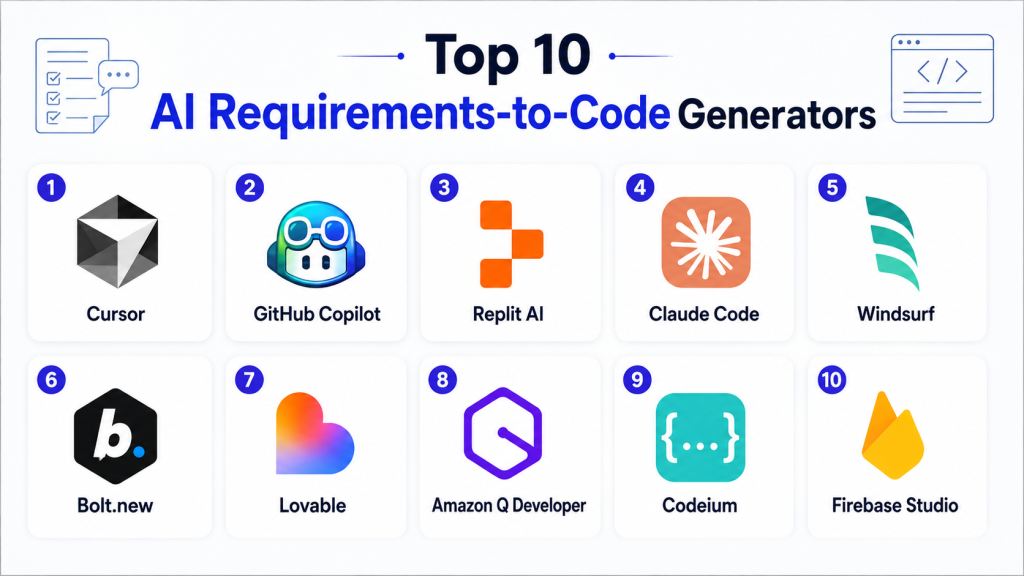
Top 10 AI Requirements-to-Code Generators
1 — GitHub Copilot
One-line verdict: Best for development teams turning repository issues and feature requests into reviewable code changes.
GitHub Copilot has evolved beyond code completion into an agentic software-development environment. Its cloud coding agent can research a repository, create an implementation plan, change code on a branch, and produce work that developers can review through pull requests. GitHub also allows coding-agent tasks to start from issues and other repository workflows.
Standout Capabilities
- Repository-aware coding assistance.
- Coding agent for multi-step development tasks.
- GitHub issue-to-implementation workflow.
- Pull-request-centered human review.
- Repository custom instructions.
- Code review assistance.
- Support across IDE and GitHub workflows.
- Agentic repository automation.
GitHub documentation describes its cloud agent as capable of researching a repository, planning implementation, making code changes, and preparing pull-request workflows.
AI-Specific Depth
- Model support: Multiple model options and model-provider capabilities vary by Copilot feature and plan.
- RAG / knowledge integration: Repository context and coding instructions are central; broader RAG support varies.
- Evaluation: Tests, builds, code review, and developer review can form the evaluation layer.
- Guardrails: Repository permissions, branch controls, agent instructions, and review processes can provide guardrails.
- Observability: Session and pull-request activity is visible, while detailed token-level observability varies.
Pros
- Fits naturally into GitHub-based engineering workflows.
- Strong requirement-to-pull-request experience.
- Keeps human review at an important point in the workflow.
Cons
- Works best when requirements and repository context are clear.
- Generated changes still require code and security review.
- Organizations outside GitHub-centered workflows may prefer alternatives.
Security & Compliance
Enterprise security capabilities vary by Copilot plan and GitHub configuration. Organizations should verify identity controls, organization policies, repository permissions, data handling, audit capabilities, retention, and applicable certifications during procurement.
Deployment & Platforms
- GitHub web workflows: Available.
- VS Code: Available.
- Other IDE integrations: Available depending on product.
- Cloud agent: Available.
- Self-hosted model: Varies / N/A.
Integrations & Ecosystem
GitHub Copilot benefits from being deeply connected with software-development workflows.
- GitHub repositories
- Issues
- Pull requests
- Code review
- Visual Studio Code
- Repository instructions
- Automation workflows
Pricing Model
Subscription and organization-based plans with usage conditions varying by feature and model.
Best-Fit Scenarios
- Implementing well-scoped GitHub issues.
- Repository-based feature development.
- Teams wanting AI-generated code to remain inside normal pull-request review.
2 — Replit Agent
One-line verdict: Best for turning product ideas and requirements into working full applications with minimal initial setup.
Replit Agent is designed to take plain-language instructions and convert them into applications and other software artifacts. Replit describes Agent as a builder that can create, explain, and fix applications from user descriptions.
It is especially useful when a requirement begins at the product level rather than as a small code change.
Standout Capabilities
- Plain-language application creation.
- Full application generation.
- Integrated development environment.
- Application testing and iteration.
- Built-in deployment workflow.
- Managed database and authentication options.
- Third-party integration support.
- Ability to import existing projects.
Replit also supports managed integrations such as databases and authentication, while additional connectors depend on plan availability.
AI-Specific Depth
- Model support: Hosted AI with model behavior managed primarily by Replit.
- RAG / knowledge integration: External service and application integrations are supported; dedicated RAG behavior depends on the application.
- Evaluation: Application testing and iterative fixing are supported, but formal AI evaluation depends on the project.
- Guardrails: Workspace and integration controls vary.
- Observability: Agent task progress is visible; detailed model-level observability varies.
Pros
- Very low setup requirement.
- Can cover design, code, database, and deployment in one environment.
- Accessible to both developers and less technical builders.
Cons
- Complex production applications still require experienced engineers.
- Platform convenience can create additional dependency on the Replit environment.
- Long or complicated requirements may require multiple iterations.
Security & Compliance
Security, organization controls, retention, authentication, enterprise administration, and compliance requirements should be verified according to the selected Replit plan.
Deployment & Platforms
- Web: Available.
- Cloud development environment: Available.
- Application deployment: Available.
- Mobile development workflows: Available.
- Self-hosted development platform: Varies / N/A.
Integrations & Ecosystem
- Managed database
- Authentication
- GitHub import
- APIs
- Third-party services
- Deployment
- Application integrations
Pricing Model
Tiered SaaS with AI usage and organizational features varying by plan.
Best-Fit Scenarios
- Startup prototypes.
- Internal business applications.
- Turning a written product idea into an initial working application.
3 — Cursor
One-line verdict: Best for professional developers converting detailed feature requests into multi-file changes inside an AI-first editor.
Cursor combines an AI-focused development environment with an agent that can inspect a codebase, edit files, run commands, fix errors, and implement multi-step tasks. Cursor’s documentation states that Agent can build features, refactor existing code, fix bugs, write tests, and execute shell commands from plain-language instructions.
Standout Capabilities
- Repository-aware agent.
- Multi-file editing.
- Terminal execution.
- Automatic codebase search.
- Feature implementation.
- Bug fixing.
- Test generation and execution.
- Multiple model support.
AI-Specific Depth
- Model support: Multi-model environment with model choice available for various agent workflows.
- RAG / knowledge integration: Codebase context and repository search.
- Evaluation: Tests, builds, linters, and developer review.
- Guardrails: Project rules and permission controls vary.
- Observability: Agent activity is visible; detailed cost and token reporting varies.
Pros
- Strong developer experience.
- Handles existing codebases effectively.
- Suitable for complex multi-file requirements.
Cons
- Requires developers to review substantial generated changes carefully.
- Autonomous work can consume significant context.
- Less focused on nontechnical no-code application creation.
Security & Compliance
Enterprise controls exist, but exact policies, retention, SSO, administration, certifications, and data-handling requirements should be independently verified.
Deployment & Platforms
- Desktop development environment: Available.
- Agent: Available.
- CLI capabilities: Available.
- Cloud/self-hosting: Varies by feature.
Integrations & Ecosystem
- Existing repositories
- Terminal
- Development tools
- MCP
- Rules
- Skills
- CLI workflows
Pricing Model
Tiered subscription model with usage characteristics varying by selected models and plans.
Best-Fit Scenarios
- Implementing features in mature repositories.
- Refactoring applications.
- Developers wanting requirements-to-code generation directly inside their editor.
4 — Lovable
One-line verdict: Best for founders and product teams turning natural-language product requirements into full-stack web applications.
Lovable is a full-stack development platform designed to build, iterate, and deploy web applications using natural language. Its documentation positions natural-language prompting as the main project-creation interface.
Standout Capabilities
- Natural-language application generation.
- Full-stack application development.
- Visual application preview.
- Iterative prompting.
- Knowledge files and planning workflows.
- Version-control-oriented development practices.
- Publishing workflow.
- AI capabilities that can be added to generated applications.
Lovable recommends practices including knowledge files, Plan mode, visual edits, and version control for more reliable application development.
AI-Specific Depth
- Model support: Hosted AI.
- RAG / knowledge integration: Knowledge and AI application capabilities vary by workflow.
- Evaluation: Primarily application preview, testing, and human validation.
- Guardrails: Vary by project and organizational plan.
- Observability: Detailed model observability is not the platform’s primary purpose.
Pros
- Fast path from requirement to web application.
- Friendly to founders and product teams.
- Produces real code rather than only static mockups.
Cons
- Complex backend architecture can require developer intervention.
- Production security still needs expert review.
- Less suitable than IDE agents for deeply established repositories.
Security & Compliance
Lovable describes enterprise governance as part of its platform, but specific organizational requirements should still be verified directly before adoption.
Deployment & Platforms
- Web: Available.
- Cloud: Available.
- Application publishing: Available.
- Self-hosted builder: Varies / N/A.
Integrations & Ecosystem
- Application publishing
- External integrations
- Knowledge files
- AI features
- Version-control workflows
- Web application development
Pricing Model
Tiered SaaS model.
Best-Fit Scenarios
- SaaS prototypes.
- Founder-led application development.
- Internal applications and web products.
5 — Windsurf / Devin Desktop
One-line verdict: Best for developers needing agentic coding, project-aware planning, tool calling, and controlled multi-step implementation.
Windsurf’s current documentation describes Cascade and Devin Local as agentic coding experiences capable of searching codebases, editing files, running terminal commands, installing dependencies, and executing multi-step tasks.
Standout Capabilities
- Agentic code editing.
- Codebase search.
- Terminal access.
- Plan mode.
- Rules and project instructions.
- Skills for reusable workflows.
- Tool calling.
- Hooks for validation and governance.
Windsurf’s hooks can run custom commands during agent workflows for purposes including validation, logging, security controls, and enterprise governance.
AI-Specific Depth
- Model support: Model selection is available in agent workflows.
- RAG / knowledge integration: Repository context and external tool connectivity.
- Evaluation: Linters, terminal commands, tests, and hooks can support validation.
- Guardrails: Hooks, rules, permissions, and restricted modes.
- Observability: Agent workflow activity is visible; granular cost visibility varies.
Pros
- Strong agentic development workflow.
- Plan-first mode supports larger requirements.
- Hooks can connect generated code with organizational validation.
Cons
- Powerful automation requires disciplined permission management.
- Teams must maintain project rules carefully.
- Generated changes can still contain logical errors despite passing syntax checks.
Security & Compliance
Enterprise teams should evaluate agent permissions, local versus cloud execution, retention, model handling, SSO, administrative controls, and audit requirements.
Deployment & Platforms
- Windows: Available.
- macOS: Available.
- Linux: Available.
- Local agent: Available.
- Cloud components: Vary.
Integrations & Ecosystem
- Terminal
- Codebase search
- MCP/tool connections
- Skills
- Hooks
- Repository rules
- JetBrains integrations
Pricing Model
Tiered commercial model with usage varying according to plan and models.
Best-Fit Scenarios
- Multi-step feature implementation.
- Enterprise development workflows needing validation hooks.
- Teams that want stronger control over agent instructions.
6 — Bolt
One-line verdict: Best for rapidly turning application requirements into websites, full-stack web apps, and mobile application prototypes.
Bolt is an AI application builder designed to convert plain-language ideas into working products. Its documentation says it can generate websites, web applications, and mobile applications from prompts.
Standout Capabilities
- Prompt-to-application workflow.
- Full-stack application generation.
- Website generation.
- Mobile app development through Expo.
- Plan mode.
- Built-in project context.
- Code view.
- GitHub-oriented version workflows.
Bolt also supports downloading projects so developers can continue working outside the platform.
AI-Specific Depth
- Model support: Bolt provides multiple agent options; exact model flexibility depends on current offering.
- RAG / knowledge integration: Application-specific.
- Evaluation: Preview, testing, manual review.
- Guardrails: Varies by development workflow.
- Observability: Token consumption is part of the product’s AI usage model.
Pros
- Fast application prototyping.
- Supports frontend and backend generation.
- Easier entry point than traditional IDE workflows.
Cons
- Complex production systems can exceed prompt-based development comfort.
- Token consumption needs attention.
- Developers should review architecture and dependencies before launch.
Security & Compliance
Enterprise security details should be verified based on organization requirements. Application secrets, generated integrations, database access, and deployment permissions require careful review.
Deployment & Platforms
- Web builder: Available.
- Web application generation: Available.
- Mobile application workflows: Available through Expo integration.
- Self-hosted builder: Varies / N/A.
Integrations & Ecosystem
- GitHub
- Databases
- JavaScript frameworks
- Expo
- Deployment
- Project downloads
- External services
Pricing Model
Usage-oriented SaaS model where token consumption can affect overall cost.
Best-Fit Scenarios
- MVP creation.
- Internal web applications.
- Product teams testing application ideas quickly.
7 — v0
One-line verdict: Best for rapidly converting product and interface requirements into production-oriented full-stack web applications.
v0 is an AI application-building agent that can generate real code and full-stack applications from prompts. Its documentation also describes support for full-stack application development, APIs, integrations, and deployment workflows.
Standout Capabilities
- Prompt-to-code generation.
- Full-stack application creation.
- Strong UI generation.
- Visual design mode.
- Application integrations.
- API access.
- Live previews.
- Deployment-oriented workflows.
AI-Specific Depth
- Model support: Hosted AI.
- RAG / knowledge integration: Can be implemented inside generated applications; builder-level support varies.
- Evaluation: Preview and developer testing.
- Guardrails: Varies by organization and deployment.
- Observability: Usage controls vary by plan.
Pros
- Strong for requirement-to-interface conversion.
- Natural path from prototype to full-stack application.
- Useful for teams already working in modern web-development ecosystems.
Cons
- Best suited to supported web-development patterns.
- Complex enterprise backends may require manual engineering.
- Generated code still needs accessibility, performance, and security review.
Security & Compliance
Organizational security should be evaluated according to deployment, integration, and hosting requirements. Do not assume generated code is production-secure without review.
Deployment & Platforms
- Web: Available.
- Cloud: Available.
- Application deployment: Available.
- API: Available.
Integrations & Ecosystem
- Full-stack web applications
- APIs
- Deployment
- Design systems
- Application integrations
- Live preview
- Programmatic platform access
Pricing Model
Tiered SaaS with usage varying by plan. Exact prices are intentionally omitted here because pricing changes over time.
Best-Fit Scenarios
- Product prototypes.
- Frontend-heavy applications.
- Teams turning written interface requirements into working software.
8 — Amazon Q Developer
One-line verdict: Best for AWS-focused engineering teams converting development requirements into code, tests, fixes, and modernization work.
Amazon Q Developer provides coding assistance across IDE, terminal, AWS, and repository workflows. AWS documentation states that it can generate new code, provide suggestions, scan for vulnerabilities, debug, optimize, and perform agentic multi-step development work.
Standout Capabilities
- Code generation.
- Agentic multi-step development.
- AWS knowledge.
- Security scanning.
- Unit-test assistance.
- Documentation generation.
- Code modernization.
- IDE and terminal workflows.
AI-Specific Depth
- Model support: Managed by AWS; BYO model is not the primary coding-assistant workflow.
- RAG / knowledge integration: Can connect recommendations with private repositories in supported configurations.
- Evaluation: Tests, code review, scanning, and developer review.
- Guardrails: AWS identity and organization controls can support enterprise governance.
- Observability: Usage reporting varies by plan and environment.
Pros
- Strong fit for AWS-oriented organizations.
- Covers coding and cloud-development tasks.
- Includes security-focused capabilities.
Cons
- Most attractive when AWS is already central to the environment.
- Generated modernization changes require thorough testing.
- Not designed as a no-code product builder.
Security & Compliance
AWS states that proprietary content from Amazon Q Developer Pro is not used for service improvement. Organizations should still validate applicable retention, identity, compliance, residency, and administrative requirements.
Deployment & Platforms
- IDE: Available.
- Terminal: Available.
- AWS Console: Available.
- GitHub/GitLab-related workflows: Available depending on feature.
- Cloud: Available.
Integrations & Ecosystem
- AWS
- VS Code
- JetBrains
- Terminal
- GitLab
- GitHub workflows
- AWS development services
Pricing Model
Free and paid commercial usage models exist; exact pricing should be checked at purchase time.
Best-Fit Scenarios
- AWS application development.
- Code modernization.
- Enterprise development teams already standardized on AWS.
9 — Cline
One-line verdict: Best for developers wanting an open-source coding agent with model flexibility, checkpoints, MCP, and strong human control.
Cline is an open-source coding agent capable of planning tasks, editing multiple files, running terminal commands, working with external tools through MCP, and tracking changes through checkpoints.
Standout Capabilities
- Open-source agent.
- Plan and Act workflows.
- Multi-file changes.
- Terminal execution.
- Checkpoints.
- Diffs and rollback.
- MCP integration.
- Broad model flexibility.
AI-Specific Depth
- Model support: Strong multi-model flexibility.
- RAG / knowledge integration: Repository context and MCP-connected sources.
- Evaluation: Compiler, linter, terminal, and developer validation.
- Guardrails: Plan/Act separation, approvals, checkpoints, and permission management.
- Observability: Usage depends significantly on model provider and configuration.
Cline’s MCP support allows external APIs, databases, and other services to become tools available during agent workflows.
Pros
- Open-source and flexible.
- Good model-provider freedom.
- Strong control over agent actions.
Cons
- More setup than hosted application builders.
- Usage costs depend on chosen model.
- Broad tool access needs careful security configuration.
Security & Compliance
Because deployment and model choice can vary, security depends heavily on configuration. Enterprises should review model endpoints, local data handling, MCP permissions, secrets, logs, and network access.
Deployment & Platforms
- VS Code: Available.
- JetBrains: Available in current product workflows.
- CLI/SDK capabilities: Available.
- Local execution: Available.
- Cloud model usage: Depends on provider.
Integrations & Ecosystem
- MCP
- Terminal
- External APIs
- Databases
- Cloud infrastructure
- Model providers
- Developer tools
Pricing Model
Open-source core with model-provider costs and commercial services depending on configuration.
Best-Fit Scenarios
- Developers wanting model independence.
- Teams building custom agent toolchains.
- Engineering environments requiring checkpoints and explicit control.
10 — Aider
One-line verdict: Best for developers who prefer lightweight, Git-centered requirements-to-code workflows directly from the terminal.
Aider is an AI pair-programming tool designed for working with existing Git repositories from the command line. It can help developers create new projects or modify existing codebases using conversational requirements.
Standout Capabilities
- Terminal-first coding.
- Git integration.
- Existing repository editing.
- Multiple chat modes.
- Multiple model support.
- Lightweight developer workflow.
- Code and architecture-oriented modes.
- Works alongside traditional editors.
AI-Specific Depth
- Model support: Multiple LLM providers.
- RAG / knowledge integration: Repository context; broader RAG integration is not the primary feature.
- Evaluation: Git diffs, developer review, tests, and local tools.
- Guardrails: Primarily user-controlled local development workflow.
- Observability: Provider-dependent token and usage visibility.
Pros
- Lightweight compared with full AI IDEs.
- Strong Git-oriented workflow.
- Good option for experienced terminal users.
Cons
- Less accessible for nontechnical users.
- Requires developers to manage their own development environment.
- Less integrated product-management workflow than GitHub-based agents.
Security & Compliance
Security depends on selected model provider, local environment, API-key management, repository permissions, and organizational configuration.
Deployment & Platforms
- Terminal: Available.
- Local development: Available.
- Docker: Supported.
- IDE/editor interoperability: Available.
- Cloud usage: Depends on selected model.
Integrations & Ecosystem
- Git
- Terminal
- VS Code
- Neovim
- Docker
- Multiple model providers
- Existing repositories
Pricing Model
Open-source software with AI model usage billed according to the selected provider.
Best-Fit Scenarios
- Git-centered development.
- Experienced developers wanting lightweight AI assistance.
- Teams that do not want to move development into a dedicated cloud builder.
Comparison Table
| Tool Name | Best For | Deployment | Model Flexibility | Strength | Watch-Out | Public Rating |
|---|---|---|---|---|---|---|
| GitHub Copilot | Repository teams | Cloud / IDE | Multi-model / Varies | Issue-to-PR workflow | Needs clear requirements | N/A |
| Replit Agent | Full app generation | Cloud | Hosted | Idea-to-app workflow | Platform dependency | N/A |
| Cursor | Professional developers | Desktop / Cloud services | Multi-model | Repository-aware agent | Requires careful review | N/A |
| Lovable | Founders and product teams | Cloud | Hosted | Natural-language full-stack building | Complex systems need developers | N/A |
| Windsurf / Devin Desktop | Agentic developers | Desktop / Hybrid workflows | Multi-model | Planning and tool execution | Powerful permissions | N/A |
| Bolt | Rapid app builders | Cloud | Hosted / Varies | Prompt-to-app speed | Token usage | N/A |
| v0 | Web product teams | Cloud | Hosted | UI and full-stack generation | Web-centric | N/A |
| Amazon Q Developer | AWS teams | Cloud / IDE / CLI | Hosted | AWS development depth | AWS-oriented | N/A |
| Cline | Open-source developers | Local / Hybrid | BYO / Multi-model | Model flexibility | More configuration | N/A |
| Aider | Terminal developers | Local / Hybrid | BYO / Multi-model | Git-first simplicity | Technical learning curve | N/A |
Scoring & Evaluation
The following scoring is a comparative editorial framework rather than an absolute product benchmark. Requirements-to-code tools vary significantly: some generate entire applications, while others focus on implementing changes inside mature repositories.
A high core score reflects the ability to translate meaningful development tasks into working changes. Reliability considers planning, context awareness, testing, and reviewability. Guardrails cover permissions, rollback, controlled execution, and human oversight. Performance and cost consider both development speed and the potential expense of long agent sessions.
| Tool | Core | Reliability/Eval | Guardrails | Integrations | Ease | Perf/Cost | Security/Admin | Support | Weighted Total |
|---|---|---|---|---|---|---|---|---|---|
| GitHub Copilot | 9 | 9 | 8 | 10 | 9 | 8 | 9 | 9 | 8.90 |
| Replit Agent | 9 | 8 | 7 | 8 | 10 | 8 | 8 | 8 | 8.35 |
| Cursor | 10 | 9 | 8 | 9 | 9 | 8 | 8 | 9 | 8.85 |
| Lovable | 9 | 8 | 7 | 8 | 10 | 8 | 8 | 8 | 8.35 |
| Windsurf / Devin Desktop | 9 | 9 | 9 | 9 | 8 | 8 | 8 | 8 | 8.65 |
| Bolt | 9 | 7 | 7 | 8 | 10 | 7 | 7 | 8 | 7.95 |
| v0 | 9 | 8 | 7 | 9 | 10 | 8 | 8 | 8 | 8.50 |
| Amazon Q Developer | 9 | 9 | 9 | 9 | 8 | 8 | 10 | 9 | 8.90 |
| Cline | 9 | 8 | 9 | 9 | 7 | 8 | 7 | 8 | 8.15 |
| Aider | 8 | 8 | 8 | 8 | 7 | 9 | 7 | 8 | 7.95 |
Which AI Requirements-to-Code Generator Is Right for You?
Solo / Freelancer
Solo developers typically need a tool that can handle a broad range of work without creating excessive setup.
Cursor works well for professional developers maintaining real repositories. Aider is attractive to terminal-oriented developers, while Replit Agent is useful when the main goal is to create and deploy a new application quickly.
Cline is also appealing when model flexibility and open-source workflows matter.
SMB
Small businesses often need to build software quickly with a small engineering team.
Replit Agent and Lovable are useful when the requirement starts as a product idea rather than an existing engineering issue. v0 can be strong for web applications where user experience and frontend development are important.
Teams with established repositories may prefer GitHub Copilot or Cursor.
Mid-Market
Mid-sized engineering organizations should prioritize repository awareness, permissions, repeatability, testing, and review.
GitHub Copilot fits naturally when development already happens through GitHub issues and pull requests.
Cursor and Windsurf provide stronger interactive agent workflows inside development environments.
Enterprise
Large organizations should avoid choosing tools only on generation quality.
Evaluation should cover:
- SSO
- RBAC
- Audit logs
- Model data handling
- Repository permissions
- Shell access
- Secret management
- Network controls
- Approved model providers
- Data retention
- Human approvals
- Policy enforcement
- Generated-code review
- Software composition analysis
- Security scanning
GitHub Copilot and Amazon Q Developer are particularly relevant where the surrounding enterprise ecosystem already matches the organization.
Regulated Industries
Finance, healthcare, government, insurance, and other regulated industries need tighter control.
Requirements can contain confidential information, business logic, internal architecture, customer details, security assumptions, and sensitive integrations.
Before adoption, verify:
- What data is submitted to models.
- Whether data is retained.
- Whether data is used for service improvement.
- Where processing occurs.
- Whether commands can access production environments.
- How secrets are protected.
- Whether generated changes are auditable.
- Whether human approval can be enforced.
Budget vs Premium
Open-source options such as Cline and Aider can reduce platform lock-in but do not eliminate AI costs. Model usage can become the main expense.
Hosted products simplify operations but may bundle model usage into subscription or consumption limits.
The cheapest subscription is not necessarily the lowest-cost option. Developer review time, failed agent runs, unnecessary token consumption, and incorrect code can all affect total cost.
Build vs Buy
Building an internal requirements-to-code system may make sense when an organization has highly specialized workflows.
A custom system can combine:
- Internal requirement templates
- Repository context
- Company coding rules
- Internal APIs
- Testing systems
- Security scanners
- Deployment controls
- Approved models
- Human approval gates
Buying an existing platform is usually more practical when development teams want mature IDE integration, agent orchestration, model access, Git workflows, collaboration, and enterprise administration without maintaining another internal platform.
Implementation Playbook: 30 / 60 / 90 Days
First 30 Days — Pilot
Choose a controlled set of requirements.
Good pilot examples include:
- A small frontend feature.
- A backend API endpoint.
- A bug fix.
- Database schema changes.
- Test generation.
- Documentation updates.
- A basic internal tool.
Define clear acceptance criteria.
Measure:
- Time from requirement to first code change.
- Percentage of generated code accepted.
- Number of human corrections.
- Tests passed.
- Security findings.
- Agent retries.
- Review time.
- AI usage cost.
Create requirement templates that include:
- Problem statement.
- Expected behavior.
- Existing system context.
- Relevant files.
- Constraints.
- Performance requirements.
- Security requirements.
- Acceptance criteria.
- Test expectations.
- Non-goals.
Good requirements produce better agent output.
Days 31–60 — Evaluation and Security
Build an evaluation harness around representative development tasks.
Require agents to run relevant:
- Unit tests.
- Integration tests.
- Linters.
- Type checking.
- Security scanning.
- Dependency checks.
- Build validation.
Do not evaluate only whether code compiles.
Also test whether the implementation actually satisfies the requirement.
Introduce repository-level rules covering:
- Approved frameworks.
- Dependency policies.
- Authentication.
- Error handling.
- Logging.
- Testing.
- Security.
- Documentation.
- Database changes.
- API conventions.
Red-team the workflow.
Test whether the agent can be tricked into:
- Exposing secrets.
- Running dangerous shell commands.
- Bypassing authentication.
- Downloading unapproved dependencies.
- Modifying protected infrastructure.
- Ignoring repository instructions.
Days 61–90 — Governance and Scale
Once pilot results are acceptable, standardize the workflow.
Define which tasks can be delegated automatically.
Low-risk examples might include:
- Documentation.
- Tests.
- Small bug fixes.
- Internal utilities.
- Boilerplate.
- Routine refactoring.
High-risk areas should have mandatory human approval.
Examples include:
- Authentication.
- Authorization.
- Payments.
- Production infrastructure.
- Encryption.
- Customer-data processing.
- Database migrations.
- Security policies.
Track agent performance over time.
Monitor:
- Acceptance rate.
- Defect rate.
- Review time.
- Rework.
- AI usage cost.
- Security findings.
- Test failures.
- Rollbacks.
The goal is not maximum automation. The goal is reliable development acceleration.
Common Mistakes and How to Avoid Them
- Giving an agent vague requirements and expecting production-quality code.
- Treating generated code as trustworthy because it compiles.
- Allowing agents to run unrestricted shell commands.
- Sending secrets or confidential data into prompts.
- Skipping unit and integration testing.
- Ignoring dependency vulnerabilities.
- Letting agents modify authentication logic without review.
- Generating extremely large pull requests.
- Failing to define acceptance criteria.
- Using one prompt for a very large feature instead of breaking it into smaller tasks.
- Allowing multiple agents to change the same files without coordination.
- Ignoring model and token costs.
- Failing to version repository instructions.
- Depending on implicit architectural knowledge instead of documenting it.
- Skipping human review because automated tests pass.
- Ignoring prompt injection from files or external content.
- Giving agents access to production environments unnecessarily.
- Failing to monitor whether generated code actually gets merged.
- Measuring lines of generated code instead of delivered value.
- Locking the entire development workflow to one proprietary agent without an exit plan.
Frequently Asked Questions
What is an AI requirements-to-code generator?
It is a software-development tool that interprets natural-language requirements and generates or modifies code to implement them. More advanced tools can inspect repositories, plan work, run commands, test changes, and prepare pull requests.
Can these tools build a full application from requirements?
Some can. Replit Agent, Lovable, Bolt, and v0 are particularly oriented toward generating substantial application functionality from high-level descriptions.
Can they work with existing codebases?
Yes. GitHub Copilot, Cursor, Windsurf, Cline, Aider, and Amazon Q Developer are all suited to workflows involving existing repositories or developer environments.
Can an AI coding agent implement a GitHub issue?
GitHub Copilot supports agent workflows where tasks can start from GitHub issues and result in code changes and pull-request workflows.
Can these tools run tests automatically?
Many developer-oriented agents can execute terminal commands or participate in testing workflows. Whether tests are automatically generated and run depends on the agent and project configuration.
Do they replace software developers?
No. They can reduce repetitive implementation work, but developers are still required for architecture, requirements clarification, security, testing, debugging, trade-offs, and final accountability.
What makes a good requirement for a coding agent?
A good requirement clearly explains the desired behavior, relevant system context, constraints, acceptance criteria, affected areas, and expected tests. Research on issue-based coding agents suggests well-scoped requirements are important for successful integration.
Can I bring my own model?
Some tools provide broad model flexibility. Cline and Aider are particularly suitable for developers who want to choose model providers. Cursor also offers multiple model options.
Can requirements-to-code tools be self-hosted?
Self-hosting varies significantly. Open-source tools such as Cline and Aider can operate in locally controlled environments, although underlying model endpoints may still be external.
Are these tools safe for proprietary code?
That depends on the tool, plan, model provider, and configuration. Enterprises should evaluate code retention, model improvement policies, subprocessors, permissions, local execution, and administrative controls.
What are coding-agent guardrails?
Guardrails can include command approvals, protected files, repository rules, model restrictions, branch policies, checkpoints, hooks, human review, testing, and security scanning.
Conclusion
AI requirements-to-code generators are moving software development from simple autocomplete toward goal-driven implementation. The strongest tools no longer stop at generating a function. They can inspect repositories, reason about requirements, create implementation plans, modify several files, execute commands, run tests, and prepare changes for human review.