Introduction
AI release notes and changelog generators help engineering, product, DevOps, and customer-success teams turn commits, pull requests, issue updates, deployment information, and product changes into clear release communication. Instead of manually reviewing every development change, teams can use AI-assisted workflows to summarize technical activity and transform it into customer-friendly release notes.
These tools are useful for SaaS updates, product changelogs, internal engineering releases, API updates, mobile app releases, platform changes, deployment summaries, and customer communication. More advanced systems can connect with Git repositories, issue trackers, CI/CD platforms, and product-management tools so release communication stays closer to the development workflow.
The most important evaluation criteria include source integration, summary quality, technical accuracy, audience control, approval workflows, automation, templates, multilingual support, version history, collaboration, security, privacy, and export flexibility.
What’s Changing in AI Release Notes & Changelog Generators
- AI can increasingly summarize pull requests, commits, tickets, and deployment activity automatically.
- Teams are moving from manual release-note writing toward automated release pipelines.
- Product and engineering data can be combined to create more useful summaries.
- Different audiences increasingly receive different release-note versions.
- Technical teams may receive implementation details while customers receive benefit-focused explanations.
- AI can help classify changes into features, improvements, fixes, security updates, and breaking changes.
- Release communication is becoming connected directly to Git and CI/CD workflows.
- Product teams increasingly want changelog entries generated when work reaches a specific development state.
- Human approval remains important because automated summaries can misrepresent technical changes.
- Enterprise teams increasingly require permissions and auditability around release publishing.
- Release notes are becoming more structured and searchable instead of existing only as static blog posts.
- AI can help rewrite highly technical engineering language into simpler customer-facing language.
- Teams increasingly expect support for multiple brands, products, and release channels.
- Multilingual release communication is becoming more practical.
- API and developer-product teams increasingly need structured technical changelogs.
- Version consistency matters when multiple teams contribute to the same product.
- Release-note generators increasingly need to distinguish internal-only changes from customer-visible updates.
- Sensitive security fixes may require controlled disclosure rather than automatic publication.
- Organizations increasingly measure whether release notes are actually useful to customers rather than simply whether they are published.
- Vendor lock-in matters when historical changelog content is stored only in one proprietary platform.
Quick Buyer Checklist
Before choosing an AI release notes and changelog generator, check whether it can:
- Connect with GitHub, GitLab, or Bitbucket.
- Read pull requests and commits.
- Connect with Jira or other issue trackers.
- Generate customer-friendly summaries.
- Generate technical release notes.
- Separate features, fixes, improvements, and breaking changes.
- Detect potentially customer-facing changes.
- Allow human approval before publishing.
- Create reusable templates.
- Maintain version history.
- Support multiple products.
- Support internal and external changelogs.
- Handle multiple release channels.
- Export content.
- Support APIs or automation.
- Integrate with CI/CD.
- Protect private repository data.
- Exclude confidential changes.
- Support audit logs where required.
- Provide role-based publishing controls.
- Support multilingual releases.
- Reduce hallucination by grounding output in actual development data.
- Allow manual editing before publication.
- Avoid excessive vendor lock-in.
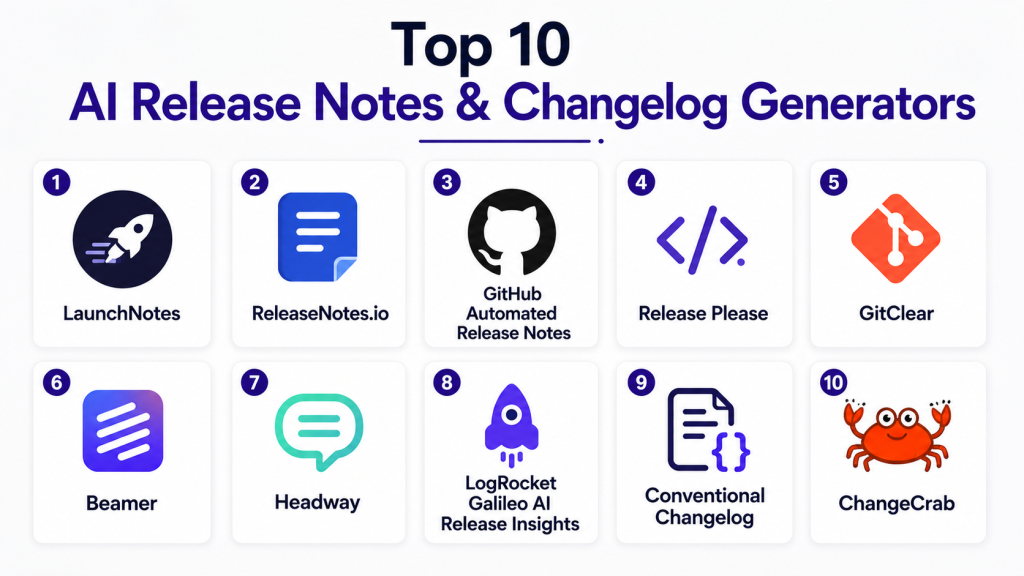
Top 10 AI Release Notes & Changelog Generators
1 — LaunchNotes
One-line verdict: Best for product teams wanting release communication, changelogs, and customer updates in one structured platform.
LaunchNotes focuses on communicating product changes to customers and internal stakeholders. It helps teams organize product updates, publish announcements, and manage release communication in a more structured way than traditional static changelogs.
Standout Capabilities
- Product changelog publishing.
- Customer-facing release communication.
- Internal and external updates.
- Product update organization.
- Subscriber communication.
- Structured release history.
- Team collaboration.
- Product feedback connections.
AI-Specific Depth
- Model support: Hosted AI / varies.
- RAG / knowledge integration: Product and release context varies.
- Evaluation: Human review and source comparison.
- Guardrails: Publishing permissions and workflow controls vary.
- Observability: AI-specific token and model metrics are not the primary focus.
Pros
- Strong product-communication focus.
- Useful for customer-facing changelogs.
- Helps centralize release messaging.
Cons
- Less developer-centric than Git-native tools.
- Deep technical release automation may require integrations.
- AI-generated text still needs verification.
Security & Compliance
Enterprise requirements such as SSO, RBAC, auditability, retention, encryption, and certifications should be verified directly.
Deployment & Platforms
- Web: Available.
- Cloud: Available.
- Self-hosted: Varies / N/A.
Integrations & Ecosystem
- Product-management tools
- Issue trackers
- Collaboration tools
- Customer communication
- APIs
- Changelog publishing
Pricing Model
Commercial SaaS with tiered plans.
Best-Fit Scenarios
- SaaS product changelogs.
- Customer release communication.
- Multi-team product announcements.
2 — Beamer
One-line verdict: Best for SaaS teams combining changelogs, product announcements, and in-app release communication.
Beamer provides changelog and product-announcement functionality that can be embedded directly into applications. This makes it useful for teams that want release notes to appear where customers are already using the product.
Standout Capabilities
- In-app changelog.
- Product announcements.
- Release-note publishing.
- User segmentation.
- Feedback collection.
- Notification workflows.
- Customer-facing update history.
- Engagement tracking.
AI-Specific Depth
- Model support: Hosted / varies.
- RAG / knowledge integration: Product-update context varies.
- Evaluation: Manual review.
- Guardrails: Workspace controls vary.
- Observability: Product-engagement analytics are more central than AI observability.
Pros
- Strong in-app communication.
- Good for SaaS products.
- Combines release communication with user engagement.
Cons
- Less Git-native than developer-focused alternatives.
- Technical release pipelines may need external automation.
- AI output should still be reviewed for accuracy.
Security & Compliance
Organizations should verify SSO, access controls, data retention, audit features, encryption, and certifications according to plan.
Deployment & Platforms
- Web: Available.
- In-app widgets: Available.
- Cloud: Available.
- Self-hosted: Varies / N/A.
Integrations & Ecosystem
- Web applications
- Product analytics
- Customer messaging
- APIs
- Product-management systems
- Feedback workflows
Pricing Model
Tiered SaaS model.
Best-Fit Scenarios
- SaaS changelogs.
- In-product release announcements.
- Customer communication after frequent product updates.
3 — Headway
One-line verdict: Best for simple, lightweight public changelogs with minimal operational overhead.
Headway provides a straightforward changelog platform for publishing product updates. It is particularly useful for teams that want a clean release-history experience without a large product-management platform.
Standout Capabilities
- Hosted changelog.
- Public product updates.
- Simple publishing workflow.
- Release categorization.
- Subscriber notifications.
- Custom branding options.
- Lightweight administration.
- API-oriented workflows.
AI-Specific Depth
- Model support: Varies / N/A.
- RAG / knowledge integration: N/A.
- Evaluation: Manual review.
- Guardrails: Workspace publishing controls.
- Observability: N/A for AI-specific metrics.
Pros
- Simple to use.
- Low operational complexity.
- Suitable for smaller product teams.
Cons
- Less sophisticated automation.
- Limited AI depth compared with more agentic platforms.
- Complex enterprise release processes may need additional tooling.
Security & Compliance
Security details vary by plan. Enterprise teams should verify current controls directly.
Deployment & Platforms
- Web: Available.
- Cloud: Available.
- Self-hosted: Varies / N/A.
Integrations & Ecosystem
- Changelog publishing
- APIs
- Product websites
- Notification workflows
- Basic automation
Pricing Model
Tiered SaaS.
Best-Fit Scenarios
- Small SaaS teams.
- Public product changelogs.
- Simple release announcement workflows.
4 — GitHub Copilot with GitHub Releases
One-line verdict: Best for GitHub-centered engineering teams generating release summaries directly from repository activity.
GitHub Copilot can assist teams with summarizing code changes, pull requests, commits, and release-related development activity. Combined with GitHub Releases, it provides a natural workflow for engineering-led release-note generation.
Standout Capabilities
- Repository-aware summaries.
- Pull-request understanding.
- Commit summarization.
- Release-note drafting.
- Developer workflow integration.
- Issue context.
- Multi-file understanding.
- GitHub-native collaboration.
AI-Specific Depth
- Model support: Multi-model options vary.
- RAG / knowledge integration: Repository and issue context.
- Evaluation: Source diff comparison, pull requests, tests, and human review.
- Guardrails: Repository permissions and branch governance.
- Observability: Usage visibility varies by plan.
Pros
- Strong source grounding.
- Natural fit for engineering workflows.
- Reduces manual review of many pull requests.
Cons
- Less focused on customer-facing product communication.
- Product teams may need another publishing layer.
- Generated summaries can be too technical without careful prompting.
Security & Compliance
Enterprise security depends on GitHub and Copilot configuration. Verify repository permissions, model data handling, audit logs, retention, and required certifications.
Deployment & Platforms
- GitHub: Available.
- IDE integrations: Available.
- Cloud: Available.
- Self-hosted model: Varies / N/A.
Integrations & Ecosystem
- GitHub repositories
- Pull requests
- Issues
- Releases
- Actions
- CI/CD
- Developer workflows
Pricing Model
Subscription-based with plan-dependent AI usage.
Best-Fit Scenarios
- GitHub-native release notes.
- Engineering release summaries.
- Developer-focused changelogs.
5 — GitLab Duo
One-line verdict: Best for GitLab-centered DevSecOps teams generating release communication from code, issues, and CI/CD context.
GitLab Duo can help explain development activity and summarize repository and pipeline information. In GitLab-based organizations, this context can be used to accelerate release-note creation without moving data into a separate development platform.
Standout Capabilities
- GitLab repository context.
- Merge-request understanding.
- Issue context.
- CI/CD awareness.
- AI-assisted summaries.
- DevSecOps workflows.
- Integrated developer collaboration.
- Self-managed deployment options for broader GitLab environments.
AI-Specific Depth
- Model support: Hosted and self-hosted options vary.
- RAG / knowledge integration: GitLab project context.
- Evaluation: Merge requests, pipelines, tests, and human review.
- Guardrails: GitLab roles and permissions.
- Observability: Development and pipeline activity available; model-level metrics vary.
Pros
- Strong for GitLab-native teams.
- Release summaries stay close to engineering data.
- Suitable for regulated environments using self-managed GitLab architectures.
Cons
- Less customer-communication focused.
- Best value comes within broader GitLab adoption.
- Public changelog presentation may require another system.
Security & Compliance
Verify Duo model configuration, self-hosting options, RBAC, audit logs, retention, and relevant certifications based on deployment.
Deployment & Platforms
- GitLab SaaS: Available.
- Self-managed GitLab: Available.
- IDE integrations: Available.
- Self-hosted AI options: Vary.
Integrations & Ecosystem
- Repositories
- Merge requests
- Issues
- CI/CD
- Security workflows
- DevSecOps processes
- Release pipelines
Pricing Model
Commercial GitLab plans with AI capabilities varying by subscription.
Best-Fit Scenarios
- GitLab release automation.
- DevSecOps changelogs.
- Internal engineering release summaries.
6 — Linear with AI-Assisted Product Workflows
One-line verdict: Best for product and engineering teams generating release communication from structured issue and project data.
Linear is widely used for product and engineering work management. AI-assisted summarization can help teams turn completed issues, projects, and development work into clearer release communication.
Standout Capabilities
- Structured issue tracking.
- Project context.
- Cycle-based development.
- Product planning.
- AI-assisted summaries.
- Team collaboration.
- Labels and categorization.
- Engineering workflow integrations.
AI-Specific Depth
- Model support: Hosted / varies.
- RAG / knowledge integration: Workspace and project context.
- Evaluation: Human review against issue status and implementation.
- Guardrails: Workspace permissions.
- Observability: N/A for detailed model observability.
Pros
- Excellent structured product context.
- Useful for product-facing release summaries.
- Good connection between product planning and engineering delivery.
Cons
- Not a dedicated changelog publishing platform.
- Repository-level technical context depends on integrations.
- Additional tools may be needed for public release notes.
Security & Compliance
Organizations should verify workspace access, SSO, retention, encryption, auditability, and certifications according to plan.
Deployment & Platforms
- Web: Available.
- Desktop: Available.
- Mobile: Available.
- Cloud: Available.
Integrations & Ecosystem
- GitHub
- GitLab
- Slack
- Project workflows
- Product planning
- Engineering collaboration
Pricing Model
Tiered SaaS model.
Best-Fit Scenarios
- Product-led release summaries.
- Engineering sprint changelogs.
- Teams connecting shipped work with customer communication.
7 — Jira with Atlassian Intelligence / Rovo Workflows
One-line verdict: Best for enterprises generating release summaries from structured tickets, projects, and cross-team delivery workflows.
Jira contains detailed issue, project, and release context. AI-assisted summarization can reduce the manual work involved in reviewing completed work and translating it into release communication.
Standout Capabilities
- Issue and project context.
- Release tracking.
- AI-assisted summaries.
- Cross-team collaboration.
- Workflow customization.
- Enterprise administration.
- Service-management integration.
- Knowledge integration.
AI-Specific Depth
- Model support: Atlassian-managed AI; exact model options vary.
- RAG / knowledge integration: Jira and broader Atlassian workspace context.
- Evaluation: Human review against completed issues and release status.
- Guardrails: Atlassian permissions and organizational controls.
- Observability: AI-specific metrics vary.
Pros
- Rich structured enterprise project data.
- Strong cross-team workflow support.
- Good fit for organizations already standardized on Atlassian.
Cons
- Release-note publishing may require another channel.
- Highly customized Jira instances can produce noisy source data.
- Customer-friendly output may need editorial refinement.
Security & Compliance
Enterprise controls vary by plan. Verify SSO, RBAC, audit logs, retention, residency, encryption, and certifications directly.
Deployment & Platforms
- Web: Available.
- Cloud: Available.
- Enterprise deployments: Vary.
- Mobile: Available.
Integrations & Ecosystem
- Confluence
- Bitbucket
- Slack
- CI/CD tools
- Service management
- Product-management workflows
- APIs
Pricing Model
Tiered commercial model.
Best-Fit Scenarios
- Enterprise release summaries.
- Multi-team product releases.
- Ticket-driven changelog generation.
8 — Changesets with AI Coding Assistants
One-line verdict: Best for developer teams that want version-controlled package changelogs close to source code.
Changesets is a developer-oriented workflow for managing package versioning and changelog entries. When combined with AI coding assistants, teams can automate much of the writing while still keeping release metadata inside the repository.
Standout Capabilities
- Version-controlled changelogs.
- Package release management.
- Semantic versioning workflows.
- Repository-based release metadata.
- Multi-package repository support.
- CI/CD compatibility.
- Developer-controlled publishing.
- Reviewable changes.
AI-Specific Depth
- Model support: Depends on connected coding assistant.
- RAG / knowledge integration: Repository context.
- Evaluation: Git review, tests, package validation.
- Guardrails: Pull-request review and repository policies.
- Observability: Depends on connected AI tool.
Pros
- Highly portable.
- Keeps changelog source inside Git.
- Good for libraries and developer tools.
Cons
- Requires more engineering setup.
- Not designed for polished customer-facing changelog pages.
- AI capabilities come from external tooling.
Security & Compliance
Security depends on source-control and connected AI configuration.
Deployment & Platforms
- Repository-based: Available.
- CI/CD: Available.
- Local development: Available.
- Cloud execution: Depends on source-control platform.
Integrations & Ecosystem
- GitHub
- GitLab
- npm ecosystems
- CI/CD
- Monorepos
- Coding assistants
- Package release workflows
Pricing Model
Open-source tooling plus costs from connected platforms and AI services.
Best-Fit Scenarios
- Open-source libraries.
- npm package releases.
- Monorepo changelogs.
9 — Release Drafter with AI-Assisted GitHub Workflows
One-line verdict: Best for GitHub teams wanting automated release drafts based on pull-request labels and repository activity.
Release Drafter automates release draft creation from merged pull requests. When combined with AI-assisted summarization, teams can create more readable release notes while preserving a deterministic GitHub-based workflow.
Standout Capabilities
- Automated release drafts.
- Pull-request categorization.
- Label-based grouping.
- GitHub Actions workflows.
- Repository-controlled configuration.
- Version-aware releases.
- Developer review.
- Lightweight automation.
AI-Specific Depth
- Model support: Depends on connected AI assistant.
- RAG / knowledge integration: GitHub repository context.
- Evaluation: Pull-request and Git review.
- Guardrails: GitHub permissions and workflow controls.
- Observability: Depends on GitHub and connected AI service.
Pros
- Highly developer-friendly.
- Easy to automate.
- Keeps release notes close to code.
Cons
- Not a full product changelog platform.
- Public presentation requires another layer.
- Quality depends on pull-request titles and labels.
Security & Compliance
Security relies primarily on GitHub repository and Actions permissions.
Deployment & Platforms
- GitHub: Core environment.
- Cloud automation: Available through GitHub Actions.
- Local configuration: Available.
Integrations & Ecosystem
- GitHub
- Pull requests
- Labels
- Actions
- Releases
- Coding assistants
Pricing Model
Open-source workflow with platform costs depending on GitHub usage.
Best-Fit Scenarios
- Automated GitHub releases.
- Open-source projects.
- Engineering teams with consistent pull-request labeling.
10 — Custom LLM Release Notes Pipeline
One-line verdict: Best for mature engineering teams wanting complete control over sources, models, templates, and publishing logic.
Some organizations build internal release-note pipelines using approved LLMs, repository APIs, issue trackers, CI/CD events, and custom publication systems.
This approach is especially useful when release communication must follow strict internal standards.
Standout Capabilities
- Complete workflow customization.
- BYO model support.
- Internal data control.
- Custom release templates.
- Multi-source aggregation.
- Automated classification.
- Controlled publishing.
- Custom evaluation.
AI-Specific Depth
- Model support: BYO / multi-model / open-source possible.
- RAG / knowledge integration: Fully customizable.
- Evaluation: Custom regression tests, source verification, and human review.
- Guardrails: Fully customizable.
- Observability: Can include traces, token usage, cost, latency, and quality metrics.
Pros
- Maximum flexibility.
- Strong privacy control.
- Can fit highly specialized release processes.
Cons
- Requires engineering investment.
- Maintenance burden is higher.
- Teams must build their own quality controls.
Security & Compliance
Depends entirely on architecture, model provider, infrastructure, data processing, and organizational policies.
Deployment & Platforms
- Cloud: Possible.
- Self-hosted: Possible.
- Hybrid: Possible.
- Internal tools: Possible.
Integrations & Ecosystem
- Git repositories
- Jira or Linear
- CI/CD
- Product databases
- Internal knowledge bases
- LLM APIs
- Publishing systems
Pricing Model
Infrastructure and usage based.
Best-Fit Scenarios
- Regulated enterprises.
- Large engineering organizations.
- Teams with complex multi-product release pipelines.
Comparison Table
| Tool Name | Best For | Deployment | Model Flexibility | Strength | Watch-Out | Public Rating |
|---|---|---|---|---|---|---|
| LaunchNotes | Product teams | Cloud | Hosted / Varies | Customer communication | Less developer-centric | N/A |
| Beamer | SaaS teams | Cloud | Hosted / Varies | In-app changelogs | Less Git-native | N/A |
| Headway | Small product teams | Cloud | Varies / N/A | Simplicity | Limited automation depth | N/A |
| GitHub Copilot + Releases | Engineering teams | Cloud / IDE | Multi-model / Varies | Repository grounding | Less product-facing | N/A |
| GitLab Duo | DevSecOps teams | Cloud / Self-managed | Hosted / Self-hosted options | GitLab context | GitLab-centric | N/A |
| Linear AI workflows | Product teams | Cloud | Hosted / Varies | Structured issue context | Needs publishing layer | N/A |
| Jira AI workflows | Enterprise teams | Cloud / Varies | Hosted | Rich release context | Workflow complexity | N/A |
| Changesets + AI | Package maintainers | Repository / CI | Agent-dependent | Version-controlled changelog | Developer-focused | N/A |
| Release Drafter + AI | GitHub teams | GitHub / CI | Agent-dependent | Automated release drafts | Depends on PR quality | N/A |
| Custom LLM pipeline | Mature enterprises | Cloud / Self-hosted / Hybrid | BYO / Multi-model | Maximum control | Engineering overhead | N/A |
Scoring & Evaluation
The following scores are comparative editorial assessments rather than official benchmarks. Release-note tools serve different audiences: some focus on customers, some on developers, and others on internal enterprise release workflows.
Core features cover release-note generation, organization, publishing, and version history. Reliability reflects how well output can be grounded in actual development data. Guardrails consider publishing permissions, private data handling, and human approval. Integrations measure source-control, ticketing, CI/CD, and product-management connectivity.
| Tool | Core | Reliability/Eval | Guardrails | Integrations | Ease | Perf/Cost | Security/Admin | Support | Weighted Total |
|---|---|---|---|---|---|---|---|---|---|
| LaunchNotes | 9 | 8 | 8 | 9 | 9 | 8 | 8 | 9 | 8.50 |
| Beamer | 9 | 8 | 8 | 8 | 9 | 8 | 8 | 8 | 8.30 |
| Headway | 7 | 7 | 7 | 7 | 10 | 9 | 7 | 8 | 7.75 |
| GitHub Copilot + Releases | 9 | 9 | 9 | 10 | 8 | 8 | 9 | 9 | 8.90 |
| GitLab Duo | 9 | 9 | 9 | 10 | 8 | 8 | 9 | 9 | 8.90 |
| Linear AI workflows | 8 | 8 | 8 | 9 | 9 | 8 | 8 | 8 | 8.25 |
| Jira AI workflows | 9 | 8 | 9 | 10 | 8 | 7 | 10 | 9 | 8.70 |
| Changesets + AI | 8 | 9 | 9 | 9 | 7 | 10 | 8 | 8 | 8.55 |
| Release Drafter + AI | 8 | 9 | 9 | 9 | 8 | 10 | 8 | 8 | 8.65 |
| Custom LLM pipeline | 10 | 10 | 10 | 10 | 6 | 7 | 10 | 6 | 8.95 |
Which AI Release Notes & Changelog Generator Is Right for You?
Solo / Freelancer
Freelancers and solo developers generally need simple automation.
Headway works well for lightweight public changelogs. GitHub Release workflows are more appropriate when most release activity already happens inside source control.
SMB
Small SaaS companies should prioritize ease of publishing and customer communication.
LaunchNotes and Beamer are particularly useful when release communication is part of customer engagement.
GitHub-based workflows are better when engineering automation matters more than polished marketing communication.
Mid-Market
Mid-sized companies should integrate release notes with product and engineering workflows.
The ideal system should connect:
- Issues.
- Pull requests.
- Deployments.
- Product projects.
- Release versions.
- Customer communication.
Human approval should remain mandatory before public publication.
Enterprise
Large organizations should evaluate:
- SSO.
- RBAC.
- Audit logs.
- Publishing permissions.
- Product separation.
- Data retention.
- Repository access.
- Confidential release handling.
- Model-provider policies.
- Approval workflows.
- API integrations.
- Data residency.
Internal, customer, and regulatory release communication may require separate workflows.
Regulated Industries
Healthcare, finance, government, and other regulated industries should be cautious about automatically publishing release details.
Certain changes may expose:
- Security vulnerabilities.
- Internal architecture.
- Authentication details.
- Compliance-sensitive information.
- Customer-specific changes.
- Infrastructure modifications.
Automated generation can help draft release notes, but controlled review is essential.
Budget vs Premium
Budget tools work well when the primary need is simple publishing.
Premium platforms become more useful when teams require:
- Multiple products.
- Audience segmentation.
- Analytics.
- Customer subscriptions.
- Enterprise permissions.
- Automated workflows.
- Rich integrations.
Build vs Buy
Building an internal release-note system makes sense when a company already has mature engineering automation.
An internal pipeline can gather:
- Commits.
- Pull requests.
- Issues.
- Deployment events.
- Feature flags.
- API changes.
- Security metadata.
It can then generate separate internal, technical, and customer-facing summaries.
Buying is easier when organizations want a polished changelog and communication workflow without maintaining custom infrastructure.
Implementation Playbook: 30 / 60 / 90 Days
First 30 Days — Pilot
Start with one product or repository.
Collect:
- Pull requests.
- Issues.
- Commits.
- Deployment records.
- Product updates.
Create several output styles:
- Internal engineering summary.
- Customer-facing changelog.
- Executive release summary.
Measure:
- Accuracy.
- Missing changes.
- Incorrect claims.
- Editing time.
- Publishing time.
- Team satisfaction.
Keep human approval mandatory.
Days 31–60 — Automation and Controls
Connect the release workflow with:
- Git.
- Issue tracking.
- CI/CD.
- Product-management tools.
- Customer communication systems.
Define categories such as:
- New features.
- Improvements.
- Bug fixes.
- Security updates.
- Deprecations.
- Breaking changes.
Create rules that exclude:
- Internal infrastructure work.
- Security-sensitive details.
- Experimental features.
- Incomplete work.
Add approval workflows before publication.
Days 61–90 — Governance and Scale
Expand to additional teams and products.
Define:
- Release owners.
- Editorial standards.
- Audience rules.
- Product templates.
- Security review.
- Version naming.
- Publishing schedule.
Track:
- Number of automated drafts.
- Editing time.
- Accuracy.
- Missed changes.
- Customer engagement.
- Release frequency.
- Publishing delays.
The objective should be faster, more reliable communication rather than simply generating more text.
Common Mistakes and How to Avoid Them
- Publishing AI-generated release notes without review.
- Including internal-only changes in public changelogs.
- Exposing security-sensitive information.
- Generating release notes from commit messages alone.
- Using unclear pull-request titles.
- Failing to distinguish technical and customer audiences.
- Including features that were merged but not actually released.
- Forgetting breaking changes.
- Failing to mention deprecations.
- Producing overly technical customer updates.
- Producing overly promotional release notes.
- Publishing duplicate changes across releases.
- Ignoring rollback information.
- Failing to link notes with actual release versions internally.
- Allowing multiple teams to use inconsistent terminology.
- Trusting AI classification without review.
- Ignoring multilingual quality.
- Keeping all historical changelog data in one proprietary platform.
- Measuring output volume rather than reader usefulness.
- Failing to define who is responsible for final approval.
Frequently Asked Questions
1. What is an AI release notes generator?
An AI release notes generator converts development and product activity into readable summaries. It may use commits, pull requests, issue trackers, deployment events, and project data as source information.
2. Can AI generate release notes from Git commits?
Yes. AI can summarize commit history, but commit messages alone are often too technical or incomplete. Pull requests and issue data usually provide better context.
3. Can AI generate changelogs automatically?
Yes. Automated workflows can create draft changelog entries whenever a release or deployment occurs. Human review is still recommended before public publication.
4. Can release notes be generated from Jira or Linear tickets?
Yes. Structured issue trackers can provide useful context about completed features, bug fixes, and project work.
5. Can AI separate features, fixes, and breaking changes?
Yes, but classification should be verified. Incorrect labeling can confuse customers or hide important compatibility changes.
6. Are AI-generated release notes accurate?
They can be accurate when grounded in reliable source data. Accuracy decreases when inputs are vague, incomplete, or inconsistent.
7. Can I create different release notes for customers and developers?
Yes. This is one of the most useful AI workflows. The same source changes can produce technical notes for developers and simpler benefit-focused summaries for customers.
8. Are AI release-note tools safe for private repositories?
It depends on the provider and plan. Organizations should verify repository access, data retention, model-training policies, encryption, and enterprise controls.
9. Can release notes be automated through CI/CD?
Yes. Release-note generation can be triggered by tags, deployments, pull-request merges, or release pipeline events.
10. How should I choose the best AI release notes and changelog generator?
Compare source integrations, summary quality, approval workflows, audience targeting, changelog publishing, privacy, version control, automation, collaboration, export options, and vendor lock-in.
Conclusion
AI release notes and changelog generators can significantly reduce the effort required to communicate software changes. Instead of manually searching through commits, tickets, pull requests, and deployment logs, teams can use AI to create structured release summaries much faster.LaunchNotes and Beamer are particularly useful for customer-facing SaaS communication. Headway works well for simpler public changelogs. GitHub Copilot, GitLab Duo, Release Drafter, and Changesets fit more naturally into developer-centered release processes. Jira and Linear workflows are useful when product and engineering work is already structured around issues and projects. Larger enterprises may benefit from a custom pipeline where models, templates, privacy, and publishing controls can be managed internally.