Introduction
AI UI-to-code generators help developers, designers, product teams, agencies, and startup founders turn visual concepts into working frontend code. Instead of manually translating every button, form, navigation bar, card, dashboard, table, and responsive layout into code, teams can increasingly provide prompts, screenshots, wireframes, or structured designs and receive an editable implementation.
Modern tools are also moving beyond simple screenshot conversion. Figma, for example, now combines Dev Mode, Code Connect, AI-assisted application creation, and MCP-based workflows that can provide design context directly to coding agents.
UI-to-code workflows are useful for landing pages, SaaS dashboards, internal tools, mobile-friendly interfaces, design-system components, prototypes, ecommerce interfaces, and frontend modernization.
When comparing tools, buyers should evaluate visual accuracy, responsive behavior, frontend framework support, reusable component generation, design-system compatibility, accessibility, code quality, repository integration, privacy, testing, collaboration, export options, and vendor lock-in.
What’s Changing in AI UI-to-Code Generators
- Multimodal workflows allow prompts and visual design context to work together.
- Screenshot-to-code is becoming more practical for creating the first version of an interface.
- AI generators increasingly create entire pages rather than individual snippets.
- Prompt-to-app and UI-to-code categories are beginning to overlap.
- Full-stack functionality is increasingly available alongside frontend generation.
- Teams are expecting generated interfaces to use reusable components instead of creating duplicated markup.
- Design-system integration is becoming more important for professional teams.
- Figma Code Connect can connect design components with actual components in a codebase, improving implementation context.
- MCP-based design workflows are making it easier for coding agents to access structured design context directly.
- Responsive behavior must now cover phones, tablets, laptops, and large displays.
- Accessibility is becoming an important quality criterion rather than an optional final check.
- Browser-based validation is increasingly important for detecting visual and interaction problems.
- Generated code must fit existing repositories rather than always creating isolated prototypes.
- Teams are paying more attention to generated dependencies and maintainability.
- Privacy matters because screenshots can contain customer information, proprietary interfaces, internal dashboards, or confidential product designs.
- Human review remains necessary because visual similarity does not guarantee good architecture or maintainable code.
Quick Buyer Checklist
Use these points when evaluating an AI UI-to-code generator:
- Can it understand screenshots?
- Can it use wireframes and mockups?
- Can it create code from natural-language prompts?
- Does it generate editable production-oriented code?
- Which frontend frameworks are supported?
- Can it reuse your existing components?
- Can it follow your design system?
- Does it understand design tokens?
- Can it create responsive layouts?
- Does it support reusable components?
- Can developers inspect the generated source code?
- Can it work with an existing repository?
- Does it integrate with Git?
- Can you export the complete project?
- Can it generate functional interactions?
- Can generated interfaces be tested automatically?
- Does it support accessibility workflows?
- How are uploaded screenshots stored?
- Can sensitive designs be excluded from model improvement?
- Are administrative controls available?
- Are AI usage costs predictable?
- Can you migrate away without rebuilding the interface?
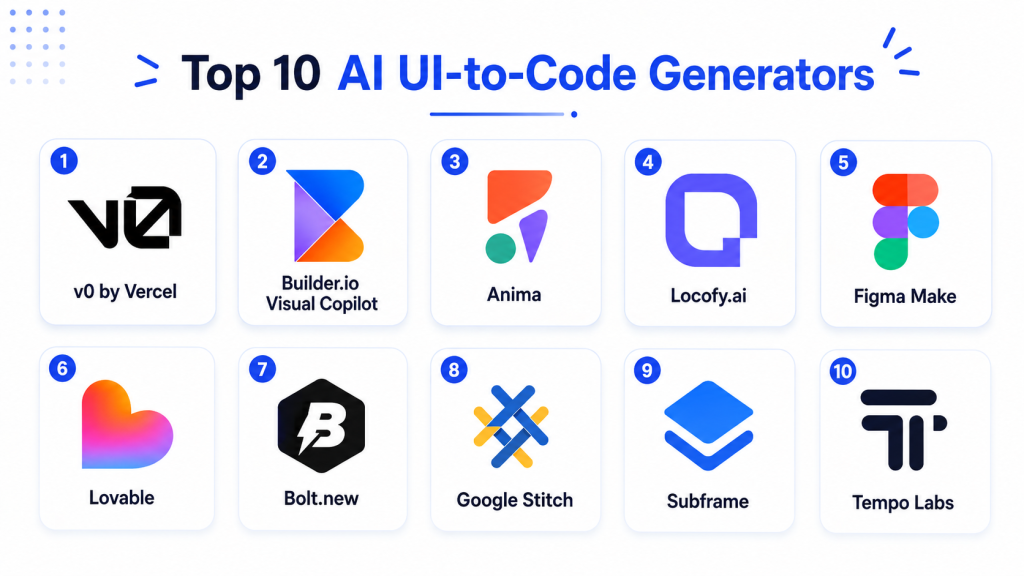
Top 10 AI UI-to-Code Generators
1 — v0
One-line verdict: Best for quickly generating polished modern web interfaces and application components from natural-language requirements.
v0 is focused on generating modern application interfaces and full-stack web experiences from prompts. It is particularly useful for product teams and frontend developers who want a fast path from an interface concept to editable application code.
Standout Capabilities
- Prompt-to-interface generation.
- Component-based UI development.
- Full-page generation.
- Modern frontend development patterns.
- Interactive application creation.
- Visual iteration.
- Full-stack capabilities.
- Deployment-oriented workflows.
AI-Specific Depth
- Model support: Hosted AI; exact model availability varies.
- RAG / knowledge integration: Application-specific / varies.
- Evaluation: Preview, testing, code review, and human visual review.
- Guardrails: Varies by workspace and application configuration.
- Observability: AI usage visibility varies by plan.
Pros
- Strong output for modern web applications.
- Fast interface prototyping.
- Useful for developers as well as product teams.
Cons
- Complex business applications still need experienced engineering.
- Pixel-perfect matching may require manual adjustments.
- Generated application architecture should be reviewed before production.
Security & Compliance
Enterprise security capabilities should be checked against current organizational requirements. SSO, RBAC, retention, auditability, data residency, and certifications should not be assumed without verification.
Deployment & Platforms
- Web: Available.
- Cloud: Available.
- Application deployment: Available.
- Self-hosted builder: Varies / N/A.
Integrations & Ecosystem
v0 fits well with modern frontend and application-development workflows.
- Component-based applications
- Modern web frameworks
- APIs
- Deployment platforms
- Git-oriented workflows
- Design systems
Pricing Model
Tiered SaaS with usage varying according to plan.
Best-Fit Scenarios
- SaaS dashboards.
- Startup web applications.
- Rapid frontend prototyping.
2 — Figma Make and Dev Mode
One-line verdict: Best for design-led organizations wanting a strong connection between design systems and frontend implementation.
Figma remains a major design-to-development platform. Dev Mode provides developers with design inspection and implementation context, while Code Connect links design components with their real code implementations. Figma Make also supports AI-assisted creation of layouts, interactions, applications, and code.
Standout Capabilities
- Design-to-development workflow.
- AI-assisted UI creation.
- Design inspection.
- Code Connect.
- Design-system integration.
- Component properties and variables.
- MCP-based developer workflows.
- Design and engineering collaboration.
AI-Specific Depth
- Model support: Hosted AI; details vary by feature.
- RAG / knowledge integration: Design context and MCP-connected workflows.
- Evaluation: Visual comparison and developer review.
- Guardrails: Workspace and organizational controls vary.
- Observability: N/A for traditional LLM observability.
Pros
- Strong source of truth for professional design teams.
- Excellent designer-developer collaboration.
- Can connect real code components to design components.
Cons
- Not every Dev Mode workflow automatically generates production-ready application code.
- Requires a well-maintained design system for maximum value.
- Complex business logic still requires conventional engineering.
Security & Compliance
Organizational controls depend on plan. Teams should verify SSO, permissions, auditability, retention, residency, and certifications according to internal requirements.
Deployment & Platforms
- Web: Available.
- Desktop: Available.
- Cloud collaboration: Available.
- Self-hosted: Varies / N/A.
Integrations & Ecosystem
Figma’s development ecosystem includes code-generation plugins, Code Connect, developer inspection, and MCP-based integrations.
- Code Connect
- MCP workflows
- Developer tools
- Design systems
- Plugins
- Code-generation extensions
- Collaboration platforms
Pricing Model
Tiered SaaS. Features can vary by seat and organizational plan.
Best-Fit Scenarios
- Enterprise design systems.
- Designer-to-developer handoff.
- Product organizations maintaining reusable frontend components.
3 — Lovable
One-line verdict: Best for product teams that want to turn interface ideas into complete working web applications quickly.
Lovable combines natural-language application development with visual iteration. It is especially useful for teams that want to move from an application concept toward a functional product without separating UI generation from the rest of the application workflow.
Standout Capabilities
- Natural-language application creation.
- UI generation.
- Full-stack development.
- Visual iteration.
- Application preview.
- Backend connectivity.
- Project knowledge.
- Rapid product prototyping.
AI-Specific Depth
- Model support: Hosted AI.
- RAG / knowledge integration: Project knowledge and application integrations vary.
- Evaluation: Preview, testing, and human review.
- Guardrails: Varies by project and organization.
- Observability: Detailed model-level observability is not the main focus.
Pros
- Accessible to product teams.
- Good balance between interface generation and functional development.
- Reduces the gap between prototype and working application.
Cons
- Complicated applications still require developers.
- Generated code needs architecture and security review.
- Highly customized design systems may require additional refinement.
Security & Compliance
Verify SSO, access management, data retention, AI data usage, residency, encryption, auditability, and certifications directly before enterprise adoption.
Deployment & Platforms
- Web: Available.
- Cloud: Available.
- Application publishing: Available.
- Self-hosted builder: Varies / N/A.
Integrations & Ecosystem
- Databases
- APIs
- Git workflows
- Application services
- Design guidance
- Project context
Pricing Model
Tiered SaaS model.
Best-Fit Scenarios
- Startup MVPs.
- Internal business applications.
- Product teams creating functional web applications rapidly.
4 — Replit Agent
One-line verdict: Best for teams wanting UI generation, application logic, development, and deployment inside one environment.
Replit Agent is an application-building agent that can generate software from natural-language requirements. It combines generated interfaces with coding, backend functionality, testing, and deployment inside an integrated development environment.
Standout Capabilities
- Prompt-to-application workflows.
- UI generation.
- Full-stack application development.
- Integrated editor.
- Live preview.
- Backend capabilities.
- Application deployment.
- Iterative development.
AI-Specific Depth
- Model support: Hosted AI.
- RAG / knowledge integration: Project context and connected services vary.
- Evaluation: Application testing and manual review.
- Guardrails: Workspace controls vary.
- Observability: Agent activity can be monitored; model-specific metrics vary.
Pros
- Complete development workspace.
- Easy path from prototype to deployed application.
- Reduces switching between development tools.
Cons
- Less specialized in pixel-perfect design-to-code conversion.
- Complex codebases need experienced developers.
- Teams should consider long-term platform dependency.
Security & Compliance
Enterprise requirements should be evaluated according to the current Replit offering. Verify data handling, identity management, retention, administrative controls, and required certifications.
Deployment & Platforms
- Web: Available.
- Cloud IDE: Available.
- Hosting/deployment: Available.
- Self-hosted builder: Varies / N/A.
Integrations & Ecosystem
- Databases
- Authentication
- APIs
- Git workflows
- Deployment
- Development environment
- Third-party services
Pricing Model
Tiered SaaS with AI usage varying according to plan.
Best-Fit Scenarios
- Internal applications.
- Rapid MVP development.
- Small teams wanting design through deployment in one workspace.
5 — Bolt
One-line verdict: Best for rapidly creating websites and full-stack applications from natural-language interface requirements.
Bolt is an AI-powered builder for websites, web applications, and mobile applications. Its official documentation describes support for JavaScript-based full-stack applications and multiple integrations.
Standout Capabilities
- Prompt-to-website creation.
- Full-stack application generation.
- Visual application preview.
- Editable code.
- JavaScript framework support.
- Mobile application workflows.
- Deployment capabilities.
- Integrated development environment.
AI-Specific Depth
- Model support: Hosted AI / varies by current agent options.
- RAG / knowledge integration: Application-specific.
- Evaluation: Application preview and developer testing.
- Guardrails: Varies.
- Observability: Usage controls depend on plan.
Pros
- Very fast prototyping.
- Supports more than static UI.
- Useful for technical and less technical builders.
Cons
- Large applications may require cleanup.
- Long iterative sessions can increase AI usage.
- Generated dependencies need review.
Security & Compliance
Security requirements should be independently verified. Review authentication, secret handling, retention, enterprise administration, data storage, and model policies.
Deployment & Platforms
- Web: Available.
- Cloud: Available.
- Web applications: Available.
- Mobile application workflows: Available.
- Self-hosting: Varies / N/A.
Integrations & Ecosystem
Bolt supports JavaScript-oriented application development and third-party integrations.
- JavaScript frameworks
- Databases
- APIs
- Deployment
- Mobile workflows
- Application services
Pricing Model
Tiered SaaS with usage allowances. Exact prices are intentionally omitted because plans can change.
Best-Fit Scenarios
- Landing pages.
- Product MVPs.
- Interactive web application prototypes.
6 — GitHub Copilot
One-line verdict: Best for development teams implementing UI requirements inside established repositories and normal code-review workflows.
GitHub Copilot is broader than a dedicated UI generator, but multimodal coding workflows make it useful for implementing frontend requirements from design references while retaining repository context.
Standout Capabilities
- Repository-aware development.
- Multi-file modifications.
- Coding-agent workflows.
- IDE assistance.
- Existing component reuse.
- Pull-request workflows.
- Project instructions.
- Testing integration.
AI-Specific Depth
- Model support: Multi-model options vary.
- RAG / knowledge integration: Repository and project context.
- Evaluation: Tests, builds, pull-request review, and human validation.
- Guardrails: Repository permissions, branch protection, and organization controls.
- Observability: Usage visibility varies by plan.
Pros
- Excellent for existing applications.
- Fits established development governance.
- Encourages review through normal Git workflows.
Cons
- Less visual-first than specialized UI builders.
- Requires frontend development knowledge.
- Generated interfaces may need design refinement.
Security & Compliance
Enterprise controls depend on GitHub and Copilot configuration. Verify retention, repository access, model handling, audit capabilities, identity controls, and applicable certifications.
Deployment & Platforms
- IDE: Available.
- GitHub: Available.
- Cloud agent capabilities: Available.
- Self-hosted model: Varies / N/A.
Integrations & Ecosystem
- GitHub repositories
- Pull requests
- Issues
- IDEs
- CI/CD
- Repository instructions
- Testing tools
Pricing Model
Subscription-based commercial model with usage varying by plan.
Best-Fit Scenarios
- Adding screens to established products.
- Converting UI requirements into pull requests.
- Enterprise frontend development.
7 — Cursor
One-line verdict: Best for frontend developers implementing visual requirements inside complex production codebases.
Cursor is an AI-focused development environment with strong repository context. Instead of building an isolated prototype, developers can use it to implement new UI components and pages directly inside existing applications.
Standout Capabilities
- Repository-wide understanding.
- Multi-file editing.
- Agentic coding.
- Terminal execution.
- Existing component discovery.
- Project instructions.
- Multi-model support.
- Refactoring capabilities.
AI-Specific Depth
- Model support: Multi-model.
- RAG / knowledge integration: Repository context.
- Evaluation: Tests, builds, linters, and human review.
- Guardrails: Rules and execution controls vary.
- Observability: Model and usage visibility varies.
Pros
- Strong codebase awareness.
- Good for mature frontend projects.
- Gives developers substantial implementation control.
Cons
- Requires technical experience.
- Not a traditional visual design canvas.
- Visual accuracy depends on requirement quality.
Security & Compliance
Enterprises should verify model handling, retention, administrative controls, identity management, privacy settings, and audit requirements.
Deployment & Platforms
- Windows: Available.
- macOS: Available.
- Linux: Available.
- Desktop editor: Available.
- Cloud services: Used for selected features.
Integrations & Ecosystem
- Git
- Terminal
- Existing repositories
- Development tools
- MCP-oriented workflows
- Project rules
- Multiple models
Pricing Model
Tiered commercial subscription with usage varying by model.
Best-Fit Scenarios
- Existing React applications.
- Frontend refactoring.
- Large design-system implementations.
8 — Anima
One-line verdict: Best for design teams that want a focused bridge between visual designs and frontend implementation.
Anima focuses more directly on design-to-code workflows than general-purpose coding assistants. It is useful when a relatively mature visual design already exists and the objective is to turn that design into reusable frontend implementation faster.
Standout Capabilities
- Design-to-code conversion.
- Component-oriented code generation.
- Responsive layout support.
- Frontend framework workflows.
- Designer-developer handoff.
- Visual implementation.
- Code export.
- Reusable component workflows.
AI-Specific Depth
- Model support: Hosted / varies.
- RAG / knowledge integration: N/A for primary workflow.
- Evaluation: Visual comparison and developer review.
- Guardrails: Varies.
- Observability: N/A for traditional model observability.
Pros
- Dedicated design-to-code focus.
- Useful for reducing repetitive frontend work.
- Supports collaboration between design and engineering.
Cons
- Complex application logic needs additional development.
- Generated code needs review.
- Sophisticated design systems may require configuration.
Security & Compliance
Enterprise requirements such as SSO, RBAC, auditability, encryption, retention, residency, and certifications should be verified directly.
Deployment & Platforms
- Web: Available.
- Cloud: Available.
- Design-tool integration: Available.
- Self-hosted: Varies / N/A.
Integrations & Ecosystem
- Design platforms
- Frontend workflows
- Component systems
- Developer handoff
- Code export
- Collaboration
Pricing Model
Tiered SaaS model.
Best-Fit Scenarios
- Design-to-code handoff.
- Agency frontend production.
- Repetitive page implementation.
9 — Cline
One-line verdict: Best for developers wanting open-source control and flexible models for UI implementation tasks.
Cline is an open-source coding agent rather than a dedicated visual UI generator. However, when paired with multimodal models and browser tools, it can be used to interpret interface requirements and implement them inside an existing application.
Standout Capabilities
- Open-source agent.
- Model flexibility.
- Repository context.
- Multi-file modifications.
- Terminal commands.
- Plan-and-execute workflows.
- Checkpoints.
- External tool connectivity.
AI-Specific Depth
- Model support: BYO / multi-model.
- RAG / knowledge integration: Repository and external tool context.
- Evaluation: Tests, browser tooling, linters, builds, and manual validation.
- Guardrails: Human approvals and checkpoints.
- Observability: Depends on selected provider.
Pros
- High model flexibility.
- Strong developer control.
- Open-source workflow reduces dependence on one AI provider.
Cons
- More setup than hosted visual builders.
- Requires development skills.
- Visual results depend heavily on the chosen model and instructions.
Security & Compliance
Security depends on model provider, API configuration, local environment, external tools, secrets handling, and organizational deployment choices.
Deployment & Platforms
- Local development: Available.
- IDE workflow: Available.
- Hybrid model usage: Available.
- Cloud model calls: Depends on provider.
Integrations & Ecosystem
- Git
- MCP
- APIs
- Terminal
- Browser tools
- Databases
- Model providers
Pricing Model
Open-source core with model usage costs depending on provider.
Best-Fit Scenarios
- Developer-controlled UI automation.
- Existing repositories.
- Teams wanting BYO models.
10 — Figma Code Connect and AI Coding Agent Workflows
One-line verdict: Best for mature design-system teams that want generated implementations to reference real production components.
Although this is more of a workflow than a standalone one-click generator, it deserves consideration because production UI-to-code is increasingly about translating designs using real components rather than generating arbitrary markup.
Figma’s Code Connect links codebase components directly with components in Figma. Figma says these mappings can also improve AI-agent implementation context through its MCP workflows.
Standout Capabilities
- Links designs with real code components.
- Supports design-system consistency.
- Developer implementation context.
- AI-agent connectivity.
- Component reuse.
- Better designer-developer alignment.
- Framework-independent template capabilities.
- Suitable for enterprise design systems.
AI-Specific Depth
- Model support: Depends on connected coding agent.
- RAG / knowledge integration: Strong design and component context.
- Evaluation: Developer and visual review.
- Guardrails: Defined by design system, repository, and connected agent.
- Observability: Depends on coding environment.
Pros
- Encourages real component reuse.
- Reduces arbitrary UI generation.
- Strong fit for established design systems.
Cons
- Requires setup.
- More appropriate for mature engineering teams.
- Not a one-click application builder.
Security & Compliance
Depends on the Figma organization, repository environment, connected coding tool, and enterprise policies.
Deployment & Platforms
- Figma: Cloud-based workflow.
- Repository integration: Available through implementation tooling.
- Coding-agent deployment: Varies.
Integrations & Ecosystem
- Figma
- Code repositories
- MCP
- Design systems
- Frontend components
- Developer tools
- AI coding agents
Pricing Model
Depends on Figma plan and connected coding tools.
Best-Fit Scenarios
- Enterprise design systems.
- Large component libraries.
- Teams wanting AI-generated implementation to reuse production components.
Comparison Table
| Tool Name | Best For | Deployment | Model Flexibility | Strength | Watch-Out | Public Rating |
|---|---|---|---|---|---|---|
| v0 | Modern web interfaces | Cloud | Hosted | Rapid UI generation | Needs production review | N/A |
| Figma Make / Dev Mode | Design-led teams | Cloud / Desktop | Hosted / Varies | Design-system workflow | Requires structured design process | N/A |
| Lovable | Product teams | Cloud | Hosted | UI-to-full-app workflow | Complex systems need developers | N/A |
| Replit Agent | End-to-end builders | Cloud | Hosted | Development through deployment | Platform dependency | N/A |
| Bolt | Rapid application builders | Cloud | Hosted / Varies | Fast full-stack generation | Usage management | N/A |
| GitHub Copilot | Existing repositories | IDE / Cloud | Multi-model / Varies | Repository integration | Less visual-first | N/A |
| Cursor | Professional developers | Desktop / Cloud services | Multi-model | Codebase-aware development | Technical skill required | N/A |
| Anima | Design-to-code teams | Cloud | Hosted / Varies | Visual design conversion | Code needs review | N/A |
| Cline | Open-source developers | Local / Hybrid | BYO / Multi-model | Control and flexibility | More setup | N/A |
| Figma Code Connect workflows | Design systems | Cloud / Hybrid workflow | Agent-dependent | Real component reuse | Initial setup | N/A |
Scoring & Evaluation
The scores below are comparative editorial assessments rather than official vendor ratings. Different UI-to-code products solve different problems, so a high score does not mean the tool is universally better.
Core features measure practical interface generation and code capabilities. Reliability considers how easily output can be tested and corrected. Guardrails cover permissions, human oversight, and development controls. Integration scores consider how well the product fits repositories, design tools, and development workflows.
| Tool | Core | Reliability/Eval | Guardrails | Integrations | Ease | Perf/Cost | Security/Admin | Support | Weighted Total |
|---|---|---|---|---|---|---|---|---|---|
| v0 | 10 | 9 | 8 | 9 | 10 | 8 | 8 | 9 | 9.00 |
| Figma Make / Dev Mode | 9 | 9 | 9 | 10 | 9 | 8 | 9 | 9 | 9.00 |
| Lovable | 9 | 8 | 8 | 9 | 10 | 8 | 8 | 8 | 8.60 |
| Replit Agent | 9 | 8 | 7 | 9 | 10 | 8 | 8 | 9 | 8.50 |
| Bolt | 9 | 8 | 7 | 8 | 10 | 7 | 7 | 8 | 8.10 |
| GitHub Copilot | 8 | 9 | 9 | 10 | 8 | 8 | 9 | 10 | 8.80 |
| Cursor | 9 | 9 | 8 | 9 | 8 | 8 | 8 | 9 | 8.55 |
| Anima | 8 | 8 | 7 | 8 | 9 | 8 | 7 | 8 | 7.85 |
| Cline | 8 | 8 | 9 | 9 | 7 | 8 | 7 | 8 | 7.95 |
| Figma Code Connect workflows | 9 | 9 | 9 | 10 | 7 | 8 | 9 | 9 | 8.80 |
Which AI UI-to-Code Generator Is Right for You?
Solo / Freelancer
Freelancers usually need a combination of speed, code ownership, and easy iteration.
v0 is particularly attractive for quickly creating modern frontend interfaces. Bolt and Replit Agent are useful when a freelancer needs to create more than just the interface and wants backend and deployment capabilities too.
Experienced developers working in existing projects may prefer Cursor.
SMB
Small businesses should prioritize tools that reduce time from product idea to working interface without creating unnecessary maintenance.
v0, Lovable, Bolt, and Replit Agent can be strong options for small teams.
If the company already maintains a real production repository, GitHub Copilot or Cursor may provide better long-term alignment.
Mid-Market
Growing organizations should prioritize component reuse and design-system consistency.
The selected platform should understand:
- Existing buttons.
- Forms.
- Cards.
- Navigation.
- Typography.
- Spacing.
- Color tokens.
- Icons.
- Modals.
- Tables.
- Responsive breakpoints.
Generating attractive pages is not enough if every page introduces new components.
Enterprise
Large enterprises should evaluate:
- SSO.
- RBAC.
- Audit logs.
- Repository permissions.
- Design-system integration.
- Data retention.
- Uploaded screenshot handling.
- Model-provider policies.
- Accessibility requirements.
- Security scanning.
- Exportability.
- Component governance.
- Vendor lock-in.
Figma-centered workflows become particularly attractive when design systems are already mature.
Regulated Industries
Healthcare, banking, government, insurance, and similar industries should be cautious with screenshot-based generation.
Screenshots may contain:
- Customer information.
- Medical information.
- Employee records.
- Account balances.
- Internal analytics.
- Administration interfaces.
- Security controls.
- Confidential workflows.
Use sanitized design examples during evaluation wherever possible.
Budget vs Premium
Low-cost selection should not be based only on subscription price.
Consider:
- AI usage.
- Developer corrections.
- Design rework.
- Accessibility remediation.
- Testing.
- Dependency cleanup.
- Performance optimization.
A tool that generates cleaner reusable components may cost less overall even if its subscription is higher.
Build vs Buy
Building an internal UI generation pipeline becomes attractive when an organization already has a mature design system.
Internal context can include:
- Component documentation.
- Design tokens.
- Approved libraries.
- Code examples.
- Accessibility requirements.
- Security standards.
- Framework restrictions.
- Responsive rules.
- Testing expectations.
Buying is usually easier when teams primarily need rapid generation, collaboration, visual editing, hosted model access, and straightforward onboarding.
Implementation Playbook: 30 / 60 / 90 Days
First 30 Days — Pilot
Test the platform using several representative designs:
- Landing page.
- SaaS dashboard.
- Registration form.
- Settings page.
- Data table.
- Ecommerce product page.
- Mobile navigation.
- Multi-step workflow.
Measure:
- Time to first working UI.
- Visual similarity.
- Responsive accuracy.
- Number of manual corrections.
- Component reuse.
- Code readability.
- Accessibility issues.
- Developer review time.
Test multiple input formats including prompts, screenshots, wireframes, and finished designs.
Days 31–60 — Design-System and Quality Controls
Provide the generator with clear development standards.
Define:
- Typography.
- Colors.
- Design tokens.
- Spacing.
- Grid system.
- Components.
- Breakpoints.
- Form behavior.
- Loading states.
- Empty states.
- Error states.
Add testing.
Use:
- Component tests.
- Browser tests.
- Responsive testing.
- Visual regression testing.
- Accessibility scans.
- Linters.
- Type checks.
- Build validation.
Inspect generated dependencies carefully.
Days 61–90 — Governance and Scale
Define which interface tasks can use AI generation.
Good low-risk examples:
- Marketing pages.
- Internal tools.
- Prototype screens.
- Boilerplate components.
- Empty states.
- Simple forms.
Require stronger review for:
- Authentication.
- Payments.
- Healthcare forms.
- Banking applications.
- Administration panels.
- Security controls.
- Accessibility-critical public interfaces.
Track:
- Generation success rate.
- Developer corrections.
- Defect rate.
- Component reuse.
- Accessibility failures.
- Design inconsistencies.
- AI usage costs.
- Production incidents.
Common Mistakes and How to Avoid Them
- Assuming screenshot-to-code will always be pixel-perfect.
- Uploading confidential screenshots without reviewing privacy policies.
- Allowing every generated page to create new components.
- Ignoring design tokens.
- Failing to test mobile layouts.
- Using generated interfaces without accessibility testing.
- Ignoring semantic HTML.
- Accepting poor keyboard navigation.
- Forgetting loading and error states.
- Allowing inconsistent spacing.
- Adding unnecessary dependencies.
- Ignoring frontend bundle size.
- Using generated authentication code without review.
- Failing to test forms.
- Forgetting validation states.
- Ignoring dark mode requirements.
- Treating visual similarity as the only quality measure.
- Generating huge components instead of reusable smaller components.
- Failing to run visual regression tests.
- Locking design knowledge inside one vendor’s platform.
Frequently Asked Questions
1. What is an AI UI-to-code generator?
An AI UI-to-code generator turns interface requirements into frontend code. Inputs may include natural-language prompts, screenshots, wireframes, structured designs, or existing project context.
2. Can AI UI-to-code generators convert screenshots into working code?
Yes, some tools can interpret screenshots or other visual references and produce editable frontend implementations. Developers should still review layout accuracy, component structure, responsiveness, and accessibility.
3. Can these tools create responsive websites?
Yes, many can generate responsive interfaces. However, developers should test generated pages across phones, tablets, desktops, and different viewport sizes rather than assuming responsiveness is correct.
4. Can AI UI-to-code generators work with existing design systems?
Yes, depending on the platform. Figma Code Connect, for example, is designed to connect design components with real code components, which can give implementation workflows more precise component context.
5. Do AI UI-to-code generators support React?
Many modern tools are designed around component-based web development, but framework support differs. Teams should verify React, Vue, Angular, HTML/CSS, or other framework requirements before selecting a platform.
6. Are AI-generated interfaces production-ready?
Not automatically. Generated code should be reviewed for accessibility, responsiveness, maintainability, dependencies, security, application state, semantic markup, performance, and compliance with the project’s design system.
7. Are AI UI-to-code generators safe for confidential designs?
That depends on the vendor and plan. Organizations should verify data retention, access controls, model data usage, storage location, administrative controls, and privacy terms before uploading confidential screenshots or designs.
8. Do AI UI-to-code generators replace frontend developers?
No. They can reduce repetitive implementation work, but developers remain responsible for architecture, accessibility, performance, security, testing, state management, integration logic, and long-term maintainability.
9. Can AI-generated UI code be used in an existing repository?
Yes. Developer-focused tools can modify existing codebases rather than generating completely separate projects. The strongest workflows reuse existing components, coding rules, and design-system conventions.
10. How should I choose the best AI UI-to-code generator?
Evaluate visual accuracy, generated code quality, responsive behavior, framework support, component reuse, design-system integration, accessibility, repository support, privacy, testing, exportability, developer control, cost, and vendor lock-in.
Conclusion
AI UI-to-code generators are making the path from visual idea to working interface much faster. Teams can increasingly start with a prompt, wireframe, design system, or visual concept and generate an editable implementation rather than manually building every component from scratch.v0 is a strong option for rapid modern frontend generation. Figma’s evolving Make, Dev Mode, Code Connect, and MCP ecosystem is particularly relevant for teams where design systems are already central to product development. Bolt, Lovable, and Replit Agent are useful when the goal is to move beyond the interface and generate a working application. GitHub Copilot and Cursor fit better when visual requirements must be implemented inside an existing production repository.