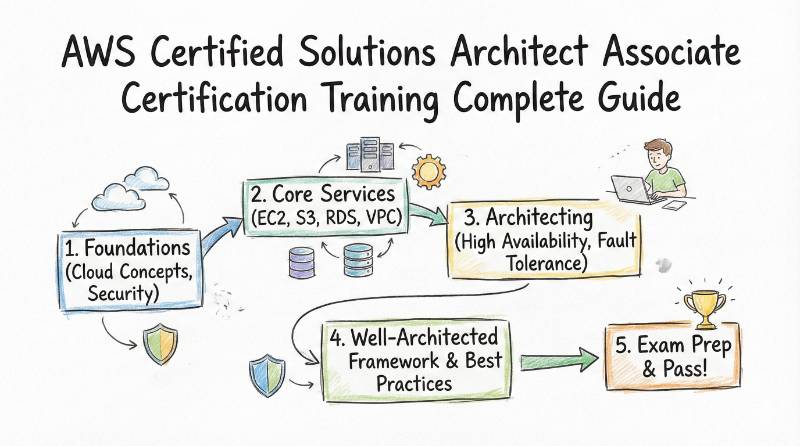
Introduction
Cloud projects do not fail because AWS is hard. They fail because the design is weak. A small mistake in networking, scaling, security, or storage can turn into downtime, data risk, or a big monthly bill. That is why AWS Certified Solutions Architect – Associate is so useful. It teaches you how to make clear architecture decisions that work in real production systems. This certification is made for people who build, deploy, or manage software on AWS. If you are a software engineer, DevOps engineer, cloud engineer, platform engineer, security engineer, or an engineering manager, you will find it practical. You learn how to design systems that are reliable, secure, fast, and cost-aware, using the right AWS services in the right way.
Why this certification matters in real work
Most production incidents are not caused by “wrong code.” They are caused by:
- weak architecture choices,
- weak network boundaries,
- weak scaling assumptions,
- weak cost planning,
- weak failure planning.
This certification is valuable because it pushes you to think in four ways:
- Resilience: What breaks first, and how do we recover?
- Performance: What becomes slow first, and how do we scale?
- Security: What can be accessed, by whom, and why?
- Cost: Where will money leak silently over time?
When you learn these well, you start making decisions that senior engineers trust.
What is AWS Certified Solutions Architect – Associate?
What it is
AWS Certified Solutions Architect – Associate validates your ability to design AWS solutions that meet real requirements: availability, security, scalability, and cost control. You learn how to pick the right services and patterns—not by memorizing, but by matching designs to real-world constraints.
Who should take it
- Software Engineers who deploy apps on AWS and want stronger architecture confidence
- Cloud Engineers who want a structured way to learn AWS design decisions
- DevOps / Platform Engineers who support AWS workloads and want better reliability and security outcomes
- Security Engineers who want to understand how AWS architecture shapes risk
- Engineering Managers who review designs, budgets, and operational plans
If your job includes words like “production,” “scale,” “security,” “cost,” or “SLA,” this is highly relevant.
Skills you’ll gain
- Design multi-tier architectures that match access patterns and workload needs
- Build for high availability and fault tolerance across failure zones
- Use decoupling patterns to reduce blast radius during failures
- Choose resilient storage strategies based on durability and recovery needs
- Design secure access and permission boundaries with practical IAM thinking
- Build secure application tiers using segmentation and controlled routing
- Select appropriate data security options for data at rest and in transit
- Make cost-aware compute, database, storage, and network choices
Real-world projects you should be able to do after it (bullets)
- Build a highly available web application architecture (multi-tier, scalable, failure-aware)
- Design a fault-tolerant system that survives instance or zone failures with minimal downtime
- Create a decoupled processing pipeline for orders, payments, or background jobs
- Design a secure VPC network layout with clear public/private boundaries and safe traffic routing
- Build a backup and disaster recovery plan that matches business recovery goals
- Redesign an existing AWS setup to improve performance without increasing cost blindly
- Create a practical cost optimization plan (right-sizing, managed services, tiering, and traffic-cost control)
Certification table
| Track | Level | Who it’s for | Prerequisites | Skills covered | Recommended order |
|---|---|---|---|---|---|
| AWS Architecture | Associate | Engineers, DevOps/Platform teams, Cloud teams, Managers | No strict prerequisites; basic OS + basic cloud concepts recommended | Resilience, performance, security, cost-optimized design | Start here to build architecture foundations before deeper specialization |
What you actually learn
The provider organizes the program into four domains. Here’s what those domains mean in real work.
Domain 1: Design resilient architectures
Resilience is about one truth: things will fail. Good architects plan for it.
You learn to:
- Design multi-tier architecture solutions
- Decide how traffic flows from users to web tier to app tier to data tier
- Choose services based on access patterns (read-heavy, write-heavy, bursty, steady)
- Plan scaling separately for each tier so one layer does not crash the whole system
- Design highly available and/or fault-tolerant architectures
- Avoid single points of failure by distributing critical components
- Decide the right setup across Availability Zones
- Choose a recovery strategy that matches business needs (fast recovery vs low cost)
- Design decoupling mechanisms using AWS services
- Break tight dependencies so one failing component does not break everything
- Use asynchronous processing where it reduces risk
- Prefer patterns that improve throughput and stability under spikes
- Choose appropriate resilient storage
- Make storage decisions based on durability, consistency, and recovery needs
- Design backup patterns that are testable (not “we think backups exist”)
- Understand which storage type fits which workload, and what happens during failure
Practical outcome: you can design a system that stays up even when something breaks.
Domain 2: Design high-performing architectures
Performance is not about “fast laptop.” It’s about handling real load without becoming unstable.
You learn to:
- Identify elastic and scalable compute solutions
- Choose compute approaches based on workload behavior (spiky vs stable)
- Design scaling strategies that protect performance and cost
- Identify the right metrics to watch to detect performance decline early
- Select high-performing and scalable storage solutions
- Pick storage based on throughput, latency, and scaling behavior
- Plan growth so performance doesn’t collapse later
- Select high-performing networking solutions
- Choose connectivity options that match throughput and latency needs
- Use edge and caching strategies when it makes sense
- Reduce bottlenecks created by poor data transfer planning
- Choose high-performing database solutions
- Select databases based on read/write patterns, consistency needs, and scale
- Use caching patterns to reduce load and improve response times
- Avoid the common trap: choosing a database because it’s familiar, not because it fits
Practical outcome: you can design architectures that stay responsive under real traffic.
Domain 3: Design secure applications and architectures
Security is best when it is designed in—not added later.
You learn to:
- Design secure access to AWS resources
- Understand when to use users, groups, and roles
- Read an access policy and understand what it really allows
- Secure root usage and reduce credential risk
- Design how apps securely access AWS APIs without unsafe shortcuts
- Design secure application tiers
- Use segmentation thinking: keep private systems private
- Control traffic using practical network boundaries
- Choose routing and access paths that reduce exposure
- Apply protections against common external threats
- Select appropriate data security options
- Decide how to protect data at rest and in transit
- Understand key management choices at a high level
- Apply the right policy approach based on access patterns
Practical outcome: you can design systems that pass real security reviews with fewer reworks.
Domain 4: Design cost-optimized architectures
Cost optimization is not “cheapest.” It is best value for the requirement.
You learn to:
- Identify cost-effective storage solutions
- Match storage tiers to the lifecycle of data
- Automate tiering so old data doesn’t stay expensive forever
- Identify cost-effective compute and database services
- Understand billing and sizing at a practical decision level
- Choose managed or serverless options when it reduces operational cost
- Design scaling strategies that don’t burn money during peaks
- Design cost-optimized network architectures
- Reduce unnecessary data transfer costs
- Use content delivery patterns when it helps cost and speed
- Choose connectivity strategies that match usage patterns
Practical outcome: you can design systems that are financially sustainable, not just technically correct.
Preparation plan — 7–14 days / 30 days / 60 days
The best preparation plan depends on your starting point and your daily time.
7–14 days (fast-track plan)
Best for: people already working with AWS regularly.
Focus: structure + revision + practice under constraints
- Days 1–2: Build a “big picture”
- Understand the four domains and what each domain tries to solve
- Create a 1-page summary: resilience, performance, security, cost
- Days 3–5: Resilience + networking fundamentals
- Practice multi-tier thinking with clear boundaries
- Practice failure thinking: “What fails first?” and “What’s the fallback?”
- Days 6–8: Performance + database/storage decisions
- Practice selecting compute vs storage vs database for different workload patterns
- Build 1 small project: a web app architecture design (diagram + explanation)
- Days 9–11: Security + access design
- Learn how to reason about permissions: least privilege and safe access patterns
- Build 1 small project: secure tier separation and safe access design
- Days 12–14: Cost optimization + practice questions
- Practice “best fit” choices under budget constraints
- Review your mistakes and rewrite them as rules you’ll remember
Key rule: don’t do practice questions like a quiz. Do them like a design review.
30 days (balanced plan)
Best for: most working professionals.
Focus: learn + build + revise weekly
- Week 1: Foundations and AWS architecture thinking
- Learn how to translate business requirements into technical choices
- Practice basic architecture diagrams and explanation in simple English
- Week 2: Resilience deep focus
- Multi-tier design and failure planning
- Disaster recovery thinking at a practical level
- Build: architecture for a resilient app
- Week 3: Performance + security
- Design for scale and handle bottlenecks
- Design secure access and segmentation
- Build: design a secure, scalable system with clear tiers
- Week 4: Cost optimization + exam readiness
- Study cost drivers and how to control them
- Practice mock questions and review mistakes
- Build: a cost optimization plan for an example workload
Goal after 30 days: you can confidently justify your architecture choices.
60 days (from beginner to confident)
Best for: beginners or people switching roles.
Focus: slow steady learning + strong hands-on base
- Weeks 1–2: Basics + comfort
- Understand AWS core services at a high level
- Learn to read architecture problems without panic
- Weeks 3–4: Resilience + networking
- Practice failure planning and recovery thinking
- Learn segmentation logic (public vs private tiers)
- Weeks 5–6: Performance + data decisions
- Learn workload-based selection approach
- Build one mini “system design portfolio” project
- Weeks 7–8: Security + cost + final practice
- Learn to spot risky patterns and expensive patterns
- Practice questions + revise weak areas until stable
Goal after 60 days: you can handle real architecture conversations, not just an exam.
Common mistakes
- Memorizing services instead of learning decision logic
- Fix: for every service you learn, write: “Best for,” “Not for,” “Common trap.”
- Skipping networking fundamentals
- Fix: always be able to explain traffic flow. If you can’t explain traffic, you can’t secure it.
- Treating security as an add-on
- Fix: start every design with access boundaries and least privilege thinking.
- Over-engineering early
- Fix: choose the simplest design that meets requirements, then scale carefully.
- Ignoring cost until the last week
- Fix: every architecture choice has a cost impact—practice cost awareness daily.
- Doing practice questions without reviewing mistakes
- Fix: mistakes are your syllabus. Turn each mistake into a “never again” rule.
- Not building anything hands-on
- Fix: build 2–3 small projects or designs. Your brain remembers what your hands practiced.
Best next certification after this
After this certification, choose the next step based on where you want your career to grow.
If you want deeper AWS architecture
Move into an advanced architecture direction. This is best if you:
- lead architecture choices,
- review designs across teams,
- want larger cloud ownership.
If you want operations and platform depth
Move into DevOps / SRE / platform engineering direction. This is best if you:
- own uptime,
- manage releases and infrastructure,
- support production systems.
If you want security specialization
Move into cloud security direction. This is best if you:
- work with audits,
- manage access, risk, and compliance controls,
- build secure cloud platforms.
Choose your path (6 learning paths)
This certification is a foundation. Your path depends on what you want to become.
Path 1: DevOps
Goal: faster delivery with stable environments.
What you add after this:
- Infrastructure-as-Code habits
- CI/CD delivery thinking
- Monitoring basics and incident hygiene
What you become: - someone who can ship and run cloud systems reliably
Path 2: DevSecOps
Goal: delivery speed with security by design.
What you add after this:
- secure pipeline thinking
- policy and access governance habits
- threat modeling basics for cloud architectures
What you become: - someone who reduces security risk without slowing the team
Path 3: SRE
Goal: reliability, predictability, and calm production.
What you add after this:
- SLO/SLI mindset
- capacity planning and reliability patterns
- incident response discipline
What you become: - someone who designs systems that survive pressure
Path 4: AIOps / MLOps
Goal: smarter operations or stable ML workloads.
What you add after this:
- strong observability practices
- data and model pipeline reliability thinking
- automation that reduces alert noise
What you become: - someone who brings intelligence and stability to cloud operations
Path 5: DataOps
Goal: reliable data pipelines and trustworthy analytics.
What you add after this:
- data flow and governance discipline
- pipeline monitoring and quality checks
- platform thinking for data teams
What you become: - someone who builds stable data systems, not fragile scripts
Path 6: FinOps
Goal: cloud cost visibility and continuous optimization.
What you add after this:
- cost allocation and tagging discipline
- optimization loops with engineering
- governance that supports speed + cost control
What you become: - someone who prevents cloud waste while supporting growth
Role → Recommended Certifications Mapping (Table)
| Role | Start with (Foundation) | Add next (Core job skills) | Then specialize (Pick 1 direction) | Why this path works |
|---|---|---|---|---|
| DevOps Engineer | AWS Certified Solutions Architect – Associate | CI/CD + Infrastructure as Code + Containers basics | Kubernetes + SRE practices or Cloud security basics | You need strong cloud architecture plus repeatable delivery and stable operations. |
| SRE | AWS Certified Solutions Architect – Associate | Observability + Incident response + Reliability metrics (SLO mindset) | Kubernetes + Advanced reliability patterns or Performance engineering | SRE work is about preventing outages and designing for failure and scale. |
| Platform Engineer | AWS Certified Solutions Architect – Associate | Infrastructure as Code + Internal platform patterns + Access boundaries | Kubernetes + Multi-tenant platform design or Security-by-default platform | Platform teams build shared foundations for many teams, so architecture + standardization is key. |
| Cloud Engineer | AWS Certified Solutions Architect – Associate | Cloud networking + Identity and access + Automation fundamentals | Advanced AWS architecture track or Cloud operations track | Cloud engineers are judged on safe, scalable, cost-aware cloud design and execution. |
| Security Engineer | AWS Certified Solutions Architect – Associate | Cloud security fundamentals + IAM deep practice + Threat modeling basics | DevSecOps track or Cloud security specialization track | You secure systems better when you understand the architecture and its risk points. |
| Data Engineer | AWS Certified Solutions Architect – Associate | Data pipeline fundamentals + Storage/compute selection mindset | DataOps track or Cloud data platform specialization | Data workloads are cost-sensitive and architecture-heavy; this path prevents fragile pipelines. |
| FinOps Practitioner | AWS Certified Solutions Architect – Associate | Cost allocation & tagging discipline + Optimization routines | FinOps track or Governance/controls track | FinOps needs technical understanding of cost drivers to optimize without breaking systems. |
| Engineering Manager | AWS Certified Solutions Architect – Associate | Architecture review skills + Risk/cost trade-off thinking | Leadership/architecture governance track or Platform strategy | Helps you review designs, question assumptions, and guide teams on reliability and cost decisions. |
Next certifications to take (3 options)
Option 1: Same track (go deeper in AWS architecture)
Best for: cloud architects, senior engineers, cloud leads
Outcome: you handle larger designs, cross-team architecture reviews, and long-term standards.
Option 2: Cross-track (broaden your impact)
Best for: platform engineers, DevOps, SRE, security-focused roles
Outcome: you become strong in both cloud design and production execution.
Option 3: Leadership (design + governance)
Best for: managers, tech leads, people shaping architecture standards
Outcome: you can guide teams on reliability, security posture, and cost governance.
Top institutions offering training + certification support
DevOpsSchool
DevOpsSchool offers an AWS Solutions Architect – Associate program with approx. 40 hours duration and 50+ lab projects, with multiple delivery formats (online/classroom/corporate).
It is a good fit if you want a guided curriculum plus hands-on practice and interview preparation.
Best for learners who want structure, labs, and mentorship-style support.
Cotocus
Cotocus is commonly used as a training and consulting ecosystem for engineers preparing for cloud and DevOps roles.
It can be a good choice if you want coordinated training support and practical guidance.
Best for working professionals who want a structured plan and real project alignment.
Scmgalaxy
Scmgalaxy is known for training-oriented learning paths across DevOps and cloud topics.
It is useful if you prefer step-by-step modules with guided progression.
Best for learners who need clarity and a paced learning experience.
BestDevOps
BestDevOps focuses on practical learning outcomes aligned to real jobs.
It can work well if you want exam preparation plus real-world practice perspective.
Best for learners who want direct job relevance.
devsecopsschool
devsecopsschool is helpful if your final direction is cloud security and DevSecOps practices.
It fits learners who want security thinking on top of cloud architecture basics.
Best for engineers moving into secure cloud engineering roles.
sreschool
sreschool is suited for learners targeting reliability, uptime, and production readiness.
It fits if you want to connect AWS architecture with incident prevention and stability.
Best for future SREs and platform reliability roles.
aiopsschool
aiopsschool is useful if you want stronger operations with smarter alerting and automation thinking.
It is helpful for teams reducing noise and improving operational maturity.
Best for engineers moving into AIOps or automation-focused operations.
dataopsschool
dataopsschool helps when you want reliable pipelines, data quality thinking, and stable data platforms.
It fits data engineering teams that need architecture discipline.
Best for DataOps learners and data platform builders.
finopsschool
finopsschool supports learning around cost awareness, optimization habits, and governance thinking.
It is useful for engineers and managers who want to control AWS spend in a structured way.
Best for FinOps roles and cost-focused cloud leadership.
FAQs — difficulty, time, prerequisites, sequence, value, outcomes
1) Is AWS Solutions Architect – Associate difficult?
It is not “hard math,” but it is decision-heavy. If you practice design scenarios and understand trade-offs, it becomes manageable.
2) How long does preparation take for working professionals?
Most people do well with a 30-day plan if they study consistently. If you are new to AWS, a 60-day plan is safer.
3) Do I need AWS work experience before starting?
Not mandatory. But basic cloud understanding helps you learn faster and reduce confusion.
4) Should developers take this or only cloud engineers?
Developers benefit a lot because architecture decisions strongly affect performance, stability, and cost.
5) Is it useful for DevOps and Platform roles?
Yes. These roles live close to production systems, and architecture thinking reduces failures and downtime.
6) What is the best way to study: reading or labs?
Use both, but prioritize labs and scenario thinking. Architecture improves when you build and explain.
7) Do I need strong networking knowledge?
You don’t need expert networking, but you must understand traffic flow and safe boundaries. This is essential for secure design.
8) What is the best sequence of learning topics?
Start with resilience and networking basics, then performance and databases, then security, then cost optimization.
9) What is the biggest reason learners fail?
They memorize service names but can’t match designs to constraints like cost, performance, and security.
10) Does it help in interviews?
Yes. Many interviews ask scenario questions. This certification helps you answer with structure and confidence.
11) Will it help managers too?
Yes. It helps managers review architecture proposals and ask smarter questions about risk, cost, and reliability.
12) What career outcomes can I expect?
You can move toward cloud engineer, platform engineer, DevOps, or architecture-aligned roles with stronger credibility.
FAQs on AWS Certified Solutions Architect – Associate
Q1) What does “solutions architect” mean in daily work?
It means you can design an AWS system that meets business needs and explain why you chose those services and patterns.
Q2) Are the questions theoretical or practical?
Mostly practical scenario questions: “Given this requirement, what is the best design choice?”
Q3) How do I learn trade-offs faster?
After every practice question, write a one-line rule like: “Use X when you need Y, avoid it when Z.”
Q4) What should I build as a portfolio while preparing?
Build a multi-tier app design and a decoupled processing design. Even a simple project teaches architecture better than notes.
Q5) How do I reduce exam confusion between similar options?
Always look for the main constraint: cost, performance, security, or resilience. The constraint usually selects the right answer.
Q6) What is a good daily schedule for a working professional?
60–90 minutes: 30 minutes concept + 30 minutes lab/design + 30 minutes practice questions and review.
Q7) What should managers focus on from this certification?
Focus on design review skills: understanding risk, cost drivers, recovery planning, and security boundaries.
Q8) If I’m not using AWS daily, can I still do it?
Yes. Use the 60-day plan, build small labs, and repeat the core patterns until they feel natural.
Testimonials
Amit (Cloud Engineer)
“I could deploy apps before, but I struggled to explain design choices. After preparing properly, I can now justify decisions about resilience, performance, and cost clearly.”
Sneha (Software Engineer)
“This helped me move from ‘service knowledge’ to ‘architecture thinking.’ My designs are cleaner, and I make fewer risky assumptions.”
Ravi (Engineering Manager)
“I can review cloud proposals more confidently now. Cost and risk discussions became much more structured and practical.”
Meera (Platform Engineer)
“I learned how to isolate failures and design stable systems. That reduced production stress and made scaling decisions easier.”
Conclusion
AWS Certified Solutions Architect – Associate is one of the most practical certifications for anyone working with AWS. It does not just teach service names. It builds the habit of thinking like an architect—how to design for failures, how to keep systems fast under load, how to protect access and data, and how to control cloud cost before it becomes a problem. If you want the best results, do not prepare only with reading and practice questions. Follow a clear plan (14/30/60 days), build small real projects, and review every mistake until your decision-making becomes strong. Also, use the “Choose your path” section and the Role → Recommended Certifications mapping to pick a direction that matches your job goals.